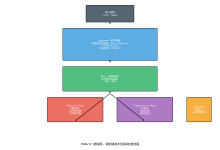
架构之HAProxy
目录
简介
HAProxy(High Availability Proxy)是一个免费、开源、高性能的负载均衡器和代理服务器,适用于基于 TCP 和 HTTP 的应用程序。它将传入流量分发到多个后端服务器,确保高可用性、可靠性和最佳资源利用率。
核心特性
- 四层和七层负载均衡:支持 TCP(四层)和 HTTP(七层)负载均衡
- 高性能:能够以最少的资源使用处理数万个并发连接
- 零拷贝架构:采用事件驱动的单进程模型以实现最大效率
- 高级健康检查:支持多种健康检查机制以检测服务器故障
- 会话持久化:多种保持客户端会话的方法
- SSL/TLS 终止:将 SSL/TLS 处理从后端服务器卸载
- 可观测性:全面的指标、日志和统计信息
历史背景
HAProxy 由 Willy Tarreau 于 2000 年创建,旨在解决现有负载均衡解决方案的局限性。它已发展成为最广泛使用的负载均衡器之一,为包括 GitHub、Instagram、Stack Overflow 和 Reddit 在内的主要互联网服务提供支持。
架构概览
设计理念
HAProxy 采用单线程、事件驱动架构,通过避免上下文切换和内存复制开销来最大化性能。这种设计选择使其在处理高并发工作负载时效率极高。
架构图
┌─────────────────────────────────────────────────────────────────┐
│ HAProxy 进程 │
│ │
│ ┌──────────────┐ ┌──────────────┐ ┌──────────────┐ │
│ │ 监听器 │ │ 监听器 │ │ 监听器 │ │
│ │ (前端) │ │ (前端) │ │ (前端) │ │
│ └──────┬───────┘ └──────┬───────┘ └──────┬───────┘ │
│ │ │ │ │
│ └─────────────────┼─────────────────┘ │
│ ▼ │
│ ┌───────────────┐ │
│ │ 处理引擎 │ │
│ │ (事件循环) │ │
│ └───────┬───────┘ │
│ │ │
│ ┌─────────────────┼─────────────────┐ │
│ ▼ ▼ ▼ │
│ ┌──────────────┐ ┌──────────────┐ ┌──────────────┐ │
│ │ 后端 │ │ 后端 │ │ 后端 │ │
│ │ (服务器) │ │ (服务器) │ │ (服务器) │ │
│ └──────────────┘ └──────────────┘ └──────────────┘ │
└─────────────────────────────────────────────────────────────────┘
线程模型
HAProxy 提供两种线程模型:
单线程模式(默认)
- 单个进程处理所有连接
- 最大性能,最小开销
- 适用于大多数用例
- 无需锁定或同步
多线程模式
- 多个工作线程共享工作负载
- 可配置的线程数(nbproc、nbthread)
- 每个线程有自己的事件循环
- 无锁数据结构用于线程间通信
- 跨多个 CPU 核心扩展
核心组件
1. 前端(Frontends)
前端定义 HAProxy 如何监听传入连接并处理请求。
关键属性:
- bind:监听的 IP 地址和端口
- mode:操作模式(tcp、http、health)
- default_backend:流量路由的默认后端
- acl:用于条件路由的访问控制列表
- use_backend:条件后端选择
示例:
frontend web_frontend
bind *:80
bind *:443 ssl crt /etc/haproxy/certs/
mode http
default_backend web_servers
2. 后端(Backends)
后端定义处理转发请求的服务器组。
关键属性:
- mode:操作模式(tcp、http)
- balance:负载均衡算法
- server:后端服务器定义
- check:健康检查配置
- cookie:会话持久化设置
示例:
backend web_servers
mode http
balance roundrobin
cookie SERVERID insert indirect nocache
server web1 10.0.0.1:80 check cookie web1
server web2 10.0.0.2:80 check cookie web2
3. 服务器(Servers)
带有健康检查和权重配置的单个后端服务器定义。
参数:
- address:port:服务器地址
- check:启用健康检查
- weight:服务器权重(默认 1-256)
- maxconn:最大并发连接数
- backup:标记为备份服务器
- rise/fall:健康检查阈值
4. 监听器(Listeners)
监听器是 HAProxy 接受连接的实际套接字端点。它们使用 bind 指令在前端中定义。
5. ACL(访问控制列表)
ACL 为请求路由和操作提供强大的条件逻辑。
语法:
acl <名称> <条件> [标志] <操作符> <值>
常用条件:
- path:URL 路径
- hdr:HTTP 头
- src:源 IP 地址
- method:HTTP 方法
- url_param:URL 参数
示例:
acl is_api path_beg /api
acl is_static path_beg /static
use_backend api_servers if is_api
use_backend static_servers if is_static
请求处理流程
HTTP 模式处理
客户端请求
│
▼
┌──────────────┐
│ 接受 TCP │
│ 连接 │
└──────┬───────┘
│
▼
┌──────────────┐
│ 解析 HTTP │
│ 请求 │
└──────┬───────┘
│
▼
┌──────────────┐
│ 应用 ACL │
│ 和路由 │
└──────┬───────┘
│
▼
┌──────────────┐
│ 选择 │
│ 后端 │
└──────┬───────┘
│
▼
┌──────────────┐
│ 选择 │
│ 服务器 │
│ (算法) │
└──────┬───────┘
│
▼
┌──────────────┐
│ 转发到 │
│ 服务器 │
└──────┬───────┘
│
▼
┌──────────────┐
│ 接收 │
│ 响应 │
└──────┬───────┘
│
▼
┌──────────────┐
│ 应用 │
│ 头部 │
└──────┬───────┘
│
▼
客户端响应
TCP 模式处理
TCP 模式在四层运行,提供连接级负载均衡,不检查应用数据。
客户端连接
│
▼
┌──────────────┐
│ 接受 TCP │
│ 连接 │
└──────┬───────┘
│
▼
┌──────────────┐
│ 应用 ACL │
│ (IP/端口) │
└──────┬───────┘
│
▼
┌──────────────┐
│ 选择 │
│ 后端 │
└──────┬───────┘
│
▼
┌──────────────┐
│ 选择 │
│ 服务器 │
└──────┬───────┘
│
▼
┌──────────────┐
│ 建立 │
│ TCP 隧道 │
└──────┬───────┘
│
▼
双向数据流
负载均衡算法
轮询(roundrobin)
按顺序将请求分发到服务器。每个服务器获得平等的机会。
特征:
- 均匀分布
- 无连接跟踪
- 适用于相似的服务器能力
配置:
backend servers
balance roundrobin
最少连接(leastconn)
将新连接路由到活动连接最少的服务器。
特征:
- 考虑当前负载
- 适用于不同的请求持续时间
- 理想用于长连接
配置:
backend servers
balance leastconn
源 IP 哈希(source)
哈希客户端的源 IP 以确定服务器。
特征:
- 按 IP 进行会话持久化
- 同一客户端的一致路由
- 可能导致分布不均
配置:
backend servers
balance source
hash-type consistent
URI 哈希(uri)
哈希请求 URI 以确定服务器。
特征:
- 相同 URI 路由到同一服务器
- 适用于缓存场景
- 可能导致分布不均
配置:
backend servers
balance uri
hash-type consistent
随机(random)
从可用服务器中随机选择服务器。
特征:
- 简单快速
- 随时间统计分布
- 无连接跟踪
配置:
backend servers
balance random
首选(first)
始终使用第一个可用的服务器。
特征:
- 最大缓存命中率
- 负载分布不均
- 适用于特定场景
配置:
backend servers
balance first
算法比较
| 轮询 | 否 | 是 | 通用 |
| 最少连接 | 否 | 是 | 不同的请求持续时间 |
| 源 IP 哈希 | 是 | 否 | 需要粘性会话 |
| URI 哈希 | 是(每个 URI) | 否 | 缓存场景 |
| 随机 | 否 | 是 | 简单分发 |
| 首选 | 否 | 否 | 缓存优化 |
配置结构
全局配置段
适用于整个 HAProxy 进程的全局设置。
global
# 进程设置
user haproxy
group haproxy
daemon
maxconn 50000
# 性能调优
nbproc 1
nbthread 4
cpu-map 1:1-4
# 日志记录
log /dev/log local0
log /dev/log local1 notice
chroot /var/lib/haproxy
# SSL
tune.ssl.default-dh-param 2048
# 统计套接字
stats socket /run/haproxy/admin.sock mode 660 level admin
默认配置段
所有前端和后端继承的默认设置,除非被覆盖。
defaults
mode http
log global
option httplog
option dontlognull
timeout connect 5000ms
timeout client 50000ms
timeout server 50000ms
errorfile 400 /etc/haproxy/errors/400.http
errorfile 503 /etc/haproxy/errors/503.http
前端配置段
定义监听端点和请求路由规则。
frontend http_in
bind *:80
bind *:443 ssl crt /etc/haproxy/certs/
mode http
# 日志记录
option httplog
# 超时设置
timeout client 30s
# ACL
acl is_api path_beg /api
acl is_websocket hdr(Upgrade) -i websocket
# 路由
use_backend api_servers if is_api
use_backend websocket_servers if is_websocket
default_backend web_servers
# HTTP 头部
http-request set-header X-Forwarded-Proto https if { ssl_fc }
http-request set-header X-Forwarded-Port %[dst_port]
后端配置段
定义服务器组和负载均衡规则。
backend web_servers
mode http
balance roundrobin
# 健康检查
option httpchk GET /health
http-check expect status 200
# 超时设置
timeout server 30s
# 会话持久化
cookie SRV insert indirect nocache
# 服务器
server web1 10.0.1.10:80 check cookie web1 rise 2 fall 3
server web2 10.0.1.11:80 check cookie web2 rise 2 fall 3
server web3 10.0.1.12:80 check cookie web3 backup
监听配置段
在一个配置段中组合前端和后端(更简单的配置)。
listen stats
bind *:8404
mode http
stats enable
stats uri /stats
stats refresh 10s
stats auth admin:password
性能特征
连接处理
HAProxy 使用基于 epoll(Linux)、kqueue(BSD/macOS)或 /dev/poll(Solaris)系统调用的事件驱动、非阻塞 I/O 模型。这使其能够以最少的 CPU 使用处理数万个并发连接。
内存效率
- 零拷贝架构:数据在网络缓冲区之间传递而无需复制
- 固定大小缓冲区:预分配缓冲区防止内存碎片
- 连接池:高效重用连接
基准性能
现代硬件上的典型性能:
| 并发连接数 | 100,000+ |
| 每秒请求数 | 1,000,000+ (HTTP) |
| CPU 使用率 | 50k 连接时 < 10% |
| 内存使用 | 50k 连接时约 100MB |
| 延迟 | < 1ms(代理开销) |
性能调优参数
global
# 最大并发连接数
maxconn 100000
# 缓冲区大小
tune.bufsize 32768
tune.maxrewrite 1024
# 连接限制
tune.maxaccept 64
# SSL 性能
tune.ssl.cachesize 200000
# 多线程
nbproc 1
nbthread 4
健康检查机制
TCP 健康检查
四层的基本连接检查。
backend tcp_servers
mode tcp
option tcplog
server s1 10.0.1.10:3306 check
HTTP 健康检查
应用级健康检查,使用 HTTP 请求。
backend http_servers
mode http
option httpchk GET /health HTTP/1.1\\r\\nHost:\\ example.com
http-check expect status 200
server s1 10.0.1.10:80 check
高级 HTTP 检查
多个条件和响应验证。
backend api_servers
mode http
option httpchk GET /api/health
http-check expect rstring {"status":"ok"}
http-check expect status 200
server s1 10.0.1.10:80 check inter 5s rise 2 fall 3
SSL 健康检查
验证 SSL 证书和连接。
backend ssl_servers
mode tcp
option ssl-hello-chk
server s1 10.0.1.10:443 check ssl verify none
SMTP 健康检查
用于 SMTP 服务器监控。
backend smtp_servers
mode tcp
option smtpchk HELO localhost
server s1 10.0.1.10:25 check
健康检查参数
| check | 启用健康检查 | 禁用 |
| inter | 检查间隔 | 2000ms |
| rise | 成功阈值 | 2 |
| fall | 失败阈值 | 3 |
| timeout check | 检查超时 | 根据模式变化 |
| port | 替代检查端口 | 服务器端口 |
代理检查
用于自定义健康检查的外部代理。
backend custom_servers
server s1 10.0.1.10:80 agent-check agent-port 6300 inter 1s
会话持久化
基于 Cookie 的持久化
插入或修改 HTTP Cookie 以跟踪会话。
backend web_servers
balance roundrobin
cookie SERVERID insert indirect nocache
server web1 10.0.1.10:80 cookie web1
server web2 10.0.1.11:80 cookie web2
Cookie 模式:
- insert:HAProxy 插入新 cookie
- prefix:HAProxy 前缀现有 cookie
- rewrite:HAProxy 重写现有 cookie
源 IP 持久化
哈希客户端 IP 以进行一致路由。
backend web_servers
balance source
hash-type consistent
URL 参数持久化
使用 URL 参数进行会话跟踪。
backend web_servers
balance url_param JSESSIONID
hash-type consistent
基于头部的持久化
使用 HTTP 头部值进行路由。
backend web_servers
balance hdr(User-Agent)
hash-type consistent
RDP Cookie 持久化
用于远程桌面协议连接。
backend rdp_servers
mode tcp
balance rdp-cookie
SSL/TLS 终止
SSL 终止配置
从后端服务器卸载 SSL 处理。
frontend https_in
bind *:443 ssl crt /etc/haproxy/certs/example.pem
mode http
# SSL 选项
no sslv3
no tls-tickets
# 转发协议信息
http-request set-header X-Forwarded-Proto https
default_backend web_servers
多证书(SNI)
使用 SNI 支持多个域。
frontend https_in
bind *:443 ssl crt /etc/haproxy/certs/example.pem crt /etc/haproxy/certs/api.pem
mode http
default_backend web_servers
SSL 卸载到后端
将加密流量转发到后端。
frontend https_passthrough
bind *:443
mode tcp
default_backend ssl_servers
backend ssl_servers
mode tcp
server s1 10.0.1.10:443 check ssl verify none
SSL 证书链
包含中间证书。
frontend https_in
bind *:443 ssl crt /etc/haproxy/certs/fullchain.pem
SSL 性能调优
global
# SSL 会话缓存
tune.ssl.cachesize 200000
# 默认 DH 参数
tune.ssl.default-dh-param 2048
# SSL 生命周期
tune.ssl.lifetime 300
frontend https_in
# 启用会话重用
option http-use-htx
# 优先服务器密码套件
ssl-default-server-ciphers ECDHE-ECDSA-AES128-GCM-SHA256:ECDHE-RSA-AES128-GCM-SHA256
高可用部署
使用 Keepalived 的主备模式
使用 VRRP 实现 HAProxy 故障转移。
主节点配置:
vrrp_script chk_haproxy {
script "killall -0 haproxy"
interval 2
weight 2
}
vrrp_instance VI_1 {
state MASTER
interface eth0
virtual_router_id 51
priority 101
authentication {
auth_type PASS
auth_pass secret
}
virtual_ipaddress {
10.0.0.100/24
}
track_script {
chk_haproxy
}
}
备节点配置:
vrrp_instance VI_1 {
state BACKUP
interface eth0
virtual_router_id 51
priority 100
authentication {
auth_type PASS
auth_pass secret
}
virtual_ipaddress {
10.0.0.100/24
}
track_script {
chk_haproxy
}
}
基于 DNS 的负载均衡
DNS 轮询后的多个 HAProxy 实例。
; DNS 配置
lb1.example.com. IN A 10.0.0.10
lb2.example.com. IN A 10.0.0.11
lb3.example.com. IN A 10.0.0.12
; 应用 DNS
app.example.com. IN A 10.0.0.10
app.example.com. IN A 10.0.0.11
app.example.com. IN A 10.0.0.12
多层高可用
┌─────────────┐
│ 客户端 │
└──────┬──────┘
│
┌──────▼──────┐
│ DNS 轮询 │
└──────┬──────┘
│
┌────────────────┼────────────────┐
│ │ │
┌────▼────┐ ┌────▼────┐ ┌────▼────┐
│ HAProxy │ │ HAProxy │ │ HAProxy │
│ LB1 │ │ LB2 │ │ LB3 │
└────┬────┘ └────┬────┘ └────┬────┘
│ │ │
└────────────────┼────────────────┘
│
┌──────▼──────┐
│ HAProxy │
│ (内部) │
└──────┬──────┘
│
┌────────────────┼─────────────────┐
│ │ │
┌────▼────┐ ┌────▼────┐ ┌────▼────┐
│ 应用 │ │ 应用 │ │ 应用 │
│ Server1 │ │ Server2 │ │ Server3 │
└─────────┘ └─────────┘ └─────────┘
最佳实践
1. 配置组织
使用 include 进行模块化配置:
global
# 全局设置
defaults
# 默认设置
# 包含单独的文件
haproxy.cfg.d/frontend/*.cfg
haproxy.cfg.d/backend/*.cfg
2. 日志记录和监控
配置全面的日志记录:
global
log 127.0.0.1 local0 info
log 127.0.0.1 local1 notice
defaults
log global
option httplog
option logasap
capture request header Host len 64
capture request header User-Agent len 128
3. 超时配置
设置适当的超时:
defaults
# 连接超时
timeout connect 5s
# 客户端超时
timeout client 30s
# 服务器超时
timeout server 30s
# 隧道超时(WebSocket 等)
timeout tunnel 1h
# HTTP keep-alive 超时
timeout http-keep-alive 10s
4. 速率限制
实施速率限制:
frontend http_in
# 按 IP 跟踪客户端
stick-table type ip size 100k expire 30s store http_req_rate(10s)
# 速率限制 ACL
http-request deny if { src_http_req_rate(10s) gt 100 }
5. 安全头部
添加安全头部:
backend web_servers
http-response set-header X-Frame-Options "SAMEORIGIN"
http-response set-header X-Content-Type-Options "nosniff"
http-response set-header X-XSS-Protection "1; mode=block"
http-response set-header Strict-Transport-Security "max-age=31536000; includeSubDomains"
6. 连接限制
防止过载:
backend api_servers
# 每个服务器的最大连接数
server s1 10.0.1.10:80 maxconn 1000
server s2 10.0.1.11:80 maxconn 1000
# 队列超时
timeout queue 5s
7. 优雅关闭
优雅处理关闭:
global
# 优雅关闭超时
grace-timeout 30s
8. 统计信息访问
保护统计信息端点:
listen stats
bind 127.0.0.1:8404
mode http
stats enable
stats uri /stats
stats refresh 10s
stats auth admin:strongpassword
stats admin if TRUE
9. HTTP/2 支持
启用 HTTP/2:
frontend https_in
bind *:443 ssl crt /certs/example.pem alpn h2,http/1.1
mode http
default_backend web_servers
10. 连接重用
启用 HTTP keep-alive:
defaults
option http-keep-alive
option http-server-close
使用场景
1. Web 应用程序负载均衡
frontend web_app
bind *:80
bind *:443 ssl crt /certs/
mode http
default_backend web_servers
backend web_servers
mode http
balance roundrobin
option httpchk GET /health
server web1 10.0.1.10:80 check
server web2 10.0.1.11:80 check
server web3 10.0.1.12:80 check
2. API 网关
frontend api_gateway
bind *:8080
mode http
# 速率限制
stick-table type ip size 100k expire 10s store http_req_rate(1s)
http-request deny if { src_http_req_rate(1s) gt 100 }
# 版本路由
acl is_v1 path_beg /api/v1
acl is_v2 path_beg /api/v2
use_backend api_v1 if is_v1
use_backend api_v2 if is_v2
3. 数据库负载均衡
frontend db_proxy
bind *:3306
mode tcp
default_backend mysql_servers
backend mysql_servers
mode tcp
balance leastconn
option mysql-check user haproxy_check
server db1 10.0.2.10:3306 check
server db2 10.0.2.11:3306 check
4. WebSocket 代理
frontend websocket
bind *:80
mode http
acl is_websocket hdr(Upgrade) -i websocket
use_backend websocket_servers if is_websocket
backend websocket_servers
mode http
balance leastconn
option httpchk GET /health
server ws1 10.0.1.20:80 check
server ws2 10.0.1.21:80 check
5. 微服务入口
frontend microservices
bind *:80
mode http
# 服务路由
acl is_user path_beg /user
acl is_order path_beg /order
acl is_payment path_beg /payment
use_backend user_service if is_user
use_backend order_service if is_order
use_backend payment_service if is_payment
backend user_service
mode http
balance roundrobin
server user1 10.0.3.10:8001 check
server user2 10.0.3.11:8001 check
6. 内容分发网络
frontend cdn_edge
bind *:80
bind *:443 ssl crt /certs/
mode http
# 缓存控制
http-response set-header Cache-Control "public, max-age=3600" if { path_end .css .js .png .jpg }
# 静态内容路由
acl is_static path_end .css .js .png .jpg .gif .ico
use_backend static_servers if is_static
default_backend app_servers
backend static_servers
mode http
balance uri
hash-type consistent
server static1 10.0.4.10:80 check
server static2 10.0.4.11:80 check
7. 蓝绿部署
frontend production
bind *:80
mode http
# 流量分割
acl is_test src 10.0.0.0/8
use_backend green if is_test
default_backend blue
backend blue
mode http
balance roundrobin
server blue1 10.0.5.10:80 check
backend green
mode http
balance roundrobin
server green1 10.0.5.20:80 check
8. 熔断器模式
backend api_servers
mode http
balance roundrobin
# 熔断器设置
option httpchk GET /health
http-check expect status 200
# 失败阈值
server api1 10.0.1.10:80 check inter 2s rise 3 fall 3 on-marked-down shutdown-sessions
server api2 10.0.1.11:80 check inter 2s rise 3 fall 3 on-marked-down shutdown-sessions
结论
HAProxy 是一个功能强大、高性能的负载均衡器,在以最少的资源消耗处理高并发工作负载方面表现出色。其事件驱动架构、全面的功能集和灵活性使其适用于从简单的 Web 应用程序到复杂的微服务架构的广泛部署场景。
关键要点:
在使用 HAProxy 设计负载均衡架构时,请考虑您的性能、会话持久化、健康检查和高可用性特定要求,以针对您的用例优化配置 HAProxy。
参考资料
- 官方文档:https://www.haproxy.org/documentation/
- HAProxy GitHub:https://github.com/haproxy/haproxy
- 社区邮件列表:https://www.haproxy.org/#community
- 配置指南:https://docs.haproxy.org