文章目录
- 一、什么是 Agent Skills?
- 二、使用步骤
-
- 1.下载官方提供的agent-skills文档
- 2.cursor中使用
- 三、如何设计自己的skills
- 四、实战:打造一个“生成标准 React 组件”的 Skill
-
-
- 第一步:创建目录
- 第二步:编写 SKILL.md
-
- 总结:为什么你应该开始用 Skills?
一、什么是 Agent Skills?
简单来说,Agent Skills 是一种标准化的方式,用来封装特定任务的知识和工作流。 如果说 MCP (Model Context Protocol) 是给 AI 装上了“手”(让它能连接数据库、Github),那么 Skills 就是给 AI 的“操作说明书”(告诉它怎么用这双手去搬砖)。 它和 .cursorrules 的区别在于:.cursorrules (全局规则): 就像公司的“员工手册”,是 AI 必须时刻记住的(Always on),适合放通用的代码风格(比如“永远使用 TypeScript”)。Agent Skills (技能): 就像“特定的任务SOP”,AI 只有在需要的时候(Context Relevant)才会去加载它,或者通过 / 命令手动触发。这大大节省了 Token,也让 AI 更专注。
二、使用步骤
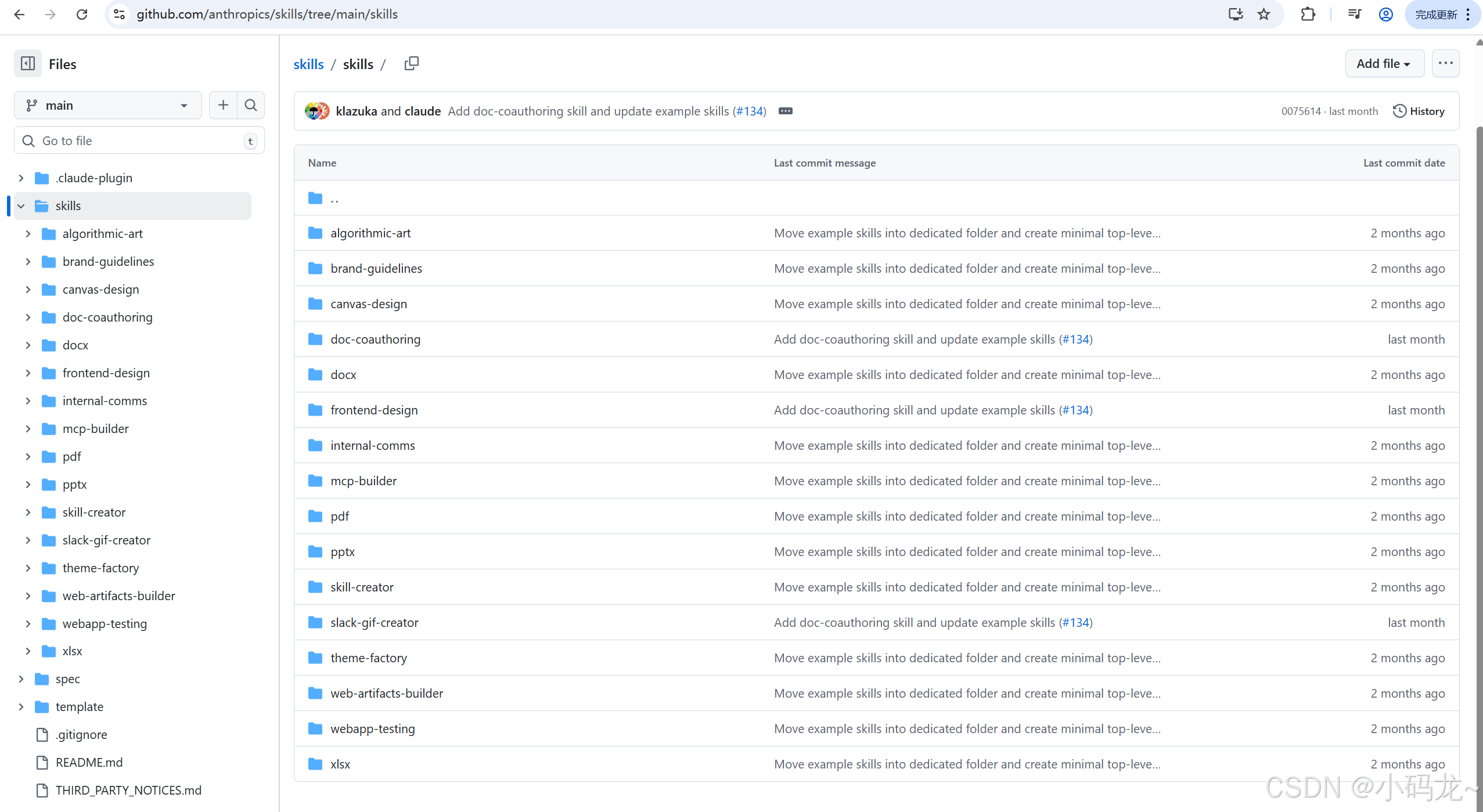
1.下载官方提供的agent-skills文档
链接:github:https://github.com/anthropics/skills
2.cursor中使用
在cursor中新建.cursor目录加skills目录,把从Github上下载的skills拷贝到该目录下。上 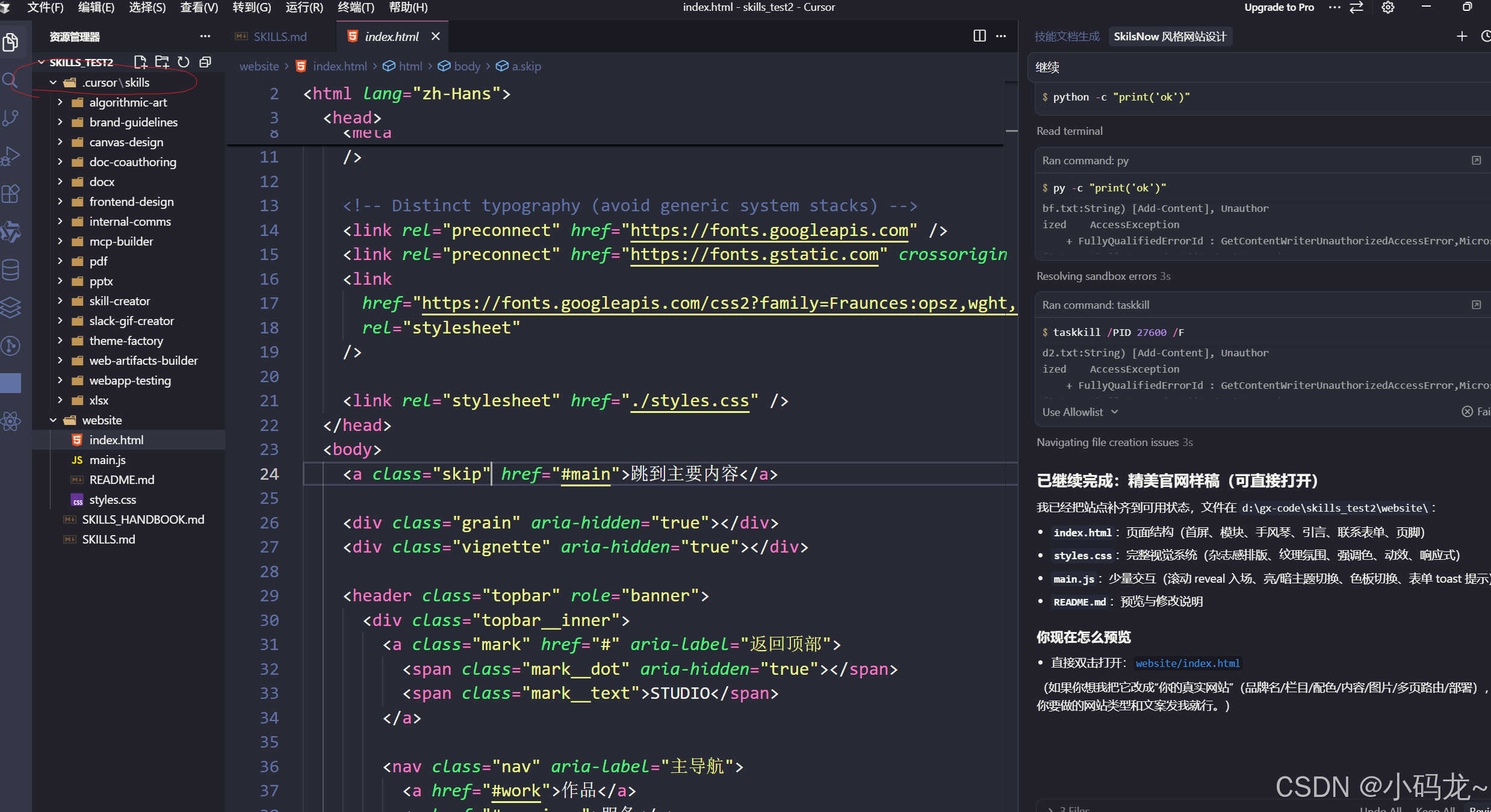
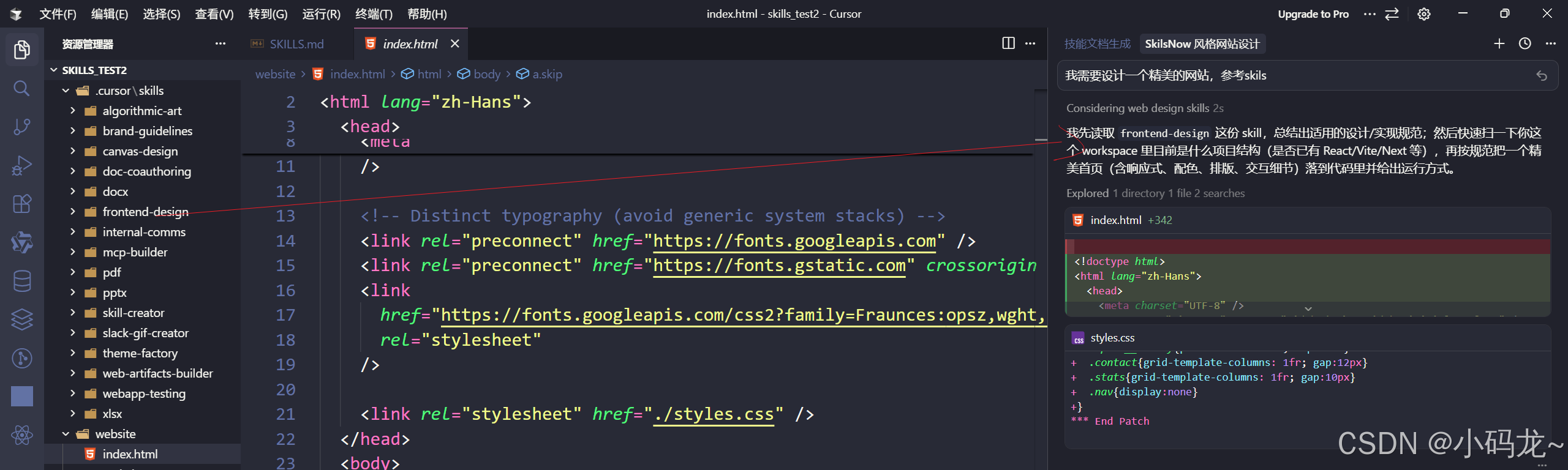
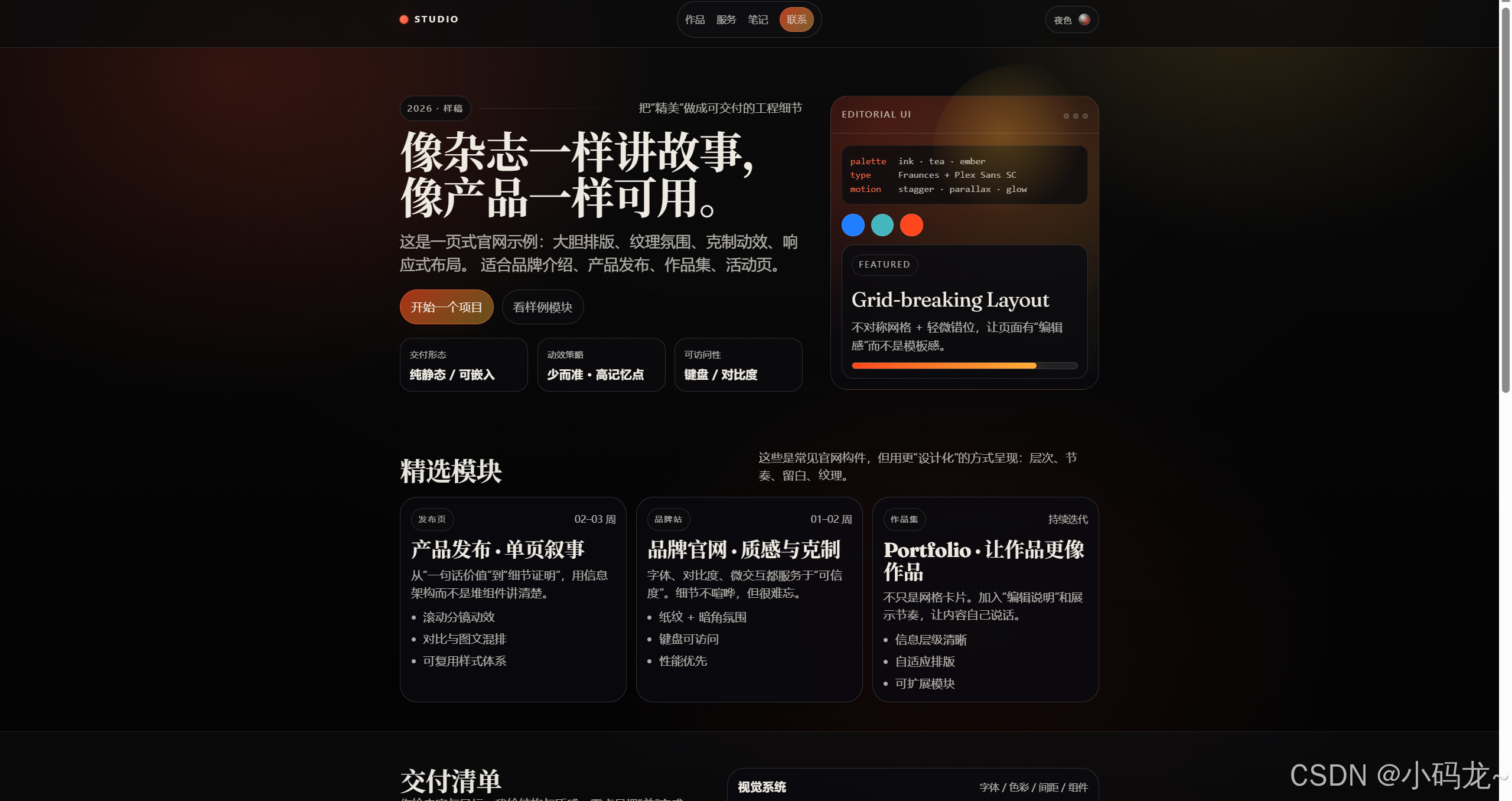
这是参考frontend-design这个skills来设计的网站,会发现精美许多。 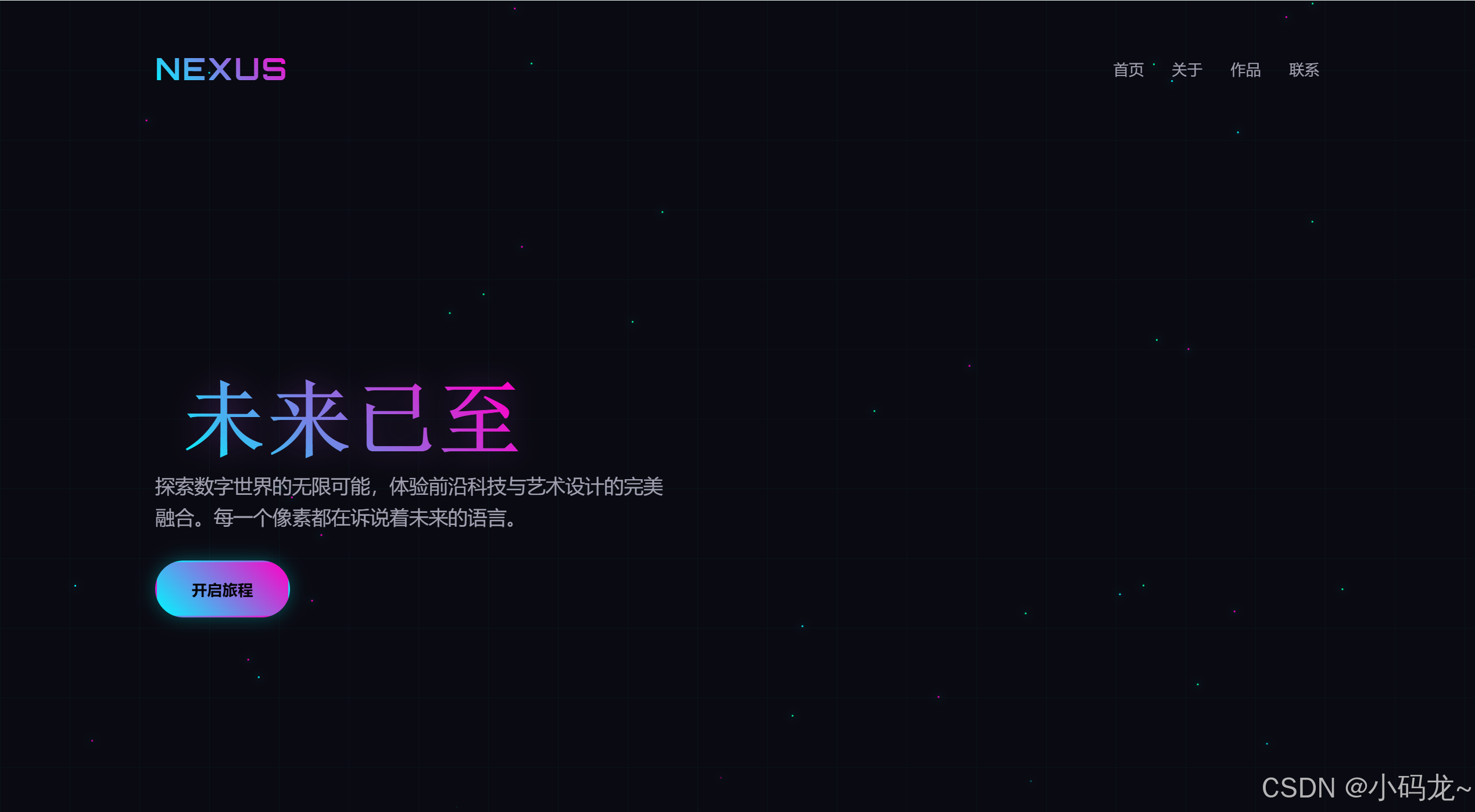
三、如何设计自己的skills
通过别人提供好的skils文档来生成 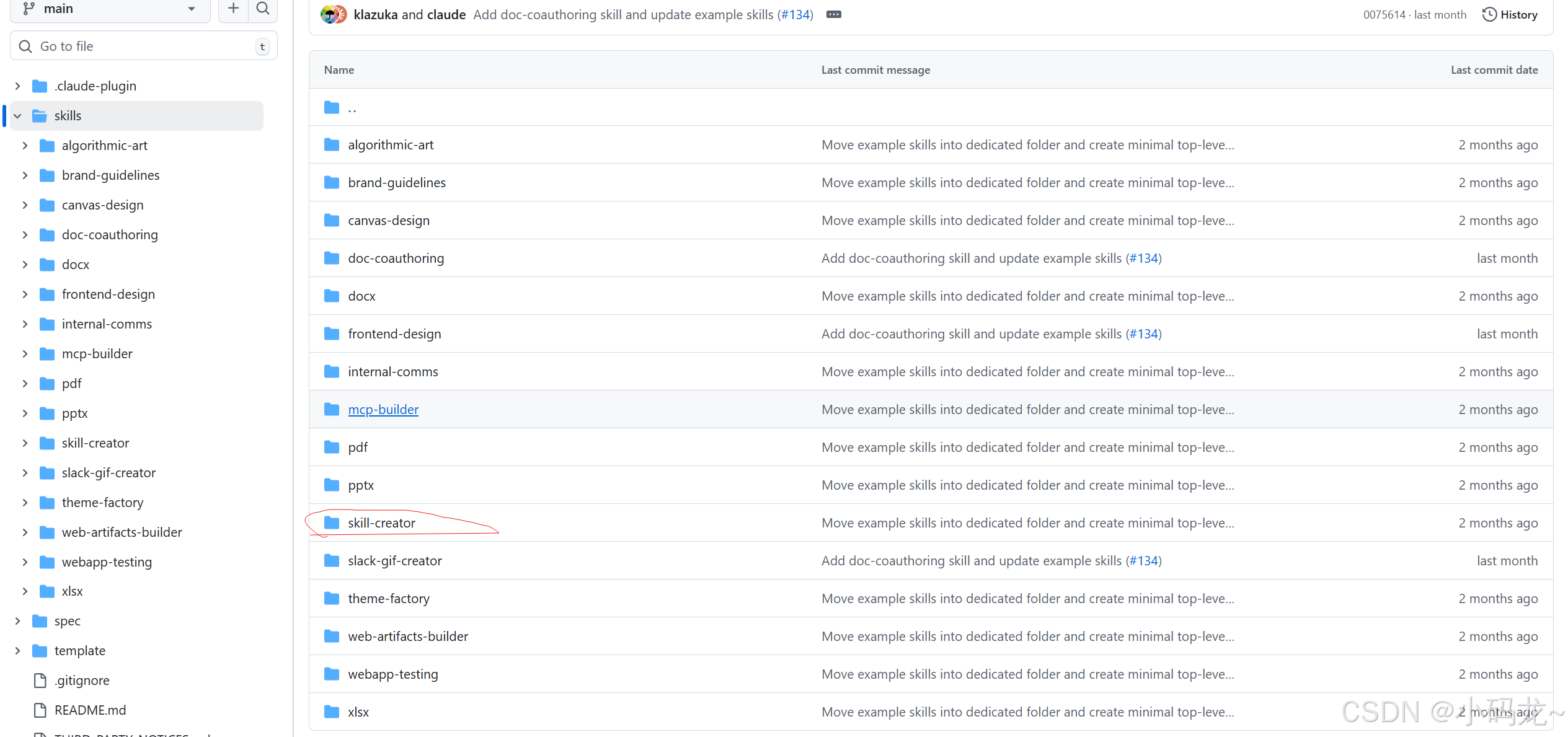 在cursor中输入提示词,cursor会自动扫描你文件下的skill.md文档进行生成。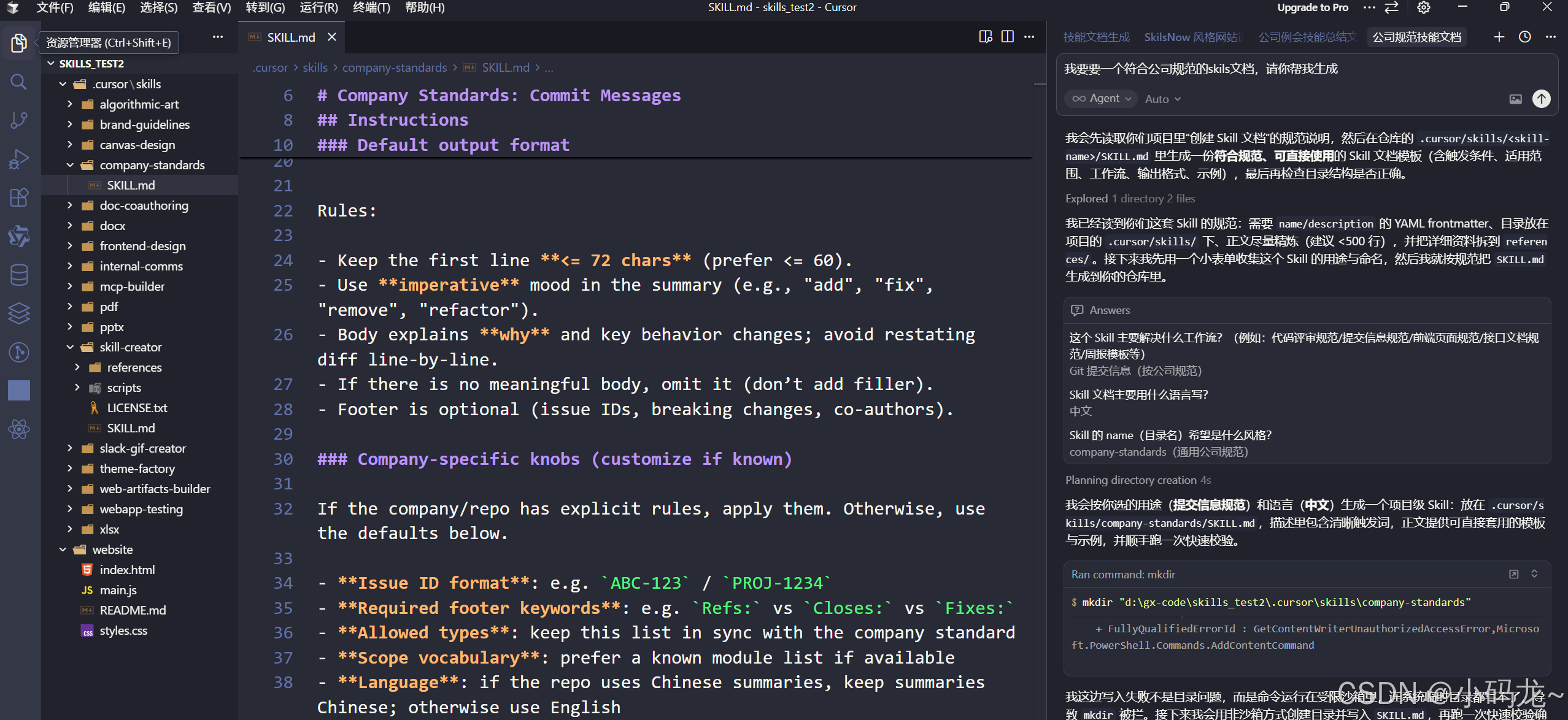
四、实战:打造一个“生成标准 React 组件”的 Skill
假设我们团队有一个严格的组件开发规范:
我们来写一个 Skill 教会 Cursor 怎么做。
第一步:创建目录
在你的项目根目录下(或者全局 ~/.cursor/skills),创建一个存放技能的文件夹:
.cursor/
skills/
react-component-gen/ <— 技能名称文件夹
SKILL.md <— 核心定义文件
第二步:编写 SKILL.md
这是核心部分。SKILL.md 包含两部分:Frontmatter (元数据) 和 Markdown 正文 (指令)。
在 .cursor/skills/react-component-gen/SKILL.md 中写入:
—
name: react-component-gen
description: Generate a new React functional component with CSS Modules and TypeScript interfaces following team standards.
disable-model-invocation: false
—
# React Component Generator
Use this skill when the user asks to create a new UI component, page, or widget.
## […](asc_slot://start-slot-9)Instructions
1. **Analyze the Request**: Identify the component name and props required.
2. **Directory Structure**:
– Create a folder named exactly as the component (PascalCase).
– Inside, create `index.tsx` and `styles.module.scss`.
3. **Code Standards**:
– **index.tsx**:
– Use `FC` type from 'react'.
– Import styles as `import styles from './styles.module.scss'`.
– Define an interface `[ComponentName]Props`.
– Export the component as default.
– **styles.module.scss**:
– Create a root class `.container`.
– Use BEM naming convention for inner elements if needed.
## […](asc_slot://start-slot-11)Template Example
If the user asks for a "Button", generate:
```tsx
// Button/index.tsx
import React, { FC } from 'react';
import styles from './styles.module.scss';
export interface ButtonProps {
label: string;
onClick: () => void;
}
const Button: FC<ButtonProps> = ({ label, onClick }) => {
return (
<button className={styles.container} onClick={onClick}>
{label}
</button>
);
};
export default Button;
### […](asc_slot://start-slot-13)第三步:启用并使用
1. **启用**:确保你的 Cursor 是较新版本(部分功能可能在 Beta/Nightly 通道)。打开设置 -> `Rules` 或 `Features`,确保 Agent Skills 相关的开关已打开。
2. **自动触发**:
* 打开 Cursor 的 Agent 聊天框(CMD+L 或 CMD+K)。
* 输入:“帮我写一个 UserCard 组件,包含头像和名字。”
* 你会发现 Agent 会自动识别意图,加载 `react-component-gen` 技能,并严格按照你的模板生成代码!
3. **手动触发**:
* 输入 `/`,你应该能看到 `react-component-gen` 出现在命令列表中。
## […](asc_slot://start-slot-15)进阶玩法:带脚本的 Skill (自动化重构)
前端经常需要做一些批量重构,比如“找出所有硬编码的颜色并替换为 Tailwind 类名”。我们可以给 Skill 配上脚本。
.cursor/skills/refactor-color/ SKILL.md scripts/ find-hex.js <– 一个扫描文件的脚本
**SKILL.md**:
```markdown
—
name: refactor-color
description: Refactor hardcoded hex colors to Tailwind utility classes.
—
# Color Refactoring
## […](asc_slot://start-slot-17)Instructions
1. Run the script `scripts/find-hex.js` to locate hex codes in the current file.
2. For each hex code found, map it to the closest Tailwind color (e.g., `#ef4444` -> `text-red-500`).
3. Rewrite the code.
这样,AI 就不只是在“瞎猜”,而是真正执行了你写的工具脚本来辅助它工作。
总结:为什么你应该开始用 Skills?
💡 个人心得: 不要试图把所有东西都塞进 .cursorrules。把 .cursorrules 当作宪法(不可动摇的原则),把 Agent Skills 当作SOP 手册(针对具体任务的流程)。
快去试试在你的项目里加一个 Skill 吧!如果你有更好玩的 Skill 创意(比如自动写 Code Review 意见),欢迎在评论区分享!👇