FlutterHarmony Blog:基于 Flutter × Harmony6.0 构建文章列表区域的技术实践
前言
在移动应用开发中,构建一个高效、灵活、可扩展的文章列表区域,是内容类应用必不可少的功能。随着跨端开发需求的提升,Flutter 与 HarmonyOS 6.0 的结合为开发者提供了新的选择——可以通过一套代码同时支持 Android、iOS 以及鸿蒙设备。本文将分享我在实践 FlutterHarmony Blog 项目中,如何利用 Flutter 在 Harmony6.0 上实现文章列表功能的完整过程,并对核心代码进行深入解析。
背景
传统的移动端应用开发通常需要针对不同平台编写不同的代码,维护成本高、迭代周期长。Flutter 提供了“一次编写、多端运行”的优势,而 HarmonyOS 6.0 提供了面向 IoT 及智能设备的生态支持,使得开发者能够在手机、平板、智慧屏等多设备间轻松迁移应用。
在 FlutterHarmony Blog 项目中,我的目标是实现一个 文章列表模块,支持以下功能:
Flutter × Harmony6.0 跨端开发介绍
Flutter 与 Harmony6.0 的结合可以通过以下方式实现跨端开发:
- UI 层统一:Flutter 使用声明式 UI,布局和样式在各平台保持一致
- 业务逻辑复用:Dart 语言实现的数据处理、网络请求、状态管理在 HarmonyOS 上可直接复用
- 平台适配:利用 HarmonyOS 提供的 Platform Channels 与特定功能(如文件系统、相机)交互
- 插件生态:可调用现有 Flutter 插件,同时支持 HarmonyOS 组件扩展
通过这种方式,我们能用 Flutter 构建一个功能完整的博客应用,并在 Harmony6.0 设备上顺畅运行。
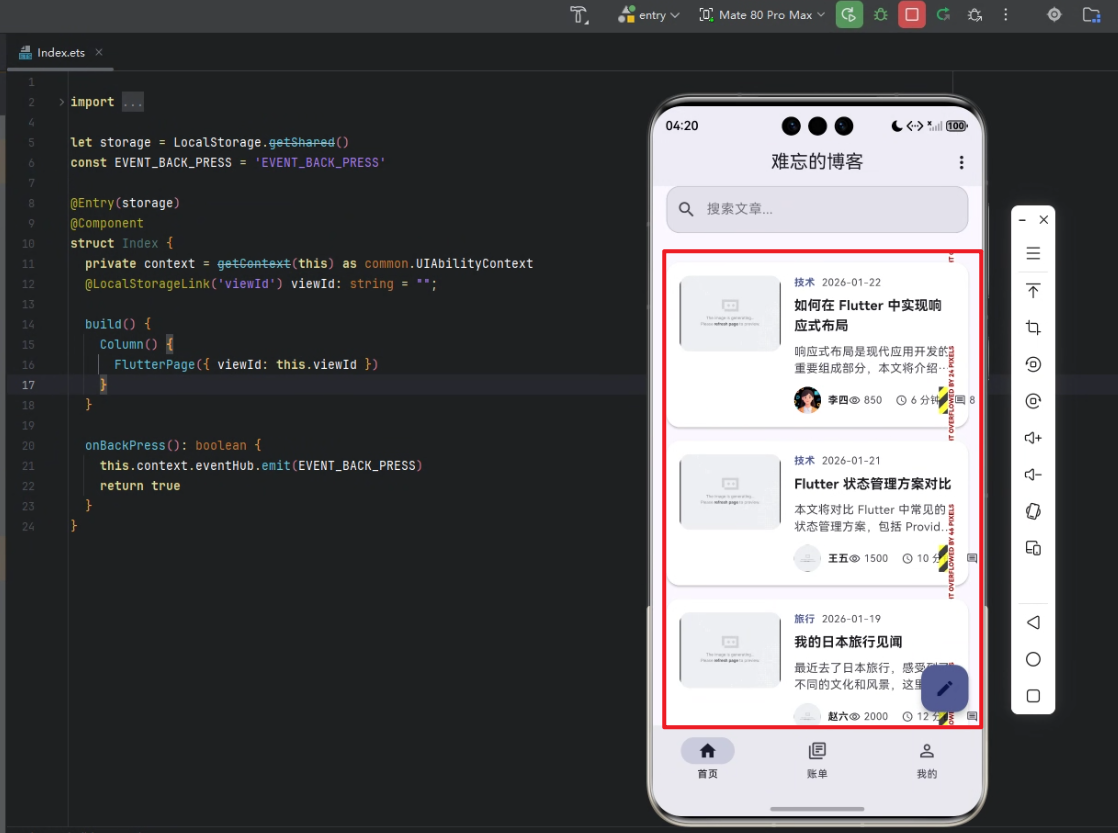
开发核心代码
下面是 文章列表区域 的核心实现,包括文章过滤、展示及交互逻辑。
/// 构建文章列表区域
Widget _buildPostsSection(ThemeData theme) {
final filteredPosts = _posts.where((post) {
if (_selectedCategory != null && !post.categories.contains(_selectedCategory)) {
return false;
}
if (_selectedTag != null && !post.tags.contains(_selectedTag)) {
return false;
}
if (_searchKeyword.isNotEmpty && !post.title.toLowerCase().contains(_searchKeyword.toLowerCase())) {
return false;
}
return true;
}).toList();
return Column(
crossAxisAlignment: CrossAxisAlignment.start,
children: [
// 区域标题
Row(
mainAxisAlignment: MainAxisAlignment.spaceBetween,
children: [
Text(
_getSectionTitle(),
style: theme.textTheme.titleLarge?.copyWith(fontWeight: FontWeight.bold),
),
TextButton.icon(
onPressed: () => _showSortOptions(context),
icon: const Icon(Icons.sort_outlined),
label: const Text('排序'),
),
],
),
const SizedBox(height: 16),
// 文章列表
if (filteredPosts.isNotEmpty)
Column(
children: filteredPosts.map((post) {
return _buildPostItem(post, theme);
}).toList(),
),
// 空状态
if (filteredPosts.isEmpty)
_buildEmptyState(theme),
],
);
}
/// 构建单个文章项
Widget _buildPostItem(BlogPost post, ThemeData theme) {
return GestureDetector(
onTap: () => _openPost(post),
onLongPress: () => _showPostOptions(context, post),
child: Card(
elevation: 2,
shape: RoundedRectangleBorder(
borderRadius: BorderRadius.circular(16),
),
margin: const EdgeInsets.only(bottom: 16),
child: Padding(
padding: const EdgeInsets.all(16),
child: Row(
crossAxisAlignment: CrossAxisAlignment.start,
children: [
// 文章图片
ClipRRect(
borderRadius: BorderRadius.circular(12),
child: Image.network(
post.featuredImage,
width: 120,
height: 90,
fit: BoxFit.cover,
),
),
const SizedBox(width: 16),
// 文章内容
Expanded(
child: Column(
crossAxisAlignment: CrossAxisAlignment.start,
children: [
// 分类与发布时间
if (post.categories.isNotEmpty)
Row(
children: [
Text(
post.categories[0].name,
style: theme.textTheme.bodySmall?.copyWith(
color: theme.colorScheme.primary,
fontWeight: FontWeight.bold,
),
),
const SizedBox(width: 8),
Text(
_formatDate(post.publishDate),
style: theme.textTheme.bodySmall?.copyWith(
color: theme.colorScheme.onSurfaceVariant,
),
),
],
),
const SizedBox(height: 8),
// 标题
Text(
post.title,
style: theme.textTheme.titleMedium?.copyWith(
fontWeight: FontWeight.bold,
),
maxLines: 2,
overflow: TextOverflow.ellipsis,
),
const SizedBox(height: 8),
// 摘要
Text(
post.excerpt,
style: theme.textTheme.bodyMedium?.copyWith(
color: theme.colorScheme.onSurfaceVariant,
),
maxLines: 2,
overflow: TextOverflow.ellipsis,
),
const SizedBox(height: 12),
// 作者和统计信息
Row(
mainAxisAlignment: MainAxisAlignment.spaceBetween,
children: [
// 作者信息
Row(
children: [
CircleAvatar(
radius: 16,
backgroundImage: NetworkImage(post.authorAvatar),
),
const SizedBox(width: 8),
Text(
post.author,
style: theme.textTheme.bodySmall?.copyWith(
fontWeight: FontWeight.bold,
),
),
],
),
// 统计信息
Row(
children: [
_buildStatItem(Icons.remove_red_eye_outlined, post.views.toString(), theme),
const SizedBox(width: 16),
_buildStatItem(Icons.access_time_outlined, '${post.readTime} 分钟', theme),
const SizedBox(width: 16),
_buildStatItem(Icons.comment_outlined, post.commentCount.toString(), theme),
],
),
],
),
],
),
),
],
),
),
),
);
}
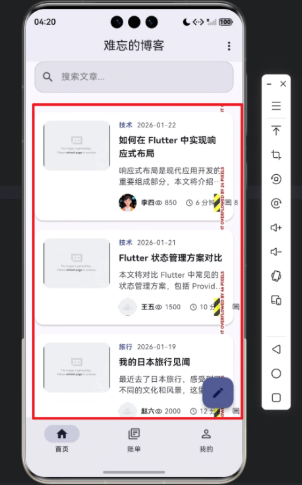
代码解析
文章过滤逻辑
- 使用 _posts.where(…) 筛选符合条件的文章,包括分类、标签和搜索关键词。
- 保证列表区域只显示用户关心的内容,提高交互体验。
列表区域布局
- 使用 Column 与 Row 组合布局,实现标题、文章列表和空状态显示。
- TextButton.icon 提供排序操作,增强可用性。
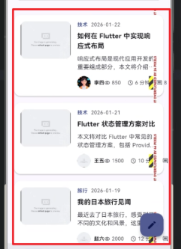
文章项设计
- Card + Padding 结合,增强视觉层次感。
- 左侧展示封面图片,右侧展示文章信息。
- 文章信息包含分类、发布时间、标题、摘要、作者及统计信息,布局清晰。
交互功能
- 点击触发 _openPost(post) 打开文章详情。
- 长按触发 _showPostOptions(context, post) 显示更多操作(如收藏、分享)。
可复用性
- _buildPostItem 和 _buildStatItem 可复用于不同列表模块,便于维护。
- 使用 ThemeData 提供统一的主题适配,支持多端样式一致性。
心得
在实际开发过程中,我深刻体会到 Flutter × Harmony6.0 的优势:
- 跨端一致性:同一套 UI 在 HarmonyOS 设备上显示效果与 Android、iOS 一致。
- 组件化开发:文章列表模块高度解耦,可独立维护和升级。
- 可扩展性强:可以轻松添加新的筛选条件或交互功能,例如按阅读量排序、按作者筛选等。
- 开发效率高:Flutter 的声明式布局和热重载大幅提升开发效率。
总结
通过 FlutterHarmony Blog 的开发实践,我验证了 Flutter 与 Harmony6.0 跨端开发的可行性和高效性。文章列表模块不仅实现了丰富的功能,还保证了 UI 美观、交互顺畅。未来,我计划将更多智能设备适配到应用中,如智慧屏和手表,使内容随时随地触达用户。