一、文件IO(系统调用)
1. 文件IO与标准IO的区别
| 缓存 | 有缓存(全缓存/行缓存/无缓存) | 无缓存 |
| 接口类型 | 库函数 | 系统调用 |
| 适用对象 | 普通文件 | 设备文件、通信文件 |
| 头文件 | <stdio.h> | <fcntl.h>, <unistd.h> |
2. 文件IO核心接口
a. open – 打开文件
c
#include <fcntl.h>
// 原型
int open(const char *pathname, int flags);
int open(const char *pathname, int flags, mode_t mode);
// 示例
int fd = open("test.txt", O_RDWR | O_CREAT, 0664);
if (fd == -1) {
perror("open failed");
exit(1);
}
flags参数说明:
-
O_RDONLY: 只读
-
O_WRONLY: 只写
-
O_RDWR: 读写
-
O_CREAT: 文件不存在则创建(需配合mode参数)
-
O_TRUNC: 文件存在则截断为0
-
O_APPEND: 追加模式
-
O_EXCL: 与O_CREAT一起使用,文件存在则报错
mode参数(权限):
-
八进制表示,如0664表示rw-rw-r–
-
常用权限:0777(rwxrwxrwx)、0755(rwxr-xr-x)
b. read – 读取文件
c
#include <unistd.h>
// 原型
ssize_t read(int fd, void *buf, size_t count);
// 示例
char buffer[1024];
ssize_t bytes_read = read(fd, buffer, sizeof(buffer));
if (bytes_read == -1) {
perror("read failed");
}
c. write – 写入文件
c
#include <unistd.h>
// 原型
ssize_t write(int fd, const void *buf, size_t count);
// 示例
char *data = "Hello, File IO!";
ssize_t bytes_written = write(fd, data, strlen(data));
if (bytes_written == -1) {
perror("write failed");
}
d. lseek – 移动文件偏移量
c
#include <unistd.h>
// 原型
off_t lseek(int fd, off_t offset, int whence);
// 示例
// 移动到文件开头
lseek(fd, 0, SEEK_SET);
// 移动到文件末尾
lseek(fd, 0, SEEK_END);
// 向前移动100字节
lseek(fd, 100, SEEK_CUR);
e. close – 关闭文件
c
#include <unistd.h>
close(fd);
3. 文件描述符
-
文件描述符是一个非负整数,是内核为每个打开文件维护的引用
-
三个默认打开的文件描述符:
-
0:标准输入(stdin)
-
1:标准输出(stdout)
-
2:标准错误(stderr)
-
-
新文件描述符总是选择最小且未被使用的整数
-
文件描述符有上限限制(可通过ulimit -n查看)
4. 示例:文件拷贝
c
#include <fcntl.h>
#include <unistd.h>
#include <stdio.h>
#include <stdlib.h>
#define BUFFER_SIZE 4096
int main() {
int src_fd, dst_fd;
ssize_t bytes_read;
char buffer[BUFFER_SIZE];
// 打开源文件
src_fd = open("source.jpg", O_RDONLY);
if (src_fd == -1) {
perror("open source failed");
exit(1);
}
// 创建目标文件
dst_fd = open("dest.jpg", O_WRONLY | O_CREAT | O_TRUNC, 0644);
if (dst_fd == -1) {
perror("open dest failed");
close(src_fd);
exit(1);
}
// 拷贝数据
while ((bytes_read = read(src_fd, buffer, BUFFER_SIZE)) > 0) {
if (write(dst_fd, buffer, bytes_read) != bytes_read) {
perror("write failed");
break;
}
}
// 关闭文件
close(src_fd);
close(dst_fd);
printf("File copied successfully!\\n");
return 0;
}
二、目录IO
1. 目录操作接口
a. opendir – 打开目录
c
#include <dirent.h>
// 原型
DIR *opendir(const char *name);
// 示例
DIR *dir = opendir("/home/user");
if (dir == NULL) {
perror("opendir failed");
}
b. readdir – 读取目录项
c
#include <dirent.h>
// 原型
struct dirent *readdir(DIR *dirp);
// 示例
struct dirent *entry;
while ((entry = readdir(dir)) != NULL) {
printf("File: %s\\n", entry->d_name);
}
c. closedir – 关闭目录
c
#include <dirent.h>
closedir(dir);
d. mkdir – 创建目录
c
#include <sys/stat.h>
#include <sys/types.h>
// 创建目录,权限为0755
mkdir("new_dir", 0755);
e. rmdir – 删除空目录
c
#include <unistd.h>
rmdir("empty_dir");
f. chdir – 切换工作目录
c
#include <unistd.h>
chdir("/home/user/documents");
g. getcwd – 获取当前工作目录
c
#include <unistd.h>
char cwd[1024];
if (getcwd(cwd, sizeof(cwd)) != NULL) {
printf("Current dir: %s\\n", cwd);
}
2. dirent结构体详解
c
struct dirent {
ino_t d_ino; // 文件的inode号
off_t d_off; // 目录项在目录流中的偏移
unsigned short d_reclen; // 记录长度
unsigned char d_type; // 文件类型
char d_name[256]; // 文件名
};
文件类型(d_type):
-
DT_REG: 普通文件
-
DT_DIR: 目录
-
DT_LNK: 符号链接
-
DT_CHR: 字符设备
-
DT_BLK: 块设备
-
DT_FIFO: 管道
-
DT_SOCK: 套接字
3. 示例:遍历目录
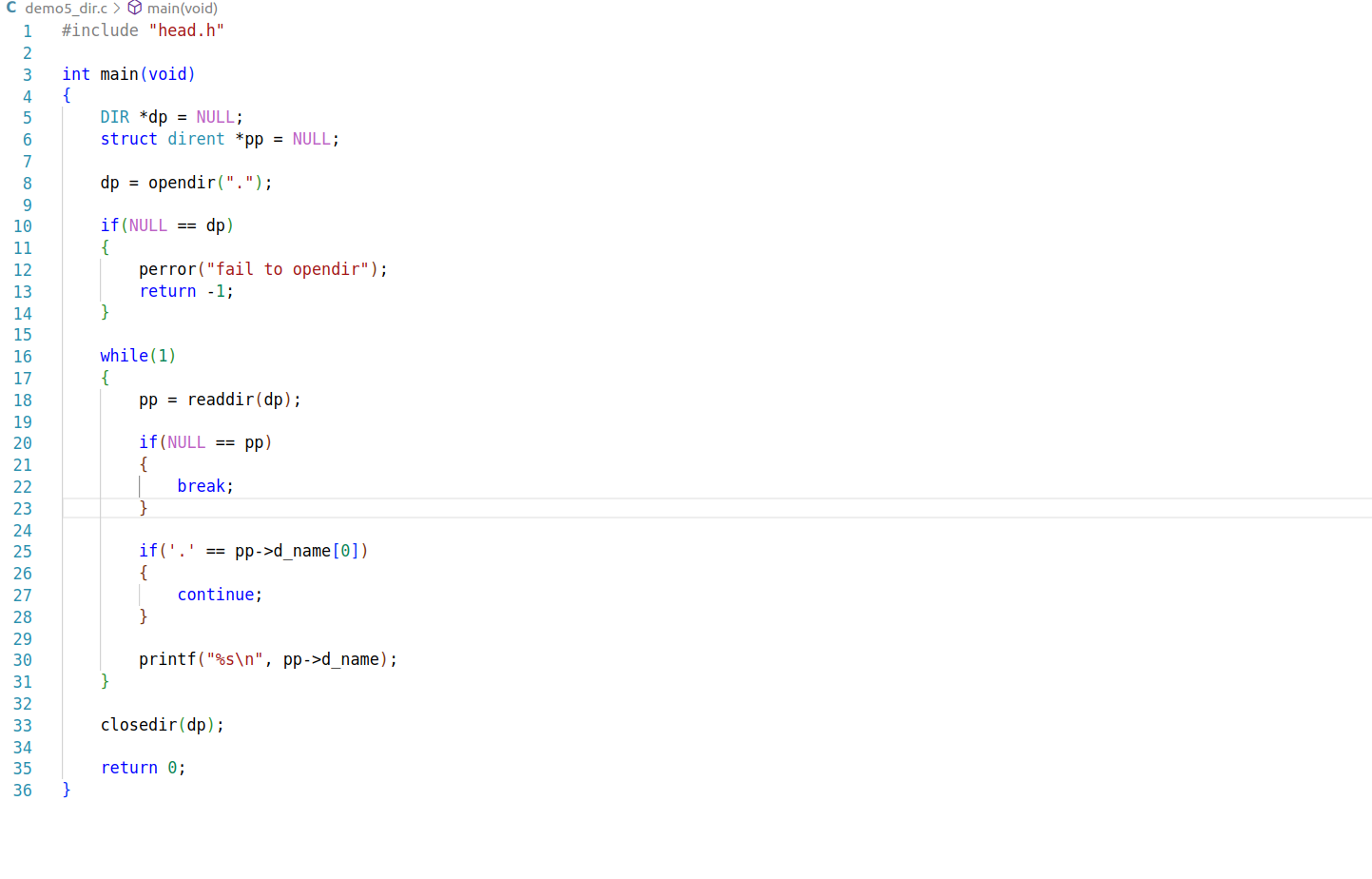
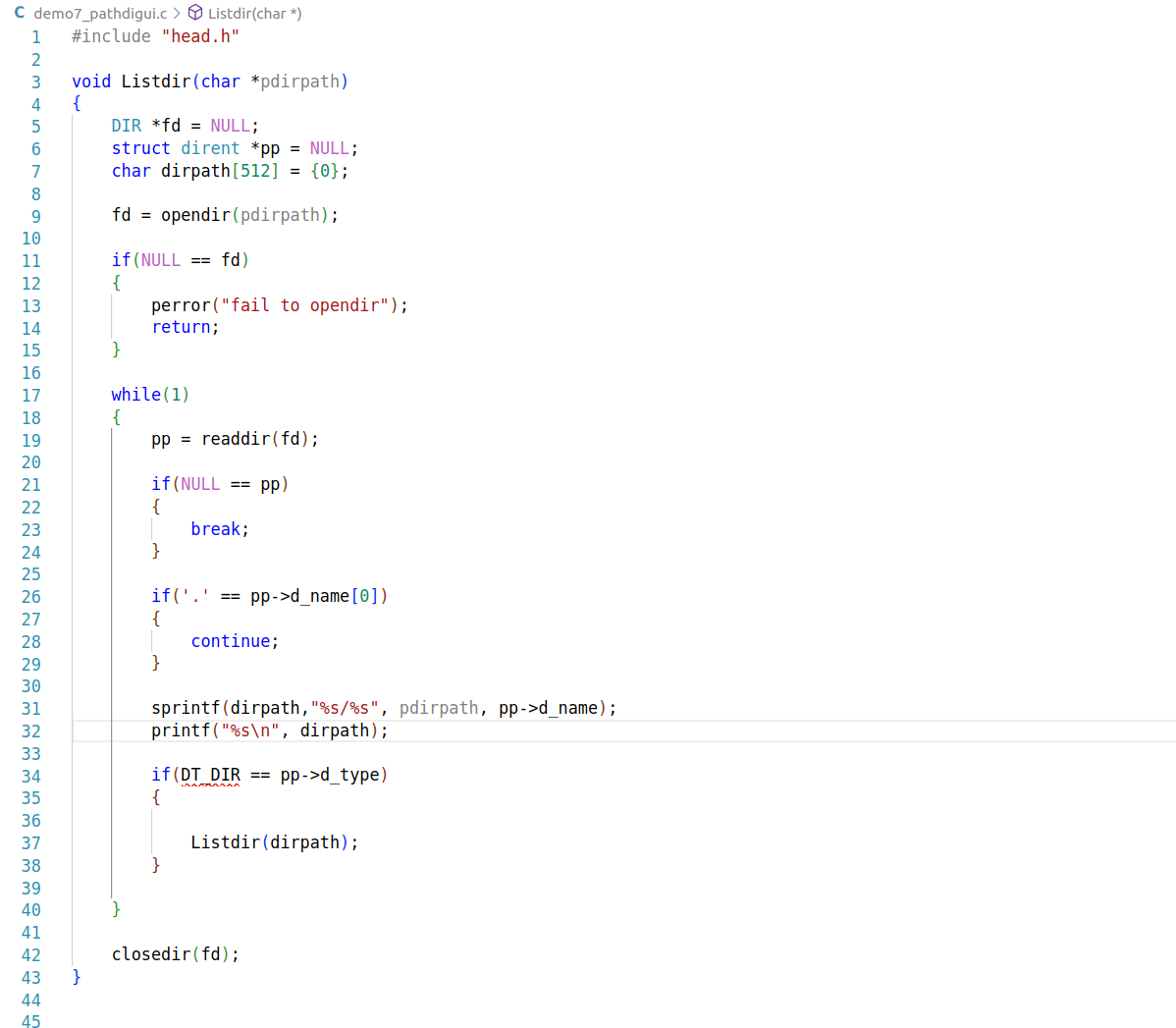
4.示例:递归遍历目录以及它的子目录(深度优先遍历)
三、时间相关接口
1. 时间获取和转换函数
a. time – 获取当前时间戳
c
#include <time.h>
// 原型
time_t time(time_t *tloc);
// 示例
time_t now;
now = time(NULL); // 获取当前时间戳
printf("Seconds since 1970: %ld\\n", now);
b. localtime – 转换为本地时间
c
#include <time.h>
// 原型
struct tm *localtime(const time_t *timep);
// 示例
time_t now = time(NULL);
struct tm *local_time = localtime(&now);
printf("Local time: %04d-%02d-%02d %02d:%02d:%02d\\n",
local_time->tm_year + 1900, // 年份从1900开始
local_time->tm_mon + 1, // 月份从0开始
local_time->tm_mday,
local_time->tm_hour,
local_time->tm_min,
local_time->tm_sec);
c. mktime – 将tm结构转为时间戳
c
#include <time.h>
// 示例:创建特定日期的时间戳
struct tm time_struct = {0};
time_struct.tm_year = 122; // 2022-1900
time_struct.tm_mon = 0; // 1月
time_struct.tm_mday = 1; // 1日
time_struct.tm_hour = 12;
time_struct.tm_min = 0;
time_struct.tm_sec = 0;
time_t specific_time = mktime(&time_struct);
printf("Specific time: %ld\\n", specific_time);
2. tm结构体详解
c
struct tm {
int tm_sec; // 秒 [0, 60]
int tm_min; // 分 [0, 59]
int tm_hour; // 时 [0, 23]
int tm_mday; // 日 [1, 31]
int tm_mon; // 月 [0, 11]
int tm_year; // 年(从1900开始)
int tm_wday; // 星期 [0, 6],0=周日
int tm_yday; // 一年中的第几天 [0, 365]
int tm_isdst; // 夏令时标志(正数=启用,0=不启用,负数=未知)
};
3. 示例:文件时间戳操作
c
#include <stdio.h>
#include <time.h>
#include <sys/stat.h>
#include <sys/types.h>
int main() {
// 获取当前时间
time_t current_time = time(NULL);
printf("Current timestamp: %ld\\n", current_time);
// 转换为本地时间
struct tm *local = localtime(¤t_time);
// 格式化输出
char time_str[100];
strftime(time_str, sizeof(time_str), "%Y-%m-%d %H:%M:%S %A", local);
printf("Formatted time: %s\\n", time_str);
// 计算一周后的时间
local->tm_mday += 7;
time_t next_week = mktime(local);
// 时间差计算
double diff = difftime(next_week, current_time);
printf("One week later: %.0f seconds\\n", diff);
return 0;
}
四、总结与关系图
text
┌─────────────────────────────────────────────────────┐
│ Linux IO系统 │
├─────────────────────────────────────────────────────┤
│ │
│ ┌─────────────┐ ┌─────────────┐ │
│ │ 标准IO │ │ 文件IO │ │
│ │ (库函数) │ │ (系统调用) │ │
│ │ • fopen │ │ • open │ │
│ │ • fread │ │ • read │ │
│ │ • fwrite │ │ • write │ │
│ │ • fclose │ │ • close │ │
│ └─────────────┘ └─────────────┘ │
│ │ │ │
│ └───────────┬───────────┘ │
│ │ │
│ ┌──────────▼──────────┐ │
│ │ 目录IO │ │
│ │ • opendir │ │
│ │ • readdir │ │
│ │ • mkdir │ │
│ │ • rmdir │ │
│ └─────────────────────┘ │
│ │ │
│ ┌──────────▼──────────┐ │
│ │ 时间接口 │ │
│ │ • time │ │
│ │ • localtime │ │
│ │ • mktime │ │
│ └─────────────────────┘ │
│ │
│ 共同特性: │
│ 1. 所有接口都基于"一切皆文件"理念 │
│ 2. 都需要包含相应头文件 │
│ 3. 都需要错误处理(检查返回值) │
│ 4. 都需要管理资源(关闭/释放) │
└─────────────────────────────────────────────────────┘
关键要点总结:
文件IO是底层系统调用,无缓存,适合设备文件
目录IO用于目录操作,基于文件IO实现
时间接口用于时间获取和转换,常与文件状态结合使用
三者共同构成Linux系统编程的I/O基础
实际开发中常需结合使用(如遍历目录+获取文件时间)
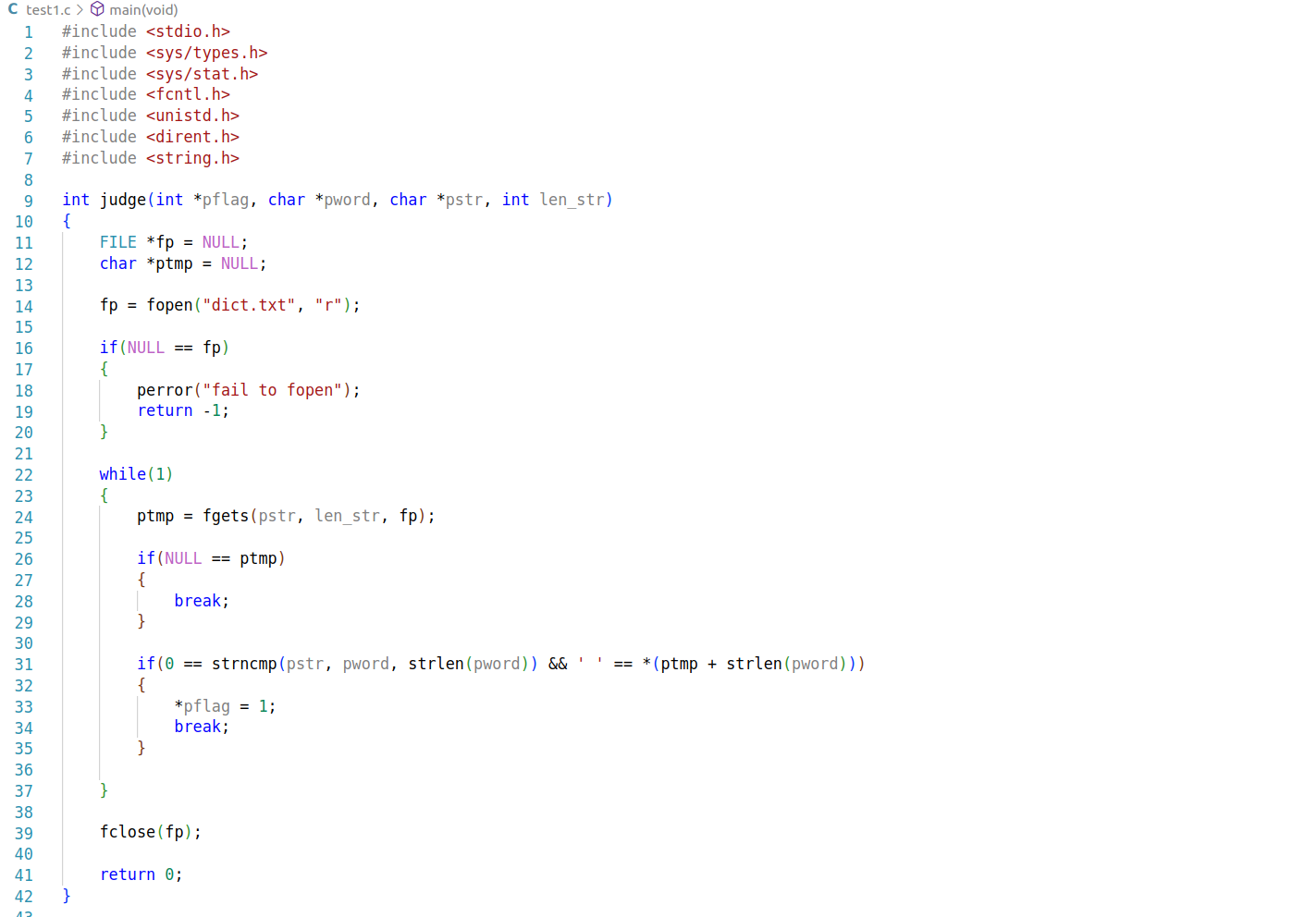
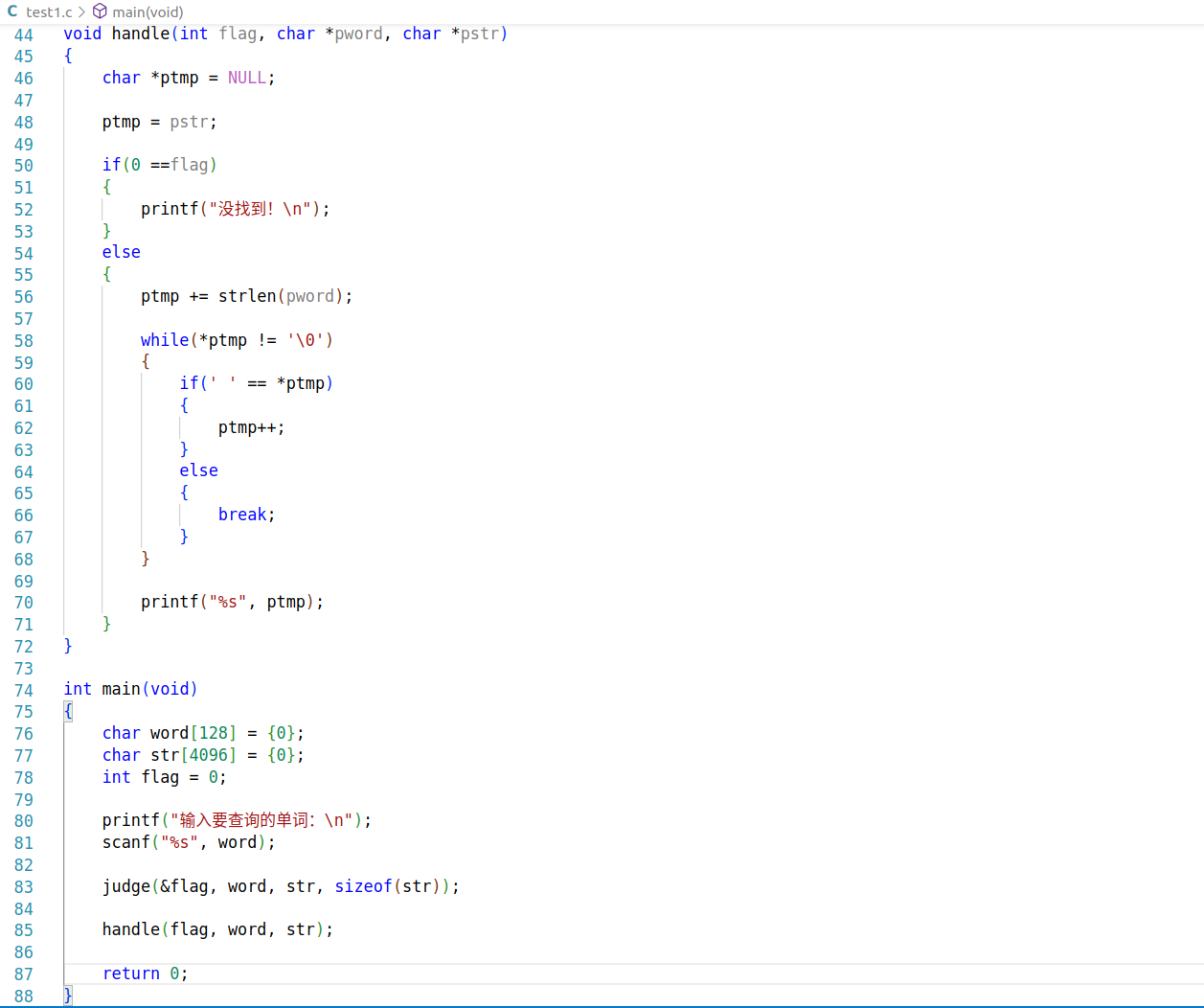
练习:单词查询(找一个带有单词及其注释的文件,单词和注释在一行)