欢迎大家加入开源鸿蒙跨平台社区
Flutter Geolocator 插件 OpenHarmony 实现解读
项目概述
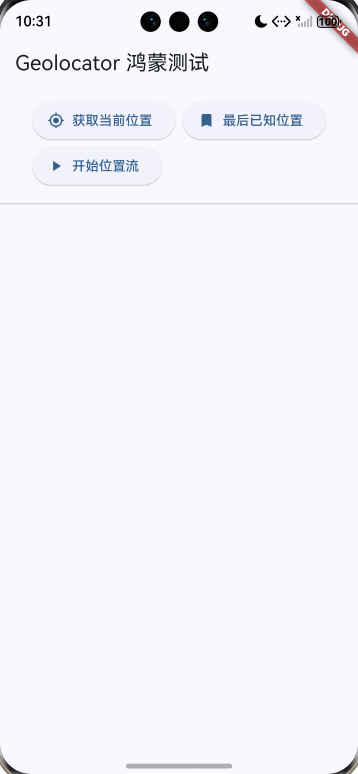
Flutter Geolocator 是一个广泛使用的定位插件,现在已成功移植到 OpenHarmony 平台。该插件采用联邦插件架构,通过 OpenHarmony 的 LocationKit 实现设备定位功能。
核心特性
- ✅ 获取最后已知位置
- ✅ 获取设备当前位置
- ✅ 持续位置更新
- ✅ 位置服务状态检查
- ✅ 权限管理
- ✅ 位置流监听
技术架构
1. 联邦插件设计
flutter_geolocator (主插件包)
├── geolocator (OpenHarmony 平台实现)
├── geolocator_platform_interface (平台接口定义)
├── geolocator_android (Android 实现)
├── geolocator_apple (iOS/macOS 实现)
├── geolocator_web (Web 实现)
└── geolocator_windows (Windows 实现)
2. OpenHarmony 核心组件
- FlutterGeolocatorPlugin: 插件入口类
- PermissionManager: 权限管理模块
- GeolocationManager: 定位服务管理
- LocationServiceHandler: 位置服务状态处理
- PositionStreamHandler: 位置流处理
- LocationMapper: 位置数据映射器
关键实现
1. 权限配置
在 module.json5 中声明位置权限:
{
"requestPermissions": [
{
"name": "ohos.permission.LOCATION",
"reason": "$string:location_reason",
"usedScene": {
"abilities": ["EntryAbility"],
"when": "inuse" // 推荐:仅在使用时获取位置
}
}
]
}
权限描述字符串:
{
"string": [
{
"name": "location_reason",
"value": "需要使用您的位置信息来提供定位服务"
}
]
}
2. 基本使用示例
import 'package:flutter_geolocator/flutter_geolocator.dart';
// 1. 检查权限
LocationPermission permission = await Geolocator.checkPermission();
// 2. 请求权限(如果未授权)
if (permission == LocationPermission.denied) {
permission = await Geolocator.requestPermission();
}
// 3. 获取当前位置
if (permission == LocationPermission.whileInUse ||
permission == LocationPermission.always) {
Position position = await Geolocator.getCurrentPosition(
locationSettings: LocationSettings(
accuracy: LocationAccuracy.high,
distanceFilter: 10,
),
);
print('纬度:${position.latitude}, 经度:${position.longitude}');
}
// 4. 监听位置更新
StreamSubscription<Position> subscription =
Geolocator.getPositionStream().listen((Position position) {
print('位置更新:${position.latitude}, ${position.longitude}');
});
3. 完整示例:位置信息页面
class LocationPage extends StatefulWidget {
_LocationPageState createState() => _LocationPageState();
}
class _LocationPageState extends State<LocationPage> {
String _locationInfo = '等待定位…';
StreamSubscription<Position>? _positionStream;
Future<void> _startLocationUpdates() async {
try {
// 检查权限
var permission = await Geolocator.checkPermission();
if (permission == LocationPermission.denied) {
permission = await Geolocator.requestPermission();
}
if (permission == LocationPermission.denied ||
permission == LocationPermission.deniedForever) {
setState(() => _locationInfo = '位置权限被拒绝');
return;
}
// 检查服务是否启用
bool serviceEnabled = await Geolocator.isLocationServiceEnabled();
if (!serviceEnabled) {
setState(() => _locationInfo = '定位服务未启用');
return;
}
// 获取当前位置
Position position = await Geolocator.getCurrentPosition(
locationSettings: LocationSettings(accuracy: LocationAccuracy.high),
);
setState(() {
_locationInfo = '''
纬度:${position.latitude}
经度:${position.longitude}
精度:${position.accuracy} 米
时间:${position.timestamp}
''';
});
// 监听位置更新
_positionStream = Geolocator.getPositionStream(
locationSettings: LocationSettings(
accuracy: LocationAccuracy.high,
distanceFilter: 10,
),
).listen((Position position) {
setState(() {
_locationInfo = '''
纬度:${position.latitude}
经度:${position.longitude}
精度:${position.accuracy} 米
高度:${position.altitude} 米
速度:${position.speed} m/s
时间:${position.timestamp}
''';
});
});
} catch (e) {
setState(() => _locationInfo = '定位失败:$e');
}
}
void dispose() {
_positionStream?.cancel(); // 重要:清理资源
super.dispose();
}
}
OpenHarmony 特定注意事项
1. 权限类型
- inuse(推荐):仅在使用应用时获取位置
- always:允许后台获取位置(需要额外审批)
2. 定位精度级别
| lowest | PRIORITY_PASSIVE | 被动接收其他应用计算的位置 |
| low | PRIORITY_LOW_POWER | 低功耗模式 |
| medium | PRIORITY_BALANCED_POWER_ACCURACY | 平衡精度和功耗 |
| high | PRIORITY_HIGH_ACCURACY | 高精度模式 |
| best | PRIORITY_HIGH_ACCURACY | 最高精度 |
| bestForNavigation | PRIORITY_HIGH_ACCURACY | 导航级精度 |
3. 最佳实践
常见问题解决
Q: 如何调试定位问题?
使用 DevEco Studio 的日志工具:
hdc shell hilog
过滤关键词:
- LocationKit
- GnssLocation
- FlutterGeolocator
Q: 为什么获取位置很慢?
可能原因:
解决方案:
- 到室外开阔地带
- 使用高精度模式
- 先尝试获取 getLastKnownPosition()
Q: 如何实现后台定位?
需要在 module.json5 中添加后台能力:
"backgroundModes": ["location"]
并申请 always 权限,向应用商店说明后台定位的必要性。
总结
Flutter Geolocator 插件的 OpenHarmony 实现提供了完整的定位功能,与原有 API 保持高度一致。开发者可以轻松地将现有的 Flutter 定位功能迁移到 OpenHarmony 平台,享受跨平台开发的便利。
相关链接
- GitHub 仓库
- OpenHarmony LocationKit 文档
- Geolocator Pub 包