文章目录
- MinerU技术深度解析:开源PDF文档智能提取的利器
-
- 一、引言
- 二、核心功能特性
-
- 2.1 智能内容提取
- 2.2 高精度识别能力
- 2.3 技术优势
- 三、技术架构解析
-
- 3.1 整体架构
- 3.2 核心技术栈
-
- 3.2.1 PDF-Extract-Kit
- 3.2.2 多后端支持
- 3.3 处理流程详解
-
- 步骤1:文档类型检测
- 步骤2:布局分析
- 步骤3:内容提取
- 步骤4:后处理优化
- 四、实际应用场景
-
- 4.1 学术论文处理
- 4.2 企业文档数字化
- 4.3 多语言文档处理
- 五、性能优化与最佳实践
-
- 5.1 硬件配置建议
- 5.2 优化技巧
- 5.3 常见问题解决
- 六、与其他工具对比
- 七、未来发展方向
- 八、总结
- 九、快速开始
MinerU技术深度解析:开源PDF文档智能提取的利器
一、引言
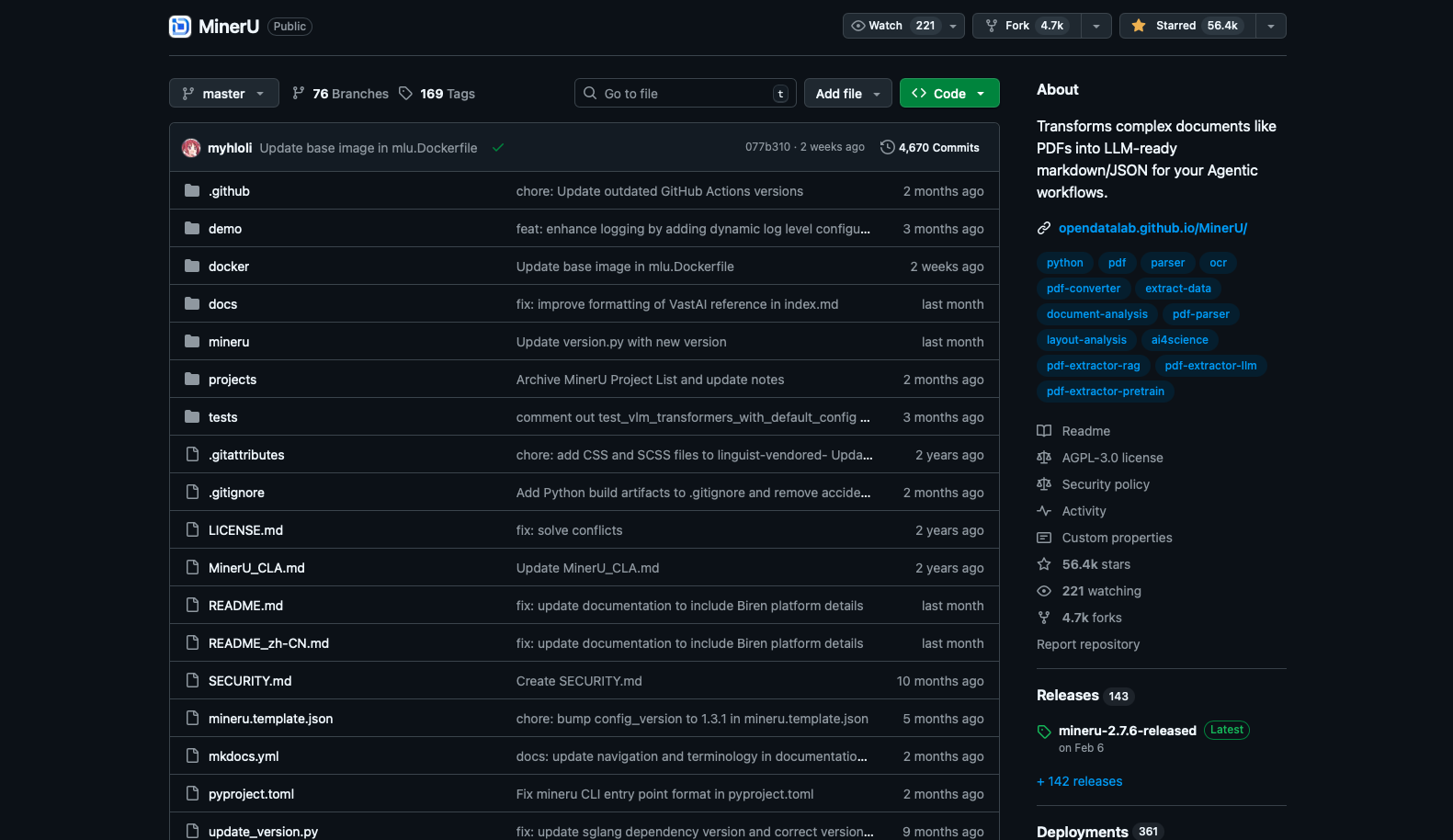
在大模型时代,高质量的文档内容提取成为AI应用的基础设施。无论是知识库构建、RAG系统,还是文档智能分析,都需要将复杂的PDF文档转换为机器可读的结构化数据。MinerU作为由OpenDataLab团队开发的开源文档内容提取工具,凭借其高精度、多语言支持和跨平台特性,迅速成为该领域的热门选择。
二、核心功能特性
2.1 智能内容提取
MinerU的核心价值在于其智能化的内容提取能力:
- 语义连贯性保持:自动移除页眉、页脚、页码等噪音元素,确保内容语义连贯
- 阅读顺序还原:支持单栏、多栏及复杂布局文档的人类可读顺序输出
- 结构化保留:完整保留标题、段落、列表等原始文档结构
- 多模态提取:同时提取图片、表格、公式及其标题和注释
2.2 高精度识别能力
# MinerU使用示例
# 安装:pip install mineru[all]
from miner_u import MinerU
# 初始化MinerU实例
mineru = MinerU()
# 处理PDF文档
result = mineru.process(
pdf_path="document.pdf",
output_format="markdown", # 支持markdown/json
backend="hybrid-auto-engine" # 自动选择最佳引擎
)
# 输出结果
print(result["content"])
2.3 技术优势
| 公式识别 | 自动将文档中的数学公式转换为LaTeX格式 |
| 表格识别 | 将表格转换为HTML格式,保留结构信息 |
| OCR支持 | 支持109种语言的文字识别 |
| 硬件加速 | 支持CPU、GPU(CUDA)、NPU(CANN)、MPS等多种加速方式 |
| 跨平台 | 兼容Windows、Linux、macOS三大平台 |
三、技术架构解析
3.1 整体架构
MinerU采用了模块化的设计架构,主要由以下核心组件构成:
#mermaid-svg-GX0EGypWyT9f94ew{font-family:\”trebuchet ms\”,verdana,arial,sans-serif;font-size:16px;fill:#333;}@keyframes edge-animation-frame{from{stroke-dashoffset:0;}}@keyframes dash{to{stroke-dashoffset:0;}}#mermaid-svg-GX0EGypWyT9f94ew .edge-animation-slow{stroke-dasharray:9,5!important;stroke-dashoffset:900;animation:dash 50s linear infinite;stroke-linecap:round;}#mermaid-svg-GX0EGypWyT9f94ew .edge-animation-fast{stroke-dasharray:9,5!important;stroke-dashoffset:900;animation:dash 20s linear infinite;stroke-linecap:round;}#mermaid-svg-GX0EGypWyT9f94ew .error-icon{fill:#552222;}#mermaid-svg-GX0EGypWyT9f94ew .error-text{fill:#552222;stroke:#552222;}#mermaid-svg-GX0EGypWyT9f94ew .edge-thickness-normal{stroke-width:1px;}#mermaid-svg-GX0EGypWyT9f94ew .edge-thickness-thick{stroke-width:3.5px;}#mermaid-svg-GX0EGypWyT9f94ew .edge-pattern-solid{stroke-dasharray:0;}#mermaid-svg-GX0EGypWyT9f94ew .edge-thickness-invisible{stroke-width:0;fill:none;}#mermaid-svg-GX0EGypWyT9f94ew .edge-pattern-dashed{stroke-dasharray:3;}#mermaid-svg-GX0EGypWyT9f94ew .edge-pattern-dotted{stroke-dasharray:2;}#mermaid-svg-GX0EGypWyT9f94ew .marker{fill:#333333;stroke:#333333;}#mermaid-svg-GX0EGypWyT9f94ew .marker.cross{stroke:#333333;}#mermaid-svg-GX0EGypWyT9f94ew svg{font-family:\”trebuchet ms\”,verdana,arial,sans-serif;font-size:16px;}#mermaid-svg-GX0EGypWyT9f94ew p{margin:0;}#mermaid-svg-GX0EGypWyT9f94ew .label{font-family:\”trebuchet ms\”,verdana,arial,sans-serif;color:#333;}#mermaid-svg-GX0EGypWyT9f94ew .cluster-label text{fill:#333;}#mermaid-svg-GX0EGypWyT9f94ew .cluster-label span{color:#333;}#mermaid-svg-GX0EGypWyT9f94ew .cluster-label span p{background-color:transparent;}#mermaid-svg-GX0EGypWyT9f94ew .label text,#mermaid-svg-GX0EGypWyT9f94ew span{fill:#333;color:#333;}#mermaid-svg-GX0EGypWyT9f94ew .node rect,#mermaid-svg-GX0EGypWyT9f94ew .node circle,#mermaid-svg-GX0EGypWyT9f94ew .node ellipse,#mermaid-svg-GX0EGypWyT9f94ew .node polygon,#mermaid-svg-GX0EGypWyT9f94ew .node path{fill:#ECECFF;stroke:#9370DB;stroke-width:1px;}#mermaid-svg-GX0EGypWyT9f94ew .rough-node .label text,#mermaid-svg-GX0EGypWyT9f94ew .node .label text,#mermaid-svg-GX0EGypWyT9f94ew .image-shape .label,#mermaid-svg-GX0EGypWyT9f94ew .icon-shape .label{text-anchor:middle;}#mermaid-svg-GX0EGypWyT9f94ew .node .katex path{fill:#000;stroke:#000;stroke-width:1px;}#mermaid-svg-GX0EGypWyT9f94ew .rough-node .label,#mermaid-svg-GX0EGypWyT9f94ew .node .label,#mermaid-svg-GX0EGypWyT9f94ew .image-shape .label,#mermaid-svg-GX0EGypWyT9f94ew .icon-shape .label{text-align:center;}#mermaid-svg-GX0EGypWyT9f94ew .node.clickable{cursor:pointer;}#mermaid-svg-GX0EGypWyT9f94ew .root .anchor path{fill:#333333!important;stroke-width:0;stroke:#333333;}#mermaid-svg-GX0EGypWyT9f94ew .arrowheadPath{fill:#333333;}#mermaid-svg-GX0EGypWyT9f94ew .edgePath .path{stroke:#333333;stroke-width:2.0px;}#mermaid-svg-GX0EGypWyT9f94ew .flowchart-link{stroke:#333333;fill:none;}#mermaid-svg-GX0EGypWyT9f94ew .edgeLabel{background-color:rgba(232,232,232, 0.8);text-align:center;}#mermaid-svg-GX0EGypWyT9f94ew .edgeLabel p{background-color:rgba(232,232,232, 0.8);}#mermaid-svg-GX0EGypWyT9f94ew .edgeLabel rect{opacity:0.5;background-color:rgba(232,232,232, 0.8);fill:rgba(232,232,232, 0.8);}#mermaid-svg-GX0EGypWyT9f94ew .labelBkg{background-color:rgba(232, 232, 232, 0.5);}#mermaid-svg-GX0EGypWyT9f94ew .cluster rect{fill:#ffffde;stroke:#aaaa33;stroke-width:1px;}#mermaid-svg-GX0EGypWyT9f94ew .cluster text{fill:#333;}#mermaid-svg-GX0EGypWyT9f94ew .cluster span{color:#333;}#mermaid-svg-GX0EGypWyT9f94ew div.mermaidTooltip{position:absolute;text-align:center;max-width:200px;padding:2px;font-family:\”trebuchet ms\”,verdana,arial,sans-serif;font-size:12px;background:hsl(80, 100%, 96.2745098039%);border:1px solid #aaaa33;border-radius:2px;pointer-events:none;z-index:100;}#mermaid-svg-GX0EGypWyT9f94ew .flowchartTitleText{text-anchor:middle;font-size:18px;fill:#333;}#mermaid-svg-GX0EGypWyT9f94ew rect.text{fill:none;stroke-width:0;}#mermaid-svg-GX0EGypWyT9f94ew .icon-shape,#mermaid-svg-GX0EGypWyT9f94ew .image-shape{background-color:rgba(232,232,232, 0.8);text-align:center;}#mermaid-svg-GX0EGypWyT9f94ew .icon-shape p,#mermaid-svg-GX0EGypWyT9f94ew .image-shape p{background-color:rgba(232,232,232, 0.8);padding:2px;}#mermaid-svg-GX0EGypWyT9f94ew .icon-shape rect,#mermaid-svg-GX0EGypWyT9f94ew .image-shape rect{opacity:0.5;background-color:rgba(232,232,232, 0.8);fill:rgba(232,232,232, 0.8);}#mermaid-svg-GX0EGypWyT9f94ew .label-icon{display:inline-block;height:1em;overflow:visible;vertical-align:-0.125em;}#mermaid-svg-GX0EGypWyT9f94ew .node .label-icon path{fill:currentColor;stroke:revert;stroke-width:revert;}#mermaid-svg-GX0EGypWyT9f94ew :root{–mermaid-font-family:\”trebuchet ms\”,verdana,arial,sans-serif;}
文本PDF
扫描PDF
PDF输入
预处理模块
检测PDF类型
直接文本提取
OCR识别
布局分析
内容识别
公式识别
表格识别
图像提取
后处理优化
输出格式化
Markdown/JSON输出
3.2 核心技术栈
3.2.1 PDF-Extract-Kit
MinerU的核心是基于PDF-Extract-Kit模型库,该工具集包含了多个专业模型:
- DocLayout-YOLO:文档布局检测,识别文本、图像、表格等区域
- UniMERNet:数学公式识别,支持复杂公式的LaTeX转换
- RapidTable:表格结构识别,处理复杂表格布局
- PaddleOCR:光学字符识别,支持多语言文字提取
3.2.2 多后端支持
MinerU提供多种解析后端,适应不同应用场景:
# 后端配置示例
config = {
"pipeline": {
"accuracy": "82+",
"cpu_support": True,
"min_vram": "6GB",
"use_case": "通用场景,CPU环境"
},
"vlm-auto-engine": {
"accuracy": "90+",
"cpu_support": False,
"min_vram": "10GB",
"use_case": "高精度要求,GPU环境"
},
"hybrid-auto-engine": {
"accuracy": "90+",
"cpu_support": False,
"min_vram": "8GB",
"use_case": "平衡性能与精度,推荐使用"
}
}
3.3 处理流程详解
步骤1:文档类型检测
def detect_pdf_type(pdf_path):
"""
检测PDF类型:文本型 vs 扫描型
"""
if has_text_layer(pdf_path):
return "text_pdf"
elif needs_ocr(pdf_path):
return "scanned_pdf"
else:
return "garbled_pdf"
步骤2:布局分析
使用DocLayout-YOLO进行文档布局检测:
from doclayout_yolo import DocLayoutDetector
detector = DocLayoutDetector()
layouts = detector.detect(page_image)
# 返回:文本区域、图像区域、表格区域、公式区域等
步骤3:内容提取
根据不同区域类型采用相应的提取策略:
- 文本区域:直接提取或OCR识别
- 表格区域:使用RapidTable进行结构识别
- 公式区域:使用UniMERNet进行LaTeX转换
- 图像区域:提取图像并生成描述
步骤4:后处理优化
def post_process(extracted_content):
"""
后处理:合并跨页内容、优化阅读顺序、清理噪音
"""
# 跨页表格合并
merge_cross_page_tables(extracted_content)
# 阅读顺序优化
optimize_reading_order(extracted_content)
# 内容清理
clean_noise(extracted_content)
return extracted_content
四、实际应用场景
4.1 学术论文处理
# 处理arXiv论文
import mineru
result = mineru.process(
pdf_path="paper.pdf",
output_format="markdown"
)
# 提取的结构化内容包含:
# – 标题层级结构
# – 数学公式(LaTeX格式)
# – 表格数据(HTML格式)
# – 图片及其说明
# – 参考文献
4.2 企业文档数字化
# 批量处理企业PDF文档
import os
from miner_u import MinerU
mineru = MinerU(backend="pipeline") # CPU环境
for pdf_file in os.listdir("documents"):
if pdf_file.endswith(".pdf"):
result = mineru.process(
pdf_path=f"documents/{pdf_file}",
output_path=f"output/{pdf_file}.md"
)
4.3 多语言文档处理
# 指定OCR语言
mineru = MinerU(
ocr_languages=["en", "zh", "ja", "ko"] # 支持多语言
)
result = mineru.process(
pdf_path="multilingual_doc.pdf",
output_format="json"
)
五、性能优化与最佳实践
5.1 硬件配置建议
根据官方文档,不同后端的硬件要求如下:
| pipeline | 82+ | 16GB+ | 6GB | CPU环境、大量文档 |
| vlm-auto-engine | 90+ | 32GB+ | 10GB | 高精度要求 |
| hybrid-auto-engine | 90+ | 32GB+ | 8GB | 平衡性能(推荐) |
5.2 优化技巧
# 1. 批量处理优化
from concurrent.futures import ThreadPoolExecutor
def process_pdfs(pdf_list, max_workers=4):
with ThreadPoolExecutor(max_workers=max_workers) as executor:
results = executor.map(mineru.process, pdf_list)
return list(results)
# 2. 内存优化
mineru = MinerU(
batch_size=1, # 减少批处理大小
enable_mixed_precision=True # 启用混合精度
)
# 3. 缓存机制
mineru = MinerU(
cache_dir="./cache", # 设置缓存目录
enable_cache=True # 启用缓存
)
5.3 常见问题解决
问题1:OCR识别准确率低
# 解决方案:调整OCR参数
mineru = MinerU(
ocr_config={
"det_model_dir": "./models/det",
"rec_model_dir": "./models/rec",
"use_angle_cls": True,
"lang": "ch" # 指定语言
}
)
问题2:表格识别错误
# 解决方案:启用表格后处理
mineru = MinerU(
table_config={
"enable_merge": True, # 启用跨页合并
"merge_threshold": 0.8 # 合并阈值
}
)
六、与其他工具对比
| MinerU | ✅ | ✅ 109种 | ✅ | ✅ | 90%+ |
| PyPDF2 | ✅ | ❌ | ❌ | ❌ | 60% |
| pdfplumber | ✅ | ❌ | ⚠️ | ❌ | 75% |
| Adobe PDF Services | ❌ | ✅ | ✅ | ⚠️ | 85% |
| Mathpix | ❌ | ⚠️ | ✅ | ✅ | 95% |
七、未来发展方向
根据MinerU的TODO列表,未来计划包括:
- 🔜 基于模型的阅读顺序优化
- 🔜 正文索引和列表识别
- 🔜 标题分类优化
- 🔜 手写文本识别
- 🔜 竖排文本支持
- 🔜 代码块识别
- 🔜 化学公式识别
- 🔜 几何图形识别
八、总结
MinerU作为一款开源的PDF文档智能提取工具,凭借其:
已成为文档智能处理领域的重要工具。无论是学术研究、企业应用还是个人项目,MinerU都能提供强大的文档内容提取能力。
九、快速开始
# 1. 安装MinerU
pip install –upgrade pip
pip install uv
uv pip install -U "mineru[all]"
# 2. 命令行使用
mineru -p input.pdf -o output_dir
# 3. API调用
python -c "from miner_u import MinerU; m = MinerU(); print(m.process('input.pdf'))"
相关链接:
- GitHub项目:https://github.com/opendatalab/MinerU
- 在线体验:https://mineru.net
- 技术论文:https://arxiv.org/abs/2409.18839
- 文档社区:https://deepwisdom.feishu.cn/wiki
参考资料: