目录
HttpClient入门
微信登录
代码开发
Controller
编辑Service
Mapper
了解了java发送请求的方法,微信登录业务的流程,还有小程序和后端的调试方法
HttpClient入门
HttpClient作用:
-
发送HTTP请求
-
接收响应数据
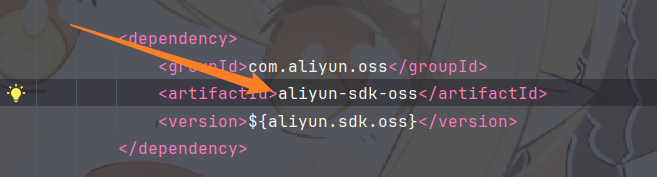
在项目中应导入对应的HttpClient在本项目中
<dependency> <groupId>org.apache.httpcomponents</groupId> <artifactId>httpclient</artifactId> <version>4.5.13</version> </dependency>
但在项目中的aliyunsdk已经包含
案例:
步骤为:
创建HttpClient对象
创建请求对象
发送请求
对数据进行解析
关闭资源
Post请求为例
public void testPost() throws Exception {
CloseableHttpClient httpClient = HttpClients.createDefault();
HttpPost httpPost = new HttpPost("http://localhost:8080/admin/employee/login");
//构建请求参数
JSONObject jsonObject = new JSONObject();
jsonObject.put("username","admin");
jsonObject.put("password","123456");
StringEntity entity = new StringEntity(jsonObject.toString());
entity.setContentEncoding("utf-8");
entity.setContentType("application/json");
//设置请求体
httpPost.setEntity(entity);
//发送请求
CloseableHttpResponse execute = httpClient.execute(httpPost);
//处理数据
int statusCode = execute.getStatusLine().getStatusCode();
System.out.println("状态码为:" + statusCode);
HttpEntity entity1 = execute.getEntity();
String body = EntityUtils.toString(entity1);
System.out.println("响应结果为:" + body);
execute.close();
httpClient.close();
}
小程序注册地址
https://mp.weixin.qq.com/cgi-bin/wx?token=&lang=zh_CN、
开发者工具下载
https://developers.weixin.qq.com/miniprogram/dev/devtools/log.html#stable-2.01.2510270
导入代码
微信登录
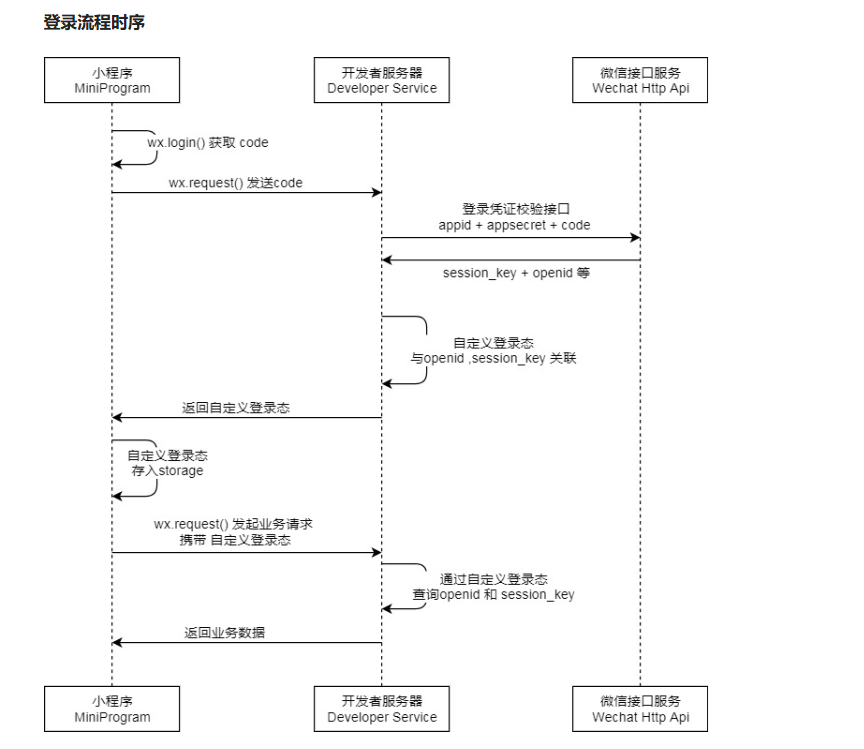
登录流程
微信开放文档
https://developers.weixin.qq.com/miniprogram/dev/devtools/log.html#stable-2.01.2510270
小程序的code是临时登录凭证不是自定义token
代码开发
Controller
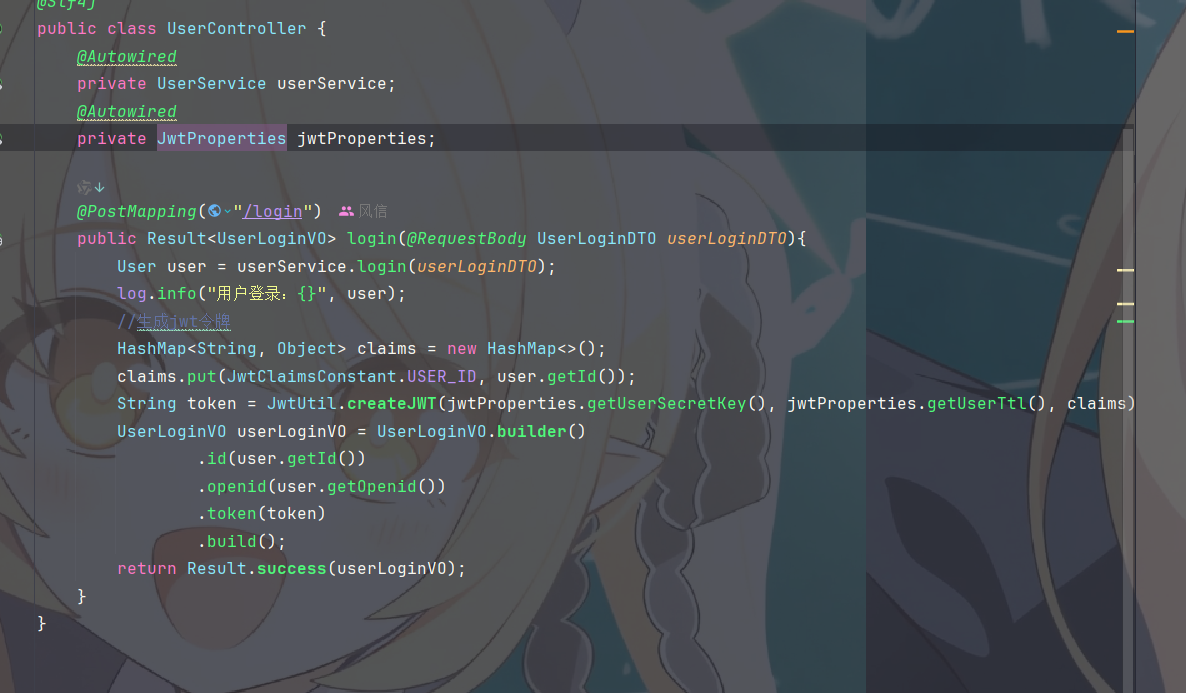
接口文档可知路径,返回的是对应的VO,需要提供openId即用户的唯一标识,token,还有对应id
 Service
首先需要调用微信login接口得到传来的code以此得到对应用户的openid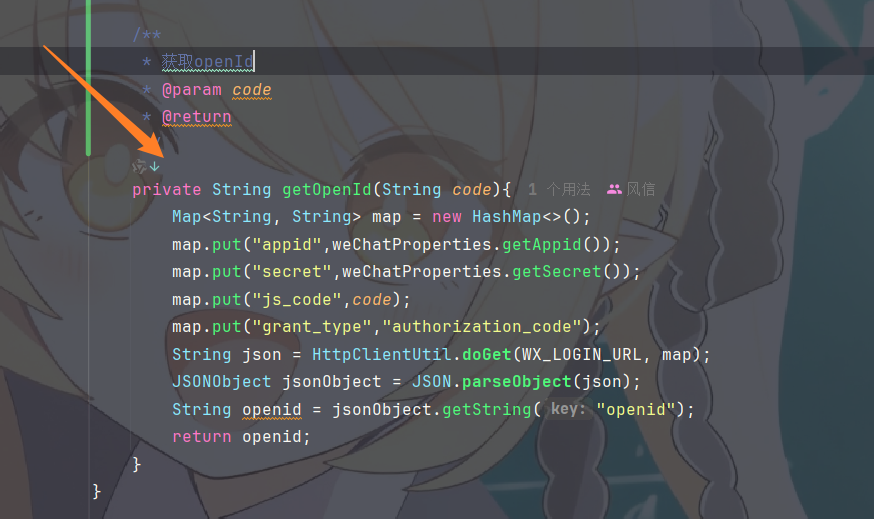
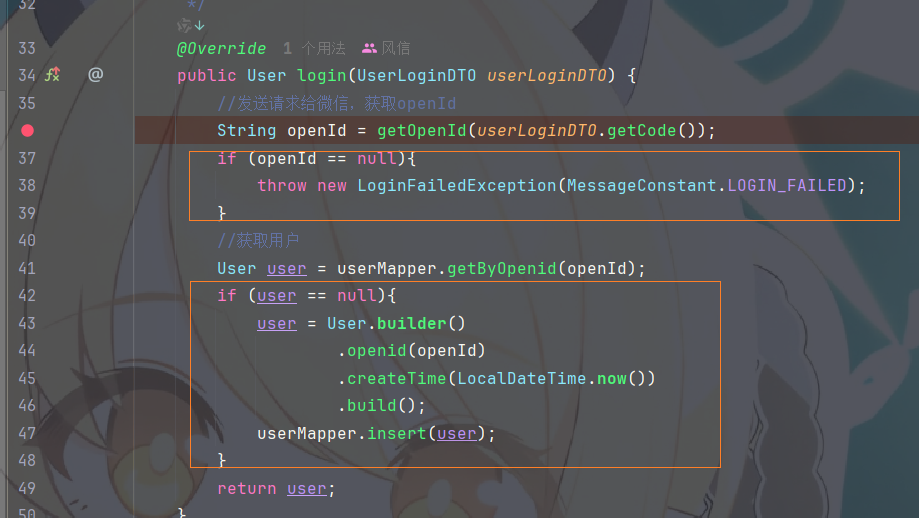
没有openid就抛出异常,然后根据openid查询到对应的用户,没有就直接插入对应表
Mapper
两个mapper
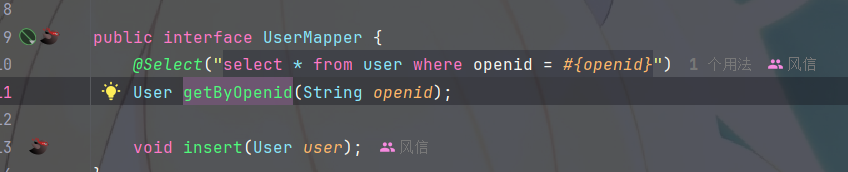
xml中需要设置返回新生成的id

测试:
小程序登录返回的code

服务端拿到code之后传给微信服务端返回openid

服务端接受openid开始查询