UniApp 对接蓝牙电子秤实战:从协议解析到全局单例(附完整代码)
本文以一个真实的 MES(制造执行系统)PAD 项目为背景,完整讲解如何用 UniApp 在 App 端(Android/iOS)对接蓝牙电子秤:包括 BLE 4.0 与经典蓝牙 2.0/3.0 的兼容处理、串口透传协议的组帧与解析、秤体命令(清零/去皮/切单位)、断线自动重连,以及一套可在多页面共享的全局单例方案。文章按「业务逻辑 → 关键代码讲解 → 完整代码」的顺序组织,可直接落地。
一、为什么对接蓝牙电子秤这么"绕"
很多人以为蓝牙称重就是"连上设备读个数字",真正做下来才发现坑不少:
下面我们按这几个问题逐一拆解。
二、整体架构设计
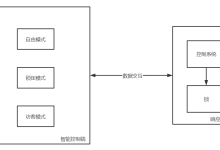
项目把"蓝牙能力"分成三层,职责清晰、便于维护:
┌─────────────────────────────────────────────┐
│ 业务页面 (test.vue / 各业务页) │
│ 只关心:weight / unit / connected / 命令按钮 │
└───────────────┬─────────────────────────────┘
│ EventBus 事件广播
┌───────────────▼─────────────────────────────┐
│ 全局单例 bluetoothScaleSingleton.js │
│ 唯一连接 / 状态广播 / 记忆设备 / 自动重连 │
└───────────────┬─────────────────────────────┘
│ 统一接口(connect/scan/zero…)
┌───────────────▼─────────────────────────────┐
│ 兼容层 electronicScalesCompatibility.js │
│ 按版本/设备名选择适配器,统一回调与数据格式 │
└──────┬───────────────────────┬───────────────┘
│ │
┌──────▼────────┐ ┌───────▼─────────┐
│ ClassicAdapter │ │ BleAdapter │
│ (经典蓝牙 SPP) │ │ (BLE 4.0+) │
└────────────────┘ └──────────────────┘
- 底层驱动:electronicScales3/bluetoothScale.js(经典蓝牙)与 electronicScales4/uniapp-bluetooth-scale.js(BLE),各自实现 UniApp 蓝牙 API 调用与协议解析。
- 兼容层:electronicScalesCompatibility.js,用适配器模式包裹两套驱动,对外暴露统一接口和统一的 WeightData 格式。
- 全局单例:bluetoothScaleSingleton.js,保证全局只有一个连接,通过 EventBus 把状态/重量广播给任意页面。
三、业务逻辑详解
3.1 BLE 连接的标准流程
UniApp 操作 BLE 设备遵循固定的"五步走":
openBluetoothAdapter // 1. 初始化适配器
→ startBluetoothDevicesDiscovery // 2. 扫描
→ createBLEConnection // 3. 建立 GATT 连接
→ getBLEDeviceServices / getBLEDeviceCharacteristics // 4. 找服务/特征值
→ notifyBLECharacteristicValueChange // 5. 开启通知,开始收数据
关键在第 4、5 步:电子秤通常使用 FFE1 这个"串口透传"特征值,收发共用同一个特征值。如果设备没有 FFE1,就按特征值属性回退——找一个支持 notify/indicate 的当通知通道,找一个支持 write 的当写入通道。
3.2 组帧:解决 BLE 的分包/粘包
BLE 每次通知(onBLECharacteristicValueChange)给到的是一小段 ArrayBuffer,不保证是完整的一帧。所以我们维护一个接收缓冲区 rxBuffer,按协议的帧头帧尾来切:
- 遇到 0x02(STX)→ 帧开始,清空缓冲;
- 遇到 0x0d/0x0a(CR/LF)→ 帧结束,解析缓冲,然后清空;
- 其它字节 → 累积进缓冲。
这样无论数据怎么分包/粘包,都能稳定还原出一帧一帧的重量数据。
3.3 协议解析:从字节流到重量
一帧数据(去掉 STX/CR)大致长这样:S + 1 2 . 3 4 5 k g,解析规则:
3.4 连续上报:主动发 RN1
很多机型默认不是连续输出模式。开启通知后,延时发送 RN1\\r\\n 触发连续上报;若 1.5 秒内仍没收到数据流,自动重试,最多 3 次——这是真机调试踩出来的经验,能显著提升首次连接的成功率。
3.5 秤体命令
通过写特征值下发 ASCII 命令即可:
| 连续上报重量 | RN1\\r\\n |
| 清零 | SZ09\\r\\n |
| 去皮 | ST07\\r\\n |
| 切换单位 | SU06\\r\\n |
3.6 断线自动重连
- 连接成功后用 uni.setStorageSync 记住 deviceId;
- 监听 onBLEConnectionStateChange,断开时若 autoReconnect=true 则 3 秒后自动重连;
- 重启 App 后原生层可能仍保持连接:这类设备不再广播、扫描发现不了,要先用 getConnectedBluetoothDevices 查一遍,命中就直接恢复服务,避免重复 createBLEConnection 报错。
四、关键代码讲解
4.1 BLE 组帧(核心中的核心)
/**
* 接收原始数据并按帧组装,兼容分包/粘包
* 帧格式:STX(0x02) … CR(0x0d) 或 LF(0x0a)
*/
feedRawData(value) {
const bytes = new Uint8Array(value)
for (let i = 0; i < bytes.length; i++) {
const b = bytes[i]
if (b === 0x02) {
this.rxBuffer = [] // 帧头:重置
} else if (b === 0x0d || b === 0x0a) {
if (this.rxBuffer.length > 0) { // 帧尾:解析一帧
const data = this.parseScaleFrame(this.rxBuffer)
this.scaleData = data
this.onDataCallback && this.onDataCallback(data)
this.rxBuffer = []
}
} else {
this.rxBuffer.push(b)
if (this.rxBuffer.length >= 40) this.rxBuffer = [] // 防御异常
}
}
}
4.2 协议解析
parseScaleFrame(frameBytes) {
const result = { weight: '0', unit: '', isStable: false, isZero: true, isOver: false }
const buf = frameBytes.slice()
if (buf.length === 0) return result
// 1. 状态位
const first = String.fromCharCode(buf[0]).toUpperCase()
if (first === 'O') result.isOver = true
else if (first === 'S') result.isStable = true
else if (first === 'U') result.isStable = false
// 2. 偏移量:负数从第5位开始,否则第6位
let offset = 6
if (String.fromCharCode(buf[5]) === '-') offset = 5
// 3. 扫描重量字段的长度 i
let startFlag = false, i = 0
for (i = 0; i < 14; i++) {
const idx = i + offset
if (idx >= buf.length) break
let ch = String.fromCharCode(buf[idx])
if (ch === '\\'') ch = '.' // 单引号 → 小数点
if (startFlag) {
const nextCh = (idx + 1 < buf.length) ? String.fromCharCode(buf[idx + 1]) : ''
if ((ch > '9' || ch < '.') && !(ch === ' ' && nextCh <= '9')) break
} else if (ch >= '0' && ch <= '9') {
startFlag = true
if (ch !== '0') result.isZero = false
}
}
// 4. 截取重量字符串
let weightStr = ''
for (let k = 0; k < i; k++) {
const idx = k + offset
if (idx >= buf.length) break
let ch = String.fromCharCode(buf[idx])
if (ch === '\\'') ch = '.'
weightStr += ch
}
weightStr = weightStr.replace(/\\s+/g, '')
if (weightStr.indexOf('-') !== –1) result.isZero = false
result.weight = weightStr || '0'
// 5. 单位:重量后紧跟的可见字符
let unitStr = ''
for (let j = 0; j < 6; j++) {
const idx = i + j + offset
if (idx >= buf.length || buf[idx] < 0x20) break
unitStr += String.fromCharCode(buf[idx])
}
result.unit = unitStr.trim()
return result
}
4.3 连续上报与自动重试
startContinuousRead(retry = 0) {
if (!this.isConnected) return
this.dataReceivedLogged = false
this.sendCommand('RN1\\r\\n')
if (this.continuousReadTimer) clearTimeout(this.continuousReadTimer)
this.continuousReadTimer = setTimeout(() => {
this.continuousReadTimer = null
if (!this.isConnected || this.dataReceivedLogged) return // 已收到数据
if (retry < 2) {
this.startContinuousRead(retry + 1) // 重试,最多 3 次
}
}, 1500)
}
4.4 全局单例 + EventBus 广播
页面里不直接持有蓝牙实例,只订阅事件、调用单例方法:
import scale from '@/utils/bluetoothScaleSingleton.js'
import { EventBus } from '@/utils/eventBus'
export default {
data() {
return { connected: false, weight: '0', unit: 'kg' }
},
onLoad() {
// 1. 订阅状态与重量
EventBus.$on('scale:status', this.onStatus)
EventBus.$on('scale:data', this.onData)
// 2. 同步当前快照(可能其它页面已连上)
const s = scale.getState()
this.connected = s.connected
this.weight = s.scaleData.weight
// 3. 尝试自动重连上次设备
scale.tryAutoConnect()
},
onUnload() {
EventBus.$off('scale:status', this.onStatus)
EventBus.$off('scale:data', this.onData)
},
methods: {
onStatus(s) { this.connected = s.connected },
onData(d) { this.weight = d.weight; this.unit = d.unit },
doScan() { scale.scan() },
doZero() { scale.zero() },
doTare() { scale.tare() }
}
}
这样设计的好处:A 页面连上秤,切到 B 页面仍是同一连接,重量数据照样实时刷新。
五、完整代码
以下为各模块完整源码,复制即可使用。EventBus 用任意发布订阅实现即可(如 new Vue())。
5.1 BLE 驱动(electronicScales4/uniapp-bluetooth-scale.js)
/**
* 蓝牙4.0电子秤工具类
* 用于连接和读取蓝牙电子秤数据
*/
class BluetoothScale {
constructor() {
this.deviceId = ''
this.serviceId = ''
this.writeServiceId = ''
this.notifyServiceId = ''
this.characteristicId = ''
this.notifyCharacteristicId = ''
this.isConnected = false
this.onDataCallback = null
this.onConnectCallback = null
this.onErrorCallback = null
this.debug = false
this.onLog = null
this.dataReceivedLogged = false
this.characteristicValueChangeHandler = null
this.rxBuffer = [] // STX 0x02 … CR 0x0d 组帧缓冲
this.continuousReadTimer = null
this.SCALE_UUID = '0000FFE1-0000-1000-8000-00805F9B34FB'
this.scaleData = { weight: '0', unit: '', isStable: false, isZero: true, isOver: false }
this.initBluetooth()
}
debugLog() {}
logEvent(message) { if (this.onLog) { try { this.onLog(message) } catch (e) {} } }
initBluetooth() {
uni.openBluetoothAdapter({
success: () => this.listenAdapterStateChange(),
fail: () => this.handleError('蓝牙初始化失败,请检查蓝牙是否开启')
})
}
listenAdapterStateChange() {
uni.onBluetoothAdapterStateChange((res) => {
if (!res.available) { this.handleError('蓝牙不可用'); this.isConnected = false }
})
}
startScan(callback) {
this.stopScan()
uni.onBluetoothDeviceFound((res) => {
res.devices.forEach(device => {
if (device.name && device.deviceId) callback && callback(device)
})
})
uni.startBluetoothDevicesDiscovery({
services: [], allowDuplicatesKey: false,
success: () => {}, fail: () => this.handleError('扫描蓝牙设备失败')
})
// 补充已连接但不再广播的设备
this.getConnectedDevices().then(devices => {
devices.forEach(device => { if (device && device.deviceId) callback && callback(device) })
})
setTimeout(() => this.stopScan(), 10000)
}
stopScan() {
uni.stopBluetoothDevicesDiscovery({ success: () => {}, fail: () => {} })
}
getConnectedDevices() {
return new Promise((resolve) => {
uni.getConnectedBluetoothDevices({
services: [this.SCALE_UUID],
success: (res) => resolve(res.devices || []),
fail: () => uni.getConnectedBluetoothDevices({
services: [],
success: (res) => resolve(res.devices || []),
fail: () => resolve([])
})
})
})
}
connect(deviceId) {
if (!deviceId) { this.handleError('设备ID不能为空'); return }
this.stopScan()
if (this.deviceId && this.deviceId !== deviceId) this.disconnect()
this.deviceId = deviceId
this.listenConnectionState(deviceId)
// 先查是否已连接,已连接则直接恢复服务
this.getConnectedDevices().then((connectedDevices) => {
const already = (connectedDevices || []).some(item => item.deviceId === deviceId)
if (already) {
this.isConnected = true
this.dataReceivedLogged = false
this.onConnectCallback && this.onConnectCallback(true)
setTimeout(() => this.getServices(), 300)
return
}
this.createConnection(deviceId)
}).catch(() => this.createConnection(deviceId))
}
createConnection(deviceId) {
uni.createBLEConnection({
deviceId, timeout: 10000,
success: () => {
this.isConnected = true
this.dataReceivedLogged = false
this.onConnectCallback && this.onConnectCallback(true)
setTimeout(() => this.getServices(), 1000)
},
fail: (err) => {
this.getConnectedDevices().then((connectedDevices) => {
if ((connectedDevices || []).some(item => item.deviceId === deviceId)) {
this.isConnected = true
this.dataReceivedLogged = false
this.onConnectCallback && this.onConnectCallback(true)
setTimeout(() => this.getServices(), 300)
return
}
this.isConnected = false; this.deviceId = ''
this.handleError('连接失败: ' + this.getErrorMessage(err.errCode))
}).catch(() => {
this.isConnected = false; this.deviceId = ''
this.handleError('连接失败: ' + this.getErrorMessage(err.errCode))
})
}
})
}
listenConnectionState(deviceId) {
uni.onBLEConnectionStateChange((res) => {
if (res.deviceId === deviceId) {
this.isConnected = res.connected
if (!res.connected) {
this.deviceId = this.serviceId = this.writeServiceId = ''
this.notifyServiceId = this.characteristicId = this.notifyCharacteristicId = ''
this.onConnectCallback && this.onConnectCallback(false)
}
}
})
}
getServices() {
uni.getBLEDeviceServices({
deviceId: this.deviceId,
success: (res) => {
const services = res.services || []
if (services.length === 0) { this.handleError('未发现蓝牙服务'); return }
this.collectCharacteristics(services)
},
fail: () => this.handleError('获取服务失败')
})
}
collectCharacteristics(services) {
let pending = services.length
const found = []
const done = () => {
// FFE1 为串口透传特征值,收发共用
const ffe1 = found.find(item => item.characteristic.uuid.toUpperCase().includes('FFE1'))
if (ffe1) {
this.notifyServiceId = this.writeServiceId = this.serviceId = ffe1.serviceId
this.notifyCharacteristicId = this.characteristicId = ffe1.characteristic.uuid
this.enableNotify()
return
}
// 回退:按属性选择通知/写特征值
let notify = null, write = null
for (let item of found) {
const props = item.characteristic.properties || {}
if (!notify && (props.notify || props.indicate)) notify = item
if (!write && (props.write || props.writeNoResponse || props.writeDefault)) write = item
}
if (!notify) { this.handleError('未找到支持通知的特征值'); return }
this.notifyServiceId = notify.serviceId
this.notifyCharacteristicId = notify.characteristic.uuid
this.writeServiceId = (write && write.serviceId) || notify.serviceId
this.characteristicId = (write && write.characteristic.uuid) || notify.characteristic.uuid
this.serviceId = this.writeServiceId
this.enableNotify()
}
services.forEach(service => {
uni.getBLEDeviceCharacteristics({
deviceId: this.deviceId, serviceId: service.uuid,
success: (res) => { (res.characteristics || []).forEach(c => found.push({ serviceId: service.uuid, characteristic: c })) },
fail: () => {},
complete: () => { if (—pending === 0) done() }
})
})
}
enableNotify() {
this.listenCharacteristicChange()
this.rxBuffer = []
uni.notifyBLECharacteristicValueChange({
deviceId: this.deviceId,
serviceId: this.notifyServiceId,
characteristicId: this.notifyCharacteristicId,
state: true,
success: () => setTimeout(() => this.startContinuousRead(), 300),
fail: (err) => this.handleError('启用通知失败: ' + this.getErrorMessage(err && err.errCode))
})
}
startContinuousRead(retry = 0) {
if (!this.isConnected) return
this.dataReceivedLogged = false
this.sendCommand('RN1\\r\\n')
if (this.continuousReadTimer) clearTimeout(this.continuousReadTimer)
this.continuousReadTimer = setTimeout(() => {
this.continuousReadTimer = null
if (!this.isConnected || this.dataReceivedLogged) return
if (retry < 2) this.startContinuousRead(retry + 1)
}, 1500)
}
listenCharacteristicChange() {
if (this.characteristicValueChangeHandler && typeof uni.offBLECharacteristicValueChange === 'function') {
try { uni.offBLECharacteristicValueChange(this.characteristicValueChangeHandler) } catch (e) {}
}
this.characteristicValueChangeHandler = (res) => {
if (res.deviceId && res.deviceId !== this.deviceId) return
const incoming = String(res.characteristicId || '').toUpperCase()
const sameChar = incoming === String(this.notifyCharacteristicId || '').toUpperCase() ||
incoming === String(this.characteristicId || '').toUpperCase()
if (sameChar) {
if (!this.dataReceivedLogged) { this.dataReceivedLogged = true; this.logEvent('已收到秤体数据流') }
this.feedRawData(res.value)
}
}
uni.onBLECharacteristicValueChange(this.characteristicValueChangeHandler)
}
feedRawData(value) {
const bytes = new Uint8Array(value)
for (let i = 0; i < bytes.length; i++) {
const b = bytes[i]
if (b === 0x02) { this.rxBuffer = [] }
else if (b === 0x0d || b === 0x0a) {
if (this.rxBuffer.length > 0) {
const data = this.parseScaleFrame(this.rxBuffer)
this.scaleData = data
this.onDataCallback && this.onDataCallback(data)
this.rxBuffer = []
}
} else {
this.rxBuffer.push(b)
if (this.rxBuffer.length >= 40) this.rxBuffer = []
}
}
}
parseScaleFrame(frameBytes) {
const result = { weight: '0', unit: '', isStable: false, isZero: true, isOver: false }
const buf = frameBytes.slice()
if (buf.length === 0) return result
const first = String.fromCharCode(buf[0]).toUpperCase()
if (first === 'O') result.isOver = true
else if (first === 'S') result.isStable = true
else if (first === 'U') result.isStable = false
let offset = 6
if (String.fromCharCode(buf[5]) === '-') offset = 5
let startFlag = false, i = 0
for (i = 0; i < 14; i++) {
const idx = i + offset
if (idx >= buf.length) break
let ch = String.fromCharCode(buf[idx])
if (ch === '\\'') ch = '.'
if (startFlag) {
const nextCh = (idx + 1 < buf.length) ? String.fromCharCode(buf[idx + 1]) : ''
if ((ch > '9' || ch < '.') && !(ch === ' ' && nextCh <= '9')) break
} else if (ch >= '0' && ch <= '9') {
startFlag = true
if (ch !== '0') result.isZero = false
}
}
let weightStr = ''
for (let k = 0; k < i; k++) {
const idx = k + offset
if (idx >= buf.length) break
let ch = String.fromCharCode(buf[idx])
if (ch === '\\'') ch = '.'
weightStr += ch
}
weightStr = weightStr.replace(/\\s+/g, '')
if (weightStr.indexOf('-') !== –1) result.isZero = false
result.weight = weightStr || '0'
let unitStr = ''
for (let j = 0; j < 6; j++) {
const idx = i + j + offset
if (idx >= buf.length || buf[idx] < 0x20) break
unitStr += String.fromCharCode(buf[idx])
}
result.unit = unitStr.trim()
return result
}
sendCommand(command) {
if (!this.isConnected) { this.handleError('设备未连接'); return }
if (!this.characteristicId) { this.handleError('特征值未找到'); return }
const buffer = this.stringToArrayBuffer(command)
uni.writeBLECharacteristicValue({
deviceId: this.deviceId,
serviceId: this.writeServiceId,
characteristicId: this.characteristicId,
value: buffer,
success: () => this.logEvent(`已发送命令 ${String(command).replace(/[\\r\\n]/g, '')}`),
fail: (err) => this.handleError('发送命令失败: ' + this.getErrorMessage(err && err.errCode))
})
}
zero() { this.sendCommand('SZ09\\r\\n') }
tare() { this.sendCommand('ST07\\r\\n') }
changeUnit() { this.sendCommand('SU06\\r\\n') }
stringToArrayBuffer(str) {
const buffer = new ArrayBuffer(str.length)
const dv = new DataView(buffer)
for (let i = 0; i < str.length; i++) dv.setUint8(i, str.charCodeAt(i))
return buffer
}
disconnect() {
this.rxBuffer = []
if (this.continuousReadTimer) { clearTimeout(this.continuousReadTimer); this.continuousReadTimer = null }
if (this.characteristicValueChangeHandler && typeof uni.offBLECharacteristicValueChange === 'function') {
try { uni.offBLECharacteristicValueChange(this.characteristicValueChangeHandler) } catch (e) {}
this.characteristicValueChangeHandler = null
}
if (this.deviceId) {
uni.closeBLEConnection({
deviceId: this.deviceId,
success: () => {
this.isConnected = false
this.deviceId = this.serviceId = this.writeServiceId = ''
this.notifyServiceId = this.characteristicId = this.notifyCharacteristicId = ''
},
fail: () => {}
})
}
}
close() {
this.disconnect()
uni.closeBluetoothAdapter({ success: () => {}, fail: () => {} })
}
setDataCallback(cb) { this.onDataCallback = cb }
setConnectCallback(cb) { this.onConnectCallback = cb }
setErrorCallback(cb) { this.onErrorCallback = cb }
handleError(message) { this.onErrorCallback && this.onErrorCallback(message) }
getErrorMessage(errCode) {
const m = {
0: '正常', 10000: '未初始化蓝牙适配器', 10001: '蓝牙适配器不可用',
10002: '没有找到指定设备', 10003: '连接失败', 10004: '没有找到指定服务',
10005: '没有找到指定特征值', 10006: '当前连接已断开', 10007: '特征值不支持此操作',
10008: '系统上报异常', 10009: '系统版本低于4.3不支持BLE', 10012: '连接超时', 10013: '无效deviceId'
}
return m[errCode] || '未知错误'
}
}
export default BluetoothScale
5.2 兼容层(electronicScalesCompatibility.js)
import BluetoothScaleClassic from './electronicScales3/bluetoothScale.js'
import BluetoothScaleBle from './electronicScales4/uniapp-bluetooth-scale.js'
import scanBluetoothDevices from '@/utils/bluetoothScanner.js'
const SCALE_MODES = {
classic: { mode: 'classic', label: '蓝牙2.0/3.0', versions: ['2.0', '3.0', 'bt2', 'bt3'], defaultCommands: { continuous: 'RN1\\r\\n' } },
ble: { mode: 'ble', label: '蓝牙4.0及以上', versions: ['4.0', '5.0', 'ble', 'le', 'latest'], defaultCommands: { continuous: 'RN1\\r\\n' } }
}
const DEFAULT_COMPATIBILITY_CONFIG = {
defaultMode: 'classic',
platformMode: { ios: 'ble' }, // iOS 默认走 BLE
electronicScaleNameRules: [/kunhongscale/i],
deviceNameRules: [
{ pattern: /kunhongscale/i, mode: 'ble' },
{ pattern: /ble|bluetooth\\s*[4-9]|bt\\s*[4-9]/i, mode: 'ble' },
{ pattern: /spp|2\\.0|3\\.0/i, mode: 'classic' }
]
}
function getPlatform() {
try { return uni.getSystemInfoSync().platform } catch (e) { return '' }
}
function mergeCompatibilityConfig(config = {}) {
return {
…DEFAULT_COMPATIBILITY_CONFIG, …config,
platformMode: { …DEFAULT_COMPATIBILITY_CONFIG.platformMode, …(config.platformMode || {}) },
electronicScaleNameRules: config.electronicScaleNameRules || DEFAULT_COMPATIBILITY_CONFIG.electronicScaleNameRules,
deviceNameRules: config.deviceNameRules || DEFAULT_COMPATIBILITY_CONFIG.deviceNameRules
}
}
export function normalizeScaleMode(value, config = DEFAULT_COMPATIBILITY_CONFIG) {
config = mergeCompatibilityConfig(config)
if (!value || value === 'auto') {
const platform = getPlatform()
return config.platformMode[platform] || config.defaultMode
}
const mode = String(value).toLowerCase()
if (SCALE_MODES[mode]) return mode
const matched = Object.keys(SCALE_MODES).find(k => SCALE_MODES[k].versions.includes(mode))
if (matched) return matched
const version = mode.match(/(?:bluetooth|bt)?\\s*(\\d+(?:\\.\\d+)?)/)
if (version && Number(version[1]) >= 4) return 'ble'
return config.defaultMode
}
export function resolveScaleModeByDevice(device, fallbackMode = 'classic', config = DEFAULT_COMPATIBILITY_CONFIG) {
config = mergeCompatibilityConfig(config)
const name = `${device && (device.name || device.localName) || ''} ${device && device.deviceId || ''}`
const rule = config.deviceNameRules.find(item => item.pattern.test(name))
return rule ? rule.mode : fallbackMode
}
export function isElectronicScaleDevice(device, config = DEFAULT_COMPATIBILITY_CONFIG) {
config = mergeCompatibilityConfig(config)
const name = `${device && (device.name || device.localName) || ''} ${device && device.deviceId || ''}`
return config.electronicScaleNameRules.some(p => p.test(name))
}
// 统一对外的重量数据格式
function toWeightData(data) {
return {
weight: data && data.weight !== undefined ? String(data.weight) : '0',
unit: data && data.unit ? data.unit : 'kg',
stable: Boolean(data && (data.stable || data.isStable)),
zero: Boolean(data && (data.zero || data.isZero)),
overload: Boolean(data && (data.overload || data.isOver))
}
}
// 把"回调式连接"包装为带超时的 Promise
function createConnectionPromise(startConnect, isConnected, timeout = 12000) {
return new Promise((resolve, reject) => {
let settled = false
const timer = setTimeout(() => {
if (!settled && !isConnected()) { settled = true; reject(new Error('蓝牙连接超时')) }
}, timeout)
const finish = () => { if (!settled) { settled = true; clearTimeout(timer); resolve() } }
try {
startConnect(finish, (error) => {
if (!settled) { settled = true; clearTimeout(timer); reject(error instanceof Error ? error : new Error(String(error || '蓝牙连接失败'))) }
})
if (isConnected()) finish()
} catch (error) {
if (!settled) { settled = true; clearTimeout(timer); reject(error) }
}
})
}
class BleScaleAdapter {
constructor() {
this.instance = new BluetoothScaleBle()
this.connectCallback = null
this.errorCallback = null
this.pendingConnectResolve = null
this.pendingConnectReject = null
this.bindConnectCallback()
this.bindErrorCallback()
}
bindConnectCallback() {
this.instance.setConnectCallback(connected => {
this.connectCallback && this.connectCallback(Boolean(connected), { connected })
if (connected && this.pendingConnectResolve) {
const r = this.pendingConnectResolve
this.pendingConnectResolve = this.pendingConnectReject = null
r()
}
})
}
bindErrorCallback() {
this.instance.setErrorCallback((message) => {
this.errorCallback && this.errorCallback(message)
if (this.pendingConnectReject) {
const rej = this.pendingConnectReject
this.pendingConnectReject = this.pendingConnectResolve = null
rej(new Error(message || '蓝牙连接失败'))
}
})
}
initBluetooth() { this.instance.initBluetooth(); return Promise.resolve(true) }
startScan(timeout = 10000, onFound) {
return new Promise(resolve => {
const devices = []
let timer = null, finished = false
const finish = () => {
if (finished) return
finished = true
if (timer) { clearTimeout(timer); timer = null }
this.instance.stopScan()
resolve(devices)
}
this.instance.startScan(device => {
if (!devices.find(item => item.deviceId === device.deviceId)) {
devices.push(device)
if (onFound && onFound(device, devices) === true) finish()
}
})
timer = setTimeout(finish, timeout)
})
}
connect(deviceId) {
return createConnectionPromise((resolve, reject) => {
this.pendingConnectResolve = resolve
this.pendingConnectReject = reject
return this.instance.connect(deviceId)
}, () => this.instance.isConnected)
}
disconnect() { return this.instance.disconnect() }
close() { return this.instance.close() }
sendCommand(c) { return this.instance.sendCommand(c) }
zero() { return this.instance.zero() }
tare() { return this.instance.tare() }
changeUnit() { return this.instance.changeUnit() }
setDataCallback(cb) { this.instance.setDataCallback(data => cb && cb(toWeightData(data))) }
setConnectCallback(cb) { this.connectCallback = cb; this.bindConnectCallback() }
setErrorCallback(cb) { this.errorCallback = cb; this.bindErrorCallback() }
}
// ClassicScaleAdapter 结构同理,包裹 electronicScales3/bluetoothScale.js,此处略
// (完整实现可参考 BleScaleAdapter,仅在回调命名上有差异)
export function createBluetoothScaleService(options = {}) {
const config = mergeCompatibilityConfig(options.compatibilityConfig)
const mode = normalizeScaleMode(options.mode || options.version, config)
const adapter = new BleScaleAdapter() // 实际项目中按 mode 选择 Ble/Classic 适配器
adapter.mode = mode
adapter.modeConfig = SCALE_MODES[mode]
return adapter
}
export { DEFAULT_COMPATIBILITY_CONFIG, SCALE_MODES, mergeCompatibilityConfig }
说明:ClassicScaleAdapter 与 BleScaleAdapter 接口完全一致,只是分别桥接经典蓝牙与 BLE 两套驱动的回调命名差异。createBluetoothScaleService 根据 mode 决定 new ClassicScaleAdapter() 还是 new BleScaleAdapter()。
5.3 全局单例(utils/bluetoothScaleSingleton.js)
import { EventBus } from './eventBus'
import { createBluetoothScaleService, isElectronicScaleDevice } from '@/components/electronicScalesCompatibility.js'
const STORAGE_KEY = 'bluetoothScaleDeviceId'
const SCALE_MODE = 'ble'
class BluetoothScaleSingleton {
static instance = null
static getInstance() {
if (!BluetoothScaleSingleton.instance) BluetoothScaleSingleton.instance = new BluetoothScaleSingleton()
return BluetoothScaleSingleton.instance
}
constructor() {
this.service = null
this.bluetoothReady = false
this.scanning = false
this.connecting = false
this.connected = false
this.statusText = '未连接'
this.devices = []
this.connectedDevice = null
this.scaleData = { weight: '0', unit: 'kg', stable: false, zero: false, overload: false }
this.autoReconnect = true
this.reconnecting = false
}
/* 事件广播 */
emitStatus() { EventBus.$emit('scale:status', { connected: this.connected, connecting: this.connecting, scanning: this.scanning, statusText: this.statusText, device: this.connectedDevice }) }
emitDevices() { EventBus.$emit('scale:devices', this.devices.slice()) }
emitData() { EventBus.$emit('scale:data', { …this.scaleData }) }
emitError(msg) { EventBus.$emit('scale:error', msg) }
getState() {
return {
connected: this.connected, connecting: this.connecting, scanning: this.scanning,
statusText: this.statusText, devices: this.devices.slice(),
device: this.connectedDevice, scaleData: { …this.scaleData }
}
}
ensureService() {
if (this.service) return
this.service = createBluetoothScaleService({ mode: SCALE_MODE })
this.bindCallbacks()
}
bindCallbacks() {
if (!this.service) return
this.service.setDataCallback((data) => {
this.scaleData = {
weight: data && data.weight !== undefined ? String(data.weight) : '0',
unit: data && data.unit ? data.unit : 'kg',
stable: Boolean(data && (data.stable || data.isStable)),
zero: Boolean(data && (data.zero || data.isZero)),
overload: Boolean(data && (data.overload || data.isOver))
}
this.emitData()
})
this.service.setConnectCallback((connected) => {
this.connected = Boolean(connected)
if (this.connected) this.statusText = '已连接'
else { this.statusText = '已断开'; this.maybeReconnect() }
this.emitStatus()
})
this.service.setErrorCallback((message) => {
const text = this.normalizeError(message)
this.statusText = text
this.emitError(text)
this.emitStatus()
})
}
async init() {
this.ensureService()
if (this.bluetoothReady) return
try { await this.service.initBluetooth(); this.bluetoothReady = true }
catch (e) { this.bluetoothReady = false; throw e }
}
async scan(timeout = 10000) {
if (this.scanning) return this.devices.slice()
await this.init()
this.scanning = true
this.devices = []
this.statusText = '正在扫描…'
this.emitStatus(); this.emitDevices()
try {
const devices = await this.service.startScan(timeout, (device, list) => {
this.devices = this.sortDevices(list || [])
this.emitDevices()
return false
})
this.devices = this.sortDevices(devices || [])
this.statusText = `发现 ${this.devices.length} 个设备`
this.emitDevices()
return this.devices.slice()
} catch (e) {
this.statusText = this.normalizeError(e) || '扫描失败'
this.emitError(this.statusText)
throw e
} finally { this.scanning = false; this.emitStatus() }
}
async connect(deviceId, deviceInfo) {
if (!deviceId || this.connecting) return
await this.init()
this.connecting = true
this.statusText = '正在连接…'
this.emitStatus()
try {
await this.service.connect(deviceId)
this.connected = true
this.connectedDevice = deviceInfo || this.devices.find(d => d.deviceId === deviceId) || { deviceId }
this.statusText = '已连接'
this.saveDeviceId(deviceId)
this.emitStatus()
} catch (e) {
this.connected = false
this.statusText = this.normalizeError(e) || '连接失败'
this.emitError(this.statusText)
this.emitStatus()
throw e
} finally { this.connecting = false; this.emitStatus() }
}
async disconnect(forget = true) {
if (forget) { this.autoReconnect = false; this.clearDeviceId() }
try { if (this.service && this.service.disconnect) await this.service.disconnect() } catch (e) {}
this.connected = false
this.connectedDevice = null
this.statusText = '已断开'
this.resetScaleData()
this.emitStatus(); this.emitData()
}
/* 自动重连 */
getSavedDeviceId() { try { return uni.getStorageSync(STORAGE_KEY) || '' } catch (e) { return '' } }
saveDeviceId(id) { try { uni.setStorageSync(STORAGE_KEY, id) } catch (e) {} }
clearDeviceId() { try { uni.removeStorageSync(STORAGE_KEY) } catch (e) {} }
async tryAutoConnect() {
const deviceId = this.getSavedDeviceId()
if (!deviceId || this.connected || this.connecting) return
this.autoReconnect = true
try {
await this.init()
// 原生层仍保持连接时,直接恢复
const reconnected = await this.tryRecoverConnectedDevice(deviceId)
if (reconnected) return
// 否则扫描确认在范围内再连
await this.scan(6000)
const target = this.devices.find(d => d.deviceId === deviceId)
await this.connect(deviceId, target)
} catch (e) { /* 静默 */ }
}
async tryRecoverConnectedDevice(deviceId) {
try {
const inst = this.service && this.service.instance
if (!inst || typeof inst.getConnectedDevices !== 'function') return false
const list = await inst.getConnectedDevices()
const hit = (list || []).find(d => d.deviceId === deviceId) || (list || []).find(d => this.isScaleDevice(d))
if (!hit) return false
await this.connect(hit.deviceId, hit)
return this.connected
} catch (e) { return false }
}
maybeReconnect() {
if (!this.autoReconnect || this.reconnecting) return
const deviceId = this.getSavedDeviceId()
if (!deviceId) return
this.reconnecting = true
setTimeout(async () => {
try { if (!this.connected) await this.connect(deviceId) }
catch (e) {} finally { this.reconnecting = false }
}, 3000)
}
/* 秤体命令 */
sendCommand(c) { if (this.connected && this.service) this.service.sendCommand(c) }
zero() { if (this.connected && this.service) this.service.zero() }
tare() { if (this.connected && this.service) this.service.tare() }
changeUnit() { if (this.connected && this.service) this.service.changeUnit() }
getWeight() { const w = parseFloat(this.scaleData.weight); return isNaN(w) ? 0 : w }
/* 工具 */
isScaleDevice(d) { return isElectronicScaleDevice(d) }
getDeviceName(d) { return (d && (d.name || d.localName)) || '未知设备' }
sortDevices(devices) {
const map = {}
devices.forEach(d => {
if (d && d.deviceId) map[d.deviceId] = { …map[d.deviceId], …d, name: d.name || d.localName || (map[d.deviceId] && map[d.deviceId].name) || '' }
})
return Object.keys(map).map(k => map[k]).sort((a, b) => {
const aS = this.isScaleDevice(a) ? 1 : 0, bS = this.isScaleDevice(b) ? 1 : 0
if (aS !== bS) return bS – aS
return (b.RSSI || –999) – (a.RSSI || –999)
})
}
resetScaleData() { this.scaleData = { weight: '0', unit: 'kg', stable: false, zero: false, overload: false } }
normalizeError(error) {
if (!error) return ''
if (typeof error === 'string') return error
if (error.message) return error.message
if (error.errMsg) return error.errMsg
try { return JSON.stringify(error) } catch (e) { return String(error) }
}
}
const instance = BluetoothScaleSingleton.getInstance()
export default instance
5.4 页面调用示例(精简版)
<template>
<view class="page">
<view class="weight">{{ scaleData.weight }} {{ scaleData.unit }}</view>
<view>{{ statusText }}</view>
<button @click="scan">扫描并连接</button>
<button :disabled="!connected" @click="zero">清零</button>
<button :disabled="!connected" @click="tare">去皮</button>
<button :disabled="!connected" @click="changeUnit">切单位</button>
</view>
</template>
<script>
import scale from '@/utils/bluetoothScaleSingleton.js'
import { EventBus } from '@/utils/eventBus'
export default {
data() {
return {
connected: false,
statusText: '未连接',
scaleData: { weight: '0', unit: 'kg' }
}
},
onLoad() {
EventBus.$on('scale:status', this.onStatus)
EventBus.$on('scale:data', this.onData)
const s = scale.getState()
this.connected = s.connected
this.statusText = s.statusText
this.scaleData = s.scaleData
scale.tryAutoConnect()
},
onUnload() {
EventBus.$off('scale:status', this.onStatus)
EventBus.$off('scale:data', this.onData)
},
methods: {
onStatus(s) { this.connected = s.connected; this.statusText = s.statusText },
onData(d) { this.scaleData = d },
async scan() {
await scale.scan()
// 自动连第一个识别为电子秤的设备
const state = scale.getState()
const target = state.devices.find(d => scale.isScaleDevice(d))
if (target) scale.connect(target.deviceId, target)
},
zero() { scale.zero() },
tare() { scale.tare() },
changeUnit() { scale.changeUnit() }
}
}
</script>
六、真机调试踩坑总结
七、结语
本文从 0 到 1 梳理了 UniApp 对接蓝牙电子秤的完整链路:
- 底层驱动解决"怎么连、怎么收、怎么解析";
- 兼容层用适配器模式抹平经典蓝牙与 BLE 的差异,输出统一数据格式;
- 全局单例 + EventBus解决多页面共享同一连接的问题;
- 再配合 RN1 连续上报重试 与 断线/重启自动重连,让连接在生产环境足够稳。
完整代码已在上文给出,按三层结构落地即可。如果你的秤协议不同(帧头帧尾、状态位、命令字不一样),主要改动点就集中在 parseScaleFrame 与命令字符串两处,其余架构可直接复用。
如果这篇文章对你有帮助,欢迎点赞收藏。有具体型号对接问题也可以在评论区交流。