大家好,我是鸿蒙Jack。本期以我的《时光旅记》APP 为例,聊一下我是怎么把 Audio Kit 接到“环境声音记录”和“快速语音瞬间”里的。
《时光旅记》不是一个单纯写文字的笔记应用。用户在旅行、聚会、散步、看展时,很多记忆不只来自照片和文字,还来自现场声音:海边的风声、街角的音乐、车站广播、朋友的一句话。我的做法是在“瞬间详情页”里给每条瞬间加一组环境声音,用户可以录制、回放、重命名、删除、导出;同时在首页保留一个“快速语音记录”入口,用户说完一段话后,APP 同时保存录音和识别出来的文字。
这篇文章会把《时光旅记》里用到音频能力的地方讲清楚。这里不是只用一个 Kit 就结束了,完整链路里同时出现了 Audio Kit、Media Kit、CoreFileKit、CoreSpeechKit、AbilityKit 和 ArkUI 状态管理。
官方文档可以对照这几页看:
- AudioCapturer 录制 PCM:使用AudioCapturer开发音频录制功能
- AVRecorder 录制音频:使用AVRecorder录制音频
- AVPlayer 播放音频:使用AVPlayer播放音频
我在《时光旅记》里的音频场景
我项目里实际有两条音频链路。
第一条在 MomentDetailPage.ets,也就是瞬间详情页。用户打开某个瞬间后,可以点击录音按钮记录“环境声音”。这条链路用 Media Kit 的 AVRecorder 直接录制 AAC,并封装成 .m4a 文件;播放时用 AVPlayer,同时用 Audio Kit 的 AudioRendererInfo 配置播放流用途,并监听 audioInterrupt 处理来电、系统打断等场景。
第二条在 MainPage.ets 的 QuickVoiceMomentRecorder。这是快速语音记录。它用 Audio Kit 的 AudioCapturer 采集 16k、单声道、16bit PCM,一边写入本地 WAV 文件,一边把 PCM 分片喂给 CoreSpeechKit 做语音识别。最终保存成一条瞬间:文字来自识别结果,录音来自本地 WAV。


整体结构是这样:
#mermaid-svg-SWmAnuua3KQJtFhG{font-family:\”trebuchet ms\”,verdana,arial,sans-serif;font-size:16px;fill:#333;}@keyframes edge-animation-frame{from{stroke-dashoffset:0;}}@keyframes dash{to{stroke-dashoffset:0;}}#mermaid-svg-SWmAnuua3KQJtFhG .edge-animation-slow{stroke-dasharray:9,5!important;stroke-dashoffset:900;animation:dash 50s linear infinite;stroke-linecap:round;}#mermaid-svg-SWmAnuua3KQJtFhG .edge-animation-fast{stroke-dasharray:9,5!important;stroke-dashoffset:900;animation:dash 20s linear infinite;stroke-linecap:round;}#mermaid-svg-SWmAnuua3KQJtFhG .error-icon{fill:#552222;}#mermaid-svg-SWmAnuua3KQJtFhG .error-text{fill:#552222;stroke:#552222;}#mermaid-svg-SWmAnuua3KQJtFhG .edge-thickness-normal{stroke-width:1px;}#mermaid-svg-SWmAnuua3KQJtFhG .edge-thickness-thick{stroke-width:3.5px;}#mermaid-svg-SWmAnuua3KQJtFhG .edge-pattern-solid{stroke-dasharray:0;}#mermaid-svg-SWmAnuua3KQJtFhG .edge-thickness-invisible{stroke-width:0;fill:none;}#mermaid-svg-SWmAnuua3KQJtFhG .edge-pattern-dashed{stroke-dasharray:3;}#mermaid-svg-SWmAnuua3KQJtFhG .edge-pattern-dotted{stroke-dasharray:2;}#mermaid-svg-SWmAnuua3KQJtFhG .marker{fill:#333333;stroke:#333333;}#mermaid-svg-SWmAnuua3KQJtFhG .marker.cross{stroke:#333333;}#mermaid-svg-SWmAnuua3KQJtFhG svg{font-family:\”trebuchet ms\”,verdana,arial,sans-serif;font-size:16px;}#mermaid-svg-SWmAnuua3KQJtFhG p{margin:0;}#mermaid-svg-SWmAnuua3KQJtFhG .label{font-family:\”trebuchet ms\”,verdana,arial,sans-serif;color:#333;}#mermaid-svg-SWmAnuua3KQJtFhG .cluster-label text{fill:#333;}#mermaid-svg-SWmAnuua3KQJtFhG .cluster-label span{color:#333;}#mermaid-svg-SWmAnuua3KQJtFhG .cluster-label span p{background-color:transparent;}#mermaid-svg-SWmAnuua3KQJtFhG .label text,#mermaid-svg-SWmAnuua3KQJtFhG span{fill:#333;color:#333;}#mermaid-svg-SWmAnuua3KQJtFhG .node rect,#mermaid-svg-SWmAnuua3KQJtFhG .node circle,#mermaid-svg-SWmAnuua3KQJtFhG .node ellipse,#mermaid-svg-SWmAnuua3KQJtFhG .node polygon,#mermaid-svg-SWmAnuua3KQJtFhG .node path{fill:#ECECFF;stroke:#9370DB;stroke-width:1px;}#mermaid-svg-SWmAnuua3KQJtFhG .rough-node .label text,#mermaid-svg-SWmAnuua3KQJtFhG .node .label text,#mermaid-svg-SWmAnuua3KQJtFhG .image-shape .label,#mermaid-svg-SWmAnuua3KQJtFhG .icon-shape .label{text-anchor:middle;}#mermaid-svg-SWmAnuua3KQJtFhG .node .katex path{fill:#000;stroke:#000;stroke-width:1px;}#mermaid-svg-SWmAnuua3KQJtFhG .rough-node .label,#mermaid-svg-SWmAnuua3KQJtFhG .node .label,#mermaid-svg-SWmAnuua3KQJtFhG .image-shape .label,#mermaid-svg-SWmAnuua3KQJtFhG .icon-shape .label{text-align:center;}#mermaid-svg-SWmAnuua3KQJtFhG .node.clickable{cursor:pointer;}#mermaid-svg-SWmAnuua3KQJtFhG .root .anchor path{fill:#333333!important;stroke-width:0;stroke:#333333;}#mermaid-svg-SWmAnuua3KQJtFhG .arrowheadPath{fill:#333333;}#mermaid-svg-SWmAnuua3KQJtFhG .edgePath .path{stroke:#333333;stroke-width:2.0px;}#mermaid-svg-SWmAnuua3KQJtFhG .flowchart-link{stroke:#333333;fill:none;}#mermaid-svg-SWmAnuua3KQJtFhG .edgeLabel{background-color:rgba(232,232,232, 0.8);text-align:center;}#mermaid-svg-SWmAnuua3KQJtFhG .edgeLabel p{background-color:rgba(232,232,232, 0.8);}#mermaid-svg-SWmAnuua3KQJtFhG .edgeLabel rect{opacity:0.5;background-color:rgba(232,232,232, 0.8);fill:rgba(232,232,232, 0.8);}#mermaid-svg-SWmAnuua3KQJtFhG .labelBkg{background-color:rgba(232, 232, 232, 0.5);}#mermaid-svg-SWmAnuua3KQJtFhG .cluster rect{fill:#ffffde;stroke:#aaaa33;stroke-width:1px;}#mermaid-svg-SWmAnuua3KQJtFhG .cluster text{fill:#333;}#mermaid-svg-SWmAnuua3KQJtFhG .cluster span{color:#333;}#mermaid-svg-SWmAnuua3KQJtFhG div.mermaidTooltip{position:absolute;text-align:center;max-width:200px;padding:2px;font-family:\”trebuchet ms\”,verdana,arial,sans-serif;font-size:12px;background:hsl(80, 100%, 96.2745098039%);border:1px solid #aaaa33;border-radius:2px;pointer-events:none;z-index:100;}#mermaid-svg-SWmAnuua3KQJtFhG .flowchartTitleText{text-anchor:middle;font-size:18px;fill:#333;}#mermaid-svg-SWmAnuua3KQJtFhG rect.text{fill:none;stroke-width:0;}#mermaid-svg-SWmAnuua3KQJtFhG .icon-shape,#mermaid-svg-SWmAnuua3KQJtFhG .image-shape{background-color:rgba(232,232,232, 0.8);text-align:center;}#mermaid-svg-SWmAnuua3KQJtFhG .icon-shape p,#mermaid-svg-SWmAnuua3KQJtFhG .image-shape p{background-color:rgba(232,232,232, 0.8);padding:2px;}#mermaid-svg-SWmAnuua3KQJtFhG .icon-shape .label rect,#mermaid-svg-SWmAnuua3KQJtFhG .image-shape .label rect{opacity:0.5;background-color:rgba(232,232,232, 0.8);fill:rgba(232,232,232, 0.8);}#mermaid-svg-SWmAnuua3KQJtFhG .label-icon{display:inline-block;height:1em;overflow:visible;vertical-align:-0.125em;}#mermaid-svg-SWmAnuua3KQJtFhG .node .label-icon path{fill:currentColor;stroke:revert;stroke-width:revert;}#mermaid-svg-SWmAnuua3KQJtFhG :root{–mermaid-font-family:\”trebuchet ms\”,verdana,arial,sans-serif;}
时光旅记 APP
瞬间详情页 MomentDetailPage
快速语音记录 QuickVoiceMomentPage
申请 MICROPHONE 权限
prepareSandboxFile 生成沙箱文件
AVRecorder 录制 m4a
LocalMediaRecord 写入瞬间 mediaItems
AVPlayer 回放录音
AudioRendererInfo 配置播放用途
audioInterrupt 处理中断
AudioCapturer 采集 PCM
写入 WAV 文件
按 1280 字节分片
CoreSpeechKit writeAudio
识别文字回填瞬间内容
从技术栈角度看,我是这样拆的:
| Audio Kit | AudioCapturer 采集 PCM;AudioRendererInfo 配置播放流用途;audioInterrupt 处理播放中断。 |
| Media Kit | AVRecorder 录制 .m4a;AVPlayer 播放录音并获取时长、进度、状态。 |
| CoreFileKit | 使用 fileIo 打开沙箱文件,拿到 fd,录制和播放都走文件描述符。 |
| AbilityKit | 获取 Context,申请 ohos.permission.MICROPHONE。 |
| CoreSpeechKit | 快速语音记录里把 PCM 音频流送去实时识别。 |
| ArkUI 状态管理 | 用 @State 保存录音状态、播放 ID、进度、时长和编辑中的标题。 |
| 应用模型层 | 用 SandboxFileTarget 表示沙箱文件,用 LocalMediaRecord 把录音挂到某条瞬间。 |
权限先配好
音频录制必须声明并动态申请麦克风权限。我的项目里在 entry/src/main/module.json5 里这样写:
{
"name": "ohos.permission.MICROPHONE",
"reason": "$string:permission_microphone_reason",
"usedScene": {
"abilities": [
"EntryAbility"
],
"when": "inuse"
}
}
在页面里真正开始录音前,还要向用户申请授权。我的项目封装了 ensurePermissionsGranted,在 MomentDetailPage 里使用时只关心返回值:
private async requestPermissionList(context: Context, permissions: Array<Permissions>): Promise<boolean> {
return ensurePermissionsGranted(context, permissions);
}
录音入口里先拿页面上下文,再申请 MICROPHONE。没有权限就直接停掉,不要继续创建录音器:
const hostContext: Context | undefined = this.getUIContext().getHostContext();
if (hostContext === undefined) {
this.showToast('当前页面上下文不可用');
return;
}
const granted: boolean = await this.requestPermissionList(hostContext, ['ohos.permission.MICROPHONE']);
if (!granted) {
this.showToast('没有拿到麦克风权限');
return;
}
环境声音为什么用 AVRecorder
瞬间详情页的“环境声音”本质是保存一份可以长期播放、导出、同步的音频文件。我不需要拿到每一帧 PCM 做算法处理,所以这里不用 AudioCapturer,而是用 Media Kit 的 AVRecorder。
这条链路更短:申请权限、准备文件、创建 AVRecorder、配置 AAC、开始录制、停止后保存到瞬间。
时光数据模型
AVRecorder
CoreFileKit
AbilityKit
MomentDetailPage
用户
时光数据模型
AVRecorder
CoreFileKit
AbilityKit
MomentDetailPage
用户
#mermaid-svg-rHRqIOgVFst3Qfg7{font-family:\”trebuchet ms\”,verdana,arial,sans-serif;font-size:16px;fill:#333;}@keyframes edge-animation-frame{from{stroke-dashoffset:0;}}@keyframes dash{to{stroke-dashoffset:0;}}#mermaid-svg-rHRqIOgVFst3Qfg7 .edge-animation-slow{stroke-dasharray:9,5!important;stroke-dashoffset:900;animation:dash 50s linear infinite;stroke-linecap:round;}#mermaid-svg-rHRqIOgVFst3Qfg7 .edge-animation-fast{stroke-dasharray:9,5!important;stroke-dashoffset:900;animation:dash 20s linear infinite;stroke-linecap:round;}#mermaid-svg-rHRqIOgVFst3Qfg7 .error-icon{fill:#552222;}#mermaid-svg-rHRqIOgVFst3Qfg7 .error-text{fill:#552222;stroke:#552222;}#mermaid-svg-rHRqIOgVFst3Qfg7 .edge-thickness-normal{stroke-width:1px;}#mermaid-svg-rHRqIOgVFst3Qfg7 .edge-thickness-thick{stroke-width:3.5px;}#mermaid-svg-rHRqIOgVFst3Qfg7 .edge-pattern-solid{stroke-dasharray:0;}#mermaid-svg-rHRqIOgVFst3Qfg7 .edge-thickness-invisible{stroke-width:0;fill:none;}#mermaid-svg-rHRqIOgVFst3Qfg7 .edge-pattern-dashed{stroke-dasharray:3;}#mermaid-svg-rHRqIOgVFst3Qfg7 .edge-pattern-dotted{stroke-dasharray:2;}#mermaid-svg-rHRqIOgVFst3Qfg7 .marker{fill:#333333;stroke:#333333;}#mermaid-svg-rHRqIOgVFst3Qfg7 .marker.cross{stroke:#333333;}#mermaid-svg-rHRqIOgVFst3Qfg7 svg{font-family:\”trebuchet ms\”,verdana,arial,sans-serif;font-size:16px;}#mermaid-svg-rHRqIOgVFst3Qfg7 p{margin:0;}#mermaid-svg-rHRqIOgVFst3Qfg7 .actor{stroke:hsl(259.6261682243, 59.7765363128%, 87.9019607843%);fill:#ECECFF;}#mermaid-svg-rHRqIOgVFst3Qfg7 text.actor>tspan{fill:black;stroke:none;}#mermaid-svg-rHRqIOgVFst3Qfg7 .actor-line{stroke:hsl(259.6261682243, 59.7765363128%, 87.9019607843%);}#mermaid-svg-rHRqIOgVFst3Qfg7 .innerArc{stroke-width:1.5;stroke-dasharray:none;}#mermaid-svg-rHRqIOgVFst3Qfg7 .messageLine0{stroke-width:1.5;stroke-dasharray:none;stroke:#333;}#mermaid-svg-rHRqIOgVFst3Qfg7 .messageLine1{stroke-width:1.5;stroke-dasharray:2,2;stroke:#333;}#mermaid-svg-rHRqIOgVFst3Qfg7 #arrowhead path{fill:#333;stroke:#333;}#mermaid-svg-rHRqIOgVFst3Qfg7 .sequenceNumber{fill:white;}#mermaid-svg-rHRqIOgVFst3Qfg7 #sequencenumber{fill:#333;}#mermaid-svg-rHRqIOgVFst3Qfg7 #crosshead path{fill:#333;stroke:#333;}#mermaid-svg-rHRqIOgVFst3Qfg7 .messageText{fill:#333;stroke:none;}#mermaid-svg-rHRqIOgVFst3Qfg7 .labelBox{stroke:hsl(259.6261682243, 59.7765363128%, 87.9019607843%);fill:#ECECFF;}#mermaid-svg-rHRqIOgVFst3Qfg7 .labelText,#mermaid-svg-rHRqIOgVFst3Qfg7 .labelText>tspan{fill:black;stroke:none;}#mermaid-svg-rHRqIOgVFst3Qfg7 .loopText,#mermaid-svg-rHRqIOgVFst3Qfg7 .loopText>tspan{fill:black;stroke:none;}#mermaid-svg-rHRqIOgVFst3Qfg7 .loopLine{stroke-width:2px;stroke-dasharray:2,2;stroke:hsl(259.6261682243, 59.7765363128%, 87.9019607843%);fill:hsl(259.6261682243, 59.7765363128%, 87.9019607843%);}#mermaid-svg-rHRqIOgVFst3Qfg7 .note{stroke:#aaaa33;fill:#fff5ad;}#mermaid-svg-rHRqIOgVFst3Qfg7 .noteText,#mermaid-svg-rHRqIOgVFst3Qfg7 .noteText>tspan{fill:black;stroke:none;}#mermaid-svg-rHRqIOgVFst3Qfg7 .activation0{fill:#f4f4f4;stroke:#666;}#mermaid-svg-rHRqIOgVFst3Qfg7 .activation1{fill:#f4f4f4;stroke:#666;}#mermaid-svg-rHRqIOgVFst3Qfg7 .activation2{fill:#f4f4f4;stroke:#666;}#mermaid-svg-rHRqIOgVFst3Qfg7 .actorPopupMenu{position:absolute;}#mermaid-svg-rHRqIOgVFst3Qfg7 .actorPopupMenuPanel{position:absolute;fill:#ECECFF;box-shadow:0px 8px 16px 0px rgba(0,0,0,0.2);filter:drop-shadow(3px 5px 2px rgb(0 0 0 / 0.4));}#mermaid-svg-rHRqIOgVFst3Qfg7 .actor-man line{stroke:hsl(259.6261682243, 59.7765363128%, 87.9019607843%);fill:#ECECFF;}#mermaid-svg-rHRqIOgVFst3Qfg7 .actor-man circle,#mermaid-svg-rHRqIOgVFst3Qfg7 line{stroke:hsl(259.6261682243, 59.7765363128%, 87.9019607843%);fill:#ECECFF;stroke-width:2px;}#mermaid-svg-rHRqIOgVFst3Qfg7 :root{–mermaid-font-family:\”trebuchet ms\”,verdana,arial,sans-serif;}
点击录音按钮
申请 MICROPHONE
授权通过
prepareSandboxFile(…)
fileIo.openSync(…)
media.createAVRecorder()
prepare(fd url + AVRecorderProfile)
start()
点击停止
stop()
release()
closeSync(fd)
onAddMomentAudio(momentId, target)
刷新瞬间详情
我录制环境声时用的是 AAC-LC,采样率 44100,单声道,码率 96000,容器是 MPEG-4 Audio,也就是最后落到 .m4a。这个配置对“记录现场声音”够用,文件体积也比较可控。
下面是从《时光旅记》整理出来的环境声录制核心代码。
import { Context, Permissions } from '@kit.AbilityKit';
import { promptAction } from '@kit.ArkUI';
import { BusinessError } from '@kit.BasicServicesKit';
import { fileIo } from '@kit.CoreFileKit';
import { media } from '@kit.MediaKit';
import {
LocalMediaRecord,
MediaKind,
MomentRecord,
SandboxFileTarget
} from '../../model/TimeImprintModels';
import { prepareSandboxFile } from '../../utils/TimeImprintService';
import { ensurePermissionsGranted } from '../../utils/PermissionUtil';
@Component
export struct MomentAmbientAudioRecorder {
@Prop moment: MomentRecord = new MomentRecord();
onAddMomentAudio: (momentId: string, target: SandboxFileTarget) => Promise<void> | void = () => {};
@State private isRecordingAudio: boolean = false;
@State private recordingElapsedSeconds: number = 0;
private avRecorder?: media.AVRecorder;
private currentRecorderFile?: fileIo.File;
private currentRecordingTarget?: SandboxFileTarget;
private recordingTimer: number = -1;
build(): void {
Row() {
Button(this.isRecordingAudio ? '停止录音 ' + this.formatRecordingSeconds() : '记录环境声音')
.onClick(() => {
void this.toggleAudioRecording();
})
}
}
aboutToDisappear(): void {
this.clearRecordingTimer();
void this.releaseRecorder();
}
private async toggleAudioRecording(): Promise<void> {
if (this.isRecordingAudio) {
await this.stopAudioRecording();
return;
}
await this.startAudioRecording();
}
private async startAudioRecording(): Promise<void> {
const hostContext: Context | undefined = this.getUIContext().getHostContext();
if (hostContext === undefined) {
this.showToast('当前页面上下文不可用');
return;
}
const granted: boolean = await this.requestPermissionList(hostContext, ['ohos.permission.MICROPHONE']);
if (!granted) {
this.showToast('没有拿到麦克风权限');
return;
}
try {
await this.releaseRecorder();
this.currentRecordingTarget = await prepareSandboxFile(
hostContext,
this.moment.notebookId,
MediaKind.AUDIO,
'ambient_sound.m4a',
'm4a'
);
this.currentRecorderFile = fileIo.openSync(
this.currentRecordingTarget.filePath,
fileIo.OpenMode.READ_WRITE | fileIo.OpenMode.CREATE | fileIo.OpenMode.TRUNC
);
this.avRecorder = await media.createAVRecorder();
this.avRecorder.on('error', (error: BusinessError) => {
this.showToast('录音失败:' + error.message);
});
const avProfile: media.AVRecorderProfile = {
audioBitrate: 96000,
audioChannels: 1,
audioCodec: media.CodecMimeType.AUDIO_AAC,
aacProfile: media.AacProfile.AAC_LC,
audioSampleRate: 44100,
fileFormat: media.ContainerFormatType.CFT_MPEG_4A
};
const avConfig: media.AVRecorderConfig = {
audioSourceType: media.AudioSourceType.AUDIO_SOURCE_TYPE_MIC,
profile: avProfile,
url: 'fd://' + this.currentRecorderFile.fd.toString()
};
await this.avRecorder.prepare(avConfig);
await this.avRecorder.start();
this.recordingElapsedSeconds = 0;
this.isRecordingAudio = true;
this.startRecordingTimer();
} catch (_error) {
await this.releaseRecorder();
this.showToast('开始录音失败,请重试');
}
}
private async stopAudioRecording(): Promise<void> {
if (this.avRecorder === undefined || this.currentRecordingTarget === undefined) {
this.isRecordingAudio = false;
this.clearRecordingTimer();
return;
}
try {
await this.avRecorder.stop();
this.isRecordingAudio = false;
this.clearRecordingTimer();
const savedTarget: SandboxFileTarget = this.currentRecordingTarget;
await this.releaseRecorder();
await this.onAddMomentAudio(this.moment.id, savedTarget);
this.showToast('录音已保存到当前瞬间');
} catch (_error) {
this.isRecordingAudio = false;
this.clearRecordingTimer();
await this.releaseRecorder();
this.showToast('停止录音失败,请重试');
}
}
private async releaseRecorder(): Promise<void> {
if (this.avRecorder !== undefined) {
try {
await this.avRecorder.release();
} catch (_error) {
}
this.avRecorder = undefined;
}
if (this.currentRecorderFile !== undefined) {
try {
fileIo.closeSync(this.currentRecorderFile);
} catch (_error) {
}
this.currentRecorderFile = undefined;
}
this.currentRecordingTarget = undefined;
}
private async requestPermissionList(context: Context, permissions: Array<Permissions>): Promise<boolean> {
return ensurePermissionsGranted(context, permissions);
}
private startRecordingTimer(): void {
this.clearRecordingTimer();
this.recordingTimer = setInterval(() => {
this.recordingElapsedSeconds = this.recordingElapsedSeconds + 1;
}, 1000);
}
private clearRecordingTimer(): void {
if (this.recordingTimer >= 0) {
clearInterval(this.recordingTimer);
this.recordingTimer = -1;
}
}
private formatRecordingSeconds(): string {
const minutes: number = Math.floor(this.recordingElapsedSeconds / 60);
const seconds: number = this.recordingElapsedSeconds % 60;
return this.padNumber(minutes) + ':' + this.padNumber(seconds);
}
private padNumber(value: number): string {
return value < 10 ? '0' + value.toString() : value.toString();
}
private showToast(message: string): void {
promptAction.showToast({
message: message,
duration: 1800
});
}
}
这里有一个容易漏的点:AVRecorderConfig.url 里传的是 fd://,所以前面要先用 fileIo.openSync 打开目标文件。停止录制后要 release() 录音器,并且关闭 fd。否则后面立刻播放或导出时,可能遇到文件还没释放干净的问题。
录音怎么挂到瞬间
录音停止后,我没有直接把文件路径丢给 UI,而是把它转成项目自己的 LocalMediaRecord,并追加到当前 MomentRecord.mediaItems 里。这样照片、视频、音频都走同一套媒体数据结构。
private appendAudioToMoment(momentId: string, target: SandboxFileTarget): void {
let moment: MomentRecord | undefined = this.getMomentById(momentId);
let notebook: NotebookRecord | undefined = moment !== undefined ? this.getNotebookById(moment.notebookId) : undefined;
if (notebook === undefined || moment === undefined) {
console.error(`[MomentAudioStore] append skipped momentId=${momentId} path=${target.filePath}`);
return;
}
let nextMediaItems: Array<LocalMediaRecord> = [];
for (let i: number = 0; i < moment.mediaItems.length; i++) {
nextMediaItems.push(moment.mediaItems[i]);
}
let audioRecord: LocalMediaRecord = createSandboxMediaRecord(MediaKind.AUDIO, target.filePath, target.fileName);
let audioTitle: string = this.buildUniqueAudioTitle(moment, '环境声音');
audioRecord.fileName = this.buildAudioFileName(audioTitle, this.getAudioFileExtension(target.fileName));
nextMediaItems.push(audioRecord);
touchMoment(
moment,
moment.title,
moment.note,
moment.location,
moment.province || '',
moment.city || '',
moment.moodCode,
moment.tags,
nextMediaItems,
moment.fullAddress,
MomentContentAlignment.START,
moment.noteHtml
);
let updatedMoments: Array<MomentRecord> = [];
for (let i: number = 0; i < notebook.moments.length; i++) {
if (notebook.moments[i].id === moment.id) {
updatedMoments.push(moment);
} else {
updatedMoments.push(notebook.moments[i]);
}
}
notebook.moments = updatedMoments;
this.syncNotebookAfterMomentChange(notebook);
this.commitNotebookStore();
this.refreshCurrentMomentDetail(moment.id, this.currentMomentMediaIndex);
}
这样处理后,音频就是瞬间的一种媒体,不需要单独维护另一张表或另一套页面状态。重命名、删除、导出也都是围绕 LocalMediaRecord.id 做。
播放环境声音:AVPlayer 加 AudioRendererInfo
录音保存以后,用户会在瞬间详情页看到录音列表。播放这一步用 Media Kit 的 AVPlayer,但这里也用到了 Audio Kit:我给播放器设置了 audio.AudioRendererInfo,把这段播放声明为音乐类用途。
同时我监听了 audioInterrupt。真实用户场景里很常见:正在听环境声时来了电话,或者系统有更高优先级的音频打断。这时不能让 UI 还显示“正在播放”,所以我会把当前播放 ID 清空,把暂停 ID 记下来。
Audio Kit
AVPlayer
CoreFileKit
MomentDetailPage
用户
Audio Kit
AVPlayer
CoreFileKit
MomentDetailPage
用户
#mermaid-svg-wEoeujzCDX3qe3Kp{font-family:\”trebuchet ms\”,verdana,arial,sans-serif;font-size:16px;fill:#333;}@keyframes edge-animation-frame{from{stroke-dashoffset:0;}}@keyframes dash{to{stroke-dashoffset:0;}}#mermaid-svg-wEoeujzCDX3qe3Kp .edge-animation-slow{stroke-dasharray:9,5!important;stroke-dashoffset:900;animation:dash 50s linear infinite;stroke-linecap:round;}#mermaid-svg-wEoeujzCDX3qe3Kp .edge-animation-fast{stroke-dasharray:9,5!important;stroke-dashoffset:900;animation:dash 20s linear infinite;stroke-linecap:round;}#mermaid-svg-wEoeujzCDX3qe3Kp .error-icon{fill:#552222;}#mermaid-svg-wEoeujzCDX3qe3Kp .error-text{fill:#552222;stroke:#552222;}#mermaid-svg-wEoeujzCDX3qe3Kp .edge-thickness-normal{stroke-width:1px;}#mermaid-svg-wEoeujzCDX3qe3Kp .edge-thickness-thick{stroke-width:3.5px;}#mermaid-svg-wEoeujzCDX3qe3Kp .edge-pattern-solid{stroke-dasharray:0;}#mermaid-svg-wEoeujzCDX3qe3Kp .edge-thickness-invisible{stroke-width:0;fill:none;}#mermaid-svg-wEoeujzCDX3qe3Kp .edge-pattern-dashed{stroke-dasharray:3;}#mermaid-svg-wEoeujzCDX3qe3Kp .edge-pattern-dotted{stroke-dasharray:2;}#mermaid-svg-wEoeujzCDX3qe3Kp .marker{fill:#333333;stroke:#333333;}#mermaid-svg-wEoeujzCDX3qe3Kp .marker.cross{stroke:#333333;}#mermaid-svg-wEoeujzCDX3qe3Kp svg{font-family:\”trebuchet ms\”,verdana,arial,sans-serif;font-size:16px;}#mermaid-svg-wEoeujzCDX3qe3Kp p{margin:0;}#mermaid-svg-wEoeujzCDX3qe3Kp .actor{stroke:hsl(259.6261682243, 59.7765363128%, 87.9019607843%);fill:#ECECFF;}#mermaid-svg-wEoeujzCDX3qe3Kp text.actor>tspan{fill:black;stroke:none;}#mermaid-svg-wEoeujzCDX3qe3Kp .actor-line{stroke:hsl(259.6261682243, 59.7765363128%, 87.9019607843%);}#mermaid-svg-wEoeujzCDX3qe3Kp .innerArc{stroke-width:1.5;stroke-dasharray:none;}#mermaid-svg-wEoeujzCDX3qe3Kp .messageLine0{stroke-width:1.5;stroke-dasharray:none;stroke:#333;}#mermaid-svg-wEoeujzCDX3qe3Kp .messageLine1{stroke-width:1.5;stroke-dasharray:2,2;stroke:#333;}#mermaid-svg-wEoeujzCDX3qe3Kp #arrowhead path{fill:#333;stroke:#333;}#mermaid-svg-wEoeujzCDX3qe3Kp .sequenceNumber{fill:white;}#mermaid-svg-wEoeujzCDX3qe3Kp #sequencenumber{fill:#333;}#mermaid-svg-wEoeujzCDX3qe3Kp #crosshead path{fill:#333;stroke:#333;}#mermaid-svg-wEoeujzCDX3qe3Kp .messageText{fill:#333;stroke:none;}#mermaid-svg-wEoeujzCDX3qe3Kp .labelBox{stroke:hsl(259.6261682243, 59.7765363128%, 87.9019607843%);fill:#ECECFF;}#mermaid-svg-wEoeujzCDX3qe3Kp .labelText,#mermaid-svg-wEoeujzCDX3qe3Kp .labelText>tspan{fill:black;stroke:none;}#mermaid-svg-wEoeujzCDX3qe3Kp .loopText,#mermaid-svg-wEoeujzCDX3qe3Kp .loopText>tspan{fill:black;stroke:none;}#mermaid-svg-wEoeujzCDX3qe3Kp .loopLine{stroke-width:2px;stroke-dasharray:2,2;stroke:hsl(259.6261682243, 59.7765363128%, 87.9019607843%);fill:hsl(259.6261682243, 59.7765363128%, 87.9019607843%);}#mermaid-svg-wEoeujzCDX3qe3Kp .note{stroke:#aaaa33;fill:#fff5ad;}#mermaid-svg-wEoeujzCDX3qe3Kp .noteText,#mermaid-svg-wEoeujzCDX3qe3Kp .noteText>tspan{fill:black;stroke:none;}#mermaid-svg-wEoeujzCDX3qe3Kp .activation0{fill:#f4f4f4;stroke:#666;}#mermaid-svg-wEoeujzCDX3qe3Kp .activation1{fill:#f4f4f4;stroke:#666;}#mermaid-svg-wEoeujzCDX3qe3Kp .activation2{fill:#f4f4f4;stroke:#666;}#mermaid-svg-wEoeujzCDX3qe3Kp .actorPopupMenu{position:absolute;}#mermaid-svg-wEoeujzCDX3qe3Kp .actorPopupMenuPanel{position:absolute;fill:#ECECFF;box-shadow:0px 8px 16px 0px rgba(0,0,0,0.2);filter:drop-shadow(3px 5px 2px rgb(0 0 0 / 0.4));}#mermaid-svg-wEoeujzCDX3qe3Kp .actor-man line{stroke:hsl(259.6261682243, 59.7765363128%, 87.9019607843%);fill:#ECECFF;}#mermaid-svg-wEoeujzCDX3qe3Kp .actor-man circle,#mermaid-svg-wEoeujzCDX3qe3Kp line{stroke:hsl(259.6261682243, 59.7765363128%, 87.9019607843%);fill:#ECECFF;stroke-width:2px;}#mermaid-svg-wEoeujzCDX3qe3Kp :root{–mermaid-font-family:\”trebuchet ms\”,verdana,arial,sans-serif;}
点击某段环境声
release 旧播放器
media.createAVPlayer()
openSync(localPath)
注册 stateChange/timeUpdate/durationUpdate
注册 audioInterrupt
设置 AudioRendererInfo
fdSrc = AVFileDescriptor
stateChange initialized
prepare()
play()
timeUpdate 更新进度
audioInterrupt
UI 从播放态切到暂停态
完整播放代码如下。
import { audio } from '@kit.AudioKit';
import { promptAction } from '@kit.ArkUI';
import { BusinessError } from '@kit.BasicServicesKit';
import { fileIo } from '@kit.CoreFileKit';
import { media } from '@kit.MediaKit';
import { LocalMediaRecord } from '../../model/TimeImprintModels';
class AudioMetricRecord {
audioId: string = '';
value: number = 0;
}
@Component
export struct MomentAmbientAudioPlayer {
@Prop audioItems: Array<LocalMediaRecord> = [];
@State private playingAudioId: string = '';
@State private pausedAudioId: string = '';
@State private audioProgressValues: Array<AudioMetricRecord> = [];
@State private audioDurationValues: Array<AudioMetricRecord> = [];
private avPlayer?: media.AVPlayer;
private currentPlayerFile?: fileIo.File;
private pendingPrepareAudioId: string = '';
build(): void {
Column() {
ForEach(this.audioItems, (item: LocalMediaRecord) => {
Row() {
Button(this.playingAudioId === item.id ? '暂停' : '播放')
.onClick(() => {
void this.toggleAudioPlayback(item);
})
Text(this.getAudioProgressLabel(item))
.fontSize(12)
.fontColor('#666666')
}
.width('100%')
.justifyContent(FlexAlign.SpaceBetween)
}, (item: LocalMediaRecord) => item.id)
}
}
aboutToDisappear(): void {
void this.releasePlayer();
}
private async toggleAudioPlayback(item: LocalMediaRecord): Promise<void> {
if (item.localPath.length === 0) {
this.showToast('当前录音文件不可用');
return;
}
if ((this.playingAudioId === item.id || this.pausedAudioId === item.id) && this.avPlayer !== undefined) {
try {
if (this.avPlayer.state === 'playing') {
await this.avPlayer.pause();
this.playingAudioId = '';
this.pausedAudioId = item.id;
return;
}
if (this.avPlayer.state === 'completed') {
await this.avPlayer.seek(0, media.SeekMode.SEEK_PREV_SYNC);
this.setAudioMetricValue(this.audioProgressValues, item.id, 0, true);
}
if (this.avPlayer.state === 'paused' ||
this.avPlayer.state === 'prepared' ||
this.avPlayer.state === 'completed') {
await this.avPlayer.play();
this.playingAudioId = item.id;
this.pausedAudioId = '';
return;
}
} catch (_error) {
}
}
await this.playAudioClip(item);
}
private async playAudioClip(item: LocalMediaRecord): Promise<void> {
try {
await this.releasePlayer();
this.avPlayer = await media.createAVPlayer();
this.currentPlayerFile = fileIo.openSync(item.localPath, fileIo.OpenMode.READ_ONLY);
this.avPlayer.on('stateChange', async (state: string, _reason: media.StateChangeReason) => {
if (state === 'initialized' && this.pendingPrepareAudioId === item.id && this.avPlayer !== undefined) {
this.pendingPrepareAudioId = '';
try {
await this.avPlayer.prepare();
this.setAudioMetricValue(this.audioDurationValues, item.id, this.avPlayer.duration, false);
await this.avPlayer.play();
this.playingAudioId = item.id;
this.pausedAudioId = '';
} catch (_error) {
this.playingAudioId = '';
this.pausedAudioId = '';
await this.releasePlayer();
this.showToast('录音播放失败');
}
return;
}
if (state === 'completed' || state === 'stopped' || state === 'released') {
if (state === 'completed') {
this.setAudioMetricValue(
this.audioProgressValues,
item.id,
this.getAudioMetricValue(this.audioDurationValues, item.id),
true
);
}
this.playingAudioId = '';
this.pausedAudioId = '';
}
});
this.avPlayer.on('timeUpdate', (time: number) => {
this.setAudioMetricValue(this.audioProgressValues, item.id, time, true);
});
this.avPlayer.on('durationUpdate', (duration: number) => {
this.setAudioMetricValue(this.audioDurationValues, item.id, duration, false);
});
this.avPlayer.on('audioInterrupt', (_info: audio.InterruptEvent) => {
this.playingAudioId = '';
this.pausedAudioId = item.id;
});
this.avPlayer.on('error', (_playerError: BusinessError) => {
this.playingAudioId = '';
this.pausedAudioId = '';
});
const rendererInfo: audio.AudioRendererInfo = {
usage: audio.StreamUsage.STREAM_USAGE_MUSIC,
rendererFlags: 0
};
this.avPlayer.audioRendererInfo = rendererInfo;
const descriptor: media.AVFileDescriptor = {
fd: this.currentPlayerFile.fd,
offset: 0,
length: this.getAudioFileLength(item.localPath)
};
this.setAudioMetricValue(this.audioProgressValues, item.id, 0, true);
this.pendingPrepareAudioId = item.id;
this.avPlayer.fdSrc = descriptor;
} catch (_error) {
this.pendingPrepareAudioId = '';
this.playingAudioId = '';
this.pausedAudioId = '';
await this.releasePlayer();
this.showToast('录音播放失败');
}
}
private async releasePlayer(): Promise<void> {
this.pendingPrepareAudioId = '';
if (this.avPlayer !== undefined) {
try {
await this.avPlayer.release();
} catch (_error) {
}
this.avPlayer = undefined;
}
if (this.currentPlayerFile !== undefined) {
try {
fileIo.closeSync(this.currentPlayerFile);
} catch (_error) {
}
this.currentPlayerFile = undefined;
}
this.playingAudioId = '';
this.pausedAudioId = '';
}
private getAudioFileLength(filePath: string): number {
try {
const stat = fileIo.statSync(filePath);
if (stat.size > 0) {
return stat.size;
}
} catch (_error) {
}
return -1;
}
private getAudioProgressLabel(item: LocalMediaRecord): string {
const currentTime: number = this.getAudioMetricValue(this.audioProgressValues, item.id);
const duration: number = this.getAudioMetricValue(this.audioDurationValues, item.id);
if (duration <= 0) {
return currentTime > 0 ? this.formatAudioDuration(currentTime) : '00:00 / –:–';
}
return this.formatAudioDuration(currentTime) + ' / ' + this.formatAudioDuration(duration);
}
private formatAudioDuration(value: number): string {
const totalSeconds: number = Math.floor(value / 1000);
const minutes: number = Math.floor(totalSeconds / 60);
const seconds: number = totalSeconds % 60;
return this.padNumber(minutes) + ':' + this.padNumber(seconds);
}
private padNumber(value: number): string {
return value < 10 ? '0' + value.toString() : value.toString();
}
private getAudioMetricValue(records: Array<AudioMetricRecord>, audioId: string): number {
for (let i: number = 0; i < records.length; i++) {
if (records[i].audioId === audioId) {
return records[i].value;
}
}
return 0;
}
private setAudioMetricValue(
records: Array<AudioMetricRecord>,
audioId: string,
value: number,
isProgress: boolean
): void {
let nextRecords: Array<AudioMetricRecord> = [];
let updated: boolean = false;
for (let i: number = 0; i < records.length; i++) {
let current: AudioMetricRecord = new AudioMetricRecord();
current.audioId = records[i].audioId;
current.value = records[i].value;
if (current.audioId === audioId) {
current.value = value;
updated = true;
}
nextRecords.push(current);
}
if (!updated) {
let created: AudioMetricRecord = new AudioMetricRecord();
created.audioId = audioId;
created.value = value;
nextRecords.push(created);
}
if (isProgress) {
this.audioProgressValues = nextRecords;
} else {
this.audioDurationValues = nextRecords;
}
}
private showToast(message: string): void {
promptAction.showToast({
message: message,
duration: 1800
});
}
}
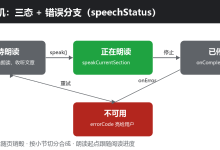
fdSrc 赋值后,AVPlayer 会进入 initialized 状态。我的代码是在 stateChange 里等到 initialized 再 prepare(),然后读取 duration 并 play()。这样比直接串着调用更稳,也更符合 AVPlayer 的状态机。
快速语音记录为什么用 AudioCapturer
快速语音记录不是只保存一段声音,它还要实时识别文字。这个场景需要拿到 PCM 原始音频流,所以我用的是 Audio Kit 的 AudioCapturer。
在《时光旅记》里,快速语音的音频参数是:
| 采样率 | 16000 |
| 声道 | 单声道 |
| 采样格式 | S16LE |
| 编码 | RAW PCM |
| 写入文件 | WAV,手写 44 字节文件头 |
| 识别方式 | CoreSpeechKit 长语音识别,writeAudio 推送 PCM 分片 |
这里有一个实现细节:AudioCapturer 回调给我的 buffer 大小不一定刚好适合语音识别,所以我做了一个 PcmChunkQueue,把 PCM 缓冲成 1280 字节一片,再定时喂给识别引擎。
CoreSpeechKit
WAV 文件
PcmChunkQueue
AudioCapturer
QuickVoiceMomentPage
用户
CoreSpeechKit
WAV 文件
PcmChunkQueue
AudioCapturer
QuickVoiceMomentPage
用户
#mermaid-svg-IyCRdPCQz7MwfcOc{font-family:\”trebuchet ms\”,verdana,arial,sans-serif;font-size:16px;fill:#333;}@keyframes edge-animation-frame{from{stroke-dashoffset:0;}}@keyframes dash{to{stroke-dashoffset:0;}}#mermaid-svg-IyCRdPCQz7MwfcOc .edge-animation-slow{stroke-dasharray:9,5!important;stroke-dashoffset:900;animation:dash 50s linear infinite;stroke-linecap:round;}#mermaid-svg-IyCRdPCQz7MwfcOc .edge-animation-fast{stroke-dasharray:9,5!important;stroke-dashoffset:900;animation:dash 20s linear infinite;stroke-linecap:round;}#mermaid-svg-IyCRdPCQz7MwfcOc .error-icon{fill:#552222;}#mermaid-svg-IyCRdPCQz7MwfcOc .error-text{fill:#552222;stroke:#552222;}#mermaid-svg-IyCRdPCQz7MwfcOc .edge-thickness-normal{stroke-width:1px;}#mermaid-svg-IyCRdPCQz7MwfcOc .edge-thickness-thick{stroke-width:3.5px;}#mermaid-svg-IyCRdPCQz7MwfcOc .edge-pattern-solid{stroke-dasharray:0;}#mermaid-svg-IyCRdPCQz7MwfcOc .edge-thickness-invisible{stroke-width:0;fill:none;}#mermaid-svg-IyCRdPCQz7MwfcOc .edge-pattern-dashed{stroke-dasharray:3;}#mermaid-svg-IyCRdPCQz7MwfcOc .edge-pattern-dotted{stroke-dasharray:2;}#mermaid-svg-IyCRdPCQz7MwfcOc .marker{fill:#333333;stroke:#333333;}#mermaid-svg-IyCRdPCQz7MwfcOc .marker.cross{stroke:#333333;}#mermaid-svg-IyCRdPCQz7MwfcOc svg{font-family:\”trebuchet ms\”,verdana,arial,sans-serif;font-size:16px;}#mermaid-svg-IyCRdPCQz7MwfcOc p{margin:0;}#mermaid-svg-IyCRdPCQz7MwfcOc .actor{stroke:hsl(259.6261682243, 59.7765363128%, 87.9019607843%);fill:#ECECFF;}#mermaid-svg-IyCRdPCQz7MwfcOc text.actor>tspan{fill:black;stroke:none;}#mermaid-svg-IyCRdPCQz7MwfcOc .actor-line{stroke:hsl(259.6261682243, 59.7765363128%, 87.9019607843%);}#mermaid-svg-IyCRdPCQz7MwfcOc .innerArc{stroke-width:1.5;stroke-dasharray:none;}#mermaid-svg-IyCRdPCQz7MwfcOc .messageLine0{stroke-width:1.5;stroke-dasharray:none;stroke:#333;}#mermaid-svg-IyCRdPCQz7MwfcOc .messageLine1{stroke-width:1.5;stroke-dasharray:2,2;stroke:#333;}#mermaid-svg-IyCRdPCQz7MwfcOc #arrowhead path{fill:#333;stroke:#333;}#mermaid-svg-IyCRdPCQz7MwfcOc .sequenceNumber{fill:white;}#mermaid-svg-IyCRdPCQz7MwfcOc #sequencenumber{fill:#333;}#mermaid-svg-IyCRdPCQz7MwfcOc #crosshead path{fill:#333;stroke:#333;}#mermaid-svg-IyCRdPCQz7MwfcOc .messageText{fill:#333;stroke:none;}#mermaid-svg-IyCRdPCQz7MwfcOc .labelBox{stroke:hsl(259.6261682243, 59.7765363128%, 87.9019607843%);fill:#ECECFF;}#mermaid-svg-IyCRdPCQz7MwfcOc .labelText,#mermaid-svg-IyCRdPCQz7MwfcOc .labelText>tspan{fill:black;stroke:none;}#mermaid-svg-IyCRdPCQz7MwfcOc .loopText,#mermaid-svg-IyCRdPCQz7MwfcOc .loopText>tspan{fill:black;stroke:none;}#mermaid-svg-IyCRdPCQz7MwfcOc .loopLine{stroke-width:2px;stroke-dasharray:2,2;stroke:hsl(259.6261682243, 59.7765363128%, 87.9019607843%);fill:hsl(259.6261682243, 59.7765363128%, 87.9019607843%);}#mermaid-svg-IyCRdPCQz7MwfcOc .note{stroke:#aaaa33;fill:#fff5ad;}#mermaid-svg-IyCRdPCQz7MwfcOc .noteText,#mermaid-svg-IyCRdPCQz7MwfcOc .noteText>tspan{fill:black;stroke:none;}#mermaid-svg-IyCRdPCQz7MwfcOc .activation0{fill:#f4f4f4;stroke:#666;}#mermaid-svg-IyCRdPCQz7MwfcOc .activation1{fill:#f4f4f4;stroke:#666;}#mermaid-svg-IyCRdPCQz7MwfcOc .activation2{fill:#f4f4f4;stroke:#666;}#mermaid-svg-IyCRdPCQz7MwfcOc .actorPopupMenu{position:absolute;}#mermaid-svg-IyCRdPCQz7MwfcOc .actorPopupMenuPanel{position:absolute;fill:#ECECFF;box-shadow:0px 8px 16px 0px rgba(0,0,0,0.2);filter:drop-shadow(3px 5px 2px rgb(0 0 0 / 0.4));}#mermaid-svg-IyCRdPCQz7MwfcOc .actor-man line{stroke:hsl(259.6261682243, 59.7765363128%, 87.9019607843%);fill:#ECECFF;}#mermaid-svg-IyCRdPCQz7MwfcOc .actor-man circle,#mermaid-svg-IyCRdPCQz7MwfcOc line{stroke:hsl(259.6261682243, 59.7765363128%, 87.9019607843%);fill:#ECECFF;stroke-width:2px;}#mermaid-svg-IyCRdPCQz7MwfcOc :root{–mermaid-font-family:\”trebuchet ms\”,verdana,arial,sans-serif;}
开始快速语音记录
createEngine()
startListening(audioInfo: pcm 16k mono 16bit)
createAudioCapturer()
start()
readData(ArrayBuffer)
写入 PCM 数据
push(buffer)
产出 1280 字节分片
writeAudio(sessionId, chunk)
onResult 实时文字
停止
stop/release
finish/shutdown
回写 WAV Header
下面是完整的快速语音记录器代码,基本就是项目里 MainPage.ets 的 QuickVoiceMomentRecorder 整理版。
import { Context } from '@kit.AbilityKit';
import { BusinessError } from '@kit.BasicServicesKit';
import { audio } from '@kit.AudioKit';
import { fileIo } from '@kit.CoreFileKit';
import { speechRecognizer } from '@kit.CoreSpeechKit';
import { MediaKind, SandboxFileTarget } from '../../model/TimeImprintModels';
import { prepareSandboxFile } from '../../utils/TimeImprintService';
const QUICK_VOICE_CHUNK_BYTES: number = 1280;
const QUICK_VOICE_MAX_AUDIO_DURATION_MS: number = 8 * 60 * 60 * 1000;
interface QuickVoiceCreateEngineExtraParams extends Record<string, Object> {
locate: string;
recognizerMode: string;
}
interface QuickVoiceStartExtraParams extends Record<string, Object> {
recognitionMode: number;
vadBegin: number;
vadEnd: number;
maxAudioDuration: number;
}
class QuickVoiceCaptureResult {
recognizedText: string = '';
audioTarget: SandboxFileTarget = new SandboxFileTarget();
hasAudio: boolean = false;
}
class FileWriteOptions {
offset?: number;
length?: number;
}
class PcmChunkQueue {
private pending: Uint8Array = new Uint8Array(0);
push(buffer: ArrayBuffer): Array<Uint8Array> {
let incoming: Uint8Array = new Uint8Array(buffer);
let combined: Uint8Array = new Uint8Array(this.pending.length + incoming.length);
combined.set(this.pending, 0);
combined.set(incoming, this.pending.length);
let chunks: Array<Uint8Array> = [];
let offset: number = 0;
while (combined.length – offset >= QUICK_VOICE_CHUNK_BYTES) {
chunks.push(combined.slice(offset, offset + QUICK_VOICE_CHUNK_BYTES));
offset = offset + QUICK_VOICE_CHUNK_BYTES;
}
this.pending = combined.slice(offset);
return chunks;
}
drain(): Uint8Array | undefined {
if (this.pending.length === 0) {
return undefined;
}
if (this.pending.length > 640) {
let paddedLarge: Uint8Array = new Uint8Array(QUICK_VOICE_CHUNK_BYTES);
paddedLarge.set(this.pending.slice(0, Math.min(this.pending.length, QUICK_VOICE_CHUNK_BYTES)), 0);
this.pending = new Uint8Array(0);
return paddedLarge;
}
let paddedSmall: Uint8Array = new Uint8Array(640);
paddedSmall.set(this.pending, 0);
this.pending = new Uint8Array(0);
return paddedSmall;
}
}
export class QuickVoiceMomentRecorder {
private context: Context;
private notebookId: string;
private asrEngine?: speechRecognizer.SpeechRecognitionEngine;
private audioCapturer?: audio.AudioCapturer;
private audioFile?: fileIo.File;
private target: SandboxFileTarget = new SandboxFileTarget();
private sessionId: string = '';
private audioWriteOffset: number = 0;
private audioBytes: number = 0;
private recognitionResult: string = '';
private generatedText: string = '';
private chunks: PcmChunkQueue = new PcmChunkQueue();
private pendingAsrChunks: Array<Uint8Array> = [];
private asrPumpTimer: number = -1;
private completionFallbackTimer: number = -1;
private finishing: boolean = false;
private completed: boolean = false;
private resolveCapture?: (result: QuickVoiceCaptureResult) => void;
private rejectCapture?: (error: Error) => void;
private onPreview: (text: string) => void;
constructor(context: Context, notebookId: string, onPreview: (text: string) => void) {
this.context = context;
this.notebookId = notebookId;
this.onPreview = onPreview;
}
async capture(): Promise<QuickVoiceCaptureResult> {
return new Promise<QuickVoiceCaptureResult>((resolve, reject) => {
this.resolveCapture = resolve;
this.rejectCapture = reject;
void this.startCapture();
});
}
cancel(): void {
this.finishCapture();
}
private async startCapture(): Promise<void> {
try {
this.target = await prepareSandboxFile(
this.context,
this.notebookId,
MediaKind.AUDIO,
'quick_voice_moment.wav',
'wav'
);
this.audioFile = fileIo.openSync(
this.target.filePath,
fileIo.OpenMode.CREATE | fileIo.OpenMode.READ_WRITE | fileIo.OpenMode.TRUNC
);
this.writeWavHeader(0);
this.audioWriteOffset = 44;
this.sessionId = this.createSessionId();
this.asrEngine = await this.createAsrEngine();
this.asrEngine.setListener(this.createRecognitionListener());
this.asrEngine.startListening({
sessionId: this.sessionId,
audioInfo: {
audioType: 'pcm',
sampleRate: 16000,
soundChannel: 1,
sampleBit: 16
},
extraParams: {
recognitionMode: 0,
vadBegin: 500,
vadEnd: 10000,
maxAudioDuration: QUICK_VOICE_MAX_AUDIO_DURATION_MS
} as QuickVoiceStartExtraParams
});
this.audioCapturer = await this.createAudioCapturer();
this.audioCapturer.on('readData', (buffer: ArrayBuffer): void => {
this.handleAudioBuffer(buffer);
});
this.startAsrPump();
await this.startAudioCapturer();
} catch (error) {
this.failCapture(error);
}
}
private async createAsrEngine(): Promise<speechRecognizer.SpeechRecognitionEngine> {
return speechRecognizer.createEngine({
language: 'zh-CN',
online: 1,
extraParams: {
locate: 'CN',
recognizerMode: 'long'
} as QuickVoiceCreateEngineExtraParams
});
}
private createRecognitionListener(): speechRecognizer.RecognitionListener {
return {
onStart: (_sessionId: string, _eventMessage: string): void => {
},
onEvent: (_sessionId: string, _eventCode: number, _eventMessage: string): void => {
},
onResult: (sessionId: string, result: speechRecognizer.SpeechRecognitionResult): void => {
if (sessionId !== this.sessionId || result.result.trim().length === 0) {
return;
}
if (result.isFinal) {
this.recognitionResult = this.recognitionResult + result.result.trim();
this.generatedText = '';
} else {
this.generatedText = result.result.trim();
}
this.onPreview(this.resolveRecognizedText());
},
onComplete: (sessionId: string, _eventMessage: string): void => {
if (sessionId === this.sessionId && this.finishing) {
this.completeCapture();
}
},
onError: (sessionId: string, errorCode: number, errorMessage: string): void => {
if (sessionId !== this.sessionId) {
return;
}
this.failCapture(new Error(errorMessage.length > 0 ? errorMessage : errorCode.toString()));
}
};
}
private async createAudioCapturer(): Promise<audio.AudioCapturer> {
const options: audio.AudioCapturerOptions = {
streamInfo: {
samplingRate: audio.AudioSamplingRate.SAMPLE_RATE_16000,
channels: audio.AudioChannel.CHANNEL_1,
sampleFormat: audio.AudioSampleFormat.SAMPLE_FORMAT_S16LE,
encodingType: audio.AudioEncodingType.ENCODING_TYPE_RAW
},
capturerInfo: {
source: audio.SourceType.SOURCE_TYPE_MIC,
capturerFlags: 0
}
};
return new Promise<audio.AudioCapturer>((resolve, reject) => {
audio.createAudioCapturer(options, (error: BusinessError, capturer: audio.AudioCapturer) => {
if (error) {
reject(new Error(error.message));
return;
}
resolve(capturer);
});
});
}
private async startAudioCapturer(): Promise<void> {
if (this.audioCapturer === undefined) {
return;
}
await new Promise<void>((resolve, reject) => {
this.audioCapturer?.start((error: BusinessError) => {
if (error) {
reject(new Error(error.message));
return;
}
resolve();
});
});
}
private handleAudioBuffer(buffer: ArrayBuffer): void {
if (this.completed) {
return;
}
this.writeAudioBuffer(buffer);
let chunks: Array<Uint8Array> = this.chunks.push(buffer);
for (let i: number = 0; i < chunks.length; i++) {
this.pendingAsrChunks.push(chunks[i]);
}
}
private writeAudioBuffer(buffer: ArrayBuffer): void {
if (this.audioFile === undefined || buffer.byteLength === 0) {
return;
}
let options: FileWriteOptions = new FileWriteOptions();
options.offset = this.audioWriteOffset;
options.length = buffer.byteLength;
fileIo.writeSync(this.audioFile.fd, buffer, options);
this.audioWriteOffset = this.audioWriteOffset + buffer.byteLength;
this.audioBytes = this.audioBytes + buffer.byteLength;
}
private startAsrPump(): void {
if (this.asrPumpTimer >= 0) {
return;
}
this.asrPumpTimer = setInterval(() => {
if (this.asrEngine !== undefined && this.pendingAsrChunks.length > 0 && this.sessionId.length > 0) {
let chunk: Uint8Array | undefined = this.pendingAsrChunks.shift();
if (chunk !== undefined) {
try {
this.asrEngine.writeAudio(this.sessionId, chunk);
} catch (error) {
this.failCapture(error);
}
}
return;
}
if (this.finishing && this.pendingAsrChunks.length === 0) {
this.finishAsrEngine();
}
}, 40);
}
private finishCapture(): void {
if (this.finishing || this.completed) {
return;
}
this.finishing = true;
this.stopAudioCapturer();
let finalChunk: Uint8Array | undefined = this.chunks.drain();
if (finalChunk !== undefined) {
this.pendingAsrChunks.push(finalChunk);
}
if (this.pendingAsrChunks.length === 0) {
this.finishAsrEngine();
}
}
private finishAsrEngine(): void {
if (!this.finishing || this.completed || this.asrEngine === undefined || this.sessionId.length === 0) {
return;
}
try {
this.asrEngine.finish(this.sessionId);
} catch (_error) {
this.completeCapture();
return;
}
if (this.completionFallbackTimer < 0) {
this.completionFallbackTimer = setTimeout(() => {
this.completeCapture();
}, 2200);
}
}
private stopAudioCapturer(): void {
let capturer: audio.AudioCapturer | undefined = this.audioCapturer;
if (capturer === undefined) {
return;
}
try {
if (capturer.state.valueOf() === audio.AudioState.STATE_RUNNING) {
capturer.stop(() => {
});
}
} catch (_error) {
}
}
private completeCapture(): void {
if (this.completed) {
return;
}
this.completed = true;
this.cleanup();
let result: QuickVoiceCaptureResult = new QuickVoiceCaptureResult();
result.recognizedText = this.resolveRecognizedText();
result.audioTarget = this.target;
result.hasAudio = this.audioBytes > 0;
let resolveCapture: ((result: QuickVoiceCaptureResult) => void) | undefined = this.resolveCapture;
if (resolveCapture !== undefined) {
resolveCapture(result);
}
}
private failCapture(error: Object): void {
if (this.completed) {
return;
}
this.completed = true;
this.cleanup();
let rejectCapture: ((error: Error) => void) | undefined = this.rejectCapture;
if (rejectCapture !== undefined) {
rejectCapture(error instanceof Error ? error : new Error(JSON.stringify(error)));
}
}
private cleanup(): void {
if (this.asrPumpTimer >= 0) {
clearInterval(this.asrPumpTimer);
this.asrPumpTimer = -1;
}
if (this.completionFallbackTimer >= 0) {
clearTimeout(this.completionFallbackTimer);
this.completionFallbackTimer = -1;
}
this.stopAudioCapturer();
try {
this.audioCapturer?.release(() => {
});
} catch (_error) {
}
try {
this.asrEngine?.shutdown();
} catch (_error) {
}
if (this.audioFile !== undefined) {
try {
this.writeWavHeader(this.audioBytes);
} catch (_error) {
}
fileIo.closeSync(this.audioFile);
this.audioFile = undefined;
}
this.audioCapturer = undefined;
this.asrEngine = undefined;
}
private resolveRecognizedText(): string {
let finalText: string = this.recognitionResult.trim();
if (finalText.length > 0) {
return finalText;
}
return this.generatedText.trim();
}
private writeWavHeader(pcmBytes: number): void {
if (this.audioFile === undefined) {
return;
}
let header: ArrayBuffer = new ArrayBuffer(44);
let view: DataView = new DataView(header);
this.writeAscii(view, 0, 'RIFF');
view.setUint32(4, 36 + pcmBytes, true);
this.writeAscii(view, 8, 'WAVE');
this.writeAscii(view, 12, 'fmt ');
view.setUint32(16, 16, true);
view.setUint16(20, 1, true);
view.setUint16(22, 1, true);
view.setUint32(24, 16000, true);
view.setUint32(28, 16000 * 2, true);
view.setUint16(32, 2, true);
view.setUint16(34, 16, true);
this.writeAscii(view, 36, 'data');
view.setUint32(40, pcmBytes, true);
let options: FileWriteOptions = new FileWriteOptions();
options.offset = 0;
options.length = 44;
fileIo.writeSync(this.audioFile.fd, header, options);
}
private writeAscii(view: DataView, offset: number, value: string): void {
for (let i: number = 0; i < value.length; i++) {
view.setUint8(offset + i, value.charCodeAt(i));
}
}
private createSessionId(): string {
return 'quick_voice_' + Date.now().toString() + '_' + Math.floor(Math.random() * 100000).toString();
}
}
这段代码里,writeWavHeader(0) 会先占住 WAV 文件头的 44 个字节。录音过程中只追加 PCM。结束时再用真实的 audioBytes 回写文件头。这样保存出来的 WAV 文件就可以被普通播放器识别。
页面里怎么调用快速语音记录
页面不应该知道 PCM 分片、WAV Header、ASR pump 这些细节。我的页面只负责创建记录器、显示实时识别文本、停止录音、保存结果。
@Component
struct QuickVoiceMomentPage {
notebookId: string = '';
onClose: () => void = () => {};
onSave: (text: string, target: SandboxFileTarget) => void = () => {};
@State private isRecording: boolean = false;
@State private isPreparing: boolean = false;
@State private recognizedText: string = '';
@State private statusText: string = '点击开始记录语音瞬间';
@State private hasAudio: boolean = false;
@State private captureTarget: SandboxFileTarget = new SandboxFileTarget();
private recorder?: QuickVoiceMomentRecorder;
private isDisposed: boolean = false;
build(): void {
Column() {
Text(this.statusText)
.fontSize(14)
.fontColor('#666666')
Text(this.recognizedText.length > 0 ? this.recognizedText : '识别出的文字会显示在这里')
.fontSize(16)
.fontColor('#222222')
Button(this.isRecording ? '停止' : '开始录音')
.enabled(!this.isPreparing)
.onClick(() => {
if (this.isRecording) {
this.stopRecording();
} else {
void this.startRecording();
}
})
Button('保存为瞬间')
.enabled(this.canSave())
.onClick(() => {
this.saveDraft();
})
}
.width('100%')
.padding(20)
}
aboutToDisappear(): void {
this.isDisposed = true;
this.recorder?.cancel();
this.recorder = undefined;
}
private async startRecording(): Promise<void> {
const hostContext: Context | undefined = this.getUIContext().getHostContext();
if (hostContext === undefined) {
this.statusText = '当前页面上下文不可用';
return;
}
this.isPreparing = true;
this.hasAudio = false;
this.recognizedText = '';
this.captureTarget = new SandboxFileTarget();
this.statusText = '正在录音,点击停止后可保存';
let recorder: QuickVoiceMomentRecorder = new QuickVoiceMomentRecorder(
hostContext,
this.notebookId,
(previewText: string) => {
if (!this.isDisposed) {
this.recognizedText = previewText;
}
}
);
this.recorder = recorder;
this.isRecording = true;
this.isPreparing = false;
try {
let result: QuickVoiceCaptureResult = await recorder.capture();
if (this.isDisposed || this.recorder !== recorder) {
return;
}
this.recorder = undefined;
this.isRecording = false;
this.hasAudio = result.hasAudio;
this.captureTarget = result.audioTarget;
this.recognizedText = result.recognizedText;
this.statusText = result.hasAudio ? '录音完成,可以保存为瞬间' : '没有录到可用声音';
} catch (_error) {
if (this.isDisposed || this.recorder !== recorder) {
return;
}
this.recorder = undefined;
this.isRecording = false;
this.statusText = '录音失败,请重新录制';
}
}
private stopRecording(): void {
this.statusText = '正在整理录音和文字…';
this.recorder?.cancel();
}
private saveDraft(): void {
if (!this.canSave()) {
return;
}
this.onSave(this.recognizedText.trim(), this.captureTarget);
}
private canSave(): boolean {
return this.hasAudio && this.captureTarget.filePath.length > 0;
}
}
这也是我做页面和底层能力隔离的原因:页面只处理“开始、停止、保存”,底层对象处理“采集、写文件、识别、清理”。以后如果我把 WAV 换成别的格式,或者把语音识别改成离线模式,页面不用跟着大改。
两种录音方式怎么选
如果只看“录音”两个字,AVRecorder 和 AudioCapturer 都能做。但实际开发时要先看业务。
环境声音保存,我选 AVRecorder。因为用户最终要的是一段音频文件,能播放、能导出、体积别太大。AVRecorder 帮我做了采集、编码和封装,我只需要配置 profile。
快速语音记录,我选 AudioCapturer。因为我必须拿到 PCM 流,实时送给语音识别。AVRecorder 直接给我封装后的媒体文件,反而不适合做边录边识别。
#mermaid-svg-U0Z2gHvtoCs8CUpv{font-family:\”trebuchet ms\”,verdana,arial,sans-serif;font-size:16px;fill:#333;}@keyframes edge-animation-frame{from{stroke-dashoffset:0;}}@keyframes dash{to{stroke-dashoffset:0;}}#mermaid-svg-U0Z2gHvtoCs8CUpv .edge-animation-slow{stroke-dasharray:9,5!important;stroke-dashoffset:900;animation:dash 50s linear infinite;stroke-linecap:round;}#mermaid-svg-U0Z2gHvtoCs8CUpv .edge-animation-fast{stroke-dasharray:9,5!important;stroke-dashoffset:900;animation:dash 20s linear infinite;stroke-linecap:round;}#mermaid-svg-U0Z2gHvtoCs8CUpv .error-icon{fill:#552222;}#mermaid-svg-U0Z2gHvtoCs8CUpv .error-text{fill:#552222;stroke:#552222;}#mermaid-svg-U0Z2gHvtoCs8CUpv .edge-thickness-normal{stroke-width:1px;}#mermaid-svg-U0Z2gHvtoCs8CUpv .edge-thickness-thick{stroke-width:3.5px;}#mermaid-svg-U0Z2gHvtoCs8CUpv .edge-pattern-solid{stroke-dasharray:0;}#mermaid-svg-U0Z2gHvtoCs8CUpv .edge-thickness-invisible{stroke-width:0;fill:none;}#mermaid-svg-U0Z2gHvtoCs8CUpv .edge-pattern-dashed{stroke-dasharray:3;}#mermaid-svg-U0Z2gHvtoCs8CUpv .edge-pattern-dotted{stroke-dasharray:2;}#mermaid-svg-U0Z2gHvtoCs8CUpv .marker{fill:#333333;stroke:#333333;}#mermaid-svg-U0Z2gHvtoCs8CUpv .marker.cross{stroke:#333333;}#mermaid-svg-U0Z2gHvtoCs8CUpv svg{font-family:\”trebuchet ms\”,verdana,arial,sans-serif;font-size:16px;}#mermaid-svg-U0Z2gHvtoCs8CUpv p{margin:0;}#mermaid-svg-U0Z2gHvtoCs8CUpv .label{font-family:\”trebuchet ms\”,verdana,arial,sans-serif;color:#333;}#mermaid-svg-U0Z2gHvtoCs8CUpv .cluster-label text{fill:#333;}#mermaid-svg-U0Z2gHvtoCs8CUpv .cluster-label span{color:#333;}#mermaid-svg-U0Z2gHvtoCs8CUpv .cluster-label span p{background-color:transparent;}#mermaid-svg-U0Z2gHvtoCs8CUpv .label text,#mermaid-svg-U0Z2gHvtoCs8CUpv span{fill:#333;color:#333;}#mermaid-svg-U0Z2gHvtoCs8CUpv .node rect,#mermaid-svg-U0Z2gHvtoCs8CUpv .node circle,#mermaid-svg-U0Z2gHvtoCs8CUpv .node ellipse,#mermaid-svg-U0Z2gHvtoCs8CUpv .node polygon,#mermaid-svg-U0Z2gHvtoCs8CUpv .node path{fill:#ECECFF;stroke:#9370DB;stroke-width:1px;}#mermaid-svg-U0Z2gHvtoCs8CUpv .rough-node .label text,#mermaid-svg-U0Z2gHvtoCs8CUpv .node .label text,#mermaid-svg-U0Z2gHvtoCs8CUpv .image-shape .label,#mermaid-svg-U0Z2gHvtoCs8CUpv .icon-shape .label{text-anchor:middle;}#mermaid-svg-U0Z2gHvtoCs8CUpv .node .katex path{fill:#000;stroke:#000;stroke-width:1px;}#mermaid-svg-U0Z2gHvtoCs8CUpv .rough-node .label,#mermaid-svg-U0Z2gHvtoCs8CUpv .node .label,#mermaid-svg-U0Z2gHvtoCs8CUpv .image-shape .label,#mermaid-svg-U0Z2gHvtoCs8CUpv .icon-shape .label{text-align:center;}#mermaid-svg-U0Z2gHvtoCs8CUpv .node.clickable{cursor:pointer;}#mermaid-svg-U0Z2gHvtoCs8CUpv .root .anchor path{fill:#333333!important;stroke-width:0;stroke:#333333;}#mermaid-svg-U0Z2gHvtoCs8CUpv .arrowheadPath{fill:#333333;}#mermaid-svg-U0Z2gHvtoCs8CUpv .edgePath .path{stroke:#333333;stroke-width:2.0px;}#mermaid-svg-U0Z2gHvtoCs8CUpv .flowchart-link{stroke:#333333;fill:none;}#mermaid-svg-U0Z2gHvtoCs8CUpv .edgeLabel{background-color:rgba(232,232,232, 0.8);text-align:center;}#mermaid-svg-U0Z2gHvtoCs8CUpv .edgeLabel p{background-color:rgba(232,232,232, 0.8);}#mermaid-svg-U0Z2gHvtoCs8CUpv .edgeLabel rect{opacity:0.5;background-color:rgba(232,232,232, 0.8);fill:rgba(232,232,232, 0.8);}#mermaid-svg-U0Z2gHvtoCs8CUpv .labelBkg{background-color:rgba(232, 232, 232, 0.5);}#mermaid-svg-U0Z2gHvtoCs8CUpv .cluster rect{fill:#ffffde;stroke:#aaaa33;stroke-width:1px;}#mermaid-svg-U0Z2gHvtoCs8CUpv .cluster text{fill:#333;}#mermaid-svg-U0Z2gHvtoCs8CUpv .cluster span{color:#333;}#mermaid-svg-U0Z2gHvtoCs8CUpv div.mermaidTooltip{position:absolute;text-align:center;max-width:200px;padding:2px;font-family:\”trebuchet ms\”,verdana,arial,sans-serif;font-size:12px;background:hsl(80, 100%, 96.2745098039%);border:1px solid #aaaa33;border-radius:2px;pointer-events:none;z-index:100;}#mermaid-svg-U0Z2gHvtoCs8CUpv .flowchartTitleText{text-anchor:middle;font-size:18px;fill:#333;}#mermaid-svg-U0Z2gHvtoCs8CUpv rect.text{fill:none;stroke-width:0;}#mermaid-svg-U0Z2gHvtoCs8CUpv .icon-shape,#mermaid-svg-U0Z2gHvtoCs8CUpv .image-shape{background-color:rgba(232,232,232, 0.8);text-align:center;}#mermaid-svg-U0Z2gHvtoCs8CUpv .icon-shape p,#mermaid-svg-U0Z2gHvtoCs8CUpv .image-shape p{background-color:rgba(232,232,232, 0.8);padding:2px;}#mermaid-svg-U0Z2gHvtoCs8CUpv .icon-shape .label rect,#mermaid-svg-U0Z2gHvtoCs8CUpv .image-shape .label rect{opacity:0.5;background-color:rgba(232,232,232, 0.8);fill:rgba(232,232,232, 0.8);}#mermaid-svg-U0Z2gHvtoCs8CUpv .label-icon{display:inline-block;height:1em;overflow:visible;vertical-align:-0.125em;}#mermaid-svg-U0Z2gHvtoCs8CUpv .node .label-icon path{fill:currentColor;stroke:revert;stroke-width:revert;}#mermaid-svg-U0Z2gHvtoCs8CUpv :root{–mermaid-font-family:\”trebuchet ms\”,verdana,arial,sans-serif;}
是
否
语音识别/算法处理
播放已有媒体文件
我要做什么
只需要保存音频文件
AVRecorder 录制 m4a
需要实时处理 PCM
AudioCapturer 采集 PCM
AVPlayer 播放
AudioRendererInfo 声明播放用途
我踩过的几个点
AVRecorder 和 AVPlayer 都要尊重状态机。比如播放器设置 fdSrc 后,不要急着 prepare(),等 initialized 再走下一步更稳。录音器停止后也要释放,不然马上读取文件时容易踩到 fd 未关闭的问题。
录音文件一定要放到应用沙箱里。我用 prepareSandboxFile 统一生成文件路径,再用 SandboxFileTarget 把 filePath、fileUri、fileName 带回业务层,避免页面到处拼路径。
AudioCapturer 采集的是裸 PCM。裸 PCM 直接保存不是标准音频文件,所以我给快速语音记录补了 WAV Header。写文件时先空写 44 字节,结束后再回填真实长度。
音频中断必须处理。比如用户听环境声时系统打断,如果 UI 还停留在“播放中”,下一次点击就会变得很奇怪。我在 audioInterrupt 里把它转成暂停态,用户回来后可以继续点播放。
最后是权限提示。麦克风权限不是进入页面就要申请,而是在用户明确点击录音时申请。这样用户更容易理解为什么 APP 需要麦克风,也更符合最小打扰原则。
小结
在《时光旅记》里,Audio Kit 不是孤立存在的。它和 Media Kit、CoreFileKit、CoreSpeechKit 一起组成了完整的“声音记忆”链路。
环境声音用 AVRecorder 录成 .m4a,用 AVPlayer 回放,并通过 AudioRendererInfo 和 audioInterrupt 处理播放行为。快速语音记录用 AudioCapturer 拿 PCM,一边写 WAV,一边送给语音识别。两条链路最后都回到同一个业务模型:把声音作为 MediaKind.AUDIO 挂到瞬间里。
这就是我在《时光旅记》里接入音频能力的方式。它不是为了炫技,而是为了让一条瞬间从“拍了什么、写了什么”,变成“当时听见了什么”。