第十四节:后端返回权限动态路由
目标:登录后从后端(mock)获取该用户可访问的菜单路由,动态注册到路由系统,侧边栏菜单根据返回的路由自动渲染。不同角色返回不同路由,实现权限控制。
一、先搞懂原理(非常重要)
传统写死路由的方式:
router/index.js 里写死所有路由 → 项目启动就全部注册 → 所有人都能访问所有页面
动态路由的方式:
router/index.js 只写登录、404等常量路由
↓
用户登录拿到 token
↓
跳转首页 → 触发路由守卫
↓
守卫发现还没加载用户信息 → 调用 /getUserInfo 接口
↓
后端返回 routes 数组(component 是字符串,如 "dashboard/index")
↓
工具函数 filterAsyncRoutes 把字符串转成真实 Vue 组件
↓
router.addRoute() 一条条注册动态路由
↓
重新触发导航 → 页面正常显示
↓
侧边栏读取 store 里的路由数组 → 自动渲染菜单
核心坑点提前说:
二、完整文件代码(直接复制粘贴)
文件 1:src/mock/index.js(模拟后端接口)
export default {
// 登录接口
'/login': (params) => {
const { username, password } = params
if (username === 'admin' && password === '123456') {
return {
code: 200,
msg: '登录成功',
data: {
token: 'mock-token-123456' // 必须返回 token!
}
}
} else {
return {
code: 500,
msg: '账号密码错误',
data: null
}
}
},
// 获取用户信息 + 动态菜单路由
'/getUserInfo': () => {
return {
code: 200,
msg: '获取成功',
data: {
username: 'admin',
roles: ['admin'],
// 后端返回的路由,component 全部是字符串
routes: [
{
path: '/dashboard',
component: 'Layout',
meta: { title: '首页', icon: 'House' },
children: [
{
path: 'index',
component: 'dashboard/index',
meta: { title: '工作台' }
}
]
},
{
path: '/system',
component: 'Layout',
meta: { title: '系统管理', icon: 'Setting' },
children: [
{
path: 'user',
component: 'system/user/index',
meta: { title: '用户管理' }
}
]
}
]
}
}
}
}
以后新增页面,不要在 router/index.js 里加路由,直接在这里的 routes 数组里加配置。
文件 2:src/utils/filterAsyncRoutes.js(路由转换工具)
import { markRaw } from 'vue'
// Vite 批量读取 views 下所有 vue 文件
const viewsModules = import.meta.glob('@/views/**/*.vue')
// 引入 Layout 布局组件
import Layout from '@/layout/index.vue'
/**
* 把后端返回的字符串路由,转换成 Vue Router 可用的路由对象
* @param {Array} backRoutes 后端返回的路由数组
* @returns 转换完成的路由数组
*/
export function filterAsyncRoutes(backRoutes) {
const res = []
backRoutes.forEach((item) => {
const route = { …item }
// Layout 特殊处理,用 markRaw 防止被变成响应式
if (route.component === 'Layout') {
route.component = markRaw(Layout)
} else {
// 普通页面,拼接路径匹配 glob 导入的模块
const filePath = `/src/views/${route.component}.vue`
route.component = viewsModules[filePath]
}
// 递归处理子路由
if (route.children && route.children.length > 0) {
route.children = filterAsyncRoutes(route.children)
}
res.push(route)
})
return res
}
文件 3:src/stores/user.js(Pinia 用户仓库)
import { defineStore } from 'pinia'
import { loginApi, getUserInfoApi } from '@/api/login'
import { filterAsyncRoutes } from '@/utils/filterAsyncRoutes'
export const useUserStore = defineStore('user', {
state: () => ({
token: localStorage.getItem('token') || '',
username: '',
roles: [],
addRoutes: [] // 存放转换完成的动态路由
}),
actions: {
// 登录:只拿 token
async login(form) {
const res = await loginApi(form)
if (res.code === 200) {
if (!res.data?.token) {
throw new Error('接口未返回 token')
}
this.token = res.data.token
localStorage.setItem('token', this.token)
} else {
throw new Error(res.msg || '登录失败')
}
},
// 获取用户信息 + 转换动态路由
async getUserInfo() {
const res = await getUserInfoApi()
if (res.code === 200) {
this.username = res.data.username
this.roles = res.data.roles
// 调用工具函数,把后端字符串路由转成组件路由
this.addRoutes = filterAsyncRoutes(res.data.routes)
return this.addRoutes
}
throw new Error('获取用户信息失败')
},
// 退出登录
logout() {
this.token = ''
this.username = ''
this.roles = []
this.addRoutes = []
localStorage.removeItem('token')
}
}
})
文件 4:src/router/index.js(路由配置 + 守卫)
import { createRouter, createWebHistory } from 'vue-router'
import { useUserStore } from '@/stores/user'
import { useTagsViewStore } from '@/stores/tagsView'
// 常量路由:所有人都能访问,项目启动就注册
export const constantRoutes = [
{ path: '/', redirect: '/login' },
{ path: '/login', component: () => import('@/views/login/index.vue') },
{ path: '/401', component: () => import('@/views/error/401.vue') },
{ path: '/404', component: () => import('@/views/error/404.vue') },
{ path: '/500', component: () => import('@/views/error/500.vue') }
]
const router = createRouter({
history: createWebHistory(import.meta.env.BASE_URL),
routes: […constantRoutes]
})
// 全局前置守卫:权限控制核心
router.beforeEach(async (to, from) => {
const userStore = useUserStore()
// 白名单:不需要登录就能访问
const whiteList = ['/login', '/404', '/401', '/500']
if (userStore.token) {
// 有 token,访问登录页 → 跳首页
if (to.path === '/login') {
return '/dashboard/index'
}
// roles 为空 = 还没加载用户信息(刚登录 / 刷新页面)
if (userStore.roles.length === 0) {
try {
// 1. 获取用户信息,拿到转换完成的动态路由
const accessRoutes = await userStore.getUserInfo()
// 2. 循环注册动态路由
accessRoutes.forEach((route) => {
router.addRoute(route)
})
// 3. 最后注册 404 通配路由(必须在所有业务路由之后!)
router.addRoute({
path: '/:pathMatch(.*)*',
redirect: '/404'
})
// 4. 重新触发导航,让刚刚 addRoute 的路由生效
return { …to, replace: true }
} catch (err) {
console.error('加载动态路由失败:', err)
userStore.logout()
return '/login'
}
}
// 已经加载过用户信息,直接放行
return true
} else {
// 没有 token
if (whiteList.includes(to.path)) {
return true
} else {
return '/login'
}
}
})
// 全局后置守卫:处理标签页
router.afterEach((to) => {
const tagsViewStore = useTagsViewStore()
if (to.meta.title) {
tagsViewStore.addView(to)
}
})
export default router
文件 5:src/views/login/index.vue(登录页面)
<template>
<div class="login-container">
<el-card style="width: 420px; margin: 100px auto;">
<h2 style="text-align: center; margin-bottom: 20px;">系统登录</h2>
<el-form>
<el-form-item label="账号">
<el-input v-model="loginForm.username"></el-input>
</el-form-item>
<el-form-item label="密码">
<el-input v-model="loginForm.password" type="password"></el-input>
</el-form-item>
<el-button type="primary" style="width: 100%" @click="handleLogin">
登录
</el-button>
</el-form>
</el-card>
</div>
</template>
<script setup>
import { reactive } from 'vue'
import { useUserStore } from '@/stores/user'
import { useRouter } from 'vue-router'
import { ElMessage } from 'element-plus'
const userStore = useUserStore()
const router = useRouter()
const loginForm = reactive({
username: 'admin',
password: '123456'
})
async function handleLogin() {
try {
// 只做登录拿 token,不要手动调用 getUserInfo!
await userStore.login(loginForm)
// 直接跳转首页,动态路由加载交给路由守卫
router.push('/dashboard/index')
} catch (e) {
ElMessage.error(e.message)
}
}
</script>
<style scoped>
.login-container {
background-color: #f5f7fa;
min-height: 100vh;
}
</style>
文件 6:src/layout/components/Sidebar/index.vue(侧边栏菜单)
<template>
<el-menu
:collapse="appStore.sidebarCollapse"
mode="vertical"
router
background-color="#304156"
text-color="#bfcbd9"
:default-active="$route.path"
active-text-color="#409eff">
<!– 循环动态路由渲染菜单 –>
<template
v-for="route in menuList"
:key="route.path">
<!– 有子路由的情况 –>
<el-sub-menu
v-if="route.children && route.children.length > 1"
:index="route.path">
<template #title>
<el-icon><component :is="route.meta?.icon || 'Menu'" /></el-icon>
<span>{{ route.meta?.title }}</span>
</template>
<el-menu-item
v-for="child in route.children"
:key="child.path"
:index="`${route.path}/${child.path}`">
{{ child.meta?.title }}
</el-menu-item>
</el-sub-menu>
<!– 只有一个子路由的情况,直接显示子路由 –>
<el-menu-item
v-else-if="route.children && route.children.length === 1"
:index="`${route.path}/${route.children[0].path}`">
<el-icon><component :is="route.meta?.icon || 'Menu'" /></el-icon>
<template #title>{{ route.children[0].meta?.title }}</template>
</el-menu-item>
</template>
</el-menu>
</template>
<script setup>
import { computed } from 'vue'
import { useUserStore } from '@/stores/user'
import { useAppStore } from '@/stores/app'
// 手动导入用到的图标
import { House, Setting, Menu } from '@element-plus/icons-vue'
const userStore = useUserStore()
const appStore = useAppStore()
// 图标映射
const iconMap = { House, Setting, Menu }
// 从 store 读取动态路由,生成菜单
const menuList = computed(() => {
return userStore.addRoutes.map((route) => ({
…route,
meta: {
…route.meta,
icon: iconMap[route.meta?.icon] || Menu
}
}))
})
</script>
三、完整执行流程(一步一步走)
四、高频踩坑清单(必看)
表格
| mock 登录接口没返回 token | token = undefined,守卫逻辑错乱 | 确保 /login 返回 data.token |
| 登录页手动调用 getUserInfo | 时序混乱,路由没注册就跳转 | 登录页只登录,动态路由交给守卫 |
| 404 通配路由注册太早 | 所有页面都跳 404 | 必须在所有业务路由 addRoute 之后再注册 |
| addRoute 后没重新导航 | 报 No match found | 必须 return { …to, replace: true } |
| Layout 没加 markRaw | Vue 警告组件被变成响应式 | route.component = markRaw(Layout) |
| 用模板字符串动态 import | Vite 报错 Unknown variable dynamic import | 用 import.meta.glob 预扫描 |
| mock 的 component 路径写错 | 页面空白,组件找不到 | 确保和 views 下文件路径一致 |
| 刷新页面白屏 | 动态路由没重新加载 | 守卫里判断 roles 为空就重新加载 |
五、测试步骤(严格按顺序)
断点==111== mock-token-123456 ← token 有值
断点==222== mock-token-123456
accessRoutes==== Proxy(Array) ← 路由数组有内容
- 页面正常进入工作台,不白屏、不 404 ✔
- 侧边栏出现【工作台】【系统管理】菜单 ✔
- 点击【用户管理】,打开用户列表页面 ✔
- 按 F5 刷新页面,依旧正常显示 ✔
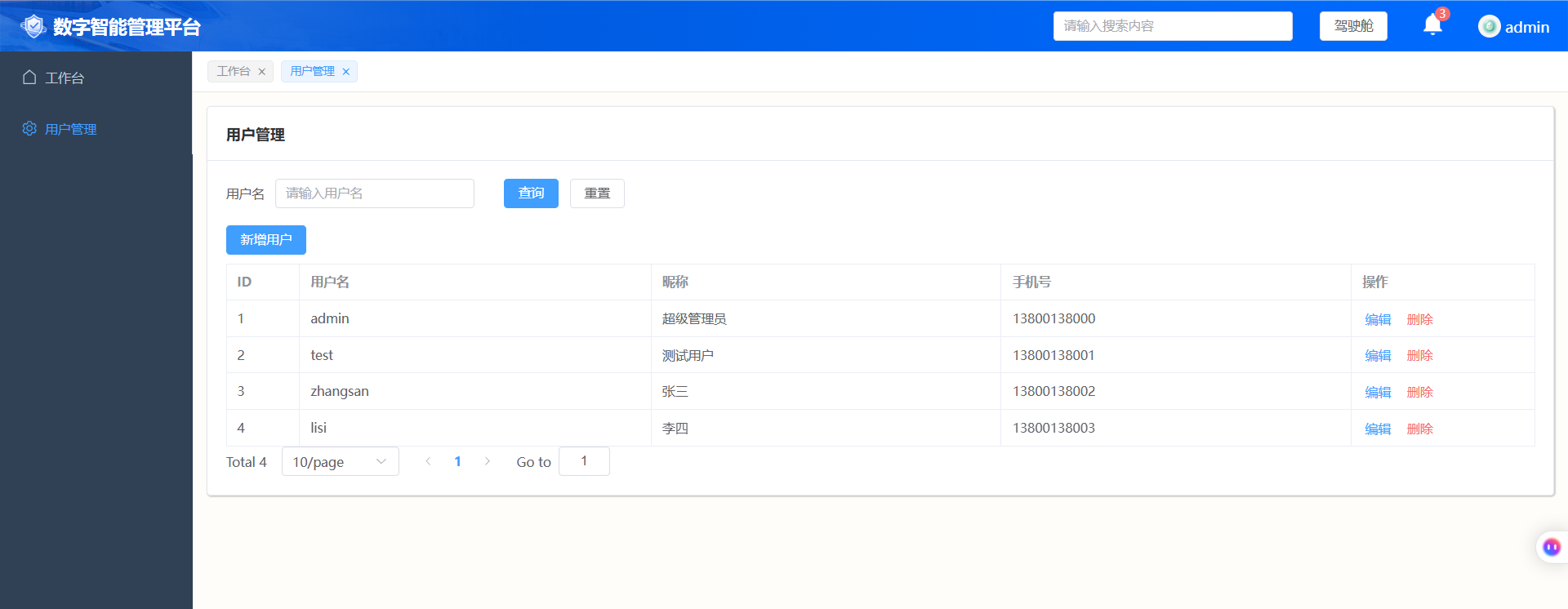
- 退出登录后,再登录,菜单正常渲染 ✔