GLSL 着色器实现动态水面波纹与高光反射
在 3D 数据可视化大屏(如智慧水务、港口数字孪生、水利枢纽监控)中,逼真的动态水面不仅能营造出极强的沉浸感,更是呈现水流流向、流速和水质状态的重要媒介。
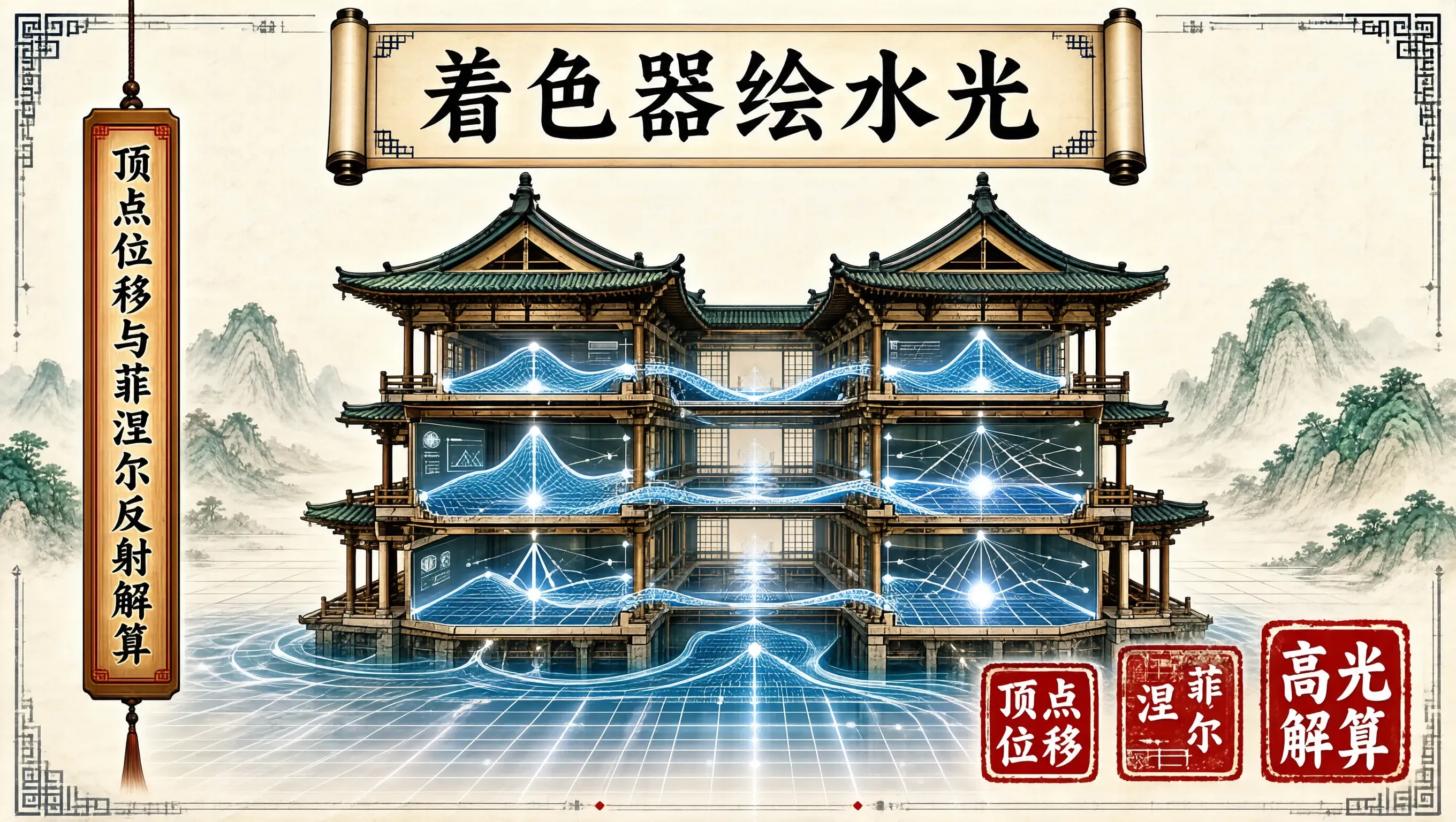
如果在 CPU 端通过更新网格顶点来模拟水波,数万顶点的频繁上传会彻底拖垮 WebGL 渲染管线。使用 GLSL 着色器在 GPU 端直接进行顶点位置偏移(Gerstner Wave)与片段级法线扰动、菲涅尔反射(Fresnel Reflection)解算,是在 Web 端实现 60fps 真实水体渲染的标准方案。
顶点着色器:Gerstner 波浪叠加数学模型
简易的正弦波容易显得水面像起伏的橡皮糖,缺乏水波顶部的尖锐峰值。格斯特纳波(Gerstner Wave)通过在垂直位移的同时引入水平位移,能够准确模拟真实波浪在波峰陡峭、波谷宽平的物理特性。
单个波浪的数学表达为:$$P_x = X_0 – \\frac{Q}{k} D_x \\sin(k (D \\cdot P_0) + \\omega t)$$$$P_y = A \\cos(k (D \\cdot P_0) + \\omega t)$$$$P_z = Z_0 – \\frac{Q}{k} D_z \\sin(k (D \\cdot P_0) + \\omega t)$$
其中 $A$ 为振幅,$D$ 为方向向量,$Q$ 为陡峭度,$k$ 为波数,$\\omega$ 为角频率。
我们在 GLSL 顶点着色器中叠加 3 组不同波长和方向的 Gerstner 波:
// water.vert
uniform float uTime;
uniform vec4 uWaveA; // [dirX, dirY, steepness, wavelength]
uniform vec4 uWaveB;
uniform vec4 uWaveC;
varying vec3 vWorldPosition;
varying vec3 vNormal;
varying vec3 vViewDirection;
vec3 GerstnerWave(vec4 wave, vec3 p, inout vec3 tangent, inout vec3 binormal) {
float steepness = wave.z;
float wavelength = wave.w;
float k = 2.0 * 3.14159265 / wavelength;
float c = sqrt(9.8 / k);
vec2 d = normalize(wave.xy);
float f = k * (dot(d, p.xz) – c * uTime);
float a = steepness / k;
tangent += vec3(
-d.x * d.x * (steepness * sin(f)),
d.x * (steepness * cos(f)),
-d.x * d.y * (steepness * sin(f))
);
binormal += vec3(
-d.x * d.y * (steepness * sin(f)),
d.y * (steepness * cos(f)),
-d.y * d.y * (steepness * sin(f))
);
return vec3(
d.x * (a * cos(f)),
a * sin(f),
d.y * (a * cos(f))
);
}
void main() {
vec3 gridPoint = position;
vec3 tangent = vec3(1.0, 0.0, 0.0);
vec3 binormal = vec3(0.0, 0.0, 1.0);
vec3 p = gridPoint;
p += GerstnerWave(uWaveA, gridPoint, tangent, binormal);
p += GerstnerWave(uWaveB, gridPoint, tangent, binormal);
p += GerstnerWave(uWaveC, gridPoint, tangent, binormal);
// 计算精确法线:切线与副切线的外积
vec3 normal = normalize(cross(binormal, tangent));
vec4 worldPos = modelMatrix * vec4(p, 1.0);
vWorldPosition = worldPos.xyz;
vNormal = normalize((modelMatrix * vec4(normal, 0.0)).xyz);
vViewDirection = normalize(cameraPosition – worldPos.xyz);
gl_Position = projectionMatrix * viewMatrix * worldPos;
}
片段着色器:菲涅尔效应与 Blinn-Phong 高光
在观察真实水面时,视线与水面夹角越平缓(掠射角),水面反射的天空越清晰;视线越垂直水面(俯视),水底越通透。这就是菲涅尔效应(Fresnel Effect)。
在 GLSL 中使用施利克近似法(Schlick's approximation)计算菲涅尔权重,并叠加太阳定向光的镜面高光(Specular Highlight):
// water.frag
uniform vec3 uSunDirection;
uniform vec3 uSunColor;
uniform vec3 uWaterDeepColor; // 水深处的墨青色
uniform vec3 uWaterShallowColor;// 水浅处的碧翠色
uniform samplerCube uSkybox; // 环境反射贴图
varying vec3 vWorldPosition;
varying vec3 vNormal;
varying vec3 vViewDirection;
void main() {
vec3 N = normalize(vNormal);
vec3 V = normalize(vViewDirection);
vec3 L = normalize(uSunDirection);
// 1. 菲涅尔反射系数 (Schlick 近似,水体基础反射率 F0 约 0.02)
float F0 = 0.02;
float cosTheta = clamp(dot(N, V), 0.0, 1.0);
float fresnel = F0 + (1.0 – F0) * pow(1.0 – cosTheta, 5.0);
// 2. 环境天空盒反射采样
vec3 reflectDir = reflect(-V, N);
vec3 skyReflection = textureCube(uSkybox, reflectDir).rgb;
// 3. 水体固有色(根据视线深浅混合)
vec3 waterColor = mix(uWaterShallowColor, uWaterDeepColor, cosTheta);
// 4. Blinn-Phong 镜面高光 (波光粼粼的太阳光斑)
vec3 H = normalize(L + V);
float specFactor = pow(clamp(dot(N, H), 0.0, 1.0), 256.0);
vec3 specular = uSunColor * specFactor * 2.5;
// 5. 终极色彩合成
vec3 finalColor = mix(waterColor, skyReflection, fresnel) + specular;
gl_FragColor = vec4(finalColor, 0.92);
}
Three.js 材质集成与 Uniform 驱动
在前端业务层中,将 ShaderMaterial 挂载到细分网格平面上,并在 requestAnimationFrame 循环中平滑更新时间增量:
import * as THREE from 'three';
export function createWaterMesh(width = 500, height = 500): THREE.Mesh {
// 必须使用具备足够细分段数的 PlaneGeometry (如 128×128 顶点)
const geometry = new THREE.PlaneGeometry(width, height, 128, 128);
geometry.rotateX(-Math.PI / 2); // 放置在水平 XZ 平面上
const material = new THREE.ShaderMaterial({
vertexShader: `…`, // water.vert 源码
fragmentShader: `…`, // water.frag 源码
uniforms: {
uTime: { value: 0 },
uSunDirection: { value: new THREE.Vector3(0.5, 0.8, 0.3).normalize() },
uSunColor: { value: new THREE.Color('#ffffff') },
uWaterDeepColor: { value: new THREE.Color('#0f2b48') }, // 深青
uWaterShallowColor: { value: new THREE.Color('#1cb5e0') }, // 碧水
uSkybox: { value: null },
uWaveA: { value: new THREE.Vector4(1.0, 0.2, 0.25, 60.0) },
uWaveB: { value: new THREE.Vector4(0.4, 0.8, 0.15, 30.0) },
uWaveC: { value: new THREE.Vector4(-0.5, 0.5, 0.10, 15.0) },
},
transparent: true,
wireframe: false,
});
const mesh = new THREE.Mesh(geometry, material);
return mesh;
}
// 渲染循环驱动
export function tickWater(waterMesh: THREE.Mesh, delta: number) {
const mat = waterMesh.material as THREE.ShaderMaterial;
mat.uniforms.uTime.value += delta;
}
将数学波浪方程与光学菲涅尔法则下沉到 GPU 并行算力中,使得复杂的流体物理在几行着色器代码中得以升华。波光潋滟之间,数字大屏不仅获得了工业级的运行帧率,更兼具了东方山水般的生动意境。