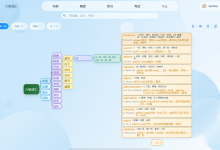
dsh 的核心是一套 TypeScript/Node 实现的 Agent 运行时,但真实世界里想用它的人未必写 TypeScript——数据科学团队、有 Python 遗留系统的公司、只想在 Jupyter 里跑几行代码验证想法的用户,都需要一条不依赖 Node 生态知识的接入路径。python/ 目录下的两个包(deepseek-harness-sdk 和 deepseek-harness-runtime-bin)就是这条路径的答案:一个用标准库 subprocess + NDJSON 实现的同步 RPC 客户端,加上一个把完整的 dsh CLI 本身打成单文件可执行程序、随 wheel 分发的"运行时载体"。本篇通读 client.py 的完整实现,拆解这套双向 RPC 协议的设计,并说明"打包成 exe"这件事到底解决了什么问题。
学习目标
- 理解 python/sdk 和 python/sdk-runtime 两个包的分工:一个是纯 Python 客户端库,一个是不含业务逻辑的可分发运行时载体。
- 搞清楚 Python SDK 启动的到底是什么——不是一个专门为它写的迷你 Cordis 应用,而是和所有人一样的那个 dsh CLI,只是用 –profile sdk 把它切进 JSON-RPC serving 模式。
- 搞清楚 NDJSON-RPC 协议的收发实现——独立读线程 + queue.Queue 做请求响应关联,而不是简单的"发一句等一句"。
- 理解"服务端可以反向发起请求"这一双向设计,和对应的 next_request/respond/respond_error 接口。
- 理解"按 session 树过滤通知"是客户端自己拼出来的能力,而不是服务端下发了一棵树。
- 理解为什么这套 SDK 要求显式传入 dsh_home、绝不悄悄落到 ~/.dsh,以及"把整个 Node 运行时打成单文件 exe"这个打包思路解决的具体问题(含 ripgrep、Office 文档转换这些随行 sidecar)。
- 把这套机制放进"dsh 的第三种消费形态"的坐标系里,和 Web Client、直接 npm 依赖两条路径做对比。
背景与设计动机
python/README.md 用一句话概括了这个子系统的定位:
// python/README.md:4
Python packages for driving DeepSeek Harness as a subprocess. The client SDK
communicates with the bundled runtime over newline-delimited JSON-RPC on stdio.
"驱动一个子进程"——这决定了整个设计的基调:Python 侧不重新实现任何 Agent 逻辑,它只是通过 stdio 上的 NDJSON-RPC 协议,把已经完整实现好的 dsh Agent 运行时当作一个受控的子进程来操作。这和"把 dsh 移植到 Python"是完全不同的思路——移植意味着要在两个语言里维护两份行为一致的业务逻辑,而"驱动子进程"只需要维护一份 wire protocol 的实现。
这套子系统最近经历了一次值得专门说一句的架构收敛:Python SDK 不再启动一个专门为它定制的、剥离过的 Cordis 应用(这套课程更早期读到的实现是这样的),而是直接启动"和终端里敲 dsh 完全一样的那个可执行文件",只是多传了 –profile sdk 这一个参数。python/sdk/README.md 把这一点说得很直接:
// python/sdk/README.md:13
The Python SDK has no separate application entrypoint. It launches the
bundled `dsh` CLI with `–profile sdk`; the selected profile owns the
JSON-RPC server, agent composition, credentials, persistence, tools, and
shutdown behavior.
也就是说,"要不要对外提供 JSON-RPC serving 接口"这件事,现在是 dsh 自身 profile 系统里的一个可插拔组合(某个 profile 装配了 JSON-RPC serving 插件、另一个 profile 装配了终端交互 UI),而不是"专门为 Python 场景做一个不同的构建产物"。这比"维护两条各自演化的构建产物"更省心——CLI 主线加了新工具、新沙箱策略,sdk profile 自动就有。
要让这条路径对 Python 用户友好,还必须解决一个隐藏的门槛:运行时本身是用 TypeScript/Node 写的,而 Python 用户不该被要求"先装好 Node.js 环境"才能 pip install 一个包。python/sdk-runtime 包的存在就是为了消灭这个门槛——它把完整的 dsh CLI(包括它的全部内置工具、沙箱、Web UI 资源、ACP/hooks 兼容层等等)打包成一个不依赖任何系统 Node 安装的单文件可执行程序,随 wheel 分发。
两个包的目录结构和职责边界:
python/
├── README.md
├── development.md
├── sdk/ # deepseek-harness-sdk,模块名 deepseek_harness
│ ├── pyproject.toml
│ └── src/deepseek_harness/
│ ├── client.py # HarnessClient:同步 JSON-RPC 客户端
│ ├── api.py # DeepSeekHarness / Session:更高层的 turn 封装
│ ├── models.py # 数据模型
│ └── errors.py # 异常层级
└── sdk-runtime/ # deepseek-harness-runtime-bin,模块名 deepseek_harness_runtime
├── hatch_build.py # 自定义 hatchling 构建钩子
├── platforms.json # 平台 tag 映射(现在是 5 个平台)
├── package.json # 纯依赖清单,现在打包的是完整的 dsh 闭包
├── runtime-bootstrap.mjs # pkg SEA 的唯一入口,顺带处理 Office 资源解析和沙箱子进程再入
└── src/deepseek_harness_runtime/
├── __init__.py # 运行时路径解析(exe/node 两种载体的选择逻辑)
├── _resources.py # 打包资源的校验(缺失资源/错误平台元数据/丢失可执行权限都会拒绝)
├── deepseek-harness-runtime.json # release 元数据(bundled_package_dir() 会校验它)
└── runtime/ # (gitignored,构建期注入)
核心机制详解
两个包的分工:客户端库 vs "完整 dsh 的运行时载体"
deepseek-harness-sdk(python/sdk)是纯 Python 代码,不含任何编译产物,负责"怎么跟运行时进程说话"。deepseek-harness-runtime-bin(python/sdk-runtime)恰恰相反——它的 package.json 依然是一份不含业务逻辑的纯依赖清单,但清单的体量已经完全不是当年那个"只装了 JSON-RPC serving 所需最小插件集"的样子了:
// python/sdk-runtime/package.json(节选)
{
"name": "dsh-python-runtime-closure",
"description": "Dependency-only deploy root defining the dsh executable shipped by the Python runtime wheel.",
"dependencies": {
"@deepseek-ai/dsh": "workspace:^",
"@deepseek-ai/dsh-acp": "workspace:^",
"@deepseek-ai/dsh-agent": "workspace:^",
"@deepseek-ai/dsh-hooks-claude-code": "workspace:^",
"@deepseek-ai/dsh-hooks-codex": "workspace:^",
"@deepseek-ai/dsh-sandbox-local": "workspace:^",
"@deepseek-ai/dsh-sdk-jsonrpc-server": "workspace:^",
"@deepseek-ai/dsh-web": "workspace:^",
"@deepseek-ai/dsh-workflow": "workspace:^"
/* … 以及全部内置工具、Provider、subagent、ACP/hooks 兼容层等约 130 个依赖 …*/
}
}
@deepseek-ai/dsh 这个包本身就在依赖列表里——这就是"这不是一个专门的 mini app,而是把完整 CLI 连同它的所有能力一起打包"这件事在 package.json 层面最直接的证据。python/sdk-runtime/README.md 里的措辞也印证了这次收敛:
// python/sdk-runtime/README.md:4-6
Platform runtime wheel for the DeepSeek Harness Python SDK. It packages the
normal `dsh` CLI and its closed Node dependency tree into a native
executable, so SDK use requires no system Node.js.
// python/sdk-runtime/README.md:30
Both carriers execute the same `dsh` grammar and shipped profiles, including
the standalone `sdk-minimal` tree and the full `web` profile with its
frontend assets. The private `dsh-python-runtime-closure` manifest defines
the packaged dependency closure; there is no Python-specific Node
application or checked-in default `cordis.yml`.
"there is no Python-specific Node application"——这句话把这次架构收敛的意图说得非常清楚。JSON-RPC serving 能力本身仍然是一个具体的插件(@deepseek-ai/dsh-sdk-jsonrpc-server),但它现在是 dsh 众多可选 profile 组合里的一员,不再对应一个独立维护的构建产物。另外,wheel 现在还顺带安装了一个 dsh 控制台命令(python/sdk-runtime/README.md:9)——它把参数转发给打包的可执行文件,要求非空的 DSH_HOME,绝不回退到 ~/.dsh,方便调用方直接对这个捆绑运行时执行 dsh plugin –profile sdk add file:… 之类的插件管理操作。
NDJSON-RPC 收发:独立读线程 + 每请求一个 Queue
HarnessClient 的文档字符串直接点明了协议性质:
# python/sdk/src/deepseek_harness/client.py:39-40
class HarnessClient:
"""Synchronous JSON-RPC client for the DeepSeek Harness SDK runtime over stdio."""
启动子进程用的是标准库 subprocess.Popen,stdin/stdout/stderr 三个管道都单独打开:
# python/sdk/src/deepseek_harness/client.py:71-92(节选)
def start(self) -> None:
if self._proc is not None:
return
with self._lock:
self._session_parents.clear()
env = os.environ.copy()
if self.config.env:
env.update(self.config.env)
args = list(self._launch_args or self._default_launch_args(env))
self._proc = subprocess.Popen(
args,
stdin=subprocess.PIPE,
stdout=subprocess.PIPE,
stderr=subprocess.PIPE,
text=True,
encoding="utf-8",
cwd=None if self.config.cwd is None else str(Path(self.config.cwd).resolve()),
env=env,
bufsize=1,
)
self._start_reader_thread()
self._start_stderr_thread()
写入侧用一把 _write_lock 保护对 stdin 的写入,每条消息就是"一行紧凑 JSON + 换行符"——这正是 NDJSON(Newline-Delimited JSON)的定义:
# python/sdk/src/deepseek_harness/client.py:332-342
def _write_message(self, message: JsonObject) -> None:
proc = self._proc
if proc is None or proc.stdin is None:
raise TransportClosedError("DeepSeek Harness runtime is not running")
try:
payload = json.dumps(message, separators=(",", ":")) + "\\n"
with self._write_lock:
proc.stdin.write(payload)
proc.stdin.flush()
except Exception as exc:
raise self._runtime_closed_error("Failed to write to DeepSeek Harness runtime") from exc
读取侧是一个独立的守护线程,逐行读取 stdout,每行解析成一个 JSON 对象后交给 _handle_message 分发:
# python/sdk/src/deepseek_harness/client.py:352-368
def _reader_loop(self) -> None:
proc = self._proc
if proc is None or proc.stdout is None:
return
try:
for line in proc.stdout:
if not line.strip():
continue
try:
message = json.loads(line)
except json.JSONDecodeError:
continue
self._handle_message(message)
except BaseException as exc:
self._fail_waiters(exc)
finally:
self._fail_waiters(self._runtime_closed_error("DeepSeek Harness runtime stdout closed"))
stderr 则完全独立于协议之外,单开一个线程收集诊断日志(用 deque(maxlen=400) 只保留最近 400 行),供超时或连接关闭时拼进错误信息里:
# python/sdk/src/deepseek_harness/client.py:370-375
def _stderr_loop(self) -> None:
proc = self._proc
if proc is None or proc.stderr is None:
return
for line in proc.stderr:
self._stderr_lines.append(line.rstrip())
这个"stdout 只承载协议帧,stderr 只承载诊断信息"的分离原则,和本课程后面会讲到的 TypeScript 版通用 SDK(packages/sdk/server)是完全一致的约定——两边的 README 都强调过"部署方不能在 stdout 上叠加日志"。
请求-响应关联:uuid + 单容量 Queue,并且能一边等一边"顺手"消费通知
很多简易 RPC 客户端会用一个自增整数当请求 id,但 HarnessClient 选择了 uuid.uuid4(),并且给每个请求单独建一个 maxsize=1 的 queue.Queue 作为"专属信箱"。这部分逻辑现在比早期版本多了一层职责——如果调用方传了 on_notification 回调,等待响应的循环会顺带把这段等待期间收到的通知"drain"给回调,而不是让通知在队列里干等到请求结束才被处理:
# python/sdk/src/deepseek_harness/client.py:262-330(节选)
def _request_raw(self, method, params=None, *, timeout_seconds=None,
on_notification=None, notification_filter=None,
notification_subscription=None) -> JsonValue:
request_id = str(uuid.uuid4())
waiter: queue.Queue[JsonValue | BaseException] = queue.Queue(maxsize=1)
with self._lock:
self._responses[request_id] = waiter
if on_notification is not None and notification_subscription is None:
temp_subscription = self.subscribe_notifications(notification_filter)
subscription = temp_subscription
message: JsonObject = {"jsonrpc": "2.0", "id": request_id, "method": method}
if params is not None:
message["params"] = params
self._write_message(message)
while True:
if on_notification is not None and subscription is not None:
subscription.drain(on_notification)
wait_timeout = 0.05 if on_notification is not None else None
# …deadline 计算省略…
try:
item = waiter.get(timeout=wait_timeout)
if on_notification is not None and subscription is not None:
subscription.drain(on_notification)
break
except queue.Empty:
continue
if isinstance(item, BaseException):
raise item
return item
没有 on_notification 回调时,wait_timeout 是 None,waiter.get() 会一直阻塞到响应真正到达为止,和一个"简单"的等待没有区别——drain 通知只在调用方明确要求"我想在等待期间实时收到通知"时才会启用,启用之后每 50 毫秒醒一次去检查有没有新通知需要转发。响应到达时,读线程按 id 从字典里弹出对应的 waiter,把结果(或包装成 JsonRpcError 的错误)塞进那个专属队列——发起请求的调用方线程会立刻被唤醒:
# python/sdk/src/deepseek_harness/client.py:386-396(节选,位于 _handle_message 内)
if isinstance(msg_id, (str, int)):
with self._lock:
waiter = self._responses.pop(str(msg_id), None)
if waiter is None:
return
if isinstance(message.get("error"), dict):
err = message["error"]
waiter.put(JsonRpcError(_int_or_none(err.get("code")), str(err.get("message", "JSON-RPC error")), err.get("data")))
else:
waiter.put(message.get("result"))
return
这个设计的好处是:多个请求可以真正并发地"挂起等待",互不干扰——每个请求只关心自己那个 Queue,不需要在一个共享的响应流里按顺序匹配,读线程的分发逻辑也不需要知道"当前有几个人在等"。
服务端主动 Notification:广播 + 订阅 + "session 树过滤"
这套协议不是单纯的"一问一答"。运行时进程会主动推送 notification(没有 id、只有 method 的消息),客户端支持多个订阅者并行监听。订阅接口非常直白——每次订阅生成一个独立的 Queue:
# python/sdk/src/deepseek_harness/client.py:226-238
def subscribe_notifications(self, notification_filter=None) -> "NotificationSubscription":
subscription_id = str(uuid.uuid4())
notifications: queue.Queue[Notification | BaseException] = queue.Queue()
with self._lock:
self._notification_subscribers[subscription_id] = (notifications, notification_filter)
return NotificationSubscription(self, subscription_id, notifications)
def subscribe_session_notifications(self, session_id: str) -> "NotificationSubscription":
"""Subscribe to a session and descendants discovered from subagent lifecycle edges."""
return self.subscribe_notifications(self._notification_belongs_to_session_tree(session_id))
分发逻辑在 _handle_message 里,对每个订阅者跑一遍过滤器(predicate),命中就推进对应队列,一个没命中就落进兜底的全局队列:
# python/sdk/src/deepseek_harness/client.py:397-418(节选)
if isinstance(method, str):
params = message.get("params")
notification = Notification(method=method, payload=params if isinstance(params, dict) else {})
with self._lock:
self._record_session_relationship_locked(notification)
subscribers = list(self._notification_subscribers.items())
delivered = False
for subscription_id, (subscriber, predicate) in subscribers:
matches = predicate is None or predicate(notification)
if matches:
subscriber.put(notification)
delivered = True
if not delivered:
self._notifications.put(notification)
真正有意思的是"按 session 树过滤"这句话背后的实现——服务端并没有下发一棵 session 树结构,客户端是靠监听 subagent.started 这个通知,自己在本地拼出一张父子映射表:
# python/sdk/src/deepseek_harness/client.py:492-504
def _record_session_relationship_locked(self, notification: Notification) -> None:
if notification.method != "subagent.started":
return
parent_id = notification.payload.get("parentSessionId")
child_id = notification.payload.get("childSessionId")
if (isinstance(parent_id, str) and parent_id
and isinstance(child_id, str) and child_id
and parent_id != child_id):
self._session_parents[child_id] = parent_id
过滤器本身沿着这张表往上查,判断某条通知是否属于目标 session 的后代:
# python/sdk/src/deepseek_harness/client.py:506-536(节选)
def _notification_belongs_to_session_tree(self, session_id: str) -> NotificationFilter:
def belongs(notification: Notification) -> bool:
payload = notification.payload
if notification.method in {"subagent.started", "subagent.finished"}:
parent_id = payload.get("parentSessionId")
if isinstance(parent_id, str) and self._session_is_descendant_of(parent_id, session_id):
return True
return payload.get("childSessionId") == session_id
related_id = payload.get("sessionId")
return isinstance(related_id, str) and self._session_is_descendant_of(related_id, session_id)
return belongs
def _session_is_descendant_of(self, session_id: str, root_session_id: str) -> bool:
current = session_id
visited: set[str] = set()
while current not in visited:
if current == root_session_id:
return True
visited.add(current)
parent = self._session_parents.get(current)
if parent is None:
return False
current = parent
return False
这个设计把"树结构的知情权"完全放在了客户端——服务端只需要老老实实广播每一条 subagent.started/subagent.finished 事件,携带 parentSessionId/childSessionId 就够了,不需要维护和同步任何"树快照"给客户端。对于一个可能随时因为子 Agent 创建/销毁而变化的树结构来说,这种"边沿事件驱动重建"比"服务端主动推送快照"要健壮得多。
服务端反向请求:next_request / respond / respond_error
普通的 JSON-RPC 客户端只会发请求、收响应,但这套协议里服务端也能主动发起带 id 的请求——_handle_message 一旦发现某条消息同时有 id 又有 method(区别于"只有 id"的响应和"只有 method"的通知),就判定这是一条服务端发来的反向请求,塞进专属队列:
# python/sdk/src/deepseek_harness/client.py:380-385(节选,位于 _handle_message 内)
def _handle_message(self, message: object) -> None:
if not isinstance(message, dict):
return
msg_id = message.get("id")
method = message.get("method")
if isinstance(msg_id, (str, int)) and isinstance(method, str):
params = message.get("params")
self._requests.put(IncomingRequest(id=msg_id, method=method, payload=params if isinstance(params, dict) else {}))
return
调用方用 next_request() 阻塞式取出这类请求,处理完之后用 respond()/respond_error() 把结果写回 stdin,完成一次由服务端发起、客户端应答的反向调用:
# python/sdk/src/deepseek_harness/client.py:240-260
def next_request(self) -> IncomingRequest:
item = self._requests.get()
if isinstance(item, BaseException):
raise item
return item
def respond(self, request_id: str | int, result: JsonValue) -> None:
self._write_message({"jsonrpc": "2.0", "id": request_id, "result": result})
def respond_error(self, request_id: str | int, *, code: int, message: str, data: JsonValue | None = None) -> None:
error: JsonObject = {"code": code, "message": message}
if data is not None:
error["data"] = data
self._write_message({"jsonrpc": "2.0", "id": request_id, "error": error})
这条通路存在的意义是:运行时进程有时需要向外部世界"问一个问题"再继续往下走(比如某个工具执行前需要用户批准),而不是所有决策都能在服务端内部完成。双向协议让这种"服务端阻塞、等外部世界给答案"的模式成为可能,而不需要单独开一条反向连接。
_default_launch_args():不再"零配置",dsh_home 必须显式给出
HarnessClient 怎么知道该启动哪个可执行文件、传什么参数?这部分逻辑经历了一次和"两个包的分工"呼应的重写——不再有任何"自动注入一份默认配置、让零参数也能跑起来"的魔法,HarnessConfig 现在长这样:
# python/sdk/src/deepseek_harness/client.py:24-36
@dataclass(slots=True)
class HarnessConfig:
"""Configuration for launching the local DeepSeek Harness SDK runtime."""
dsh_bin: str | None = None
profile: str = "sdk"
patches: tuple[str, …] = ()
dsh_home: str | None = None
cwd: str | None = None
env: dict[str, str] | None = None
initialize_timeout_seconds: float = 30.0
request_timeout_seconds: float | None = None
shutdown_timeout_seconds: float | None = 1.0
dsh_bin 换成另一个可执行文件、profile 选另一个 profile、patches 是一串按顺序应用的 patch 文件路径——这三者共同拼成最终的 argv,而 dsh_home 现在是必须显式给出的一项:要么在 HarnessConfig.dsh_home 里传,要么在子进程环境变量里放一个非空的 DSH_HOME,两者都没有就直接报错,拒绝启动:
# python/sdk/src/deepseek_harness/client.py:458-486
def _default_launch_args(self, env: dict[str, str]) -> tuple[str, …]:
if self.config.dsh_bin is None:
try:
from deepseek_harness_runtime import resolve_bundled_launch_args
except ImportError as exc:
raise FileNotFoundError(
"Unable to locate the bundled DeepSeek Harness dsh runtime. "
"Install deepseek-harness-runtime-bin."
) from exc
base = resolve_bundled_launch_args()
else:
base = (str(Path(self.config.dsh_bin).expanduser().resolve()),)
if self.config.dsh_home is not None:
if not self.config.dsh_home.strip():
raise ValueError("HarnessConfig requires a non-empty dsh_home")
env["DSH_HOME"] = str(Path(self.config.dsh_home).expanduser().resolve())
elif not env.get("DSH_HOME", "").strip():
raise ValueError(
"HarnessConfig requires an explicit dsh_home or non-empty DSH_HOME; "
"the Python SDK never uses ~/.dsh implicitly"
)
patches = tuple(
argument
for patch in self.config.patches
for argument in ("–patch", str(Path(patch).expanduser().resolve()))
)
return (*base, "–profile", self.config.profile, *patches)
这不是一处孤立的实现细节,而是和这套仓库里"沙箱 fail-closed""不悄悄降级"这一贯穿全书的设计哲学同一个来源——python/sdk/README.md 把理由写得很直接:"The SDK deliberately never discovers ~/.dsh"。一个会隐式落到 ~/.dsh 的 SDK,很容易在多租户、CI、并发测试这些场景下悄悄读写到"别的调用方的" Harness home 而不自知;显式要求调用方给出 dsh_home 或 DSH_HOME,把这类事故在启动前就拦死。
python/sdk/src/deepseek_harness/api.py 在这套底层客户端之上封装了一层"turn"语义的高层 API——DeepSeekHarness(可复用的 SDK 实例,懒启动子进程)和 Session(一次对话会话)。Session.run() 内部订阅 subscribe_session_notifications,发出 session_prompt,然后循环读取通知、把属于本 session 的 session.event 通知收集进一个 events 列表,直到看到 session.status == "idle":
# python/sdk/src/deepseek_harness/api.py:139-181(节选)
def run(self, input, *, on_notification=None) -> RunResult:
content_blocks = normalize_input(input)
notifications: list[Notification] = []
events: list[JsonObject] = []
def collect(notification: Notification) -> None:
notifications.append(notification)
if on_notification is not None:
on_notification(notification)
if notification.method == "session.event" and notification.payload.get("sessionId") == self.id:
event = notification.payload.get("event")
if isinstance(event, dict):
events.append(event)
with self.harness.client.subscribe_session_notifications(self.id) as subscription:
message_id = self.harness.client.session_prompt(self.id, content_blocks, notification_subscription=subscription)
received = False
while True:
notification = subscription.next()
if not received:
if not _is_inbox_receipt(notification, self.id, message_id):
continue
received = True
collect(notification)
if (notification.method == "session.status"
and notification.payload.get("sessionId") == self.id
and notification.payload.get("status") == "idle"):
break
return RunResult(session_id=self.id, final_response=final_response(events),
finish_reason=finish_reason(events), events=events, notifications=notifications)
events 这一层是在原始 notification 流之上多加的一次结构化——final_response()/finish_reason() 两个模块级函数专门从 events 里按 assistant/message/turn/end 这类事件类型倒着找答案,把"怎么从一堆通知里拼出最终回复文本"这件事从 Session.run() 本身剥离了出来,方便单独测试。
真实可运行的最简用法(python/sdk/README.md 给出的当前示例,dsh_home 必须是一个真实存在的绝对路径):
from deepseek_harness import DeepSeekHarness
with DeepSeekHarness(
dsh_home="/absolute/path/to/isolated-dsh-home",
cwd="/absolute/path/to/workspace",
provider="deepseek-official",
model="deepseek-v4-flash",
reasoning_effort="max",
max_tokens=49_152,
) as harness:
result = harness.run("Say hi.", session_id="example-001")
print(result.final_response)
cwd 是 Agent 的工作区(runtime_cwd 则独立指定子进程自身的工作目录),provider/model/可选的 reasoning_effort/可选的正整数 max_tokens 会在 JSON-RPC 初始化阶段发送;base_url/api_key 显式覆盖子进程环境里的 DEEPSEEK_BASE_URL/DEEPSEEK_API_KEY(python/sdk/README.md:33)。
底层的 NDJSON-RPC 收发、session 树过滤、双向请求,全部被这一层"turn 封装"隐藏掉了;唯一不能被隐藏的,是"你必须告诉它这次用哪个 Harness home"这个显式要求。
把完整的 dsh CLI 打成单文件 exe:解决什么问题,顺带背了哪些行李
如果 Python SDK 要求用户"先装 Node.js,再 npm install 运行时依赖",那这个包对纯 Python 团队就没有意义了。构建脚本 scripts/build-exe-for-python-sdk.ts 用 @yao-pkg/pkg(仓库根 package.json 的 devDependency,当前钉在 6.21.0)的 –sea(single executable application)模式完成这件事:
// scripts/build-exe-for-python-sdk.ts:20-33(节选)
const DEPLOY_ROOT_PACKAGE = 'dsh-python-runtime-closure'
/** The sole executable entry inside the deployed closure. */
const ENTRY_BIN = 'runtime-bootstrap.mjs'
/** Python-visible executable basename. */
const OUTPUT_BASENAME = 'deepseek-harness-sdk-runtime'
/** Default Node major; SEA mode requires at least Node 22. */
const DEFAULT_NODE_RANGE = 'node24'
const OUT_DIR = 'dist-exe'
因为要打包的现在是完整的 dsh 闭包,而不是当年那个几十行依赖的迷你应用,ASSET_GLOBS(覆盖 Cordis 运行时动态 bare-import,pkg 静态分析扫不到的那部分)也比早期版本长了不少,新增了 Markdown(内置 Skill 说明文档)、.dylib/.dll/.so/.so.* 这些原生库后缀,以及 .wasm、.yaml/.yml——pkg 同样扫不到 Web 前端的构建产物和 skill-badge 通过 import.meta.url 解析的图片资源,所以这两个包的路径被显式列了出来:
// scripts/build-exe-for-python-sdk.ts:44-65(节选)
const ASSET_GLOBS = [
'package.json',
'node_modules/**/*.js',
'node_modules/**/*.cjs',
'node_modules/**/*.mjs',
'node_modules/**/package.json',
'node_modules/**/*.json',
// Package-owned Markdown includes runtime skill instructions and badge content.
'node_modules/**/*.md',
'node_modules/**/*.dylib',
'node_modules/**/*.dll',
'node_modules/**/*.node',
'node_modules/**/*.so',
'node_modules/**/*.so.*',
'node_modules/**/*.wasm',
'node_modules/**/*.yaml',
'node_modules/**/*.yml',
// web-app builds this path dynamically, so pkg cannot discover the static frontend.
'node_modules/@deepseek-ai/dsh-web-frontend/dist/**/*',
// skill-badge resolves both Markdown and image resources through import.meta.url.
'node_modules/@deepseek-ai/dsh-skill-badge/assets/**/*',
]
产物随后被复制进 Python 包目录,和 platforms.json 声明的可执行文件名一一对应——但现在是五个平台,不再是早期版本的三个(新增了 macOS x64 和 Windows x64):
// python/sdk-runtime/platforms.json
{
"linux-x64": { "tag": "manylinux_2_28_x86_64", "executable": "deepseek-harness-sdk-runtime-linux-x64" },
"linux-arm64": { "tag": "manylinux_2_28_aarch64", "executable": "deepseek-harness-sdk-runtime-linux-arm64" },
"macos-arm64": { "tag": "macosx_14_0_arm64", "executable": "deepseek-harness-sdk-runtime-macos-arm64" },
"macos-x64": { "tag": "macosx_14_0_x86_64", "executable": "deepseek-harness-sdk-runtime-macos-x64" },
"win-x64": { "tag": "win_amd64", "executable": "deepseek-harness-sdk-runtime-win-x64.exe" }
}
hatch_build.py 里的自定义构建钩子依然会校验"这个平台目录下的文件,跟 platforms.json 声明的一致",并把 wheel 的 tag 强制设成平台专属值(而不是纯 Python 包默认的 py3-none-any)——这部分核心逻辑没变,只是随着文件其余部分变长挪到了新的行号:
# python/sdk-runtime/hatch_build.py:119-121(节选)
build_data["pure_python"] = False
build_data["infer_tag"] = False
build_data["tag"] = f"py3-none-{platform_tag}"
真正新增的行李,是每个平台包现在还额外要求一个 <可执行文件名去掉扩展名>-office/ 目录——这是完整安装好的 LibreOffice/Office 转换引擎及其依赖:
// python/sdk-runtime/README.md:13
Each target also requires `<executable-stem>-office/`, where the stem
excludes `.exe`. This directory contains the complete installed Office
packages and their dependencies, preserving engine resources, manifests,
licenses, source inventories, and helper permissions. Copy this directory
together with the executable. A missing target engine fails the sidecar
build with its npm package name and target platform/architecture.
以及 ripgrep 和 PTY helper 这两个 sidecar——注意现在 Linux/macOS wheel 附带 -rg、Windows wheel 附带 -rg.exe、macOS 另外附带 -spawn-helper(node-pty 需要;README.md:11)。这些都是"完整 dsh CLI 现在自带的能力"(文件全文搜索用 ripgrep,文档处理用 Office 转换引擎)在单文件打包这个环节必须一起背上的行李——这也是为什么这一节的标题从"打包成 exe"变成了"打包成 exe,顺带背了哪些行李":当年打包一个迷你 JSON-RPC demo 应用不需要考虑这些,但打包完整 CLI 就必须考虑。
行李的最新一层和 Office Skill 直接相关:每个 wheel 现在还附带 <平台>-<架构>/primary-runtime/(一个随包分发的 CPython 和锁定版本的 Office Python 库)和相邻的 office-skills/(三个默认工作流及其共享 checker;README.md:15)。这批是普通可搬迁文件,而不是嵌进 exe 字节里的资源——打包和安装期查找都会拒绝缺失的资源、错误平台的元数据、丢失的 Python 可执行权限。配套地,打包好的 bootstrap 会提供 DSH_BUNDLED_PRIMARY_RUNTIME 作为载体默认值(README.md:17):sdk profile 在 DSH_PRIMARY_RUNTIME 未设置时使用它,显式路径会覆盖它,空字符串则禁用查询和 Office provider——SDK 就地使用这个 Python,不会把它拷进 DSH_HOME。
ENTRY_BIN(runtime-bootstrap.mjs)是 pkg SEA 产物真正的唯一入口——它很短,主要做两件和这次打包方式强相关的事:把 Office 相关的 import 解析重定向到可执行文件旁边那个真实存在的 -office/ 目录(SEA 产物内部是虚拟文件系统,Office 转换引擎需要 spawn 出真实子进程和真实文件路径,不能只活在虚拟文件系统里);以及在检测到自己被当作沙箱 ACL runner 或 PTC runtime 子进程重新拉起时,直接切换角色执行对应的入口逻辑,而不是重新走一遍完整的 CLI 启动流程。
exe 与 node 两种载体的选择逻辑
生产环境永远走 exe,但仓库贡献者在开发调试时可能想直接跑未编译的 TS 源码。resolve_bundled_launch_args 依然用"显式参数 > 环境变量 > 自动只选 exe"的优先级来处理,核心安全边界没变:
# python/sdk-runtime/src/deepseek_harness_runtime/__init__.py:114-136(节选)
def resolve_bundled_launch_args(mode: str | None = None) -> tuple[str, …]:
"""The argv tuple that launches the bundled runtime.
Mode selection: the explicit ``mode`` argument wins, then the
``DSH_RUNTIME_MODE`` environment variable (``exe`` | ``node``), then
automatic resolution. Automatic resolution finds the production exe ONLY —
the dev-only node carrier must be selected explicitly so a production
deployment can never silently ride on a source build. Returns
``(exe_path,)`` in exe mode and ``(node_path, bin_js_path)`` in node mode;
raises FileNotFoundError when the selected carrier is unavailable and
ValueError for an unknown mode value.
"""
selected = mode if mode is not None else os.environ.get(RUNTIME_MODE_ENV_VAR)
if selected is None or selected == "exe":
return (str(bundled_runtime_path()),)
if selected == "node":
return _node_launch_args()
raise ValueError(
f"unsupported DeepSeek Harness runtime mode {selected!r}: expected 'exe' or 'node' "
f"(explicit argument or ${RUNTIME_MODE_ENV_VAR})"
)
不过贡献者切到源码模式的具体方式已经变了。当年的文档给出的是"直接用 tsx 跑 packages/examples/jsonrpc-demo/src/bin.ts"这条路径——那个包和它所在的整条目录都已经被删除了(先重命名成 packages/sdk/python-runtime,后来又被整个移除,提交信息是"remove the private direct-config carrier")。现在 python/development.md 给出的两条路径是:
- 设 DSH_RUNTIME_MODE=node,复用构建脚本刷新出来的 runtime/node/ 这份完整部署闭包(要求系统 Node ≥ 22.19);
- 把 dsh_bin 指向 checkout 里已经构建好的 apps/cli/lib/bin.js,直接跑本地构建的 CLI,同时必须显式给出 dsh_home(以及按需给 profile/patches)。
两条路径跑的都是"正常的 dsh –profile sdk 启动器",不再有一条"专门为 Python 场景存在的、绕开正常 CLI 入口的源码路径"。仓库内部测试(python/sdk/tests/manual_sdk_agent_smoke.py)确实还留了一个用 _launch_args 直接替换整条 argv、跑未构建 TS 源码的口子,但这是内部测试专用的适配器,python/sdk/README.md 明确写着"Arbitrary argv replacement remains an internal fake-runtime test adapter, not public API"——公开 API 里已经没有当年那个 launch_args_override 参数了(现在构造函数上对应的是一个下划线开头的私有参数 _launch_args)。
第三种消费形态:与 Host/Client、npm 依赖的对比
到这里可以把 dsh 的几种消费路径放进同一张坐标系里看,而且现在这张坐标系比以前更"整齐"了一点——因为 Python 子进程这条路径现在启动的就是和其他两条路径完全一样的那个 dsh 可执行文件本体,只是换了一个 profile:
- Web Client:浏览器通过 WebSocket 连接 Host 进程,消费的是本课程后面会讲的 Typert 生成的 RPC 契约——面向"人在浏览器里交互"的场景。
- 直接 npm 依赖:TypeScript/Node 项目直接 import dsh 的包(@deepseek-ai/dsh-agent 等),在同一个进程空间内组装 Cordis 插件——面向"用 TS 写自己的 Agent 应用,并且愿意直接依赖 dsh 的包结构"的场景。
- Python 子进程(本篇):完全不共享进程空间,不要求了解 dsh 的内部包结构,只需要认识 NDJSON-RPC 这一套 wire protocol——面向"用别的语言集成 dsh,又不想承担了解整个 Node 生态的成本"的场景。而它启动的进程,和你在终端里敲 dsh –profile sdk 得到的是同一个二进制、同一套 profile 装配机制,只是这次由 Python 帮你拼好了 argv、接管了 stdio。
三者的抽象层次依次降低耦合度、提高可移植性,但同时也依次降低了可定制的深度(直接 npm 依赖能定制到插件级别,Python 子进程只能通过协议暴露的那几个方法、加上 –patch 这个 profile 补丁机制交互)。packages/sdk(TypeScript/任意语言都能用的通用 stdio JSON-RPC 协议)是这条"子进程驱动"路径在 Python 之外的等价物——下一篇会讲到,这套通用协议和 Python SDK 走的是同一种"黑盒驱动"思路,只是 Python SDK 多做了一层"把整个 dsh CLI 打成单文件 exe"的分发优化。
常见问题/易踩坑
- 为什么用 uuid 而不是自增整数做请求 id? 自增计数器要求单一的、有序的分配点,在多线程并发发请求的场景下需要额外加锁;uuid.uuid4() 天然无冲突,配合"每请求一个 Queue"的设计,完全不需要围绕 id 分配做同步。
- subscribe_session_notifications 订阅的"树"是实时准确的吗? 它依赖客户端已经收到过对应的 subagent.started 事件才能建立父子关系——如果订阅发生在某个子 session 已经存在、但客户端还没见过它的 subagent.started 通知之前,那条边暂时不会出现在本地映射表里。这是"事件驱动重建"模型的固有特性,不是 bug。
- respond/respond_error 不调用会怎样? 服务端很可能会一直阻塞等待这次反向请求的答复——具体行为取决于服务端对该请求是否设置了超时,但从协议设计角度看,next_request() 取出的每一条请求都应该被及时应答。
- 不传 dsh_home 会怎样? 如果子进程环境里也没有非空的 DSH_HOME,HarnessConfig 会在启动前直接抛 ValueError,而不是悄悄退回到 ~/.dsh。这是一处显式的设计决定,不是遗漏的默认值——多租户、CI、并发测试这些场景下,"隐式共享同一个 Harness home"是比"启动失败"危险得多的故障模式。
- DSH_RUNTIME_MODE=node 或者自定义 dsh_bin 能在生产环境用吗? 设计上不建议——node 载体是仅供仓库贡献者用的开发态载体,不会被自动模式选中;dsh_bin 是留给"想自己控制运行时二进制来源"的高级用户/测试场景的逃生舱口,常规生产部署应该让 SDK 自己解析打包好的 exe。
小结
Python SDK 这一层解决的其实是两个层次的问题:协议层(怎么跨语言、跨进程地驱动一个 dsh Agent),和分发层(怎么让 Python 用户不需要关心 Node 生态就能装上这套运行时)。NDJSON-RPC 本身并不复杂——换行分隔的 JSON 消息,配合 id/method 两个字段的有无区分请求/响应/通知——但 HarnessClient 在这套简单协议之上叠加的"独立读线程 + 逐请求 Queue""session 树的本地重建""服务端反向请求"这几层设计,共同撑起了一个健壮的双向 RPC 客户端。这套子系统最近还经历了一次架构收敛(启动完整 dsh CLI 的一个 profile,而不是维护一个专门的迷你应用)和一次安全性收紧(dsh_home 从"可以隐式推断"变成"必须显式给出"),两者背后是同一种工程直觉:能少维护一条独立路径就少维护一条,能拒绝一次模糊的默认行为就拒绝一次。而"打包成单文件 exe"这个看似只是构建脚本层面的选择,实际上是让整套机制能被 pip install 一步到位的关键——协议设计得再优雅,如果用户还要先学会装 Node,这条跨语言边界就没有真正被打通。