大家好,我是Java1234_小锋老师,分享一套锋哥原创的LLM大模型 微信小程序美食菜谱分享+AI智能助手(Spring AI2.0+SpringBoot4+Vue3)。

项目介绍
移动互联网把“做什么菜”从纸质菜谱和零散短视频,变成了可以随时检索、收藏和讨论的日常需求。家庭烹饪里,用户常常记得菜名,却记不清火候、用料和步骤顺序;已有内容要么分散在不同平台,要么只给出结果视频,缺少可以反复查看的结构化做法。与此同时,大语言模型已经能够组织烹饪说明,但如果完全依赖模型的通用知识,用量和步骤容易与站内真实菜谱不一致。把已审核菜谱整理成知识库,再让模型依据检索结果回答,是一条更适合垂直场景的路线。
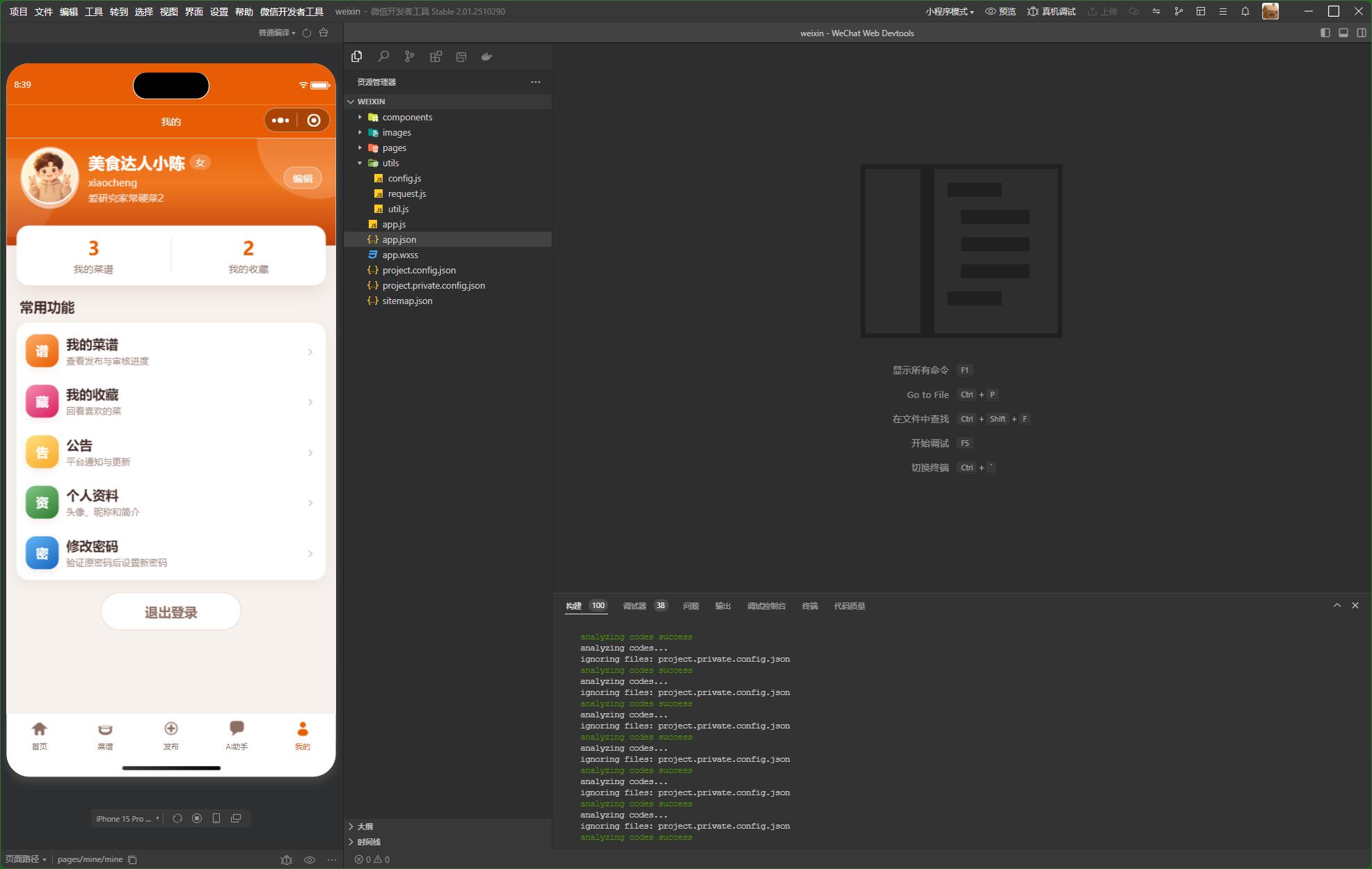
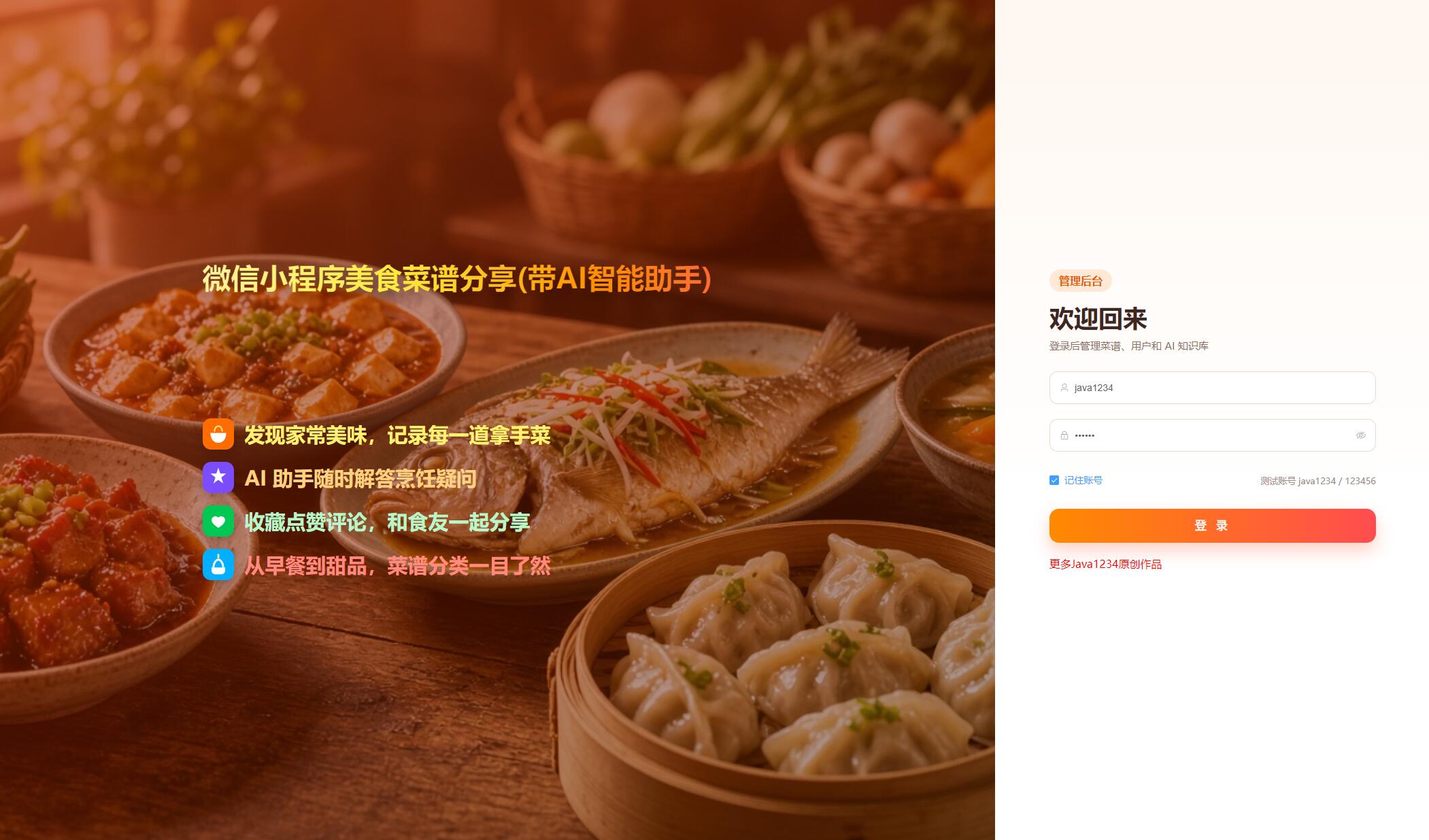
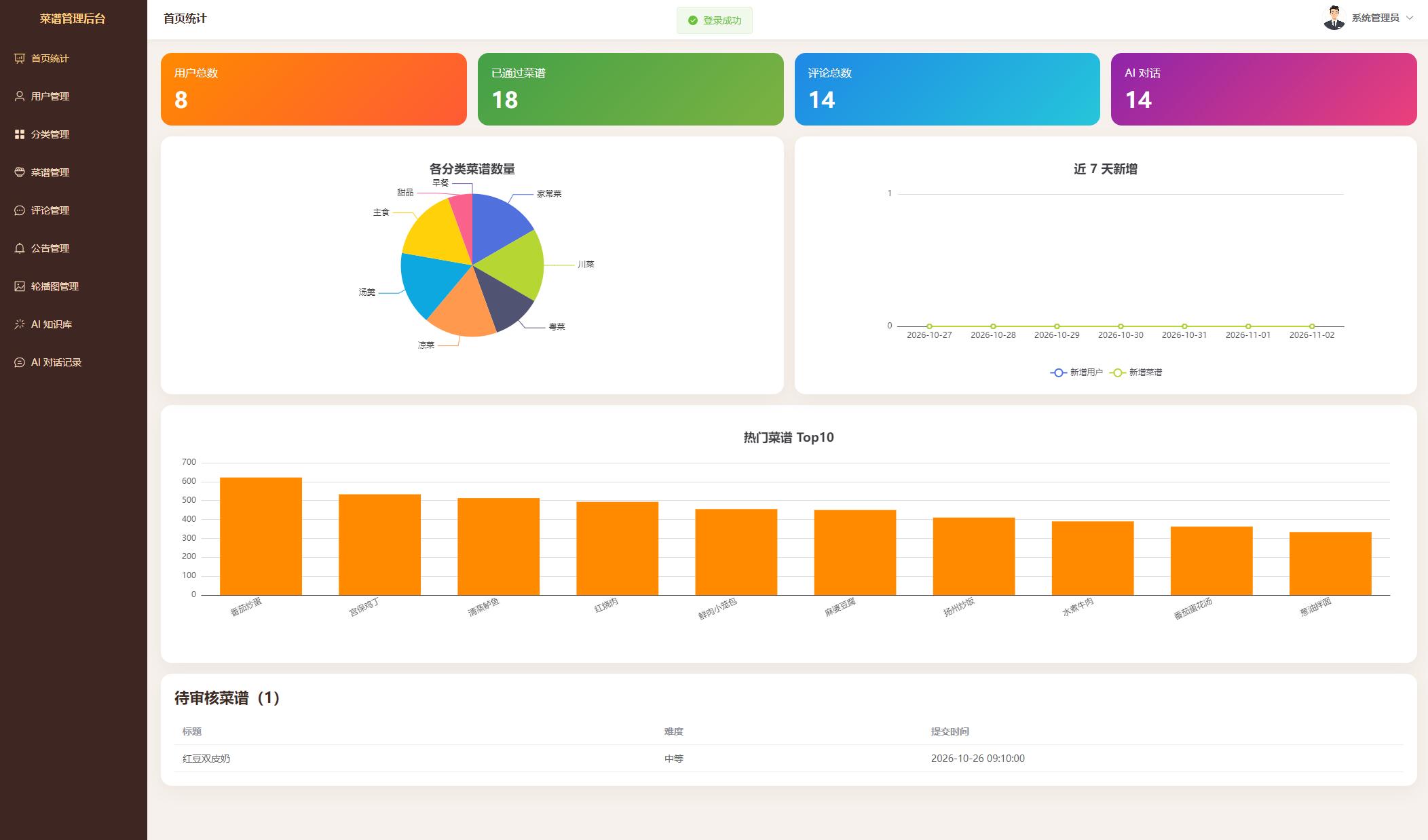
本文设计并实现了一套带AI智能助手的微信小程序美食菜谱分享系统。系统面向普通用户和管理员两类角色。用户在微信小程序中使用账号和密码注册、登录,可以浏览首页轮播与公告,按分类和关键字检索菜谱,查看食材、分步做法、点赞、收藏和评论,并提交自己的菜谱。菜谱在管理员审核通过之前不会进入公开列表,也不会进入检索知识库。AI助手在用户登录后,根据问题检索相近菜谱,结合最近对话,以流式方式返回Markdown回答,并带上可打开的相关菜谱。管理员使用Vue 3后台维护用户、分类、菜谱、评论、公告和轮播,查看近七日新增趋势、分类占比和热门菜谱,并在右上角进入个人中心修改资料与密码。
实现上,服务端采用Java 17与Spring Boot 4,数据访问使用MyBatis-Plus,数据库为MySQL 8,库名db_recipe,业务表统一以t_开头。身份认证使用JWT区分用户端和管理端。智能问答基于Spring AI 2.0:对话模型通过兼容OpenAI协议的接口调用,菜谱文本经嵌入模型写入SimpleVectorStore,并持久化到JSON文件。审核通过、驳回或删除时同步更新知识库,从而把内容治理和检索增强生成连成一条闭环。测试表明,注册登录、菜谱发布审核、互动操作和依据站内菜谱的问答能够按预期完成。
源码下载
链接: https://pan.baidu.com/s/1l4M65kR6lGc1hf1OkCZIfA?pwd=1234
提取码: 1234
系统展示 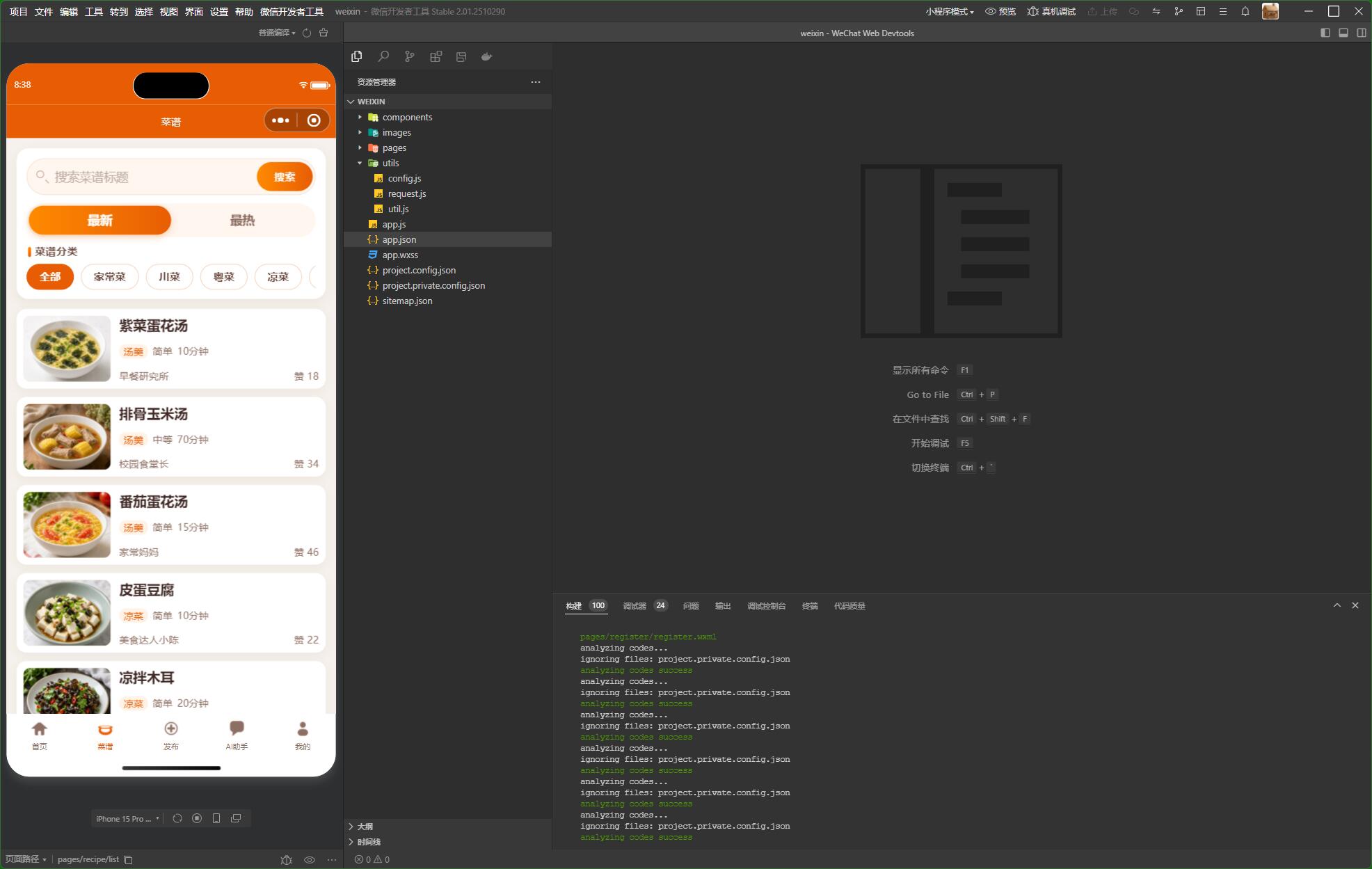




核心代码
package com.java1234.controller.portal;
import com.java1234.common.R;
import com.java1234.dto.ChatDTO;
import com.java1234.entity.AiChat;
import com.java1234.service.AiChatService;
import org.springframework.http.MediaType;
import org.springframework.web.bind.annotation.DeleteMapping;
import org.springframework.web.bind.annotation.GetMapping;
import org.springframework.web.bind.annotation.PostMapping;
import org.springframework.web.bind.annotation.RequestBody;
import org.springframework.web.bind.annotation.RequestMapping;
import org.springframework.web.bind.annotation.RestController;
import reactor.core.publisher.Flux;
import java.util.List;
/**
* 前台 AI 智能助手
*/
@RestController
@RequestMapping("/api/ai")
public class PortalAiController {
/** 问答业务 */
private final AiChatService aiChatService;
/**
* 注入问答业务
*
* @param aiChatService 问答业务
*/
public PortalAiController(AiChatService aiChatService) {
this.aiChatService = aiChatService;
}
/**
* 当前用户的历史对话
*
* @return 对话列表
*/
@GetMapping("/history")
public R<List<AiChat>> history() {
return R.ok(aiChatService.history());
}
/**
* 清空当前用户的历史对话
*
* @return 成功结果
*/
@DeleteMapping("/history")
public R<Void> clear() {
aiChatService.clear();
return R.ok();
}
/**
* 流式提问
*
* @param dto 问题
* @return 服务端事件流
*/
@PostMapping(value = "/chat/stream", produces = MediaType.TEXT_EVENT_STREAM_VALUE)
public Flux<String> stream(@RequestBody ChatDTO dto) {
return aiChatService.stream(dto == null ? null : dto.getQuestion());
}
}
<template>
<div class="page-card">
<h3 class="page-title">菜谱知识库</h3>
<el-descriptions :column="2" border>
<el-descriptions-item label="文件路径">{{ status.path }}</el-descriptions-item>
<el-descriptions-item label="是否已生成">{{ status.exists ? '是' : '否' }}</el-descriptions-item>
<el-descriptions-item label="文件大小">{{ status.size || 0 }} 字节</el-descriptions-item>
<el-descriptions-item label="更新时间">{{ status.updateTime || '-' }}</el-descriptions-item>
<el-descriptions-item label="已审核菜谱">{{ status.approvedCount || 0 }}</el-descriptions-item>
</el-descriptions>
<p class="tip">知识库使用内存向量库 SimpleVectorStore,并保存为 JSON 文件。嵌入模型为 text-embedding-v4,向量维度 2048。重建时会按每批 10 条调用嵌入接口。</p>
<el-button type="primary" :loading="loading" @click="rebuild">重建知识库</el-button>
</div>
</template>
<script setup>
import { onMounted, reactive, ref } from 'vue'
import { ElMessage } from 'element-plus'
import { adminApi } from '@/api'
const status = reactive({})
const loading = ref(false)
/** 读取知识库状态 */
async function load() {
const res = await adminApi.aiStatus()
Object.assign(status, res.data)
}
/** 按已审核菜谱重建向量 */
async function rebuild() {
loading.value = true
try {
const res = await adminApi.rebuild()
if (res.data) {
ElMessage.warning(res.data)
} else {
ElMessage.success('知识库已重建')
}
load()
} finally {
loading.value = false
}
}
onMounted(load)
</script>
<style scoped>
.tip { color: #8d6e63; line-height: 1.7; }
</style>