报错信息:
ImportError: /home/operationgpt/anaconda3/envs/lyj_py10_torch230/lib/python3.10/site-packages/flash_attn_2_cuda.cpython-310-x86_64-linux-gnu.so: undefined symbol: _ZN3c104cuda9SetDeviceEi
解决方式:重装flash attention
查看torch版本
pip show torch
返回如下结果,可知torch版本为2.3.1 
查看cuda版本
nvcc -V
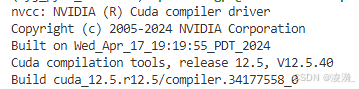 cuda版本为V12.5.40
查看python版本
python –version
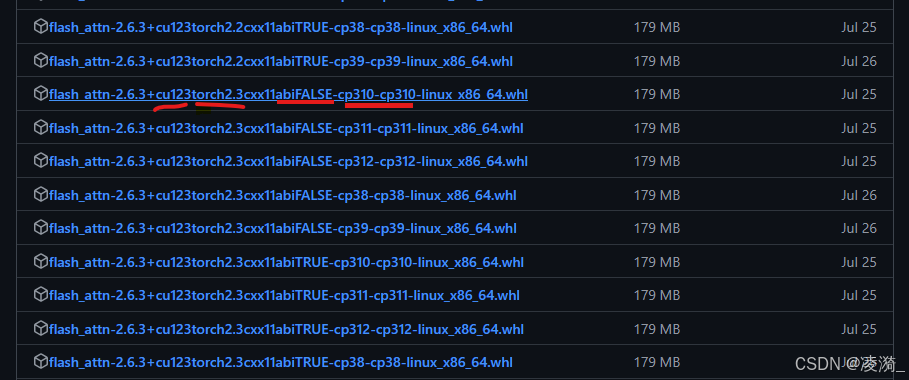 右键,复制链接, 在linux中使用wget + 链接进行whl安装包的下载:
wget https://github.com/Dao-AILab/flash-attention/releases/download/v2.6.3/flash_attn-2.6.3+cu123torch2.3cxx11abiFALSE-cp310-cp310-linux_x86_64.whl
最后使用pip install whl路径,下载好flash-attn,大功告成!