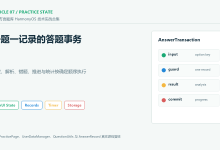
第26篇:考试系统 – 题库与考试
📚 本篇导读
考试系统是学习中心的重要配套功能,通过考试可以检验学习成果,巩固知识点。本篇教程将实现一个完整的考试系统,包括题库管理、考试流程、答题界面、成绩计算等核心功能。
本篇将实现:
- 📝 题库管理系统(题目分类、难度分级)
- 📋 考试流程设计(开始考试、答题、提交)
- ✍️ 答题界面实现(单选题、多选题、判断题)
- ⏱️ 考试计时功能(倒计时、自动提交)
- 📊 成绩计算展示(得分、正确率、通过状态)
🎯 学习目标
完成本篇教程后,你将掌握:
一、考试系统架构
1.1 系统架构设计
考试系统
├── 题库管理
│ ├── 题目分类(入门、中级、高级)
│ ├── 题目类型(单选、多选、判断)
│ ├── 知识点标签
│ └── 答案解析
│
├── 考试流程
│ ├── 考试准备(选择级别、题目数量)
│ ├── 开始考试(随机抽题、计时开始)
│ ├── 答题过程(题目展示、答案选择)
│ ├── 提交考试(自动/手动提交)
│ └── 成绩展示(得分、正确率、通过状态)
│
├── 考试记录
│ ├── 历史记录
│ ├── 答题详情
│ ├── 错题收集
│ └── 统计分析
│
└── 数据管理
├── 题库数据
├── 考试记录
├── 答题数据
└── 统计数据
1.2 考试级别划分
| 初级 | 20题 | 60分 | 30分钟 | 新手入门 |
| 中级 | 30题 | 70分 | 45分钟 | 有一定基础 |
| 高级 | 40题 | 80分 | 60分钟 | 专业人员 |
1.3 题目分类
家庭园艺模式:
- 入门基础(植物识别、工具使用)
- 日常养护(浇水、施肥、修剪)
- 病虫防治(常见病虫害、防治方法)
- 进阶技巧(繁殖、造型、组合)
专业农业模式:
- 作物种植(品种选择、栽培技术)
- 植保技术(病虫害防治、农药使用)
- 农机操作(机械使用、维护保养)
- 市场营销(销售渠道、品牌建设)
二、数据模型设计
2.1 考试相关模型
文件位置:entry/src/main/ets/models/ExamModels.ets
/**
* 考试级别
*/
export enum ExamLevel {
BEGINNER = 'BEGINNER', // 初级
INTERMEDIATE = 'INTERMEDIATE', // 中级
ADVANCED = 'ADVANCED' // 高级
}
/**
* 题目选项
*/
export interface QuestionOption {
id: string; // 选项ID (A, B, C, D)
content: string; // 选项内容
}
/**
* 考试题目
*/
export interface ExamQuestion {
id: string; // 题目ID
level: ExamLevel; // 考试级别
category: string; // 题目分类
question: string; // 题目内容
options: QuestionOption[]; // 选项列表
correctAnswer: string; // 正确答案ID
explanation: string; // 答案解析
knowledgePoint: string; // 知识点
}
/**
* 用户答题记录
*/
export interface UserAnswer {
questionId: string; // 题目ID
selectedAnswer: string; // 用户选择的答案ID
isCorrect: boolean; // 是否正确
timeSpent: number; // 答题用时(秒)
}
/**
* 考试记录
*/
export interface ExamRecord {
id: string; // 考试记录ID
level: ExamLevel; // 考试级别
startTime: number; // 开始时间
endTime: number; // 结束时间
totalQuestions: number; // 总题数
correctCount: number; // 正确题数
score: number; // 得分
passed: boolean; // 是否通过
answers: UserAnswer[]; // 答题记录
}
/**
* 考试统计
*/
export interface ExamStats {
totalExams: number; // 总考试次数
passedExams: number; // 通过次数
averageScore: number; // 平均分
bestScore: number; // 最高分
weakCategories: string[]; // 薄弱知识点
}
模型说明:
- ExamLevel:考试级别枚举
- ExamQuestion:题目完整信息
- UserAnswer:用户答题记录
- ExamRecord:考试完整记录
- ExamStats:考试统计数据
三、ExamService 考试服务
3.1 服务类设计
文件位置:entry/src/main/ets/services/ExamService.ets
import { ExamLevel, ExamQuestion, ExamRecord, UserAnswer, ExamStats } from '../models/ExamModels';
import { StorageUtil } from '../utils/StorageUtil';
export class ExamService {
private static instance: ExamService;
private constructor() {}
public static getInstance(): ExamService {
if (!ExamService.instance) {
ExamService.instance = new ExamService();
}
return ExamService.instance;
}
/**
* 获取指定级别的题库
*/
public getQuestionsByLevel(level: ExamLevel): ExamQuestion[] {
const allQuestions = this.getAllQuestions();
return allQuestions.filter(q => q.level === level);
}
/**
* 随机抽取考试题目
*/
public generateExam(level: ExamLevel, count: number = 20): ExamQuestion[] {
const questions = this.getQuestionsByLevel(level);
// 随机打乱题目顺序
const shuffled = questions.sort(() => 0.5 – Math.random());
return shuffled.slice(0, Math.min(count, questions.length));
}
/**
* 保存考试记录
*/
public async saveExamRecord(record: ExamRecord): Promise<boolean> {
try {
const records = await this.getExamRecords();
records.push(record);
await StorageUtil.saveObject('exam_records', records);
console.info('[ExamService] Exam record saved successfully');
return true;
} catch (error) {
console.error('[ExamService] Failed to save exam record:', error);
return false;
}
}
/**
* 获取所有考试记录
*/
public async getExamRecords(): Promise<ExamRecord[]> {
const records = await StorageUtil.getObject<ExamRecord[]>('exam_records', []);
return records || [];
}
/**
* 获取指定级别的考试记录
*/
public async getExamRecordsByLevel(level: ExamLevel): Promise<ExamRecord[]> {
const records = await this.getExamRecords();
return records.filter(r => r.level === level);
}
}
// 导出单例
export const examService = ExamService.getInstance();
服务功能说明:
3.2 题库数据示例
/**
* 获取所有题目(示例数据)
*/
private getAllQuestions(): ExamQuestion[] {
return [
{
id: 'q_beginner_1',
level: ExamLevel.BEGINNER,
category: '入门基础',
question: '以下哪种植物最适合新手种植?',
options: [
{ id: 'A', content: '绿萝' },
{ id: 'B', content: '兰花' },
{ id: 'C', content: '玫瑰' },
{ id: 'D', content: '仙人球' }
],
correctAnswer: 'A',
explanation: '绿萝生命力强,对环境要求不高,非常适合新手种植。',
knowledgePoint: '植物选择'
},
{
id: 'q_beginner_2',
level: ExamLevel.BEGINNER,
category: '日常养护',
question: '浇水的最佳时间是?',
options: [
{ id: 'A', content: '中午' },
{ id: 'B', content: '清晨或傍晚' },
{ id: 'C', content: '深夜' },
{ id: 'D', content: '任何时间都可以' }
],
correctAnswer: 'B',
explanation: '清晨或傍晚温度适宜,水分蒸发少,植物吸收效果最好。',
knowledgePoint: '浇水技巧'
},
{
id: 'q_intermediate_1',
level: ExamLevel.INTERMEDIATE,
category: '作物种植',
question: '小麦的最佳播种期是?',
options: [
{ id: 'A', content: '春季3-4月' },
{ id: 'B', content: '夏季6-7月' },
{ id: 'C', content: '秋季9-10月' },
{ id: 'D', content: '冬季12-1月' }
],
correctAnswer: 'C',
explanation: '小麦分为冬小麦和春小麦,冬小麦在秋季播种,春季收获。',
knowledgePoint: '作物播种'
}
// … 更多题目
];
}
四、考试主页面
4.1 页面结构
文件位置:entry/src/main/ets/pages/Exam/ExamPage.ets
import { router } from '@kit.ArkUI';
import { ExamLevel, ExamStats } from '../../models/ExamModels';
import { ExamService } from '../../services/ExamService';
@Entry
@Component
export struct ExamPage {
@State beginnerStats: ExamStats | null = null;
@State intermediateStats: ExamStats | null = null;
@State advancedStats: ExamStats | null = null;
@State isLoading: boolean = true;
private examService = ExamService.getInstance();
async aboutToAppear(): Promise<void> {
await this.loadStats();
}
async loadStats(): Promise<void> {
this.isLoading = true;
try {
this.beginnerStats = await this.examService.getExamStats(ExamLevel.BEGINNER);
this.intermediateStats = await this.examService.getExamStats(ExamLevel.INTERMEDIATE);
this.advancedStats = await this.examService.getExamStats(ExamLevel.ADVANCED);
} catch (error) {
console.error('[ExamPage] Failed to load stats:', error);
} finally {
this.isLoading = false;
}
}
build() {
Column() {
// 标题栏
Row() {
Text('考试中心')
.fontSize(24)
.fontWeight(FontWeight.Bold)
.fontColor($r('app.color.text_primary'))
}
.width('100%')
.padding(16)
Scroll() {
Column({ space: 16 }) {
this.buildExamIntro()
this.buildExamCard('初级考试', '🌱', '适合初学者', ExamLevel.BEGINNER, this.beginnerStats)
this.buildExamCard('中级考试', '🌿', '需要一定经验', ExamLevel.INTERMEDIATE, this.intermediateStats)
this.buildExamCard('高级考试', '🌳', '专业级别', ExamLevel.ADVANCED, this.advancedStats)
}
.padding(16)
}
.layoutWeight(1)
}
.width('100%')
.height('100%')
.backgroundColor($r('app.color.background'))
}
}
4.2 考试说明卡片
@Builder
buildExamIntro() {
Column({ space: 12 }) {
Text('📝 考试说明')
.fontSize(18)
.fontWeight(FontWeight.Bold)
.fontColor($r('app.color.text_primary'))
.width('100%')
Text('• 每个级别包含20-40道题目\\n• 考试时间30-60分钟\\n• 及格分数60-80分\\n• 可查看历史记录和错题')
.fontSize(14)
.fontColor($r('app.color.text_secondary'))
.lineHeight(24)
.width('100%')
}
.width('100%')
.padding(16)
.backgroundColor($r('app.color.card_background'))
.borderRadius(12)
}
4.3 考试级别卡片
@Builder
buildExamCard(
title: string,
icon: string,
description: string,
level: ExamLevel,
stats: ExamStats | null
) {
Column({ space: 12 }) {
Row({ space: 12 }) {
Text(icon)
.fontSize(48)
Column({ space: 6 }) {
Text(title)
.fontSize(20)
.fontWeight(FontWeight.Bold)
.fontColor($r('app.color.text_primary'))
Text(description)
.fontSize(14)
.fontColor($r('app.color.text_secondary'))
}
.alignItems(HorizontalAlign.Start)
.layoutWeight(1)
}
.width('100%')
// 统计信息
if (stats && stats.totalExams > 0) {
Row({ space: 16 }) {
Column({ space: 4 }) {
Text(`${stats.totalExams}`)
.fontSize(20)
.fontWeight(FontWeight.Bold)
.fontColor($r('app.color.primary_professional'))
Text('考试次数')
.fontSize(12)
.fontColor($r('app.color.text_tertiary'))
}
Column({ space: 4 }) {
Text(`${stats.bestScore}`)
.fontSize(20)
.fontWeight(FontWeight.Bold)
.fontColor($r('app.color.primary_professional'))
Text('最高分')
.fontSize(12)
.fontColor($r('app.color.text_tertiary'))
}
Column({ space: 4 }) {
Text(`${Math.round(stats.averageScore)}`)
.fontSize(20)
.fontWeight(FontWeight.Bold)
.fontColor($r('app.color.primary_professional'))
Text('平均分')
.fontSize(12)
.fontColor($r('app.color.text_tertiary'))
}
}
.width('100%')
.justifyContent(FlexAlign.SpaceAround)
}
// 操作按钮
Row({ space: 12 }) {
Button('开始考试')
.layoutWeight(1)
.height(44)
.fontSize(16)
.backgroundColor($r('app.color.primary_professional'))
.onClick(() => {
this.startExam(level);
})
Button('历史记录')
.layoutWeight(1)
.height(44)
.fontSize(16)
.backgroundColor($r('app.color.card_background'))
.fontColor($r('app.color.text_primary'))
.onClick(() => {
this.viewHistory(level);
})
}
.width('100%')
}
.width('100%')
.padding(16)
.backgroundColor($r('app.color.card_background'))
.borderRadius(12)
.shadow({ radius: 4, color: $r('app.color.shadow_light'), offsetY: 2 })
}
/**
* 开始考试
*/
private startExam(level: ExamLevel): void {
router.pushUrl({
url: 'pages/Exam/ExamQuestionPage',
params: { level: level }
});
}
/**
* 查看历史记录
*/
private viewHistory(level: ExamLevel): void {
router.pushUrl({
url: 'pages/Exam/ExamHistoryPage',
params: { level: level }
});
}
五、答题页面实现
5.1 页面状态管理
文件位置:entry/src/main/ets/pages/Exam/ExamQuestionPage.ets
import { router, promptAction } from '@kit.ArkUI';
import { ExamLevel, ExamQuestion, UserAnswer, ExamRecord } from '../../models/ExamModels';
import { ExamService } from '../../services/ExamService';
@Entry
@Component
export struct ExamQuestionPage {
@State questions: ExamQuestion[] = [];
@State currentIndex: number = 0;
@State selectedAnswers: Record<string, string> = {};
@State startTime: number = 0;
@State remainingTime: number = 1800; // 30分钟
@State level: ExamLevel = ExamLevel.BEGINNER;
@State isSubmitting: boolean = false;
@State showNavPanel: boolean = false;
private examService = ExamService.getInstance();
private timerInterval: number = –1;
aboutToAppear(): void {
const params = router.getParams() as Record<string, Object>;
if (params && params['level']) {
this.level = params['level'] as ExamLevel;
}
// 生成考试题目
this.questions = this.examService.generateExam(this.level, 20);
if (this.questions.length === 0) {
promptAction.showToast({ message: '题库加载失败' });
router.back();
return;
}
this.startTime = Date.now();
this.startTimer();
}
aboutToDisappear(): void {
if (this.timerInterval !== –1) {
clearInterval(this.timerInterval);
}
}
}
5.2 计时功能
/**
* 启动计时器
*/
private startTimer(): void {
this.timerInterval = setInterval(() => {
this.remainingTime—;
if (this.remainingTime <= 0) {
this.autoSubmit();
}
}, 1000);
}
/**
* 格式化时间显示
*/
private formatTime(seconds: number): string {
const minutes = Math.floor(seconds / 60);
const secs = seconds % 60;
return `${minutes.toString().padStart(2, '0')}:${secs.toString().padStart(2, '0')}`;
}
/**
* 自动提交(时间到)
*/
private autoSubmit(): void {
if (this.timerInterval !== –1) {
clearInterval(this.timerInterval);
}
promptAction.showToast({
message: '考试时间已到,自动提交',
duration: 2000
});
this.submitExam();
}
5.3 答题界面
build() {
Column() {
// 顶部导航栏
Row() {
Text('返回')
.fontSize(16)
.fontColor($r('app.color.primary_professional'))
.onClick(() => {
this.confirmExit();
})
Blank()
Row() {
Text(`${this.currentIndex + 1}/${this.questions.length}`)
.fontSize(16)
.fontWeight(FontWeight.Medium)
Text(' 📋')
.fontSize(16)
}
.onClick(() => {
this.showNavPanel = !this.showNavPanel;
})
Blank()
Text(this.formatTime(this.remainingTime))
.fontSize(16)
.fontWeight(FontWeight.Bold)
.fontColor(this.remainingTime < 300 ? '#F5222D' : $r('app.color.text_primary'))
}
.width('100%')
.height(56)
.padding({ left: 16, right: 16 })
.backgroundColor($r('app.color.card_background'))
// 题目内容
if (this.questions.length > 0) {
Scroll() {
Column({ space: 20 }) {
this.buildQuestionContent()
}
.padding(16)
}
.layoutWeight(1)
}
// 底部操作栏
this.buildBottomBar()
// 题目导航面板
if (this.showNavPanel) {
this.buildNavigationPanel()
}
}
.width('100%')
.height('100%')
.backgroundColor($r('app.color.background'))
}
5.4 题目内容展示
@Builder
buildQuestionContent() {
const question = this.questions[this.currentIndex];
if (!question) return;
Column({ space: 16 }) {
// 题目序号和内容
Text(`${this.currentIndex + 1}. ${question.question}`)
.fontSize(18)
.fontWeight(FontWeight.Medium)
.fontColor($r('app.color.text_primary'))
.lineHeight(28)
.width('100%')
// 题目分类和知识点
Row({ space: 8 }) {
Text(question.category)
.fontSize(12)
.fontColor($r('app.color.text_tertiary'))
.padding({ left: 8, right: 8, top: 4, bottom: 4 })
.backgroundColor($r('app.color.background'))
.borderRadius(10)
Text(question.knowledgePoint)
.fontSize(12)
.fontColor($r('app.color.text_tertiary'))
.padding({ left: 8, right: 8, top: 4, bottom: 4 })
.backgroundColor($r('app.color.background'))
.borderRadius(10)
}
.width('100%')
// 选项列表
ForEach(question.options, (option: QuestionOption) => {
this.buildOptionItem(question.id, option)
})
}
.width('100%')
}
@Builder
buildOptionItem(questionId: string, option: QuestionOption) {
const isSelected = this.selectedAnswers[questionId] === option.id;
Row({ space: 12 }) {
// 选项标识
Text(option.id)
.fontSize(16)
.fontWeight(FontWeight.Bold)
.fontColor(isSelected ? Color.White : $r('app.color.text_primary'))
.width(32)
.height(32)
.textAlign(TextAlign.Center)
.borderRadius(16)
.backgroundColor(isSelected ?
$r('app.color.primary_professional') : $r('app.color.background'))
// 选项内容
Text(option.content)
.fontSize(16)
.fontColor($r('app.color.text_primary'))
.layoutWeight(1)
.lineHeight(24)
}
.width('100%')
.padding(12)
.backgroundColor(isSelected ?
'#E6F7FF' : $r('app.color.card_background'))
.borderRadius(8)
.border({
width: 2,
color: isSelected ?
$r('app.color.primary_professional') : Color.Transparent
})
.onClick(() => {
this.selectAnswer(questionId, option.id);
})
}
/**
* 选择答案
*/
private selectAnswer(questionId: string, answerId: string): void {
this.selectedAnswers[questionId] = answerId;
}
5.5 底部操作栏
@Builder
buildBottomBar() {
Row({ space: 12 }) {
// 上一题
Button('上一题')
.layoutWeight(1)
.height(44)
.fontSize(16)
.backgroundColor($r('app.color.card_background'))
.fontColor($r('app.color.text_primary'))
.enabled(this.currentIndex > 0)
.onClick(() => {
if (this.currentIndex > 0) {
this.currentIndex—;
}
})
// 下一题/提交
Button(this.currentIndex === this.questions.length – 1 ? '提交答卷' : '下一题')
.layoutWeight(1)
.height(44)
.fontSize(16)
.backgroundColor($r('app.color.primary_professional'))
.onClick(() => {
if (this.currentIndex === this.questions.length – 1) {
this.confirmSubmit();
} else {
this.currentIndex++;
}
})
}
.width('100%')
.padding(16)
.backgroundColor($r('app.color.card_background'))
}
5.6 题目导航面板
@Builder
buildNavigationPanel() {
Column() {
// 遮罩层
Column()
.width('100%')
.height('100%')
.backgroundColor('rgba(0, 0, 0, 0.5)')
.onClick(() => {
this.showNavPanel = false;
})
// 导航面板
Column({ space: 16 }) {
Text('题目导航')
.fontSize(18)
.fontWeight(FontWeight.Bold)
.width('100%')
Grid() {
ForEach(this.questions, (question: ExamQuestion, index: number) => {
GridItem() {
this.buildNavItem(index)
}
})
}
.columnsTemplate('1fr 1fr 1fr 1fr 1fr')
.rowsGap(12)
.columnsGap(12)
.width('100%')
Button('关闭')
.width('100%')
.height(44)
.backgroundColor($r('app.color.card_background'))
.fontColor($r('app.color.text_primary'))
.onClick(() => {
this.showNavPanel = false;
})
}
.width('90%')
.padding(20)
.backgroundColor($r('app.color.card_background'))
.borderRadius(16)
.position({ x: '5%', y: '50%' })
.translate({ y: '-50%' })
}
.width('100%')
.height('100%')
.position({ x: 0, y: 0 })
}
@Builder
buildNavItem(index: number) {
const question = this.questions[index];
const isAnswered = !!this.selectedAnswers[question.id];
const isCurrent = index === this.currentIndex;
Text(`${index + 1}`)
.fontSize(16)
.fontWeight(FontWeight.Bold)
.fontColor(isCurrent ? Color.White :
(isAnswered ? $r('app.color.primary_professional') : $r('app.color.text_tertiary')))
.width(48)
.height(48)
.textAlign(TextAlign.Center)
.backgroundColor(isCurrent ?
$r('app.color.primary_professional') :
(isAnswered ? '#E6F7FF' : $r('app.color.background')))
.borderRadius(8)
.border({
width: 2,
color: isAnswered ?
$r('app.color.primary_professional') : $r('app.color.border')
})
.onClick(() => {
this.currentIndex = index;
this.showNavPanel = false;
})
}
六、提交考试与成绩计算
6.1 确认提交
/**
* 确认提交
*/
private confirmSubmit(): void {
const answeredCount = Object.keys(this.selectedAnswers).length;
const totalCount = this.questions.length;
if (answeredCount < totalCount) {
AlertDialog.show({
title: '提示',
message: `还有 ${totalCount – answeredCount} 道题未作答,确定要提交吗?`,
primaryButton: {
value: '继续答题',
action: () => {}
},
secondaryButton: {
value: '确定提交',
action: () => {
this.submitExam();
}
}
});
} else {
this.submitExam();
}
}
/**
* 确认退出
*/
private confirmExit(): void {
AlertDialog.show({
title: '提示',
message: '退出将不保存答题记录,确定要退出吗?',
primaryButton: {
value: '取消',
action: () => {}
},
secondaryButton: {
value: '确定退出',
action: () => {
if (this.timerInterval !== –1) {
clearInterval(this.timerInterval);
}
router.back();
}
}
});
}
6.2 提交考试
/**
* 提交考试
*/
private async submitExam(): Promise<void> {
if (this.isSubmitting) return;
this.isSubmitting = true;
try {
// 停止计时
if (this.timerInterval !== –1) {
clearInterval(this.timerInterval);
}
// 计算成绩
const answers: UserAnswer[] = [];
let correctCount = 0;
this.questions.forEach(question => {
const selectedAnswer = this.selectedAnswers[question.id] || '';
const isCorrect = selectedAnswer === question.correctAnswer;
if (isCorrect) {
correctCount++;
}
answers.push({
questionId: question.id,
selectedAnswer: selectedAnswer,
isCorrect: isCorrect,
timeSpent: 0 // 可以记录每题用时
});
});
const score = Math.round((correctCount / this.questions.length) * 100);
const passed = this.checkPassed(score);
// 创建考试记录
const record: ExamRecord = {
id: Date.now().toString(),
level: this.level,
startTime: this.startTime,
endTime: Date.now(),
totalQuestions: this.questions.length,
correctCount: correctCount,
score: score,
passed: passed,
answers: answers
};
// 保存记录
await this.examService.saveExamRecord(record);
// 跳转到成绩页面
router.replaceUrl({
url: 'pages/Exam/ExamResultPage',
params: {
record: record,
questions: this.questions
}
});
} catch (error) {
console.error('[ExamQuestionPage] Failed to submit exam:', error);
promptAction.showToast({
message: '提交失败,请重试',
duration: 2000
});
this.isSubmitting = false;
}
}
/**
* 检查是否通过
*/
private checkPassed(score: number): boolean {
switch (this.level) {
case ExamLevel.BEGINNER:
return score >= 60;
case ExamLevel.INTERMEDIATE:
return score >= 70;
case ExamLevel.ADVANCED:
return score >= 80;
default:
return score >= 60;
}
}
七、本篇总结
7.1 核心知识点
本篇教程实现了考试系统的核心功能,涵盖以下内容:
题库管理
- 题目数据模型设计
- 题目分类和难度分级
- 随机抽题算法
考试流程
- 考试准备和开始
- 答题界面实现
- 计时功能
- 提交和成绩计算
数据管理
- 考试记录存储
- 答题数据管理
- 统计数据计算
7.2 技术要点
- ✅ 定时器管理:setInterval 实现倒计时
- ✅ 状态管理:@State 管理答题状态
- ✅ 数据持久化:StorageUtil 存储考试记录
- ✅ 路由传参:传递考试级别和结果数据
- ✅ 对话框交互:AlertDialog 确认提交
- ✅ Grid布局:题目导航面板
7.3 下一篇预告
第27篇:考试系统 – 成绩分析与错题
下一篇将实现成绩展示和错题分析功能,包括:
- 📊 成绩详情展示
- 📈 答题统计分析
- ❌ 错题本功能
- 📝 答案解析查看
- 🔄 重新考试功能