Fotran用Python实现UDF(User Defined Function)
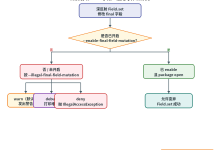
流程图
#mermaid-svg-jRu5tghusZB66Itm{font-family:\”trebuchet ms\”,verdana,arial,sans-serif;font-size:16px;fill:#333;}@keyframes edge-animation-frame{from{stroke-dashoffset:0;}}@keyframes dash{to{stroke-dashoffset:0;}}#mermaid-svg-jRu5tghusZB66Itm .edge-animation-slow{stroke-dasharray:9,5!important;stroke-dashoffset:900;animation:dash 50s linear infinite;stroke-linecap:round;}#mermaid-svg-jRu5tghusZB66Itm .edge-animation-fast{stroke-dasharray:9,5!important;stroke-dashoffset:900;animation:dash 20s linear infinite;stroke-linecap:round;}#mermaid-svg-jRu5tghusZB66Itm .error-icon{fill:#552222;}#mermaid-svg-jRu5tghusZB66Itm .error-text{fill:#552222;stroke:#552222;}#mermaid-svg-jRu5tghusZB66Itm .edge-thickness-normal{stroke-width:1px;}#mermaid-svg-jRu5tghusZB66Itm .edge-thickness-thick{stroke-width:3.5px;}#mermaid-svg-jRu5tghusZB66Itm .edge-pattern-solid{stroke-dasharray:0;}#mermaid-svg-jRu5tghusZB66Itm .edge-thickness-invisible{stroke-width:0;fill:none;}#mermaid-svg-jRu5tghusZB66Itm .edge-pattern-dashed{stroke-dasharray:3;}#mermaid-svg-jRu5tghusZB66Itm .edge-pattern-dotted{stroke-dasharray:2;}#mermaid-svg-jRu5tghusZB66Itm .marker{fill:#333333;stroke:#333333;}#mermaid-svg-jRu5tghusZB66Itm .marker.cross{stroke:#333333;}#mermaid-svg-jRu5tghusZB66Itm svg{font-family:\”trebuchet ms\”,verdana,arial,sans-serif;font-size:16px;}#mermaid-svg-jRu5tghusZB66Itm p{margin:0;}#mermaid-svg-jRu5tghusZB66Itm .label{font-family:\”trebuchet ms\”,verdana,arial,sans-serif;color:#333;}#mermaid-svg-jRu5tghusZB66Itm .cluster-label text{fill:#333;}#mermaid-svg-jRu5tghusZB66Itm .cluster-label span{color:#333;}#mermaid-svg-jRu5tghusZB66Itm .cluster-label span p{background-color:transparent;}#mermaid-svg-jRu5tghusZB66Itm .label text,#mermaid-svg-jRu5tghusZB66Itm span{fill:#333;color:#333;}#mermaid-svg-jRu5tghusZB66Itm .node rect,#mermaid-svg-jRu5tghusZB66Itm .node circle,#mermaid-svg-jRu5tghusZB66Itm .node ellipse,#mermaid-svg-jRu5tghusZB66Itm .node polygon,#mermaid-svg-jRu5tghusZB66Itm .node path{fill:#ECECFF;stroke:#9370DB;stroke-width:1px;}#mermaid-svg-jRu5tghusZB66Itm .rough-node .label text,#mermaid-svg-jRu5tghusZB66Itm .node .label text,#mermaid-svg-jRu5tghusZB66Itm .image-shape .label,#mermaid-svg-jRu5tghusZB66Itm .icon-shape .label{text-anchor:middle;}#mermaid-svg-jRu5tghusZB66Itm .node .katex path{fill:#000;stroke:#000;stroke-width:1px;}#mermaid-svg-jRu5tghusZB66Itm .rough-node .label,#mermaid-svg-jRu5tghusZB66Itm .node .label,#mermaid-svg-jRu5tghusZB66Itm .image-shape .label,#mermaid-svg-jRu5tghusZB66Itm .icon-shape .label{text-align:center;}#mermaid-svg-jRu5tghusZB66Itm .node.clickable{cursor:pointer;}#mermaid-svg-jRu5tghusZB66Itm .root .anchor path{fill:#333333!important;stroke-width:0;stroke:#333333;}#mermaid-svg-jRu5tghusZB66Itm .arrowheadPath{fill:#333333;}#mermaid-svg-jRu5tghusZB66Itm .edgePath .path{stroke:#333333;stroke-width:2.0px;}#mermaid-svg-jRu5tghusZB66Itm .flowchart-link{stroke:#333333;fill:none;}#mermaid-svg-jRu5tghusZB66Itm .edgeLabel{background-color:rgba(232,232,232, 0.8);text-align:center;}#mermaid-svg-jRu5tghusZB66Itm .edgeLabel p{background-color:rgba(232,232,232, 0.8);}#mermaid-svg-jRu5tghusZB66Itm .edgeLabel rect{opacity:0.5;background-color:rgba(232,232,232, 0.8);fill:rgba(232,232,232, 0.8);}#mermaid-svg-jRu5tghusZB66Itm .labelBkg{background-color:rgba(232, 232, 232, 0.5);}#mermaid-svg-jRu5tghusZB66Itm .cluster rect{fill:#ffffde;stroke:#aaaa33;stroke-width:1px;}#mermaid-svg-jRu5tghusZB66Itm .cluster text{fill:#333;}#mermaid-svg-jRu5tghusZB66Itm .cluster span{color:#333;}#mermaid-svg-jRu5tghusZB66Itm div.mermaidTooltip{position:absolute;text-align:center;max-width:200px;padding:2px;font-family:\”trebuchet ms\”,verdana,arial,sans-serif;font-size:12px;background:hsl(80, 100%, 96.2745098039%);border:1px solid #aaaa33;border-radius:2px;pointer-events:none;z-index:100;}#mermaid-svg-jRu5tghusZB66Itm .flowchartTitleText{text-anchor:middle;font-size:18px;fill:#333;}#mermaid-svg-jRu5tghusZB66Itm rect.text{fill:none;stroke-width:0;}#mermaid-svg-jRu5tghusZB66Itm .icon-shape,#mermaid-svg-jRu5tghusZB66Itm .image-shape{background-color:rgba(232,232,232, 0.8);text-align:center;}#mermaid-svg-jRu5tghusZB66Itm .icon-shape p,#mermaid-svg-jRu5tghusZB66Itm .image-shape p{background-color:rgba(232,232,232, 0.8);padding:2px;}#mermaid-svg-jRu5tghusZB66Itm .icon-shape rect,#mermaid-svg-jRu5tghusZB66Itm .image-shape rect{opacity:0.5;background-color:rgba(232,232,232, 0.8);fill:rgba(232,232,232, 0.8);}#mermaid-svg-jRu5tghusZB66Itm .label-icon{display:inline-block;height:1em;overflow:visible;vertical-align:-0.125em;}#mermaid-svg-jRu5tghusZB66Itm .node .label-icon path{fill:currentColor;stroke:revert;stroke-width:revert;}#mermaid-svg-jRu5tghusZB66Itm :root{–mermaid-font-family:\”trebuchet ms\”,verdana,arial,sans-serif;}
无
有
Fortran: 准备必要数据
将数据挂载至全局字典 simulator
调用 Python 入口: udf_dispatcher
Global Dict: simulator
执行对应 UDF 函数
注册表检索函数名?
执行默认调试函数
从 simulator 读取输入数据
执行计算并将结果写入 simulator
Fortran: 获取计算结果并继续
Python 端的“模拟器”环境 (udf_mod.py)
在 Python 模块级别定义 simulator 字典,它作为两端的’共享内存看板’。
import numpy as np
# 全局数据交换桶
simulator = {}
# UDF 注册表
_udf_registry = {}
def register_udf(name):
"""装饰器:让用户可以轻松注册函数"""
def decorator(func):
_udf_registry[name] = func
return func
return decorator
@register_udf("thermal_flux")
def my_custom_logic():
# 1. 获取 Fortran 实时更新的物理场(无需拷贝,内存共享)
temp = simulator["temperature"]
# 2. 计算(利用 NumPy 的强大功能)
flux = np.gradient(temp) * –0.5
# 3. 将结果写回字典,Fortran 端会立刻感知
simulator["flux_result"] = flux
def udf_dispatcher(func_name):
"""Fortran 调用的唯一入口"""
target = _udf_registry.get(func_name)
if target:
# 直接运行用户定义的函数
target()
return 0 # 成功
else:
print(f"[Warning] UDF '{func_name}' not found. Current keys: {list(simulator.keys())}")
return 1 # 警告
Fortran加载Python
用forpy工具加载udf_mod.py: 获取全局字典simulator和UDF入口函数udf_dispatcher
参考
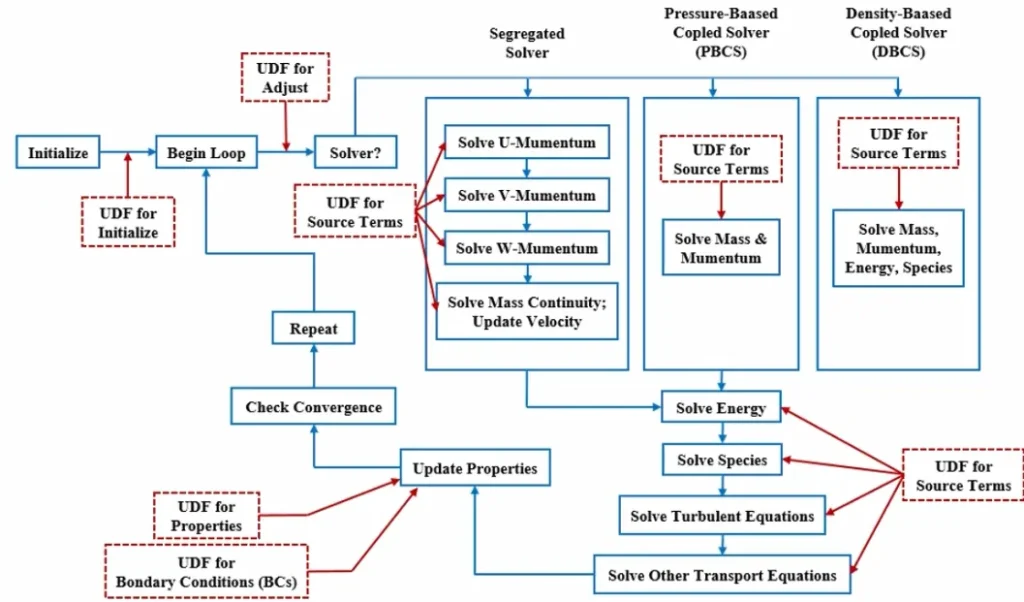
Introduction to User-Defined Functions (UDFs) in ANSYS Fluent: The Ultimate Guide