HAProxy安装
为了更好的快速掌握 HAProxy 的安装和使用,我们以一个案例来进行讲解。首先根据以下要求进行虚拟机的克隆。
| 1 | lb01 | 192.168.72.100 | haproxy | redhat 9.7 |
| 2 | web1 | 192.168.72.10 | nginx | redhat 9.7 |
| 3 | web2 | 192.168.72.20 | nginx | redhat 9.7 |
1.1 搭建Web1
1、克隆一台虚拟机,初始化虚拟机(ip ,主机名,关闭防火墙,selinux)

[root@node1 ~]# hostnamectl set-hostname web1&&bash [root@web1 ~]# systemctl disable firewalld.service Removed "/etc/systemd/system/multi-user.target.wants/firewalld.service". Removed "/etc/systemd/system/dbus-org.fedoraproject.FirewallD1.service". [root@web1 ~]# setenforce 0 [root@web1 ~]# sed -i "s/SELINUX=enforcing/SELINUX=permissive/" /etc/selinux/config
下载nginx
[root@web1 ~]# dnf install nginx -y Updating Subscription Management repositories. Unable to read consumer identity
This system is not registered with an entitlement server. You can use "rhc" or "subscription-manager" to register.
BaseOS 2.7 MB/s | 2.7 kB 00:00 AppStream 3.1 MB/s | 3.2 kB 00:00 Package nginx-2:1.20.1-22.el9.x86_64 is already installed. Dependencies resolved. Nothing to do. Complete!
修改欢迎页
[root@web1 ~]# echo "$(hostname) $(hostname -I)" > /usr/share/nginx/html/index.html
[root@web1 ~]# echo "health" > /usr/share/nginx/html/test.html
启动nginx并测试
[root@web1 ~]# systemctl start nginx [root@web1 ~]# curl localhost web1 192.168.72.10 [root@web1 ~]# curl 192.168.72.10 web1 192.168.72.10 [root@web1 ~]#
1.2 搭建Web2
1、克隆一台虚拟机,初始化虚拟机(ip ,主机名,关闭防火墙,selinux)
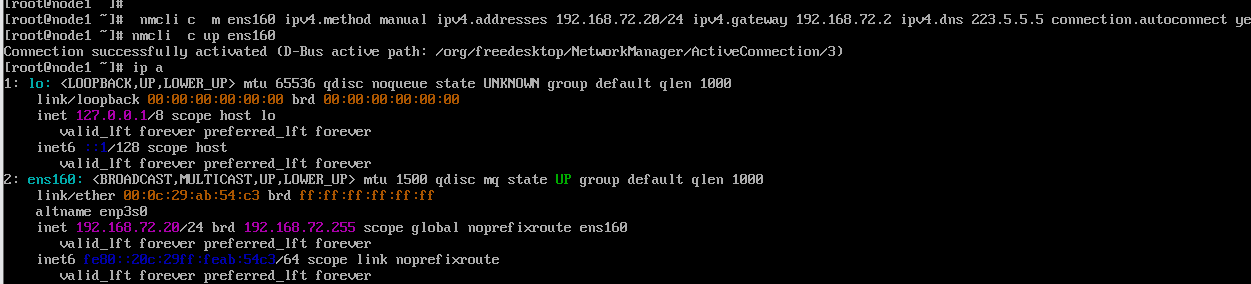
[root@node1 ~]# hostnamectl set-hostname web2&&bash [root@web2 ~]# systemctl disable firewalld.service Removed "/etc/systemd/system/multi-user.target.wants/firewalld.service". Removed "/etc/systemd/system/dbus-org.fedoraproject.FirewallD1.service". [root@web2 ~]# setenforce 0 [root@web2 ~]# sed -i "s/SELINUX=enforcing/SELINUX=permissive/" /etc/selinux/config
下载nginx
[root@web2 ~]# dnf install nginx -y Updating Subscription Management repositories. Unable to read consumer identity
This system is not registered with an entitlement server. You can use "rhc" or "subscription-manager" to register.
BaseOS 2.7 MB/s | 2.7 kB 00:00 AppStream 3.1 MB/s | 3.2 kB 00:00 Package nginx-2:1.20.1-22.el9.x86_64 is already installed. Dependencies resolved. Nothing to do. Complete! [root@web2 ~]#
修改欢迎页,创建健康检测页面
[root@web2~]# echo "$(hostname) $(hostname -I)" > /usr/share/nginx/html/index.html
[root@web2 ~]# echo "health" > /usr/share/nginx/html/test.html
启动nginx并测试
[root@web2 ~]# systemctl start nginx [root@web2~]# curl localhost web1 192.168.72.20 [root@web2~]# curl 192.168.72.20 web1 192.168.72.20 [root@web2 ~]#
1.3 搭建HAProxy
1、克隆一台虚拟机,初始化虚拟机(ip ,主机名,关闭防火墙,selinux)
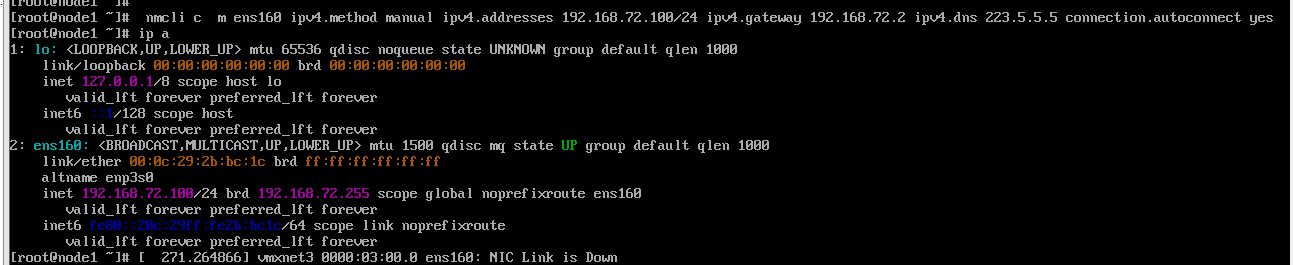
[root@node1 ~]# hostnamectl set-hostname lb1&&bash [root@lb1 ~]# systemctl disable firewalld.service Removed "/etc/systemd/system/multi-user.target.wants/firewalld.service". Removed "/etc/systemd/system/dbus-org.fedoraproject.FirewallD1.service". [root@lb1 ~]# setenforce 0 [root@lb1 ~]# sed -i "s/SELINUX=enforcing/SELINUX=permissive/" /etc/selinux/config
下载haproxy
[root@lb1 ~]# dnf install haproxy -y Updating Subscription Management repositories. Unable to read consumer identity
This system is not registered with an entitlement server. You can use "rhc" or "subscription-manager" to register.
BaseOS 2.7 MB/s | 2.7 kB 00:00 AppStream 3.1 MB/s | 3.2 kB 00:00 Dependencies resolved. ============================================================================================================================ Package Architecture Version Repository Size ============================================================================================================================ Installing: haproxy x86_64 2.4.22-4.el9 AppStream 2.2 M
Transaction Summary ============================================================================================================================ Install 1 Package
Total size: 2.2 M Installed size: 6.6 M Downloading Packages: Running transaction check Transaction check succeeded. Running transaction test Transaction test succeeded. Running transaction Preparing : 1/1 Running scriptlet: haproxy-2.4.22-4.el9.x86_64 1/1 Installing : haproxy-2.4.22-4.el9.x86_64 1/1 Running scriptlet: haproxy-2.4.22-4.el9.x86_64 1/1 Verifying : haproxy-2.4.22-4.el9.x86_64 1/1 Installed products updated.
Installed: haproxy-2.4.22-4.el9.x86_64
Complete!
验证haproxy
[root@lb1 ~]# haproxy -v HAProxy version 2.4.22-f8e3218 2023/02/14 – https://haproxy.org/ Status: long-term supported branch – will stop receiving fixes around Q2 2026. Known bugs: http://www.haproxy.org/bugs/bugs-2.4.22.html Running on: Linux 5.14.0-570.12.1.el9_6.x86_64 #1 SMP PREEMPT_DYNAMIC Fri Apr 4 10:41:31 EDT 2025 x86_64
查看配置文件路径
[root@lb1 ~]# rpm -qc haproxy /etc/haproxy/haproxy.cfg # 核心配置文件路径 /etc/logrotate.d/haproxy /etc/sysconfig/haproxy # 启动选项所在文件
修改配置文件
[root@lb1 ~]# cp /etc/haproxy/haproxy.cfg{,.bak} [root@lb1 ~]# vim /etc/haproxy/haproxy.cfg [root@lb1 ~]# cat /etc/haproxy/haproxy.cfg #——————————————————————— # Example configuration for a possible web application. See the # full configuration options online. # # https://www.haproxy.org/download/1.8/doc/configuration.txt # #———————————————————————
#——————————————————————— # Global settings #——————————————————————— global # to have these messages end up in /var/log/haproxy.log you will # need to: log 127.0.0.1 local2
chroot /var/lib/haproxy pidfile /var/run/haproxy.pid maxconn 4000 user haproxy group haproxy daemon
stats socket /var/lib/haproxy/stats
ssl-default-bind-ciphers PROFILE=SYSTEM ssl-default-server-ciphers PROFILE=SYSTEM
defaults mode http log global option httplog option dontlognull option http-server-close option forwardfor except 127.0.0.0/8 option redispatch retries 3 timeout http-request 10s timeout queue 1m timeout connect 10s timeout client 1m timeout server 1m timeout http-keep-alive 10s timeout check 10s maxconn 3000
frontend main bind *:80 default_backend webcluster
backend webcluster balance roundrobin option httpchk GET /test.html server web1 192.168.72.10:80 check inter 2000 rise 2 fall 2 weight 2 server web2 192.168.72.20:80 check inter 2000 rise 2 fall 2 weight 2 listen admin_status bind *:9129 stats refresh 30s stats uri /admin stats auth admin:admin123 stats hide-version stats admin if TRUE
启动haproxy
[root@lb1 ~]# systemctl start haproxy
[root@lb1 ~]# systemctl stop firewalld
打开浏览器访问
http://192.168.72.100:9129/admin
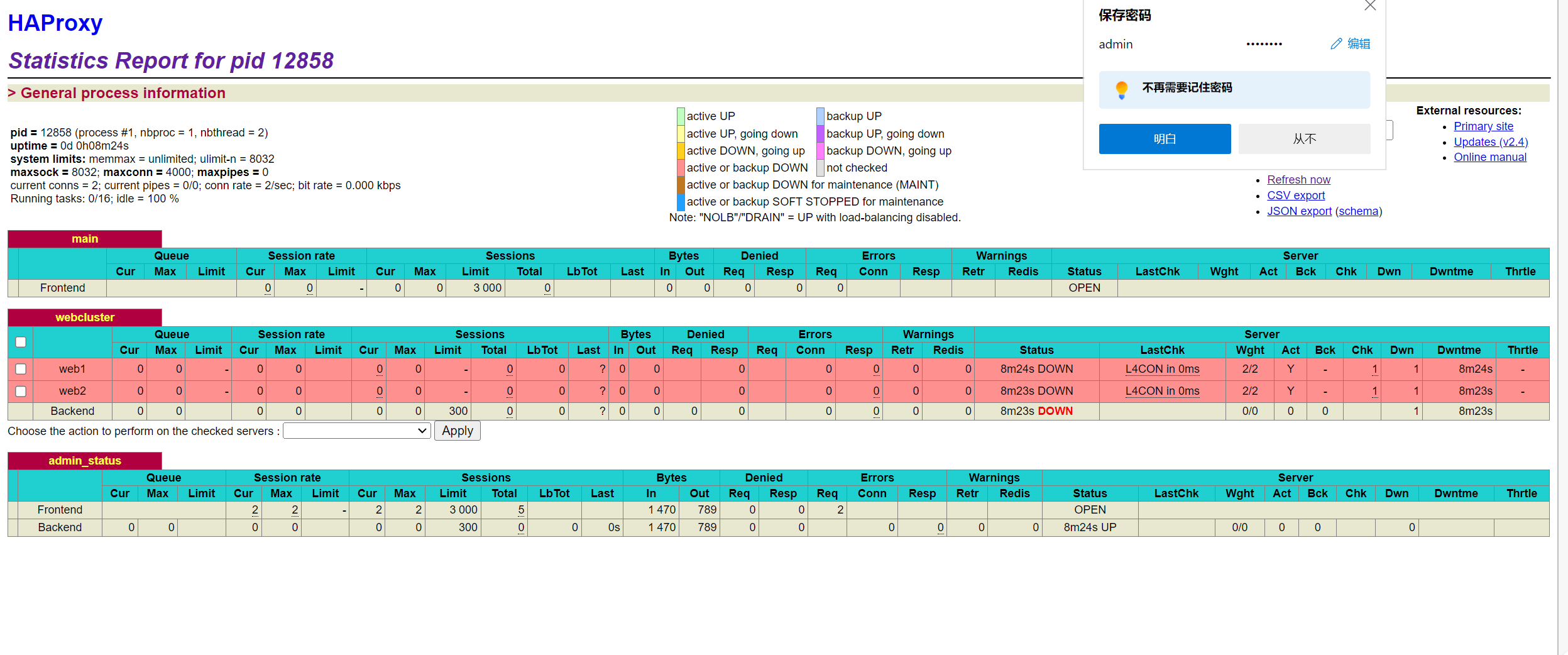
输出后,会弹出输入用户名和密码的窗口,我们输入在配置文件中配置的用户名(admin)和密码(admin123)后就可以登录成功。登录成功后就可以看到如下的界面了。