文章目录
- 一、前言
- 二、原因
- 三、尝试
- 四、带入
- 五、完整方案
一、前言
写了个服务,使用user32.dll取监听窗口的打开和关闭, 发布到 Windows服务里,无法执行, 写了个日志跟进发现无法跳过GetForegroundWindow、GetWindowThreadProcessId
[DllImport("user32.dll")]
private static extern IntPtr GetForegroundWindow();
Log("_1");//正常写到记事本
if (hwnd == IntPtr.Zero)
return;
Log("_2");//执行不到。
二、原因
-
Windows 服务运行在 会话0(Session 0) 隔离中
-
user32.dll 中的函数,它返回当前用户桌面上的前台窗口信息。
-
服务没有交互式桌面会话,所以可能没有“窗口”的概念。
然后怎么办呢 ?
可能需要写一个后台程序,把窗体信息传递到服务。
所以我为什么不直接写一个后台程序? 还管什么服务不服务的。
三、尝试
using System;
using System.Threading;
using System.Runtime.InteropServices;
class Program {
// 导入kernel32.dll的FreeConsole函数(参考引用[1]的API用法)
[DllImport("kernel32.dll")]
private static extern bool FreeConsole();
static void Main() {
FreeConsole(); // 立即隐藏控制台窗口
// 后台执行代码(此处为示例:每3秒记录日志)
while (true) {
System.Diagnostics.Trace.WriteLine($"[{DateTime.Now}] 后台任务运行中…"); // 使用Trace输出到调试窗口
Thread.Sleep(3000); // 暂停3秒
}
}
}
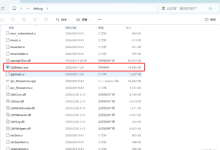
新建一个 framework 4.72的 控制台程序,拷贝进去试试。 结果: 运行,有控制台没文字。打开项目 生成的Debug内exe,没窗体,有用!
四、带入
1、while 之内执行很多次 2、删掉while,执行一次,控制台关闭
我的程序是个监听程序,有计时器, 需要调用,但又要控制台一直有效。
改进:
FreeConsole();
Myprocess.start(); //启动计时器(我的主要逻辑)
while (true) //后台运行 –保证控制台不被释放
{
Thread.Sleep(3000); // 暂停3秒
}
完美。
还需要什么: 1、开机自启动 2、程序不能重复启动,exe多点几下,进程几个重名,计时器全乱了。
完善:
/// <summary>
/// 进程唯一 –本控制台程序禁止重复打开多个
/// </summary>
private static void Distinct()
{
string currentProcessName = Process.GetCurrentProcess().ProcessName;
int currentProcessId = Process.GetCurrentProcess().Id;
List<Process> processesToKill = Process.GetProcessesByName(currentProcessName)
.Where(p => p.Id != currentProcessId)
.ToList();
// 关闭所有同名进程(除了自己)
foreach (Process process in processesToKill)
{
process.Kill();
process.WaitForExit();
}
}
/// <summary>
/// 创建开机自启动 –电脑重启后会出现在msconfig里
/// </summary>
public static void SetAutoStart()
{
// 获取启动文件夹路径
string startupPath = Environment.GetFolderPath(
Environment.SpecialFolder.Startup
);
// 创建快捷方式
string shortcutPath = Path.Combine(startupPath, "TMConsole.lnk");
IWshRuntimeLibrary.WshShell shell = new IWshRuntimeLibrary.WshShell();
IWshRuntimeLibrary.IWshShortcut shortcut =
(IWshRuntimeLibrary.IWshShortcut)shell.CreateShortcut(shortcutPath);
shortcut.TargetPath = System.Reflection.Assembly.GetExecutingAssembly().Location;
shortcut.WorkingDirectory = Path.GetDirectoryName(shortcut.TargetPath);
shortcut.Save();
}
五、完整方案
using System;
using System.Diagnostics;
using System.IO;
using System.Runtime.InteropServices;
using System.Threading;
class Program
{
// 导入kernel32.dll的FreeConsole函数(参考引用[1]的API用法)
[DllImport("kernel32.dll")]
private static extern bool FreeConsole();
private static TimeManager.ForService logic = new TimeManager.ForService();
static void Main()
{
FreeConsole(); // 一、立即隐藏控制台窗口
Distinct(); // 二、进程唯一
SetAutoStart(); // 三、创建开机自启动
Myprocess.start(); // 四、启动计时器(我的主要逻辑)
while (true) //后台运行 –保证控制台不被释放
{
Thread.Sleep(3000); // 暂停3秒
}
}
/// <summary>
/// 进程唯一 –本控制台程序禁止重复打开多个
/// </summary>
private static void Distinct()
{
// –有同名进程,关闭非本次进程
string currentProcessName = Process.GetCurrentProcess().ProcessName;
int currentProcessId = Process.GetCurrentProcess().Id;
List<Process> processesToKill = Process.GetProcessesByName(currentProcessName)
.Where(p => p.Id != currentProcessId)
.ToList();
// 关闭所有同名进程(除了自己)
foreach (Process process in processesToKill)
{
process.Kill();
process.WaitForExit();
}
}
/// <summary>
/// 创建开机自启动 –电脑重启后会出现在msconfig里
/// </summary>
public static void SetAutoStart()
{
// 获取启动文件夹路径
string startupPath = Environment.GetFolderPath(
Environment.SpecialFolder.Startup
);
// 创建快捷方式
string shortcutPath = Path.Combine(startupPath, "TMConsole.lnk");
IWshRuntimeLibrary.WshShell shell = new IWshRuntimeLibrary.WshShell();
IWshRuntimeLibrary.IWshShortcut shortcut =
(IWshRuntimeLibrary.IWshShortcut)shell.CreateShortcut(shortcutPath);
shortcut.TargetPath = System.Reflection.Assembly.GetExecutingAssembly().Location;
shortcut.WorkingDirectory = Path.GetDirectoryName(shortcut.TargetPath);
shortcut.Save();
}
}
到这里,问题已经得到解决了。 把项目 bin\\debug里的拷贝出来当安装程序。 点一下exe就行。这不比服务安装更舒服。
就是要注意,测试、生成的时候,先关掉taskmgr里的进程。