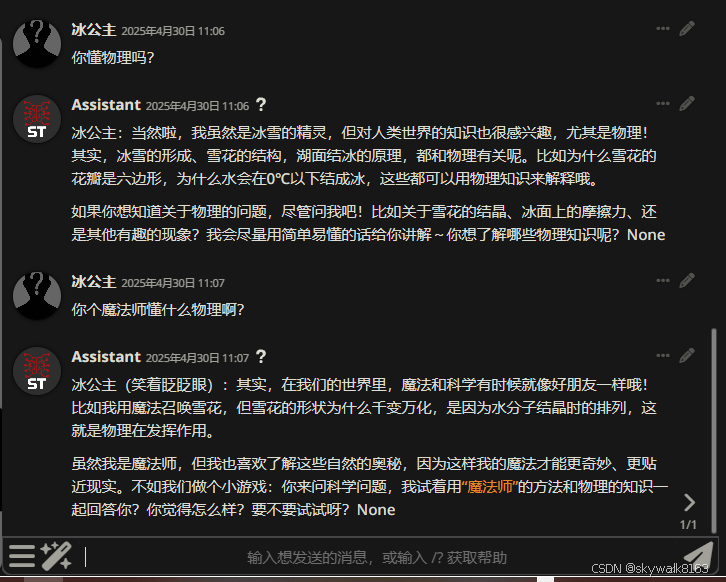
SillyTavern 是一个可以安装在电脑(和安卓手机)上的用户界面,让您可以与文本生成的人工智能互动,并与您或社区创建的角色聊天/玩角色扮演游戏。
官网:SillyTavern/SillyTavern: LLM Frontend for Power Users.
当然可惜的是说明书是英文的:What is SillyTavern? | docs.ST.app
功能亮点:
- 文生图引擎:基于AI的文本绘画生成,一键转化创意为视觉作品。
- 语音合成模块:多音色TTS支持,赋予角色鲜活声线。
- 智能总结系统:依托向量数据库技术,自动提炼聊天信息核心要点。
安装
Windows下安装
创建一个目录,比如e:\\github ,在这个目录里下载源代码
git clone https://github.com/SillyTavern/SillyTavern -b release
进入SillyTavern目录
cd SillyTavern
然后启动
Start.bash
启动成功后显示:
If you don't want to receive content updates in the future, set skipContentCheck to true in the config.yaml file.
Generating thumbnails cache. Please wait…
Done! Generated: 23 preview images
Collecting and creating stats for user: default-user
Compiling frontend libraries…
webpack 5.98.0 compiled successfully in 15025 ms
Launching in a browser…
SillyTavern is listening on IPv4: 127.0.0.1:8000
=================================================
Go to: http://127.0.0.1:8000/ to open SillyTavern
=================================================
Extensions available for default-user [
{ type: 'system', name: 'assets' },
{ type: 'system', name: 'attachments' },
{ type: 'system', name: 'caption' },
{ type: 'system', name: 'connection-manager' },
{ type: 'system', name: 'expressions' },
{ type: 'system', name: 'gallery' },
{ type: 'system', name: 'memory' },
{ type: 'system', name: 'quick-reply' },
{ type: 'system', name: 'regex' },
{ type: 'system', name: 'stable-diffusion' },
{ type: 'system', name: 'token-counter' },
{ type: 'system', name: 'translate' },
{ type: 'system', name: 'tts' },
{ type: 'system', name: 'vectors' }
]
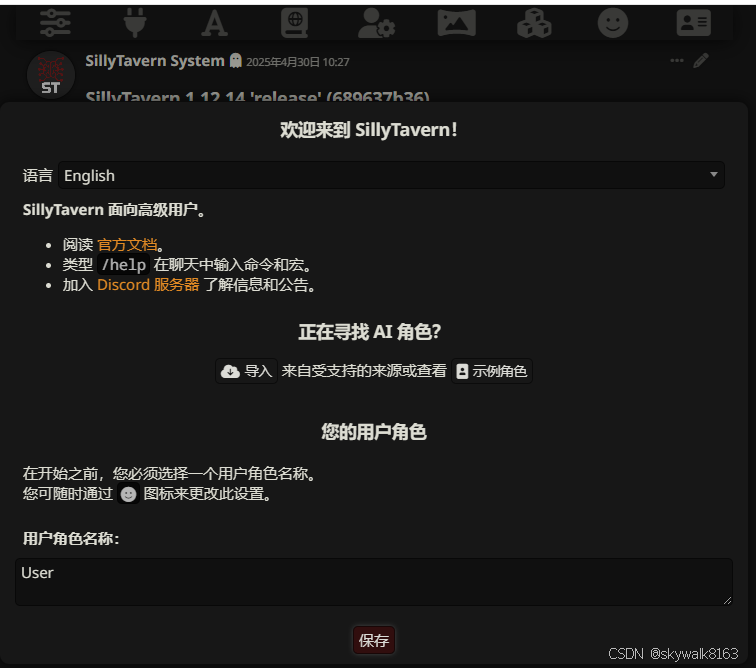
软件会自动打开http://127.0.0.1:8000/ 这个网址,显示欢迎页面:
Linux下安装
理论上跟Windows下一样,先下载源代码,然后执行
- ./start.sh
FreeBSD下安装
理论上应该能装成,但是没做试验。
配置
导入角色:
导入角色
输入要导入的内容的URL
支持的来源:
- Chub 角色(直链或ID) 例子: Anonymous/example-character
- Chub 知识书(直链或ID) 例子: lorebooks/bartleby/example-lorebook
- JanitorAI 角色(直链或UUID) 例子: ddd1498a-a370-4136-b138-a8cd9461fdfe_character-aqua-the-useless-goddess
- Pygmalion.chat 角色(直链或UUID) 例子: a7ca95a1-0c88-4e23-91b3-149db1e78ab9
- AICharacterCards.com 角色(直链或ID) 例子: AICC/aicharcards/the-game-master
- 被允许的PNG直链(请参阅 config.yaml) 例子: https://files.catbox.moe/notarealfile.png
- RisuRealm 角色(直链) 例子: https://realm.risuai.net/character/3ca54c71-6efe-46a2-b9d0-4f62df23d712
我们先用Anonymous/example-character测试一下
直接在导入角色那里输入Anonymous/example-character
如何快速开始聊天?
你可以点击右侧添加更多 示例角色 或从其他网站中 导入角色 。
您可前往此处 下载扩展和资源菜单 (在这里: 扩展 )以安装拓展功能。
配置API连接
一开始不熟悉,走了弯路,最终配置是这样的:
API连接配置
API custom
Server URL: http://192.168.1.13:1337/v1
Settings Preset: Default
模型 gpt-4o
Proxy Preset: None
自定义停止字符串 <Empty>
以…开始回复 <Empty>
Reasoning Template: DeepSeek
API 选聊天补全
自定义站点填AI API服务器的地址
然后就可以对话了,还是挺好玩的!