本人曾经Umi小白,工作用Umi4实现过两套系统的权限管理部分,踩了不少坑,特总结成文档给大家参考。。。
目录
一、配置文件中开启权限插件
二、配置app.tsx
三、配置access.ts
四、auth.tsx
五、403页面
umi官网:https://umijs.org/docs/guides/directory-structure
一、配置文件中开启权限插件
export default defineConfig({
plugins: [
'@umijs/plugins/dist/initial-state', // 必须放在第一个
'@umijs/plugins/dist/model',
'@umijs/plugins/dist/request',
'@umijs/plugins/dist/access', // 权限插件
],
initialState: {},//启用
access: {},//启用
routes: [
{
path: '/common/business',
wrappers: ['@/wrappers/auth'], // 添加权限包装器
name: '业务线管理',
component: '@/pages/business/index',
},
{
path: '/intelligent/content',
name: '垃圾识别管理',
component: '@/pages/intelligent/content/index',
access: 'intelligence-garbage', // 路由级权限代码
wrappers: ['@/wrappers/auth'],
},
{
path: '/qualityTest/qualityPoint/editPage',
name: '质检点(编辑页)',
component: '@/pages/qualityTest/qualityPoint/editPage/index',
access: 'qualitymanage-point', // 路由级权限代码
wrappers: ['@/wrappers/auth'],
},
],
});
```
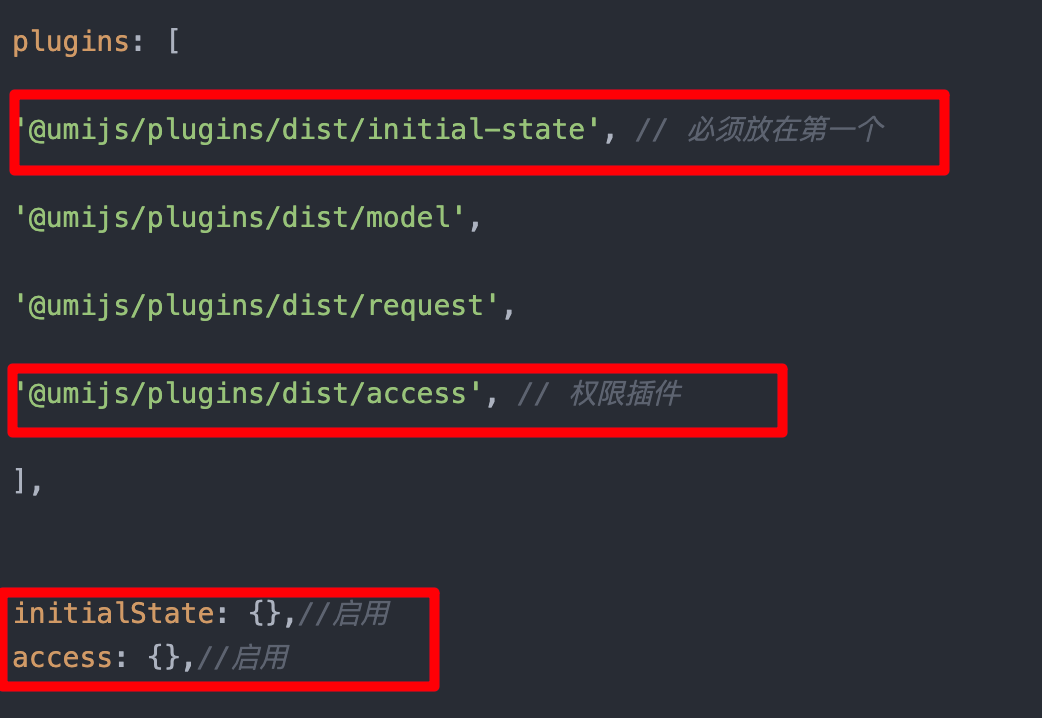
请一定要注意圈起来的代码!!一定要配!!否则后续会报错!!本人血泪教训!!
配置说明:
1、initialState: {}
initialState 是一个非常核心的插件机制,用于管理应用的全局初始状态,通常与用户登录态、全局配置、权限信息等强相关。
2、access: 'xxx'
为路由指定权限代码,用于路由级别的权限控制,
access 插件依赖 initialState 提供的用户角色或权限数据来动态判断路由/按钮是否可见。
3、wrappers: ['@/wrappers/auth']`
为路由添加权限包装器,所有经过该路由的请求都会进行权限检查
二、配置app.tsx
Umi 将 src/app.tsx(或 app.ts)视为 应用级别的运行时入口文件,用于集中定义:
- 全局状态初始化(getInitialState)
- 权限规则(access)
- 布局(layout)
- 请求拦截(request)
- 路由守卫等
这些功能都通过 导出特定命名的函数或对象 来生效,Umi 在构建时会自动识别并集成
位置:/src/app.tsx
export async function getInitialState(): Promise<{
currentUser?: any;
permissions: Array<{ code: string }>;
hasAdminManagePermission: boolean;
}> {
try {
// 获取权限(替换成你获取权限的接口)
const loginRes = await hsfApi("getLogin", {
className: "xxx",
action: "servicerLogin",
data: {
servicerId: userRes.data.user.userid,
loginType: userRes.data.user.namespace === 'buc' ? 1 : 2
}
});
// 返回结构化数据
return {
currentUser: loginRes.data?.data?.roleList || [],
permissions: loginRes.data?.data?.permissionList || [],
hasAdminManagePermission: loginRes.data?.data?.hasAdminManagePermission === 0 ? true : false
};
} catch (error) {
console.error('初始化失败:', error);
return { permissions: [] };
}
}
返回数据结构:
– `currentUser`:用户角色列表,用于判断是否为超级管理员
– `permissions`:权限列表,每个权限包含 `code` 和 `name` 字段
– `hasAdminManagePermission`:是否有管理员权限
想返回啥自己定义,不一定要和我一样,结构一致即可!!
小贴士:为什么要在app.ts中请求权限接口??而不是在layout中实现权限接口请求?
Umi 的权限系统是「声明式 + 全局预加载」的,而 Layout 是「渲染时组件」,时机太晚、作用域太窄
如果在 Layout 里请求权限:
- 此时路由已经匹配完成,菜单已生成;
- 用户可能已经看到本不该看到的页面或菜单(闪现漏洞);
- 路由守卫无法生效(因为组件都开始渲染了)。
三、配置access.ts
位置:/src/access.ts
在 Umi项目中,access.ts 是一个约定文件,用于集中定义权限规则。 access.ts 的作用是:根据当前用户状态(如角色、权限点),返回一组布尔值的权限规则,供路由、菜单、按钮等做访问控制。
export default function (initialState: {
currentUser?: any;
permissions?: Array<{ code: string }>;
}) {
const { currentUser, permissions = [] } = initialState || {};
// 判断是否是管理员
let isAdmin = false;
if (Array.isArray(currentUser)) {
isAdmin = currentUser.some(user => user.roleCategory === 'super_admin');
} else if (currentUser && typeof currentUser === 'object') {
isAdmin = currentUser.roleCategory === 'super_admin';
}
// 将权限代码转换为 Set 以提高查找效率
const permissionCodes = new Set(permissions.map(p => p.code));
return {
isAdmin: isAdmin,
// 菜单权限检查
canAccessMenu: (code: string | undefined): boolean => {
if (!code) return false;
return isAdmin || permissionCodes.has(code);
},
// 通用权限检查
hasPermission: (code: string): boolean => {
return permissionCodes.has(code) || isAdmin;
},
};
}
四、auth.tsx
位置:/src/wrappers/auth.tsx
主要功能:
-作为路由包装器,拦截所有路由请求
– 检查用户是否有权限访问当前路径
– 无权限时重定向到 403 页面
– 处理权限加载状态
export default () => {
const dataModel = useModel('useDataModel');
const access = useAccess();
const location = useLocation();
const currentPath = location.pathname;
const { initialState } = useModel('@@initialState');
const WHITE_LIST = ['/403', '/404'];
// 1. 检查是否是冻结账户
if (initialState?.currentUser?.length === 0 && initialState?.permissions?.length === 0) {
if (currentPath !== '/403') {
history.push('/403');
}
return null;
}
// 2. 超级管理员直接放行
if (access.isAdmin) {
return <Outlet />;
}
// 3. 白名单路径直接放行
if (WHITE_LIST.includes(currentPath)) {
return <Outlet />;
}
// 4. 等待权限数据加载完成
if (!state.isPermissionReady) {
return (
<div style={{ paddingTop: 100, textAlign: 'center' }}>
<Spin size="large" tip="权限校验中…" />
</div>
);
}
// 5. 获取用户有权限的路径列表
const allowedPaths: string[] = dataModel.state.filteredMenuDataKey || [];
// 6. 构造多个层级路径用于匹配
const pathSegments = currentPath.split('/').filter(Boolean);
const possibleBasePaths: string[] = [currentPath];
if (pathSegments.length >= 3) {
possibleBasePaths.push(`/${pathSegments.slice(0, 3).join('/')}`);
}
if (pathSegments.length >= 2) {
possibleBasePaths.push(`/${pathSegments[0]}/${pathSegments[1]}`);
}
if (pathSegments.length >= 1) {
possibleBasePaths.push(`/${pathSegments[0]}`);
}
// 7. 检查是否有权限
const hasAccess = possibleBasePaths.some((path) => allowedPaths.includes(path));
if (!hasAccess) {
console.warn(`无权限访问路径:${currentPath},跳转至 /403`);
history.push('/403');
return null;
}
// 8. 有权限,放行
return <Outlet />;
};
五、403页面
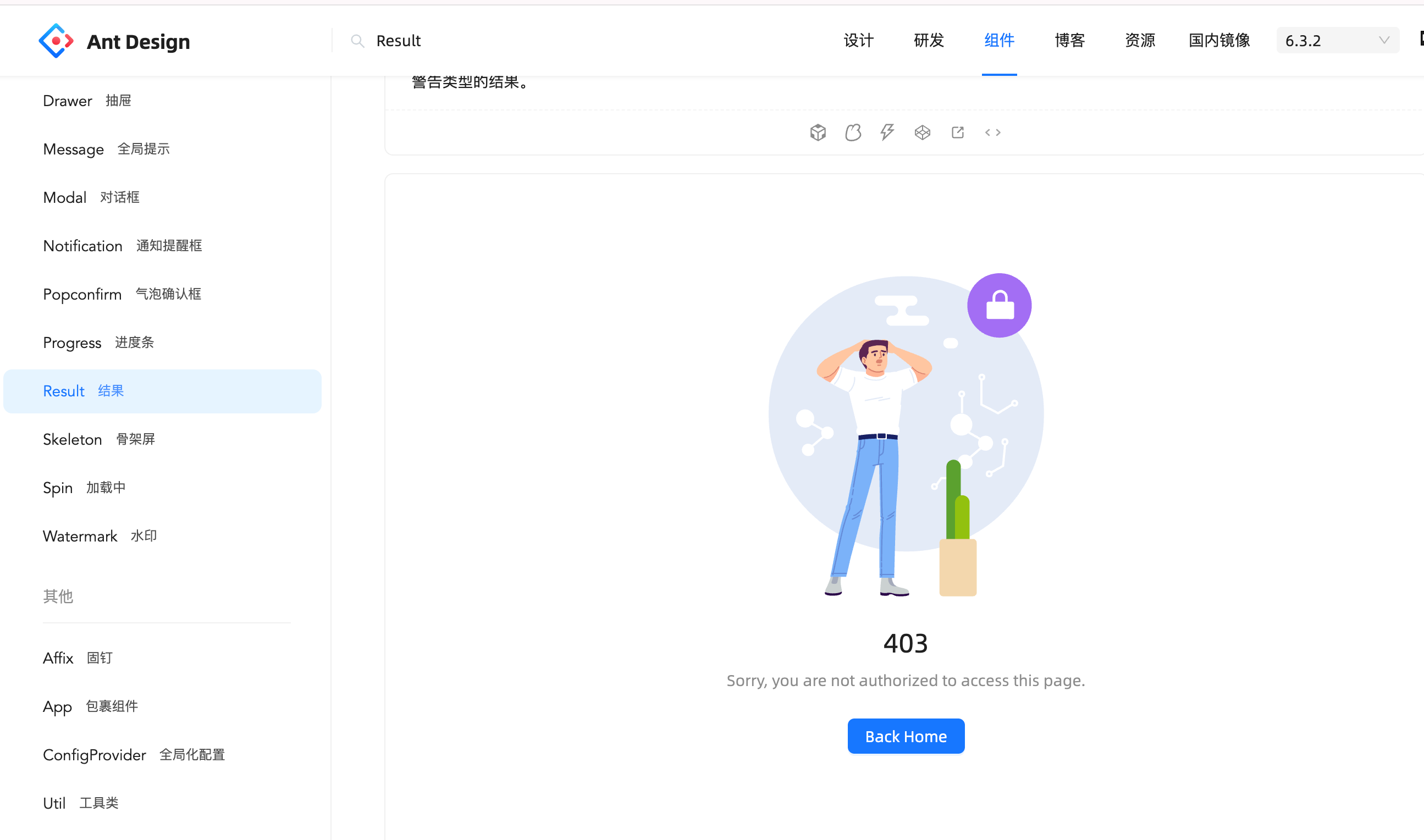
无需手搓,用antd里的组件即可