文章目录
-
- 关键背景(必看)
- 一、基础用法
-
- 1. 子组件(暴露内容)
- 2. 父组件(访问子组件)
- 二、核心特性
- 三、TypeScript 写法
- 四、常见使用场景
- 五、注意事项
- 六、总结
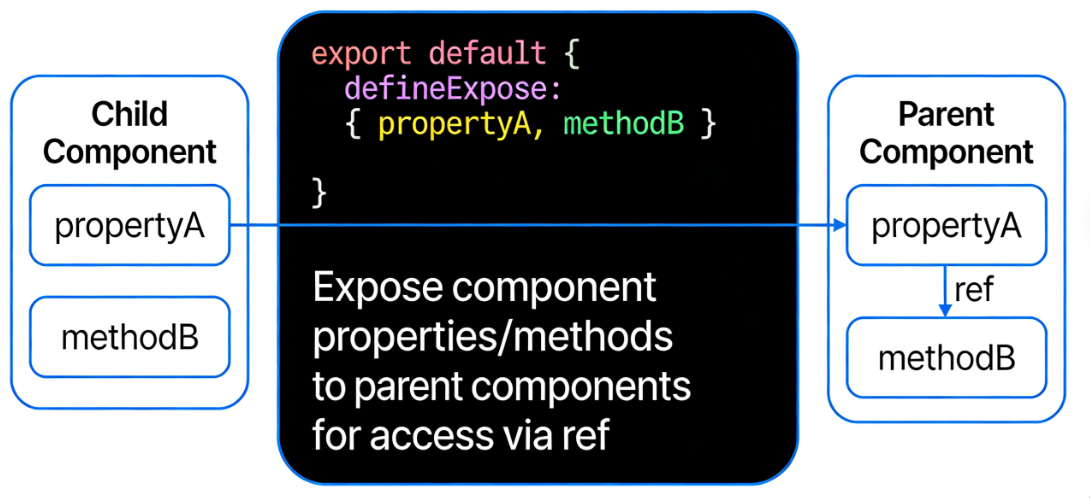
defineExpose 是 Vue3 组合式 API <script setup> 中的专用编译宏,核心作用:在 <script setup> 语法糖下,主动暴露组件的属性和方法,让父组件可以通过 ref / $parent 访问子组件的成员。
关键背景(必看)
在普通的 Vue3 选项式 API 中,组件的属性和方法默认会暴露给父组件; 但在 <script setup> 语法糖下,组件默认是封闭的,所有变量、方法都不会自动暴露,父组件无法直接访问。 这就是 defineExpose 存在的意义。
一、基础用法
1. 子组件(暴露内容)
<!– Child.vue –>
<script setup>
import { ref } from 'vue'
// 子组件内部数据
const count = ref(0)
// 子组件内部方法
const addCount = () => {
count.value++
}
// 核心:使用 defineExpose 暴露属性/方法
defineExpose({
count,
addCount
})
</script>
<template>
<div>子组件计数:{{ count }}</div>
</template>
2. 父组件(访问子组件)
通过 ref 获取子组件实例,调用暴露的方法/访问属性:
<!– Parent.vue –>
<script setup>
import { ref } from 'vue'
import Child from './Child.vue'
// 获取子组件 DOM 实例
const childRef = ref(null)
// 调用子组件暴露的方法
const triggerChild = () => {
// 访问子组件数据
console.log('子组件count:', childRef.value.count)
// 调用子组件方法
childRef.value.addCount()
}
</script>
<template>
<Child ref="childRef" />
<button @click="triggerChild">调用子组件方法</button>
</template>
二、核心特性
三、TypeScript 写法
<script setup lang="ts">
import { ref } from 'vue'
const count = ref<number>(0)
const addCount = () => count.value++
// 带类型的暴露
defineExpose<{
count: number
addCount: () => void
}>()
</script>
四、常见使用场景
五、注意事项
- defineProps:父 → 子 传值
- defineEmits:子 → 父 触发事件
- defineExpose:父 → 子 主动调用成员