进入系统根目录
cd /
说明:进入系统根目录,上面命令执行完后拿ls命令看一下,当前目录已经到系统根目录了
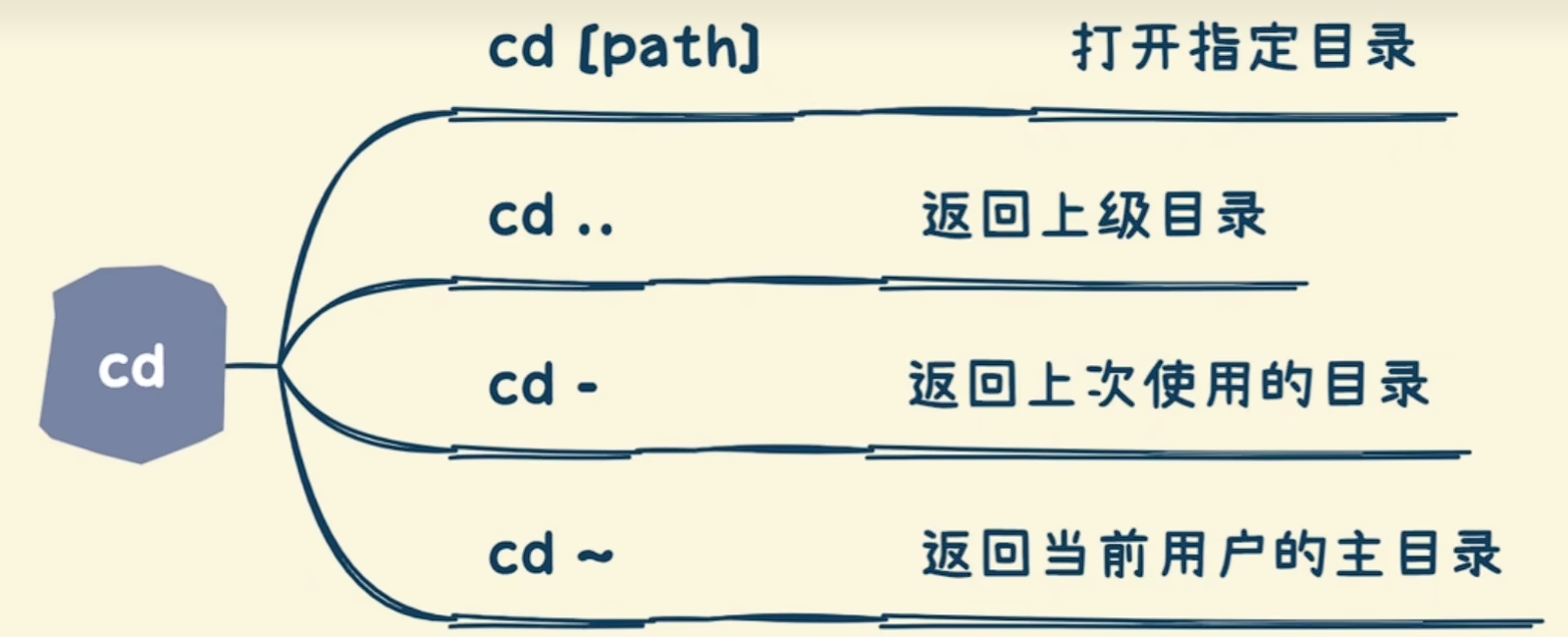
cd .. 或者 cd .. //
1 [root@localhost soft]# pwd
2 /opt/soft
3 [root@localhost soft]# cd ..
4 [root@localhost opt]# cd ..//
5 [root@localhost /]# pwd
6 /
说明:进入系统根目录可以使用“ cd .. ”一直退,就可以到达根目录
cd ../.. //
1 [root@localhost soft]# pwd
2 /opt/soft
3 [root@localhost soft]# cd ../.. //
4 [root@localhost /]# pwd
5 /
6 [root@localhost /]#
说明:使用cd 命令实现进入当前目录的父目录的父目录。
进入当前用户主目录有两个方法
1. cd
1 [root@localhost soft]# pwd
2 /opt/soft
3 [root@localhost soft]# cd
4 [root@localhost ~]# pwd
5 /root
2.cd ~
1 [root@localhost ~]# cd /opt/soft/
2 [root@localhost soft]# pwd
3 /opt/soft
4 [root@localhost soft]# cd ~
5 [root@localhost ~]# pwd
6 /root
跳转到指定目录
-
cd /opt/soft
1 [root@localhost ~]# cd /opt/soft
2 [root@localhost soft]# pwd
3 /opt/soft
4 [root@localhost soft]# cd jdk1.6.0_16/
5 [root@localhost jdk1.6.0_16]# pwd
6 /opt/soft/jdk1.6.0_16
7 [root@localhost jdk1.6.0_16]#
说明:跳转到指定目录,从根目录开始,目录名称前加 / ,当前目录内的子目录直接写名称即可
返回上次使用的目录
-
cd –
1 [root@localhost soft]# pwd
2 /opt/soft
3 [root@localhost soft]# cd –
4 /root
5 [root@localhost ~]# pwd
6 /root
7 [root@localhost ~]# cd –
8 /opt/soft
9 [root@localhost soft]#
把上个命令的参数作为cd参数使用
-
cd !$
1 [root@localhost soft]# cd !$
2 cd –
3 /root
4 [root@localhost ~]# cd !$
5 cd –
6 /opt/soft
7 [root@localhost soft]#
此例上个命令为cd –