安装pytest
方式两种:
pycharm安装:pycharm-》file-》setting-》project projectName-》Project Interpreter-》-“+”-》选择pytest安装即可 
命令行安装:pip install pytest 
pytest使用
方式一:右键点击运行,运行前需要先配置运行方式为pytest 
方式二:pycharm终端命令运行,pytest -s-v pyname.py 
方式三:配置文件运行,pycharm终端输入pytest命令运行:备注测试脚本和测试报告都放到相应文件夹下面。
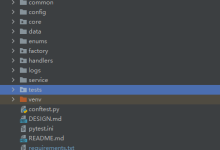
- 第一步:先创建配置文件: pytest.ini
- 第二步:编写配置文件:命令、脚本所在文件夹、脚本名称、脚本类名、脚本中方法名

- 第三步:pycharm终端输入pytest命令运行

pytest中插件-使用配置文件运行方式
插件一:html测试报告
- 安装插件:pip install pytest-html
- 使用:配置文件中addopt中添加 –html=report/report.html

插件二:控制测试用例执行顺序
- 安装插件:pip install pytest-ordering
- 使用:先导入import pytest,再在测试用例前使用装饰器 @pytest.mark.run(order=x)
import pytest
def add(x,y):
return x+y
class TestAdd():
#用例最后执行
@pytest.mark.trylast
def test_add_01(self):
result=add(1,99)
assert result==100
@pytest.mark.run(order=1)
def test_add_02(self):
result=add(1,12)
assert result==139
@pytest.mark.run(order=10)
def test_add_03(self):
result=add(1,33)
assert result==34
pytest其他用法
import pytest
def add(x,y):
return x+y
#跳过操作方式一
@pytest.mark.skip("版本已更新,用例不用执行")
#跳过操作方式二
# version=1.1
# @pytest.mark.skipif(version>1.0,reason="版本大于1.0不用执行")
class TestAdd():
@pytest.mark.trylast
def test_add_01(self):
result=add(1,99)
assert result==100
import pytest
def add(x,y):
return x+y
class TestAdd():
@pytest.mark.parametrize("x,y,expect",[(1,2,3),(2,2,4),(2,55,57)])
def test_add_01(self,x,y,expect):
result=add(x,y)
assert expect==result
···