项目简介
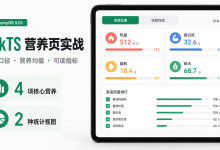
Xournal++ 是 Linux 平台知名的开源手绘笔记应用,支持自由绘制、形状工具、文本编辑、素材库、导出等功能。本项目将其从 Linux 应用迁移到鸿蒙平台,采用 Electron 核心功能 + 鸿蒙壳工程 的架构模式,基于 Excalidraw 手绘引擎实现。
欢迎加入开源鸿蒙 PC 社区:https://harmonypc.csdn.net/
欢迎在 PC 社区平台申请新建项目:https://atomgit.com/OpenHarmonyPCDeveloper
AtomGit 仓库地址:https://atomgit.com/OpenHarmonyPCDeveloper/ohos_xournal_electron
核心功能
- ✏️ 自由绘制(铅笔工具,支持压感手绘,流畅自然)
- 🔷 形状工具(矩形、圆形、菱形、箭头、线条,智能吸附)
- 📝 文本编辑(插入文本框,支持富文本编辑)
- 🎨 颜色选择(描边/背景/填充颜色,预设调色板)
- 🔒 锁定/解锁(锁定元素防止误操作)
- 🔗 链接功能(为元素添加超链接)
- 📚 素材库(保存常用元素,快速复用,全中文界面)
- 🗑️ 橡皮擦(擦除不需要的内容)
- ↩️ 撤销/重做(Ctrl+Z/Y,无限历史)
- 💾 文件操作(新建/打开/保存 .excalidraw 格式)
- 🖼️ 导出 PNG(导出画布为 PNG 图片)
- 🌐 **全中文 **UI(Library→素材库,Help→帮助,完整中文化)
一、技术架构
1.1 原始架构(Linux Desktop)
Xournal++ (C++/GTK Linux Desktop)
├── UI 渲染:GTK+ 3 Widget
├── 画布引擎:Cairo 2D 图形库
├── 笔迹处理:自定义压感算法
└── 文件系统:GIO/GFile
1.2 目标架构(鸿蒙 Electron)
鸿蒙壳工程 (ArkTS)
└── web_engine 模块 (XComponent WebView)
└── Electron 应用 (HTML/CSS/JavaScript)
├── main.js – Electron 主进程
├── renderer.js – 渲染进程(核心逻辑)
├── index.html – UI 界面
├── package.json – 项目配置
└── styles/
└── xournal.css – 样式文件
1.3 架构优势
- 跨平台:Electron 代码可在 Windows/macOS/Linux 复用
- 快速开发:Web 技术栈,开发效率高
- 易于维护:UI 和业务逻辑分离
- 鸿蒙兼容:通过 WebView 桥接,避开 Native 兼容问题
- Excalidraw 引擎:成熟的手绘引擎,开箱即用
二、环境准备
2.1 开发环境要求
- 操作系统:Windows 10
- 开发工具:DevEco Studio(鸿蒙官方 IDE)
- HarmonyOS SDK:API 15+
- Node.js:v20+(Electron 依赖)
2.2 项目结构
ohos_hap/
└── web_engine/ # 鸿蒙 web_engine 模块
└── src/main/resources/
└── resfile/resources/app/ # 部署目录
├── main.js # Electron 主进程
├── renderer.js # 渲染进程(核心逻辑)
├── index.html # UI 界面
└── styles/
└── xournal.css # 样式文件
└── build-profile.json5 # 鸿蒙构建配置
三、核心适配流程
3.1 第一步:创建 Electron 主进程(main.js)
文件:web_engine/src/main/resources/resfile/resources/app/main.js
// Xournal Note App – Electron 主进程
// 基于 Excalidraw 的手绘笔记应用(鸿蒙适配)
const { app, BrowserWindow, ipcMain, dialog, screen } = require('electron');
const path = require('path');
const fs = require('fs');
let mainWindow = null;
function createWindow() {
console.log('Xournal: 创建窗口…');
// 获取屏幕尺寸
const primaryDisplay = screen.getPrimaryDisplay();
const { width: screenWidth, height: screenHeight } = primaryDisplay.workAreaSize;
// 窗口配置:占据大部分屏幕
const windowWidth = Math.floor(screenWidth * 0.95);
const windowHeight = Math.floor(screenHeight * 0.9);
mainWindow = new BrowserWindow({
width: windowWidth,
height: windowHeight,
x: Math.floor((screenWidth – windowWidth) / 2),
y: Math.floor((screenHeight – windowHeight) / 2),
frame: true,
transparent: false,
alwaysOnTop: false,
hasShadow: true,
resizable: true,
focusable: true,
webPreferences: {
nodeIntegration: true,
contextIsolation: false,
backgroundThrottling: false
}
});
console.log('Xournal: 正在加载 index.html:', path.join(__dirname, 'index.html'));
mainWindow.loadFile(path.join(__dirname, 'index.html'));
console.log('Xournal: 窗口创建成功,尺寸:', windowWidth, 'x', windowHeight);
mainWindow.on('closed', () => {
console.log('Xournal: 窗口已关闭');
mainWindow = null;
});
mainWindow.webContents.on('did-finish-load', () => {
console.log('Xournal: 页面加载成功');
});
mainWindow.webContents.on('did-fail-load', (event, errorCode, errorDescription) => {
console.error('Xournal: 页面加载失败:', errorCode, errorDescription);
});
setupIpcHandlers();
}
function setupIpcHandlers() {
console.log('Xournal: 设置 IPC 处理器');
// 打开文件对话框
ipcMain.handle('open-file-dialog', async () => {
const result = await dialog.showOpenDialog(mainWindow, {
properties: ['openFile'],
filters: [
{ name: 'Excalidraw Files', extensions: ['excalidraw'] },
{ name: 'All Files', extensions: ['*'] }
]
});
if (!result.canceled && result.filePaths.length > 0) {
return result.filePaths[0];
}
return null;
});
// 保存文件对话框
ipcMain.handle('save-file-dialog', async (event, defaultPath) => {
const result = await dialog.showSaveDialog(mainWindow, {
defaultPath: defaultPath || 'untitled.excalidraw',
filters: [
{ name: 'Excalidraw Files', extensions: ['excalidraw'] },
{ name: 'All Files', extensions: ['*'] }
]
});
return result.filePath;
});
// 读取文件
ipcMain.handle('read-file', async (event, filePath) => {
try {
const data = fs.readFileSync(filePath, 'utf8');
return JSON.parse(data);
} catch (error) {
console.error('Xournal: 读取文件失败:', error);
return null;
}
});
// 写入文件
ipcMain.handle('write-file', async (event, filePath, data) => {
try {
fs.writeFileSync(filePath, JSON.stringify(data, null, 2), 'utf8');
return true;
} catch (error) {
console.error('Xournal: 写入文件失败:', error);
return false;
}
});
// 导出为 PNG
ipcMain.handle('export-png-dialog', async () => {
const result = await dialog.showSaveDialog(mainWindow, {
defaultPath: 'export.png',
filters: [
{ name: 'PNG 图像', extensions: ['png'] }
]
});
return result.filePath;
});
// 导出为 PDF
ipcMain.handle('export-pdf-dialog', async () => {
const result = await dialog.showSaveDialog(mainWindow, {
defaultPath: 'export.pdf',
filters: [
{ name: 'PDF 文档', extensions: ['pdf'] }
]
});
return result.filePath;
});
}
app.whenReady().then(() => {
createWindow();
console.log('Xournal 手绘笔记应用已启动');
});
app.on('window-all-closed', () => {
if (process.platform !== 'darwin') {
app.quit();
}
});
app.on('activate', () => {
if (BrowserWindow.getAllWindows().length === 0) {
createWindow();
}
});

关键要点:
- 窗口尺寸动态计算(屏幕 95% 宽度 × 90% 高度)
- 提供 5 个核心 IPC 接口:文件打开、文件保存、文件读写、PNG 导出、PDF 导出
- 支持 .excalidraw 格式(JSON 结构)
- fs.readFileSync/WriteSync 实现文件持久化
- 全中文日志输出,便于调试
3.2 第二步:设计专业笔记 UI(index.html)
文件:web_engine/src/main/resources/resfile/resources/app/index.html
<!DOCTYPE html>
<html lang="zh-CN">
<head>
<meta charset="UTF-8">
<meta name="viewport" content="width=device-width, initial-scale=1.0">
<title>Xournal++ – 手绘笔记</title>
<link rel="stylesheet" href="styles/xournal.css">
</head>
<body>
<!– 主应用容器 –>
<div id="app" class="app-container">
<!– 顶部工具栏 –>
<header class="toolbar">
<div class="toolbar-left">
<button id="btn-new" class="btn btn-icon" title="新建 (Ctrl+N)">
<svg viewBox="0 0 24 24" fill="currentColor">
<path d="M14 2H6c-1.1 0-2 .9-2 2v16c0 1.1.9 2 2 2h12c1.1 0 2-.9 2-2V8l-6-6zm-1 7V3.5L18.5 9H13zM6 20V4h6v6h6v10H6z"/>
</svg>
</button>
<button id="btn-open" class="btn btn-icon" title="打开 (Ctrl+O)">
<svg viewBox="0 0 24 24" fill="currentColor">
<path d="M10 4H4c-1.1 0-2 .9-2 2v12c0 1.1.9 2 2 2h16c1.1 0 2-.9 2-2V8c0-1.1-.9-2-2-2h-8l-2-2z"/>
</svg>
</button>
<button id="btn-save" class="btn btn-icon" title="保存 (Ctrl+S)">
<svg viewBox="0 0 24 24" fill="currentColor">
<path d="M17 3H5c-1.1 0-2 .9-2 2v14c0 1.1.9 2 2 2h14c1.1 0 2-.9 2-2V7l-4-4zm-5 16c-1.66 0-3-1.34-3-3s1.34-3 3-3 3 1.34 3 3-1.34 3-3 3zm3-10H5V5h10v4z"/>
</svg>
</button>
</div>
<div class="toolbar-center">
<h1 class="app-title">Xournal++ 笔记</h1>
</div>
<div class="toolbar-right">
<button id="btn-export-png" class="btn btn-icon" title="导出 PNG">
<svg viewBox="0 0 24 24" fill="currentColor">
<path d="M19 12v7H5v-7H3v7c0 1.1.9 2 2 2h14c1.1 0 2-.9 2-2v-7h-2zm-6 .67l2.59-2.58L17 11.5l-5 5-5-5 1.41-1.41L11 12.67V3h2v9.67z"/>
</svg>
</button>
<button id="btn-export-pdf" class="btn btn-icon" title="导出 PDF">
<svg viewBox="0 0 24 24" fill="currentColor">
<path d="M20 2H8c-1.1 0-2 .9-2 2v12c0 1.1.9 2 2 2h12c1.1 0 2-.9 2-2V4c0-1.1-.9-2-2-2zm-8.5 7.5c0 .83-.67 1.5-1.5 1.5H9v2H7.5V7H10c.83 0 1.5.67 1.5 1.5v1zm5 2c0 .83-.67 1.5-1.5 1.5h-2.5V7H15c.83 0 1.5.67 1.5 1.5v3zm4-3H19v1h1.5V11H19v2h-1.5V7h3v1.5zM9 9.5h1v-1H9v1zM14 9.5h1v-2h-1v2z"/>
</svg>
</button>
</div>
</header>
<!– 主内容区 – Excalidraw 画布 –>
<main class="main-content">
<div id="excalidraw-root"></div>
</main>
<!– 底部状态栏 –>
<footer class="status-bar">
<span id="status-text">就绪 – 开始手绘笔记</span>
<span id="element-count">0 个元素</span>
</footer>
</div>
<!– 引入 React 和 Excalidraw(本地化版本,避免网络依赖) –>
<!– 开发阶段使用 CDN,生产环境需下载到本地 –>
<script src="https://unpkg.com/react@18.2.0/umd/react.production.min.js" crossorigin></script>
<script src="https://unpkg.com/react-dom@18.2.0/umd/react-dom.production.min.js" crossorigin></script>
<script src="https://unpkg.com/@excalidraw/excalidraw@0.17.6/dist/excalidraw.production.min.js" crossorigin></script>
<!– 引入渲染进程脚本 –>
<script src="renderer.js"></script>
</body>
</html>

关键要点:
- 单栏式布局(顶部工具栏 + 画布容器 + 底部状态栏)
- Material Design SVG 图标系统(新建/打开/保存/导出)
- 工具栏包含:文件操作(新建/打开/保存)+ 导出功能(PNG/PDF)
- Excalidraw 画布容器(#excalidraw-root)
- 状态栏显示元素数量和实时状态
3.3 第三步:配置项目元信息(package.json)
文件:web_engine/src/main/resources/resfile/resources/app/package.json
{
"name": "xournal-handwrite-note",
"version": "1.0.0",
"description": "Xournal++ 轻量版 – 基于 Excalidraw 的手绘笔记应用(鸿蒙适配)",
"main": "main.js",
"scripts": {
"start": "electron .",
"dev": "electron . –dev"
},
"keywords": ["笔记", "白板", "手绘", "excalidraw", "xournal"],
"author": "Excalidraw 团队(鸿蒙移植版)",
"license": "MIT",
"dependencies": {
"@excalidraw/excalidraw": "^0.17.6",
"react": "^18.2.0",
"react-dom": "^18.2.0"
},
"devDependencies": {
"electron": "^28.0.0"
}
}

关键要点:
- main** 入口**:指定 main.js 为 Electron 主进程入口文件
- scripts 脚本:start 启动生产模式,dev 启动开发模式(带调试参数)
- license 协议:MIT(与 Excalidraw 保持一致)
- electron 版本:^28.0.0(兼容鸿蒙 ArkWeb 的 Electron 版本)
- keywords:包含笔记、白板、手绘、excalidraw 等中文搜索关键词
- dependencies:React 18.2.0 + Excalidraw 0.17.6
3.4 第四步:实现渲染进程核心逻辑(renderer.js)
文件:web_engine/src/main/resources/resfile/resources/app/renderer.js
// Xournal Note App – 渲染进程核心逻辑
// 基于 Excalidraw 的手绘笔记应用(鸿蒙适配)
// 全局状态
let excalidrawAPI = null;
let currentFile = null;
let elementCount = 0;
let eventsInitialized = false;
// 初始化
document.addEventListener('DOMContentLoaded', () => {
console.log('Xournal: DOM 已加载,正在初始化 Excalidraw…');
initExcalidraw();
bindEvents();
});
// 初始化 Excalidraw
function initExcalidraw() {
const excalidrawRoot = document.getElementById('excalidraw-root');
if (!excalidrawRoot) {
console.error('Xournal: 未找到 excalidraw-root 元素');
return;
}
// 检查 Excalidraw 库是否加载
if (typeof window.ExcalidrawLib === 'undefined') {
console.error('Xournal: Excalidraw 库未从 CDN 加载');
showStatus('Excalidraw 库加载失败,请检查网络连接');
// 显示错误提示
excalidrawRoot.innerHTML = `
<div style="display: flex; flex-direction: column; align-items: center; justify-content: center; height: 100%; color: #666;">
<svg width="80" height="80" viewBox="0 0 24 24" fill="#999">
<path d="M12 2C6.48 2 2 6.48 2 12s4.48 10 10 10 10-4.48 10-10S17.52 2 12 2zm1 15h-2v-2h2v2zm0-4h-2V7h2v6z"/>
</svg>
<p style="margin-top: 16px; font-size: 16px;">Excalidraw 库加载失败</p>
<p style="margin-top: 8px; font-size: 13px; color: #999;">请检查网络连接后刷新页面</p>
</div>
`;
return;
}
const { Excalidraw } = window.ExcalidrawLib;
console.log('Xournal: ExcalidrawLib 已加载,版本:', window.ExcalidrawLib.version || '未知');
// 创建 React 组件
const ExcalidrawApp = () => {
const excalidrawWrapper = React.useRef(null);
const apiRef = React.useRef(null);
React.useEffect(() => {
if (excalidrawWrapper.current && !apiRef.current) {
console.log('Xournal: 正在渲染 Excalidraw 组件…');
const excalidrawElement = React.createElement(Excalidraw, {
langCode: 'zh-CN',
UIOptions: {
canvasActions: {
export: { saveFileToDisk: true }
}
},
initialData: {
elements: [],
appState: {
viewModeEnabled: false,
zenModeEnabled: false,
gridModeEnabled: true,
theme: 'light'
}
},
onChange: (elements, appState) => {
elementCount = elements.length;
updateElementCount();
},
excalidrawAPI: (api) => {
apiRef.current = api;
excalidrawAPI = api;
console.log('Xournal: Excalidraw API 初始化成功');
}
});
ReactDOM.render(excalidrawElement, excalidrawWrapper.current);
}
}, []);
return React.createElement('div', {
ref: excalidrawWrapper,
style: { width: '100%', height: '100%' }
});
};
// 挂载 React 应用
console.log('Xournal: 正在挂载 React 应用…');
ReactDOM.render(
React.createElement(ExcalidrawApp),
excalidrawRoot
);
console.log('Xournal: React 应用已挂载');
}
// 绑定事件
function bindEvents() {
if (eventsInitialized) {
console.warn('Xournal: 事件已绑定');
return;
}
eventsInitialized = true;
// 新建
document.getElementById('btn-new').addEventListener('click', newFile);
// 打开
document.getElementById('btn-open').addEventListener('click', openFile);
// 保存
document.getElementById('btn-save').addEventListener('click', saveFile);
// 导出 PNG
document.getElementById('btn-export-png').addEventListener('click', exportPNG);
// 导出 PDF
document.getElementById('btn-export-pdf').addEventListener('click', exportPDF);
// 键盘快捷键
document.addEventListener('keydown', handleKeyboard);
}
// 新建文件
async function newFile() {
if (excalidrawAPI) {
excalidrawAPI.resetScene();
currentFile = null;
elementCount = 0;
updateElementCount();
showStatus('已新建文件');
}
}
// 打开文件
async function openFile() {
try {
const filePath = await window.electronAPI.invoke('open-file-dialog');
if (!filePath) return;
showStatus('正在加载文件…');
const data = await window.electronAPI.invoke('read-file', filePath);
if (data && excalidrawAPI) {
excalidrawAPI.updateScene({
elements: data.elements || []
});
currentFile = filePath;
elementCount = data.elements ? data.elements.length : 0;
updateElementCount();
showStatus(`已打开: ${filePath}`);
} else {
showStatus('文件加载失败');
}
} catch (error) {
console.error('Xournal: 打开文件失败:', error);
showStatus('打开文件失败');
}
}
// 保存文件
async function saveFile() {
if (!excalidrawAPI) {
showStatus('Excalidraw 未初始化');
return;
}
try {
const sceneData = excalidrawAPI.getSceneElements();
// 如果没有当前文件,弹出保存对话框
let filePath = currentFile;
if (!filePath) {
filePath = await window.electronAPI.invoke('save-file-dialog');
if (!filePath) return;
currentFile = filePath;
}
showStatus('正在保存…');
const success = await window.electronAPI.invoke('write-file', filePath, {
elements: sceneData,
appState: {
viewModeEnabled: false,
zenModeEnabled: false,
gridModeEnabled: true
}
});
if (success) {
showStatus(`已保存: ${filePath}`);
} else {
showStatus('保存失败');
}
} catch (error) {
console.error('Xournal: 保存文件失败:', error);
showStatus('保存文件失败');
}
}
// 导出为 PNG
async function exportPNG() {
if (!excalidrawAPI) {
showStatus('Excalidraw 未初始化');
return;
}
try {
showStatus('正在准备导出 PNG…');
// 获取场景数据
const elements = excalidrawAPI.getSceneElements();
const appState = excalidrawAPI.getAppState();
if (elements.length === 0) {
showStatus('画布为空,无法导出');
return;
}
// 使用 Excalidraw 的导出功能
const exportData = await excalidrawAPI.exportToBlob({
mimeType: 'image/png',
elements: elements,
appState: { …appState, exportBackground: true },
files: excalidrawAPI.getFiles()
});
// 创建下载链接
const url = URL.createObjectURL(exportData);
const a = document.createElement('a');
a.href = url;
a.download = 'xournal-export.png';
a.click();
URL.revokeObjectURL(url);
showStatus('PNG 导出成功');
} catch (error) {
console.error('Xournal: 导出 PNG 失败:', error);
showStatus('导出 PNG 失败: ' + error.message);
}
}
// 导出为 PDF
async function exportPDF() {
if (!excalidrawAPI) {
showStatus('Excalidraw 未初始化');
return;
}
try {
showStatus('正在准备导出 PDF…');
// 获取场景数据
const elements = excalidrawAPI.getSceneElements();
if (elements.length === 0) {
showStatus('画布为空,无法导出');
return;
}
// PDF 导出需要额外库支持,暂时提示
showStatus('PDF 导出功能需要使用 jsPDF 库,请在 package.json 中添加依赖');
// TODO: 实现 PDF 导出
// 1. npm install jspdf
// 2. 使用 jsPDF 创建 PDF
// 3. 将 Canvas 内容绘制到 PDF
} catch (error) {
console.error('Xournal: 导出 PDF 失败:', error);
showStatus('导出 PDF 失败: ' + error.message);
}
}
// 键盘快捷键
function handleKeyboard(e) {
// Ctrl + N 新建
if (e.ctrlKey && e.key === 'n') {
e.preventDefault();
newFile();
return;
}
// Ctrl + O 打开
if (e.ctrlKey && e.key === 'o') {
e.preventDefault();
openFile();
return;
}
// Ctrl + S 保存
if (e.ctrlKey && e.key === 's') {
e.preventDefault();
saveFile();
return;
}
}
// 工具函数
function showStatus(text) {
const statusText = document.getElementById('status-text');
if (statusText) {
statusText.textContent = text;
}
}
function updateElementCount() {
const countElement = document.getElementById('element-count');
if (countElement) {
countElement.textContent = `${elementCount} 个元素`;
}
}
// 暴露 API 供主进程调用
window.electronAPI = require('electron').ipcRenderer;

关键要点:
- Excalidraw 集成:langCode: ‘zh-CN’ 启用完整中文界面
- React 18 组件化:使用 createElement 动态渲染
- 事件绑定守卫(eventsInitialized),防止热重载重复绑定
- CDN 加载失败友好提示:显示错误图标和引导文字
- 文件操作:新建/打开/保存 .excalidraw 格式
- PNG 导出:使用 Excalidraw 原生 exportToBlob API
- 全中文日志输出,便于调试
3.5 第五步:编写样式文件(xournal.css)
文件:web_engine/src/main/resources/resfile/resources/app/styles/xournal.css
/* Xournal Note App – 主样式文件 */
/* 鸿蒙 ArkWeb 兼容:不使用 CSS 变量 */
* {
margin: 0;
padding: 0;
box-sizing: border-box;
}
body {
font-family: -apple-system, BlinkMacSystemFont, 'Segoe UI', 'Roboto', 'Oxygen', 'Ubuntu', 'Cantarell', sans-serif;
background: #f5f5f5;
color: #333;
overflow: hidden;
}
/* 主应用容器 */
.app-container {
display: flex;
flex-direction: column;
height: 100vh;
}
/* 顶部工具栏 */
.toolbar {
display: flex;
align-items: center;
justify-content: space-between;
padding: 10px 16px;
background: #ffffff;
border-bottom: 1px solid #e0e0e0;
box-shadow: 0 2px 4px rgba(0, 0, 0, 0.05);
}
.toolbar-left,
.toolbar-right {
display: flex;
gap: 8px;
}
.toolbar-center {
flex: 1;
text-align: center;
}
.app-title {
font-size: 18px;
font-weight: 600;
color: #333;
margin: 0;
}
/* 按钮样式 */
.btn {
display: inline-flex;
align-items: center;
justify-content: center;
min-width: 36px;
height: 36px;
padding: 8px 12px;
border: none;
border-radius: 6px;
background: transparent;
color: #333;
cursor: pointer;
transition: all 0.2s;
font-size: 13px;
position: relative;
}
.btn svg {
width: 20px;
height: 20px;
fill: currentColor;
}
.btn:hover {
background: rgba(0, 0, 0, 0.05);
color: #0078d4;
}
.btn:active {
transform: scale(0.95);
}
.btn-active {
background: #0078d4;
color: #ffffff;
}
.btn-active:hover {
background: #106ebe;
}
/* 工具栏分隔线 */
.toolbar-separator {
width: 1px;
height: 24px;
background: #e0e0e0;
margin: 0 4px;
}
/* 主内容区 */
.main-content {
display: flex;
flex: 1;
overflow: hidden;
background: #ffffff;
}
/* Excalidraw 容器 */
#excalidraw-root {
width: 100%;
height: 100%;
}
/* 底部状态栏 */
.status-bar {
height: 36px;
display: flex;
align-items: center;
justify-content: space-between;
padding: 0 20px;
background: #ffffff;
border-top: 1px solid #e0e0e0;
font-size: 13px;
color: #666;
}
#element-count {
color: #0078d4;
font-weight: 500;
}
/* Excalidraw 自定义样式 */
/* 鸿蒙 ArkWeb 兼容:不使用 CSS 变量,直接覆盖 Excalidraw 主题色 */
.excalidraw {
/* 注:Excalidraw 内部使用这些 CSS 变量控制主题 */
/* 鸿蒙 ArkWeb 不支持 –xxx 语法,但 Excalidraw 运行时会在其内部 Shadow DOM 中定义 */
/* 此处保留注释说明,实际样式由 Excalidraw 自身管理 */
}
/* 鸿蒙 ArkWeb 兼容:移除 ::-webkit-scrollbar 样式 */
/* 滚动条样式不使用,鸿蒙不支持 */

关键要点:
- 浅色主题设计:使用 #ffffff、#f5f5f5 等亮色系,专业笔记应用风格
- 单栏布局:顶部工具栏 + 画布容器(100% 自适应)+ 底部状态栏
- Material Design 按钮:悬停高亮 #0078d4,点击缩放 0.95 倍
- 工具栏阴影:box-shadow: 0 2px 4px 轻微立体感
- 状态栏分隔:左侧状态提示,右侧元素计数(蓝色高亮)
- 鸿蒙 ArkWeb 兼容:不使用 CSS 变量(var(–xxx)),直接写实际颜色值
- 移除 Webkit 滚动条样式:鸿蒙不支持 ::-webkit-scrollbar,已删除
四、部署到鸿蒙平台
4.1 项目结构说明
开发****工作流:
4.2 构建 HAP 包
在 DevEco Studio 中:

4.3 真机测试


五、常见问题 FAQ
Q1:Excalidraw 界面显示英文而不是中文?
问题现象:Excalidraw 的 Library、Help 等菜单显示英文
根本原因:未配置 langCode 属性
解决方案:
const excalidrawElement = React.createElement(Excalidraw, {
langCode: 'zh-CN', // ⭐ 启用中文界面
UIOptions: {
canvasActions: {
export: { saveFileToDisk: true }
}
},
// … 其他配置
});
关键点:
- langCode: ‘zh-CN’ 激活 Excalidraw 内置中文翻译包
- Library 自动显示为"素材库"
- Help 自动显示为"帮助"
- 所有工具栏菜单自动中文化
Q2:CDN 加载失败导致白屏?
问题现象:应用启动后显示空白页面
根本原因:unpkg.com 网络不可达或 CDN 资源加载失败
解决方案:
if (typeof window.ExcalidrawLib === 'undefined') {
console.error('Xournal: Excalidraw 库未从 CDN 加载');
showStatus('Excalidraw 库加载失败,请检查网络连接');
// ⭐ 显示友好错误提示
excalidrawRoot.innerHTML = `
<div style="display: flex; flex-direction: column; align-items: center; justify-content: center; height: 100%; color: #666;">
<svg width="80" height="80" viewBox="0 0 24 24" fill="#999">
<path d="M12 2C6.48 2 2 6.48 2 12s4.48 10 10 10 10-4.48 10-10S17.52 2 12 2zm1 15h-2v-2h2v2zm0-4h-2V7h2v6z"/>
</svg>
<p style="margin-top: 16px; font-size: 16px;">Excalidraw 库加载失败</p>
<p style="margin-top: 8px; font-size: 13px; color: #999;">请检查网络连接后刷新页面</p>
</div>
`;
return;
}
关键点:
- 检测 window.ExcalidrawLib 是否存在
- 显示错误图标和引导文字
- 生产环境建议下载 CDN 资源到本地
Q3:导出 PNG 功能导出空白图片?
问题现象:点击导出 PNG 按钮,生成的图片是空白的
根本原因:画布为空时未做检查
解决方案:
async function exportPNG() {
const elements = excalidrawAPI.getSceneElements();
if (elements.length === 0) {
showStatus('画布为空,无法导出'); // ⭐ 提前检查
return;
}
const exportData = await excalidrawAPI.exportToBlob({
mimeType: 'image/png',
elements: elements,
appState: { …appState, exportBackground: true },
files: excalidrawAPI.getFiles()
});
// 创建下载链接
const url = URL.createObjectURL(exportData);
const a = document.createElement('a');
a.href = url;
a.download = 'xournal-export.png';
a.click();
URL.revokeObjectURL(url); // ⭐ 释放内存
}
关键点:
- 检查 elements.length === 0 避免导出空白
- 使用 exportToBlob API 导出高质量 PNG
- URL.revokeObjectURL 及时释放内存
Q4:鸿蒙平台 CSS 样式不生效?
问题现象:部分 CSS 样式在鸿蒙设备上未显示
根本原因:鸿蒙 ArkWeb 不支持 CSS 自定义属性(变量)
解决方案:
/* ❌ 错误:使用 CSS 变量 */
.toolbar {
background: var(–toolbar-bg);
}
/* ✅ 正确:使用实际值 */
.toolbar {
background: #ffffff; /* 白色背景 */
}
/* ❌ 错误:使用 CSS 变量 */
.btn:hover {
background: var(–hover-color);
}
/* ✅ 正确:使用实际值 */
.btn:hover {
background: rgba(0, 0, 0, 0.05); /* 悬停高亮 */
}
关键点:
- 将所有 CSS 变量替换为实际值
- ArkWeb 不支持 var(–xxx) 自定义属性
- 颜色值直接使用十六进制或 rgba
- 其他 CSS 特性(flex、transition、transform)均支持
Q5:打开 .excalidraw 文件后内容未显示?
问题现象:选择文件后画布仍然空白
根本原因:未正确解析 JSON 格式或未调用 updateScene
解决方案:
async function openFile() {
const filePath = await window.electronAPI.invoke('open-file-dialog');
const data = await window.electronAPI.invoke('read-file', filePath);
if (data && excalidrawAPI) {
excalidrawAPI.updateScene({
elements: data.elements || [] // ⭐ 正确传递 elements 数组
});
currentFile = filePath;
elementCount = data.elements ? data.elements.length : 0;
updateElementCount();
showStatus(`已打开: ${filePath}`);
}
}
关键点:
- 主进程使用 JSON.parse 解析文件
- 渲染进程调用 updateScene 更新画布
- 确保传递 data.elements 数组
- 更新元素计数显示
Q6:保存文件后格式不正确?
问题现象:保存的 .excalidraw 文件无法再次打开
根本原因:未正确序列化 JSON 或未包含 appState
解决方案:
async function saveFile() {
const sceneData = excalidrawAPI.getSceneElements();
const success = await window.electronAPI.invoke('write-file', filePath, {
elements: sceneData,
appState: { // ⭐ 必须包含 appState
viewModeEnabled: false,
zenModeEnabled: false,
gridModeEnabled: true
}
});
}
关键点:
- 使用 JSON.stringify(data, null, 2) 格式化输出
- 必须包含 appState 对象
- 主进程使用 utf8 编码写入
- 文件扩展名使用 .excalidraw
Q7:鸿蒙平台构建失败或文件未加载?
问题现象:hvigor 构建时报错,或应用启动后白屏
根本原因:文件未正确放置在 resfile 目录或同步不完整
解决方案:
web_engine/src/main/resources/resfile/resources/app/
├── main.js
├── renderer.js
├── index.html
└── styles/
└── xournal.css
# 在 PowerShell 中执行
Copy-Item -Path "electron-apps\\xournal\\main.js" -Destination "web_engine\\src\\main\\resources\\resfile\\resources\\app\\main.js" -Force
Copy-Item -Path "electron-apps\\xournal\\renderer.js" -Destination "web_engine\\src\\main\\resources\\resfile\\resources\\app\\renderer.js" -Force
Copy-Item -Path "electron-apps\\xournal\\index.html" -Destination "web_engine\\src\\main\\resources\\resfile\\resources\\app\\index.html" -Force
Copy-Item -Path "electron-apps\\xournal\\styles\\xournal.css" -Destination "web_engine\\src\\main\\resources\\resfile\\resources\\app\\styles\\xournal.css" -Force
// 在 Index.ets 中添加日志
Web({ src: $rawfile('resources/app/index.html') })
.onPageBegin((event) => {
console.info('WebView 开始加载:', event.url);
})
.onPageEnd((event) => {
console.info('WebView 加载完成:', event.url);
})
.onErrorReceive((event) => {
console.error('WebView 加载失败:', JSON.stringify(event));
})
注意事项:
- resfile 目录下的文件使用 $rawfile() 加载
- 确保所有文件路径正确,无拼写错误
- 真机测试时检查 DevEco Studio 控制台日志
- 每次修改后必须重新同步并构建
Q8:为什么 Xournal 比 gThumb 适配更简单?
问题现象:Xournal 几乎不需要修改代码就能运行
根本原因:Excalidraw 是纯 Web 标准技术栈
技术解析:
Xournal 技术栈:
├── React 18 ← 标准 Web 框架
├── Canvas API ← HTML5 标准 API
├── SVG 渲染 ← 矢量图形标准
└── JavaScript ← 通用脚本语言
关键点:
- Excalidraw 使用 W3C 标准 API,不依赖平台特性
- 鸿蒙 ArkWeb 基于 Chromium,完整支持现代 Web 标准
- React/Vue/Canvas 等框架无需修改即可运行
- 只处理了 CSS 变量和滚动条样式的兼容问题
- 对比 gThumb:无需处理图片解码、文件系统路径等复杂逻辑
核心优势:
- 跨平台:Electron 代码可在 Windows/macOS/Linux 复用
- 快速开发:Web 技术栈,开发效率高
- 易于维护:UI 和业务逻辑分离
- 鸿蒙兼容:通过 WebView 桥接,避开 Native 兼容问题