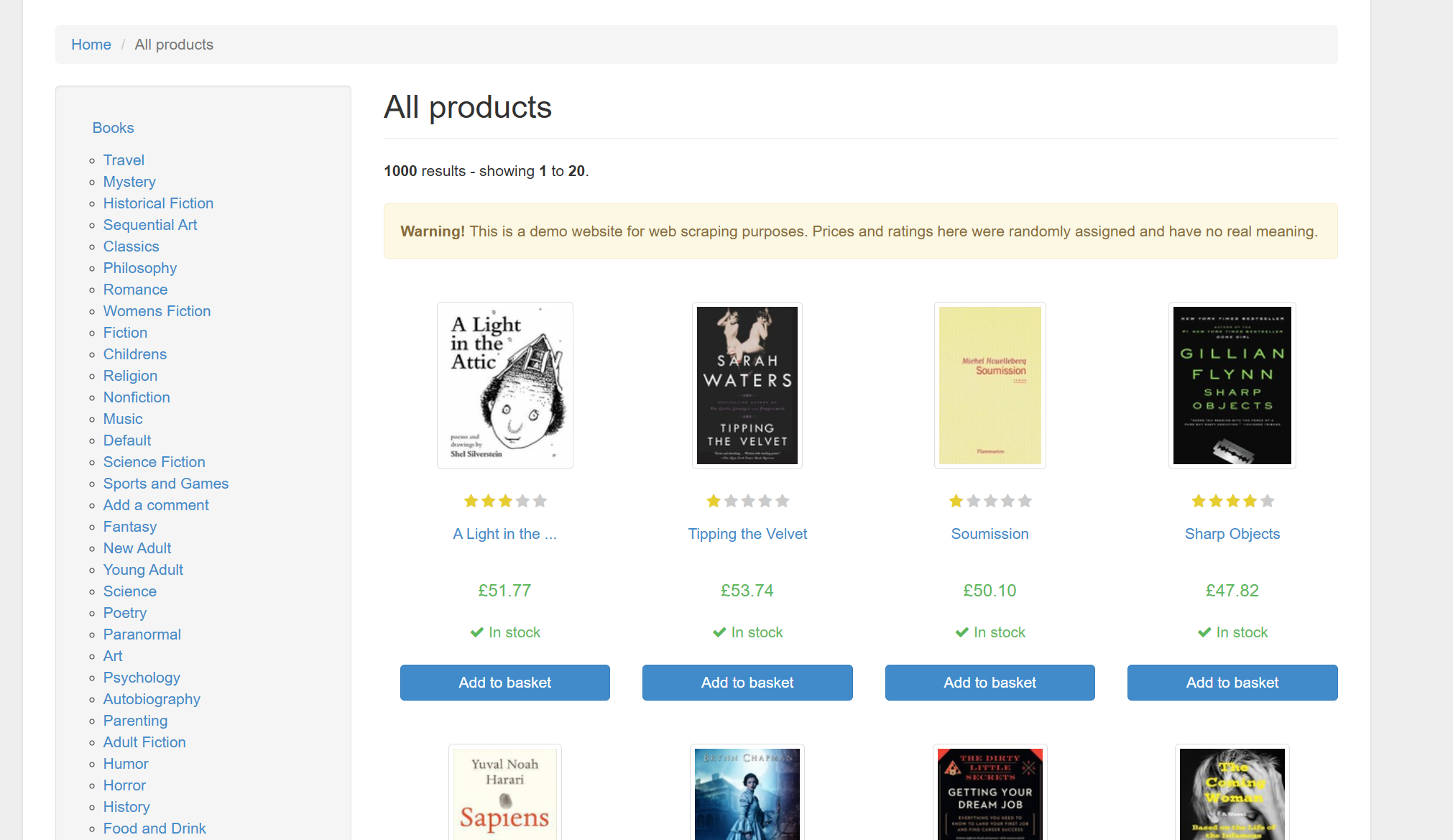
一、爬取目标
|
项目 |
说明 |
|
目标网站 |
http://books.toscrape.com |
|
采集字段 |
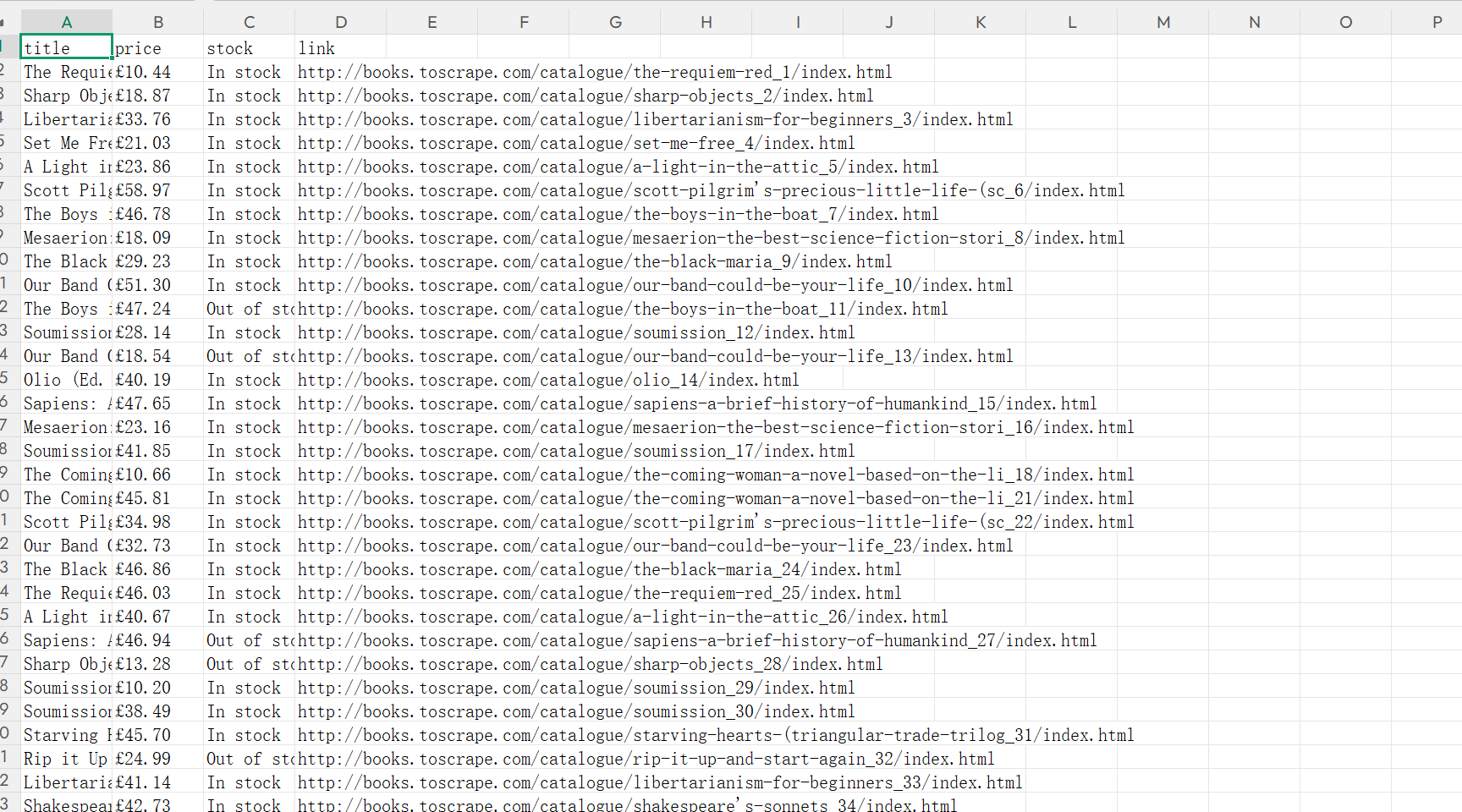
书名、价格、库存状态、详情页链接 |
|
采集范围 |
全站 50 页图书列表 |
|
输出格式 |
books.csv |
点击体验 https://www.lokiproxy.com/
该站点专为爬虫练习设计,无登录、无验证码,页面结构稳定。选它是为了把精力放在 动态代理配置 和 采集逻辑 上,而不是和反爬较劲。
二、动态住宅和短效 IP 有什么不同
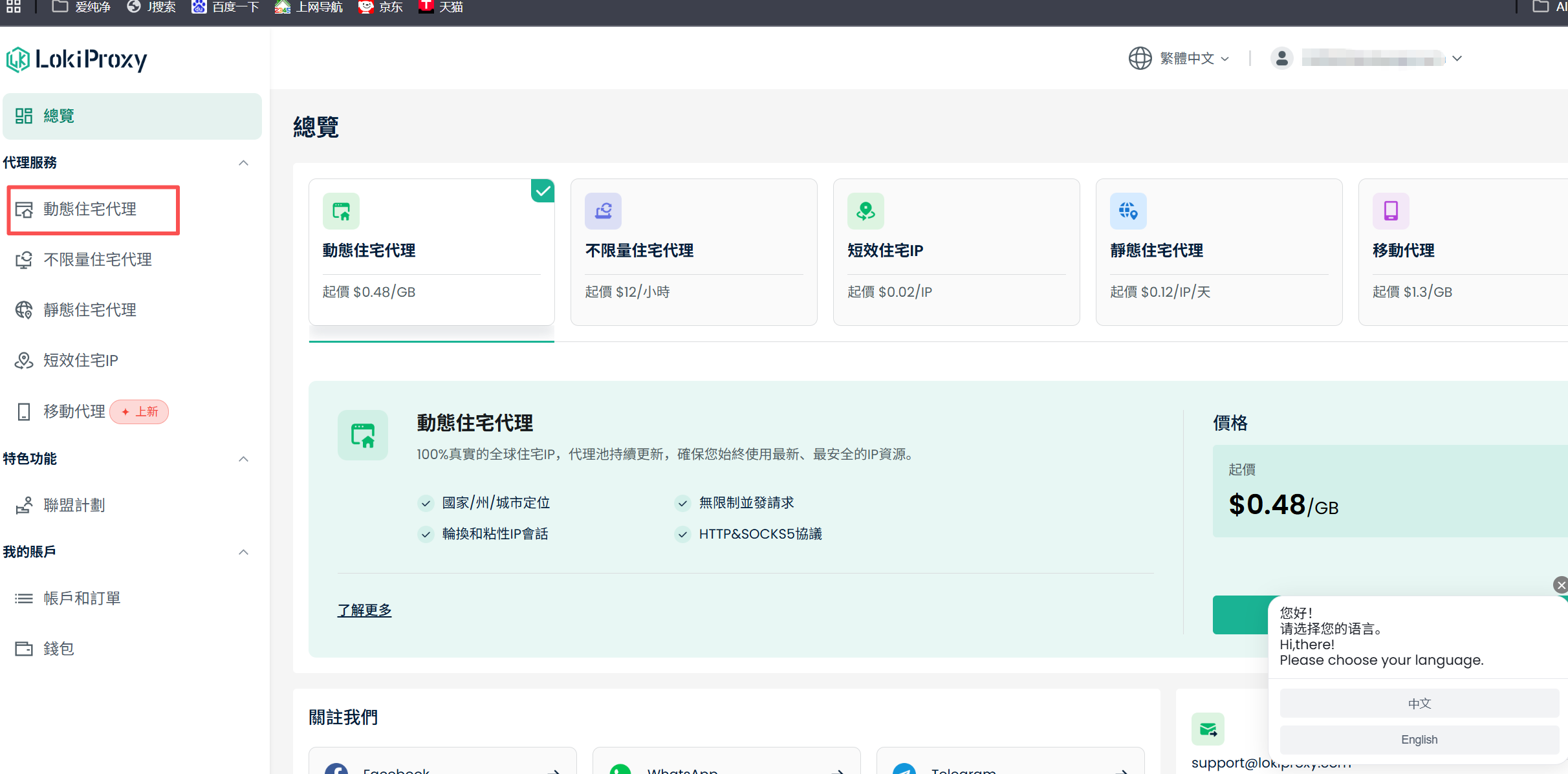
LokiProxy 里有多类产品,动态住宅 和 短效住宅 IP 不要混用,配置入口和代码写法都不一样。
短效住宅 IP:从仪表盘批量提取多个 IP:端口,自己维护 PROXY_POOL,哪个失效了手动换。
动态住宅:只配 一个网关地址,每次请求由服务端自动换出口 IP,代码里固定一个 PROXY_URL 即可,不用建 IP 池。
三、实现效果
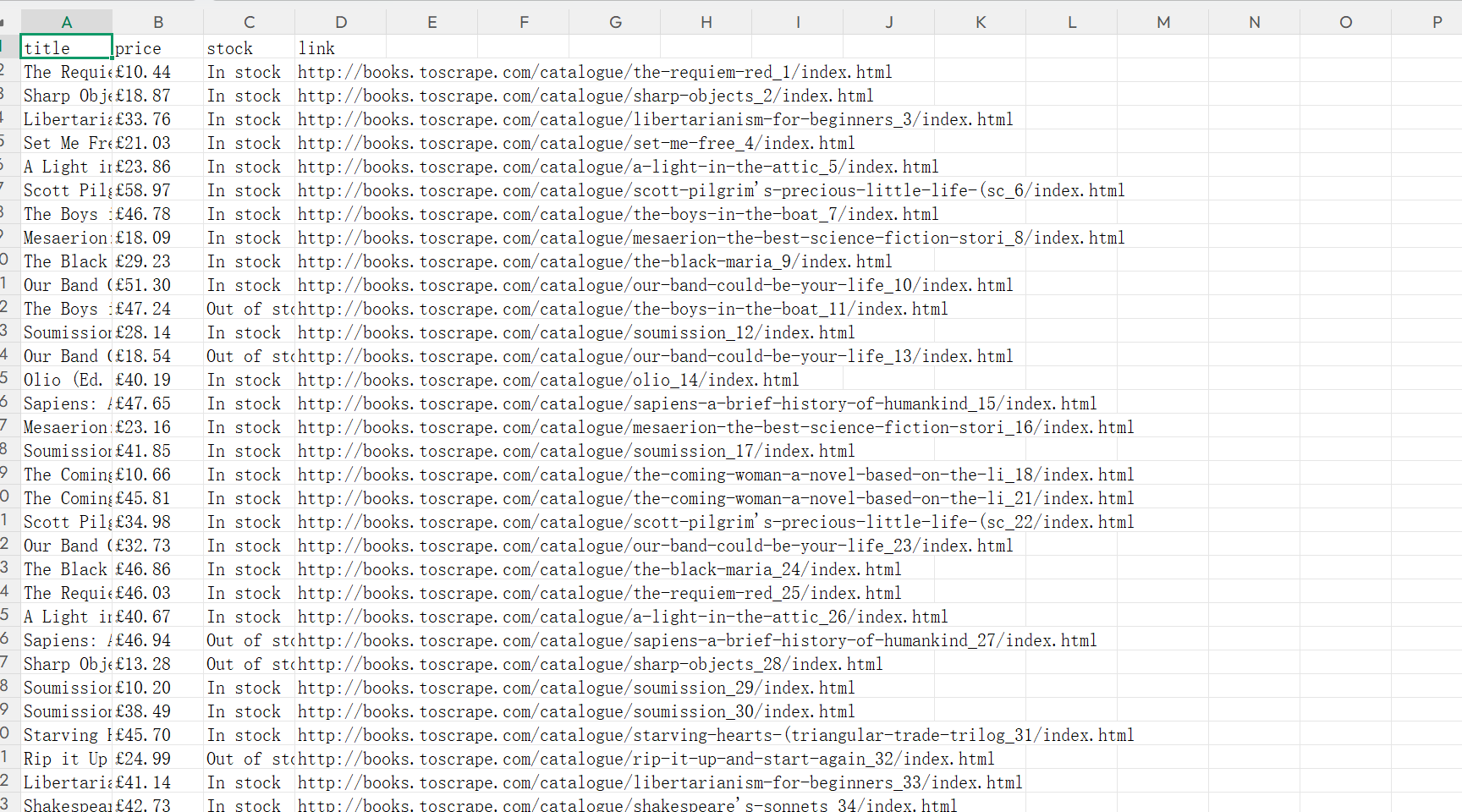
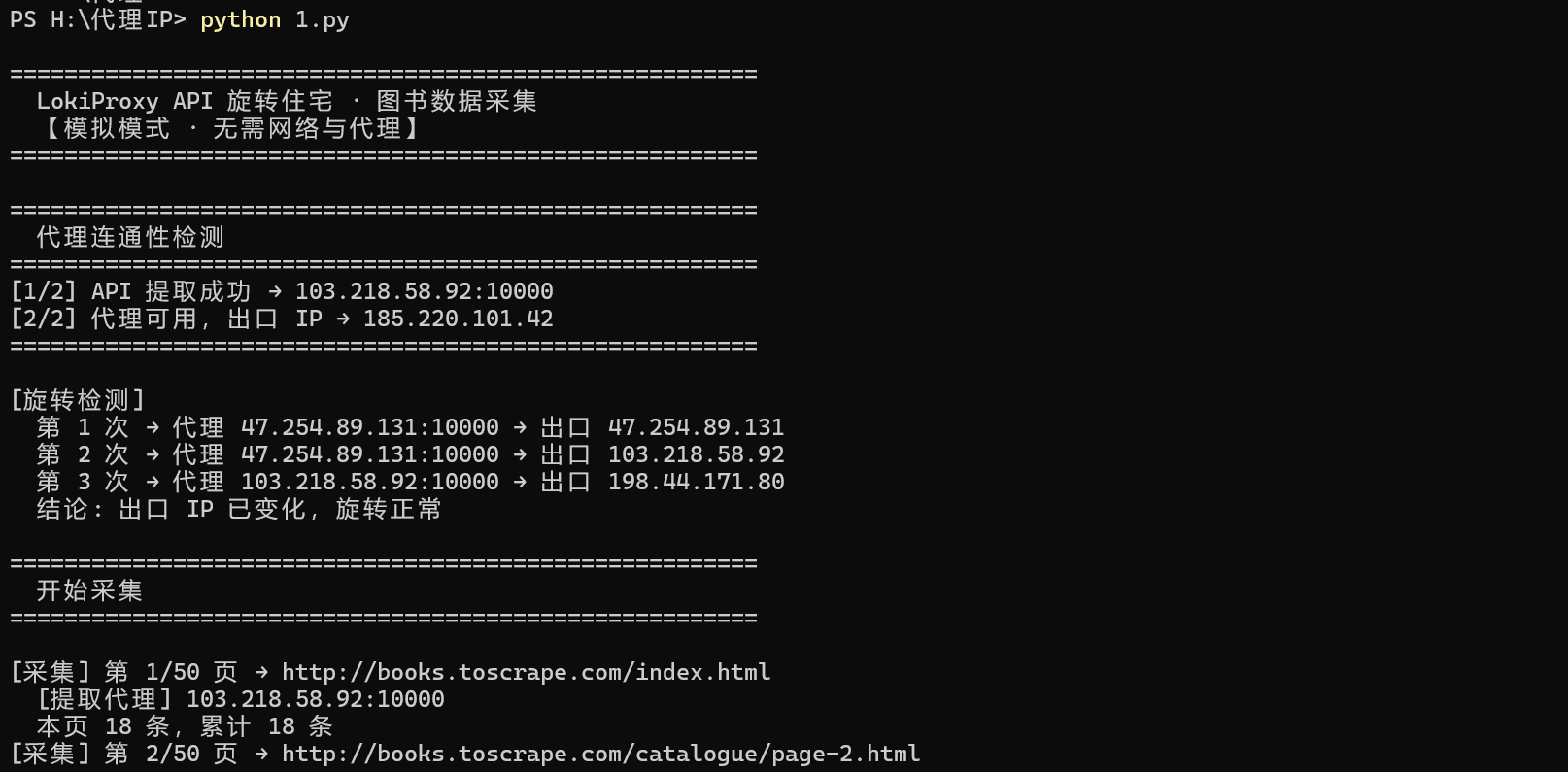
全站约 1000 条(50 页 × 每页 20 本)。单线程加随机延时,本地三五分钟能跑完。
四、准备工作
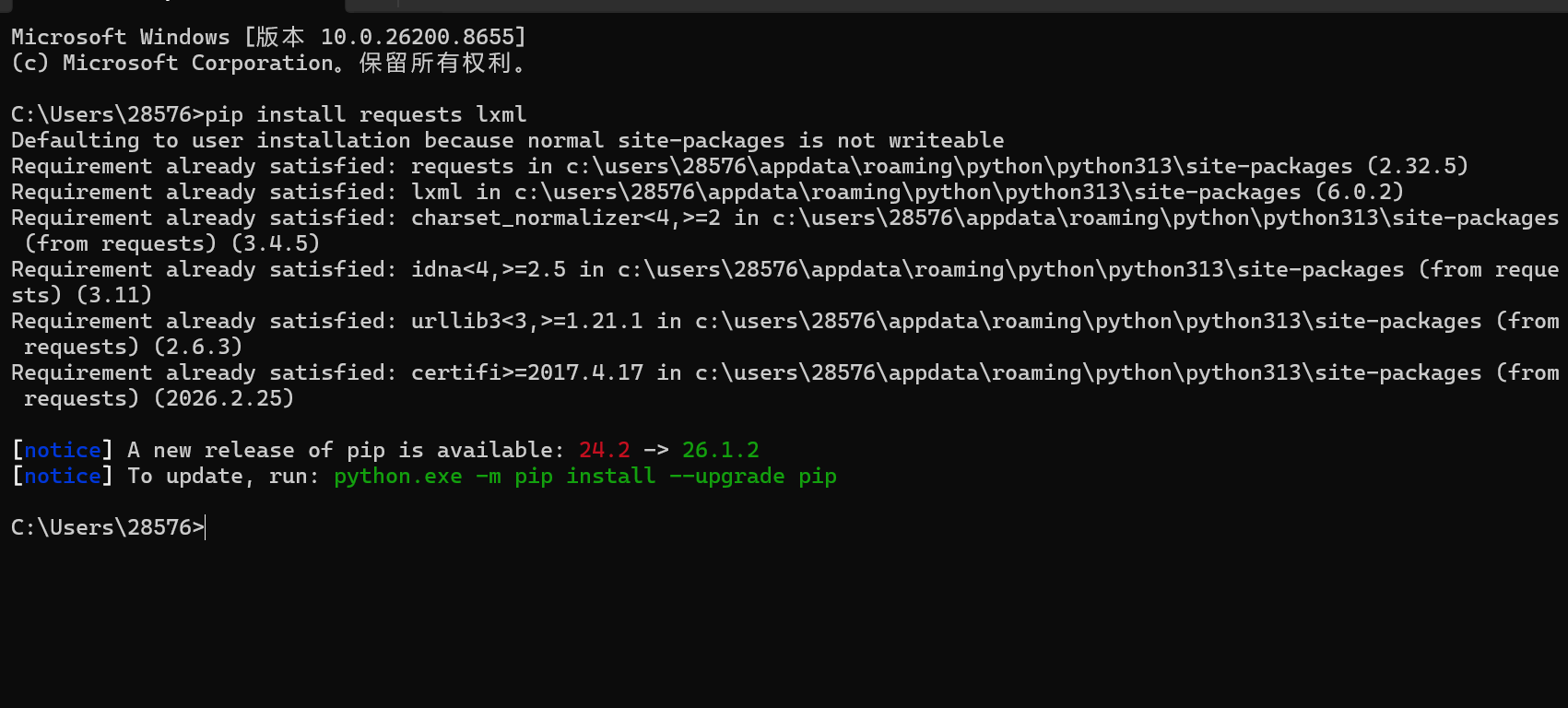
4.1 安装依赖
pip install requests lxml
4.2 在仪表盘配置动态住宅
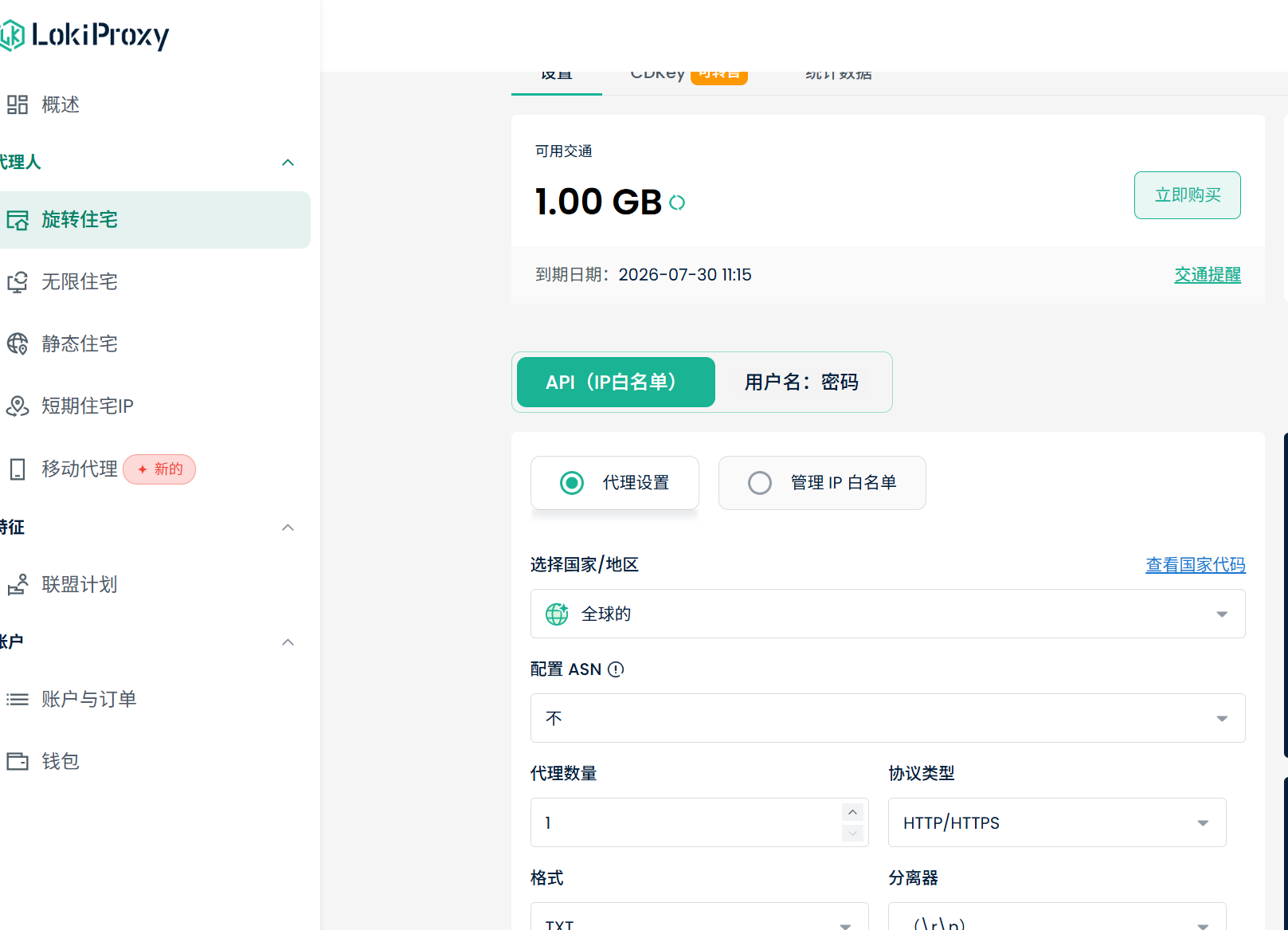
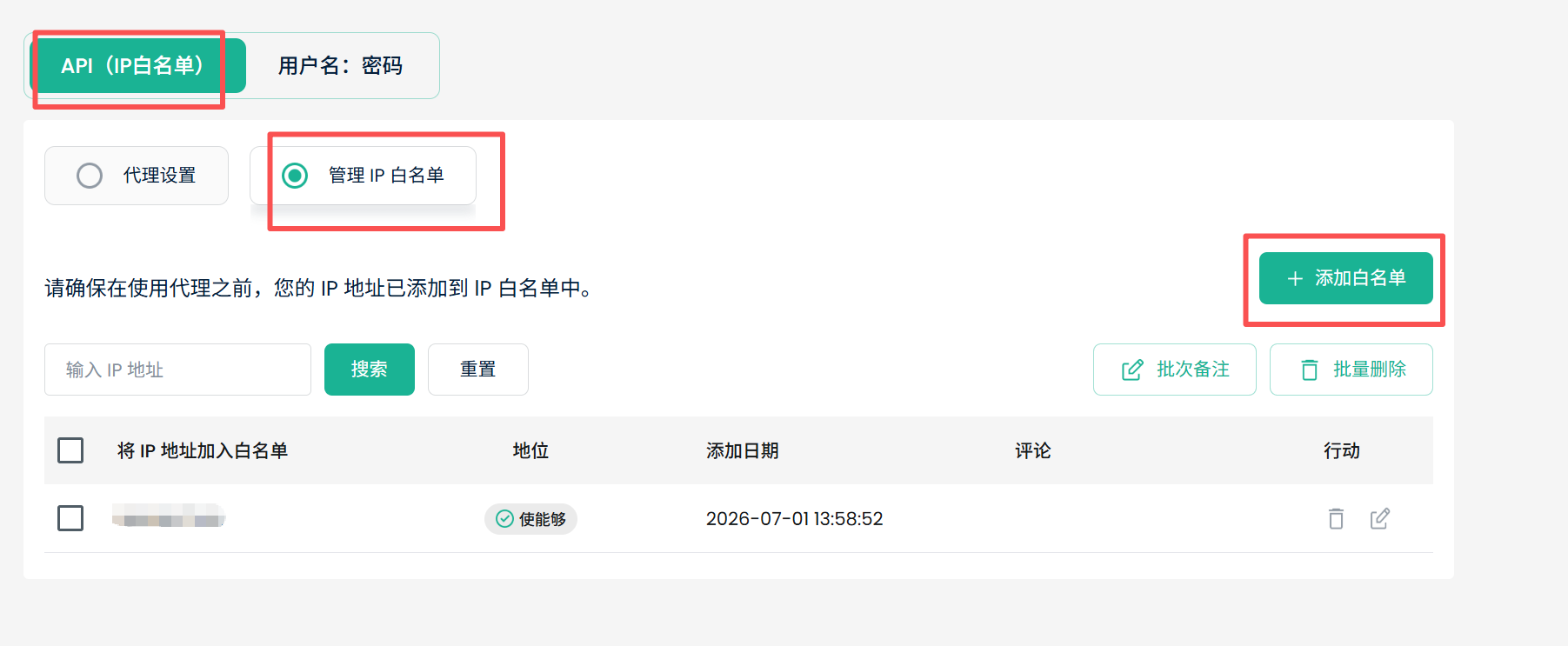
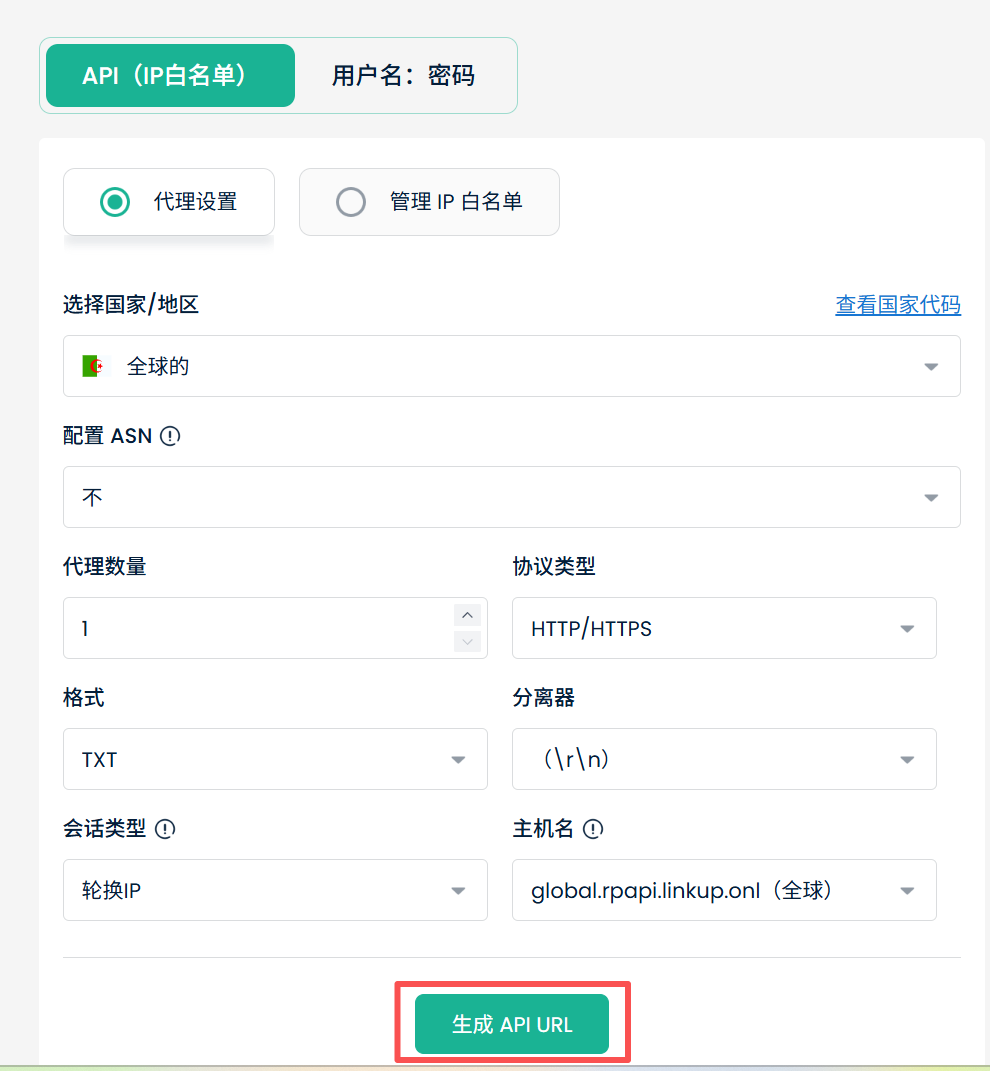
方式 1:API(IP 白名单)
- 打开 管理 IP 白名单,加入本机公网 IP
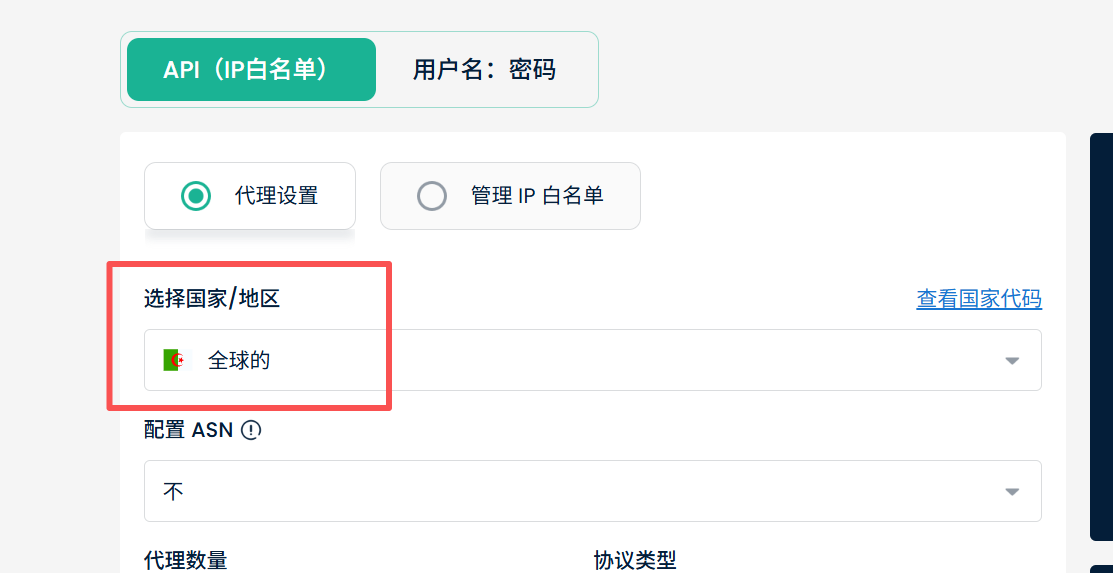
- 代理设置 里国家/地区选 Global 或目标地区
- 点击 获取 API URL,复制网关地址(形如 http://host:port,白名单下通常无需账密)
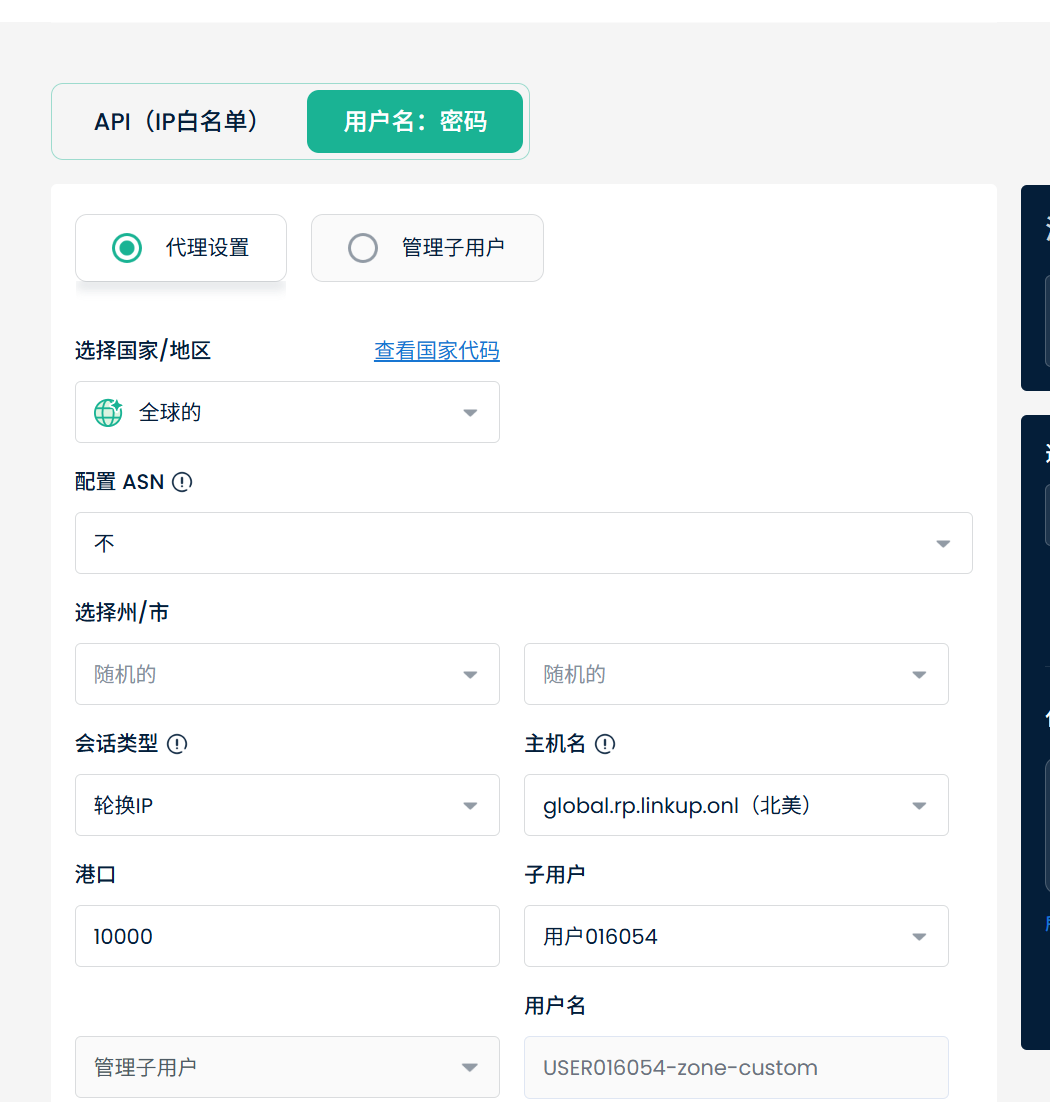
方式 2:用户名 + 密码
- 切换到 用户名:密码 标签
- 在 代理设置 里选国家、主机
- 拼接为 http://用户名:密码@主机:端口

五、为什么要用代理
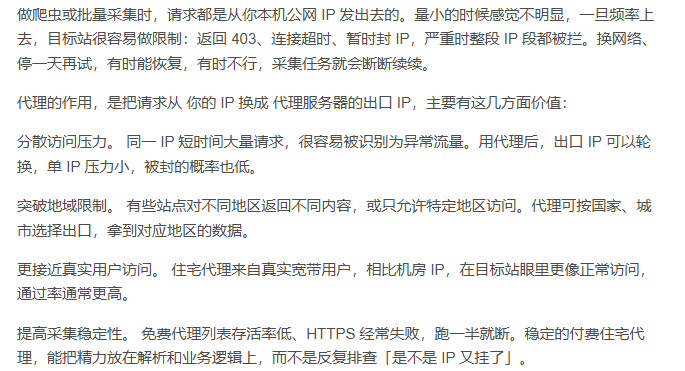
5.1 数据采集为什么需要代理
5.2 为什么选择 LokiProxy
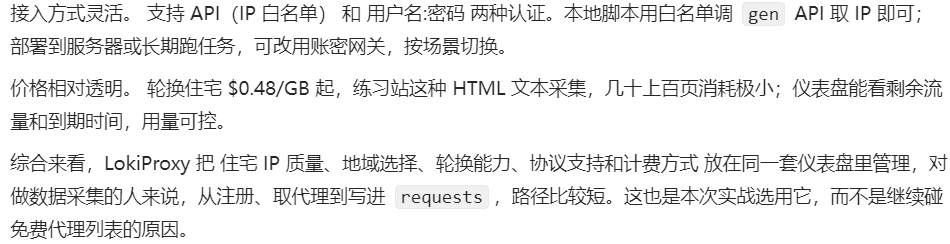
100% 真实全球住宅 IP。 LokiProxy 强调 IP 来自真实家庭宽带,不是机房段。对目标站来说更接近普通用户,匿名性和通过率更好。
代理池持续更新。 住宅 IP 会动态补充和轮换,降低「一批 IP 很快全失效」的问题,长期使用更省心。
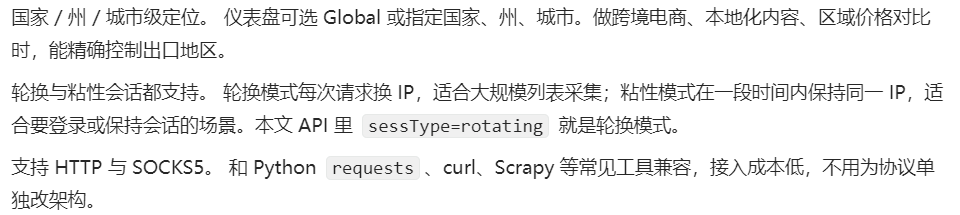
无限并发请求。 轮换住宅支持高并发,后续做多线程、多任务采集时,不必过早被「并发上限」卡住。
六、实战代码
6.1 代理与全局参数
import requests
import csv
import time
import random
from lxml import etree
# ———- LokiProxy 动态住宅(单一网关,自动换 IP)———-
# 方式 A:用户名密码
LOKI_USER = "your_username"
LOKI_PASS = "your_password"
LOKI_HOST = "gate.lokiproxy.com" # 以「获取 API URL」为准
LOKI_PORT = 10000
PROXY_URL = f"http://{LOKI_USER}:{LOKI_PASS}@{LOKI_HOST}:{LOKI_PORT}"
# 方式 B:API 白名单(IP 已加白名单,按 API URL 填写,无账密)
# PROXY_URL = "http://gate.lokiproxy.com:10000"
PROXIES = {
"http": PROXY_URL,
"https": PROXY_URL,
}
BASE_URL = "http://books.toscrape.com"
TOTAL_PAGE = 50
OUTPUT_FILE = "books.csv"
TIMEOUT = 15
RETRY = 3
HEADERS = {
"User-Agent": (
"Mozilla/5.0 (Windows NT 10.0; Win64; x64) "
"AppleWebKit/537.36 (KHTML, like Gecko) "
"Chrome/120.0.0.0 Safari/537.36"
)
}
动态住宅 不需要PROXY_POOL。一个网关地址贯穿全程,出口 IP 由服务端轮换。
6.2 验证代理与动态是否生效
连发几次 httpbin,看 IP 是否变化:
def check_proxy():
print("[代理验证] 动态住宅出口检测:")
try:
ips = []
for i in range(3):
resp = requests.get(
"http://httpbin.org/ip",
proxies=PROXIES,
timeout=TIMEOUT
)
ip = resp.json()["origin"]
ips.append(ip)
print(f" 第 {i + 1} 次 → {ip}")
time.sleep(1)
if len(set(ips)) > 1:
print(" 出口 IP 已变化,动态代理工作正常")
else:
print(" 三次 IP 相同,可能尚未轮换或样本太少,可继续采集观察")
return True
except Exception as e:
print(f"[代理验证失败] {e}")
print(" 请检查:白名单是否加本机 IP / 账密是否正确 / 流量是否用尽")
return False
6.3 带重试的请求
网关偶发超时仍可能发生,保留重试:
def fetch(url):
for attempt in range(1, RETRY + 1):
try:
resp = requests.get(
url,
headers=HEADERS,
proxies=PROXIES,
timeout=TIMEOUT
)
resp.raise_for_status()
resp.encoding = "utf-8"
return resp.text
except Exception as e:
print(f"[重试 {attempt}/{RETRY}] {e}")
time.sleep(2 * attempt)
return None
每次 fetch 走同一 PROXIES,网关会在背后换 IP,无需手动轮换。
6.4 解析单页
def parse_page(html):
tree = etree.HTML(html)
books = []
for item in tree.xpath('//article[@class="product_pod"]'):
title = item.xpath('.//h3/a/@title')
price = item.xpath('.//p[@class="price_color"]/text()')
stock = item.xpath('.//p[@class="instock availability"]/text()')
link = item.xpath('.//h3/a/@href')
books.append({
"title": title[0].strip() if title else "",
"price": price[0].strip() if price else "",
"stock": stock[-1].strip() if stock else "",
"link": BASE_URL + "/catalogue/" + link[0].lstrip("../") if link else "",
})
return books
6.5 翻页采集
第 1 页 /index.html,第 2 页起 /catalogue/page-{n}.html:
def crawl_all():
all_books = []
for page in range(1, TOTAL_PAGE + 1):
url = BASE_URL + "/index.html" if page == 1 else BASE_URL + f"/catalogue/page-{page}.html"
print(f"[采集] 第 {page}/{TOTAL_PAGE} 页")
html = fetch(url)
if html is None:
print(f"[跳过] 第 {page} 页")
continue
books = parse_page(html)
all_books.extend(books)
print(f" 本页 {len(books)} 条,累计 {len(all_books)} 条")
time.sleep(random.uniform(0.5, 1.5))
return all_books
页间 0.5~1.5 秒随机延时,降低请求规律性,也节省流量。
6.6 写入 CSV
def save_csv(books, filename):
with open(filename, "w", newline="", encoding="utf-8-sig") as f:
writer = csv.DictWriter(f, fieldnames=["title", "price", "stock", "link"])
writer.writeheader()
writer.writerows(books)
print(f"[完成] 共 {len(books)} 条 → {filename}")
6.7 主入口
def main():
print("=" * 50)
print(" LokiProxy 动态住宅 · 图书采集")
print("=" * 50)
if not check_proxy():
return
books = crawl_all()
save_csv(books, OUTPUT_FILE)
if __name__ == "__main__":
main()
七、完整源码
import requests
import csv
import time
import random
from lxml import etree
LOKI_USER = "your_username"
LOKI_PASS = "your_password"
LOKI_HOST = "gate.lokiproxy.com"
LOKI_PORT = 10000
PROXY_URL = f"http://{LOKI_USER}:{LOKI_PASS}@{LOKI_HOST}:{LOKI_PORT}"
PROXIES = {"http": PROXY_URL, "https": PROXY_URL}
BASE_URL = "http://books.toscrape.com"
TOTAL_PAGE = 50
OUTPUT_FILE = "books.csv"
TIMEOUT = 15
RETRY = 3
HEADERS = {
"User-Agent": (
"Mozilla/5.0 (Windows NT 10.0; Win64; x64) "
"AppleWebKit/537.36 (KHTML, like Gecko) "
"Chrome/120.0.0.0 Safari/537.36"
)
}
def check_proxy():
print("[代理验证]")
try:
ips = []
for i in range(3):
r = requests.get("http://httpbin.org/ip", proxies=PROXIES, timeout=TIMEOUT)
ip = r.json()["origin"]
ips.append(ip)
print(f" 第 {i + 1} 次 → {ip}")
time.sleep(1)
print(" 动态正常" if len(set(ips)) > 1 else " IP 未变化,请继续观察")
return True
except Exception as e:
print(f" 失败: {e}")
return False
def fetch(url):
for n in range(1, RETRY + 1):
try:
r = requests.get(url, headers=HEADERS, proxies=PROXIES, timeout=TIMEOUT)
r.raise_for_status()
r.encoding = "utf-8"
return r.text
except Exception as e:
print(f" 重试 {n}/{RETRY}: {e}")
time.sleep(2 * n)
return None
def parse_page(html):
tree = etree.HTML(html)
books = []
for item in tree.xpath('//article[@class="product_pod"]'):
title = item.xpath('.//h3/a/@title')
price = item.xpath('.//p[@class="price_color"]/text()')
stock = item.xpath('.//p[@class="instock availability"]/text()')
link = item.xpath('.//h3/a/@href')
books.append({
"title": title[0].strip() if title else "",
"price": price[0].strip() if price else "",
"stock": stock[-1].strip() if stock else "",
"link": BASE_URL + "/catalogue/" + link[0].lstrip("../") if link else "",
})
return books
def crawl_all():
all_books = []
for page in range(1, TOTAL_PAGE + 1):
url = BASE_URL + "/index.html" if page == 1 else BASE_URL + f"/catalogue/page-{page}.html"
print(f"[采集] 第 {page}/{TOTAL_PAGE} 页")
html = fetch(url)
if html is None:
continue
books = parse_page(html)
all_books.extend(books)
print(f" 累计 {len(all_books)} 条")
time.sleep(random.uniform(0.5, 1.5))
return all_books
def save_csv(books, filename):
with open(filename, "w", newline="", encoding="utf-8-sig") as f:
w = csv.DictWriter(f, fieldnames=["title", "price", "stock", "link"])
w.writeheader()
w.writerows(books)
print(f"[完成] {len(books)} 条 → {filename}")
def main():
if not check_proxy():
return
save_csv(crawl_all(), OUTPUT_FILE)
if __name__ == "__main__":
main()
复制后改 LOKI_USER、LOKI_PASS、LOKI_HOST、LOKI_PORT(或白名单方式的 PROXY_URL)即可运行。
运行起来也非常简单,直接在cmd中使用python xxx.py即可运行。
查看采集的CSV结果:
结语
动态住宅用起来很直接:在 LokiProxy 仪表盘拿到一个网关地址,填进 requests 的 proxies,后面换 IP 的事交给平台就行。 不用像短效 IP 那样批量提取、自己维护池子,对只有动态住宅流量套餐的情况尤其合适——配置少、上手快,把时间留给解析和采集逻辑。