项目地址:fthux/GitZipPro。本文继续分析 GitZip Pro 的 background service worker 和右键菜单实现。
前两篇围绕 downloader.js 讲完了下载核心:解析 GitHub URL、请求 API、递归收集文件、并发下载并生成 zip。生成 zip 之后,下载器并没有直接完成浏览器下载,而是把 base64 zip 发送给 background.js。
这一篇来看 GitZip Pro 的后台脚本:source/background.js。
background.js 的职责不是操作 GitHub 页面,也不是遍历文件树,而是提供扩展级能力:右键菜单、下载 API、系统通知、下载完成监听和历史记录保存。
background 在扩展中的位置
manifest.json 中声明:
"background": {
"service_worker": "background.js",
"scripts": ["background.js"]
}
在 Manifest V3 中,background 以 service worker 形式运行。它可以响应消息、监听事件、调用扩展 API。GitZip Pro 把必须由扩展后台执行的工作都集中到这里。
整体关系可以画成这样:
#mermaid-svg-e9OOZhoK2R53gbWq{font-family:\”trebuchet ms\”,verdana,arial,sans-serif;font-size:16px;fill:#333;}@keyframes edge-animation-frame{from{stroke-dashoffset:0;}}@keyframes dash{to{stroke-dashoffset:0;}}#mermaid-svg-e9OOZhoK2R53gbWq .edge-animation-slow{stroke-dasharray:9,5!important;stroke-dashoffset:900;animation:dash 50s linear infinite;stroke-linecap:round;}#mermaid-svg-e9OOZhoK2R53gbWq .edge-animation-fast{stroke-dasharray:9,5!important;stroke-dashoffset:900;animation:dash 20s linear infinite;stroke-linecap:round;}#mermaid-svg-e9OOZhoK2R53gbWq .error-icon{fill:#552222;}#mermaid-svg-e9OOZhoK2R53gbWq .error-text{fill:#552222;stroke:#552222;}#mermaid-svg-e9OOZhoK2R53gbWq .edge-thickness-normal{stroke-width:1px;}#mermaid-svg-e9OOZhoK2R53gbWq .edge-thickness-thick{stroke-width:3.5px;}#mermaid-svg-e9OOZhoK2R53gbWq .edge-pattern-solid{stroke-dasharray:0;}#mermaid-svg-e9OOZhoK2R53gbWq .edge-thickness-invisible{stroke-width:0;fill:none;}#mermaid-svg-e9OOZhoK2R53gbWq .edge-pattern-dashed{stroke-dasharray:3;}#mermaid-svg-e9OOZhoK2R53gbWq .edge-pattern-dotted{stroke-dasharray:2;}#mermaid-svg-e9OOZhoK2R53gbWq .marker{fill:#333333;stroke:#333333;}#mermaid-svg-e9OOZhoK2R53gbWq .marker.cross{stroke:#333333;}#mermaid-svg-e9OOZhoK2R53gbWq svg{font-family:\”trebuchet ms\”,verdana,arial,sans-serif;font-size:16px;}#mermaid-svg-e9OOZhoK2R53gbWq p{margin:0;}#mermaid-svg-e9OOZhoK2R53gbWq .label{font-family:\”trebuchet ms\”,verdana,arial,sans-serif;color:#333;}#mermaid-svg-e9OOZhoK2R53gbWq .cluster-label text{fill:#333;}#mermaid-svg-e9OOZhoK2R53gbWq .cluster-label span{color:#333;}#mermaid-svg-e9OOZhoK2R53gbWq .cluster-label span p{background-color:transparent;}#mermaid-svg-e9OOZhoK2R53gbWq .label text,#mermaid-svg-e9OOZhoK2R53gbWq span{fill:#333;color:#333;}#mermaid-svg-e9OOZhoK2R53gbWq .node rect,#mermaid-svg-e9OOZhoK2R53gbWq .node circle,#mermaid-svg-e9OOZhoK2R53gbWq .node ellipse,#mermaid-svg-e9OOZhoK2R53gbWq .node polygon,#mermaid-svg-e9OOZhoK2R53gbWq .node path{fill:#ECECFF;stroke:#9370DB;stroke-width:1px;}#mermaid-svg-e9OOZhoK2R53gbWq .rough-node .label text,#mermaid-svg-e9OOZhoK2R53gbWq .node .label text,#mermaid-svg-e9OOZhoK2R53gbWq .image-shape .label,#mermaid-svg-e9OOZhoK2R53gbWq .icon-shape .label{text-anchor:middle;}#mermaid-svg-e9OOZhoK2R53gbWq .node .katex path{fill:#000;stroke:#000;stroke-width:1px;}#mermaid-svg-e9OOZhoK2R53gbWq .rough-node .label,#mermaid-svg-e9OOZhoK2R53gbWq .node .label,#mermaid-svg-e9OOZhoK2R53gbWq .image-shape .label,#mermaid-svg-e9OOZhoK2R53gbWq .icon-shape .label{text-align:center;}#mermaid-svg-e9OOZhoK2R53gbWq .node.clickable{cursor:pointer;}#mermaid-svg-e9OOZhoK2R53gbWq .root .anchor path{fill:#333333!important;stroke-width:0;stroke:#333333;}#mermaid-svg-e9OOZhoK2R53gbWq .arrowheadPath{fill:#333333;}#mermaid-svg-e9OOZhoK2R53gbWq .edgePath .path{stroke:#333333;stroke-width:2.0px;}#mermaid-svg-e9OOZhoK2R53gbWq .flowchart-link{stroke:#333333;fill:none;}#mermaid-svg-e9OOZhoK2R53gbWq .edgeLabel{background-color:rgba(232,232,232, 0.8);text-align:center;}#mermaid-svg-e9OOZhoK2R53gbWq .edgeLabel p{background-color:rgba(232,232,232, 0.8);}#mermaid-svg-e9OOZhoK2R53gbWq .edgeLabel rect{opacity:0.5;background-color:rgba(232,232,232, 0.8);fill:rgba(232,232,232, 0.8);}#mermaid-svg-e9OOZhoK2R53gbWq .labelBkg{background-color:rgba(232, 232, 232, 0.5);}#mermaid-svg-e9OOZhoK2R53gbWq .cluster rect{fill:#ffffde;stroke:#aaaa33;stroke-width:1px;}#mermaid-svg-e9OOZhoK2R53gbWq .cluster text{fill:#333;}#mermaid-svg-e9OOZhoK2R53gbWq .cluster span{color:#333;}#mermaid-svg-e9OOZhoK2R53gbWq div.mermaidTooltip{position:absolute;text-align:center;max-width:200px;padding:2px;font-family:\”trebuchet ms\”,verdana,arial,sans-serif;font-size:12px;background:hsl(80, 100%, 96.2745098039%);border:1px solid #aaaa33;border-radius:2px;pointer-events:none;z-index:100;}#mermaid-svg-e9OOZhoK2R53gbWq .flowchartTitleText{text-anchor:middle;font-size:18px;fill:#333;}#mermaid-svg-e9OOZhoK2R53gbWq rect.text{fill:none;stroke-width:0;}#mermaid-svg-e9OOZhoK2R53gbWq .icon-shape,#mermaid-svg-e9OOZhoK2R53gbWq .image-shape{background-color:rgba(232,232,232, 0.8);text-align:center;}#mermaid-svg-e9OOZhoK2R53gbWq .icon-shape p,#mermaid-svg-e9OOZhoK2R53gbWq .image-shape p{background-color:rgba(232,232,232, 0.8);padding:2px;}#mermaid-svg-e9OOZhoK2R53gbWq .icon-shape .label rect,#mermaid-svg-e9OOZhoK2R53gbWq .image-shape .label rect{opacity:0.5;background-color:rgba(232,232,232, 0.8);fill:rgba(232,232,232, 0.8);}#mermaid-svg-e9OOZhoK2R53gbWq .label-icon{display:inline-block;height:1em;overflow:visible;vertical-align:-0.125em;}#mermaid-svg-e9OOZhoK2R53gbWq .node .label-icon path{fill:currentColor;stroke:revert;stroke-width:revert;}#mermaid-svg-e9OOZhoK2R53gbWq :root{–mermaid-font-family:\”trebuchet ms\”,verdana,arial,sans-serif;}
content.js页面交互
downloader.js生成 base64 zip
background.js接收下载消息
chrome.downloads.download()
chrome.notifications
chrome.contextMenus
chrome.storage.local保存历史记录
这个图里有一个双向关系:content script 会把右键行信息发送给 background;background 的右键菜单点击后,又会把下载命令发回 content script。
菜单 ID 与后台状态
background.js 开头定义了右键菜单 ID:
const MENU_IDS = {
ROOT: 'gitzip-pro-download',
CHECKED: 'gitzip-pro-checked-items',
SEPARATOR: 'gitzip-pro-separator',
SELECTED: 'gitzip-pro-selected-item'
};
同时还有几个后台状态:
const activeDownloads = new Map();
let selectedItemHref = null;
let backgroundTranslations = {};
let backgroundLocale = 'en';
activeDownloads 用来记录当前由 GitZip Pro 触发的下载,便于在下载完成时显示通知、打开下载项或保存历史记录。selectedItemHref 则保存最近一次右键点击的 GitHub 文件或目录链接。
后台国际化初始化
background 没有页面 DOM,但右键菜单和通知也需要国际化。启动时会调用:
async function initBackgroundI18n() {
const locale = await GZP_I18N.init();
backgroundLocale = locale;
backgroundTranslations = await GZP_I18N.loadLocale(locale);
ensureContextMenus();
}
这里复用了 i18n.js 暴露的 GZP_I18N。加载语言后,调用 ensureContextMenus() 创建或更新菜单。
同时,background 还监听 storage 变化。当用户在 options 页面切换语言时,background.js 会重新加载语言包并更新菜单文案。
创建和更新右键菜单
右键菜单由两个函数管理:
ensureContextMenus()
createContextMenus()
ensureContextMenus() 会先尝试更新已有菜单。如果更新失败,说明菜单还不存在,就调用 createContextMenus() 创建。
菜单结构大致是:
GitZip Pro
下载已勾选项目
——–
下载当前右键项目
createContextMenus() 使用 chrome.contextMenus.create() 创建根菜单和子菜单。菜单文案通过 t('context_menu.xxx') 获取。
这里的设计让菜单可以随着语言切换动态更新,而不是只在安装时固定一次。
首次安装事件
background.js 监听安装事件:
chrome.runtime.onInstalled.addListener((details) => {
if (details.reason === 'install') {
chrome.storage.local.set({
'gitzip-pro-show-welcome': true
}, () => {
chrome.runtime.openOptionsPage();
});
}
});
首次安装时,它会写入一个 welcome 标记,然后打开 options 页面。后续 options.js 会读取这个标记,跳转到 token 页面并展示欢迎弹窗。
这说明首次体验不是 popup 负责的,而是 background 触发 options 页面完成的。
接收下载消息
下载器生成 zip 后,会发送:
{
type: 'GZP_DOWNLOAD_FILE',
filename,
base64,
mimeType,
notifyShow,
notifyOpen,
historyRecord
}
background.js 在 chrome.runtime.onMessage 中处理这个消息。它先对文件名做一次安全处理:
safeFilename = safeFilename.replace(/(^|\\/)[.~]/g, '$1_');
这是因为 chrome.downloads 不允许路径段以点号或波浪号开头。然后把 base64 组装成 data URL:
const dataUrl = `data:${mimeType};base64,${base64}`;
最后调用:
chrome.downloads.download({
url: dataUrl,
filename: safeFilename,
saveAs: false
}, callback);
如果下载成功,并且用户开启了通知或打开下载项,background 会把下载 ID 记录到 activeDownloads:
activeDownloads.set(downloadId, {
notifyShow,
notifyOpen,
filename,
historyRecord
});
后续下载状态变化时,就能根据这个 ID 找回对应上下文。
右键菜单通信
当用户在 GitHub 文件行上右键时,content.js 会发送:

{
type: 'GZP_UPDATE_CONTEXT_MENU',
href,
itemName,
itemType
}
background 收到后,把 href 保存到 selectedItemHref,并更新菜单标题。例如“下载当前选中文件 README.md”。
当用户真正点击右键菜单时,background 监听:
chrome.contextMenus.onClicked.addListener((info, tab) => {
if (info.menuItemId === MENU_IDS.SELECTED && selectedItemHref) {
chrome.tabs.sendMessage(tab.id, {
type: 'GZP_DOWNLOAD_CONTEXT_ITEM',
href: selectedItemHref
});
}
});
这条消息会回到 content script。content script 再构造单项 selectedItems,调用 GZPDownloader.start()。
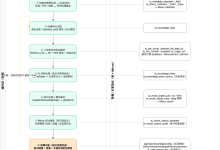
完整右键链路如下:
downloader.js
background.js
content.js
用户
downloader.js
background.js
content.js
用户
#mermaid-svg-nghQpiSMg1Boc2SB{font-family:\”trebuchet ms\”,verdana,arial,sans-serif;font-size:16px;fill:#333;}@keyframes edge-animation-frame{from{stroke-dashoffset:0;}}@keyframes dash{to{stroke-dashoffset:0;}}#mermaid-svg-nghQpiSMg1Boc2SB .edge-animation-slow{stroke-dasharray:9,5!important;stroke-dashoffset:900;animation:dash 50s linear infinite;stroke-linecap:round;}#mermaid-svg-nghQpiSMg1Boc2SB .edge-animation-fast{stroke-dasharray:9,5!important;stroke-dashoffset:900;animation:dash 20s linear infinite;stroke-linecap:round;}#mermaid-svg-nghQpiSMg1Boc2SB .error-icon{fill:#552222;}#mermaid-svg-nghQpiSMg1Boc2SB .error-text{fill:#552222;stroke:#552222;}#mermaid-svg-nghQpiSMg1Boc2SB .edge-thickness-normal{stroke-width:1px;}#mermaid-svg-nghQpiSMg1Boc2SB .edge-thickness-thick{stroke-width:3.5px;}#mermaid-svg-nghQpiSMg1Boc2SB .edge-pattern-solid{stroke-dasharray:0;}#mermaid-svg-nghQpiSMg1Boc2SB .edge-thickness-invisible{stroke-width:0;fill:none;}#mermaid-svg-nghQpiSMg1Boc2SB .edge-pattern-dashed{stroke-dasharray:3;}#mermaid-svg-nghQpiSMg1Boc2SB .edge-pattern-dotted{stroke-dasharray:2;}#mermaid-svg-nghQpiSMg1Boc2SB .marker{fill:#333333;stroke:#333333;}#mermaid-svg-nghQpiSMg1Boc2SB .marker.cross{stroke:#333333;}#mermaid-svg-nghQpiSMg1Boc2SB svg{font-family:\”trebuchet ms\”,verdana,arial,sans-serif;font-size:16px;}#mermaid-svg-nghQpiSMg1Boc2SB p{margin:0;}#mermaid-svg-nghQpiSMg1Boc2SB .actor{stroke:hsl(259.6261682243, 59.7765363128%, 87.9019607843%);fill:#ECECFF;}#mermaid-svg-nghQpiSMg1Boc2SB text.actor>tspan{fill:black;stroke:none;}#mermaid-svg-nghQpiSMg1Boc2SB .actor-line{stroke:hsl(259.6261682243, 59.7765363128%, 87.9019607843%);}#mermaid-svg-nghQpiSMg1Boc2SB .innerArc{stroke-width:1.5;stroke-dasharray:none;}#mermaid-svg-nghQpiSMg1Boc2SB .messageLine0{stroke-width:1.5;stroke-dasharray:none;stroke:#333;}#mermaid-svg-nghQpiSMg1Boc2SB .messageLine1{stroke-width:1.5;stroke-dasharray:2,2;stroke:#333;}#mermaid-svg-nghQpiSMg1Boc2SB #arrowhead path{fill:#333;stroke:#333;}#mermaid-svg-nghQpiSMg1Boc2SB .sequenceNumber{fill:white;}#mermaid-svg-nghQpiSMg1Boc2SB #sequencenumber{fill:#333;}#mermaid-svg-nghQpiSMg1Boc2SB #crosshead path{fill:#333;stroke:#333;}#mermaid-svg-nghQpiSMg1Boc2SB .messageText{fill:#333;stroke:none;}#mermaid-svg-nghQpiSMg1Boc2SB .labelBox{stroke:hsl(259.6261682243, 59.7765363128%, 87.9019607843%);fill:#ECECFF;}#mermaid-svg-nghQpiSMg1Boc2SB .labelText,#mermaid-svg-nghQpiSMg1Boc2SB .labelText>tspan{fill:black;stroke:none;}#mermaid-svg-nghQpiSMg1Boc2SB .loopText,#mermaid-svg-nghQpiSMg1Boc2SB .loopText>tspan{fill:black;stroke:none;}#mermaid-svg-nghQpiSMg1Boc2SB .loopLine{stroke-width:2px;stroke-dasharray:2,2;stroke:hsl(259.6261682243, 59.7765363128%, 87.9019607843%);fill:hsl(259.6261682243, 59.7765363128%, 87.9019607843%);}#mermaid-svg-nghQpiSMg1Boc2SB .note{stroke:#aaaa33;fill:#fff5ad;}#mermaid-svg-nghQpiSMg1Boc2SB .noteText,#mermaid-svg-nghQpiSMg1Boc2SB .noteText>tspan{fill:black;stroke:none;}#mermaid-svg-nghQpiSMg1Boc2SB .activation0{fill:#f4f4f4;stroke:#666;}#mermaid-svg-nghQpiSMg1Boc2SB .activation1{fill:#f4f4f4;stroke:#666;}#mermaid-svg-nghQpiSMg1Boc2SB .activation2{fill:#f4f4f4;stroke:#666;}#mermaid-svg-nghQpiSMg1Boc2SB .actorPopupMenu{position:absolute;}#mermaid-svg-nghQpiSMg1Boc2SB .actorPopupMenuPanel{position:absolute;fill:#ECECFF;box-shadow:0px 8px 16px 0px rgba(0,0,0,0.2);filter:drop-shadow(3px 5px 2px rgb(0 0 0 / 0.4));}#mermaid-svg-nghQpiSMg1Boc2SB .actor-man line{stroke:hsl(259.6261682243, 59.7765363128%, 87.9019607843%);fill:#ECECFF;}#mermaid-svg-nghQpiSMg1Boc2SB .actor-man circle,#mermaid-svg-nghQpiSMg1Boc2SB line{stroke:hsl(259.6261682243, 59.7765363128%, 87.9019607843%);fill:#ECECFF;stroke-width:2px;}#mermaid-svg-nghQpiSMg1Boc2SB :root{–mermaid-font-family:\”trebuchet ms\”,verdana,arial,sans-serif;}
在文件行右键
GZP_UPDATE_CONTEXT_MENU
更新菜单标题并保存 href
点击右键菜单
GZP_DOWNLOAD_CONTEXT_ITEM
start(单个 href)
下载完成监听与历史保存
background 还监听浏览器下载状态:
chrome.downloads.onChanged.addListener((delta) => {
…
});
当下载状态变成 complete,它会从 activeDownloads 中取出下载偏好:
- 如果 notifyShow 为 true,就创建系统通知。
- 如果 notifyOpen 为 true,就调用 chrome.downloads.show(delta.id)。
- 如果存在 historyRecord,就保存下载历史。
历史保存由 saveHistoryRecord(record) 完成。它读取 STORAGE_KEYS.DOWNLOAD_HISTORY,把新记录放到最前面,并限制最多保留 100 条。
保存完成后,background 还会尝试发送:
chrome.runtime.sendMessage({
type: 'GZP_DOWNLOAD_COMPLETE',
record
});
如果 options 页面正打开,它可以收到这条消息并实时刷新历史列表;如果没打开,也没关系,因为记录已经写入 storage。
本篇小结
background.js 是 GitZip Pro 的扩展后台层。它把下载器不能或不适合直接做的事情接了过来:
GZP_DOWNLOAD_FILE
-> chrome.downloads.download()
-> chrome.downloads.onChanged
-> notification / open downloaded item / save history
同时它还负责右键菜单:
content.js 发送右键行信息
-> background 更新菜单标题
-> 用户点击菜单
-> background 通知 content.js 启动下载
下一篇进入 options.js,看 GitZip Pro 的设置页如何管理主题、语言、token、命名规则、忽略规则、下载历史和统计数据。
项目源码可在 fthux/GitZipPro 查看。欢迎 Star 支持 GitZip Pro,也方便后续对照源码阅读本系列。
如果你也好奇这个 Pro 版为什么会做起来,可以接着看这篇项目缘起:用了 GitZip 这么多年,我动手做了一个「Pro」版。