文章目录
-
- 一、业务需求梳理 📌
-
- 核心2大诉求
- 整体业务流程图(Mermaid彩色版)
- 二、整体架构设计思路 💡
- 三、Nginx 完整配置实现 🛠️
-
- 3.1 nginx.conf 全局限流配置
- 3.2 红包接口 location 拦截配置
- 四、定时重置脚本(crontab每日12点执行) ⏰
-
- 4.1 重置脚本 reset_redpacket.sh
- 4.2 脚本授权命令
- 4.3 crontab 定时任务配置
- 五、Java后端红包库存控制逻辑(兜底第二层拦截) ☕
-
- Redis库存工具类核心逻辑
- 六、运维常用操作命令 📋
-
- 1. 校验Nginx配置是否生效
- 2. 手动重载Nginx刷新限流计数
- 3. 查看Nginx限流日志
- 4. 手动执行重置脚本测试
- 5. 实时监控Redis红包库存
- 七、关键问题优化点 ✨
- 八、扩展优化方案(生产高阶) 🚀
一、业务需求梳理 📌
核心2大诉求
- 第一层:Nginx前置拦截,全局只放行**15000**个请求,超出直接返回红包已抢完JSON
- 第二层:放行的15000请求内部消耗10000个红包额度,额度耗尽后,接口永久拦截直到次日12点自动重置
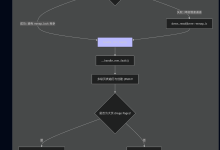
整体业务流程图(Mermaid彩色版)
#mermaid-svg-tii5VHCz5KLx6gWV{font-family:\”trebuchet ms\”,verdana,arial,sans-serif;font-size:16px;fill:#333;}@keyframes edge-animation-frame{from{stroke-dashoffset:0;}}@keyframes dash{to{stroke-dashoffset:0;}}#mermaid-svg-tii5VHCz5KLx6gWV .edge-animation-slow{stroke-dasharray:9,5!important;stroke-dashoffset:900;animation:dash 50s linear infinite;stroke-linecap:round;}#mermaid-svg-tii5VHCz5KLx6gWV .edge-animation-fast{stroke-dasharray:9,5!important;stroke-dashoffset:900;animation:dash 20s linear infinite;stroke-linecap:round;}#mermaid-svg-tii5VHCz5KLx6gWV .error-icon{fill:#552222;}#mermaid-svg-tii5VHCz5KLx6gWV .error-text{fill:#552222;stroke:#552222;}#mermaid-svg-tii5VHCz5KLx6gWV .edge-thickness-normal{stroke-width:1px;}#mermaid-svg-tii5VHCz5KLx6gWV .edge-thickness-thick{stroke-width:3.5px;}#mermaid-svg-tii5VHCz5KLx6gWV .edge-pattern-solid{stroke-dasharray:0;}#mermaid-svg-tii5VHCz5KLx6gWV .edge-thickness-invisible{stroke-width:0;fill:none;}#mermaid-svg-tii5VHCz5KLx6gWV .edge-pattern-dashed{stroke-dasharray:3;}#mermaid-svg-tii5VHCz5KLx6gWV .edge-pattern-dotted{stroke-dasharray:2;}#mermaid-svg-tii5VHCz5KLx6gWV .marker{fill:#333333;stroke:#333333;}#mermaid-svg-tii5VHCz5KLx6gWV .marker.cross{stroke:#333333;}#mermaid-svg-tii5VHCz5KLx6gWV svg{font-family:\”trebuchet ms\”,verdana,arial,sans-serif;font-size:16px;}#mermaid-svg-tii5VHCz5KLx6gWV p{margin:0;}#mermaid-svg-tii5VHCz5KLx6gWV .label{font-family:\”trebuchet ms\”,verdana,arial,sans-serif;color:#333;}#mermaid-svg-tii5VHCz5KLx6gWV .cluster-label text{fill:#333;}#mermaid-svg-tii5VHCz5KLx6gWV .cluster-label span{color:#333;}#mermaid-svg-tii5VHCz5KLx6gWV .cluster-label span p{background-color:transparent;}#mermaid-svg-tii5VHCz5KLx6gWV .label text,#mermaid-svg-tii5VHCz5KLx6gWV span{fill:#333;color:#333;}#mermaid-svg-tii5VHCz5KLx6gWV .node rect,#mermaid-svg-tii5VHCz5KLx6gWV .node circle,#mermaid-svg-tii5VHCz5KLx6gWV .node ellipse,#mermaid-svg-tii5VHCz5KLx6gWV .node polygon,#mermaid-svg-tii5VHCz5KLx6gWV .node path{fill:#ECECFF;stroke:#9370DB;stroke-width:1px;}#mermaid-svg-tii5VHCz5KLx6gWV .rough-node .label text,#mermaid-svg-tii5VHCz5KLx6gWV .node .label text,#mermaid-svg-tii5VHCz5KLx6gWV .image-shape .label,#mermaid-svg-tii5VHCz5KLx6gWV .icon-shape .label{text-anchor:middle;}#mermaid-svg-tii5VHCz5KLx6gWV .node .katex path{fill:#000;stroke:#000;stroke-width:1px;}#mermaid-svg-tii5VHCz5KLx6gWV .rough-node .label,#mermaid-svg-tii5VHCz5KLx6gWV .node .label,#mermaid-svg-tii5VHCz5KLx6gWV .image-shape .label,#mermaid-svg-tii5VHCz5KLx6gWV .icon-shape .label{text-align:center;}#mermaid-svg-tii5VHCz5KLx6gWV .node.clickable{cursor:pointer;}#mermaid-svg-tii5VHCz5KLx6gWV .root .anchor path{fill:#333333!important;stroke-width:0;stroke:#333333;}#mermaid-svg-tii5VHCz5KLx6gWV .arrowheadPath{fill:#333333;}#mermaid-svg-tii5VHCz5KLx6gWV .edgePath .path{stroke:#333333;stroke-width:2.0px;}#mermaid-svg-tii5VHCz5KLx6gWV .flowchart-link{stroke:#333333;fill:none;}#mermaid-svg-tii5VHCz5KLx6gWV .edgeLabel{background-color:rgba(232,232,232, 0.8);text-align:center;}#mermaid-svg-tii5VHCz5KLx6gWV .edgeLabel p{background-color:rgba(232,232,232, 0.8);}#mermaid-svg-tii5VHCz5KLx6gWV .edgeLabel rect{opacity:0.5;background-color:rgba(232,232,232, 0.8);fill:rgba(232,232,232, 0.8);}#mermaid-svg-tii5VHCz5KLx6gWV .labelBkg{background-color:rgba(232, 232, 232, 0.5);}#mermaid-svg-tii5VHCz5KLx6gWV .cluster rect{fill:#ffffde;stroke:#aaaa33;stroke-width:1px;}#mermaid-svg-tii5VHCz5KLx6gWV .cluster text{fill:#333;}#mermaid-svg-tii5VHCz5KLx6gWV .cluster span{color:#333;}#mermaid-svg-tii5VHCz5KLx6gWV div.mermaidTooltip{position:absolute;text-align:center;max-width:200px;padding:2px;font-family:\”trebuchet ms\”,verdana,arial,sans-serif;font-size:12px;background:hsl(80, 100%, 96.2745098039%);border:1px solid #aaaa33;border-radius:2px;pointer-events:none;z-index:100;}#mermaid-svg-tii5VHCz5KLx6gWV .flowchartTitleText{text-anchor:middle;font-size:18px;fill:#333;}#mermaid-svg-tii5VHCz5KLx6gWV rect.text{fill:none;stroke-width:0;}#mermaid-svg-tii5VHCz5KLx6gWV .icon-shape,#mermaid-svg-tii5VHCz5KLx6gWV .image-shape{background-color:rgba(232,232,232, 0.8);text-align:center;}#mermaid-svg-tii5VHCz5KLx6gWV .icon-shape p,#mermaid-svg-tii5VHCz5KLx6gWV .image-shape p{background-color:rgba(232,232,232, 0.8);padding:2px;}#mermaid-svg-tii5VHCz5KLx6gWV .icon-shape .label rect,#mermaid-svg-tii5VHCz5KLx6gWV .image-shape .label rect{opacity:0.5;background-color:rgba(232,232,232, 0.8);fill:rgba(232,232,232, 0.8);}#mermaid-svg-tii5VHCz5KLx6gWV .label-icon{display:inline-block;height:1em;overflow:visible;vertical-align:-0.125em;}#mermaid-svg-tii5VHCz5KLx6gWV .node .label-icon path{fill:currentColor;stroke:revert;stroke-width:revert;}#mermaid-svg-tii5VHCz5KLx6gWV :root{–mermaid-font-family:\”trebuchet ms\”,verdana,arial,sans-serif;}
定时重置计数/库存
是
否
是
否
客户端并发请求500W QPS
Nginx网关层限流拦截模块
定时任务每日12点重置计数
当前放行计数≥15000?
红包库存≤0?
Java红包服务扣减红包库存
返回JSON:红包已抢完
正常抢红包返回结果
二、整体架构设计思路 💡
- Nginx层:硬限制最大放行15000次,超量直接拒绝,不打穿Java服务
- Java服务层:红包库存10000,库存清零后接口直接返回已抢完,不再执行业务逻辑
三、Nginx 完整配置实现 🛠️
3.1 nginx.conf 全局限流配置
# 共享内存区域:红包接口计数器,存储15000请求计数,共享内存10M
limit_req_zone $uri zone=red_packet:10m rate=10000r/s;
# 持久化计数文件,重启Nginx不丢失当前放行计数
limit_req_file /var/nginx/red_packet_count.txt zone=red_packet;
# 自定义限流返回JSON,红包已抢完
limit_req_status 429;
error_page 429 = @packet_full;
location @packet_full {
default_type application/json;
return 200 '{"code":999,"msg":"红包已抢完","data":null}';
}
# 定时开关控制变量,默认关闭红包限流
set $packet_switch 0;
# 利用Nginx时间判断,每日12点~14点开启红包限流窗口
if ($time_iso8601 ~ "T12|T13") {
set $packet_switch 1;
}
3.2 红包接口 location 拦截配置
location /api/redPacket/grab {
# 非12-14点直接放行,不限流
if ($packet_switch = 0) {
proxy_pass http://java_backend;
break;
}
# 限流规则:最大放行15000个请求,突发不排队,超量直接429
limit_req zone=red_packet burst=15000 nodelay;
proxy_pass http://java_backend;
proxy_set_header Host $host;
proxy_set_header X-Real-IP $remote_addr;
}
四、定时重置脚本(crontab每日12点执行) ⏰
4.1 重置脚本 reset_redpacket.sh
#!/bin/bash
# 1.清空Nginx红包计数器持久化文件
echo 0 > /var/nginx/red_packet_count.txt
# 2.重载Nginx配置,刷新共享内存计数
nginx -s reload
# 3.调用Java后台接口重置Redis红包库存为10000
curl -X POST http://127.0.0.1:8080/api/redPacket/resetStock
echo "每日12点红包限流计数、库存重置完成"
4.2 脚本授权命令
chmod +x /usr/local/script/reset_redpacket.sh
4.3 crontab 定时任务配置
# 每日中午12:00整执行重置脚本
0 12 * * * /usr/local/script/reset_redpacket.sh >> /var/log/redpacket_cron.log 2>&1
# 查看定时任务
crontab -l
# 编辑定时任务
crontab -e
五、Java后端红包库存控制逻辑(兜底第二层拦截) ☕
Redis库存工具类核心逻辑
/**
* 红包抢单兜底拦截,Nginx放行15000次,实际仅10000个红包
*/
@Service
public class RedPacketService {
private static final String RED_PACKET_STOCK_KEY = "red:packet:stock";
private static final Integer MAX_STOCK = 10000;
@Autowired
private StringRedisTemplate redisTemplate;
// 每日定时重置库存接口(crontab调用)
@PostMapping("/api/redPacket/resetStock")
public Result<Void> resetStock() {
redisTemplate.opsForValue().set(RED_PACKET_STOCK_KEY, MAX_STOCK.toString());
return Result.success();
}
// 抢红包核心接口
@GetMapping("/grab")
public Result<?> grabPacket() {
// 原子扣减库存
Long remainStock = redisTemplate.opsForValue().decrement(RED_PACKET_STOCK_KEY);
if (remainStock < 0) {
// 库存耗尽,直接返回已抢完
return Result.error(999, "红包已抢完");
}
// 正常发放红包逻辑
return Result.success("领取成功");
}
}
六、运维常用操作命令 📋
1. 校验Nginx配置是否生效
nginx -t
2. 手动重载Nginx刷新限流计数
nginx -s reload
3. 查看Nginx限流日志
tail -f /var/log/nginx/error.log | grep red_packet
4. 手动执行重置脚本测试
sh /usr/local/script/reset_redpacket.sh
5. 实时监控Redis红包库存
redis-cli get red:packet:stock