AI 辅助前端数据流架构设计:从混乱流向到智能编排的工程演进
一、数据流失控:前端架构中最隐蔽的技术债
前端数据流管理一直是大型应用架构中最容易失控的环节。随着业务迭代,组件之间的数据传递路径变得越来越复杂,props 层层透传、全局状态膨胀、重复请求泛滥,往往在数轮需求变更后才"爆发"——表现为页面闪烁、状态不同步、内存泄漏等难以定位的问题。
传统解决方式是人工梳理数据流向,绘制数据流图,然后制定重构方案。但面对几百个组件、几十个 Redux/Zustand/Pinia Store 的复杂项目,人工分析不仅耗时,而且极易遗漏动态渲染路径和条件分支下的隐藏数据流。
AI 的代码理解和推理能力,为解决这一困境提供了新思路。通过静态分析结合 AST 遍历,AI 可以自动绘制组件树到数据流的完整映射;通过分析 props 传递链路和状态修改模式,AI 能够发现冗余渲染、不必要的数据传递和不合理的状态提升,并给出优化建议。
二、智能数据流分析引擎:核心架构设计
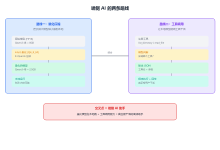
AI 辅助数据流分析的架构分为三层,每一层解决不同维度的问题。
静态分析层负责解析源代码中的显式数据依赖。通过 TypeScript Compiler API 或自定义 Babel 插件,提取组件的 props 定义、context 使用、store 订阅等关键信息,建立组件间的数据依赖图。
运行时探针层在开发环境中注入轻量级 Hook,捕获组件实际渲染时的 props 传递值、状态变更频率和 render 次数。这一层弥补了静态分析无法覆盖动态渲染路径(如 React.lazy、条件渲染)的不足。
AI 推理层以数据流图谱为输入,结合预训练的架构模式知识,输出具体的优化建议。核心能力包括:识别"过度提升"的全局状态、发现可合并的 API 请求、建议合理的缓存分割策略。
三、工程实现:从代码扫描到优化建议的完整链路
3.1 数据流静态分析器
基于 Babel traverse 实现组件数据流追踪:
import * as parser from '@babel/parser';
import traverse, { NodePath } from '@babel/traverse';
import * as t from '@babel/types';
import fs from 'fs/promises';
interface DataFlowEdge {
source: string;
target: string;
dataKey: string;
pathType: 'props' | 'context' | 'store' | 'url' | 'event';
isOptional: boolean;
}
interface ComponentDataFlow {
componentName: string;
filePath: string;
inboundEdges: DataFlowEdge[];
outboundEdges: DataFlowEdge[];
storeSubscriptions: string[];
renderConditions: string[];
}
class DataFlowAnalyzer {
private flowGraph: Map<string, ComponentDataFlow> = new Map();
async analyzeComponent(filePath: string): Promise<ComponentDataFlow> {
try {
const code = await fs.readFile(filePath, 'utf-8');
const ast = parser.parse(code, {
sourceType: 'module',
plugins: ['typescript', 'jsx']
});
const flow: ComponentDataFlow = {
componentName: this.extractComponentName(ast, filePath),
filePath,
inboundEdges: [],
outboundEdges: [],
storeSubscriptions: [],
renderConditions: []
};
traverse(ast, {
// 追踪 props 解构和传递
VariableDeclarator(path) {
if (t.isObjectPattern(path.node.id) &&
path.parentPath?.isVariableDeclaration()) {
// 提取 props 中的具体字段
path.node.id.properties.forEach(prop => {
if (t.isObjectProperty(prop) && t.isIdentifier(prop.key)) {
flow.inboundEdges.push({
source: 'parent',
target: filePath,
dataKey: prop.key.name,
pathType: 'props',
isOptional: false
});
}
});
}
},
// 追踪 Redux/Zustand store 订阅
CallExpression(path) {
if (t.isIdentifier(path.node.callee) &&
path.node.callee.name === 'useSelector') {
const arg = path.node.arguments[0];
if (t.isArrowFunctionExpression(arg) || t.isFunctionExpression(arg)) {
// 提取 selector 中访问的 state 字段
const accessedKeys = this.extractStateAccess(arg);
flow.storeSubscriptions.push(…accessedKeys);
accessedKeys.forEach(key => {
flow.inboundEdges.push({
source: 'store',
target: filePath,
dataKey: key,
pathType: 'store',
isOptional: false
});
});
}
}
},
// 追踪组件渲染时的 props 传递(向子组件传递数据)
JSXElement(path) {
const openingElement = path.node.openingElement;
const componentName = this.getJSXElementName(openingElement);
if (componentName && componentName[0] === componentName[0].toUpperCase()) {
openingElement.attributes.forEach(attr => {
if (t.isJSXAttribute(attr) && t.isJSXIdentifier(attr.name)) {
flow.outboundEdges.push({
source: filePath,
target: componentName,
dataKey: attr.name.name,
pathType: 'props',
isOptional: true
});
}
});
}
},
// 追踪条件渲染
ConditionalExpression(path) {
const conditionCode = this.getNodeSource(path.node.test, code);
flow.renderConditions.push(conditionCode);
},
LogicalExpression(path) {
if (path.parentPath?.isJSXElement() || path.parentPath?.isJSXExpressionContainer()) {
const conditionCode = this.getNodeSource(path.node, code);
flow.renderConditions.push(conditionCode);
}
}
});
this.flowGraph.set(filePath, flow);
return flow;
} catch (error) {
console.error(`组件分析失败: ${filePath}`, error);
throw new Error(`数据流分析异常: ${error instanceof Error ? error.message : '未知错误'}`);
}
}
private extractComponentName(ast: t.File, filePath: string): string {
let componentName = 'AnonymousComponent';
traverse(ast, {
ExportDefaultDeclaration(path) {
const decl = path.node.declaration;
if (t.isIdentifier(decl)) {
componentName = decl.name;
} else if (t.isFunctionDeclaration(decl) && decl.id) {
componentName = decl.id.name;
}
path.stop();
},
ExportNamedDeclaration(path) {
if (t.isVariableDeclaration(path.node.declaration)) {
const declarator = path.node.declaration.declarations[0];
if (declarator && t.isIdentifier(declarator.id)) {
componentName = declarator.id.name;
}
path.stop();
}
}
});
return componentName || path.basename(filePath, path.extname(filePath));
}
private extractStateAccess(funcNode: t.ArrowFunctionExpression | t.FunctionExpression): string[] {
const keys: string[] = [];
const body = funcNode.body;
if (t.isMemberExpression(body)) {
let current = body;
const parts: string[] = [];
while (t.isMemberExpression(current)) {
if (t.isIdentifier(current.property)) {
parts.unshift(current.property.name);
}
current = current.object as t.MemberExpression;
}
if (parts.length > 0) {
keys.push(parts.join('.'));
}
}
return keys;
}
private getJSXElementName(openingElement: t.JSXOpeningElement): string {
const name = openingElement.name;
if (t.isJSXIdentifier(name)) return name.name;
if (t.isJSXMemberExpression(name)) {
return `${name.object.name}.${name.property.name}`;
}
return '';
}
private getNodeSource(node: t.Node, originalCode: string): string {
return originalCode.slice(node.start!, node.end!).trim();
}
}
3.2 AI 驱动的数据流优化建议引擎
在收集完数据流图谱后,AI 模型进行智能分析:
interface OptimizationSuggestion {
type: 'state_lift_down' | 'request_merge' | 'memo_optimization' | 'store_split';
severity: 'high' | 'medium' | 'low';
description: string;
affectedComponents: string[];
beforeCode: string;
afterCode: string;
estimatedImpact: {
renderReduction: number; // 预估减少的渲染次数百分比
bundleReduction: number; // 预估减少的包体积(KB)
};
}
class AIFlowOptimizer {
private knowledgeBase: Map<string, OptimizationSuggestion[]> = new Map();
async analyzeAndOptimize(
flowGraph: Map<string, ComponentDataFlow>
): Promise<OptimizationSuggestion[]> {
try {
const suggestions: OptimizationSuggestion[] = [];
// 1. 检测过度提升的状态
const stateLiftDownSuggestions = await this.detectOverLiftedState(flowGraph);
suggestions.push(…stateLiftDownSuggestions);
// 2. 检测可合并的重复请求
const mergeSuggestions = await this.detectRedundantRequests(flowGraph);
suggestions.push(…mergeSuggestions);
// 3. 检测缺少 memo 优化的组件
const memoSuggestions = await this.detectMemoOpportunities(flowGraph);
suggestions.push(…memoSuggestions);
// 4. 检测需要拆分的 Store
const splitSuggestions = await this.detectStoreSplitOpportunities(flowGraph);
suggestions.push(…splitSuggestions);
// 按严重程度排序
return suggestions.sort((a, b) => {
const severityOrder = { high: 0, medium: 1, low: 2 };
return severityOrder[a.severity] – severityOrder[b.severity];
});
} catch (error) {
console.error('AI 优化分析失败:', error);
throw error;
}
}
private async detectOverLiftedState(
flowGraph: Map<string, ComponentDataFlow>
): Promise<OptimizationSuggestion[]> {
const suggestions: OptimizationSuggestion[] = [];
// 遍历所有使用 store 的组件
for (const [, componentFlow] of flowGraph) {
if (componentFlow.storeSubscriptions.length === 0) continue;
// 检查每个 store key 的实际使用者数量
for (const storeKey of componentFlow.storeSubscriptions) {
const consumers = this.findStoreKeyConsumers(flowGraph, storeKey);
// 如果只有 1 个组件使用该 store key → 建议下沉为本地状态
if (consumers.size === 1) {
suggestions.push({
type: 'state_lift_down',
severity: 'medium',
description: `Store key "${storeKey}" 仅在单个组件中使用,建议下沉为组件本地状态`,
affectedComponents: Array.from(consumers),
beforeCode: `// 全局 Store: ${storeKey}\\nconst value = useStore(state => state.${storeKey});`,
afterCode: `// 组件本地状态\\nconst [value, setValue] = useState(initialValue);`,
estimatedImpact: {
renderReduction: 15,
bundleReduction: 2
}
});
}
}
}
return suggestions;
}
private findStoreKeyConsumers(
flowGraph: Map<string, ComponentDataFlow>,
storeKey: string
): Set<string> {
const consumers = new Set<string>();
for (const [filePath, flow] of flowGraph) {
if (flow.storeSubscriptions.includes(storeKey)) {
consumers.add(filePath);
}
}
return consumers;
}
private async detectRedundantRequests(
flowGraph: Map<string, ComponentDataFlow>
): Promise<OptimizationSuggestion[]> {
// 分析在同一渲染周期内多个组件发出相同 API 请求的场景
const suggestions: OptimizationSuggestion[] = [];
// 收集所有组件的 API 请求模式(通过 useEffect 调用分析)
const requestPatterns = new Map<string, Set<string>>();
for (const [, flow] of flowGraph) {
// 简化的 API 请求检测(实际项目中需要更深入的 AST 分析)
flow.inboundEdges
.filter(edge => edge.pathType === 'url')
.forEach(edge => {
if (!requestPatterns.has(edge.dataKey)) {
requestPatterns.set(edge.dataKey, new Set());
}
requestPatterns.get(edge.dataKey)!.add(flow.filePath);
});
}
// 多个组件请求同一 API → 建议合并或使用 SWR/React Query 缓存
for (const [url, components] of requestPatterns) {
if (components.size > 1) {
suggestions.push({
type: 'request_merge',
severity: 'high',
description: `${components.size} 个组件独立请求了相同 API: ${url}`,
affectedComponents: Array.from(components),
beforeCode: `// 各组件独立请求\\nuseEffect(() => { fetch('${url}') }, []);`,
afterCode: `// 使用 React Query 共享请求\\nconst { data } = useQuery({ queryKey: ['shared-key'], queryFn: fetchData });`,
estimatedImpact: {
renderReduction: 30,
bundleReduction: 5
}
});
}
}
return suggestions;
}
private async detectMemoOpportunities(
flowGraph: Map<string, ComponentDataFlow>
): Promise<OptimizationSuggestion[]> {
const suggestions: OptimizationSuggestion[] = [];
// 识别 props 接收较多且包含复杂对象/数组的组件
for (const [, flow] of flowGraph) {
const propsEdges = flow.inboundEdges.filter(e => e.pathType === 'props');
if (propsEdges.length >= 5) {
suggestions.push({
type: 'memo_optimization',
severity: 'low',
description: `组件 ${flow.componentName} 接收 ${propsEdges.length} 个 props,建议包裹 React.memo`,
affectedComponents: [flow.filePath],
beforeCode: `export default function ${flow.componentName}(props) { … }`,
afterCode: `const ${flow.componentName} = React.memo(function ${flow.componentName}(props) { … });`,
estimatedImpact: {
renderReduction: 20,
bundleReduction: 0
}
});
}
}
return suggestions;
}
private async detectStoreSplitOpportunities(
flowGraph: Map<string, ComponentDataFlow>
): Promise<OptimizationSuggestion[]> {
const suggestions: OptimizationSuggestion[] = [];
const storeKeyCounts = new Map<string, number>();
// 统计全局 store 的总 key 数量
for (const [, flow] of flowGraph) {
flow.storeSubscriptions.forEach(key => {
storeKeyCounts.set(key, (storeKeyCounts.get(key) || 0) + 1);
});
}
// 如果 store key 超过 20 个,建议拆分
if (storeKeyCounts.size > 20) {
suggestions.push({
type: 'store_split',
severity: 'medium',
description: `全局 Store 包含 ${storeKeyCounts.size} 个 key,建议按业务域拆分为多个独立 Store`,
affectedComponents: Array.from(flowGraph.keys()),
beforeCode: `// 单一巨型 Store(${storeKeyCounts.size} keys)\\nconst useAppStore = create((set) => ({ … }));`,
afterCode: `// 按域拆分\\nconst useUserStore = create((set) => ({ … }));\\nconst useOrderStore = create((set) => ({ … }));`,
estimatedImpact: {
renderReduction: 40,
bundleReduction: 10
}
});
}
return suggestions;
}
}
3.3 分析结果可视化
将分析结果生成可视化报告:
interface DataFlowReport {
summary: {
totalComponents: number;
totalDataEdges: number;
averagePropsDepth: number;
circularDependencies: string[][];
};
criticalPaths: Array<{
path: string[];
latency: number;
dataTransformations: number;
}>;
recommendations: OptimizationSuggestion[];
flowDiagram: string; // Mermaid 语法
}
async function generateFlowReport(
flows: Map<string, ComponentDataFlow>,
suggestions: OptimizationSuggestion[]
): Promise<DataFlowReport> {
// 汇总分析
const totalEdges = Array.from(flows.values())
.reduce((sum, f) => sum + f.inboundEdges.length + f.outboundEdges.length, 0);
// 检测循环依赖
const circulars = detectCircularDependencies(flows);
return {
summary: {
totalComponents: flows.size,
totalDataEdges: totalEdges,
averagePropsDepth: calculateAveragePropsDepth(flows),
circularDependencies: circulars
},
criticalPaths: identifyCriticalPaths(flows),
recommendations: suggestions,
flowDiagram: generateMermaidCode(flows)
};
}
四、边界认知:AI 分析并非银弹
4.1 静态分析的天然局限
静态分析基于 AST 操作,无法感知运行时行为。动态 import、条件渲染分支、高阶组件包裹等场景,静态分析难以完整覆盖。运行时探针层虽然能弥补部分不足,但仅适用于开发环境,且会带来性能开销。
4.2 AI 推理的置信度问题
AI 模型输出的优化建议并非百分百正确。例如,状态提升到全局 store 可能出于跨路由状态保持的需求,而非"过度提升"。AI 难以理解这类隐含的业务约束,因此所有建议都应经过人工审核。
4.3 工具集成成本
数据流分析工具的维护需要持续投入。代码风格变化、新框架特性、自定义 Hooks 模式都可能让分析器失效。建议将其作为 CI/CD 中的可选检查项,而非阻断项。
4.4 适用与不适用场景
适用场景:
- 复杂度高、组件数超过 100 的大型 React 项目
- 使用全局状态库(Redux/Zustand)的项目
- 性能优化驱动、需要降低渲染成本的项目
不适用场景:
- 小型项目(组件数 < 30、状态结构简单)
- 使用 Svelte/Vue Composition API 且状态高度模块化的项目
- 原型阶段、频繁重构的项目
五、总结
AI 辅助前端数据流架构设计,通过"静态分析 + 运行时探针 + AI 推理"三层架构,实现了从组件代码到数据流图谱再到优化建议的自动化闭环。它的核心价值在于:
落地建议:从最核心的页面模块开始试点,逐步积累分析规则和 AI 推理模式。将数据流分析集成到 Code Review 流程中,让架构审查有据可依。但始终记住,AI 的建议是决策辅助,最终的架构判断权始终在开发者手中。
数据流是前端架构的血管系统。AI 让血管造影从手工绘制走向智能成像,但手术方案仍需架构师亲自操刀。