目录
一、ollama安装与本地模型部署
1、ollama下载地址:
2、ollama安装成功确认与本地模型下载
二、Ollama 局域网远程访问配置
1. 改 OLLAMA_HOST 监听所有网卡
2. 防火墙放行 11434 入站
3. ollama局域网链接测试
1、拿到主电脑局域网 IP
2、主电脑自测
3、副电脑连通测试
三、hermes安装与配置
1、Windows版本Hermes下载地址
2、Hermes配置
1、将Hermes的provider配置为主电脑ollama的本地模型
2、Hermes链接微信
一、ollama安装与本地模型部署
1、ollama下载地址:
OllamaOllama is the easiest way to automate your work using open models, while keeping your data safe. https://ollama.com/
2、ollama安装成功确认与本地模型下载
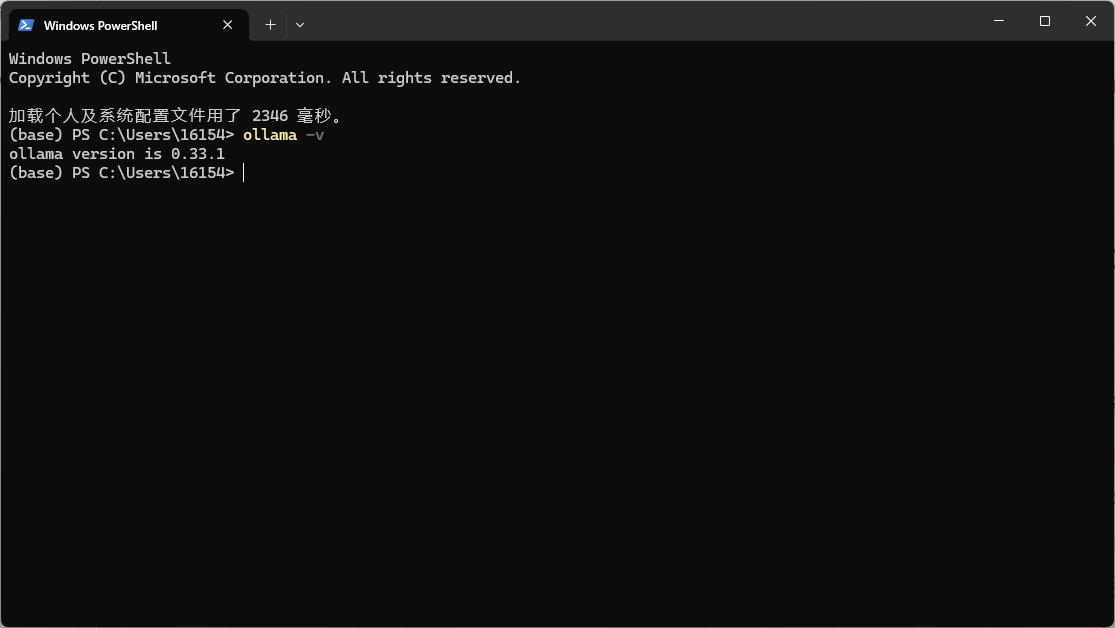
ctrl+x → 终端→ 运行 ollama -v ,出现ollama版本号即安装成功。
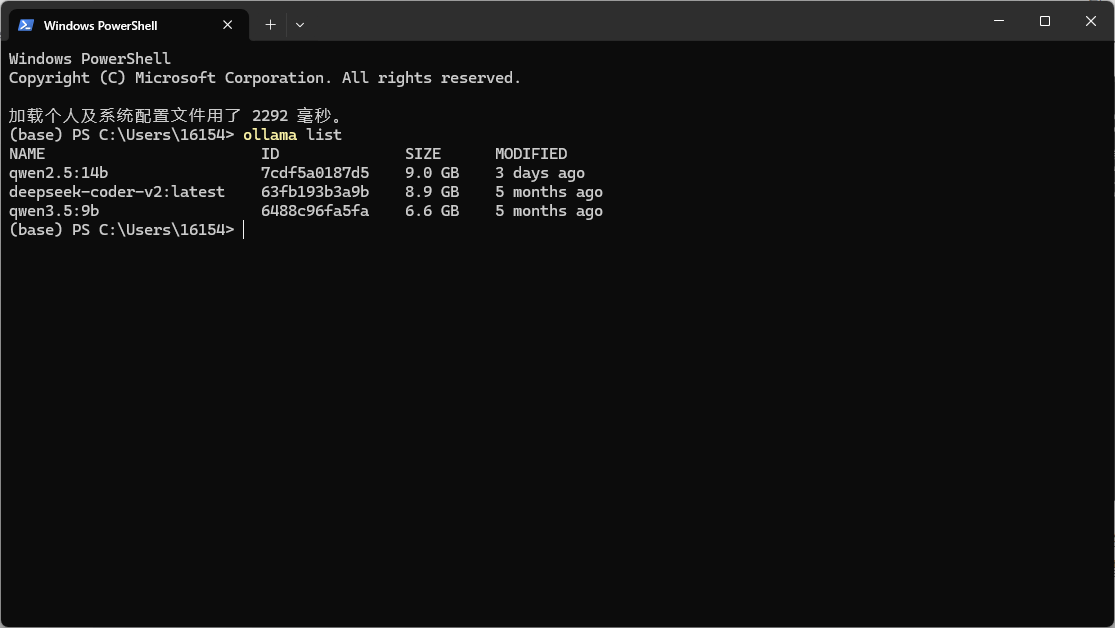
在终端运行ollama pull qwen3.5:9b(具体模型根据电脑配置自行选择)部署本地模型,ollama list可查看当前已下载模型。
二、Ollama 局域网远程访问配置
1. 改 OLLAMA_HOST 监听所有网卡
Windows低端搜索栏搜索环境变量进入编辑系统环境变量,点击环境变量。
系统变量(或用户变量都行)点新建:
名: OLLAMA_HOST 值: 0.0.0.0:11434
(ollama默认只监听127.0.0.1:11434,别的机器啊连不上)
名: OLLAMA_ORIGINS 值: *
(防止浏览器/CORS拦截)
确定保存后,右下角托盘退出 Ollama 再重新打开(必须彻底退,不然环境变量不生效)
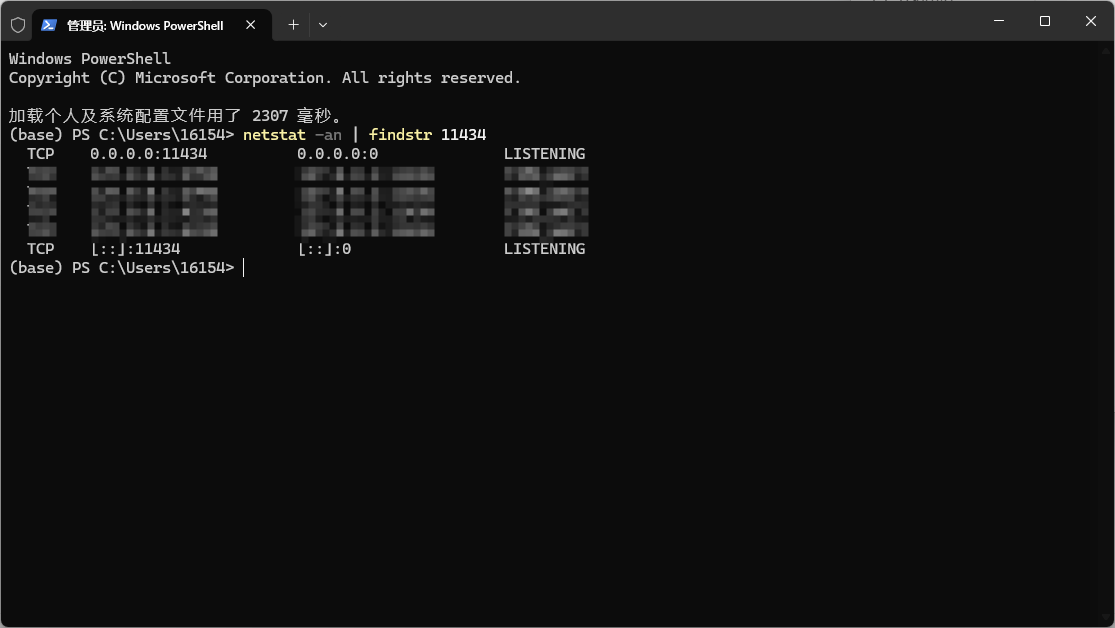
验证:ctrl+x → 终端(管理员)→ 运行 netstat -an | findstr 11434 ,可以看到 0.0.0.0:11434 … LISTENING 。
2. 防火墙放行 11434 入站
ctrl+x → 终端(管理员)→ 运行
New-NetFirewallRule -DisplayName "Ollama LAN 11434" -Direction Inbound -Protocol TCP -LocalPort 11434 -Action Allow
3. ollama局域网链接测试
1、拿到主电脑局域网 IP
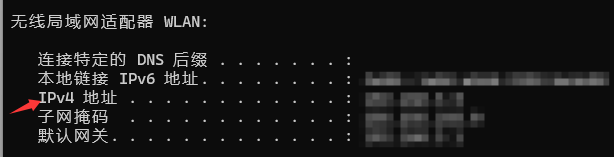
PowerShell 里运行 ipconfig ,看当前上网网卡(Wi-Fi 或以太网)的 IPv4 地址,一般是 192.168.x.x 或 10.x.x.x 。假设是 192.168.1.100 。
2、主电脑自测
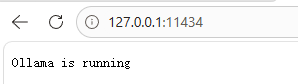
浏览器开 http://127.0.0.1:11434 显示 Ollama is running 即ollama服务正常。
3、副电脑连通测试
在副电脑终端断运行(此处192.168.1.100应替换为主机的IPv4地址)
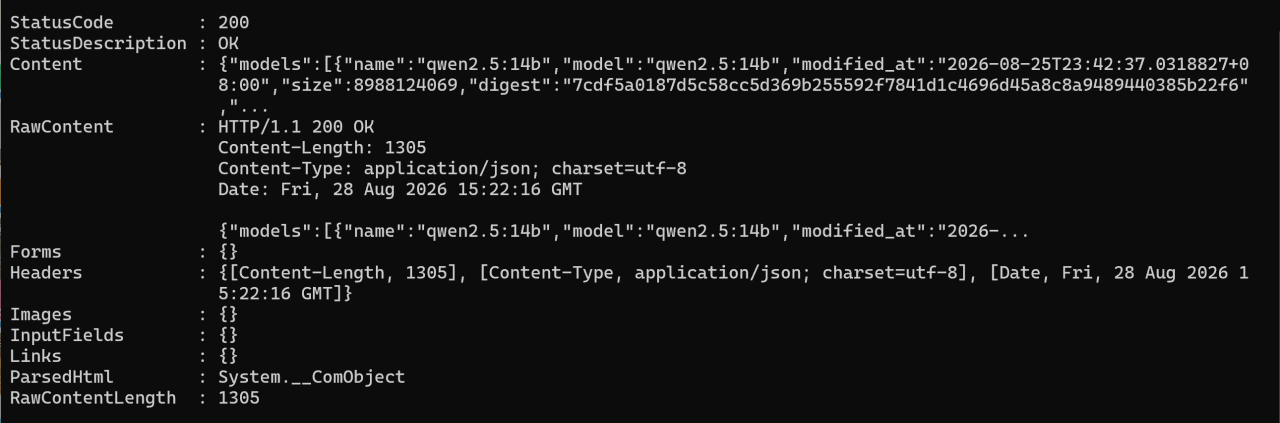
curl http://192.168.1.100:11434/api/tags
运行结果
三、hermes安装与配置
1、Windows版本Hermes下载地址
https://hermes-agent.nousresearch.com/https://hermes-agent.nousresearch.com/
注:hermes安装可能需要科学上网,如果仅需在主电脑上安装hermes,在主电脑终端运行ollama lauch hermes更为便捷。
2、Hermes配置
1、将Hermes的provider配置为主电脑ollama的本地模型
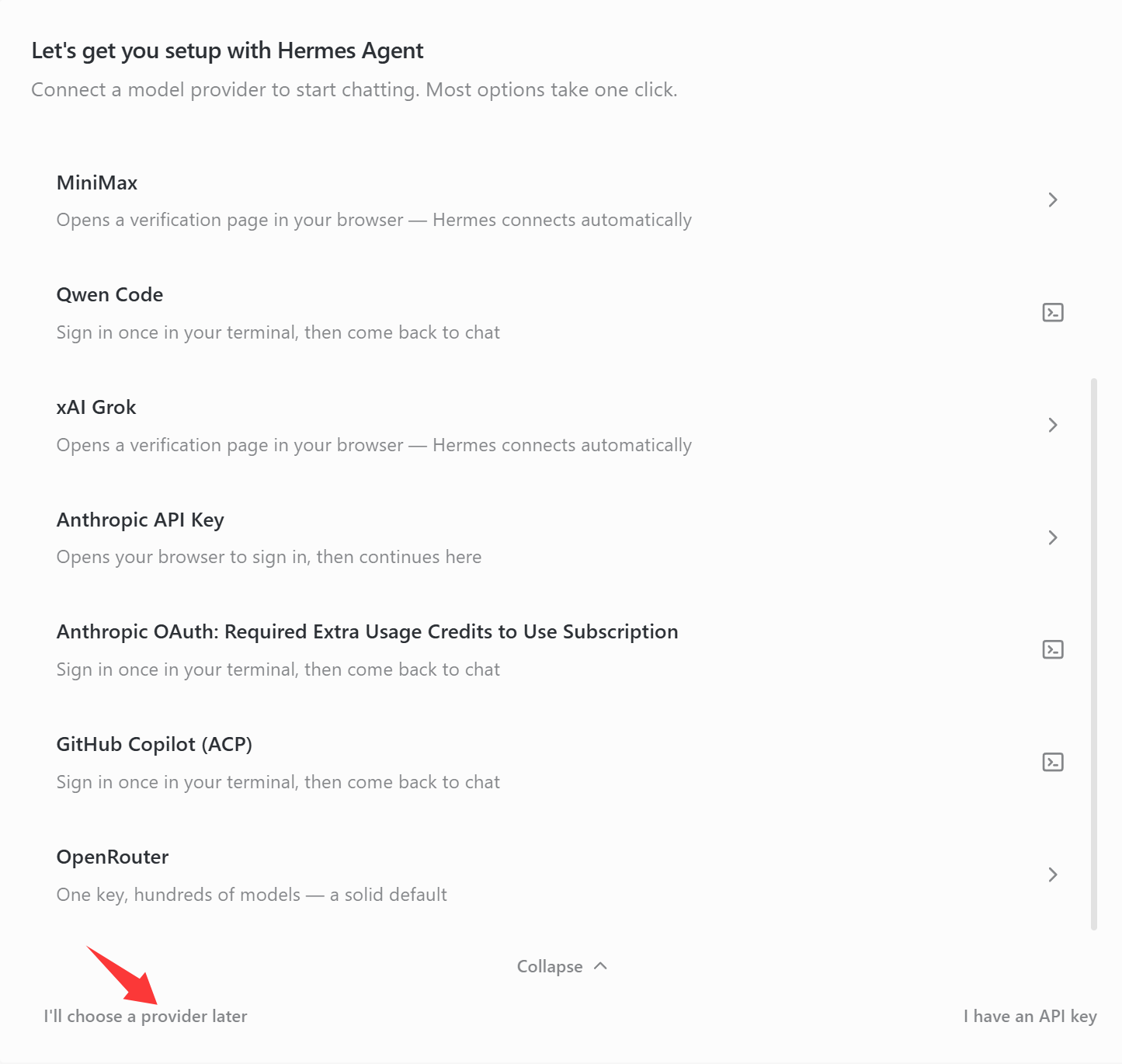
Hermes安装成功后点击I'll choose a provider later。
打开终端运行hermes命令,进行如下配置:
select provider:38
API base URL :http//IPv4 地址:11434/v1
Select API compatibility mode:1
Available models:选择ollama已部署的模型
Context length:设置上下文长度
Display name:给当前链接模型命名
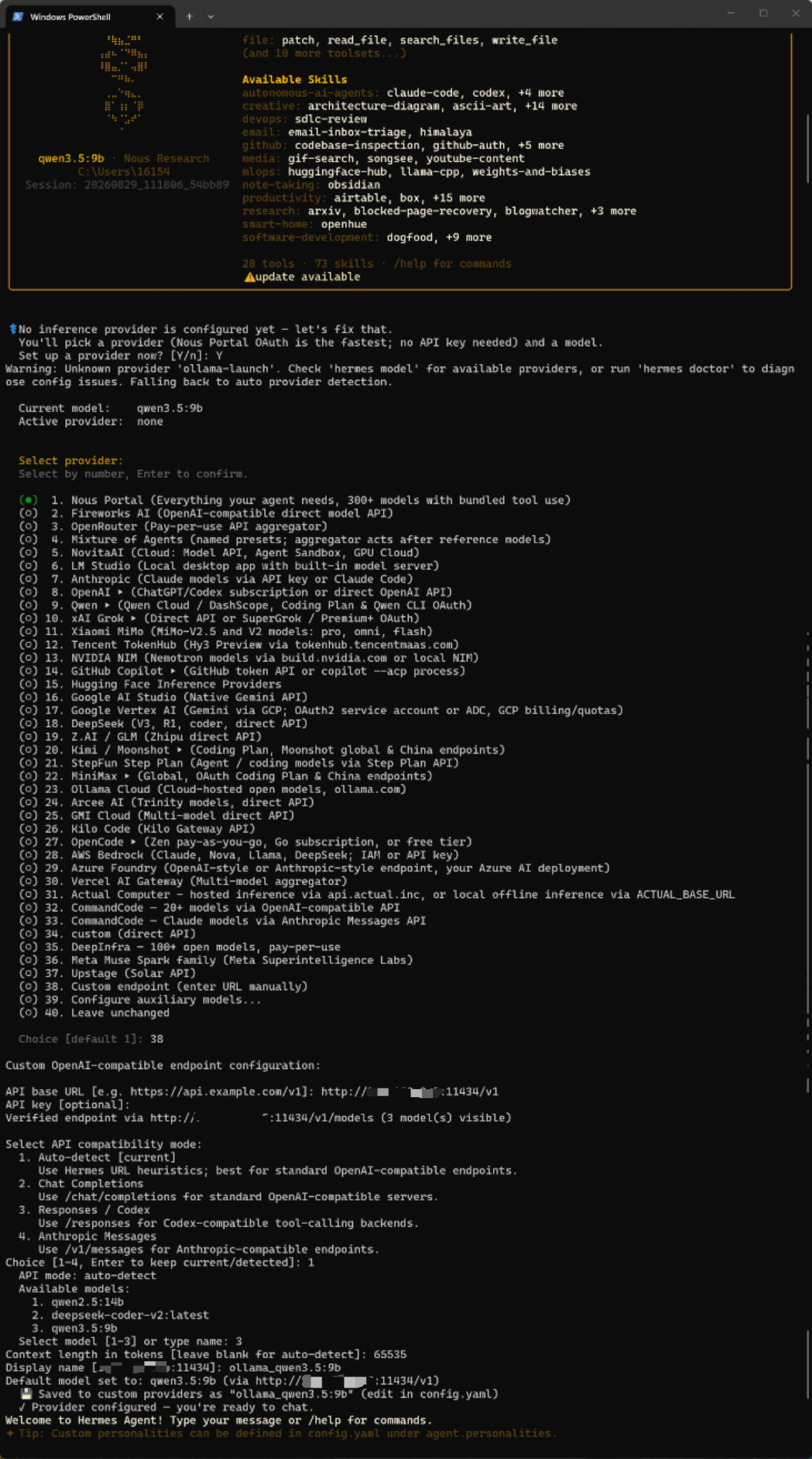
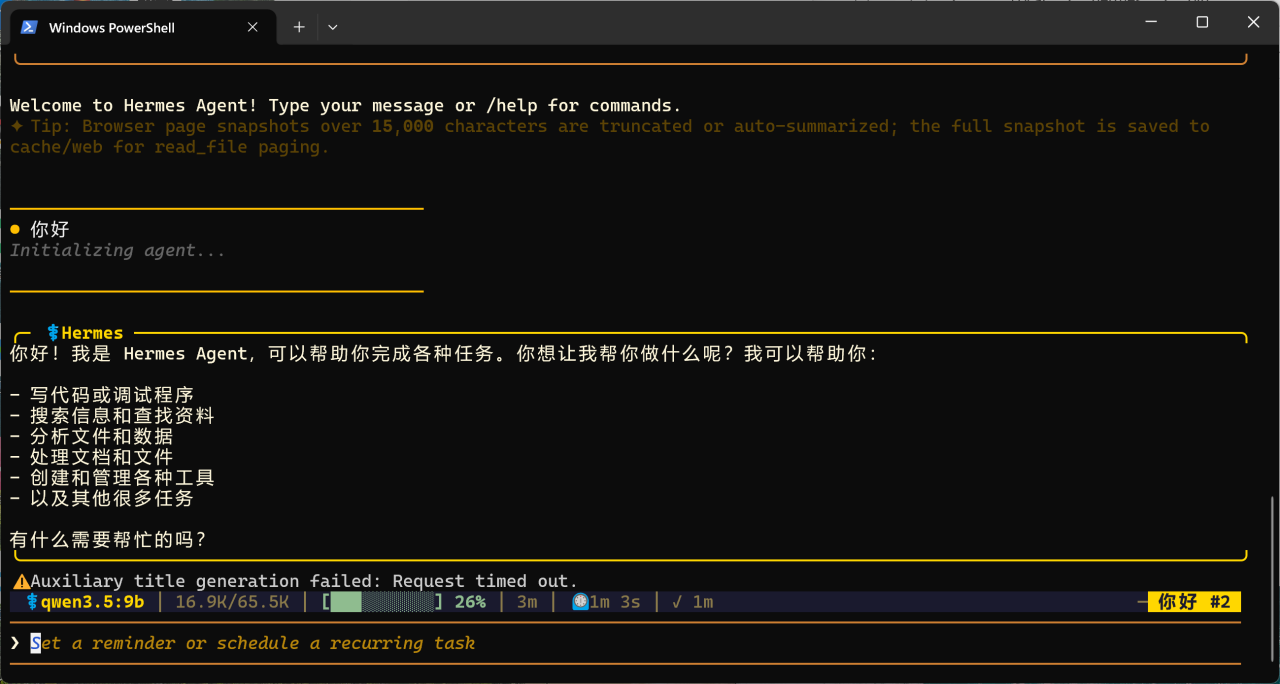
配置完成后即可进行对话
ollama端与Hermes端Context length长度不匹配的问题:
Failed to initialize agent: Model qwen3.5:9b has a context window of 32,768 tokens, which is below the minimum 64,000 required by Hermes Agent. Choose a model with at least 64K context. If your server reports a window smaller than the model's true window, set model.context_length in config.yaml to the real value (this must be at least 64K).
问题解决方法:
1、在ollama端(主电脑)PowerShell 执行:
[System.Environment]::SetEnvironmentVariable("OLLAMA_CONTEXT_LENGTH", "65536", "User")
2、在Hermes端(副电脑)打开Hermes的配置文件,路径为C:\\Users\\<你的用户名>\\AppData\\Local\\hermes\\config.yaml,将model下的context_length修改为与ollama端配置匹配的值。
model:
default: qwen3.5:9b
provider: custom
base_url: http://IPV4地址:11434/v1
context_length: 65536
2、Hermes链接微信
终端运行hermes gateway setup,Messaging Platforms选择3。
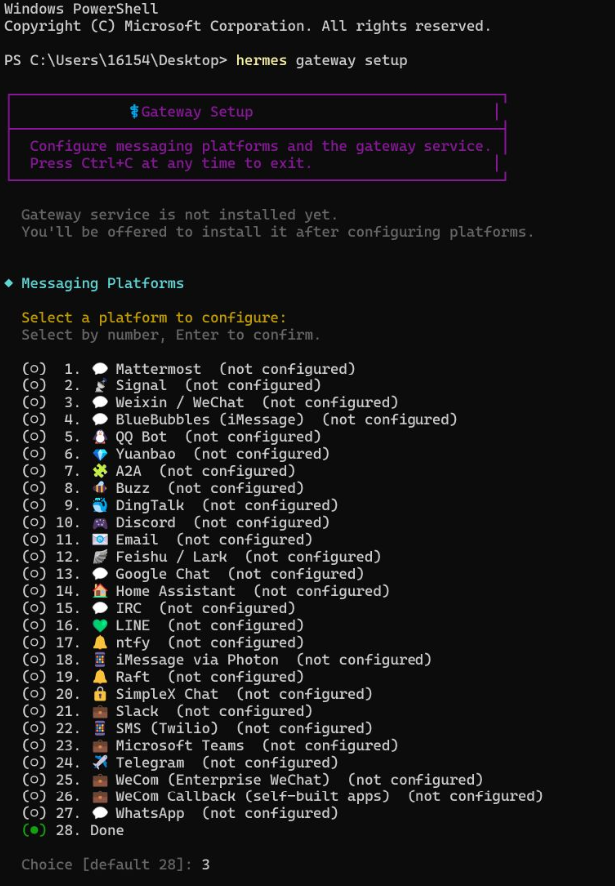
进入Hermes的微信设置,会产生微信ClawBot的二维码链接,点击链接使用微信扫码与微信ClawBot通信。
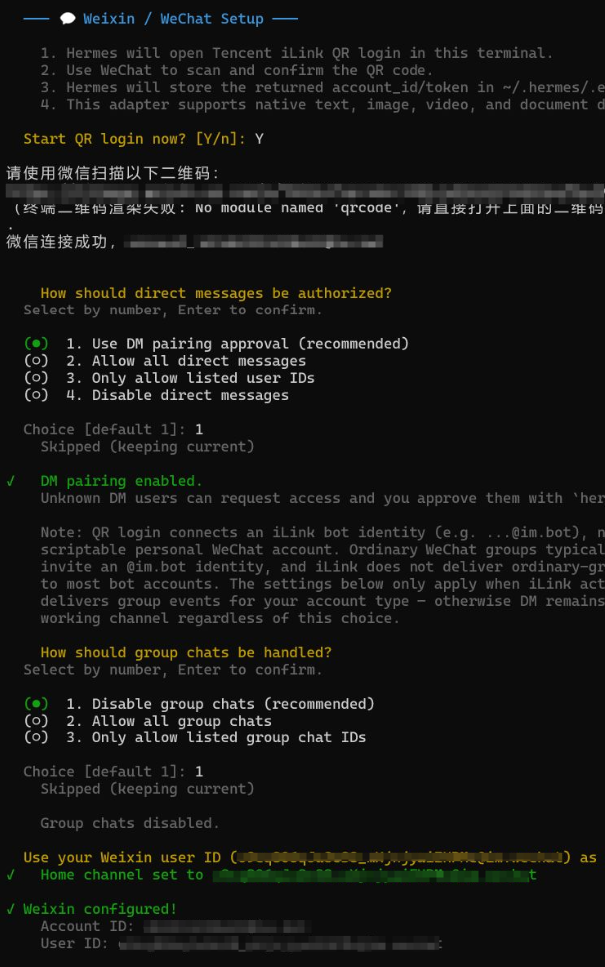
重启终端,使用hermes或hermes gateway start重启Hermes,使用微信向微信ClawBot发送信息,会收到微信ClawBot回复的配对码。
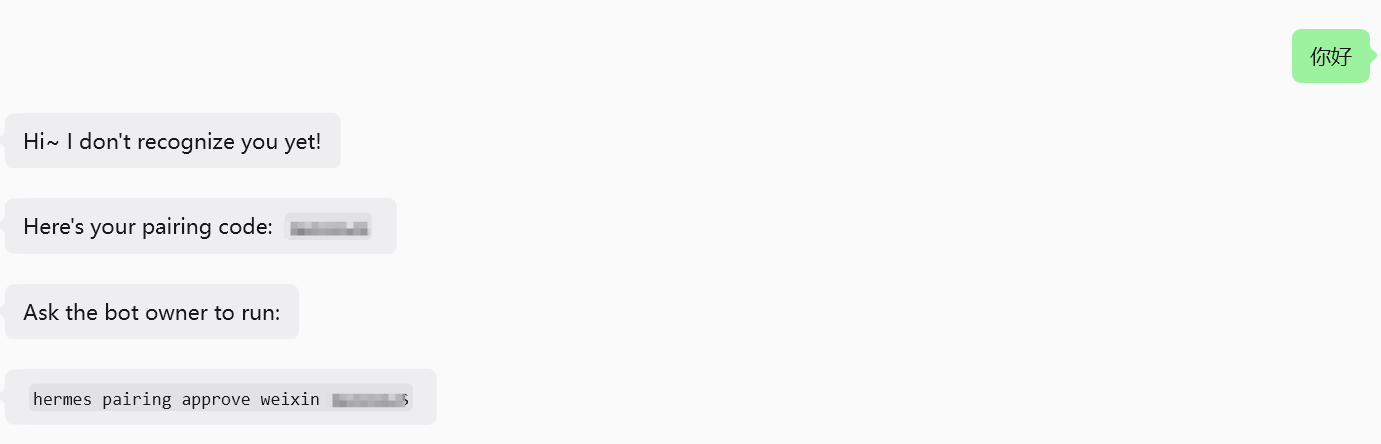
在终端运行 hermes pairing approve weixin 配对码,完成配对,即可通过微信与微信ClawBot对话指挥Hermes工作。