Kafka KRaft 模式演进:去 ZK 架构与控制器角色合并解析
1. Kafka KRaft 模式背景与演进历程
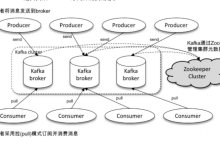
传统 Kafka 架构依赖 ZooKeeper 管理集群元数据和协调控制器选举。ZooKeeper 作为外部服务,为 Kafka 提供了分布式协调能力,但同时也带来了额外的部署复杂性、维护成本和单点风险问题。
Kafka 2.8.0 版本开始引入 KRaft 模式作为技术预览,在 3.0.0 版本正式进入 GA 阶段。KRaft 模式采用 Raft 共识算法替代 ZooKeeper,将元数据管理和控制器角色集成到 Broker 节点中,实现了 Kafka 的原生分布式架构。
演进关键节点:
- 2017 年:开始探索内部元数据存储方案
- 2019 年:提出 KIP-500,规划移除 ZooKeeper
- 2020 年:KRaft 模式在 Kafka 2.8.0 中作为技术预览发布
- 2021 年:KRaft 模式在 Kafka 3.0.0 中正式发布
- 2022 年:KRaft 模式成为 Kafka 的首选部署模式
2. KRaft 模式核心架构设计
2.1 Raft 共识算法应用
KRaft 模式采用 Raft 共识算法管理集群元数据,确保多个节点间的一致性。Raft 算法通过 Leader 选举、日志复制和安全性三个核心机制实现:
2.2 核心组件与角色
KRaft 模式下的 Kafka 集群包含以下三种节点角色:
- Controller Broker:负责管理集群元数据和协调操作,每个集群只有一个
- Voter Broker:参与 Raft 共识投票的 Broker 节点,用于元数据管理
- Observer Broker:不参与 Raft 投票,仅处理客户端请求的 Broker 节点
2.3 控制器角色合并设计
在传统架构中,Kafka 控制器是一个独立组件,依赖 ZooKeeper 进行选举和协调。在 KRaft 模式中,控制器角色合并到 Broker 节点中,通过 Raft 协议完成选举和协调。这种设计简化了架构,降低了运维复杂度,提高了系统可靠性。
#publish-mermaid-1788402570219-0{font-family:\”trebuchet ms\”,verdana,arial,sans-serif;font-size:16px;fill:#333;}@keyframes edge-animation-frame{from{stroke-dashoffset:0;}}@keyframes dash{to{stroke-dashoffset:0;}}#publish-mermaid-1788402570219-0 .edge-animation-slow{stroke-dasharray:9,5!important;stroke-dashoffset:900;animation:dash 50s linear infinite;stroke-linecap:round;}#publish-mermaid-1788402570219-0 .edge-animation-fast{stroke-dasharray:9,5!important;stroke-dashoffset:900;animation:dash 20s linear infinite;stroke-linecap:round;}#publish-mermaid-1788402570219-0 .error-icon{fill:#552222;}#publish-mermaid-1788402570219-0 .error-text{fill:#552222;stroke:#552222;}#publish-mermaid-1788402570219-0 .edge-thickness-normal{stroke-width:1px;}#publish-mermaid-1788402570219-0 .edge-thickness-thick{stroke-width:3.5px;}#publish-mermaid-1788402570219-0 .edge-pattern-solid{stroke-dasharray:0;}#publish-mermaid-1788402570219-0 .edge-thickness-invisible{stroke-width:0;fill:none;}#publish-mermaid-1788402570219-0 .edge-pattern-dashed{stroke-dasharray:3;}#publish-mermaid-1788402570219-0 .edge-pattern-dotted{stroke-dasharray:2;}#publish-mermaid-1788402570219-0 .marker{fill:#333333;stroke:#333333;}#publish-mermaid-1788402570219-0 .marker.cross{stroke:#333333;}#publish-mermaid-1788402570219-0 svg{font-family:\”trebuchet ms\”,verdana,arial,sans-serif;font-size:16px;}#publish-mermaid-1788402570219-0 p{margin:0;}#publish-mermaid-1788402570219-0 .label{font-family:\”trebuchet ms\”,verdana,arial,sans-serif;color:#333;}#publish-mermaid-1788402570219-0 .cluster-label text{fill:#333;}#publish-mermaid-1788402570219-0 .cluster-label span{color:#333;}#publish-mermaid-1788402570219-0 .cluster-label span p{background-color:transparent;}#publish-mermaid-1788402570219-0 .label text,#publish-mermaid-1788402570219-0 span{fill:#333;color:#333;}#publish-mermaid-1788402570219-0 .node rect,#publish-mermaid-1788402570219-0 .node circle,#publish-mermaid-1788402570219-0 .node ellipse,#publish-mermaid-1788402570219-0 .node polygon,#publish-mermaid-1788402570219-0 .node path{fill:#ECECFF;stroke:#9370DB;stroke-width:1px;}#publish-mermaid-1788402570219-0 .rough-node .label text,#publish-mermaid-1788402570219-0 .node .label text,#publish-mermaid-1788402570219-0 .image-shape .label,#publish-mermaid-1788402570219-0 .icon-shape .label{text-anchor:middle;}#publish-mermaid-1788402570219-0 .node .katex path{fill:#000;stroke:#000;stroke-width:1px;}#publish-mermaid-1788402570219-0 .rough-node .label,#publish-mermaid-1788402570219-0 .node .label,#publish-mermaid-1788402570219-0 .image-shape .label,#publish-mermaid-1788402570219-0 .icon-shape .label{text-align:center;}#publish-mermaid-1788402570219-0 .node.clickable{cursor:pointer;}#publish-mermaid-1788402570219-0 .root .anchor path{fill:#333333!important;stroke-width:0;stroke:#333333;}#publish-mermaid-1788402570219-0 .arrowheadPath{fill:#333333;}#publish-mermaid-1788402570219-0 .edgePath .path{stroke:#333333;stroke-width:1px;}#publish-mermaid-1788402570219-0 .flowchart-link{stroke:#333333;fill:none;}#publish-mermaid-1788402570219-0 .edgeLabel{background-color:rgba(232,232,232, 0.8);text-align:center;}#publish-mermaid-1788402570219-0 .edgeLabel p{background-color:rgba(232,232,232, 0.8);}#publish-mermaid-1788402570219-0 .edgeLabel rect{opacity:0.5;background-color:rgba(232,232,232, 0.8);fill:rgba(232,232,232, 0.8);}#publish-mermaid-1788402570219-0 .labelBkg{background-color:rgba(232, 232, 232, 0.5);}#publish-mermaid-1788402570219-0 .cluster rect{fill:#ffffde;stroke:#aaaa33;stroke-width:1px;}#publish-mermaid-1788402570219-0 .cluster text{fill:#333;}#publish-mermaid-1788402570219-0 .cluster span{color:#333;}#publish-mermaid-1788402570219-0 div.mermaidTooltip{position:absolute;text-align:center;max-width:200px;padding:2px;font-family:\”trebuchet ms\”,verdana,arial,sans-serif;font-size:12px;background:hsl(80, 100%, 96.2745098039%);border:1px solid #aaaa33;border-radius:2px;pointer-events:none;z-index:100;}#publish-mermaid-1788402570219-0 .flowchartTitleText{text-anchor:middle;font-size:18px;fill:#333;}#publish-mermaid-1788402570219-0 rect.text{fill:none;stroke-width:0;}#publish-mermaid-1788402570219-0 .icon-shape,#publish-mermaid-1788402570219-0 .image-shape{background-color:rgba(232,232,232, 0.8);text-align:center;}#publish-mermaid-1788402570219-0 .icon-shape p,#publish-mermaid-1788402570219-0 .image-shape p{background-color:rgba(232,232,232, 0.8);padding:2px;}#publish-mermaid-1788402570219-0 .icon-shape .label rect,#publish-mermaid-1788402570219-0 .image-shape .label rect{opacity:0.5;background-color:rgba(232,232,232, 0.8);fill:rgba(232,232,232, 0.8);}#publish-mermaid-1788402570219-0 .label-icon{display:inline-block;height:1em;overflow:visible;vertical-align:-0.125em;}#publish-mermaid-1788402570219-0 .node .label-icon path{fill:currentColor;stroke:revert;stroke-width:revert;}#publish-mermaid-1788402570219-0 .node .neo-node{stroke:#9370DB;}#publish-mermaid-1788402570219-0 [data-look=\”neo\”].node rect,#publish-mermaid-1788402570219-0 [data-look=\”neo\”].cluster rect,#publish-mermaid-1788402570219-0 [data-look=\”neo\”].node polygon{stroke:#9370DB;filter:drop-shadow(1px 2px 2px rgba(185, 185, 185, 1));}#publish-mermaid-1788402570219-0 [data-look=\”neo\”].swimlane.cluster rect{filter:none;}#publish-mermaid-1788402570219-0 [data-look=\”neo\”].node path{stroke:#9370DB;stroke-width:1px;}#publish-mermaid-1788402570219-0 [data-look=\”neo\”].node .outer-path{filter:drop-shadow(1px 2px 2px rgba(185, 185, 185, 1));}#publish-mermaid-1788402570219-0 [data-look=\”neo\”].node .neo-line path{stroke:#9370DB;filter:none;}#publish-mermaid-1788402570219-0 [data-look=\”neo\”].node circle{stroke:#9370DB;filter:drop-shadow(1px 2px 2px rgba(185, 185, 185, 1));}#publish-mermaid-1788402570219-0 [data-look=\”neo\”].node circle .state-start{fill:#000000;}#publish-mermaid-1788402570219-0 [data-look=\”neo\”].icon-shape .icon{fill:#9370DB;filter:drop-shadow(1px 2px 2px rgba(185, 185, 185, 1));}#publish-mermaid-1788402570219-0 [data-look=\”neo\”].icon-shape .icon-neo path{stroke:#9370DB;filter:drop-shadow(1px 2px 2px rgba(185, 185, 185, 1));}#publish-mermaid-1788402570219-0 :root{–mermaid-font-family:\”trebuchet ms\”,verdana,arial,sans-serif;}
客户端请求
Kafka Broker
Raft状态机
元数据存储
日志复制
集群元数据管理
主题分区信息
日志一致性保证
选举Leader
处理元数据变更
存储主题配置
存储分区分配
日志复制流程
数据持久化
3. KRaft 模式与传统 ZK 模式的对比
| 特性 | 传统 ZK 模式 | KRaft 模式 |
|——|————-|————-|
| 外部依赖 | 需要 ZooKeeper 集群 | 无外部依赖,内置元数据管理 |
| 控制器角色 | 独立运行的 Controller | 集成到 Broker 中 |
| 元数据一致性 | 通过 ZooKeeper 保证 | 通过 Raft 协议保证 |
| 扩展性 | 受 ZK 集群限制 | 可扩展性强 |
| 部署复杂度 | 需维护 Kafka 和 ZK 两个集群 | 部署简单,只需管理 Kafka 集群 |
| 元数据操作 | 通过 ZK API 操作 | 直接通过 Broker API 操作 |
| 选举机制 | ZK 临时节点触发选举 | Raft 协议选举 |
3.1 KRaft 模式优势
3.2 KRaft 模式挑战
4. KRaft 模式实践与部署
4.1 关键配置参数
# 启用 KRaft 模式
process.roles=controller,broker
# 元数据存储位置
metadata.log.dir=/var/lib/kafka/data/meta-state
# Raft quorum 配置
controller.quorum.voters=1@broker1:9093,2@broker2:9093,3@broker3:9093
# 存储 KRaft 元数据的日志段大小
metadata.log.segment.bytes=1073741824
# KRaft 通信端口
controller.listener.names=CONTROLLER
# 启用 KRaft 监听器
listeners=PLAINTEXT://:9092,CONTROLLER://:9093
# KRaft 监听器安全协议
listener.security.protocol.map=CONTROLLER:PLAINTEXT
4.2 最小集群部署示例
# 创建三个 Broker 的 KRaft 集群
# Broker1 配置
cat > server1.properties << EOF
broker.id=1
process.roles=controller,broker
node.id=1
metadata.log.dir=/tmp/kraft/meta-1
log.dirs=/tmp/kraft/data-1
metadata.log.segment.bytes=1073741824
offsets.topic.replication.factor=1
transaction.state.log.replication.factor=1
transaction.state.log.min.isr=1
controller.quorum.voters=1@localhost:9093,2@localhost:9094,3@localhost:9095
listeners=PLAINTEXT://:9092,CONTROLLER://:9093
advertised.listeners=PLAINTEXT://localhost:9092
listener.security.protocol.map=CONTROLLER:PLAINTEXT,PLAINTEXT:PLAINTEXT
inter.broker.listener.name=PLAINTEXT
EOF
# Broker2 配置
cat > server2.properties << EOF
broker.id=2
process.roles=controller,broker
node.id=2
metadata.log.dir=/tmp/kraft/meta-2
log.dirs=/tmp/kraft/data-2
metadata.log.segment.bytes=1073741824
offsets.topic.replication.factor=1
transaction.state.log.replication.factor=1
transaction.state.log.min.isr=1
controller.quorum.voters=1@localhost:9093,2@localhost:9094,3@localhost:9095
listeners=PLAINTEXT://:9092,CONTROLLER://:9094
advertised.listeners=PLAINTEXT://localhost:9092
listener.security.protocol.map=CONTROLLER:PLAINTEXT,PLAINTEXT:PLAINTEXT
inter.broker.listener.name=PLAINTEXT
EOF
# Broker3 配置
cat > server3.properties << EOF
broker.id=3
process.roles=controller,broker
node.id=3
metadata.log.dir=/tmp/kraft/meta-3
log.dirs=/tmp/kraft/data-3
metadata.log.segment.bytes=1073741824
offsets.topic.replication.factor=1
transaction.state.log.replication.factor=1
transaction.state.log.min.isr=1
controller.quorum.voters=1@localhost:9093,2@localhost:9094,3@localhost:9095
listeners=PLAINTEXT://:9092,CONTROLLER://:9095
advertised.listeners=PLAINTEXT://localhost:9092
listener.security.protocol.map=CONTROLLER:PLAINTEXT,PLAINTEXT:PLAINTEXT
inter.broker.listener.name=PLAINTEXT
EOF
# 启动三个 Broker
kafka-server-start.sh server1.properties &
kafka-server-start.sh server2.properties &
kafka-server-start.sh server3.properties &
4.3 迁移注意事项
5. 完整示例与最佳实践
5.1 五节点生产级配置示例
# 在 3 个 Controller 节点和 2 个纯 Broker 节点上部署
# Controller/Broker 节点 (3 台)
broker.id=1
process.roles=controller,broker
node.id=1
metadata.log.dir=/data/kraft/meta-1
log.dirs=/data/kraft/data-1
metadata.log.segment.bytes=1073741824
offsets.topic.replication.factor=3
transaction.state.log.replication.factor=3
transaction.state.log.min.isr=2
controller.quorum.voters=1@controller1:9093,2@controller2:9093,3@controller3:9093
listeners=PLAINTEXT://:9092,CONTROLLER://:9093
advertised.listeners=PLAINTEXT://host1:9092
listener.security.protocol.map=CONTROLLER:PLAINTEXT,PLAINTEXT:PLAINTEXT
inter.broker.listener.name=PLAINTEXT
num.network.threads=4
num.io.threads=8
socket.send.buffer.bytes=102400
socket.receive.buffer.bytes=102400
socket.request.max.bytes=104857600
num.partitions=8
num.recovery.threads.per.data.dir=4
log.retention.hours=168
log.segment.bytes=1073741824
log.retention.check.interval.ms=300000
zookeeper.connect=
# 纯 Broker 节点 (2 台)
broker.id=4
process.roles=broker
node.id=4
log.dirs=/data/kraft/data-4
offsets.topic.replication.factor=3
transaction.state.log.replication.factor=3
transaction.state.log.min.isr=2
listeners=PLAINTEXT://:9092
advertised.listeners=PLAINTEXT://host4:9092
num.network.threads=4
num.io.threads=8
socket.send.buffer.bytes=102400
socket.receive.buffer.bytes=102400
socket.request.max.bytes=104857600
num.partitions=8
num.recovery.threads.per.data.dir=4
log.retention.hours=168
log.segment.bytes=1073741824
log.retention.check.interval.ms=300000
5.2 最佳实践
通过以上配置和实践,可以成功部署一个高效可靠的 KRaft 模式 Kafka 集群,充分利用去 ZooKeeper 架构的优势,简化运维并提高系统稳定性。