Kafka 与 Flink 集成实战:Exactly-Once 语义与端到端一致性实现
在实时计算领域,确保数据处理的精确一致性是构建可靠系统的关键。本文将深入探讨 Kafka 与 Flink 集成中的 Exactly-Once 语义实现,解析事务 Sink 的核心机制,并展示端到端一致性的完整解决方案。
1. Kafka 与 Flink 集成的 Exactly-Once 机制
Exactly-Once 是流处理系统中最严格的语义保证,确保每条数据被精确处理一次且仅一次。在 Kafka 与 Flink 集成中,实现 Exactly-Once 语义需要协同多个组件:
首先,Flink 通过检查点(Checkpoint)机制与 Kafka 的事务功能协作,实现端到端的 Exactly-Once 语义。Flink 定期将应用状态的一致性快照保存到外部存储,同时将偏移量(offsets)与这些状态一起保存,确保在故障恢复时能够精确回到之前的状态。
实现 Exactly-Once 的关键配置是启用 Kafka 消费者的事务功能:
Properties properties = new Properties();
properties.setProperty("group.id", "exactly-once-group");
properties.setProperty("isolation.level", "read_committed"); // 读取已提交的消息
FlinkKafkaConsumer<String> kafkaConsumer = new FlinkKafkaConsumer<>(
"input-topic",
new SimpleStringSchema(),
properties
);
// 启用检查点
env.enableCheckpointing(5000); // 每5秒执行一次检查点
// 配置检查点模式
env.getCheckpointConfig().setCheckpointingMode(CheckpointingMode.EXACTLY_ONCE);
env.getCheckpointConfig().setMinPauseBetweenCheckpoints(1000);
env.getCheckpointConfig().setCheckpointTimeout(60000);
env.getCheckpointConfig().setMaxConcurrentCheckpoints(1);
env.getCheckpointConfig().setExternalizedCheckpointCleanup(
ExternalizedCheckpointCleanup.RETAIN_ON_CANCELLATION);
上述代码中,设置隔离级别为 read_committed 确保只读取已提交的消息,同时配置检查点参数来控制检查点的行为模式。
2. 事务 Sink 的实现与配置
当 Flink 需要将处理结果写入外部系统时,事务 Sink 起着关键作用。事务 Sink 确保即使在处理失败或重启的情况下,数据也不会被重复写入或丢失。
在 Flink 中,实现事务 Sink 需要实现 TwoPhaseCommitSinkFunction 接口:
public class KafkaTransactionSink extends TwoPhaseCommitSinkFunction<String, KafkaTransaction, Void> {
public KafkaTransactionSink() {
super(new KafkaSerializer(), new KafkaVoidSerializer());
}
@Override
protected KafkaTransaction beginTransaction() throws Exception {
// 开始事务,创建 Kafka 事务
return new KafkaTransaction();
}
@Override
protected void invoke(KafkaTransaction transaction, String value, Context context) throws Exception {
// 写入数据到事务
transaction.send(value);
}
@Override
protected void preCommit(KafkaTransaction transaction) throws Exception {
// 提交前准备
transaction.prepareCommit();
}
@Override
protected void commit(KafkaTransaction transaction) {
// 提交事务
transaction.commit();
}
@Override
protected void abort(KafkaTransaction transaction) {
// 中止事务
transaction.abort();
}
}
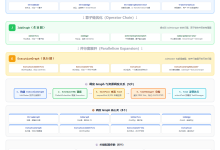
事务 Sink 的工作流程如下:
通过这种两阶段提交协议,Flink 能够确保即使在处理失败的情况下,数据也能保持一致性。
3. 端到端一致性的完整解决方案
实现端到端一致性需要协调源系统、流处理引擎和目标系统的一致性机制。下面是一个完整的解决方案:
首先,配置 Flink 应用以确保 Kafka 作为数据源和接收端都能正确处理 Exactly-Once 语义:
// Kafka 作为数据源
FlinkKafkaConsumer<String> source = new FlinkKafkaConsumer<>(
"input-topic",
new SimpleStringSchema(),
sourceProperties
);
source.setStartFromLatest(); // 从最新位置开始
// Kafka 作为数据接收端
FlinkKafkaProducer<String> sink = new FlinkKafkaProducer<>(
"output-topic",
new KeyedSerializationSchemaWrapper<>(new SimpleStringSchema()),
sinkProperties,
FlinkKafkaProducer.Semantic.EXACTLY_ONCE // 确保 Exactly-Once 语义
);
// 执行流处理
DataStream<String> stream = env.addSource(source);
stream.addSink(sink);
接下来,我们需要正确配置 Kafka 以支持事务和 Exactly-Once 语义:
// Kafka 生产者配置
Properties sinkProperties = new Properties();
sinkProperties.setProperty("bootstrap.servers", "localhost:9092");
sinkProperties.setProperty("transactional.id", "transactional-id");
sinkProperties.setProperty("acks", "all");
下面是一个完整的流程图,展示端到端一致性的实现过程:
#publish-mermaid-1788282901558-0{font-family:\”trebuchet ms\”,verdana,arial,sans-serif;font-size:16px;fill:#333;}@keyframes edge-animation-frame{from{stroke-dashoffset:0;}}@keyframes dash{to{stroke-dashoffset:0;}}#publish-mermaid-1788282901558-0 .edge-animation-slow{stroke-dasharray:9,5!important;stroke-dashoffset:900;animation:dash 50s linear infinite;stroke-linecap:round;}#publish-mermaid-1788282901558-0 .edge-animation-fast{stroke-dasharray:9,5!important;stroke-dashoffset:900;animation:dash 20s linear infinite;stroke-linecap:round;}#publish-mermaid-1788282901558-0 .error-icon{fill:#552222;}#publish-mermaid-1788282901558-0 .error-text{fill:#552222;stroke:#552222;}#publish-mermaid-1788282901558-0 .edge-thickness-normal{stroke-width:1px;}#publish-mermaid-1788282901558-0 .edge-thickness-thick{stroke-width:3.5px;}#publish-mermaid-1788282901558-0 .edge-pattern-solid{stroke-dasharray:0;}#publish-mermaid-1788282901558-0 .edge-thickness-invisible{stroke-width:0;fill:none;}#publish-mermaid-1788282901558-0 .edge-pattern-dashed{stroke-dasharray:3;}#publish-mermaid-1788282901558-0 .edge-pattern-dotted{stroke-dasharray:2;}#publish-mermaid-1788282901558-0 .marker{fill:#333333;stroke:#333333;}#publish-mermaid-1788282901558-0 .marker.cross{stroke:#333333;}#publish-mermaid-1788282901558-0 svg{font-family:\”trebuchet ms\”,verdana,arial,sans-serif;font-size:16px;}#publish-mermaid-1788282901558-0 p{margin:0;}#publish-mermaid-1788282901558-0 .label{font-family:\”trebuchet ms\”,verdana,arial,sans-serif;color:#333;}#publish-mermaid-1788282901558-0 .cluster-label text{fill:#333;}#publish-mermaid-1788282901558-0 .cluster-label span{color:#333;}#publish-mermaid-1788282901558-0 .cluster-label span p{background-color:transparent;}#publish-mermaid-1788282901558-0 .label text,#publish-mermaid-1788282901558-0 span{fill:#333;color:#333;}#publish-mermaid-1788282901558-0 .node rect,#publish-mermaid-1788282901558-0 .node circle,#publish-mermaid-1788282901558-0 .node ellipse,#publish-mermaid-1788282901558-0 .node polygon,#publish-mermaid-1788282901558-0 .node path{fill:#ECECFF;stroke:#9370DB;stroke-width:1px;}#publish-mermaid-1788282901558-0 .rough-node .label text,#publish-mermaid-1788282901558-0 .node .label text,#publish-mermaid-1788282901558-0 .image-shape .label,#publish-mermaid-1788282901558-0 .icon-shape .label{text-anchor:middle;}#publish-mermaid-1788282901558-0 .node .katex path{fill:#000;stroke:#000;stroke-width:1px;}#publish-mermaid-1788282901558-0 .rough-node .label,#publish-mermaid-1788282901558-0 .node .label,#publish-mermaid-1788282901558-0 .image-shape .label,#publish-mermaid-1788282901558-0 .icon-shape .label{text-align:center;}#publish-mermaid-1788282901558-0 .node.clickable{cursor:pointer;}#publish-mermaid-1788282901558-0 .root .anchor path{fill:#333333!important;stroke-width:0;stroke:#333333;}#publish-mermaid-1788282901558-0 .arrowheadPath{fill:#333333;}#publish-mermaid-1788282901558-0 .edgePath .path{stroke:#333333;stroke-width:1px;}#publish-mermaid-1788282901558-0 .flowchart-link{stroke:#333333;fill:none;}#publish-mermaid-1788282901558-0 .edgeLabel{background-color:rgba(232,232,232, 0.8);text-align:center;}#publish-mermaid-1788282901558-0 .edgeLabel p{background-color:rgba(232,232,232, 0.8);}#publish-mermaid-1788282901558-0 .edgeLabel rect{opacity:0.5;background-color:rgba(232,232,232, 0.8);fill:rgba(232,232,232, 0.8);}#publish-mermaid-1788282901558-0 .labelBkg{background-color:rgba(232, 232, 232, 0.5);}#publish-mermaid-1788282901558-0 .cluster rect{fill:#ffffde;stroke:#aaaa33;stroke-width:1px;}#publish-mermaid-1788282901558-0 .cluster text{fill:#333;}#publish-mermaid-1788282901558-0 .cluster span{color:#333;}#publish-mermaid-1788282901558-0 div.mermaidTooltip{position:absolute;text-align:center;max-width:200px;padding:2px;font-family:\”trebuchet ms\”,verdana,arial,sans-serif;font-size:12px;background:hsl(80, 100%, 96.2745098039%);border:1px solid #aaaa33;border-radius:2px;pointer-events:none;z-index:100;}#publish-mermaid-1788282901558-0 .flowchartTitleText{text-anchor:middle;font-size:18px;fill:#333;}#publish-mermaid-1788282901558-0 rect.text{fill:none;stroke-width:0;}#publish-mermaid-1788282901558-0 .icon-shape,#publish-mermaid-1788282901558-0 .image-shape{background-color:rgba(232,232,232, 0.8);text-align:center;}#publish-mermaid-1788282901558-0 .icon-shape p,#publish-mermaid-1788282901558-0 .image-shape p{background-color:rgba(232,232,232, 0.8);padding:2px;}#publish-mermaid-1788282901558-0 .icon-shape .label rect,#publish-mermaid-1788282901558-0 .image-shape .label rect{opacity:0.5;background-color:rgba(232,232,232, 0.8);fill:rgba(232,232,232, 0.8);}#publish-mermaid-1788282901558-0 .label-icon{display:inline-block;height:1em;overflow:visible;vertical-align:-0.125em;}#publish-mermaid-1788282901558-0 .node .label-icon path{fill:currentColor;stroke:revert;stroke-width:revert;}#publish-mermaid-1788282901558-0 .node .neo-node{stroke:#9370DB;}#publish-mermaid-1788282901558-0 [data-look=\”neo\”].node rect,#publish-mermaid-1788282901558-0 [data-look=\”neo\”].cluster rect,#publish-mermaid-1788282901558-0 [data-look=\”neo\”].node polygon{stroke:#9370DB;filter:drop-shadow(1px 2px 2px rgba(185, 185, 185, 1));}#publish-mermaid-1788282901558-0 [data-look=\”neo\”].swimlane.cluster rect{filter:none;}#publish-mermaid-1788282901558-0 [data-look=\”neo\”].node path{stroke:#9370DB;stroke-width:1px;}#publish-mermaid-1788282901558-0 [data-look=\”neo\”].node .outer-path{filter:drop-shadow(1px 2px 2px rgba(185, 185, 185, 1));}#publish-mermaid-1788282901558-0 [data-look=\”neo\”].node .neo-line path{stroke:#9370DB;filter:none;}#publish-mermaid-1788282901558-0 [data-look=\”neo\”].node circle{stroke:#9370DB;filter:drop-shadow(1px 2px 2px rgba(185, 185, 185, 1));}#publish-mermaid-1788282901558-0 [data-look=\”neo\”].node circle .state-start{fill:#000000;}#publish-mermaid-1788282901558-0 [data-look=\”neo\”].icon-shape .icon{fill:#9370DB;filter:drop-shadow(1px 2px 2px rgba(185, 185, 185, 1));}#publish-mermaid-1788282901558-0 [data-look=\”neo\”].icon-shape .icon-neo path{stroke:#9370DB;filter:drop-shadow(1px 2px 2px rgba(185, 185, 185, 1));}#publish-mermaid-1788282901558-0 :root{–mermaid-font-family:\”trebuchet ms\”,verdana,arial,sans-serif;}
Kafka 生产者
Flink 应用
Kafka 消费者
Flink 启动
启用检查点
定期保存状态快照
保存偏移量到 Kafka
处理数据
事务接收端
两阶段提交
故障恢复
从检查点恢复
重新应用已处理的数据
继续处理
端到端一致性的关键点:
4. 实战示例与注意事项
下面是一个完整的 Flink 应用示例,展示 Kafka 与 Flink 集成的 Exactly-Once 实现:
public class KafkaFlinkExactlyOnceExample {
public static void main(String[] args) throws Exception {
StreamExecutionEnvironment env = StreamExecutionEnvironment.getExecutionEnvironment();
// 启用检查点
env.enableCheckpointing(5000);
env.getCheckpointConfig().setCheckpointingMode(CheckpointingMode.EXACTLY_ONCE);
env.getCheckpointConfig().setMinPauseBetweenCheckpoints(1000);
env.getCheckpointConfig().setCheckpointTimeout(60000);
// Kafka 配置
Properties sourceProperties = new Properties();
sourceProperties.setProperty("bootstrap.servers", "localhost:9092");
sourceProperties.setProperty("group.id", "exactly-once-group");
sourceProperties.setProperty("isolation.level", "read_committed");
Properties sinkProperties = new Properties();
sinkProperties.setProperty("bootstrap.servers", "localhost:9092");
sinkProperties.setProperty("transactional.id", "transactional-id-" + System.currentTimeMillis());
// 创建源
FlinkKafkaConsumer<String> source = new FlinkKafkaConsumer<>(
"input-topic",
new SimpleStringSchema(),
sourceProperties
);
source.setStartFromLatest();
// 创建接收端
FlinkKafkaProducer<String> sink = new FlinkKafkaProducer<>(
"output-topic",
new KeyedSerializationSchemaWrapper<>(new SimpleStringSchema()),
sinkProperties,
FlinkKafkaProducer.Semantic.EXACTLY_ONCE
);
// 创建数据流
DataStream<String> stream = env.addSource(source);
// 处理数据
DataStream<String> result = stream.map(new MapFunction<String, String>() {
@Override
public String map(String value) throws Exception {
// 处理逻辑
return "Processed: " + value;
}
});
// 添加接收端
result.addSink(sink);
// 执行应用
env.execute("Kafka-Flink Exactly-Once Example");
}
}
注意事项
配置参数对比表
| 参数 | 推荐配置 | 说明 |
|—–|——–|—–|
| checkpoint.interval | 5000-30000ms | 根据应用特性和数据量调整 |
| checkpoint.timeout | 60000-300000ms | 应大于处理检查点所需时间 |
| isolation.level | read_committed | 确保只读取已提交的消息 |
| transactional.id | 唯一标识符 | 每个应用应有唯一值 |
| acks | all | 确保数据被正确复制 |
| replication.factor | 3 | 根据集群规模调整 |
| min.insync.replicas | 2 | 确保数据安全 |
通过合理配置上述参数,可以构建一个高性能、高可靠的 Kafka 与 Flink 集成系统,实现端到端的 Exactly-Once 语义。