Flutter Hive 本地存储详解
一、Hive 概述
Hive 是一个轻量级、快速的 NoSQL 数据库,专为 Flutter 和 Dart 设计。它使用键值对存储数据,支持自定义对象,性能优异。
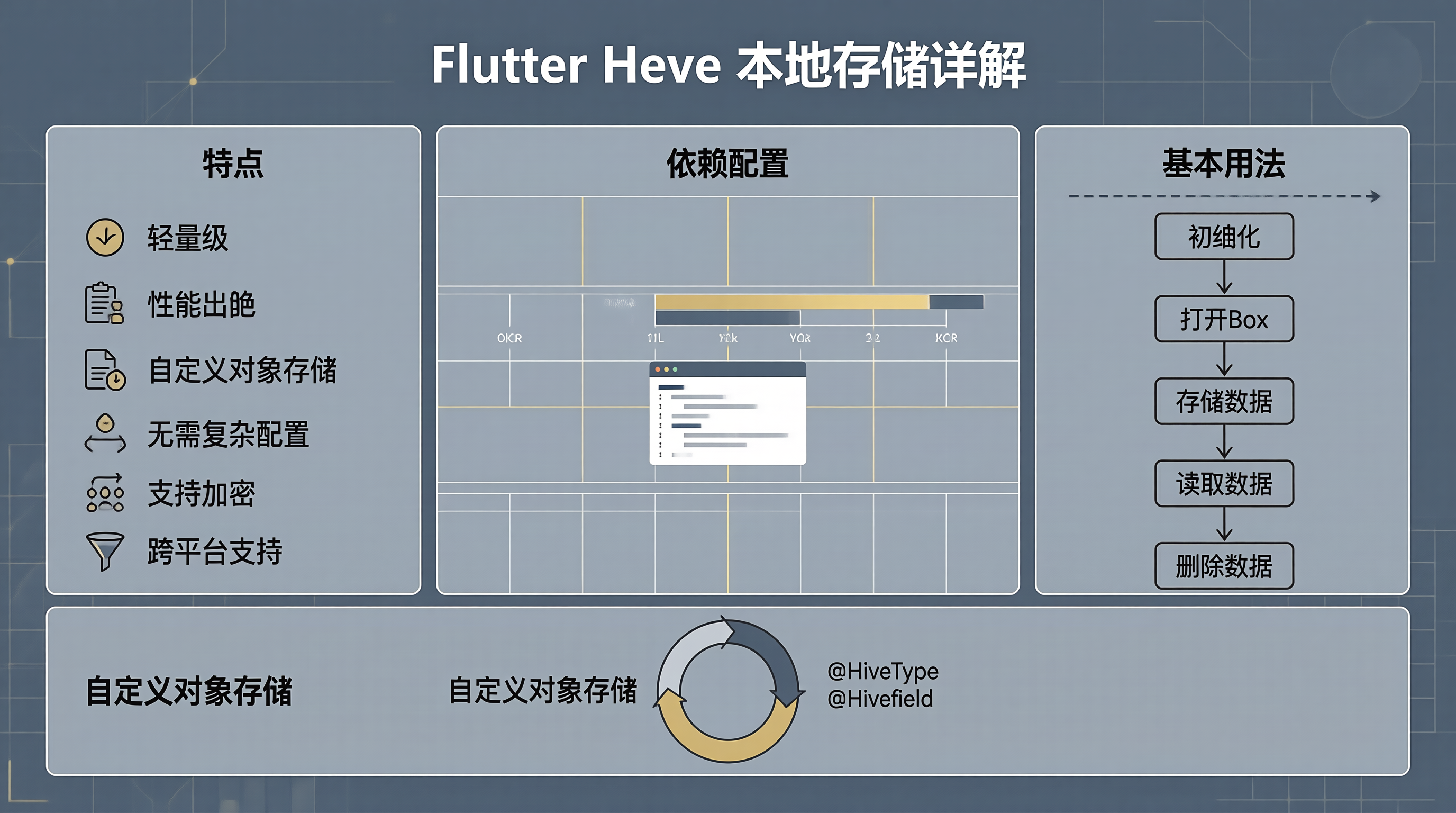
1.1 特点
- 轻量级,性能出色
- 支持自定义对象存储
- 无需复杂配置
- 支持加密
- 跨平台支持
1.2 添加依赖
dependencies:
hive: ^2.2.3
hive_flutter: ^1.1.0
dev_dependencies:
hive_generator: ^1.1.5
build_runner: ^2.4.4
二、基本用法
2.1 初始化
import 'package:hive/hive.dart';
import 'package:hive_flutter/hive_flutter.dart';
void main() async {
await Hive.initFlutter();
runApp(const MyApp());
}
2.2 打开 Box
final box = await Hive.openBox('myBox');
2.3 存储数据
final box = Hive.box('myBox');
// 存储基本类型
await box.put('name', 'John');
await box.put('age', 25);
await box.put('isStudent', true);
// 存储列表
await box.put('scores', [90, 85, 95]);
// 存储映射
await box.put('user', {'name': 'John', 'age': 25});
2.4 读取数据
final box = Hive.box('myBox');
String name = box.get('name');
int age = box.get('age', defaultValue: 0);
bool isStudent = box.get('isStudent', defaultValue: false);
List<int> scores = box.get('scores', defaultValue: []);
Map<String, dynamic> user = box.get('user');
2.5 删除数据
final box = Hive.box('myBox');
// 删除单个键
await box.delete('name');
// 删除多个键
await box.deleteAll(['name', 'age']);
// 清除所有数据
await box.clear();
三、自定义对象存储
3.1 创建 Hive 对象
import 'package:hive/hive.dart';
part 'person.g.dart';
@HiveType(typeId: 0)
class Person extends HiveObject {
@HiveField(0)
late String name;
@HiveField(1)
late int age;
@HiveField(2)
late String email;
Person({required this.name, required this.age, required this.email});
}
3.2 生成适配器
运行以下命令生成适配器:
flutter pub run build_runner build
3.3 注册适配器
void main() async {
await Hive.initFlutter();
Hive.registerAdapter(PersonAdapter());
runApp(const MyApp());
}
3.4 存储自定义对象
final box = await Hive.openBox<Person>('people');
final person = Person(
name: 'John',
age: 25,
email: 'john@example.com',
);
await box.put('user1', person);
四、高级特性
4.1 监听变化
final box = Hive.box('myBox');
box.listenable().listen((event) {
print('Box changed: ${event.key}');
});
4.2 事务
final box = Hive.box('myBox');
await box.transaction(() async {
await box.put('key1', 'value1');
await box.put('key2', 'value2');
});
4.3 加密
import 'package:hive/hive.dart';
import 'package:hive_flutter/hive_flutter.dart';
void main() async {
await Hive.initFlutter();
final encryptionKey = Hive.generateSecureKey();
final box = await Hive.openBox('secureBox', encryptionCipher: HiveAesCipher(encryptionKey));
}
4.4 Box 生命周期
final box = await Hive.openBox('myBox');
// 使用 box…
await box.close();
五、实战案例:用户管理
5.1 创建用户模型
import 'package:hive/hive.dart';
part 'user.g.dart';
@HiveType(typeId: 0)
class User extends HiveObject {
@HiveField(0)
late String id;
@HiveField(1)
late String name;
@HiveField(2)
late String email;
@HiveField(3)
late DateTime createdAt;
User({
required this.id,
required this.name,
required this.email,
DateTime? createdAt,
}) : createdAt = createdAt ?? DateTime.now();
}
5.2 创建用户服务
class UserService {
late Box<User> _box;
Future<void> init() async {
_box = await Hive.openBox<User>('users');
}
Future<void> addUser(User user) async {
await _box.put(user.id, user);
}
User? getUser(String id) {
return _box.get(id);
}
List<User> getAllUsers() {
return _box.values.toList();
}
Future<void> updateUser(User user) async {
await user.save();
}
Future<void> deleteUser(String id) async {
await _box.delete(id);
}
}
六、与 SharedPreferences 对比
| 数据类型 | 基本类型 | 基本类型 + 自定义对象 |
| 性能 | 一般 | 优秀 |
| 加密 | 不支持 | 支持 |
| 查询 | 简单键值查询 | 支持复杂查询 |
| 容量 | 较小 | 较大 |
七、实战案例:购物车
import 'package:hive/hive.dart';
part 'cart_item.g.dart';
@HiveType(typeId: 1)
class CartItem extends HiveObject {
@HiveField(0)
late String productId;
@HiveField(1)
late String name;
@HiveField(2)
late double price;
@HiveField(3)
late int quantity;
CartItem({
required this.productId,
required this.name,
required this.price,
required this.quantity,
});
double get totalPrice => price * quantity;
}
class CartService {
late Box<CartItem> _box;
Future<void> init() async {
_box = await Hive.openBox<CartItem>('cart');
}
Future<void> addItem(CartItem item) async {
final existingItem = _box.get(item.productId);
if (existingItem != null) {
existingItem.quantity += item.quantity;
await existingItem.save();
} else {
await _box.put(item.productId, item);
}
}
List<CartItem> getItems() {
return _box.values.toList();
}
double get total => _box.values.fold(0, (sum, item) => sum + item.totalPrice);
Future<void> removeItem(String productId) async {
await _box.delete(productId);
}
Future<void> clearCart() async {
await _box.clear();
}
}
八、测试
import 'package:hive/hive.dart';
import 'package:hive_test/hive_test.dart';
import 'package:test/test.dart';
void main() {
group('UserService', () {
late Box<User> box;
setUp(() async {
await setUpTestHive();
Hive.registerAdapter(UserAdapter());
box = await Hive.openBox<User>('users');
});
tearDown(() async {
await box.close();
await tearDownTestHive();
});
test('add and get user', () async {
final user = User(id: '1', name: 'John', email: 'john@example.com');
await box.put(user.id, user);
final retrievedUser = box.get('1');
expect(retrievedUser?.name, 'John');
});
});
}
九、总结
Hive 是一个功能强大的本地存储方案:
对于需要存储复杂数据结构的应用,Hive 是一个很好的选择。