触觉力反馈与动态阻尼:在 Web Haptics 与 CSS 之间构建触感协同
在移动端高阶人机交互中,视觉动效只是传递信息的一个半场,另一个决定产品是否具有“实体器物质感”的决定性维度,是触觉力反馈(Haptic Feedback / 触感振动)。
当用户在手机屏幕上旋转一个虚拟的时间滚轮(Picker Wheel)时:
- 如果只有屏幕上的数字在上下滚动,用户的感觉是飘忽、虚无且缺乏掌控感的;
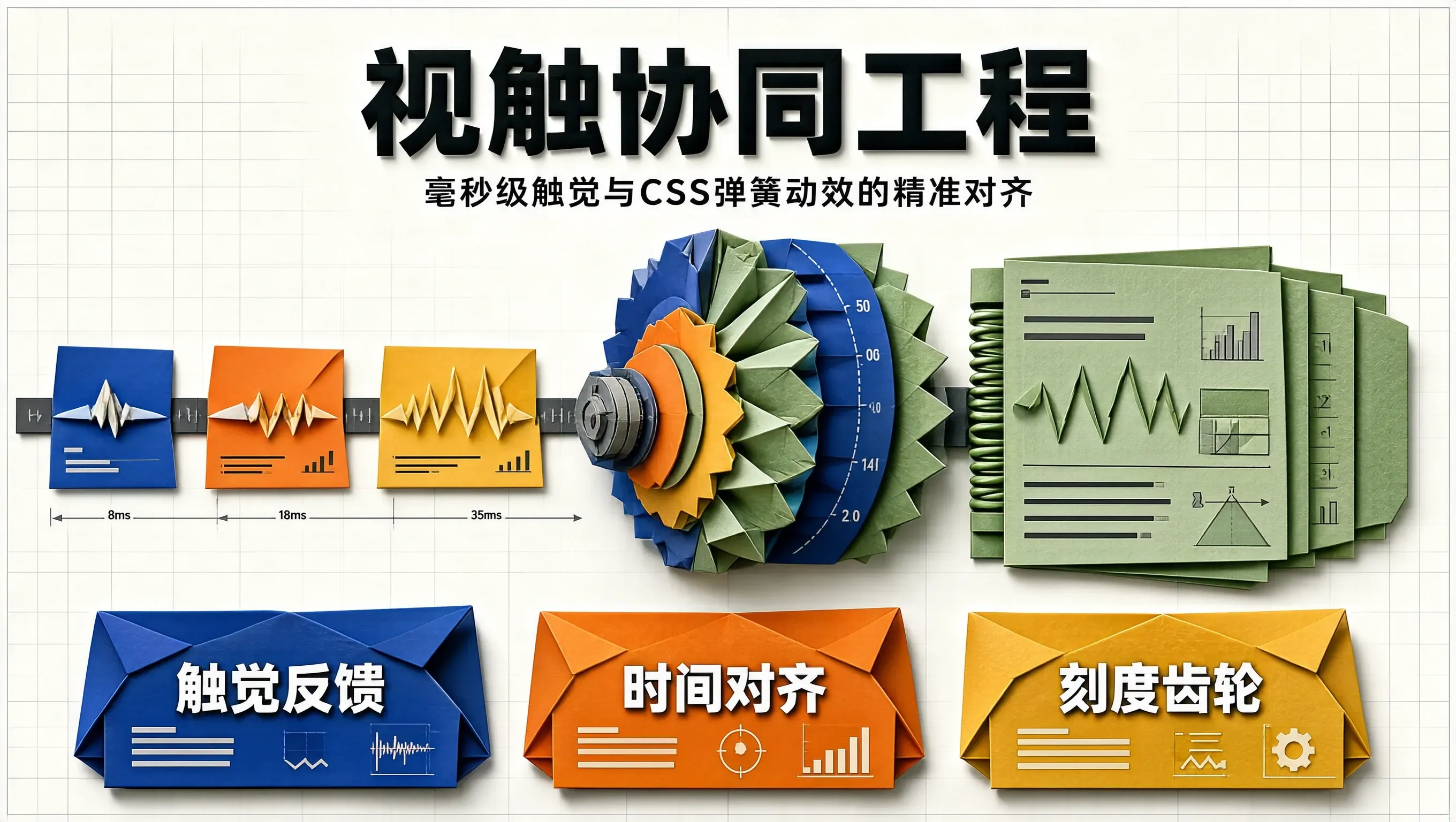
- 但如果手指每滑过一个刻度,机身底部的线性马达(如 iPhone Taptic Engine 或 Android X 轴线性马达)在同一毫秒爆发出一次极其清脆、极短(如 8ms)的微震动,同时屏幕上的刻度发生一次微小的 CSS 弹簧挤压——用户的指尖和大脑会产生强烈的视触觉统合错觉(Synesthesia),仿佛自己真的在拨动一个由精密黄铜齿轮打造的机械钟表!
这种将物理阻尼动效与底层硬件振动波形在时间轴上实现毫秒级精准对齐的交互设计,被称为视触协同工程(Audiovisual-Haptic Synergy)。
本文将深入拆解 Web Vibration API 与原生马达的底层波形拟合机制,并在 TypeScript 中构建一个生产级的视触协同刻度滚轮引擎。
触觉反馈的三大物理波形分类
现代线性马达不再是早期那种嗡嗡作响的粗暴偏心轮马达,它能够输出高精度的短瞬态脉冲:
1. 瞬态微触感 (Light / Selection Tick): [ 8ms 脉冲 ] ──> 机械刻度齿轮、开关切换
2. 中度确认感 (Medium Impact): [ 18ms 脉冲 ] ──> 下拉刷新触发点、长按菜单弹出
3. 重度边界阻尼 (Heavy / Warning): [ 35ms 递增波 ] ──> 橡皮筋拉伸到物理极限、删除告警
在 Web 端,我们通过 navigator.vibrate(pattern) 协议向操作系统硬件调度器发送毫秒级脉冲序列:
- navigator.vibrate(8):触发一次 8ms 的极清脆微震;
- navigator.vibrate([10, 30, 10]):双击确认脉冲。
视触协同的灵魂:时间轴上的零延迟对齐
要让触感真实,视觉的弹簧最大形变点,必须与马达震动的波峰绝对对齐。如果振动比视觉延迟了超过 30ms,大脑就会立刻感知到“脱节与假假的感觉”。
[用户手指拖拽滑过刻度阈值 (Delta Y >= 32px)]
│
├─── (t = 0ms) ──> [硬件层: navigator.vibrate(8) 激发瞬态微触感]
│
└─── (t = 0ms) ──> [渲染层: CSS 触发 scale(1.06) + spring-bounce 动效]
生产级视触协同刻度齿轮组件实战
// haptic-wheel-controller.ts
export class HapticWheelEngine {
private container: HTMLElement;
private itemHeight: number = 44;
private lastTriggerIndex: number = 0;
private isTouching: boolean = false;
constructor(container: HTMLElement) {
this.container = container;
this.initEvents();
}
// 1. 硬件级触觉发射器 (兼容防抖与静音降级)
private triggerHapticTick(intensity: 'light' | 'medium' | 'boundary') {
if (!('vibrate' in navigator)) return;
try {
if (intensity === 'light') {
navigator.vibrate(6); // 6ms 极轻微齿轮卡扣感
} else if (intensity === 'medium') {
navigator.vibrate(16);
} else if (intensity === 'boundary') {
navigator.vibrate([20, 40, 20]); // 边界撞墙回弹
}
} catch (e) {
// 忽略部分浏览器静音策略报错
}
}
private initEvents() {
this.container.addEventListener('scroll', () => {
const scrollTop = this.container.scrollTop;
const currentIndex = Math.round(scrollTop / this.itemHeight);
// 核心:当滚轮跨越一个刻度时触发视触协同
if (currentIndex !== this.lastTriggerIndex) {
this.lastTriggerIndex = currentIndex;
// 1. 发射触觉脉冲
this.triggerHapticTick('light');
// 2. 激发当前刻度项的弹性微缩放
const items = this.container.querySelectorAll('.wheel-item');
const activeItem = items[currentIndex] as HTMLElement;
if (activeItem) {
activeItem.classList.remove('haptic-active-pulse');
// 强制重绘以重新激发动画
void activeItem.offsetWidth;
activeItem.classList.add('haptic-active-pulse');
}
}
}, { passive: true });
}
}
<!– 滚轮组件 HTML 结构 –>
<div class="haptic-picker-frame">
<div class="haptic-selection-lens"></div>
<div class="haptic-scroll-viewport" id="wheelViewport">
<div class="wheel-item">2024 年</div>
<div class="wheel-item">2025 年</div>
<div class="wheel-item">2026 年</div>
<div class="wheel-item">2027 年</div>
<div class="wheel-item">2028 年</div>
</div>
</div>
/* haptic-wheel.css */
.haptic-picker-frame {
position: relative;
width: 220px;
height: 220px;
background: #0f172a;
border-radius: 24px;
overflow: hidden;
border: 1px solid rgba(255, 255, 255, 0.1);
}
.haptic-selection-lens {
position: absolute;
top: 88px; /* 居中卡槽 (220/2 – 44/2) */
left: 12px;
right: 12px;
height: 44px;
background: rgba(99, 102, 241, 0.15);
border-top: 1px solid rgba(99, 102, 241, 0.4);
border-bottom: 1px solid rgba(99, 102, 241, 0.4);
border-radius: 12px;
pointer-events: none;
z-index: 5;
}
.haptic-scroll-viewport {
width: 100%;
height: 100%;
overflow-y: scroll;
scroll-snap-type: y mandatory; /* 强制吸附对齐 */
padding: 88px 0; /* 上下留白保证首尾项能滑入居中透镜 */
-webkit-overflow-scrolling: touch;
}
.wheel-item {
height: 44px;
line-height: 44px;
text-align: center;
color: #94a3b8;
font-size: 16px;
font-weight: 500;
scroll-snap-align: center;
user-select: none;
transition: color 200ms ease, transform 200ms cubic-bezier(0.16, 1, 0.3, 1);
}
/* 视触协同激发的微弹簧形变 */
.wheel-item.haptic-active-pulse {
color: #ffffff;
font-weight: 700;
transform: scale(1.12);
}
总结
视触协同是跨越屏幕物理界限、唤醒用户本体感觉(Proprioception)的高维交互魔法。将 CSS 的弹簧形变与 Web Haptics 的毫秒级微振动波形紧密咬合在一起,我们就能让原本冰冷扁平的玻璃屏幕,在用户指尖划过的每一瞬间,化作一台充满机械张力、齿轮咬合与精密实体质感的高级数字仪器。