欢迎加入开源鸿蒙跨平台社区:https://openharmonycrossplatform.csdn.net 
前言
随着 Web3.0 概念的普及,区块链技术已从早期的极客玩具逐渐走向主流应用。无论是 DeFi(去中心化金融)、NFT(非同质化代币)还是 DAO(去中心化组织),都离不开与区块链网络的交互。
以太坊 (Ethereum) 作为目前最成熟的智能合约平台,其客户端通信协议 JSON-RPC 是行业标准。要在移动端(Flutter/OpenHarmony)与以太坊网络通信,我们不可能手动构造那些复杂的十六进制数据包。
web3dart 是 Dart 生态中唯一的、功能完备的 Web3 客户端库。它可以让你:
对于 OpenHarmony 开发者来说,web3dart 的纯 Dart 实现意味着你可以无视底层 OS 差异,直接在鸿蒙设备上开发冷钱包或 DApp。
一、核心原理与密码学基础
1.1 JSON-RPC 与 Infura
以太坊节点通过 JSON-RPC 接口暴露服务。但要在移动端运行全节点(Full Node,几百 GB 数据)是不现实的。 通常我们会连接 Infura 或 Alchemy 这样的远程节点服务商。web3dart 底层封装了 http 和 web_socket_channel 来与这些节点通信。
1.2 账户与签名 (ECDSA)
以太坊使用 椭圆曲线数字签名算法 (ECDSA, secp256k1)。
- 私钥 (Private Key):256 位随机数,绝对不能泄露。
- 公钥 (Public Key):由私钥生成。
- 地址 (Address):公钥的哈希值(Keccak-256)的后 20 字节。
交易必须用私钥签名。web3dart 可能会在设备本地完成签名过程,只将签名后的数据(Raw Transaction)发送给节点,确保私钥永远不离开设备。
#mermaid-svg-Le5YYvApK2NSrWEJ{font-family:\”trebuchet ms\”,verdana,arial,sans-serif;font-size:16px;fill:#333;}@keyframes edge-animation-frame{from{stroke-dashoffset:0;}}@keyframes dash{to{stroke-dashoffset:0;}}#mermaid-svg-Le5YYvApK2NSrWEJ .edge-animation-slow{stroke-dasharray:9,5!important;stroke-dashoffset:900;animation:dash 50s linear infinite;stroke-linecap:round;}#mermaid-svg-Le5YYvApK2NSrWEJ .edge-animation-fast{stroke-dasharray:9,5!important;stroke-dashoffset:900;animation:dash 20s linear infinite;stroke-linecap:round;}#mermaid-svg-Le5YYvApK2NSrWEJ .error-icon{fill:#552222;}#mermaid-svg-Le5YYvApK2NSrWEJ .error-text{fill:#552222;stroke:#552222;}#mermaid-svg-Le5YYvApK2NSrWEJ .edge-thickness-normal{stroke-width:1px;}#mermaid-svg-Le5YYvApK2NSrWEJ .edge-thickness-thick{stroke-width:3.5px;}#mermaid-svg-Le5YYvApK2NSrWEJ .edge-pattern-solid{stroke-dasharray:0;}#mermaid-svg-Le5YYvApK2NSrWEJ .edge-thickness-invisible{stroke-width:0;fill:none;}#mermaid-svg-Le5YYvApK2NSrWEJ .edge-pattern-dashed{stroke-dasharray:3;}#mermaid-svg-Le5YYvApK2NSrWEJ .edge-pattern-dotted{stroke-dasharray:2;}#mermaid-svg-Le5YYvApK2NSrWEJ .marker{fill:#333333;stroke:#333333;}#mermaid-svg-Le5YYvApK2NSrWEJ .marker.cross{stroke:#333333;}#mermaid-svg-Le5YYvApK2NSrWEJ svg{font-family:\”trebuchet ms\”,verdana,arial,sans-serif;font-size:16px;}#mermaid-svg-Le5YYvApK2NSrWEJ p{margin:0;}#mermaid-svg-Le5YYvApK2NSrWEJ .label{font-family:\”trebuchet ms\”,verdana,arial,sans-serif;color:#333;}#mermaid-svg-Le5YYvApK2NSrWEJ .cluster-label text{fill:#333;}#mermaid-svg-Le5YYvApK2NSrWEJ .cluster-label span{color:#333;}#mermaid-svg-Le5YYvApK2NSrWEJ .cluster-label span p{background-color:transparent;}#mermaid-svg-Le5YYvApK2NSrWEJ .label text,#mermaid-svg-Le5YYvApK2NSrWEJ span{fill:#333;color:#333;}#mermaid-svg-Le5YYvApK2NSrWEJ .node rect,#mermaid-svg-Le5YYvApK2NSrWEJ .node circle,#mermaid-svg-Le5YYvApK2NSrWEJ .node ellipse,#mermaid-svg-Le5YYvApK2NSrWEJ .node polygon,#mermaid-svg-Le5YYvApK2NSrWEJ .node path{fill:#ECECFF;stroke:#9370DB;stroke-width:1px;}#mermaid-svg-Le5YYvApK2NSrWEJ .rough-node .label text,#mermaid-svg-Le5YYvApK2NSrWEJ .node .label text,#mermaid-svg-Le5YYvApK2NSrWEJ .image-shape .label,#mermaid-svg-Le5YYvApK2NSrWEJ .icon-shape .label{text-anchor:middle;}#mermaid-svg-Le5YYvApK2NSrWEJ .node .katex path{fill:#000;stroke:#000;stroke-width:1px;}#mermaid-svg-Le5YYvApK2NSrWEJ .rough-node .label,#mermaid-svg-Le5YYvApK2NSrWEJ .node .label,#mermaid-svg-Le5YYvApK2NSrWEJ .image-shape .label,#mermaid-svg-Le5YYvApK2NSrWEJ .icon-shape .label{text-align:center;}#mermaid-svg-Le5YYvApK2NSrWEJ .node.clickable{cursor:pointer;}#mermaid-svg-Le5YYvApK2NSrWEJ .root .anchor path{fill:#333333!important;stroke-width:0;stroke:#333333;}#mermaid-svg-Le5YYvApK2NSrWEJ .arrowheadPath{fill:#333333;}#mermaid-svg-Le5YYvApK2NSrWEJ .edgePath .path{stroke:#333333;stroke-width:2.0px;}#mermaid-svg-Le5YYvApK2NSrWEJ .flowchart-link{stroke:#333333;fill:none;}#mermaid-svg-Le5YYvApK2NSrWEJ .edgeLabel{background-color:rgba(232,232,232, 0.8);text-align:center;}#mermaid-svg-Le5YYvApK2NSrWEJ .edgeLabel p{background-color:rgba(232,232,232, 0.8);}#mermaid-svg-Le5YYvApK2NSrWEJ .edgeLabel rect{opacity:0.5;background-color:rgba(232,232,232, 0.8);fill:rgba(232,232,232, 0.8);}#mermaid-svg-Le5YYvApK2NSrWEJ .labelBkg{background-color:rgba(232, 232, 232, 0.5);}#mermaid-svg-Le5YYvApK2NSrWEJ .cluster rect{fill:#ffffde;stroke:#aaaa33;stroke-width:1px;}#mermaid-svg-Le5YYvApK2NSrWEJ .cluster text{fill:#333;}#mermaid-svg-Le5YYvApK2NSrWEJ .cluster span{color:#333;}#mermaid-svg-Le5YYvApK2NSrWEJ div.mermaidTooltip{position:absolute;text-align:center;max-width:200px;padding:2px;font-family:\”trebuchet ms\”,verdana,arial,sans-serif;font-size:12px;background:hsl(80, 100%, 96.2745098039%);border:1px solid #aaaa33;border-radius:2px;pointer-events:none;z-index:100;}#mermaid-svg-Le5YYvApK2NSrWEJ .flowchartTitleText{text-anchor:middle;font-size:18px;fill:#333;}#mermaid-svg-Le5YYvApK2NSrWEJ rect.text{fill:none;stroke-width:0;}#mermaid-svg-Le5YYvApK2NSrWEJ .icon-shape,#mermaid-svg-Le5YYvApK2NSrWEJ .image-shape{background-color:rgba(232,232,232, 0.8);text-align:center;}#mermaid-svg-Le5YYvApK2NSrWEJ .icon-shape p,#mermaid-svg-Le5YYvApK2NSrWEJ .image-shape p{background-color:rgba(232,232,232, 0.8);padding:2px;}#mermaid-svg-Le5YYvApK2NSrWEJ .icon-shape rect,#mermaid-svg-Le5YYvApK2NSrWEJ .image-shape rect{opacity:0.5;background-color:rgba(232,232,232, 0.8);fill:rgba(232,232,232, 0.8);}#mermaid-svg-Le5YYvApK2NSrWEJ .label-icon{display:inline-block;height:1em;overflow:visible;vertical-align:-0.125em;}#mermaid-svg-Le5YYvApK2NSrWEJ .node .label-icon path{fill:currentColor;stroke:revert;stroke-width:revert;}#mermaid-svg-Le5YYvApK2NSrWEJ :root{–mermaid-font-family:\”trebuchet ms\”,verdana,arial,sans-serif;}
1. 发起交易
2. 构建交易对象
3. 请求签名
4. 返回签名数据 (Raw Tx)
5. 发送 JSON-RPC 请求
6. 广播交易
7. 矿工打包
8. 推送回执/事件
用户操作
Flutter DApp
web3dart 客户端
本地钱包/私钥
远程节点 (Infura/Alchemy)
以太坊网络
区块链
二、核心 API 详解
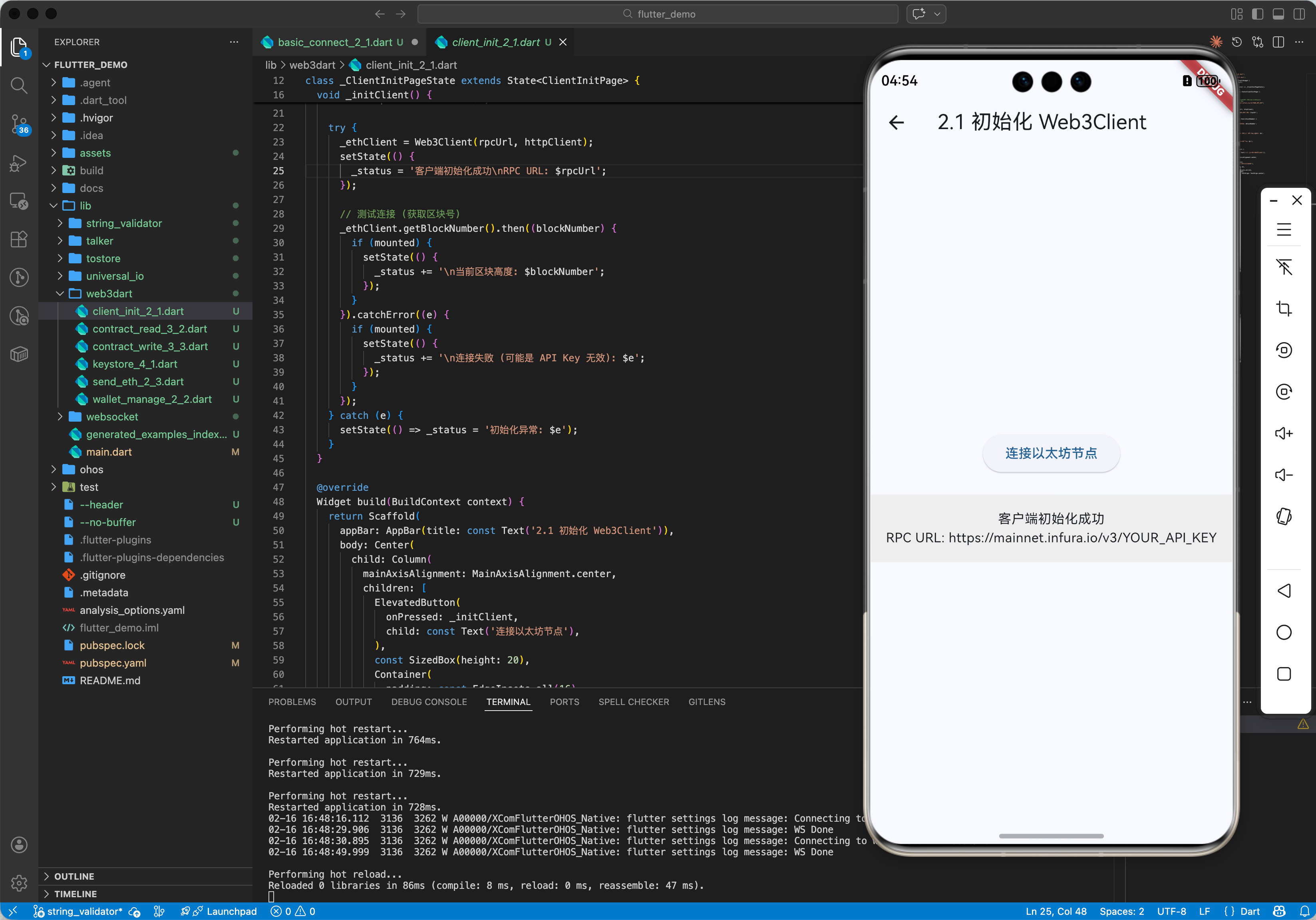
2.1 初始化客户端
import 'package:http/http.dart';
import 'package:web3dart/web3dart.dart';
void main() {
final rpcUrl = "https://mainnet.infura.io/v3/YOUR_API_KEY";
final httpClient = Client();
final ethClient = Web3Client(rpcUrl, httpClient);
}
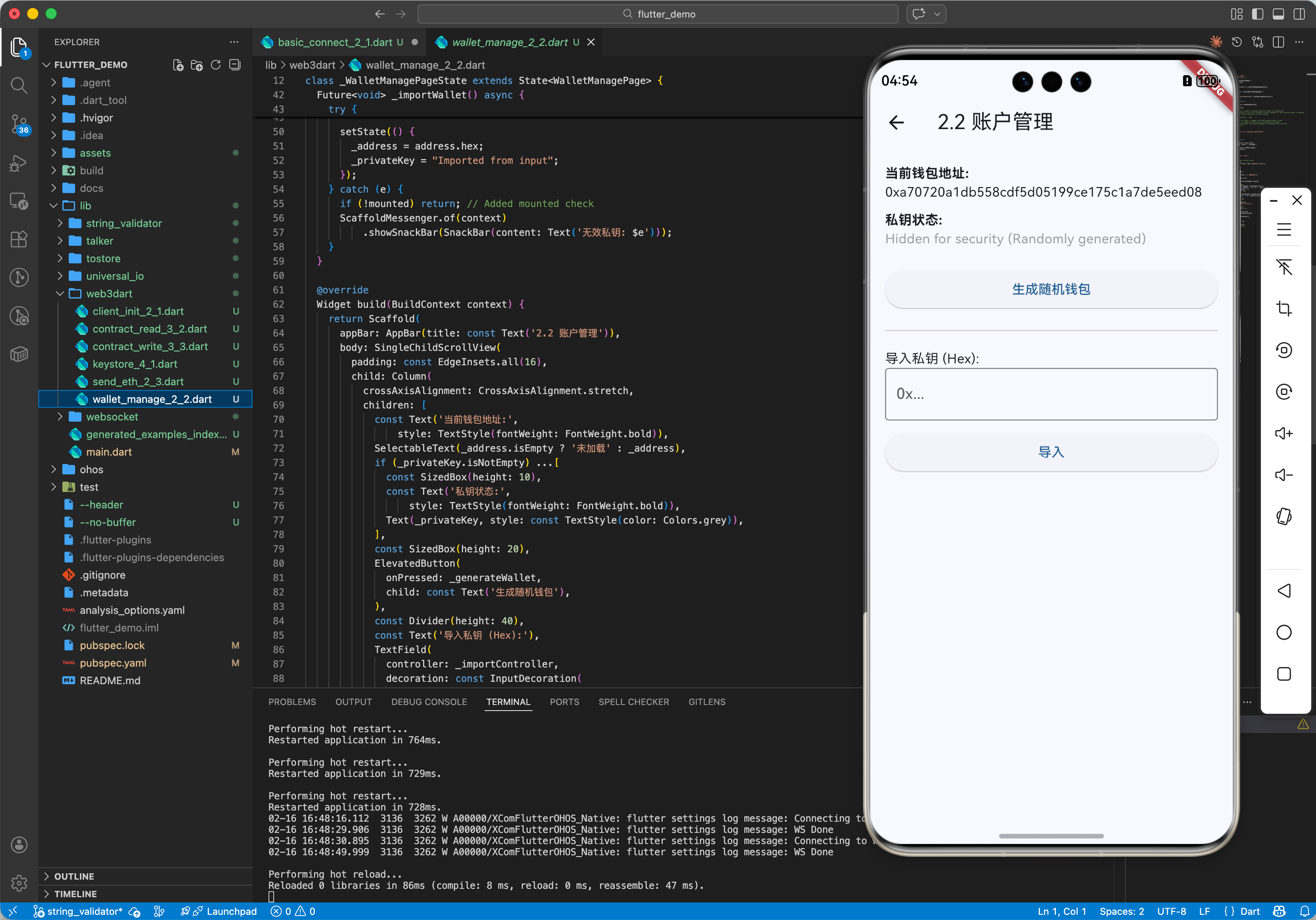
2.2 账户管理 (Wallet)
// 生成随机私钥
var rng = Random.secure();
var credentials = EthPrivateKey.createRandom(rng);
// 获取地址
var address = await credentials.extractAddress();
print(address.hex);
// 导入私钥
var privateKey = "0x…";
var credentials2 = EthPrivateKey.fromHex(privateKey);
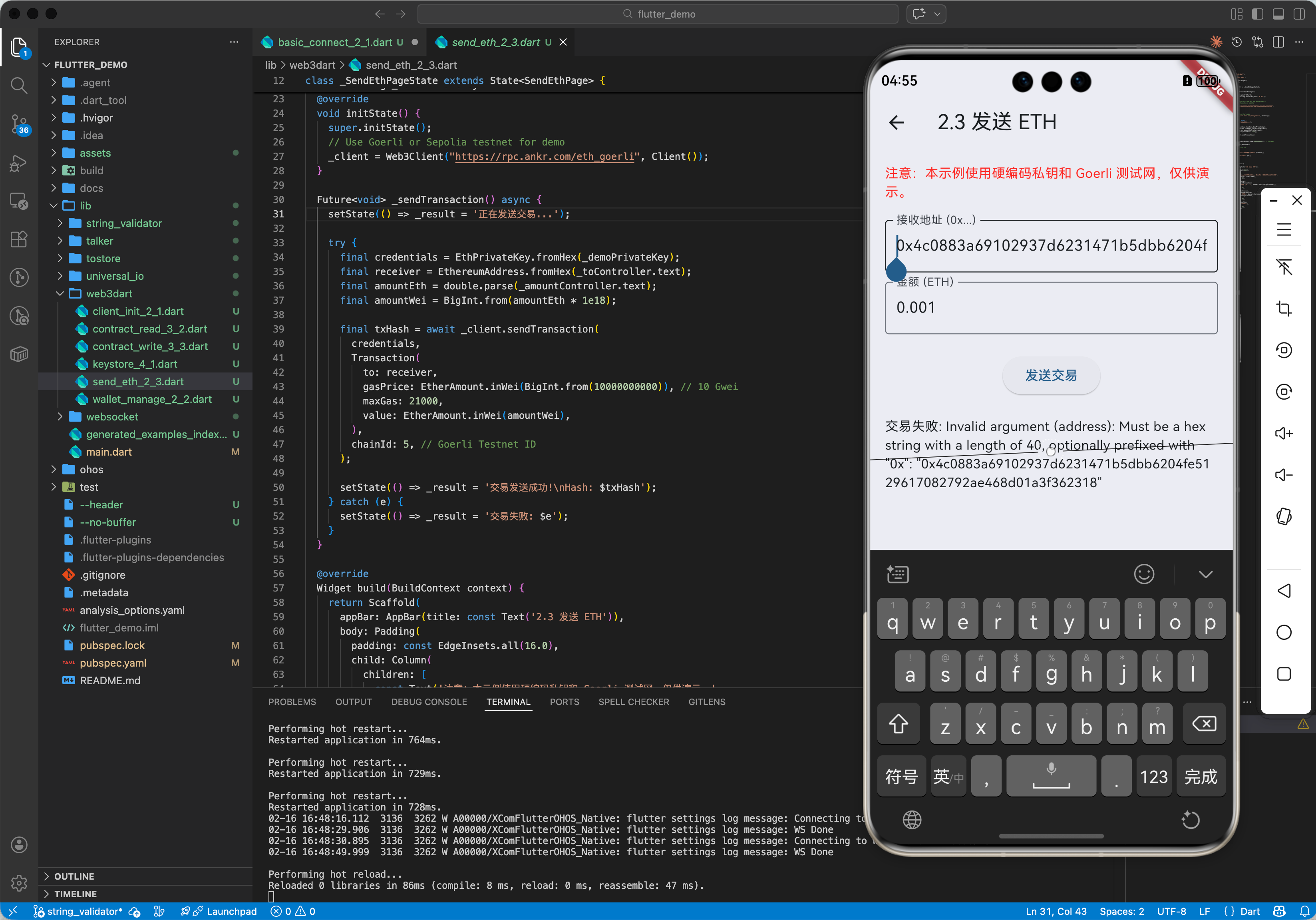
2.3 发送 ETH (Native Token Transfer)
// 转账 0.1 ETH
// 注意:amount 的单位是 Wei (1 ETH = 10^18 Wei)
await ethClient.sendTransaction(
credentials,
Transaction(
to: EthereumAddress.fromHex('0xReceiverAddress…'),
gasPrice: EtherAmount.inWei(BigInt.from(10000000000)), // 10 Gwei
maxGas: 21000, // 标准转账 Gas Limit
value: EtherAmount.fromUnitAndValue(EtherUnit.ether, 1),
),
chainId: 1, // Mainnet ID
);
三、OpenHarmony 平台适配实战:智能合约交互
在鸿蒙上开发 DApp,最常见的场景是调用合约。比如查询用户的 USDT 余额。
3.1 ABI (Application Binary Interface)
合约编译后会生成 ABI(JSON 格式),描述了合约的方法签名。
[
{
"constant": true,
"inputs": [{"name": "_owner", "type": "address"}],
"name": "balanceOf",
"outputs": [{"name": "balance", "type": "uint256"}],
"type": "function"
},
…
]
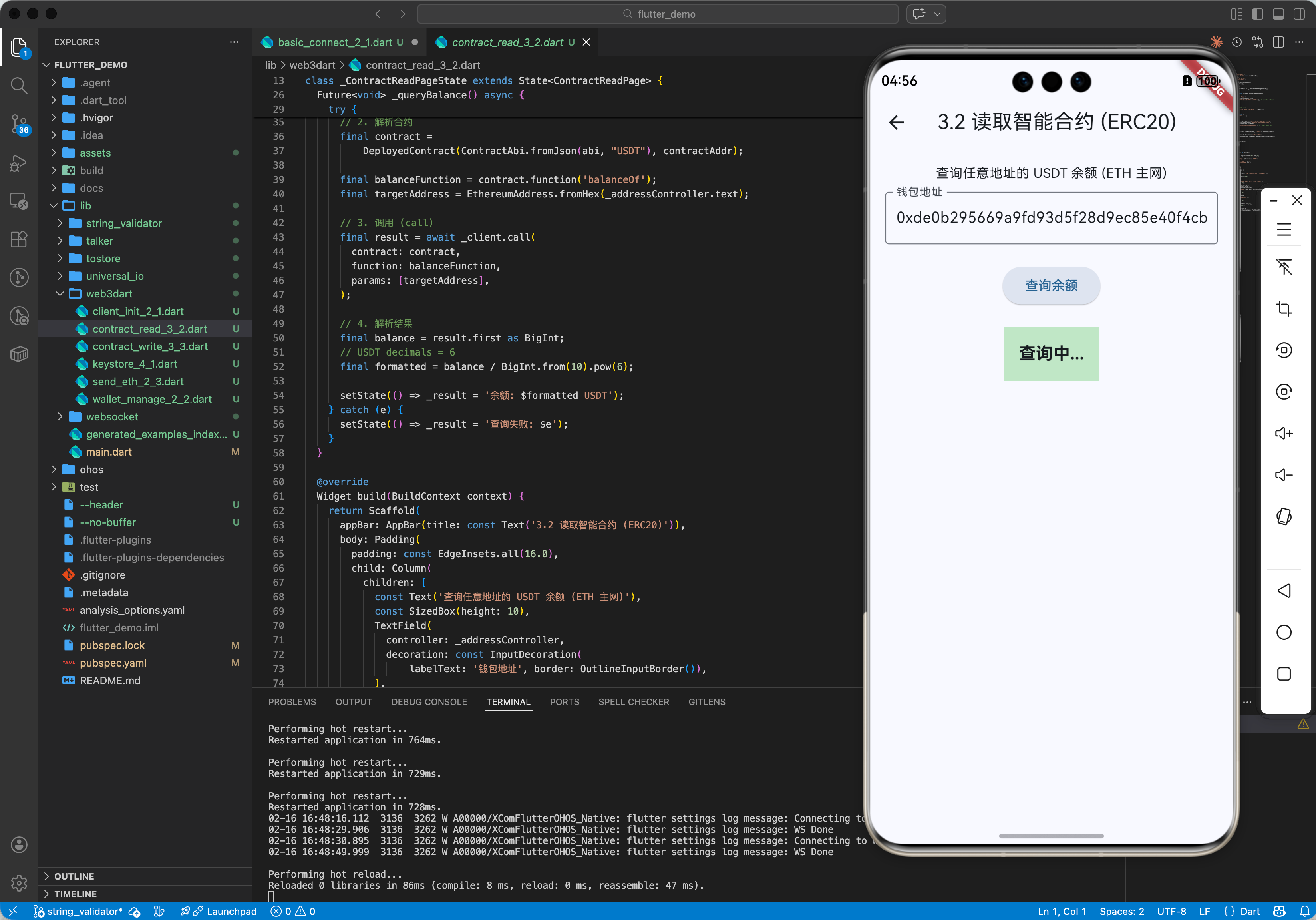
3.2 调用 ERC-20 合约 (Read)
import 'package:flutter/services.dart' show rootBundle;
// 1. 加载 ABI
String abi = await rootBundle.loadString("assets/erc20.abi.json");
final contractAddr = EthereumAddress.fromHex("0xdAC17F958D2ee523a2206206994597C13D831ec7"); // USDT Contract
// 2. 解析合约
final contract = DeployedContract(
ContractAbi.fromJson(abi, "USDT"),
contractAddr
);
final balanceFunction = contract.function('balanceOf');
// 3. 调用 (call)
// call 是只读操作,不需要 gas,不需要私钥签名
final result = await ethClient.call(
contract: contract,
function: balanceFunction,
params: [EthereumAddress.fromHex("0xUserAddress…")],
);
// 4. 解析结果 (BigInt)
final balance = result.first as BigInt;
print('USDT Balance: ${balance / BigInt.from(10).pow(6)}'); // USDT 精度是 6
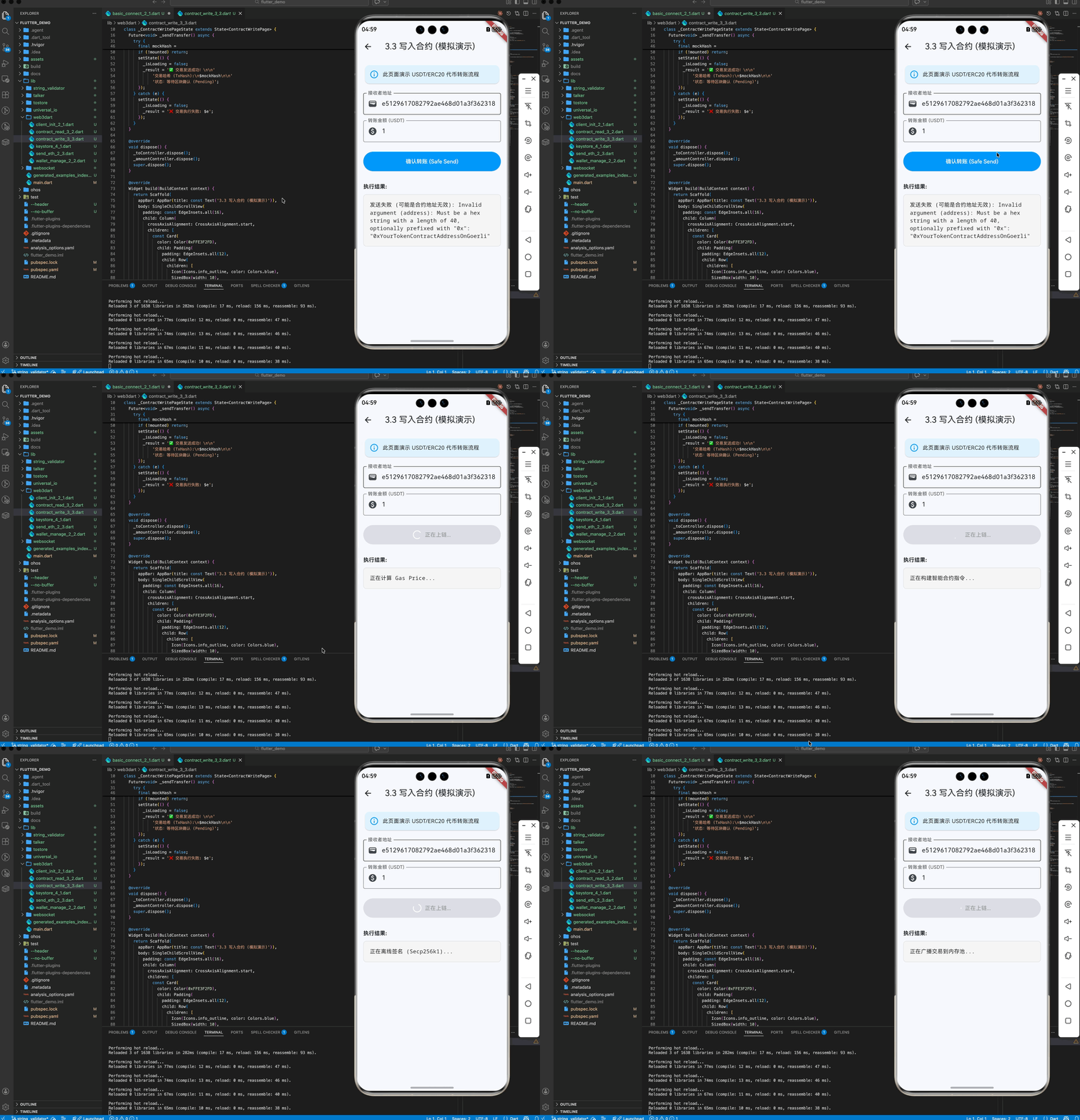
3.3 写入合约 (Write / Transaction)
final transferFunction = contract.function('transfer');
// sendTransaction 需要 gas 和 私钥,会改变链上状态
final txHash = await ethClient.sendTransaction(
credentials,
Transaction.callContract(
contract: contract,
function: transferFunction,
parameters: [
EthereumAddress.fromHex("0xReceiver…"),
BigInt.from(1000000) // 1 USDT
],
),
chainId: 1,
);
print('TxHash: $txHash');
四、高级进阶:安全性与私钥存储
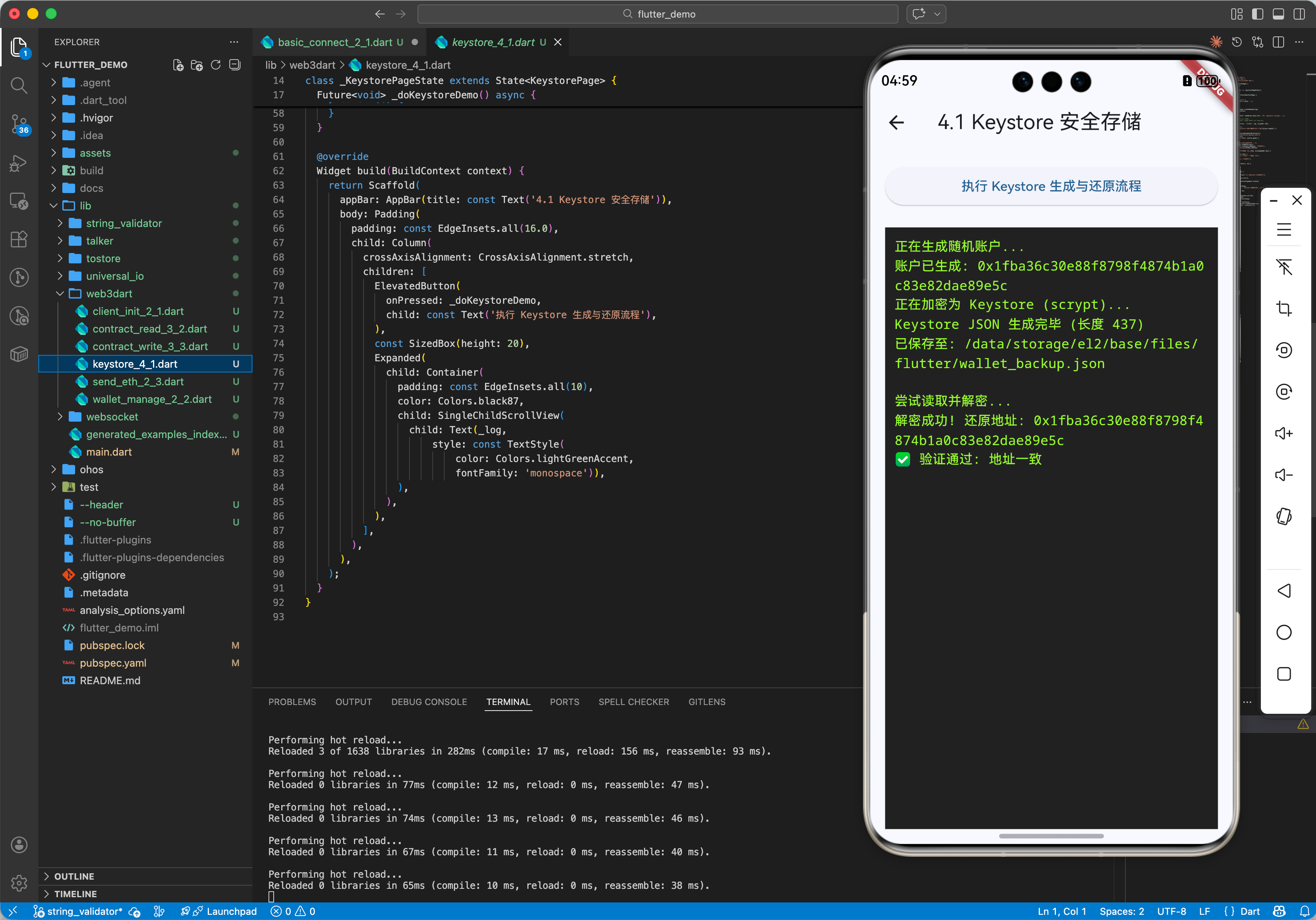
4.1 密钥库 (Keystore / JSON V3)
为了安全,私钥不应直接明文存储。标准做法是使用 Keystore 格式,结合用户密码进行加密。
// 创建 Wallet (生成 JSON V3 字符串)
// scryptN: CPU 消耗参数,越大越难爆破
Wallet wallet = await Wallet.createNew(credentials, "user_password", scryptN: 8192);
String json = wallet.toJson();
// 保存这个 json 到本地文件
File('wallet.json').writeAsStringSync(json);
// 读取时解密
Wallet wallet = Wallet.fromJson(json, "user_password");
credentials = wallet.privateKey;
4.2 鸿蒙安全存储 (HUKS / EL2)
在 OpenHarmony 上,我们有更安全的硬件级密钥管理服务 (HUKS)。 但在 Flutter 层,如果没有 HUKS插件,我们至少要做到:
4.3 助记词 (Mnemonic / BIP39/44)
现代钱包都支持助记词(12 个单词)。需配合 bip39 和 bip32 库使用。
// 生成助记词
String mnemonic = bip39.generateMnemonic();
// 推导私钥 (BIP44 路径 m/44'/60'/0'/0/0)
var seed = bip39.mnemonicToSeed(mnemonic);
var master = await ED25519_HD_KEY.getMasterKeyFromSeed(seed); // 需要 ed25519_hd_key 库
// … 复杂推导过程,web3dart 暂未内置,需组合其他库 …
五、总结
web3dart 是 Flutter 连接区块链世界的桥梁。虽然它主要是底层的 JSON-RPC 包装,但结合 Dart 强大的异步能力和 UI 表现力,你可以轻松构建出体验优于 Web 端(MetaMask 插件)的原生 DApp。
对于 OpenHarmony 开发者,区块链应用(如数字人民币硬件钱包、供应链溯源终端)是鸿蒙生态的重要场景。掌握 web3dart,你就在这个领域占据了先机。
最佳实践:
- 网络切换:支持主网 (Mainnet) 与测试网 (Sepolia/Goerli) 的动态切换。
- Gas 估算:发送交易前务必调用 estimateGas,防止 Gas 不足交易失败。
- 异常处理:RPC 节点经常超时或限流,必须实现重试机制。