测试脚本不用写了:我用一个 Markdown 文件搞定 API、UI、CI 全流程自动化
做测试 14 年,写过无数 pytest 脚本。每次新项目启动,流程都一样:看接口文档、写用例、转代码、调定位器、跑不通、改定位器、再跑……
重复了太多遍之后,我做了个决定:不写了。
把测试设计原则写进文档,让 AI 读文档自己生成脚本;把常见场景写成模板,填几个字段就能出代码。两条路混着用,快的时候 30 秒出一个可跑的 pytest 脚本。
更狠的是——这套东西已经接入了 CI。代码一提交,测试自动跑,报告自动出,不用人管。
这套东西我整理成了一个技能包,放在 skills-专业版 目录里。这篇先讲怎么用,进阶内容看下一篇。
这东西到底是什么
它不是一个框架,也不是一套库。它是一套测试技能文档 + 本地脚本生成器 + CI 流水线。
结构很简单:
skills-专业版/
├── generate.sh # 一键生成入口
├── run_ci_tests.sh # CI 入口脚本(串联 5 类测试)
├── codegen/ # 代码生成引擎(纯 Python,不调用 AI)
│ └── run_spec.py # 读 Markdown spec → 出脚本(5 种 kind)
├── templates/ # 11 个内置模板(开箱即用)
├── .cursor/rules/ # Cursor AI 规则
├── testcase-skills/ # 用例生成技能链
├── api-skills/ # API测试技能链
├── UI-skills/ # UI测试技能链
├── data-factory/ # 造数(生成 MySQL 插入脚本)
├── defect-analysis/ # 缺陷智能分析
├── requirement-modeling/ # 需求建模与任务拆解
├── special-testing/ # 专项测试(性能压测、视觉回归、UI 审查、安全扫描)
├── testcase-data-generator/ # 测试数据生成
├── bug-reporter/ # 缺陷记录与报告
└── intent-router/ # 意图路由
分成三件事:
三件事可以单独用,也可以混着用。
怎么用
方式一:本地生成(不需要 AI,30 秒出脚本)
这是最快的方式。你只需要写一个 Markdown 文件,开头加一段 YAML:
—
kind: api_pytest
base_url: http://localhost:8899
cases:
– id: TC-001
method: GET
path: /api/users
expect_status: 200
– id: TC-002
method: POST
path: /api/users
json_body:
name: "张三"
email: "zhangsan@example.com"
expect_status: 201
—
# 用户接口测试
然后一行命令:
./generate.sh my_spec.md
它就生成了一个标准的 pytest 脚本:
# Auto-generated by spec runner
import os
import pytest
import requests
BASE_URL = os.environ.get('TEST_BASE_URL', "http://localhost:8899")
def test_tc_001(api_session):
"""TC-001: GET /api/users → 200"""
r = api_session.get(BASE_URL.rstrip('/') + "/api/users", timeout=30)
assert r.status_code <span class="wx-em-red"> 200, r.text[:800]
def test_tc_002(api_session):
"""TC-002: POST /api/users → 201"""
r = api_session.post(BASE_URL.rstrip('/') + "/api/users",
json={"name": "张三", "email": "zhangsan@example.com"}, timeout=30)
assert r.status_code </span> 201, r.text[:800]
直接 pytest -v 就能跑。
UI测试也一样,写个 spec:
—
kind: ui_pytest_playwright
base_url: http://localhost:5569
steps:
– action: goto
path: /login
– action: fill
l1_label: "用户名"
value: "admin"
– action: fill
l1_label: "密码"
value: "admin123"
– action: click
l1_role: button
l1_name: "登录"
expect:
– type: url_regex
pattern: "/(dashboard|home)$"
—
# 登录测试
跑出来就是一个完整的 Playwright 脚本,用 get_by_label 和 get_by_role 定位元素,比写 CSS 选择器稳得多。
方式二:AI 辅助生成(Cursor 里 @ 一下)
本地生成适合简单场景。复杂业务逻辑,让 AI 来。
用 Cursor 打开 skills-专业版 目录,在 Chat 里:
@testcase-skills/generator/SKILL.md @api-skills/执行/01_测试用例生成.md
帮我给 http://localhost:8899 的订单支付接口生成测试用例和 pytest 脚本。
接口需要 Bearer Token 认证,正常流程是创建订单→支付→查询订单状态。
异常情况包括余额不足、支付超时、重复提交。
AI 会读 SKILL.md 里的测试设计原则(正向测试、边界值、异常场景、安全测试各覆盖什么),然后帮你生成完整的用例和脚本。
混着用(推荐)
| 快速验证接口能不能跑 | ./generate.sh templates/api_smoke.md |
| 复杂业务逻辑测试 | Cursor Chat @ SKILL.md,让 AI 生成 |
| 简单 UI 流程 | ./generate.sh templates/ui_login.md |
| 复杂 UI 交互 | Cursor Chat @ UI-skills,让 AI 写 Playwright |
| 团队共享测试规范 | spec 文件提交到 Git,大家跑 ./generate.sh |
先跑本地生成拿到基础脚本,再用 AI 补充边界 case。两条路不冲突。
内置模板一览(11 个,覆盖 5 种测试类型)
| templates/api_smoke.md | API 冒烟测试 | pytest + requests | pytest -v |
| templates/api_auth.md | API + Bearer Token 认证 | pytest + requests | pytest -v |
| templates/api_db_check.md | API + 数据库对比 | pytest + requests + pymysql | pytest -v |
| templates/api_scenario_register.md | API 多步场景(注册→登录) | pytest + requests | pytest -v |
| templates/ui_login.md | UI 登录流程 | pytest + playwright | pytest -v |
| templates/ui_form.md | UI 表单填写 | pytest + playwright | pytest -v |
| templates/ui_e2e.md | UI 端到端流程 | pytest + playwright | pytest -v |
| templates/ui_login_scenarios.md | 多场景登录测试 | pytest + playwright | pytest -v |
| templates/data_factory.md | 自动生成测试数据 | MySQL 插入脚本 | python data_factory.py |
| templates/perf_test.md | HTTP 接口压测 | Locust 脚本 | locust -f perf_test.py –headless |
| templates/visual_regression.md | UI 视觉回归测试 | Playwright 截图对比 | pytest visual_regression.py |
跑 ./generate.sh 不带参数,会打印完整列表和用法。
自己写 spec
模板不够用?自己写一个。
spec 就是一个 Markdown 文件,开头加 YAML frontmatter。核心字段就几个:
API测试:
- kind: api_pytest
- base_url: 接口地址
- cases[]: 用例列表,每个 case 有 id、method、path、expect_status
UI测试:
- kind: ui_pytest_playwright
- base_url: 页面地址
- steps[] 或 flows[]: 操作步骤(goto / fill / click / select_option)
- 元素定位用 l1_label、l1_test_id、l1_role 等
造数:
- kind: data_factory
- database: 数据库连接信息
- tables[]: 表名、数量、字段生成策略
性能测试:
- kind: perf_test
- base_url: 目标地址
- endpoints[]: 接口列表、并发数、压测时长
视觉回归(新增):
- kind: visual_regression
- base_url: 页面地址
- pages[]: 要截图对比的页面列表
- threshold: 像素差异阈值(0.0-1.0,越小越严格)
- max_diff_pixels: 允许的最大差异像素数
写完存成 .md,传给生成器就行。
CI集成:代码一提交,测试自动跑
这是最近刚加的。一个 GitHub Actions workflow + 一个本地入口脚本,覆盖完整的测试流程:
# .github/workflows/testing-skills-ci.yml
# 触发条件:代码 push / PR
on:
push:
branches: [main, master, develop]
paths:
– "backend/**"
– "frontend/**"
– "skills-专业版/**"
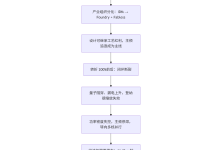
CI 流程(23 个步骤):
本地也可以跑:
./run_ci_tests.sh staging
# 串联 5 类测试,最后汇总通过率
这套 CI 的价值: 你不用每次改代码都手动跑一遍测试。提交代码,CI 自动跑,失败了 GitHub 会通知你。一个人用也够用。
依赖和安装
# 生成器依赖(必须)
pip install PyYAML
# API测试运行依赖
pip install pytest requests allure-pytest
# UI测试运行依赖
pip install pytest pytest-playwright
playwright install chromium
# 造数依赖(可选)
pip install pymysql
# 性能测试依赖(可选)
pip install locust
Python 3.8+ 即可。
项目地址
~/ai-test-system/skills-专业版/
或者从我的 Cursor 技能包里直接打开。
有问题随时交流。
作者:测试老兵周周,14年测试经验,专注 AI测试和自动化测试。