Flume作为日志采集工具,以其高可靠性和可扩展性广泛应用于数据管道的采集层。Flink作为流处理引擎,以其低延迟和高吞吐能力在实时计算领域占据重要地位。将Flume与Flink集成,能够构建端到端的实时数据管道,但在集成过程中,保证Exactly-Once语义是一大技术挑战。
Flume与Flink的集成主要采用两种方式:一种是Flume将数据写入Kafka,然后Flink从Kafka消费;另一种是使用Flume的NGafkaSink直接将数据发送到Flink。无论哪种方式,都需要解决 Exactly-Once语义问题,以确保数据不丢失且不重复处理。
实现Flume与Flink之间的Exactly-Once语义面临多个技术挑战:
首先,数据传输过程中可能出现网络分区、节点故障等异常情况,导致数据在传输过程中丢失。Flume需要配置可靠的传输机制,如使用内存通道和可靠的sink,保证数据不丢失。
其次,检查点(Checkpoint)机制在两个系统间的同步是一大难点。Flink的检查点需要与Flume的事务边界对齐,否则容易出现数据重复或丢失。
最后,处理偏移量(offset)的管理也面临挑战。在传统方案中,偏移量通常由下游系统管理,但在Exactly-Once语义下,需要确保偏移量与处理结果原子性更新,这需要分布式协调服务(如ZooKeeper)的支持。
要实现Flume与Flink之间的Exactly-Once语义,可以采取以下路径:
3.1 基于Kafka的中间方案
通过Kafka作为中间缓冲层,实现Flume到Flink的Exactly-Once语义:
# Flume配置示例
a1.sources = r1
a1.channels = c1
a1.sinks = k1
a1.sources.r1.type = exec
a1.sources.r1.command = tail -F /var/log/flume.log
a1.channels.c1.type = memory
a1.channels.c1.capacity = 1000
a1.sinks.k1.type = org.apache.flume.sink.kafka.KafkaSink
a1.sinks.k1.kafka.bootstrap.servers = localhost:9092
a1.sinks.k1.kafka.topic = flume-topic
a1.sinks.k1.kafka.producer.acks = all
a1.sinks.k1.kafka.flumeBatchSize = 20
a1.sinks.k1.kafka.requiredAcks = 1
a1.sinks.k1.kafka.channelKeepAlive = 60
在Flink端,从Kafka消费数据并启用检查点机制:
// Flink Kafka消费者配置示例
Properties properties = new Properties();
properties.setProperty("bootstrap.servers", "localhost:9092");
properties.setProperty("group.id", "flink-group");
// 启用Kafka消费者自动提交
properties.setProperty("enable.auto.commit", "false");
// Flink管理偏移量
properties.setProperty("flink.checkpoint.interval.ms", "60000");
FlinkKafkaConsumer<String> kafkaSource = new FlinkKafkaConsumer<>(
"flume-topic",
new SimpleStringSchema(),
properties
);
// 启用检查点
kafkaSource.setStartFromLatest();
env.enableCheckpointing(5000); // 5秒的检查点间隔
env.getCheckpointConfig().setCheckpointingMode(CheckpointingMode.EXACTLY_ONCE);
env.getCheckpointConfig().setMinPauseBetweenCheckpoints(300);
env.getCheckpointConfig().setCheckpointTimeout(60000);
env.getCheckpointConfig().setMaxConcurrentCheckpoints(1);
DataStream<String> stream = env.addSource(kafkaSource);
3.2 直接集成方案
使用Flume的NGafkaSink直接连接Flink,减少中间环节:
// Flume配置示例
a1.sources = r1
a1.channels = c1
a1.sinks = k1
a1.sources.r1.type = exec
a1.sources.r1.command = tail -F /var/log/flume.log
a1.channels.c1.type = memory
a1.channels.c1.capacity = 1000
a1.sinks.k1.type = org.apache.flume.sink.kafka.KafkaSink
a1.sinks.k1.kafka.bootstrap.servers = localhost:9092
a1.sinks.k1.kafka.topic = flume-topic
a1.sinks.k1.kafka.producer.acks = all
a1.sinks.k1.kafka.flumeBatchSize = 20
在Flink端,使用自定义Source对接Flume:
// 自定义Flink Source示例
public class FlumeSourceFunction extends RichSourceFunction<String> {
private volatile boolean isRunning = true;
@Override
public void run(SourceContext<String> ctx) throws Exception {
// 连接到Flume并获取数据流
while (isRunning) {
// 模拟从Flume获取数据
String data = fetchDataFromFlume();
ctx.collect(data);
}
}
@Override
public void cancel() {
isRunning = false;
}
private String fetchDataFromFlume() {
// 实现从Flume获取数据的逻辑
return "sample data";
}
}
// 在主程序中使用
DataStream<String> flumeStream = env.addSource(new FlumeSourceFunction());
在实现Flume与Flink的Exactly-Once语义时,建议采用以下架构设计和最佳实践:
4.1 端到端的检查点机制
构建端到端的检查点机制,确保从Flume采集到Flink处理的整个数据流中,所有组件都能协同工作。这需要Flume、传输介质(如Kafka)和Flink三方均支持检查点或类似的事务机制。
4.2 有状态处理与状态后端
在Flink中,使用有状态算子并将状态保存到可靠的存储中(如RocksDBStateBackend),确保在故障恢复后能够重建状态,继续处理数据而不丢失或重复。
4.3 反压机制配置
正确配置反压(Backpressure)机制,确保当下游处理能力不足时,上游能够减缓数据发送速度,避免数据丢失或处理延迟。
4.4 监控与告警体系
建立完善的监控与告警体系,及时检测和处理数据流中的异常情况,避免小问题演变成大故障。
以下是实现Flume与Flink集成并保证Exactly-Once语义的最小示例:
public class FlumeToFlinkExample {
public static void main(String[] args) throws Exception {
// 创建Flink执行环境
final StreamExecutionEnvironment env = StreamExecutionEnvironment.getExecutionEnvironment();
// 启用检查点
env.enableCheckpointing(5000); // 5秒的检查点间隔
// 配置检查点详情
env.getCheckpointConfig().setCheckpointingMode(CheckpointingMode.EXACTLY_ONCE);
env.getCheckpointConfig().setMinPauseBetweenCheckpoints(300);
env.getCheckpointConfig().setCheckpointTimeout(60000);
env.getCheckpointConfig().setMaxConcurrentCheckpoints(1);
// 配置状态后端
env.setStateBackend(new RocksDBStateBackend("file:///path/to/checkpoints"));
// 添加Kafka数据源
Properties properties = new Properties();
properties.setProperty("bootstrap.servers", "localhost:9092");
properties.setProperty("group.id", "flink-exactly-once-group");
properties.setProperty("enable.auto.commit", "false");
FlinkKafkaConsumer<String> kafkaSource = new FlinkKafkaConsumer<>(
"flume-topic",
new SimpleStringSchema(),
properties
);
// 添加源
DataStream<String> stream = env.addSource(kafkaSource);
// 简单处理示例
DataStream<String> resultStream = stream.map(new MapFunction<String, String>() {
@Override
public String map(String value) throws Exception {
// 简单的业务逻辑处理
return "Processed: " + value;
}
});
// 添加Kafka接收器
FlinkKafkaProducer<String> kafkaSink = new FlinkKafkaProducer<>(
"output-topic",
new SimpleStringSchema(),
properties,
FlinkKafkaProducer.Semantic.EXACTLY_ONCE
);
resultStream.addSink(kafkaSink);
// 执行作业
env.execute("Flume to Flink Exactly-Once Example");
}
}
注意事项:
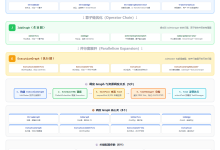
#publish-mermaid-1788232074723-0{font-family:\”trebuchet ms\”,verdana,arial,sans-serif;font-size:16px;fill:#333;}@keyframes edge-animation-frame{from{stroke-dashoffset:0;}}@keyframes dash{to{stroke-dashoffset:0;}}#publish-mermaid-1788232074723-0 .edge-animation-slow{stroke-dasharray:9,5!important;stroke-dashoffset:900;animation:dash 50s linear infinite;stroke-linecap:round;}#publish-mermaid-1788232074723-0 .edge-animation-fast{stroke-dasharray:9,5!important;stroke-dashoffset:900;animation:dash 20s linear infinite;stroke-linecap:round;}#publish-mermaid-1788232074723-0 .error-icon{fill:#552222;}#publish-mermaid-1788232074723-0 .error-text{fill:#552222;stroke:#552222;}#publish-mermaid-1788232074723-0 .edge-thickness-normal{stroke-width:1px;}#publish-mermaid-1788232074723-0 .edge-thickness-thick{stroke-width:3.5px;}#publish-mermaid-1788232074723-0 .edge-pattern-solid{stroke-dasharray:0;}#publish-mermaid-1788232074723-0 .edge-thickness-invisible{stroke-width:0;fill:none;}#publish-mermaid-1788232074723-0 .edge-pattern-dashed{stroke-dasharray:3;}#publish-mermaid-1788232074723-0 .edge-pattern-dotted{stroke-dasharray:2;}#publish-mermaid-1788232074723-0 .marker{fill:#333333;stroke:#333333;}#publish-mermaid-1788232074723-0 .marker.cross{stroke:#333333;}#publish-mermaid-1788232074723-0 svg{font-family:\”trebuchet ms\”,verdana,arial,sans-serif;font-size:16px;}#publish-mermaid-1788232074723-0 p{margin:0;}#publish-mermaid-1788232074723-0 .label{font-family:\”trebuchet ms\”,verdana,arial,sans-serif;color:#333;}#publish-mermaid-1788232074723-0 .cluster-label text{fill:#333;}#publish-mermaid-1788232074723-0 .cluster-label span{color:#333;}#publish-mermaid-1788232074723-0 .cluster-label span p{background-color:transparent;}#publish-mermaid-1788232074723-0 .label text,#publish-mermaid-1788232074723-0 span{fill:#333;color:#333;}#publish-mermaid-1788232074723-0 .node rect,#publish-mermaid-1788232074723-0 .node circle,#publish-mermaid-1788232074723-0 .node ellipse,#publish-mermaid-1788232074723-0 .node polygon,#publish-mermaid-1788232074723-0 .node path{fill:#ECECFF;stroke:#9370DB;stroke-width:1px;}#publish-mermaid-1788232074723-0 .rough-node .label text,#publish-mermaid-1788232074723-0 .node .label text,#publish-mermaid-1788232074723-0 .image-shape .label,#publish-mermaid-1788232074723-0 .icon-shape .label{text-anchor:middle;}#publish-mermaid-1788232074723-0 .node .katex path{fill:#000;stroke:#000;stroke-width:1px;}#publish-mermaid-1788232074723-0 .rough-node .label,#publish-mermaid-1788232074723-0 .node .label,#publish-mermaid-1788232074723-0 .image-shape .label,#publish-mermaid-1788232074723-0 .icon-shape .label{text-align:center;}#publish-mermaid-1788232074723-0 .node.clickable{cursor:pointer;}#publish-mermaid-1788232074723-0 .root .anchor path{fill:#333333!important;stroke-width:0;stroke:#333333;}#publish-mermaid-1788232074723-0 .arrowheadPath{fill:#333333;}#publish-mermaid-1788232074723-0 .edgePath .path{stroke:#333333;stroke-width:1px;}#publish-mermaid-1788232074723-0 .flowchart-link{stroke:#333333;fill:none;}#publish-mermaid-1788232074723-0 .edgeLabel{background-color:rgba(232,232,232, 0.8);text-align:center;}#publish-mermaid-1788232074723-0 .edgeLabel p{background-color:rgba(232,232,232, 0.8);}#publish-mermaid-1788232074723-0 .edgeLabel rect{opacity:0.5;background-color:rgba(232,232,232, 0.8);fill:rgba(232,232,232, 0.8);}#publish-mermaid-1788232074723-0 .labelBkg{background-color:rgba(232, 232, 232, 0.5);}#publish-mermaid-1788232074723-0 .cluster rect{fill:#ffffde;stroke:#aaaa33;stroke-width:1px;}#publish-mermaid-1788232074723-0 .cluster text{fill:#333;}#publish-mermaid-1788232074723-0 .cluster span{color:#333;}#publish-mermaid-1788232074723-0 div.mermaidTooltip{position:absolute;text-align:center;max-width:200px;padding:2px;font-family:\”trebuchet ms\”,verdana,arial,sans-serif;font-size:12px;background:hsl(80, 100%, 96.2745098039%);border:1px solid #aaaa33;border-radius:2px;pointer-events:none;z-index:100;}#publish-mermaid-1788232074723-0 .flowchartTitleText{text-anchor:middle;font-size:18px;fill:#333;}#publish-mermaid-1788232074723-0 rect.text{fill:none;stroke-width:0;}#publish-mermaid-1788232074723-0 .icon-shape,#publish-mermaid-1788232074723-0 .image-shape{background-color:rgba(232,232,232, 0.8);text-align:center;}#publish-mermaid-1788232074723-0 .icon-shape p,#publish-mermaid-1788232074723-0 .image-shape p{background-color:rgba(232,232,232, 0.8);padding:2px;}#publish-mermaid-1788232074723-0 .icon-shape .label rect,#publish-mermaid-1788232074723-0 .image-shape .label rect{opacity:0.5;background-color:rgba(232,232,232, 0.8);fill:rgba(232,232,232, 0.8);}#publish-mermaid-1788232074723-0 .label-icon{display:inline-block;height:1em;overflow:visible;vertical-align:-0.125em;}#publish-mermaid-1788232074723-0 .node .label-icon path{fill:currentColor;stroke:revert;stroke-width:revert;}#publish-mermaid-1788232074723-0 .node .neo-node{stroke:#9370DB;}#publish-mermaid-1788232074723-0 [data-look=\”neo\”].node rect,#publish-mermaid-1788232074723-0 [data-look=\”neo\”].cluster rect,#publish-mermaid-1788232074723-0 [data-look=\”neo\”].node polygon{stroke:#9370DB;filter:drop-shadow(1px 2px 2px rgba(185, 185, 185, 1));}#publish-mermaid-1788232074723-0 [data-look=\”neo\”].swimlane.cluster rect{filter:none;}#publish-mermaid-1788232074723-0 [data-look=\”neo\”].node path{stroke:#9370DB;stroke-width:1px;}#publish-mermaid-1788232074723-0 [data-look=\”neo\”].node .outer-path{filter:drop-shadow(1px 2px 2px rgba(185, 185, 185, 1));}#publish-mermaid-1788232074723-0 [data-look=\”neo\”].node .neo-line path{stroke:#9370DB;filter:none;}#publish-mermaid-1788232074723-0 [data-look=\”neo\”].node circle{stroke:#9370DB;filter:drop-shadow(1px 2px 2px rgba(185, 185, 185, 1));}#publish-mermaid-1788232074723-0 [data-look=\”neo\”].node circle .state-start{fill:#000000;}#publish-mermaid-1788232074723-0 [data-look=\”neo\”].icon-shape .icon{fill:#9370DB;filter:drop-shadow(1px 2px 2px rgba(185, 185, 185, 1));}#publish-mermaid-1788232074723-0 [data-look=\”neo\”].icon-shape .icon-neo path{stroke:#9370DB;filter:drop-shadow(1px 2px 2px rgba(185, 185, 185, 1));}#publish-mermaid-1788232074723-0 :root{–mermaid-font-family:\”trebuchet ms\”,verdana,arial,sans-serif;}
数据源
Flume采集
Kafka中间缓冲区
Flink处理
结果存储/消费者
检查点触发
暂停数据处理
保存处理状态
创建检查点
向Kafka提交偏移量
确认检查点完成
恢复数据处理
异常检测
失败节点标记
从上一个检查点恢复
重新处理数据