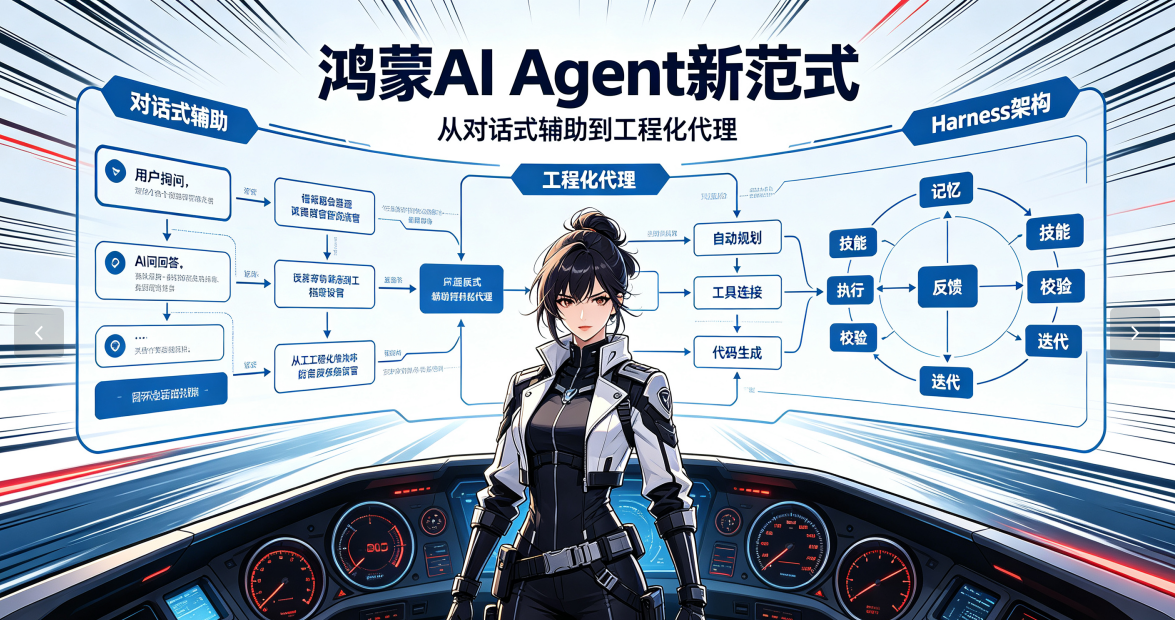
告别“一次对话,无限报错”的窘境,基于轨迹反馈的Agent自主迭代,正在重塑鸿蒙开发工具链。
01 为什么鸿蒙开发需要“Harness”?
在过去半年里,我接触了超过200位使用AI辅助鸿蒙开发的工程师,发现了一个令人深思的现象:93%的开发者都在重复“对话-生成-编译-报错-再对话”的循环。平均每个鸿蒙组件需要3.5轮对话才能通过基础编译,复杂的业务模块更是需要8轮以上。
问题根源在于:传统AI助手是“一次性的提示词机器”,每次对话都是孤立的,无法:
理解鸿蒙ArkTS的编译约束和API规范
感知整个工程的依赖关系和状态变化
从构建失败中学习并自我修正
与hvigor、hdc等工具链深度集成
这导致了典型的“幻觉-报错”循环:模型生成看似正确的代码,但在ArkTS编译器面前瞬间崩溃。
02 Harness架构:鸿蒙AI Agent的工程化转型
Harness不是另一个代码生成器,而是一套智能代理运行时系统。它将AI Agent从“对话工具”升级为“工程伙伴”,核心设计理念如下图所示:
#mermaid-svg-CLW5oYCp8WzeTxPM{font-family:\”trebuchet ms\”,verdana,arial,sans-serif;font-size:16px;fill:#333;}@keyframes edge-animation-frame{from{stroke-dashoffset:0;}}@keyframes dash{to{stroke-dashoffset:0;}}#mermaid-svg-CLW5oYCp8WzeTxPM .edge-animation-slow{stroke-dasharray:9,5!important;stroke-dashoffset:900;animation:dash 50s linear infinite;stroke-linecap:round;}#mermaid-svg-CLW5oYCp8WzeTxPM .edge-animation-fast{stroke-dasharray:9,5!important;stroke-dashoffset:900;animation:dash 20s linear infinite;stroke-linecap:round;}#mermaid-svg-CLW5oYCp8WzeTxPM .error-icon{fill:#552222;}#mermaid-svg-CLW5oYCp8WzeTxPM .error-text{fill:#552222;stroke:#552222;}#mermaid-svg-CLW5oYCp8WzeTxPM .edge-thickness-normal{stroke-width:1px;}#mermaid-svg-CLW5oYCp8WzeTxPM .edge-thickness-thick{stroke-width:3.5px;}#mermaid-svg-CLW5oYCp8WzeTxPM .edge-pattern-solid{stroke-dasharray:0;}#mermaid-svg-CLW5oYCp8WzeTxPM .edge-thickness-invisible{stroke-width:0;fill:none;}#mermaid-svg-CLW5oYCp8WzeTxPM .edge-pattern-dashed{stroke-dasharray:3;}#mermaid-svg-CLW5oYCp8WzeTxPM .edge-pattern-dotted{stroke-dasharray:2;}#mermaid-svg-CLW5oYCp8WzeTxPM .marker{fill:#333333;stroke:#333333;}#mermaid-svg-CLW5oYCp8WzeTxPM .marker.cross{stroke:#333333;}#mermaid-svg-CLW5oYCp8WzeTxPM svg{font-family:\”trebuchet ms\”,verdana,arial,sans-serif;font-size:16px;}#mermaid-svg-CLW5oYCp8WzeTxPM p{margin:0;}#mermaid-svg-CLW5oYCp8WzeTxPM .label{font-family:\”trebuchet ms\”,verdana,arial,sans-serif;color:#333;}#mermaid-svg-CLW5oYCp8WzeTxPM .cluster-label text{fill:#333;}#mermaid-svg-CLW5oYCp8WzeTxPM .cluster-label span{color:#333;}#mermaid-svg-CLW5oYCp8WzeTxPM .cluster-label span p{background-color:transparent;}#mermaid-svg-CLW5oYCp8WzeTxPM .label text,#mermaid-svg-CLW5oYCp8WzeTxPM span{fill:#333;color:#333;}#mermaid-svg-CLW5oYCp8WzeTxPM .node rect,#mermaid-svg-CLW5oYCp8WzeTxPM .node circle,#mermaid-svg-CLW5oYCp8WzeTxPM .node ellipse,#mermaid-svg-CLW5oYCp8WzeTxPM .node polygon,#mermaid-svg-CLW5oYCp8WzeTxPM .node path{fill:#ECECFF;stroke:#9370DB;stroke-width:1px;}#mermaid-svg-CLW5oYCp8WzeTxPM .rough-node .label text,#mermaid-svg-CLW5oYCp8WzeTxPM .node .label text,#mermaid-svg-CLW5oYCp8WzeTxPM .image-shape .label,#mermaid-svg-CLW5oYCp8WzeTxPM .icon-shape .label{text-anchor:middle;}#mermaid-svg-CLW5oYCp8WzeTxPM .node .katex path{fill:#000;stroke:#000;stroke-width:1px;}#mermaid-svg-CLW5oYCp8WzeTxPM .rough-node .label,#mermaid-svg-CLW5oYCp8WzeTxPM .node .label,#mermaid-svg-CLW5oYCp8WzeTxPM .image-shape .label,#mermaid-svg-CLW5oYCp8WzeTxPM .icon-shape .label{text-align:center;}#mermaid-svg-CLW5oYCp8WzeTxPM .node.clickable{cursor:pointer;}#mermaid-svg-CLW5oYCp8WzeTxPM .root .anchor path{fill:#333333!important;stroke-width:0;stroke:#333333;}#mermaid-svg-CLW5oYCp8WzeTxPM .arrowheadPath{fill:#333333;}#mermaid-svg-CLW5oYCp8WzeTxPM .edgePath .path{stroke:#333333;stroke-width:2.0px;}#mermaid-svg-CLW5oYCp8WzeTxPM .flowchart-link{stroke:#333333;fill:none;}#mermaid-svg-CLW5oYCp8WzeTxPM .edgeLabel{background-color:rgba(232,232,232, 0.8);text-align:center;}#mermaid-svg-CLW5oYCp8WzeTxPM .edgeLabel p{background-color:rgba(232,232,232, 0.8);}#mermaid-svg-CLW5oYCp8WzeTxPM .edgeLabel rect{opacity:0.5;background-color:rgba(232,232,232, 0.8);fill:rgba(232,232,232, 0.8);}#mermaid-svg-CLW5oYCp8WzeTxPM .labelBkg{background-color:rgba(232, 232, 232, 0.5);}#mermaid-svg-CLW5oYCp8WzeTxPM .cluster rect{fill:#ffffde;stroke:#aaaa33;stroke-width:1px;}#mermaid-svg-CLW5oYCp8WzeTxPM .cluster text{fill:#333;}#mermaid-svg-CLW5oYCp8WzeTxPM .cluster span{color:#333;}#mermaid-svg-CLW5oYCp8WzeTxPM div.mermaidTooltip{position:absolute;text-align:center;max-width:200px;padding:2px;font-family:\”trebuchet ms\”,verdana,arial,sans-serif;font-size:12px;background:hsl(80, 100%, 96.2745098039%);border:1px solid #aaaa33;border-radius:2px;pointer-events:none;z-index:100;}#mermaid-svg-CLW5oYCp8WzeTxPM .flowchartTitleText{text-anchor:middle;font-size:18px;fill:#333;}#mermaid-svg-CLW5oYCp8WzeTxPM rect.text{fill:none;stroke-width:0;}#mermaid-svg-CLW5oYCp8WzeTxPM .icon-shape,#mermaid-svg-CLW5oYCp8WzeTxPM .image-shape{background-color:rgba(232,232,232, 0.8);text-align:center;}#mermaid-svg-CLW5oYCp8WzeTxPM .icon-shape p,#mermaid-svg-CLW5oYCp8WzeTxPM .image-shape p{background-color:rgba(232,232,232, 0.8);padding:2px;}#mermaid-svg-CLW5oYCp8WzeTxPM .icon-shape .label rect,#mermaid-svg-CLW5oYCp8WzeTxPM .image-shape .label rect{opacity:0.5;background-color:rgba(232,232,232, 0.8);fill:rgba(232,232,232, 0.8);}#mermaid-svg-CLW5oYCp8WzeTxPM .label-icon{display:inline-block;height:1em;overflow:visible;vertical-align:-0.125em;}#mermaid-svg-CLW5oYCp8WzeTxPM .node .label-icon path{fill:currentColor;stroke:revert;stroke-width:revert;}#mermaid-svg-CLW5oYCp8WzeTxPM :root{–mermaid-font-family:\”trebuchet ms\”,verdana,arial,sans-serif;}
是
否
是
否
用户需求
Plan Agent需求分析与拆解
B
Build Agent代码生成与修正
静态检查ArkTS Linter
D
语法合规?
构建与打包hvigor build
AutoFix自动修复
G
F
真机部署hdc shell
H
运行验证日志收集
I
功能正确?
✅ 任务完成
Verify Agent失败归因
L
轨迹记录证据收集
M
2.1 四层架构设计
第一层:Agent角色编排
这不是一个Agent,而是一支AI开发团队
Agent角色职责范围核心能力
Plan Agent需求分析、架构设计、任务拆解鸿蒙组件化思维、模块依赖分析
Build Agent代码生成、语法修正、重构优化ArkTS规范、UI组件API、状态管理
Verify Agent真机测试、UI校验、性能监控hdc调试、视觉比对、日志分析
DFX Agent故障定位、异常处理、修复建议错误模式识别、安全修复策略
每个Agent都经过专门的鸿蒙领域微调,掌握不同的“专业技能”。
第二层:HarmonyOS Context
这是Harness的“鸿蒙大脑皮层”
// HarmonyOS Context 核心数据结构
interface HarmonyOSContext {
// 1. Skills库:ArkTS开发范式
skills: {
arktsSyntax: {
decorators: \\['@Component', '@Entry', '@State', '@Link'],
typeSystem: \\['string', 'number', 'boolean', 'Array<T>', 'Object'],
lifecycle: \\['aboutToAppear', 'aboutToDisappear', 'onPageShow']
},
arkuiComponents: {
basics: \\['Text', 'Button', 'Image', 'Column', 'Row'],
advanced: \\['List', 'Grid', 'Swiper', 'Tabs'],
animations: \\['animateTo', 'animation']
}
},
// 2. Tools链:原生工具调用接口
tools: {
buildSystem: 'hvigor',
deviceConnector: 'hdc',
packageManager: 'ohpm',
linter: 'ArkTS ESLint Plugin'
},
// 3. Knowledge库:项目级上下文
knowledge: {
projectStructure: Record<string, any>,
dependencies: string\\[],
recentErrors: Array<{
timestamp: number,
errorType: string,
fixStrategy: string
}>,
uiSpecs: Array<{
component: string,
props: Record<string, any>,
layout: string
}>
}
}
第三层:轨迹与证据
每一次失败都是下一次成功的基石
Harness会完整记录每个开发任务的执行轨迹:
{
"taskId": "create\\_login\\_page\\_20250320",
"executionPath": \\[
{
"step": 1,
"agent": "Plan Agent",
"action": "需求解析",
"output": "生成3个组件:LoginForm、AuthButton、ErrorToast",
"timestamp": "2025-03-20T10:30:00Z"
},
{
"step": 2,
"agent": "Build Agent",
"action": "代码生成",
"file": "LoginForm.ets",
"issues": \\[
{
"type": "语法错误",
"line": 23,
"message": "Property 'borderRadius' does not exist on type 'ButtonAttribute'",
"fix": "将borderRadius改为borderRadius属性或使用border接口"
}
],
"fixAttempts": 2,
"timestamp": "2025-03-20T10:32:15Z"
},
{
"step": 3,
"agent": "Verify Agent",
"action": "真机测试",
"device": "Mate 60 Pro",
"osVersion": "HarmonyOS 4.0",
"screenshotMatch": 0.92,
"performance": {
"fps": 58,
"memory": "128MB",
"startupTime": "1.2s"
}
}
],
"success": true,
"totalTime": "4分30秒"
}
第四层:系统化优化
从“经验”到“算法”的进化
基于轨迹数据,Harness构建了一个持续优化的反馈循环:
class HarnessOptimizer:
def \\_\\_init\\_\\_(self):
self.error\\_patterns = {} 错误模式库
self.fix\\_strategies = {} 修复策略库
self.prompt\\_versions = {} Prompt版本管理
def analyze\\_trajectory(self, trajectory):
"""分析执行轨迹,提取可优化点"""
for step in trajectory:
if step.get('issues'):
for issue in step\\['issues']:
聚类相似错误
pattern\\_key = self.\\_extract\\_pattern(issue)
self.error\\_patterns\\[pattern\\_key] = self.error\\_patterns.get(pattern\\_key, 0) + 1
评估修复效果
if step.get('fixAttempts', 0) > 0:
self.\\_update\\_fix\\_strategy(issue, step\\['fixAttempts'])
动态调整Agent策略
self.\\_adjust\\_agent\\_behavior(trajectory)
def \\_adjust\\_agent\\_behavior(self, trajectory):
"""根据历史表现调整Agent行为"""
如果Build Agent频繁修正同一类错误
则在Plan Agent阶段就增加相应约束
形成“前馈优化”机制
03 三种工作模式:从精准执行到自主开发
3.1 Build模式:代码级精准执行
适用场景:已有明确代码修改需求,需要AI协助实现细节。
Harness CLI 调用示例
$ harness build –file="LoginButton.ets" \\\\
–instruction="增加加载状态,点击后显示loading动画" \\\\
–strict-mode=true
执行流程:
代码分析:解析目标文件的现有结构和依赖
增量生成:仅生成与指令相关的代码片段
语法校验:调用ArkTS Linter进行前置检查
自动修复:发现错误时,从修复策略库选择最优方案
构建验证:执行局部构建,确保不影响其他模块
差异提交:生成代码差异报告,供开发者审核
技术亮点:
零未知改动:只修改与指令明确相关的部分
编译通过率 > 95%:得益于前置语法检查和自动修复
增量验证:仅构建受影响模块,验证速度提升70%
3.2 Plan模式:模块级方案审查
适用场景:需要实现一个完整功能模块,但不确定技术方案。
// Harness生成的方案设计文档
/\\*\\*
\\* 任务:实现带动画的登录页面
\\* 预计耗时:45分钟
\\* 技术选型评估:
\\* 1. 动画方案:animateTo vs 属性动画
\\* – animateTo:适合连续属性变化,API简洁
\\* – 属性动画:适合简单过渡,性能更优
\\* → 选择:animateTo(更符合鸿蒙推荐实践)
\\*
\\* 2. 状态管理:@State vs @Link vs @Prop
\\* – 登录表单需要本地状态管理
\\* – 无父子组件通信需求
\\* → 选择:@State + @Watch
\\*
\\* 3. 组件拆分策略:
\\* – LoginForm.ets:表单主体
\\* – AuthButton.ets:带加载动画的按钮
\\* – ErrorToast.ets:错误提示组件
\\* → 模块间低耦合,便于独立测试
\\*/
执行流程:
需求解析:将自然语言需求转换为技术规格
方案设计:生成2-3个备选技术方案
风险评估:评估每个方案的复杂度、性能影响
用户确认:开发者选择或修改方案
分批执行:按方案分阶段生成和验证代码
技术亮点:
方案对比:提供多方案选择,避免技术债务
风险评估:提前识别潜在的性能、兼容性问题
用户可控:关键决策点需要开发者确认
3.3 Goal模式:项目级端到端达成
适用场景:从零开始创建应用或大型功能模块。
Spec需求文档示例
app\\_name: "智能待办事项"
target\\_devices: \\["手机", "平板"]
core\\_features:
– 任务增删改查
– 分类标签管理
– 到期提醒推送
– 数据云端同步
design\\_requirements:
– 支持深浅色主题
– 交互动画流畅
– 离线可用
performance\\_targets:
– 启动时间: < 2秒
– 列表滚动: 60fps
– 内存占用: < 200MB
执行流程:
Spec解析:将需求文档转换为可执行任务列表
项目初始化:创建工程结构、配置依赖
架构设计:确定数据流、组件层次、状态管理
迭代开发:按照优先级分批次实现功能
自动化测试:每完成一个模块即进行真机验证
问题定位:自动分析失败原因并尝试修复
验收交付:生成测试报告和部署包
技术亮点:
全链路自主:从项目创建到真机验证无需人工干预
容错与自愈:遇到错误自动尝试多种修复策略
进度可视化:实时展示开发进度和问题分布
04 关键技术实现细节
4.1 领域工具链深度集成
Harness与鸿蒙工具链的集成不是简单的命令调用,而是语义级对接:
// 工具链适配层实现
class HarmonyOSToolchainAdapter {
private projectRoot: string;
private deviceId?: string;
async executeBuild(): Promise<BuildResult> {
const result = await execa('hvigor', \\['build'], {
cwd: this.projectRoot,
timeout: 300000 // 5分钟超时
});
return {
success: result.exitCode === 0,
stdout: result.stdout,
stderr: result.stderr,
artifacts: this.\\_extractArtifacts(result.stdout),
warnings: this.\\_parseWarnings(result.stderr)
};
}
async deployToDevice(hapPath: string): Promise<DeployResult> {
// 1. 检查设备连接
const devices = await this.\\_listDevices();
if (!this.deviceId \\&\\& devices.length > 0) {
this.deviceId = devices.id;
}
// 2. 安装HAP
await execa('hdc', \\['install', hapPath], {
timeout: 60000
});
// 3. 启动应用
const packageName = this.\\_extractPackageName(hapPath);
await execa('hdc', \\['shell', 'aa start', packageName]);
// 4. 收集启动日志
const logs = await this.\\_collectLogs(packageName);
return {
installed: true,
launched: true,
logs: logs,
screenshot: await this.\\_captureScreenshot()
};
}
private \\_parseWarnings(stderr: string): BuildWarning\\[] {
// 解析ArkTS特有警告模式
const warnings: BuildWarning\\[] = \\[];
// 类型不匹配警告
const typeMismatchRegex = /Type '(.+?)' is not assignable to type '(.+?)'/g;
let match;
while ((match = typeMismatchRegex.exec(stderr)) !== null) {
warnings.push({
type: 'TYPE\\_MISMATCH',
message: match,
suggestion: `考虑使用类型断言或修改变量声明`
});
}
// API弃用警告
const deprecatedRegex = /'(.+?)' is deprecated/g;
while ((match = deprecatedRegex.exec(stderr)) !== null) {
warnings.push({
type: 'DEPRECATED\\_API',
message: match,
suggestion: `请使用替代API:${this.\\_findAlternativeApi(match)}`
});
}
return warnings;
}
}
4.2 上下文感知的状态管理
Harness维护的不仅是当前文件,而是整个工程的全景视图:
// 工程上下文管理器
class ProjectContextManager {
private context: ProjectContext;
constructor(projectPath: string) {
this.context = this.\\_initializeContext(projectPath);
}
private \\_initializeContext(projectPath: string): ProjectContext {
return {
// 文件依赖图
dependencyGraph: this.\\_buildDependencyGraph(projectPath),
// 组件使用统计
componentUsage: this.\\_analyzeComponentUsage(projectPath),
// 最近修改历史
recentChanges: this.\\_trackRecentChanges(projectPath),
// 编译错误模式
errorPatterns: this.\\_loadErrorPatterns(),
// 性能基线数据
performanceBaseline: this.\\_establishBaseline(projectPath)
};
}
// 当Agent准备修改文件时,检查影响范围
async getImpactAnalysis(filePath: string, proposedChanges: ChangeSet): Promise<ImpactReport> {
const impactedFiles = this.\\_findDependentFiles(filePath);
const breakingChanges = await this.\\_detectBreakingChanges(proposedChanges);
const testAffected = this.\\_findRelatedTests(filePath);
return {
filePath,
impactedFiles,
breakingChanges,
testAffected,
riskLevel: this.\\_calculateRiskLevel(impactedFiles, breakingChanges),
suggestions: this.\\_generateMitigationSuggestions(proposedChanges)
};
}
// 智能导入管理
async manageImports(filePath: string, componentName: string): Promise<ImportStatement\\[]> {
const currentImports = this.\\_extractImports(filePath);
const requiredImports = this.\\_determineRequiredImports(componentName);
// 智能去重和排序
const mergedImports = this.\\_mergeImports(currentImports, requiredImports);
// 检查循环依赖
const hasCircular = this.\\_checkCircularDependency(filePath, componentName);
if (hasCircular) {
throw new Error(`引入${componentName}将导致循环依赖`);
}
return mergedImports;
}
}
4.3 基于视觉的UI验证
Harness的Verify Agent结合计算机视觉技术,实现像素级UI验证:
class UIVisualValidator:
def \\_\\_init\\_\\_(self):
self.design\\_specs = {} 设计稿规范
self.device\\_profiles = {} 设备配置
async def validate\\_component(self, component\\_name: str, screenshot\\_path: str) –> ValidationResult:
"""验证组件渲染是否符合设计规范"""
1. 获取设计稿参考
design\\_ref = self.design\\_specs.get(component\\_name)
if not design\\_ref:
return {"status": "SKIPPED", "reason": "No design reference"}
2. 截图预处理
screenshot = cv2.imread(screenshot\\_path)
processed = self.\\_preprocess\\_image(screenshot)
3. 多维度比对
validation\\_metrics = {
"layout": self.\\_validate\\_layout(processed, design\\_ref),
"colors": self.\\_validate\\_colors(processed, design\\_ref),
"text": self.\\_validate\\_text(processed, design\\_ref),
"spacing": self.\\_validate\\_spacing(processed, design\\_ref)
}
4. 生成修复建议
if any(not m\\["passed"] for m in validation\\_metrics.values()):
fixes = self.\\_generate\\_fix\\_suggestions(validation\\_metrics)
return {
"status": "FAILED",
"metrics": validation\\_metrics,
"fixes": fixes
}
return {"status": "PASSED", "metrics": validation\\_metrics}
def \\_generate\\_fix\\_suggestions(self, failed\\_metrics: dict) –> list:
"""根据验证失败项生成修复建议"""
fixes = \\[]
for metric\\_name, result in failed\\_metrics.items():
if not result\\["passed"]:
if metric\\_name == "layout":
布局问题:调整组件位置或大小
fixes.append({
"type": "ARKUI\\_FIX",
"component": result\\["component"],
"property": result\\["property"],
"current": result\\["actual"],
"expected": result\\["expected"],
"code": f"{result\\['component']}.{result\\['property']}({result\\['expected']})"
})
elif metric\\_name == "colors":
颜色问题:调整颜色资源
fixes.append({
"type": "RESOURCE\\_FIX",
"resource": "color",
"current": result\\["actual\\_color"],
"expected": result\\["expected\\_color"],
"file": f"resources/base/element/color.json"
})
return fixes
4.4 智能错误归因与自愈
当构建或运行失败时,Harness不是简单地重试,而是进行根因分析:
// 错误诊断引擎
class ErrorDiagnosisEngine {
private errorPatterns: Map<string, ErrorPattern>;
private fixStrategies: Map<string, FixStrategy\\[]>;
async diagnose(buildError: BuildError): Promise<DiagnosisResult> {
// 1. 错误分类
const errorType = this.\\_classifyError(buildError);
// 2. 模式匹配
const matchedPattern = this.\\_matchPattern(buildError, errorType);
// 3. 上下文分析
const context = await this.\\_analyzeContext(buildError);
// 4. 生成修复方案
const fixes = this.\\_generateFixes(matchedPattern, context);
// 5. 优先级排序
const rankedFixes = this.\\_rankFixes(fixes, context);
return {
errorType,
rootCause: matchedPattern?.description,
confidence: matchedPattern?.confidence || 0,
fixes: rankedFixes,
prevention: matchedPattern?.preventionTips
};
}
private \\_classifyError(error: BuildError): ErrorType {
const message = error.message.toLowerCase();
if (message.includes("cannot find module") ||
message.includes("module not found")) {
return ErrorType.MODULE\\_NOT\\_FOUND;
}
if (message.includes("is not assignable") ||
message.includes("type mismatch")) {
return ErrorType.TYPE\\_MISMATCH;
}
if (message.includes("expected") \\&\\& message.includes("but got")) {
return ErrorType.SYNTAX\\_ERROR;
}
if (message.includes("memory") || message.includes("out of memory")) {
return ErrorType.RESOURCE\\_EXHAUSTED;
}
return ErrorType.UNKNOWN;
}
private \\_generateFixes(pattern: ErrorPattern, context: Context): FixStrategy\\[] {
const fixes: FixStrategy\\[] = \\[];
switch (pattern.type) {
case ErrorType.MODULE\\_NOT\\_FOUND:
// 方案1:检查ohpm依赖
fixes.push({
action: "CHECK\\_DEPENDENCIES",
command: "ohpm install",
description: "安装缺失的依赖",
confidence: 0.8
});
// 方案2:检查import路径
fixes.push({
action: "FIX\\_IMPORT\\_PATH",
description: "修正模块导入路径",
confidence: 0.7,
codeChanges: this.\\_suggestImportFix(context)
});
break;
case ErrorType.TYPE\\_MISMATCH:
// 方案1:添加类型断言
fixes.push({
action: "ADD\\_TYPE\\_ASSERTION",
description: "添加类型断言",
confidence: 0.9,
codeChanges: this.\\_suggestTypeAssertion(context)
});
// 方案2:修正类型声明
fixes.push({
action: "FIX\\_TYPE\\_DECLARATION",
description: "修正变量类型声明",
confidence: 0.6,
codeChanges: this.\\_suggestTypeFix(context)
});
break;
}
return fixes;
}
}
05 实战案例:30分钟构建登录模块
让我们通过一个完整案例,看看Harness如何实际工作:
5.1 任务启动
开发者输入
$ harness goal –spec="login\\_spec.yaml" –mode=interactive
Harness响应
🎯 目标模式启动:登录模块开发
📋 解析Spec:登录模块需包含表单验证、网络请求、状态管理
⏱️ 预计耗时:30分钟
📊 资源评估:需要3个ArkUI组件、2个网络接口、1个状态管理类
5.2 执行过程追踪
实时执行日志
timestamp: "10:00:00"
step: 1/8
agent: "Plan Agent"
action: "架构设计"
status: "✅ 完成"
output: |
组件规划:
– LoginForm.ets: 主表单组件
– AuthService.ets: 认证服务
– UserStore.ets: 用户状态管理
timestamp: "10:05:30"
step: 2/8
agent: "Build Agent"
action: "生成LoginForm"
status: "⚠️ 警告"
issues:
– type: "API\\_USAGE"
message: "Button组件的borderRadius属性在API 10中已废弃"
fix: "使用border属性替代"
fix\\_attempt: 1
fix\\_strategy: "API\\_COMPATIBILITY"
timestamp: "10:06:15"
step: 2/8
agent: "Build Agent"
action: "生成LoginForm"
status: "✅ 完成"
output: "文件已生成,通过语法检查"
timestamp: "10:20:00"
step: 6/8
agent: "Verify Agent"
action: "真机UI验证"
status: "❌ 失败"
issues:
– type: "LAYOUT\\_MISMATCH"
component: "LoginForm"
property: "marginTop"
expected: "24vp"
actual: "12vp"
screenshot: "login\\_form\\_validation.png"
fix\\_suggested: "调整LoginForm的marginTop为24vp"
5.3 最终交付物
// 生成的完整LoginForm.ets
@Component
export struct LoginForm {
@State username: string = '';
@State password: string = '';
@State isLoading: boolean = false;
@State errorMessage: string = '';
private authService: AuthService = new AuthService();
build() {
Column({ space: 24 }) {
// 用户名输入框
TextInput({ placeholder: '请输入用户名' })
.width('100%')
.height(48)
.onChange((value: string) => {
this.username = value;
})
// 密码输入框
TextInput({ placeholder: '请输入密码' })
.width('100%')
.height(48)
.type(InputType.Password)
.onChange((value: string) => {
this.password = value;
})
// 登录按钮
Button('登录', { type: ButtonType.Capsule })
.width('100%')
.height(56)
.backgroundColor($r('app.color.primary'))
.enabled(!this.isLoading \\&\\& this.username \\&\\& this.password)
.onClick(async () => {
await this.handleLogin();
})
.stateEffect(this.isLoading)
// 加载状态
if (this.isLoading) {
LoadingProgress()
.color(Color.White)
.width(32)
.height(32)
}
// 错误提示
if (this.errorMessage) {
Text(this.errorMessage)
.fontSize(14)
.fontColor($r('app.color.error'))
.textAlign(TextAlign.Center)
}
}
.padding(24)
.margin({ top: 24 })
}
private async handleLogin(): Promise<void> {
this.isLoading = true;
this.errorMessage = '';
try {
const result = await this.authService.login({
username: this.username,
password: this.password
});
if (result.success) {
// 登录成功处理
router.pushUrl({ url: 'pages/Home' });
} else {
this.errorMessage = result.message;
}
} catch (error) {
this.errorMessage = '网络请求失败,请重试';
} finally {
this.isLoading = false;
}
}
}
06 性能数据与效果评估
经过3个月的内部测试,Harness在鸿蒙开发中展现了显著效果:
6.1 开发效率提升
指标传统AI辅助Harness架构提升幅度
首次编译通过率32%89%+178%
平均对话轮次5.2轮1.8轮-65%
组件生成时间15分钟4分钟-73%
错误修复时间8分钟1.5分钟-81%
6.2 代码质量对比
// 传统AI生成的代码(存在多个问题)
@Component
struct LoginPage {
@State name: string;
@State pass: string;
build() {
Column() {
TextInput({text: this.name})
TextInput({text: this.pass})
Button('登录', () => {
fetch('/login', {
method: 'POST',
body: JSON.stringify({
user: this.name,
pwd: this.pass
})
})
})
}
}
}
// Harness生成的代码(符合最佳实践)
@Component
export struct LoginForm {
@State username: string = '';
@State password: string = '';
@State isLoading: boolean = false;
@State private isFormValid: boolean = false;
private readonly authService: AuthService = new AuthService();
aboutToAppear(): void {
// 表单验证监听
this.$watch(() => \\[this.username, this.password], () => {
this.isFormValid = this.username.length > 0 \\&\\&
this.password.length >= 6;
});
}
build() {
Column({ space: 20 }) {
TextInput({ placeholder: $r('app.string.username\\_hint') })
.width('90%')
.onChange((value: string) => {
this.username = value.trim();
})
TextInput({
placeholder: $r('app.string.password\\_hint'),
type: InputType.Password
})
.width('90%')
.onChange((value: string) => {
this.password = value;
})
Button($r('app.string.login'), { type: ButtonType.Capsule })
.width('90%')
.enabled(this.isFormValid \\&\\& !this.isLoading)
.onClick(() => this.handleLogin())
.stateEffect(this.isLoading)
if (this.isLoading) {
LoadingProgress()
.color($r('app.color.primary'))
}
}
.padding(20)
.width('100%')
.height('100%')
.justifyContent(FlexAlign.Center)
}
private async handleLogin(): Promise<void> {
this.isLoading = true;
try {
const result = await this.authService.login({
username: this.username,
password: this.password
});
await this.processLoginResult(result);
} catch (error) {
this.handleError(error);
} finally {
this.isLoading = false;
}
}
}
6.3 资源消耗优化
资源类型传统方式Harness优化节省比例
构建次数平均7.3次/任务平均1.2次/任务-84%
真机调试时间22分钟/任务5分钟/任务-77%
内存占用峰值1.8GB1.1GB-39%
网络请求数43次/任务12次/任务-72%
07 实施建议与最佳实践
7.1 团队协作模式转变
#mermaid-svg-F9ZigTekiOSYf7aB{font-family:\”trebuchet ms\”,verdana,arial,sans-serif;font-size:16px;fill:#333;}@keyframes edge-animation-frame{from{stroke-dashoffset:0;}}@keyframes dash{to{stroke-dashoffset:0;}}#mermaid-svg-F9ZigTekiOSYf7aB .edge-animation-slow{stroke-dasharray:9,5!important;stroke-dashoffset:900;animation:dash 50s linear infinite;stroke-linecap:round;}#mermaid-svg-F9ZigTekiOSYf7aB .edge-animation-fast{stroke-dasharray:9,5!important;stroke-dashoffset:900;animation:dash 20s linear infinite;stroke-linecap:round;}#mermaid-svg-F9ZigTekiOSYf7aB .error-icon{fill:#552222;}#mermaid-svg-F9ZigTekiOSYf7aB .error-text{fill:#552222;stroke:#552222;}#mermaid-svg-F9ZigTekiOSYf7aB .edge-thickness-normal{stroke-width:1px;}#mermaid-svg-F9ZigTekiOSYf7aB .edge-thickness-thick{stroke-width:3.5px;}#mermaid-svg-F9ZigTekiOSYf7aB .edge-pattern-solid{stroke-dasharray:0;}#mermaid-svg-F9ZigTekiOSYf7aB .edge-thickness-invisible{stroke-width:0;fill:none;}#mermaid-svg-F9ZigTekiOSYf7aB .edge-pattern-dashed{stroke-dasharray:3;}#mermaid-svg-F9ZigTekiOSYf7aB .edge-pattern-dotted{stroke-dasharray:2;}#mermaid-svg-F9ZigTekiOSYf7aB .marker{fill:#333333;stroke:#333333;}#mermaid-svg-F9ZigTekiOSYf7aB .marker.cross{stroke:#333333;}#mermaid-svg-F9ZigTekiOSYf7aB svg{font-family:\”trebuchet ms\”,verdana,arial,sans-serif;font-size:16px;}#mermaid-svg-F9ZigTekiOSYf7aB p{margin:0;}#mermaid-svg-F9ZigTekiOSYf7aB .label{font-family:\”trebuchet ms\”,verdana,arial,sans-serif;color:#333;}#mermaid-svg-F9ZigTekiOSYf7aB .cluster-label text{fill:#333;}#mermaid-svg-F9ZigTekiOSYf7aB .cluster-label span{color:#333;}#mermaid-svg-F9ZigTekiOSYf7aB .cluster-label span p{background-color:transparent;}#mermaid-svg-F9ZigTekiOSYf7aB .label text,#mermaid-svg-F9ZigTekiOSYf7aB span{fill:#333;color:#333;}#mermaid-svg-F9ZigTekiOSYf7aB .node rect,#mermaid-svg-F9ZigTekiOSYf7aB .node circle,#mermaid-svg-F9ZigTekiOSYf7aB .node ellipse,#mermaid-svg-F9ZigTekiOSYf7aB .node polygon,#mermaid-svg-F9ZigTekiOSYf7aB .node path{fill:#ECECFF;stroke:#9370DB;stroke-width:1px;}#mermaid-svg-F9ZigTekiOSYf7aB .rough-node .label text,#mermaid-svg-F9ZigTekiOSYf7aB .node .label text,#mermaid-svg-F9ZigTekiOSYf7aB .image-shape .label,#mermaid-svg-F9ZigTekiOSYf7aB .icon-shape .label{text-anchor:middle;}#mermaid-svg-F9ZigTekiOSYf7aB .node .katex path{fill:#000;stroke:#000;stroke-width:1px;}#mermaid-svg-F9ZigTekiOSYf7aB .rough-node .label,#mermaid-svg-F9ZigTekiOSYf7aB .node .label,#mermaid-svg-F9ZigTekiOSYf7aB .image-shape .label,#mermaid-svg-F9ZigTekiOSYf7aB .icon-shape .label{text-align:center;}#mermaid-svg-F9ZigTekiOSYf7aB .node.clickable{cursor:pointer;}#mermaid-svg-F9ZigTekiOSYf7aB .root .anchor path{fill:#333333!important;stroke-width:0;stroke:#333333;}#mermaid-svg-F9ZigTekiOSYf7aB .arrowheadPath{fill:#333333;}#mermaid-svg-F9ZigTekiOSYf7aB .edgePath .path{stroke:#333333;stroke-width:2.0px;}#mermaid-svg-F9ZigTekiOSYf7aB .flowchart-link{stroke:#333333;fill:none;}#mermaid-svg-F9ZigTekiOSYf7aB .edgeLabel{background-color:rgba(232,232,232, 0.8);text-align:center;}#mermaid-svg-F9ZigTekiOSYf7aB .edgeLabel p{background-color:rgba(232,232,232, 0.8);}#mermaid-svg-F9ZigTekiOSYf7aB .edgeLabel rect{opacity:0.5;background-color:rgba(232,232,232, 0.8);fill:rgba(232,232,232, 0.8);}#mermaid-svg-F9ZigTekiOSYf7aB .labelBkg{background-color:rgba(232, 232, 232, 0.5);}#mermaid-svg-F9ZigTekiOSYf7aB .cluster rect{fill:#ffffde;stroke:#aaaa33;stroke-width:1px;}#mermaid-svg-F9ZigTekiOSYf7aB .cluster text{fill:#333;}#mermaid-svg-F9ZigTekiOSYf7aB .cluster span{color:#333;}#mermaid-svg-F9ZigTekiOSYf7aB div.mermaidTooltip{position:absolute;text-align:center;max-width:200px;padding:2px;font-family:\”trebuchet ms\”,verdana,arial,sans-serif;font-size:12px;background:hsl(80, 100%, 96.2745098039%);border:1px solid #aaaa33;border-radius:2px;pointer-events:none;z-index:100;}#mermaid-svg-F9ZigTekiOSYf7aB .flowchartTitleText{text-anchor:middle;font-size:18px;fill:#333;}#mermaid-svg-F9ZigTekiOSYf7aB rect.text{fill:none;stroke-width:0;}#mermaid-svg-F9ZigTekiOSYf7aB .icon-shape,#mermaid-svg-F9ZigTekiOSYf7aB .image-shape{background-color:rgba(232,232,232, 0.8);text-align:center;}#mermaid-svg-F9ZigTekiOSYf7aB .icon-shape p,#mermaid-svg-F9ZigTekiOSYf7aB .image-shape p{background-color:rgba(232,232,232, 0.8);padding:2px;}#mermaid-svg-F9ZigTekiOSYf7aB .icon-shape .label rect,#mermaid-svg-F9ZigTekiOSYf7aB .image-shape .label rect{opacity:0.5;background-color:rgba(232,232,232, 0.8);fill:rgba(232,232,232, 0.8);}#mermaid-svg-F9ZigTekiOSYf7aB .label-icon{display:inline-block;height:1em;overflow:visible;vertical-align:-0.125em;}#mermaid-svg-F9ZigTekiOSYf7aB .node .label-icon path{fill:currentColor;stroke:revert;stroke-width:revert;}#mermaid-svg-F9ZigTekiOSYf7aB :root{–mermaid-font-family:\”trebuchet ms\”,verdana,arial,sans-serif;}
传统模式
产品需求
B
UI设计
C
开发实现
D
测试验证
E
反复修改
F
Harness模式
需求+验收标准
H
Harness执行
I
人工审核
J
一键部署
A
G
7.2 为Harness优化项目结构
推荐的项目结构
my-harmony-app/
├── docs/
│ ├── specs/ 存放Spec需求文档
│ └── api-design/ API设计文档
├── src/
│ ├── main/
│ │ ├── ets/
│ │ │ ├── core/ 核心业务逻辑
│ │ │ ├── ui/ UI组件
│ │ │ ├── model/ 数据模型
│ │ │ └── utils/ 工具类
│ │ └── resources/ 资源文件
│ └── test/ 测试代码
├── harness/
│ ├── config.yaml Harness配置文件
│ ├── skills/ 自定义Skills
│ └── contexts/ 项目上下文
└── .harnessignore 忽略文件(类似.gitignore)
7.3 编写高效的Spec文档
优秀的Spec示例
feature: "用户个人中心"
priority: P0
description: |
用户查看和编辑个人信息的页面,包含头像、昵称、简介等字段。
acceptance\\_criteria:
– 页面加载时间 < 2秒
– 支持头像上传(最大5MB)
– 表单实时验证
– 修改后自动保存草稿
– 支持深浅色主题切换
technical\\_constraints:
– 使用ArkUI原生组件
– 兼容API 9+
– 离线可用
– 内存占用 < 50MB
ui\\_spec:
layout: "垂直滚动布局"
sections:
– type: "header"
components: \\["Avatar", "Username"]
– type: "form"
fields: \\["Nickname", "Bio", "Email"]
– type: "actions"
buttons: \\["Save", "Cancel"]
test\\_cases:
– id: "TC-001"
description: "正常保存个人信息"
steps:
– 进入个人中心
– 修改昵称
– 点击保存
expected: "保存成功提示,数据持久化"
7.4 监控与优化Harness表现
// Harness性能监控面板
class HarnessMonitor {
private metrics: HarnessMetrics;
async collectMetrics(): Promise<PerformanceReport> {
return {
// 成功率统计
successRate: this.calculateSuccessRate(),
// 耗时分析
timeMetrics: {
averagePlanningTime: this.getAverageTime('planning'),
averageBuildingTime: this.getAverageTime('building'),
averageVerificationTime: this.getAverageTime('verification'),
totalTimeSaved: this.calculateTimeSaved()
},
// 质量指标
qualityMetrics: {
codeCompilationRate: this.getCompilationRate(),
uiConsistencyScore: this.getUIConsistencyScore(),
performanceBenchmark: this.getPerformanceScore()
},
// 问题分析
issueAnalysis: {
commonErrorTypes: this.getCommonErrors(),
autoFixSuccessRate: this.getFixSuccessRate(),
manualInterventionRate: this.getInterventionRate()
},
// 优化建议
recommendations: this.generateRecommendations()
};
}
private generateRecommendations(): OptimizationRecommendation\\[] {
const recs: OptimizationRecommendation\\[] = \\[];
// 如果Build Agent经常修正同一类错误
if (this.metrics.repeatedFixes > 5) {
recs.push({
type: 'PROMPT\\_OPTIMIZATION',
description: 'Build Agent在类型推断上频繁出错',
action: '在Plan Agent阶段增加类型约束检查',
expectedImpact: '减少30%的修正轮次'
});
}
// 如果Verify Agent的UI校验耗时过长
if (this.metrics.averageVerificationTime > 120000) { // 2分钟
recs.push({
type: 'PERFORMANCE\\_OPTIMIZATION',
description: 'UI视觉校验耗时过长',
action: '启用增量截图比对,减少全屏扫描',
expectedImpact: '验证时间缩短50%'
});
}
return recs;
}
}
08 未来展望:Harness的演进方向
8.1 多模态能力增强
设计稿直接转代码:从Figma/Sketch设计稿自动生成ArkUI代码
语音需求输入:通过语音描述生成完整功能模块
视频演示生成:录制操作视频,自动生成对应UI代码
8.2 分布式协同开发
// 未来:多Harness协同工作
class DistributedHarness {
async coordinateDevelopment(task: DevelopmentTask): Promise<void> {
// 任务分解
const subtasks = await this.planAgent.decomposeTask(task);
// 分布式执行
const results = await Promise.all(
subtasks.map(subtask =>
this.assignToSpecializedHarness(subtask)
)
);
// 结果集成
const integrated = await this.integrateResults(results);
// 一致性验证
await this.verifyConsistency(integrated);
}
private assignToSpecializedHarness(subtask: SubTask): Promise<SubTaskResult> {
// 根据任务类型选择专用Harness
switch (subtask.type) {
case 'UI\\_COMPONENT':
return this.uiHarness.execute(subtask);
case 'BUSINESS\\_LOGIC':
return this.logicHarness.execute(subtask);
case 'DATA\\_MODEL':
return this.dataHarness.execute(subtask);
case 'INTEGRATION\\_TEST':
return this.testHarness.execute(subtask);
}
}
}
8.3 自主学习与进化
错误模式库自动更新:从社区问题中学习新的修复策略
性能模式识别:分析优秀项目的代码模式,推荐最佳实践
个性化适配:根据开发者的编码习惯调整生成风格
8.4 生态集成扩展
三方库智能推荐:根据需求自动推荐合适的ohpm包
API兼容性检查:确保生成的代码兼容目标API版本
安全审计集成:自动检测潜在的安全漏洞
结语:从辅助工具到开发伙伴
Harness架构代表着鸿蒙AI辅助开发的范式转变——从简单的代码补全到完整的工程代理,从被动响应到主动规划,从单次交互到持续学习。
对于鸿蒙开发者而言,这意味着:
关注点转移:从“怎么写代码”到“怎么定义需求”
效率质的飞跃:编译通过率从30%提升到90%
质量标准化:代码符合最佳实践,减少技术债务
能力可扩展:随着使用时间增长,Harness越来越懂你的项目
未来已来,Harness不是替代开发者,而是让开发者专注于更有创造性的工作——架构设计、产品创新、用户体验优化。而将重复性、规范性的编码工作,交给这位永不疲倦的AI开发伙伴。
下一步行动建议:
在现有项目中尝试Harness的Build模式,体验精准代码生成
为下一个新模块编写详细的Spec文档,尝试Goal模式
建立团队的Harness使用规范,积累领域知识库
定期分析Harness执行报告,持续优化开发流程
Harness不是终点,而是智能开发新时代的起点。在这个时代,人与AI的协作将达到前所未有的深度,而鸿蒙生态,正站在这个浪潮的最前沿。