Python 数据管线数据流转:基于 Kafka + Faust 的实时流式清洗与聚合
在现代数据架构中,很多业务场景对“数据时效性”提出了极高的要求:
- 实时风控反欺诈:用户在 1 分钟内连续发起 5 次异地大额转账,必须在毫秒级触发风控拦截,等到夜间跑批 ETL 识别出来,资金早已被洗走;
- AI 动态大盘:实时统计当前全网各大模型的 Token 消耗速率与 P99 延迟,一旦突增立即触发限流;
- 实时留存与行为转化统计。
传统的离线批处理(如每日凌晨跑一次 Spark / Pandas 脚本)延迟高达 24 小时,完全无法满足秒级业务决策诉求;而引入重量级的 Apache Flink / Spark Streaming 集群,对于中小技术团队而言,不仅需要专门的 Java/Scala 大数据运维人员,集群的基础资源开销也极其昂贵。
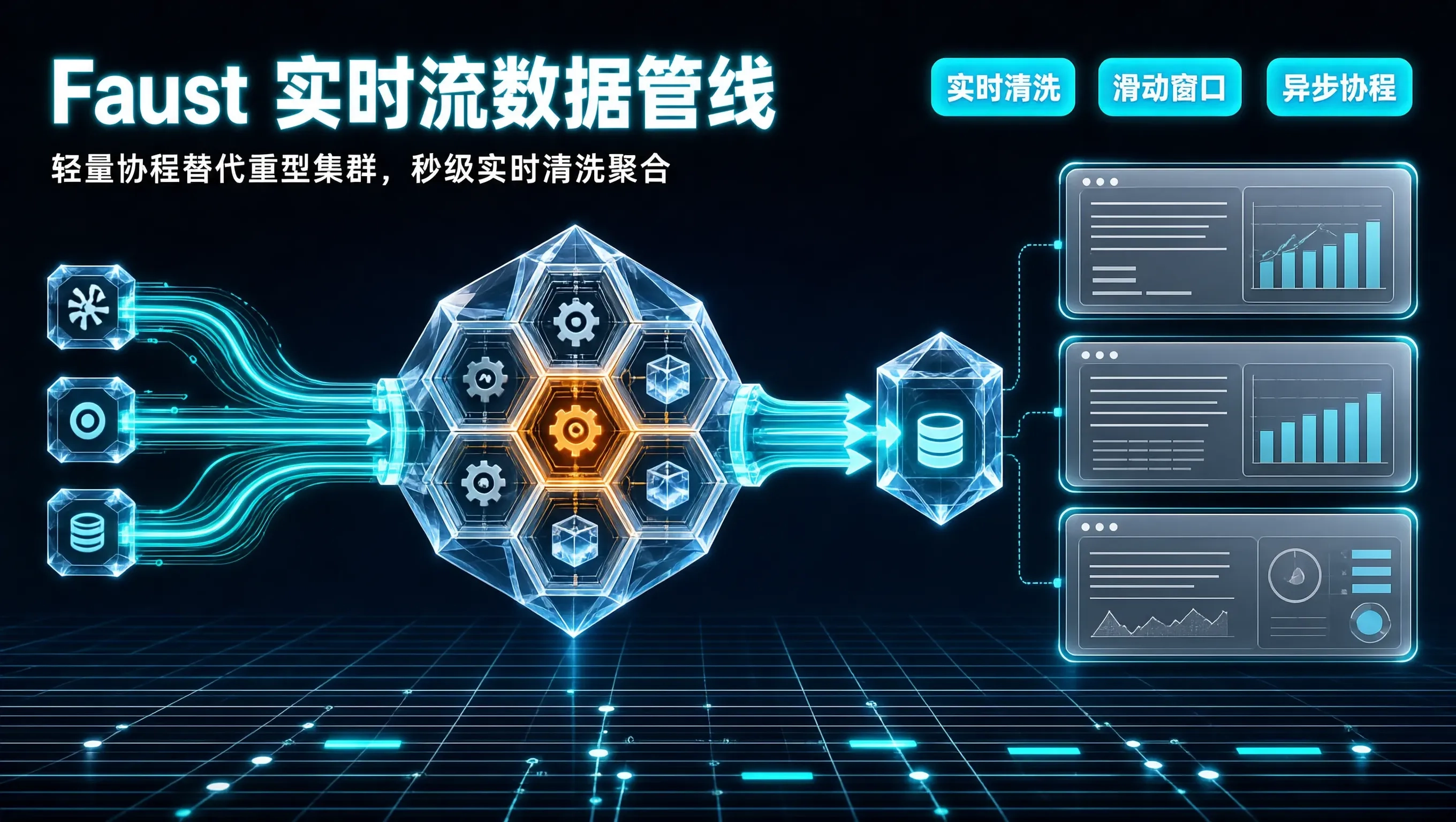
在 Python 技术栈中,有一套被 Robinhood 等知名硅谷团队广泛验证的轻量级实时流处理框架——Faust(Kafka Streams 的 Python 异步协程实现)。
今天我们拆解如何利用 Python + Faust + Kafka,以极轻量的代码实现无状态实时清洗(Stream Filtering)、滑动时间窗口聚合(Tumbling & Sliding Window Aggregation)与本地 RocksDB 状态存储。
一、实时流处理架构模型对比
#mermaid-svg-vqZGr1YJp1BA9Roi{font-family:\”trebuchet ms\”,verdana,arial,sans-serif;font-size:16px;fill:#333;}@keyframes edge-animation-frame{from{stroke-dashoffset:0;}}@keyframes dash{to{stroke-dashoffset:0;}}#mermaid-svg-vqZGr1YJp1BA9Roi .edge-animation-slow{stroke-dasharray:9,5!important;stroke-dashoffset:900;animation:dash 50s linear infinite;stroke-linecap:round;}#mermaid-svg-vqZGr1YJp1BA9Roi .edge-animation-fast{stroke-dasharray:9,5!important;stroke-dashoffset:900;animation:dash 20s linear infinite;stroke-linecap:round;}#mermaid-svg-vqZGr1YJp1BA9Roi .error-icon{fill:#552222;}#mermaid-svg-vqZGr1YJp1BA9Roi .error-text{fill:#552222;stroke:#552222;}#mermaid-svg-vqZGr1YJp1BA9Roi .edge-thickness-normal{stroke-width:1px;}#mermaid-svg-vqZGr1YJp1BA9Roi .edge-thickness-thick{stroke-width:3.5px;}#mermaid-svg-vqZGr1YJp1BA9Roi .edge-pattern-solid{stroke-dasharray:0;}#mermaid-svg-vqZGr1YJp1BA9Roi .edge-thickness-invisible{stroke-width:0;fill:none;}#mermaid-svg-vqZGr1YJp1BA9Roi .edge-pattern-dashed{stroke-dasharray:3;}#mermaid-svg-vqZGr1YJp1BA9Roi .edge-pattern-dotted{stroke-dasharray:2;}#mermaid-svg-vqZGr1YJp1BA9Roi .marker{fill:#333333;stroke:#333333;}#mermaid-svg-vqZGr1YJp1BA9Roi .marker.cross{stroke:#333333;}#mermaid-svg-vqZGr1YJp1BA9Roi svg{font-family:\”trebuchet ms\”,verdana,arial,sans-serif;font-size:16px;}#mermaid-svg-vqZGr1YJp1BA9Roi p{margin:0;}#mermaid-svg-vqZGr1YJp1BA9Roi .label{font-family:\”trebuchet ms\”,verdana,arial,sans-serif;color:#333;}#mermaid-svg-vqZGr1YJp1BA9Roi .cluster-label text{fill:#333;}#mermaid-svg-vqZGr1YJp1BA9Roi .cluster-label span{color:#333;}#mermaid-svg-vqZGr1YJp1BA9Roi .cluster-label span p{background-color:transparent;}#mermaid-svg-vqZGr1YJp1BA9Roi .label text,#mermaid-svg-vqZGr1YJp1BA9Roi span{fill:#333;color:#333;}#mermaid-svg-vqZGr1YJp1BA9Roi .node rect,#mermaid-svg-vqZGr1YJp1BA9Roi .node circle,#mermaid-svg-vqZGr1YJp1BA9Roi .node ellipse,#mermaid-svg-vqZGr1YJp1BA9Roi .node polygon,#mermaid-svg-vqZGr1YJp1BA9Roi .node path{fill:#ECECFF;stroke:#9370DB;stroke-width:1px;}#mermaid-svg-vqZGr1YJp1BA9Roi .rough-node .label text,#mermaid-svg-vqZGr1YJp1BA9Roi .node .label text,#mermaid-svg-vqZGr1YJp1BA9Roi .image-shape .label,#mermaid-svg-vqZGr1YJp1BA9Roi .icon-shape .label{text-anchor:middle;}#mermaid-svg-vqZGr1YJp1BA9Roi .node .katex path{fill:#000;stroke:#000;stroke-width:1px;}#mermaid-svg-vqZGr1YJp1BA9Roi .rough-node .label,#mermaid-svg-vqZGr1YJp1BA9Roi .node .label,#mermaid-svg-vqZGr1YJp1BA9Roi .image-shape .label,#mermaid-svg-vqZGr1YJp1BA9Roi .icon-shape .label{text-align:center;}#mermaid-svg-vqZGr1YJp1BA9Roi .node.clickable{cursor:pointer;}#mermaid-svg-vqZGr1YJp1BA9Roi .root .anchor path{fill:#333333!important;stroke-width:0;stroke:#333333;}#mermaid-svg-vqZGr1YJp1BA9Roi .arrowheadPath{fill:#333333;}#mermaid-svg-vqZGr1YJp1BA9Roi .edgePath .path{stroke:#333333;stroke-width:2.0px;}#mermaid-svg-vqZGr1YJp1BA9Roi .flowchart-link{stroke:#333333;fill:none;}#mermaid-svg-vqZGr1YJp1BA9Roi .edgeLabel{background-color:rgba(232,232,232, 0.8);text-align:center;}#mermaid-svg-vqZGr1YJp1BA9Roi .edgeLabel p{background-color:rgba(232,232,232, 0.8);}#mermaid-svg-vqZGr1YJp1BA9Roi .edgeLabel rect{opacity:0.5;background-color:rgba(232,232,232, 0.8);fill:rgba(232,232,232, 0.8);}#mermaid-svg-vqZGr1YJp1BA9Roi .labelBkg{background-color:rgba(232, 232, 232, 0.5);}#mermaid-svg-vqZGr1YJp1BA9Roi .cluster rect{fill:#ffffde;stroke:#aaaa33;stroke-width:1px;}#mermaid-svg-vqZGr1YJp1BA9Roi .cluster text{fill:#333;}#mermaid-svg-vqZGr1YJp1BA9Roi .cluster span{color:#333;}#mermaid-svg-vqZGr1YJp1BA9Roi div.mermaidTooltip{position:absolute;text-align:center;max-width:200px;padding:2px;font-family:\”trebuchet ms\”,verdana,arial,sans-serif;font-size:12px;background:hsl(80, 100%, 96.2745098039%);border:1px solid #aaaa33;border-radius:2px;pointer-events:none;z-index:100;}#mermaid-svg-vqZGr1YJp1BA9Roi .flowchartTitleText{text-anchor:middle;font-size:18px;fill:#333;}#mermaid-svg-vqZGr1YJp1BA9Roi rect.text{fill:none;stroke-width:0;}#mermaid-svg-vqZGr1YJp1BA9Roi .icon-shape,#mermaid-svg-vqZGr1YJp1BA9Roi .image-shape{background-color:rgba(232,232,232, 0.8);text-align:center;}#mermaid-svg-vqZGr1YJp1BA9Roi .icon-shape p,#mermaid-svg-vqZGr1YJp1BA9Roi .image-shape p{background-color:rgba(232,232,232, 0.8);padding:2px;}#mermaid-svg-vqZGr1YJp1BA9Roi .icon-shape .label rect,#mermaid-svg-vqZGr1YJp1BA9Roi .image-shape .label rect{opacity:0.5;background-color:rgba(232,232,232, 0.8);fill:rgba(232,232,232, 0.8);}#mermaid-svg-vqZGr1YJp1BA9Roi .label-icon{display:inline-block;height:1em;overflow:visible;vertical-align:-0.125em;}#mermaid-svg-vqZGr1YJp1BA9Roi .node .label-icon path{fill:currentColor;stroke:revert;stroke-width:revert;}#mermaid-svg-vqZGr1YJp1BA9Roi :root{–mermaid-font-family:\”trebuchet ms\”,verdana,arial,sans-serif;}
轻量级 Faust 流处理引擎 (Python Asyncio)
上游业务实时事件流
Apache Kafka 核心消息队列
Faust 异步 Worker 协程
实时 Schema 校验与脏数据清洗
滑动时间窗口内存聚合 (RocksDB 状态持久化)
输出实时统计结果至目标 Topic
实时写入 ClickHouse / Redis 大盘
二、生产级 Python Faust 实时流应用代码实现
我们搭建一个实时监控用户支付行为与计算 最近 5 分钟支付总金额 的流处理管道:
import faust
from datetime import timedelta
from typing import Optional
# 1. 定义数据模式 (基于 Faust Record,带强类型序列化)
class PaymentEvent(faust.Record, serializer='json'):
transaction_id: str
user_id: int
amount_cents: int
channel: str
timestamp: float
class PaymentAggResult(faust.Record, serializer='json'):
user_id: int
total_amount_yuan: float
tx_count: int
window_end: str
# 2. 初始化 Faust 应用
app = faust.App(
'payment-realtime-monitor',
broker='kafka://10.0.1.100:9092',
store='rocksdb://', # 核心:使用内嵌 RocksDB 维护状态,故障重启秒级恢复!
topic_partitions=8
)
# 声明输入与输出 Topic
input_topic = app.topic('orders.payment.raw', value_type=PaymentEvent)
output_topic = app.topic('orders.payment.metrics.5min', value_type=PaymentAggResult)
# 3. 定义 5 分钟滚动时间窗口状态表 (Tumbling Window)
user_5min_spent_table = app.Table(
'user_5min_spent_table',
default=int
).tumbling(
timedelta(minutes=5),
expires=timedelta(hours=1) # 状态过期自动清理
)
user_5min_count_table = app.Table(
'user_5min_count_table',
default=int
).tumbling(timedelta(minutes=5), expires=timedelta(hours=1))
# 4. 核心流式 Agent:实时消费、过滤与聚合
@app.agent(input_topic)
async def process_payment_stream(events):
async for event in events.group_by(PaymentEvent.user_id):
# 1. 实时清洗过滤:剔除测试脏数据
if event.amount_cents <= 0 or event.user_id <= 0:
continue
# 2. 状态增量累加(基于当前事件时间戳所在的 5 分钟窗口)
user_5min_spent_table[event.user_id] += event.amount_cents
user_5min_count_table[event.user_id] += 1
total_spent = user_5min_spent_table[event.user_id].value()
tx_count = user_5min_count_table[event.user_id].value()
# 3. 实时异常风控探针:若 5 分钟内连续消费超过 5 万元,直接发送风控预警
if total_spent > 5000000:
print(f"[ALERT] 用户 {event.user_id} 在 5 分钟内累计消费达到 {total_spent/100:.2f} 元,触发实时风控告警!")
# 4. 实时向下游 Topic 吐出聚合计算结果
await output_topic.send(value=PaymentAggResult(
user_id=event.user_id,
total_amount_yuan=round(total_spent / 100.0, 2),
tx_count=tx_count,
window_end=str(event.timestamp)
))
if __name__ == '__main__':
app.main()
三、启动 Worker 节点与水平扩展
Faust 天然支持通过进程/容器进行水平扩展:
# 启动 4 个异步 Worker 实例并发消费 Kafka 分区
faust -A payment_stream_app worker -l info –web-port 6066
- 每个 Worker 节点自动利用 asyncio 协程高效处理网络 I/O;
- 结合内置的 RocksDB 嵌入式存储引擎,状态数据直接存放在本地 NVMe 磁盘上,读写性能达每秒数万次,彻底告别了频繁访问外部 Redis 带来的网络瓶颈与慢查询竞争。
四、生产治理准则
用轻量级的 Faust 代替庞大的大数据重型框架,Python 工程师无需切换语言,也能用最熟悉的语法在单机几百 MB 内存下玩转千万级工业实时流计算。