/* MD / 富文本中的 .toc(含博客园搬家等嵌套结构);.toc-box 在侧栏,不受影响 */
#content_views .toc,
/* 编辑器常在目录前后插入空 p(:empty 仍占 20px),一并去掉避免顶空隙 */
#content_views.markdown_views > p:empty:has(+ .toc),
#content_views.markdown_views > .toc + p:empty,
/* 富文本旧版目录标记 */
#content_views.htmledit_views #main-toc,
#content_views.htmledit_views #hr-toc,
#content_views.htmledit_views p[id*=\”-toc\”] {
display: none !important;
}
/* 目录去掉后,紧跟的首个标题不再多出一块上边距 */
#content_views.markdown_views > .toc + h1,
#content_views.markdown_views > .toc + h2,
#content_views.markdown_views > .toc + h3,
#content_views.markdown_views > .toc + h4,
#content_views.markdown_views > .toc + p:empty + h1,
#content_views.markdown_views > .toc + p:empty + h2,
#content_views.markdown_views > .toc + p:empty + h3,
#content_views.markdown_views > .toc + p:empty + h4 {
margin-top: 0 !important;
}
无障碍声音指示器(Sound Cues):多模态听觉交互工程标准
在传统的无障碍(A11y)实践中,绝大多数团队的认知仅仅停留在“屏幕朗读器(Screen Reader)文字朗读”这一单一模态上。
然而,对于全盲视障者、弱视群体、高龄长者、以及在户外强光/颠簸移动等弱注意力场景下的普通用户而言,单纯依赖读屏器的机械合成语音(TTS / Text-to-Speech)存在明显的**“感知瓶颈”**:
- 读屏器念完一句话“操作成功,您的订单已提交,订单编号为…”需要花费 整整 2 ~ 3 秒钟;
- 在高频操作(如连续点赞、批量勾选、删除项目)时,冗长缓慢的语音播报会造成严重的信息堵塞与认知疲劳;
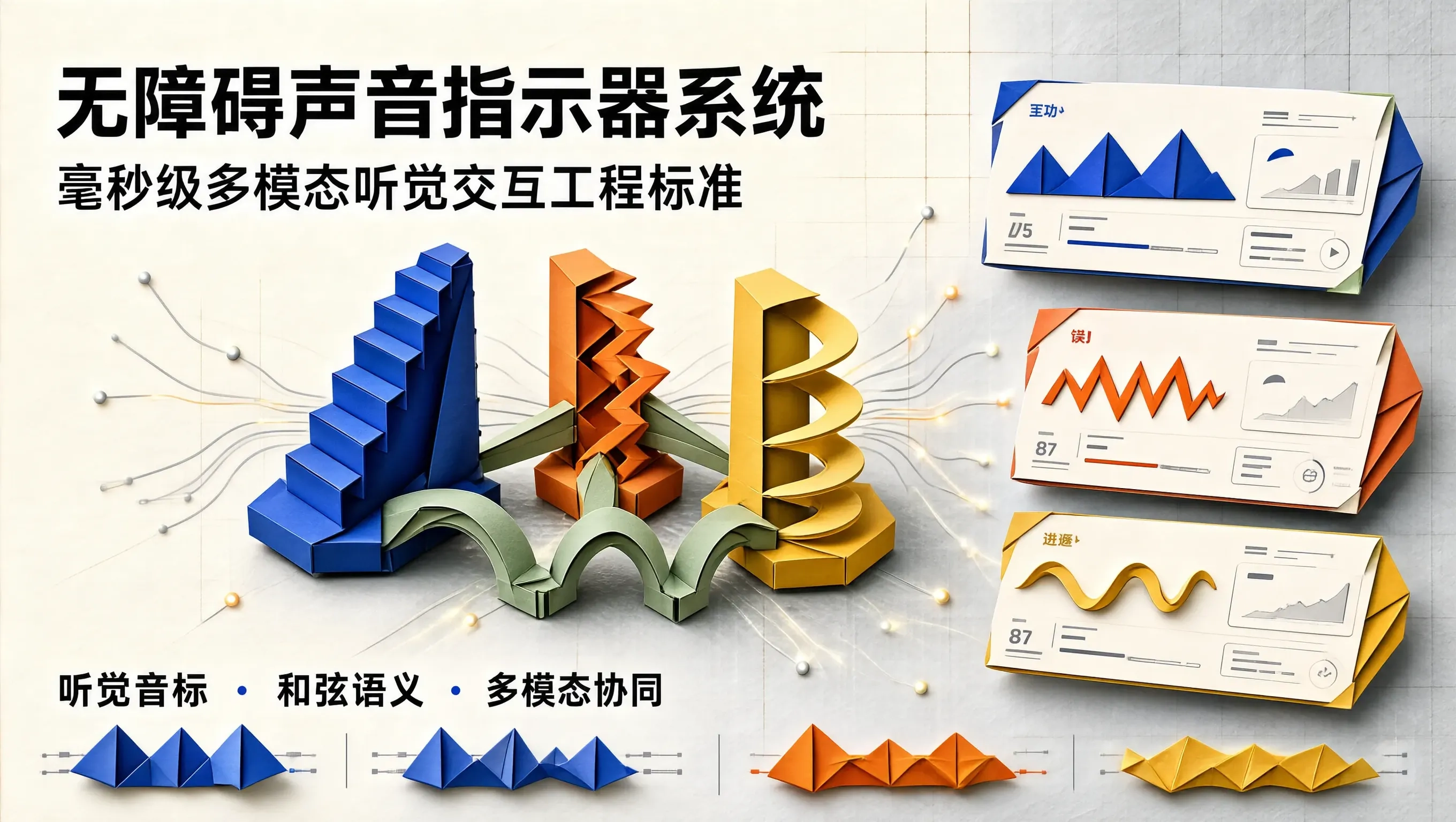
- 听觉图标与音标(Earcons & Auditory Icons / Sound Cues),能够在短短 50ms ~ 120ms 内,通过人类大脑对音调与和弦的先天生理直觉,先于任何语言文字毫秒级传递操作的“成功、警告、危险或推进”!
构建一套遵循 W3C 听觉无障碍标准(Auditory Accessibility Standards)的“无障碍声音指示器系统(Sound Cues System)”,能够为现代设计系统注入强大的多模态(Multimodal)包容性力量。
听觉音标(Earcons)的三大核心和弦语义拓扑
[用户触发前端异步操作 (提交表单 / 批量删除 / 切换状态)]
│
▼ (无障碍多模态听觉路由器 SoundCueRouter)
┌────────────────────────────┴────────────────────────────────────────────┐
├── 1. 成功音 (Success Cue): 大三度和弦上行跳跃 (440Hz ➔ 554Hz ➔ 659Hz / A-C#-E)
│ – 情绪认知: 明亮、笃定、通透,传递积极闭环!
├── 2. 警告/错误音 (Error Cue): 小二度不和谐低频摩擦 (220Hz + 233Hz / 伴随轻微锯齿震颤)
│ – 情绪认知: 沉稳、警示、收敛,促使用户停下检查!
└── 3. 推进/收拢音 (Toggle Cue): 单频正弦波快速滑音 (Chirp: 300Hz ➔ 600Hz / 600Hz ➔ 300Hz)
– 情绪认知: 明确的层级展开与收合物理空间感!
└────────────────────────────┬────────────────────────────────────────────┘
│
▼ (Web Audio API 零体积程序化合成)
[50ms 极短微脉冲输出至耳机 ──> 视障用户毫秒级确认操作结果!🔥]
听觉无障碍三大设计铁律(Critical Guidelines)
编写基于 Web Audio API 的零依赖无障碍音标引擎
// sound-cues-engine.ts
export type SoundCueType = 'success' | 'error' | 'warning' | 'open' | 'close';
export class AccessibleSoundCueEngine {
private static ctx: AudioContext | null = null;
private static isMuted = false;
private static getContext(): AudioContext {
if (!this.ctx) {
this.ctx = new (window.AudioContext || (window as any).webkitAudioContext)();
}
if (this.ctx.state === 'suspended') {
this.ctx.resume();
}
return this.ctx;
}
public static toggleMute(muted: boolean) {
this.isMuted = muted;
}
// 1. 播放成功音标 (清亮大三度上行)
public static playSuccess() {
if (this.isMuted) return;
const ctx = this.getContext();
const now = ctx.currentTime;
const freqs = [523.25, 659.25, 783.99]; // C5, E5, G5 大三度
freqs.forEach((f, idx) => {
const osc = ctx.createOscillator();
const gain = ctx.createGain();
osc.type = 'sine';
osc.frequency.setValueAtTime(f, now + idx * 0.04);
gain.gain.setValueAtTime(0.12, now + idx * 0.04);
gain.gain.exponentialRampToValueAtTime(0.001, now + idx * 0.04 + 0.08);
osc.connect(gain);
gain.connect(ctx.destination);
osc.start(now + idx * 0.04);
osc.stop(now + idx * 0.04 + 0.09);
});
}
// 2. 播放错误告警音标 (双频不和谐低音摩擦)
public static playError() {
if (this.isMuted) return;
const ctx = this.getContext();
const now = ctx.currentTime;
[180, 192].forEach((f) => { // 低频小二度摩擦
const osc = ctx.createOscillator();
const gain = ctx.createGain();
osc.type = 'triangle';
osc.frequency.setValueAtTime(f, now);
gain.gain.setValueAtTime(0.2, now);
gain.gain.exponentialRampToValueAtTime(0.001, now + 0.14);
osc.connect(gain);
gain.connect(ctx.destination);
osc.start(now);
osc.stop(now + 0.15);
});
}
// 3. 播放抽屉展开滑音 (向上 Chirp)
public static playDrawerOpen() {
if (this.isMuted) return;
const ctx = this.getContext();
const now = ctx.currentTime;
const osc = ctx.createOscillator();
const gain = ctx.createGain();
osc.type = 'sine';
osc.frequency.setValueAtTime(280, now);
osc.frequency.exponentialRampToValueAtTime(620, now + 0.06);
gain.gain.setValueAtTime(0.1, now);
gain.gain.exponentialRampToValueAtTime(0.001, now + 0.07);
osc.connect(gain);
gain.connect(ctx.destination);
osc.start(now);
osc.stop(now + 0.08);
}
}
生产实战:多模态无障碍表单反馈组件
// AccessibleActionForm.tsx
import React, { useState } from 'react';
import { AccessibleSoundCueEngine } from './sound-cues-engine';
export const AccessibleActionForm: React.FC = () => {
const [email, setEmail] = useState('');
const [status, setStatus] = useState<'idle' | 'success' | 'error'>('idle');
const handleSubmit = (e: React.FormEvent) => {
e.preventDefault();
if (!email.includes('@')) {
setStatus('error');
// 核心:毫秒级触发听觉错误音标!
AccessibleSoundCueEngine.playError();
} else {
setStatus('success');
// 核心:毫秒级触发听觉成功和弦!
AccessibleSoundCueEngine.playSuccess();
}
};
return (
<div className="max-w-md mx-auto p-8 bg-slate-900 border border-slate-800 rounded-3xl text-white shadow-2xl">
<div className="flex justify-between items-center mb-6">
<span className="text-xs font-mono text-indigo-400">MULTIMODAL ACCESSIBILITY</span>
<button
type="button"
onClick={() => AccessibleSoundCueEngine.playDrawerOpen()}
className="text-xs text-slate-400 hover:text-white"
>
试听展开音
</button>
</div>
<form onSubmit={handleSubmit} className="space-y-4">
<div>
<label htmlFor="userEmail" className="block text-xs font-bold text-slate-300 mb-2">
注册邮箱 (包含多模态即时声音提示)
</label>
<input
id="userEmail"
type="text"
value={email}
onChange={(e) => setEmail(e.target.value)}
placeholder="name@company.com"
className="w-full px-4 py-3 bg-slate-950 border border-slate-700 rounded-xl text-white outline-none focus:border-indigo-500"
aria-invalid={status === 'error'}
/>
</div>
<button
type="submit"
className="w-full py-3.5 bg-indigo-600 hover:bg-indigo-500 text-white font-bold text-xs rounded-xl transition-all shadow-lg shadow-indigo-600/30 active:scale-98"
>
提交校验
</button>
{/* 状态文字 (用于读屏器同时捕获) */}
<div role="status" aria-live="polite" className="text-center text-xs mt-3">
{status === 'success' && <span className="text-emerald-400 font-semibold">✓ 验证通过,已成功发送!</span>}
{status === 'error' && <span className="text-rose-400 font-semibold">✕ 邮箱格式不正确,请重新输入!</span>}
</div>
</form>
</div>
);
};
总结
无障碍的终极形态绝非单一维度的视觉或文字补丁,而是视觉、触觉与听觉多通道协同共鸣的整体交响。通过引入符合心理声学规范的毫秒级程序化 Sound Cues,我们在数字界面中为视障与弱注意力用户建立起了直觉式的听觉反馈快车道,让科技产品在每一次交互细节中绽放出真诚、立体、无微不至的人文关怀。