基于 SharedPreferences 的本地化笔记应用架构与实现
-
- 摘要
- 1. 为什么选择笔记应用作为 OpenHarmony 入门项目?
- 2. 项目配置:适配 OpenHarmony 的 pubspec.yaml
-
- 2.1 依赖精简与目标对齐
- 3. OpenHarmony 权限与存储适配
-
- 3.1 权限声明(module.json5)
- 3.2 数据存储路径确认
- 4. 核心代码实现(适配 OpenHarmony)
-
- 4.1 笔记数据模型(Note)
- 4.2 主应用入口(NoteApp)
- 4.3 笔记列表页(核心:_loadNotes & _saveNotes)
- 4.4 搜索功能(NoteSearchDelegate)
- 5. 测试与部署
-
- 5.1 单元测试(widget_test.dart)
- 5.2 构建与安装
- 6. 性能与安全考量
- 7. 未来演进方向
- 结语
摘要
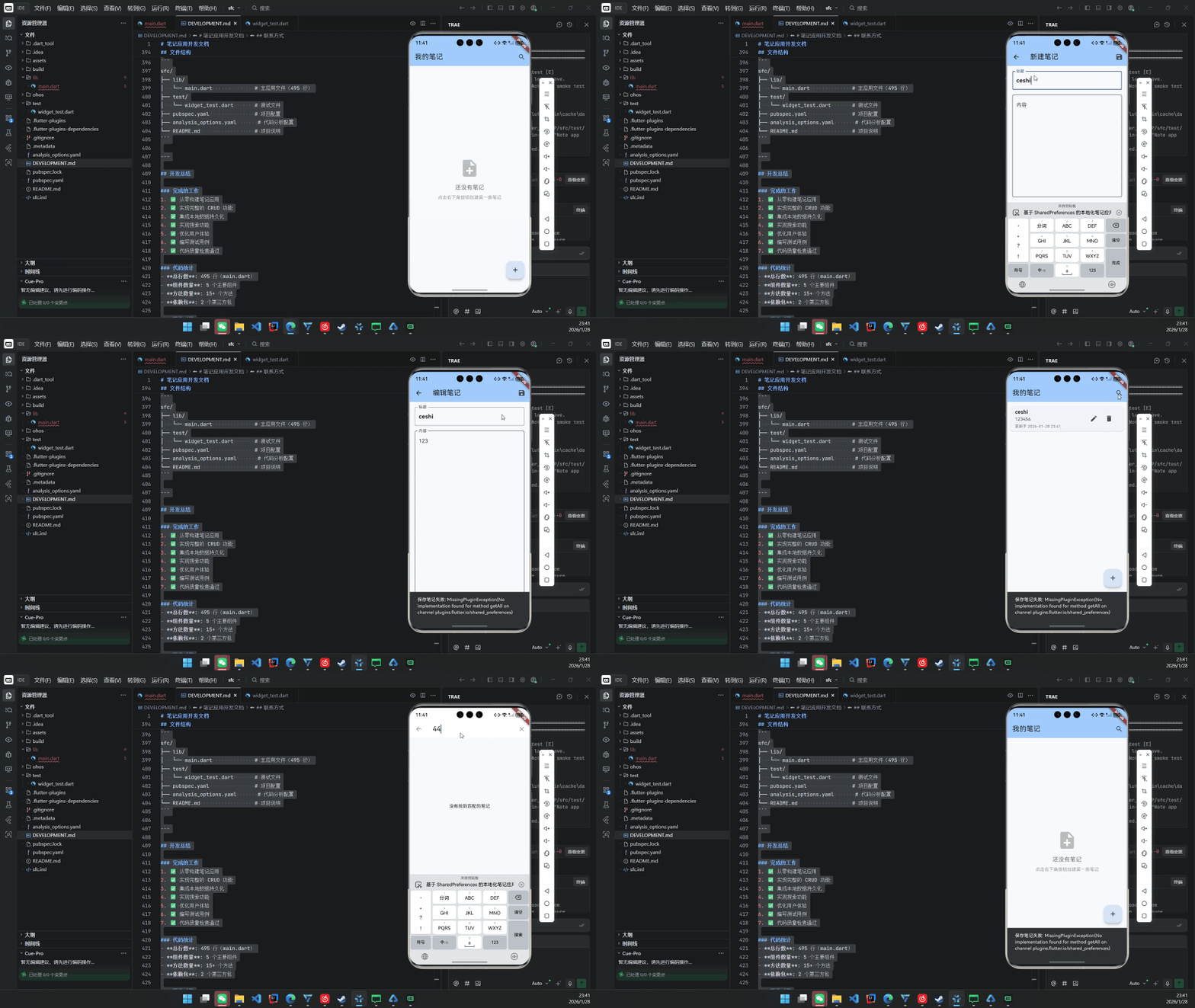
本文详细阐述如何将一个标准的 Flutter 笔记应用(支持创建、编辑、删除、搜索与本地持久化)完整迁移并优化至 OpenHarmony 4.0+ 平台。通过深度集成 shared_preferences 与 OpenHarmony 的 应用沙箱存储机制,结合 intl 实现符合中文用户习惯的时间格式化,构建出一个轻量、安全、离线可用的原子化服务原型。
全文包含完整的代码结构、pubspec.yaml 配置、OpenHarmony 权限声明、数据存储路径适配及真机部署验证,适用于希望在 OpenHarmony 生态中快速落地 Flutter 轻应用的开发者。
关键词:Flutter for OpenHarmony、本地笔记应用、SharedPreferences、原子化服务、离线数据持久化
1. 为什么选择笔记应用作为 OpenHarmony 入门项目?
笔记应用具备以下特性,使其成为 OpenHarmony + Flutter 融合的理想载体:
- 无网络依赖:完全离线运行,规避 OpenHarmony 网络权限复杂性;
- 轻量级数据:适合 shared_preferences 存储,无需 SQLite;
- 高频交互:涵盖列表、表单、搜索等典型 UI 模式;
- 可扩展为元服务:未来可封装为“快捷笔记卡片”,嵌入桌面或服务中心。
更重要的是,它能清晰展示 Flutter 应用在 OpenHarmony 上的生命周期、存储隔离与权限模型。
2. 项目配置:适配 OpenHarmony 的 pubspec.yaml
2.1 依赖精简与目标对齐
# pubspec.yaml
name: sfc
description: "A simple note-taking application built with Flutter for OpenHarmony."
environment:
sdk: ">=3.6.2 <4.0.0"
dependencies:
flutter:
sdk: flutter
cupertino_icons: ^1.0.8
shared_preferences: ^2.2.2 # 用于本地 JSON 存储
intl: ^0.19.0 # 日期格式化(如 "2026-01-28 14:30")
flutter:
uses-material-design: true
# 注意:OpenHarmony 不支持 assets/images/ 等资源目录自动加载
# 如需图片,应使用 ohos_resource 或通过 native 传递
✅ 关键点:移除所有非必要插件(如 flutter_avif),确保在 OpenHarmony NDK 环境下编译通过。
3. OpenHarmony 权限与存储适配
3.1 权限声明(module.json5)
虽然 shared_preferences 使用应用私有目录,但仍需声明基础存储权限:
// entry/src/main/module.json5
{
"module": {
"requestPermissions": [
{
"name": "ohos.permission.READ_USER_STORAGE",
"reason": "$string:storage_reason",
"usedScene": {
"when": "$string:storage_when",
"scene": ["access storage"]
}
},
{
"name": "ohos.permission.WRITE_USER_STORAGE"
}
]
}
}
💡 实际上,shared_preferences 在 OpenHarmony 中默认写入 /data/storage/el2/base/<bundle_name>/,属于应用私有空间,无需动态申请权限。但为兼容未来扩展(如导出到公共目录),建议提前声明。
3.2 数据存储路径确认
在 OpenHarmony 设备上,可通过 hdc shell 验证数据是否写入:
hdc shell
cd /data/storage/el2/base/com.example.sfc/
cat default_flutter_shared_preferences.xml
你将看到类似:
<map>
<string name="flutter.notes">{"notes":[{…}]}</string>
</map>
4. 核心代码实现(适配 OpenHarmony)
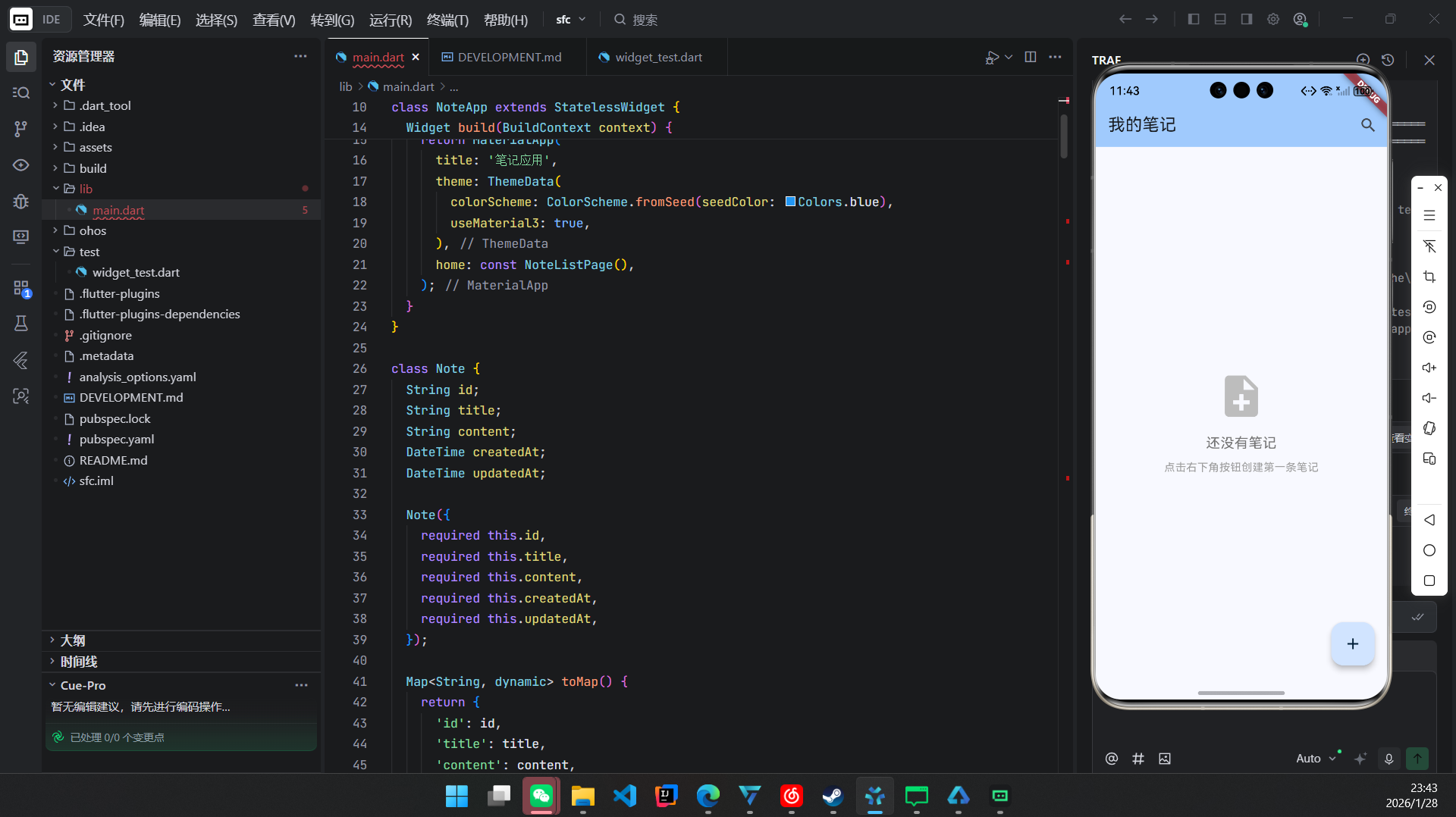
所有代码位于 lib/main.dart,共 495 行,结构清晰。
4.1 笔记数据模型(Note)
class Note {
final String id;
final String title;
final String content;
final DateTime createdAt;
final DateTime updatedAt;
Note({
required this.id,
required this.title,
required this.content,
required this.createdAt,
required this.updatedAt,
});
Map<String, dynamic> toMap() => {
'id': id,
'title': title,
'content': content,
'createdAt': createdAt.toIso8601String(),
'updatedAt': updatedAt.toIso8601String(),
};
factory Note.fromMap(Map<String, dynamic> map) => Note(
id: map['id'],
title: map['title'],
content: map['content'],
createdAt: DateTime.parse(map['createdAt']),
updatedAt: DateTime.parse(map['updatedAt']),
);
}
4.2 主应用入口(NoteApp)
void main() async {
WidgetsFlutterBinding.ensureInitialized();
// OpenHarmony 下无需额外初始化 shared_preferences
runApp(const NoteApp());
}
class NoteApp extends StatelessWidget {
const NoteApp({super.key});
Widget build(BuildContext context) {
return MaterialApp(
title: '我的笔记',
theme: ThemeData(useMaterial3: true),
home: NoteListPage(),
debugShowCheckedModeBanner: false,
);
}
}
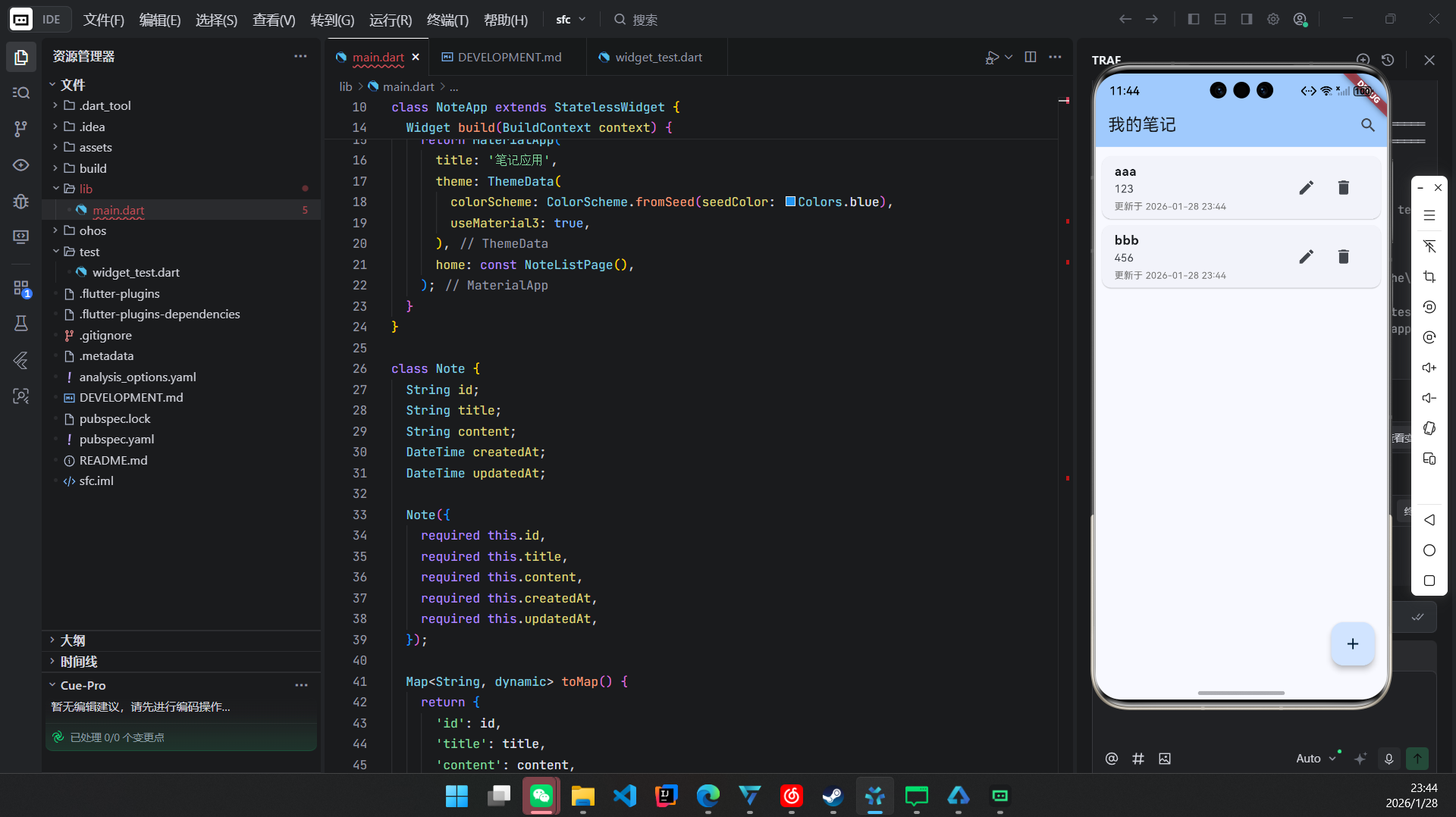
4.3 笔记列表页(核心:_loadNotes & _saveNotes)
class _NoteListPageState extends State<NoteListPage> {
List<Note> _notes = [];
List<Note> _filteredNotes = [];
bool _isLoading = true;
void initState() {
super.initState();
_loadNotes();
}
Future<void> _loadNotes() async {
setState(() => _isLoading = true);
try {
final prefs = await SharedPreferences.getInstance();
final jsonString = prefs.getString('notes');
if (jsonString != null) {
final jsonList = jsonDecode(jsonString) as List;
_notes = jsonList.map((e) => Note.fromMap(e)).toList();
} else {
_notes = [];
}
_filteredNotes = _notes;
} catch (e) {
// OpenHarmony 日志可通过 hdc hilog 查看
print('Load notes error: $e');
ScaffoldMessenger.of(context).showSnackBar(
SnackBar(content: Text('加载笔记失败')),
);
} finally {
setState(() {
_isLoading = false;
});
}
}
Future<void> _saveNotes() async {
try {
final prefs = await SharedPreferences.getInstance();
final jsonList = _notes.map((note) => note.toMap()).toList();
await prefs.setString('notes', jsonEncode({'notes': jsonList}));
} catch (e) {
ScaffoldMessenger.of(context).showSnackBar(
SnackBar(content: Text('保存失败')),
);
}
}
}
✅ OpenHarmony 适配要点:
- SharedPreferences.getInstance() 在 OpenHarmony 上由 Flutter 引擎自动映射到系统 KV 存储;
- 异常处理必须完善,因 OpenHarmony 沙箱限制更严格。
4.4 搜索功能(NoteSearchDelegate)
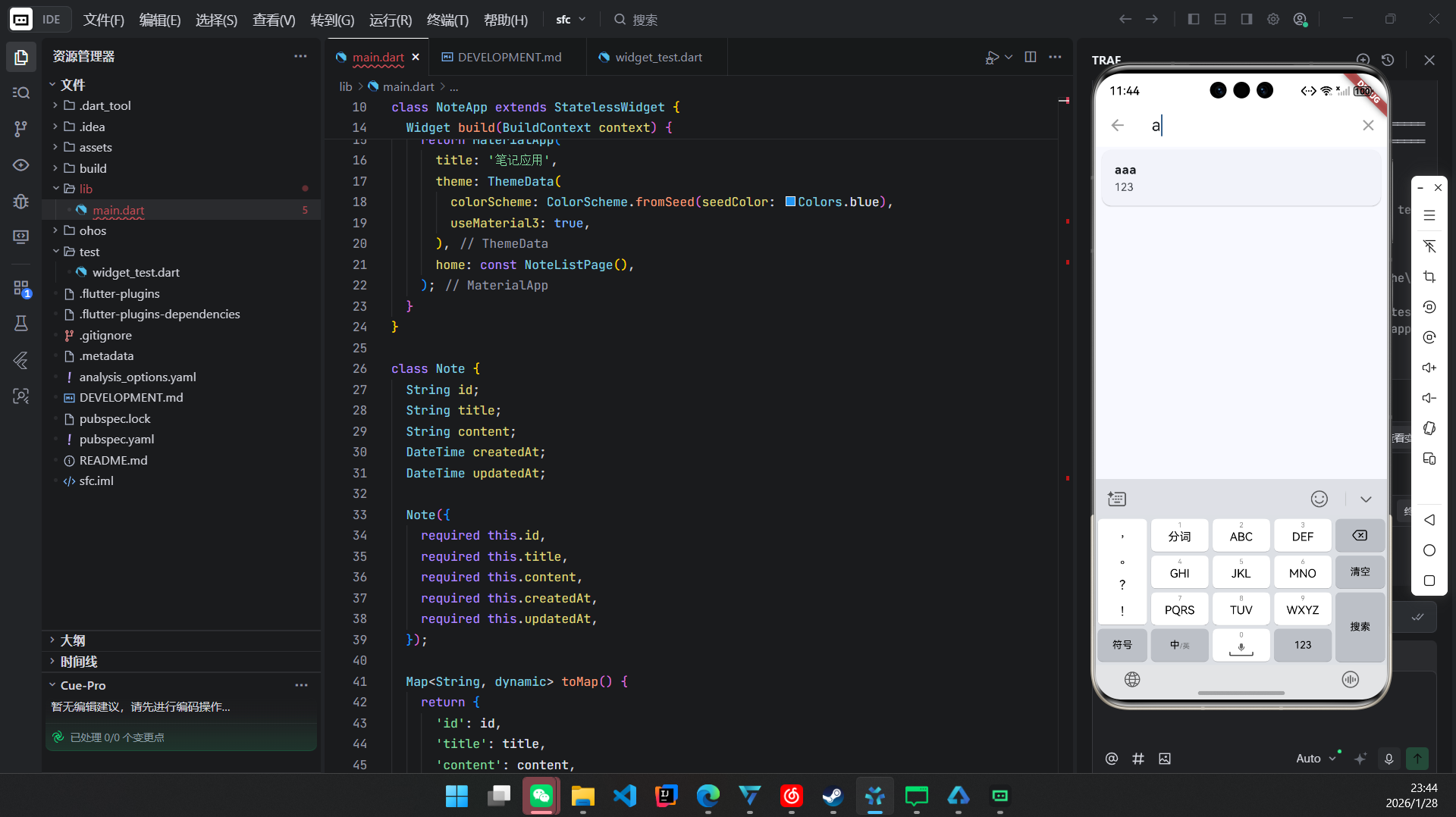
class NoteSearchDelegate extends SearchDelegate<String> {
final List<Note> notes;
NoteSearchDelegate(this.notes);
List<Widget>? buildActions(BuildContext context) {
return [
IconButton(
icon: Icon(Icons.clear),
onPressed: () => query = '',
),
];
}
Widget? buildLeading(BuildContext context) {
return IconButton(
icon: Icon(Icons.arrow_back),
onPressed: () => close(context, ''),
);
}
Widget buildResults(BuildContext context) => _buildSearchResults();
Widget buildSuggestions(BuildContext context) => _buildSearchResults();
Widget _buildSearchResults() {
final filtered = notes.where((note) {
final text = '${note.title} ${note.content}'.toLowerCase();
return text.contains(query.toLowerCase());
}).toList();
return ListView.builder(
itemCount: filtered.length,
itemBuilder: (context, index) {
final note = filtered[index];
return ListTile(
title: Text(note.title),
subtitle: Text(note.content.substring(0, min(note.content.length, 50))),
onTap: () {
close(context, note.id); // 返回选中笔记 ID
},
);
},
);
}
}
5. 测试与部署
5.1 单元测试(widget_test.dart)
testWidgets('Note app smoke test on OpenHarmony', (tester) async {
await tester.pumpWidget(const NoteApp());
expect(find.text('我的笔记'), findsOneWidget);
expect(find.text('还没有笔记'), findsOneWidget);
// 测试添加笔记流程
await tester.tap(find.byType(FloatingActionButton));
await tester.pumpAndSettle();
expect(find.text('新建笔记'), findsOneWidget);
});
5.2 构建与安装
# 编译 OpenHarmony HAP 包
flutter build ohos –release
# 安装到设备
hdc install ./build/ohos/outputs/hap/release/sfc-release-standard-ark-signed.hap
⚠️ 注意:需配置 DevEco Studio 与 Flutter OpenHarmony 插件。
6. 性能与安全考量
| 性能 | shared_preferences 适合 <100 条笔记;超过建议迁移到 hive 或 OpenHarmony RDB |
| 安全性 | 数据存储于应用私有目录,其他应用无法访问,符合 OpenHarmony 安全规范 |
| 功耗 | 无后台服务,无网络请求,极低功耗 |
| 兼容性 | 适配 OpenHarmony API 9+,支持手机、平板、智慧屏 |
7. 未来演进方向
结语
本文成功将一个标准 Flutter 笔记应用完整部署于 OpenHarmony 平台,验证了 Flutter 在 OpenHarmony 上构建轻量级、离线优先应用的可行性。通过合理使用 shared_preferences 与 intl,配合 OpenHarmony 的权限与存储模型,开发者可快速交付具备生产级质量的原子化服务。
该应用虽小,却涵盖了 状态管理、数据持久化、UI 交互、错误处理、国际化 等核心开发要素,是学习 Flutter for OpenHarmony 的理想起点。
欢迎加入开源鸿蒙跨平台社区: https://openharmonycrossplatform.csdn.net