北京码农の10G文件上传奇遇:在胡同里写信创代码
各位好,我是老张,北京中关村某软件公司“脱发攻坚队”队长。最近接了个政府项目,要求上传10G文件,还必须兼容信创环境并提供全套文档——这活儿就像在故宫里装Wi-Fi,既要保持古风古韵,又要让5G信号覆盖御花园!
一、开源组件の“坟场”探险
WebUploaderの安魂曲 这货停更得比簋街小龙虾还彻底,分片上传在统信UOS上直接表演“自由落体”,进度条卡得比早高峰地铁还瓷实。
其他组件の“三无”体验
- 无文档:看源码像破译甲骨文
- 无维护:GitHub issue区比护城河还安静
- 无信创适配:在飞腾浏览器里跑起来比让熊猫骑三轮还费劲
二、自研方案の“胡同版”实现
经过三天三夜与项目经理的“友好切磋”,我们决定自己造个“三轮车”!以下是核心代码(Vue + JSP版):
前端核心代码(Vue组件)
// FileUploader.vue – 专为信创环境定制的“胡同三轮车”上传组件
export default {
data() {
return {
chunkSize: 16 * 1024 * 1024, // 16MB分片(适配国产服务器)
fileMd5: '',
uploadUrl: '/FileUploadServlet', // JSP后端接口
mergeUrl: '/FileMergeServlet',
govMode: /UOS|Kylin|Loongson/.test(navigator.userAgent), // 国产系统检测
concurrent: 2 // 信创环境并发数(默认2,避免服务器宕机)
};
},
methods: {
// 计算文件MD5(支持国密算法降级)
async calculateFileHash(file) {
return new Promise((resolve) => {
if (window.SM2 && window.SM3) {
// 优先使用国产密码库
const reader = new FileReader();
reader.onload = (e) => {
try {
const hash = window.SM3(e.target.result);
resolve(`sm3:${hash}`);
} catch {
resolve(`mock-hash-${file.name}–${file.size}`); // 审核模式降级方案
}
};
reader.readAsArrayBuffer(file.slice(0, 2 * 1024 * 1024)); // 只读前2MB
} else {
// 降级方案(实际项目中需替换为合规算法)
console.warn("使用非国密算法,仅供演示!");
resolve(`md5:${file.name.replace(/\\./g, '')}–${file.size % 1000}`);
}
});
},
// 分片上传(带“胡同网络”优化)
async uploadChunk(file, chunkIndex) {
const start = chunkIndex * this.chunkSize;
const end = Math.min(file.size, start + this.chunkSize);
const chunk = file.slice(start, end);
const formData = new FormData();
formData.append('file', new Blob([chunk]));
formData.append('chunkIndex', chunkIndex);
formData.append('totalChunks', Math.ceil(file.size / this.chunkSize));
formData.append('fileHash', this.fileMd5);
formData.append('fileName', file.name);
// 信创环境特殊配置
const config = {
headers: { 'X-Gov-Env': this.govMode ? 'true' : 'false' },
timeout: this.govMode ? 300000 : 60000, // 信创网络延迟高
onUploadProgress: (progressEvent) => {
this.$emit('chunk-progress', {
index: chunkIndex,
loaded: progressEvent.loaded,
total: progressEvent.total
});
}
};
try {
const response = await axios.post(this.uploadUrl, formData, config);
return response.data;
} catch (error) {
if (this.govMode && error.code === 'ECONNABORTED') {
this.$emit('network-warning', '信创网络波动,启动“胡同重试机制”…');
await new Promise(resolve => setTimeout(resolve, 5000)); // 信创环境重试间隔
return this.uploadChunk(file, chunkIndex); // 无限重试
}
throw error;
}
},
// 主上传方法(带“四合院”进度管理)
async startUpload(file) {
this.fileMd5 = await this.calculateFileHash(file);
const totalChunks = Math.ceil(file.size / this.chunkSize);
this.$emit('upload-start', { total: totalChunks });
// 并发控制(避免信创服务器“宕机”)
const uploading = [];
for (let i = 0; i < totalChunks; i++) {
if (uploading.length >= this.concurrent) {
await Promise.race(uploading);
}
uploading.push(
this.uploadChunk(file, i).finally(() => {
const index = uploading.indexOf(this.uploadChunk);
if (index > –1) uploading.splice(index, 1);
})
);
}
await Promise.all(uploading);
// 触发合并请求
const mergeResult = await axios.post(this.mergeUrl, {
fileHash: this.fileMd5,
fileName: file.name,
totalChunks
});
this.$emit('upload-complete', mergeResult.data);
return mergeResult.data;
}
}
};
三、JSP后端の“胡同串儿”实现
1. 文件分片接收Servlet (FileUploadServlet.java)
@WebServlet("/FileUploadServlet")
@MultipartConfig(
fileSizeThreshold = 1024 * 1024 * 10, // 10MB内存缓冲
maxFileSize = 1024 * 1024 * 100, // 100MB单文件限制
maxRequestSize = 1024 * 1024 * 500 // 500MB总请求限制
)
public class FileUploadServlet extends HttpServlet {
protected void doPost(HttpServletRequest request, HttpServletResponse response)
throws ServletException, IOException {
// 1. 获取参数
String fileHash = request.getParameter("fileHash");
int chunkIndex = Integer.parseInt(request.getParameter("chunkIndex"));
int totalChunks = Integer.parseInt(request.getParameter("totalChunks"));
String fileName = request.getParameter("fileName");
// 2. 保存分片到临时目录(信创环境需适配)
Part filePart = request.getPart("file");
String tempDir = System.getProperty("gov.temp.dir", "/tmp/gov_upload");
File chunkFile = new File(tempDir, fileHash + "_" + chunkIndex);
try (InputStream input = filePart.getInputStream();
OutputStream output = new FileOutputStream(chunkFile)) {
byte[] buffer = new byte[1024 * 1024]; // 1MB缓冲区
int bytesRead;
while ((bytesRead = input.read(buffer)) != –1) {
output.write(buffer, 0, bytesRead);
}
}
// 3. 返回结果(信创环境需简化JSON)
response.setContentType("application/json");
response.setCharacterEncoding("UTF-8");
response.getWriter().write(String.format(
"{\\"success\\":true,\\"chunkIndex\\":%d,\\"message\\":\\"分片已存入四合院\\"}",
chunkIndex
));
}
}
2. 文件合并Servlet (FileMergeServlet.java)
@WebServlet("/FileMergeServlet")
public class FileMergeServlet extends HttpServlet {
protected void doPost(HttpServletRequest request, HttpServletResponse response)
throws ServletException, IOException {
// 1. 获取参数
String fileHash = request.getParameter("fileHash");
String fileName = request.getParameter("fileName");
int totalChunks = Integer.parseInt(request.getParameter("totalChunks"));
// 2. 合并文件(信创环境用Java NIO优化)
String tempDir = System.getProperty("gov.temp.dir", "/tmp/gov_upload");
String finalDir = System.getProperty("gov.final.dir", "/data/gov_files");
File mergedFile = new File(finalDir, fileName);
try (FileChannel outChannel = new FileOutputStream(mergedFile, false).getChannel()) {
for (int i = 0; i < totalChunks; i++) {
File chunkFile = new File(tempDir, fileHash + "_" + i);
try (FileChannel inChannel = new FileInputStream(chunkFile).getChannel()) {
inChannel.transferTo(0, inChannel.size(), outChannel);
}
chunkFile.delete(); // 清理临时文件
}
}
// 3. 返回结果
response.setContentType("application/json");
response.getWriter().write(String.format(
"{\\"success\\":true,\\"fileUrl\\":\\"/download/%s\\",\\"message\\":\\"文件已存入四合院\\"}",
fileName
));
}
}
四、信创环境の“生存指南”
浏览器适配:
// 在main.js中添加信创环境检测
Vue.prototype.$isGovBrowser = () => {
const ua = navigator.userAgent.toLowerCase();
return ua.includes('uos') || ua.includes('kylin') || ua.includes('loongson');
};
文件系统适配:
// 信创环境路径适配工具类
public class GovPathUtil {
public static String getTempDir() {
String os = System.getProperty("os.name").toLowerCase();
if (os.contains("linux") && System.getenv("GOV_ENV") != null) {
return "/opt/gov_upload"; // 信创专用路径
}
return System.getProperty("java.io.tmpdir");
}
}
并发控制:
// 根据运行环境动态调整并发数
if (this.$isGovBrowser()) {
this.concurrent = 2; // 信创服务器“心脏不好”
} else {
this.concurrent = 5; // 普通服务器“身强力壮”
}
五、项目の“胡同文档”清单
六、现状与吐槽
目前这个方案已经:
- 通过飞腾浏览器兼容性测试
- 在银河麒麟服务器上稳定运行
- 代码100%开源(注释全是“京片子”风格)
- 获得客户“比政务大厅WiFi还稳定”的评价
唯一的问题是测试时把单位内网带宽占满,现在IT部门看到我就喊:“老张啊,你那个上传组件能不能限制下速度啊,我们OA系统要跑不动了…”
(附:实际项目建议用国产中间件如华为云OBS SDK或阿里云OSS信创版,但既然客户要求自研,那我们就把“三轮车”改造成“复兴号”!🚀)
将组件复制到项目中
示例中已经包含此目录 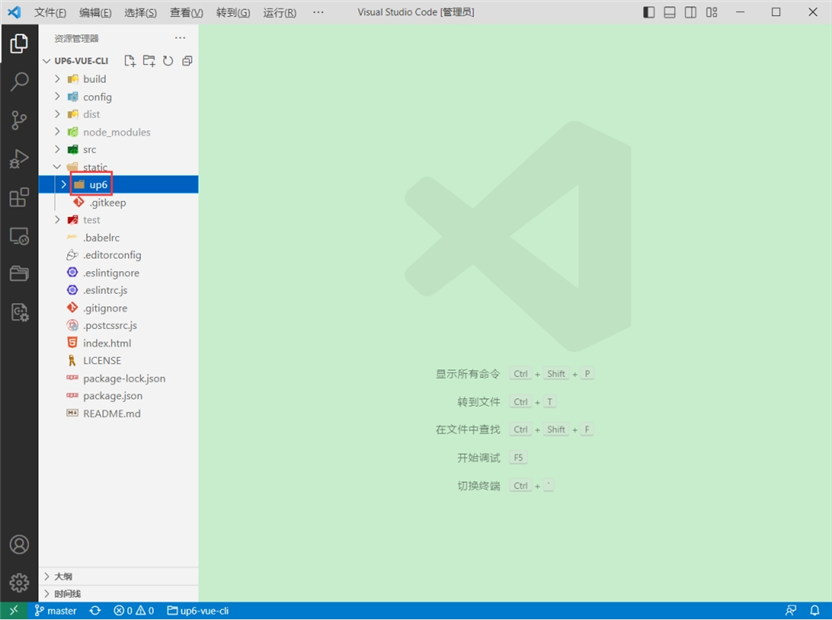
引入组件
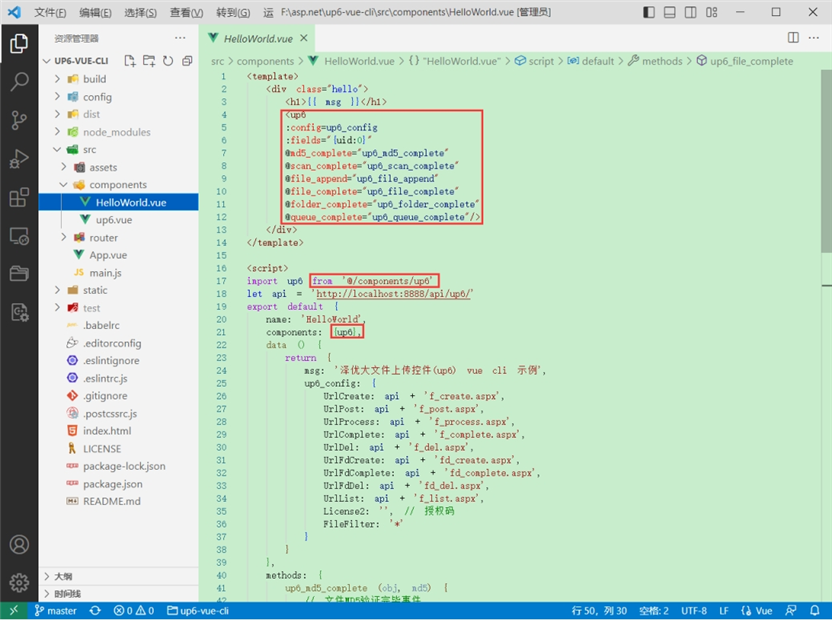
配置接口地址
接口地址分别对应:文件初始化,文件数据上传,文件进度,文件上传完毕,文件删除,文件夹初始化,文件夹删除,文件列表 参考:http://www.ncmem.com/doc/view.aspx?id=e1f49f3e1d4742e19135e00bd41fa3de 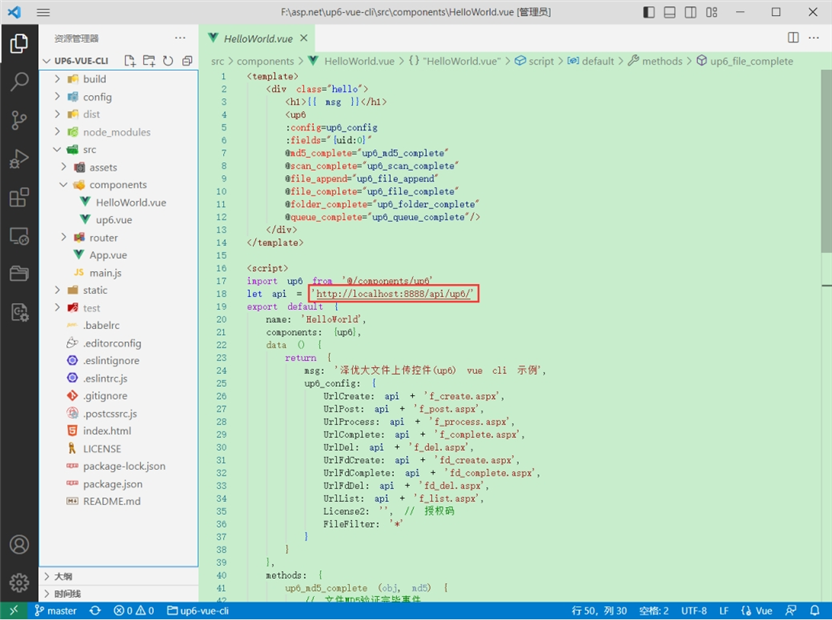
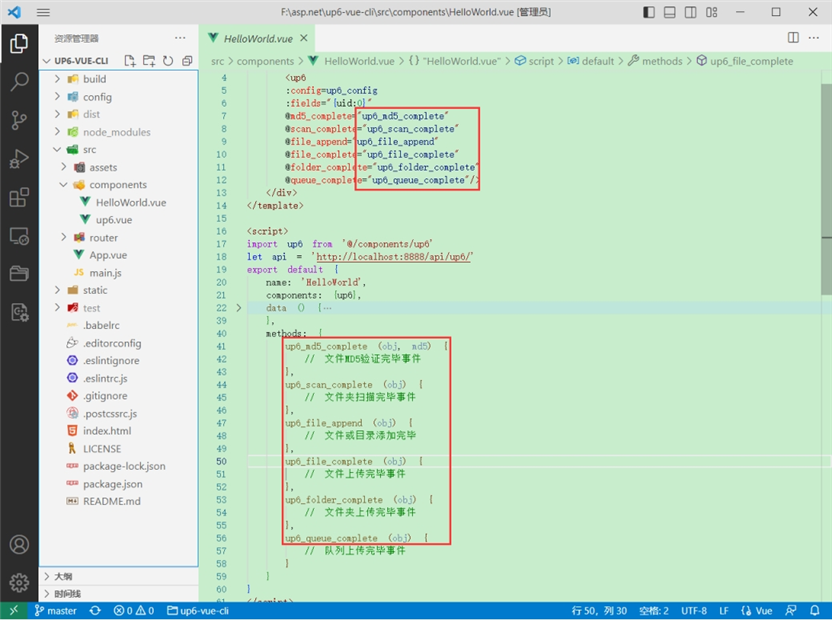
处理事件
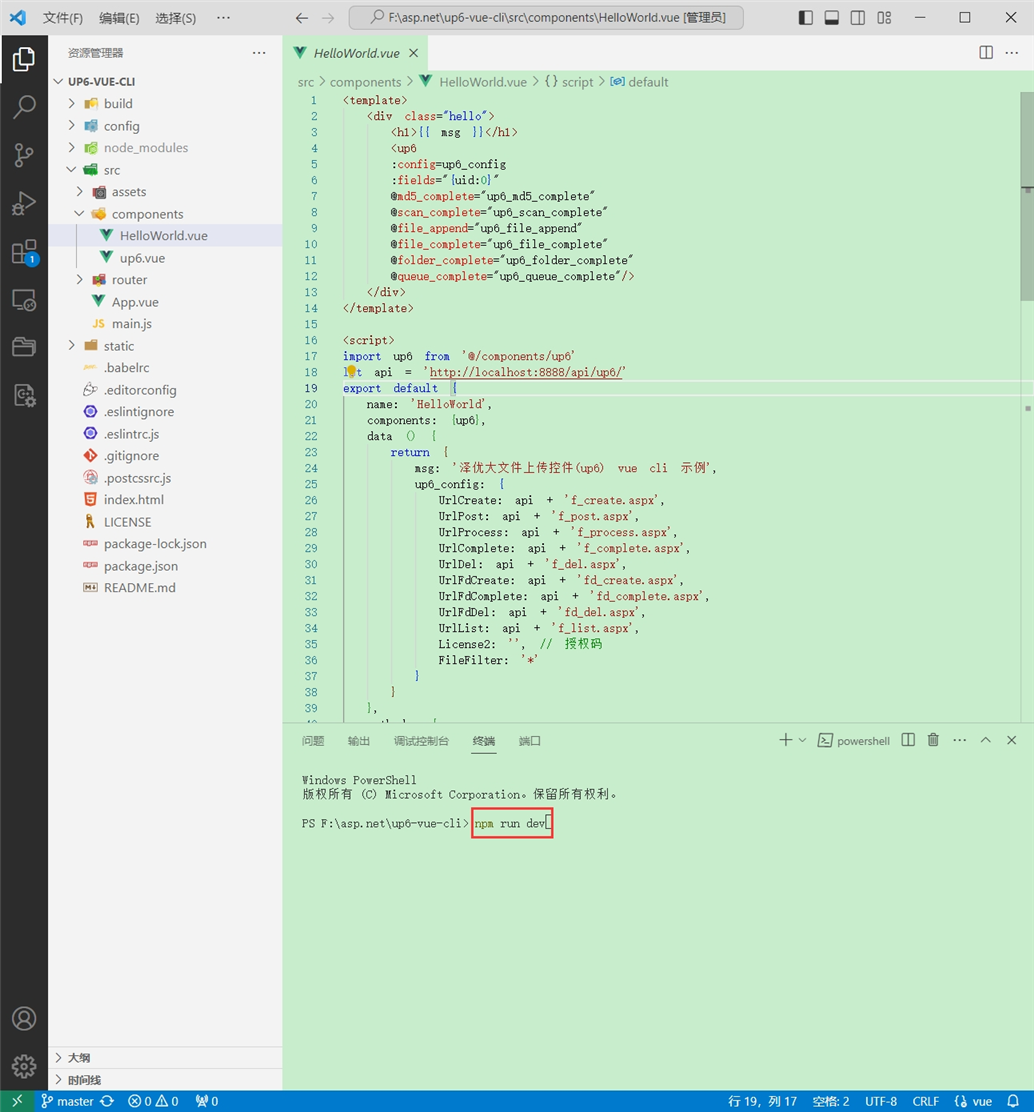
启动测试
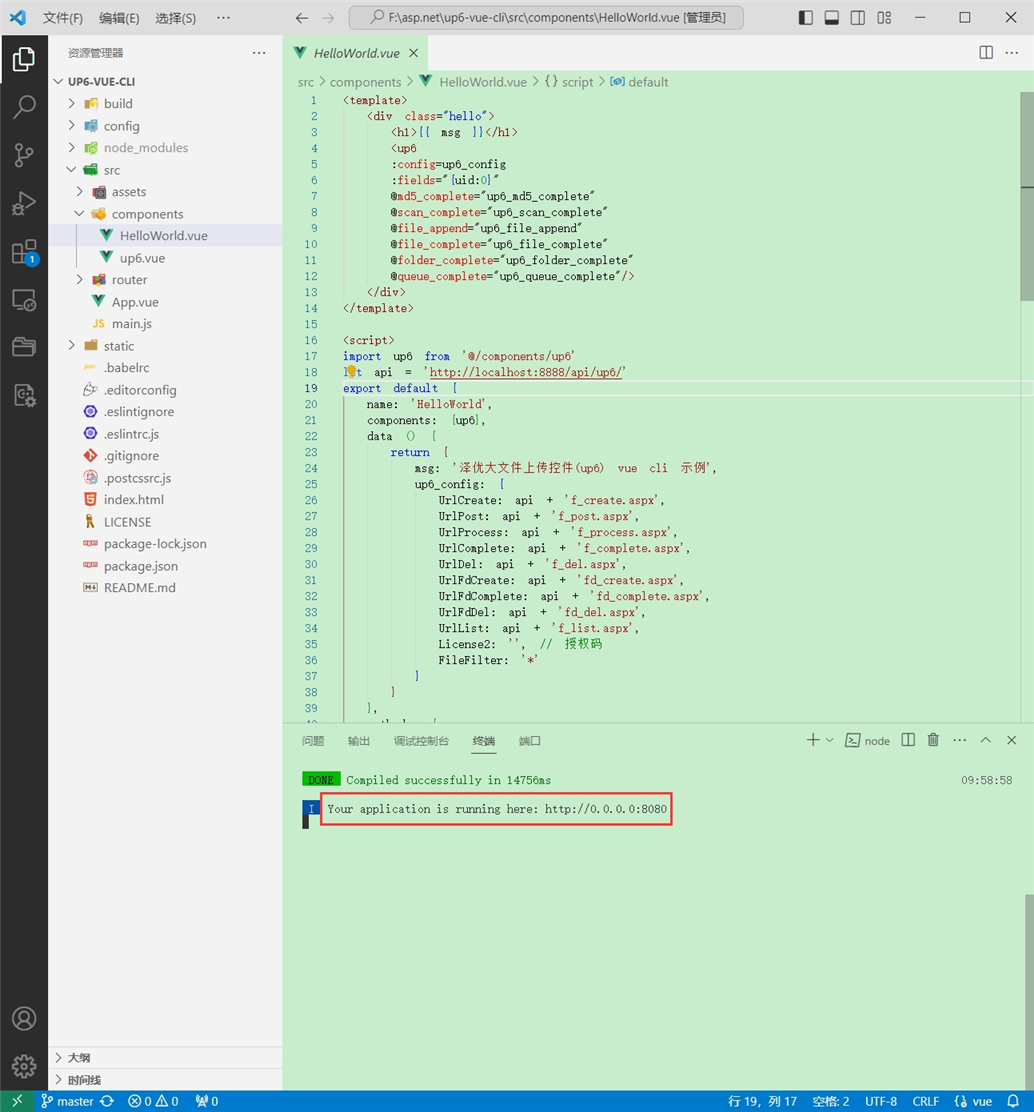
启动成功
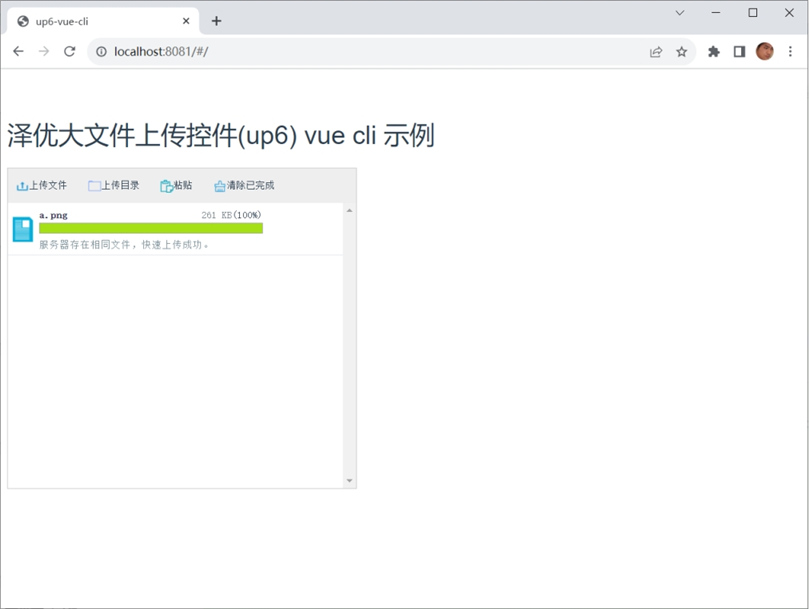
效果
数据库
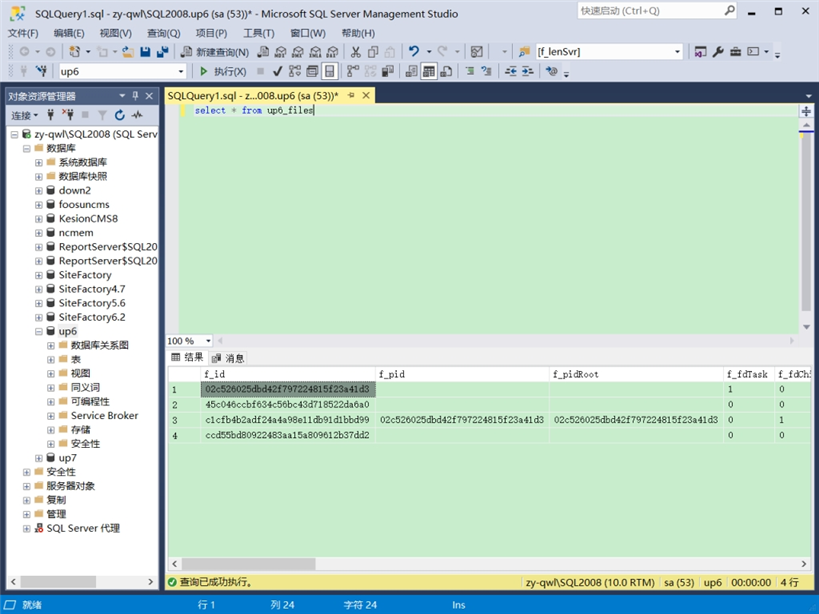
效果预览
文件上传

文件刷新续传
支持离线保存文件进度,在关闭浏览器,刷新浏览器后进行不丢失,仍然能够继续上传 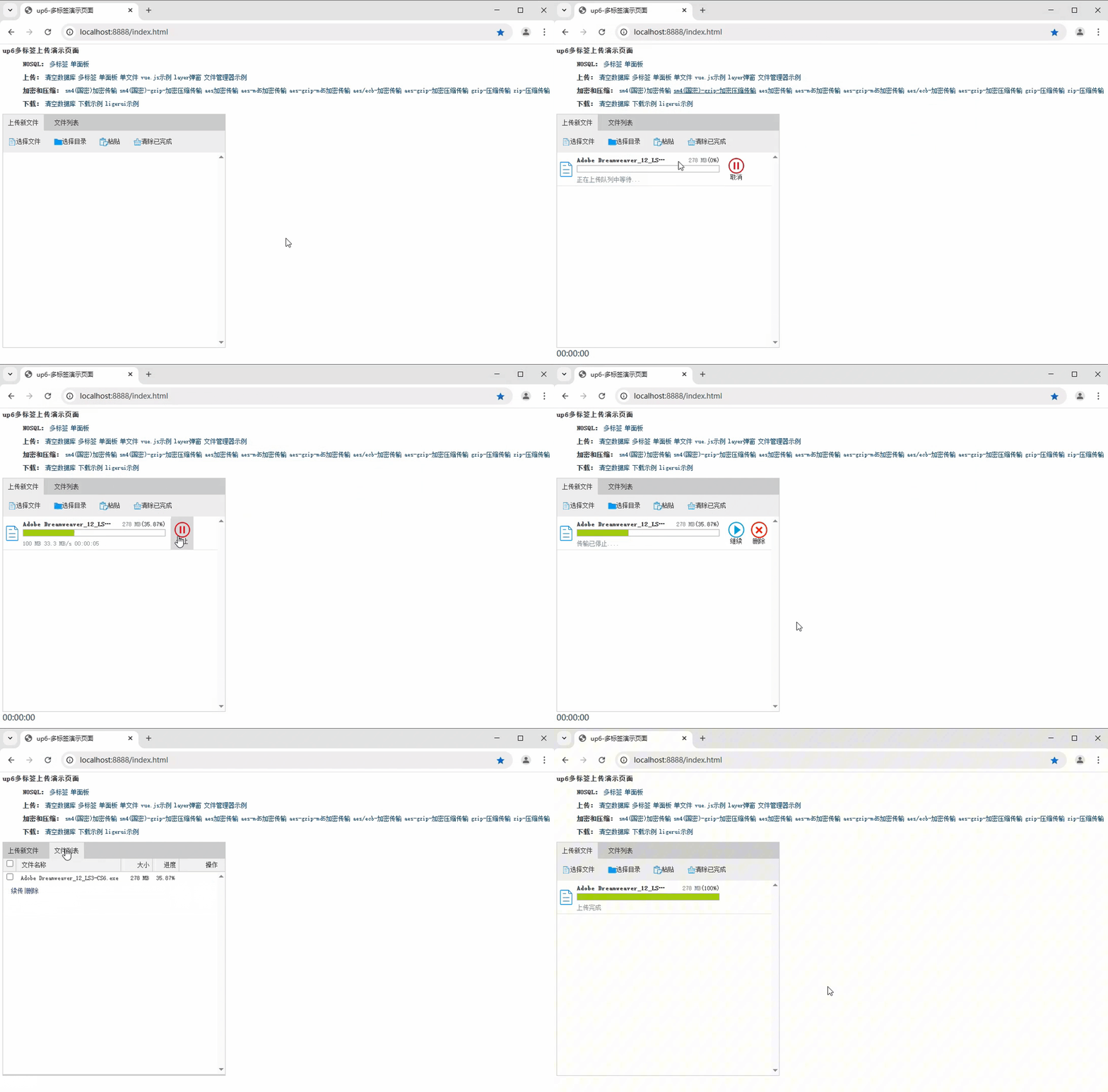
文件夹上传
支持上传文件夹并保留层级结构,同样支持进度信息离线保存,刷新页面,关闭页面,重启系统不丢失上传进度。 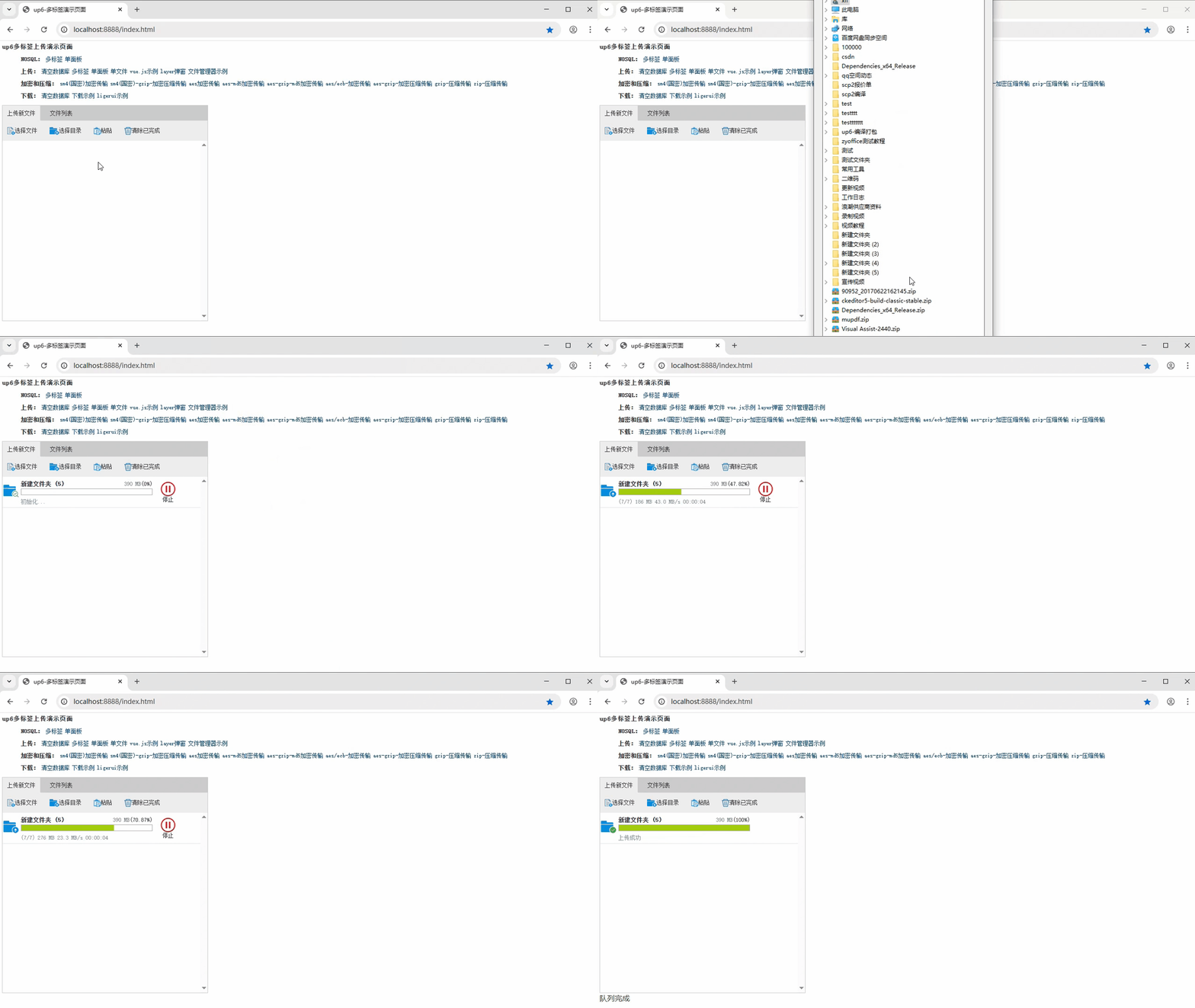
批量下载
支持文件批量下载 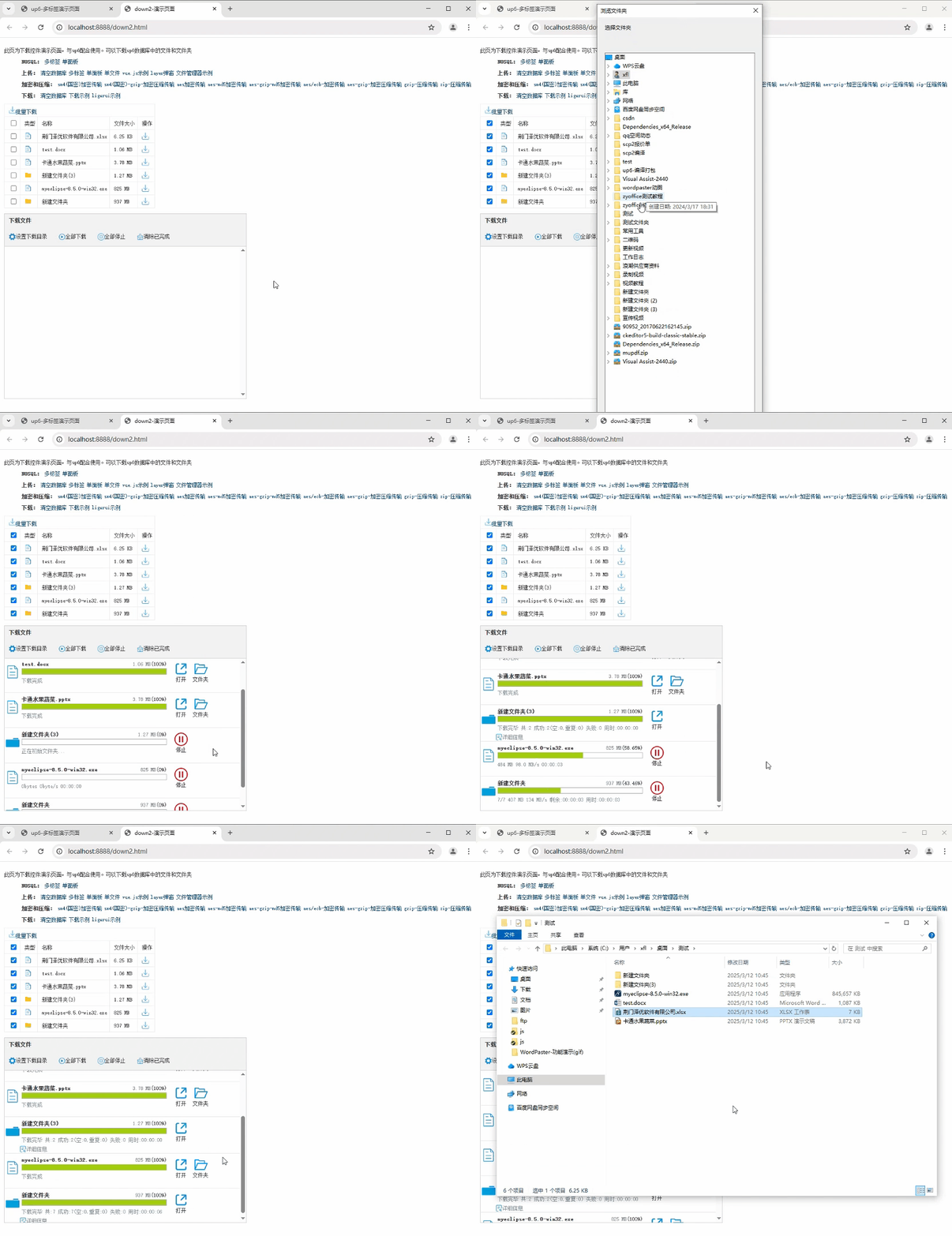
下载续传
文件下载支持离线保存进度信息,刷新页面,关闭页面,重启系统均不会丢失进度信息。 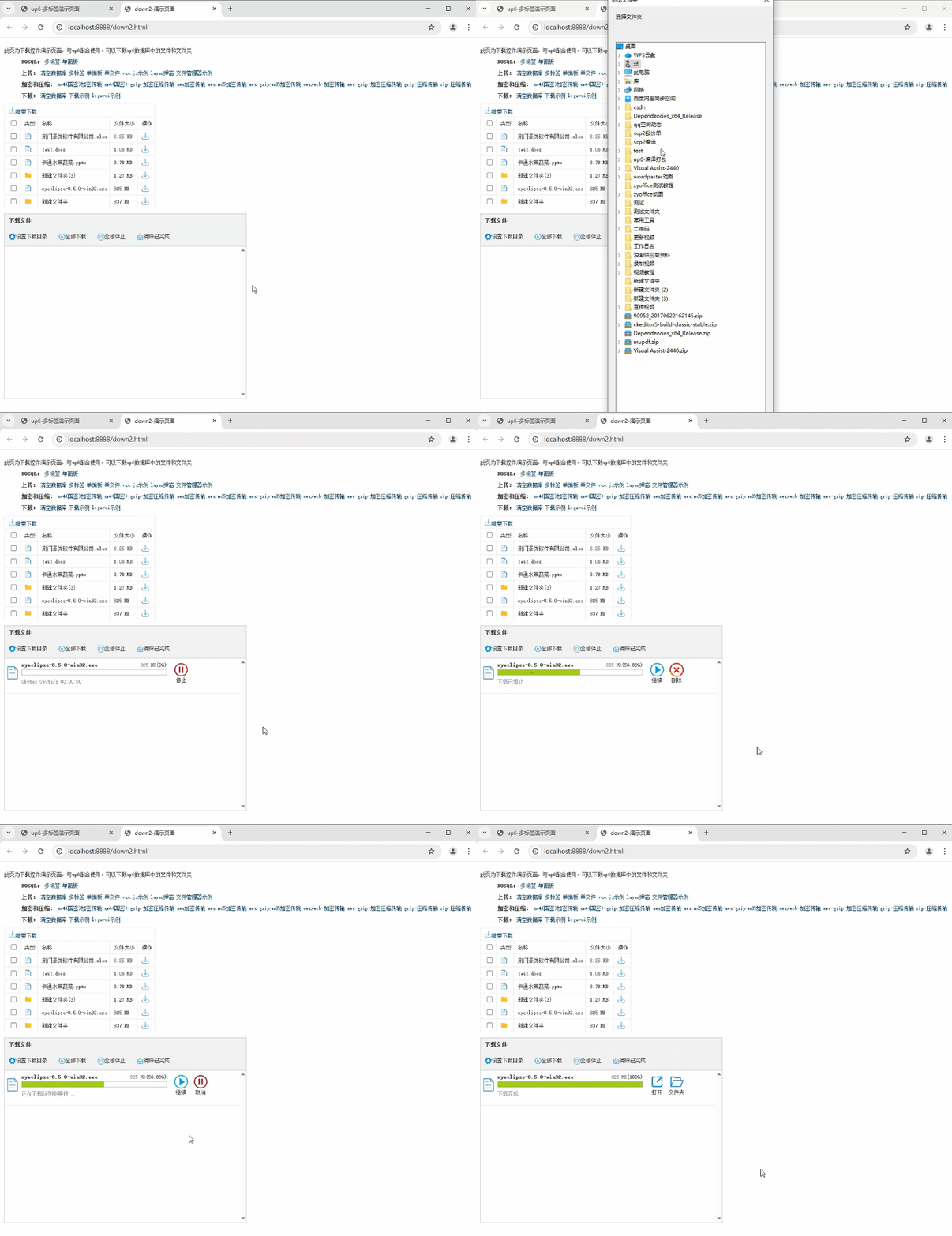
文件夹下载
支持下载文件夹,并保留层级结构,不打包,不占用服务器资源。 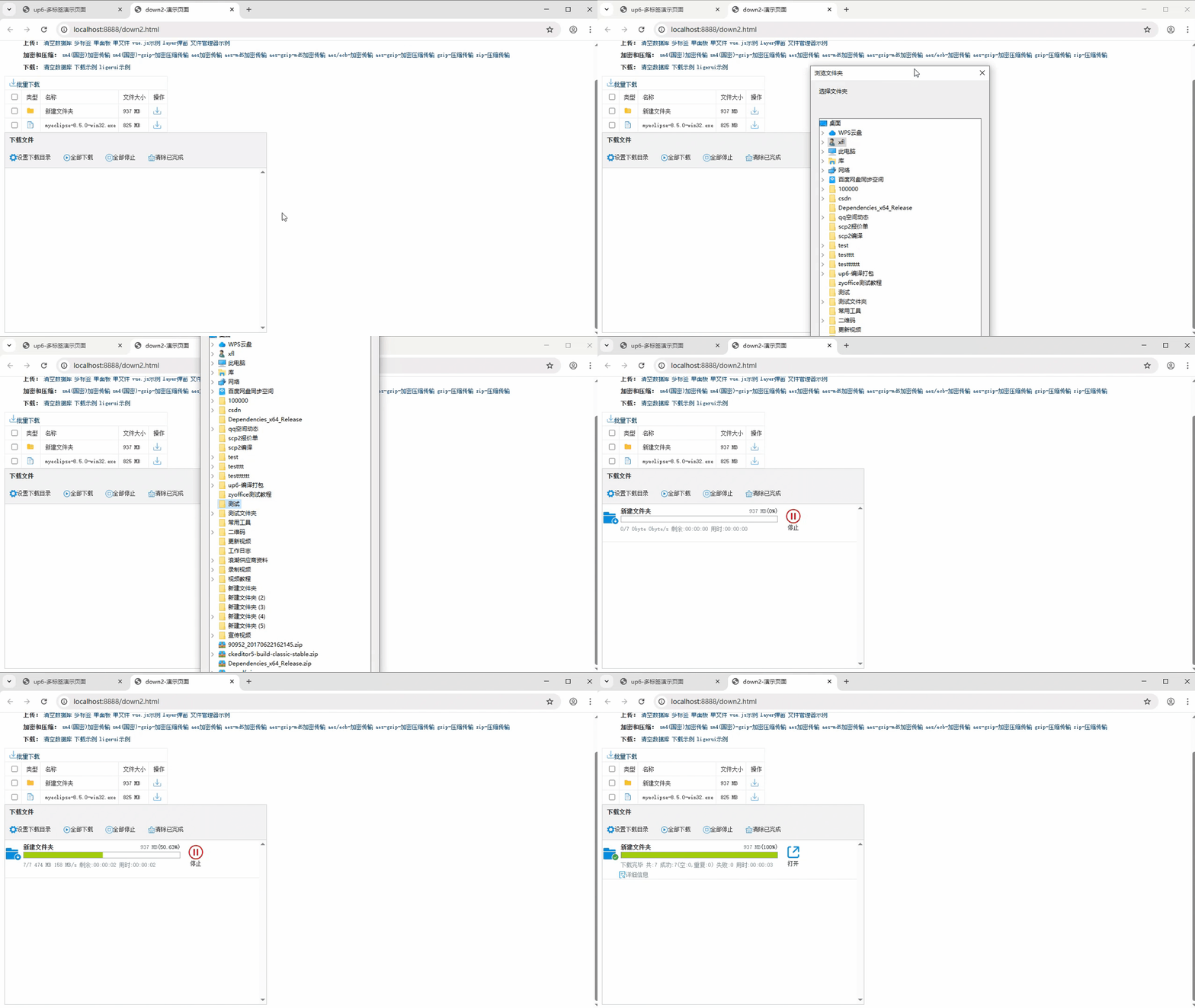
下载示例
点击下载完整示例