Kafka消息延迟的全链路追踪:从Producer发送到Consumer消费的耗时分解
Kafka作为高吞吐、低延迟的消息队列系统,广泛应用于实时数据流处理。然而,在实际应用中,消息从Producer发送到Consumer消费往往会出现延迟,影响系统的实时性和可靠性。全链路追踪是解决这一问题的关键,通过分析消息传输全链路中各个阶段的耗时,我们可以精确定位延迟瓶颈,并进行针对性优化。本文将详细解析Kafka消息从Producer到Consumer的完整传输链路,并介绍如何对各环节进行耗时分析与优化。
Kafka消息从发送到消费的完整链路包括以下关键环节:
(1) Producer端:消息创建、序列化、发送到Kafka集群
(2) Broker端:接收消息、写入日志、副本同步、Leader确认
(3) Consumer端:拉取消息、反序列化、消息处理、提交位移
消息在Producer端经过序列化后,通过网络发送到集群中的Broker。Broker接收到消息后,将其写入本地日志,并在副本间进行同步。当所有副本(根据配置的确认级别)成功写入后,Leader Broker向Producer发送确认。Consumer定期从Broker拉取消息,反序列化后进行业务处理,最后提交消费位移以确认消息已处理完成。
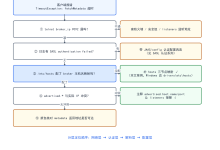
#publish-mermaid-1788401690475-0{font-family:\”trebuchet ms\”,verdana,arial,sans-serif;font-size:16px;fill:#333;}@keyframes edge-animation-frame{from{stroke-dashoffset:0;}}@keyframes dash{to{stroke-dashoffset:0;}}#publish-mermaid-1788401690475-0 .edge-animation-slow{stroke-dasharray:9,5!important;stroke-dashoffset:900;animation:dash 50s linear infinite;stroke-linecap:round;}#publish-mermaid-1788401690475-0 .edge-animation-fast{stroke-dasharray:9,5!important;stroke-dashoffset:900;animation:dash 20s linear infinite;stroke-linecap:round;}#publish-mermaid-1788401690475-0 .error-icon{fill:#552222;}#publish-mermaid-1788401690475-0 .error-text{fill:#552222;stroke:#552222;}#publish-mermaid-1788401690475-0 .edge-thickness-normal{stroke-width:1px;}#publish-mermaid-1788401690475-0 .edge-thickness-thick{stroke-width:3.5px;}#publish-mermaid-1788401690475-0 .edge-pattern-solid{stroke-dasharray:0;}#publish-mermaid-1788401690475-0 .edge-thickness-invisible{stroke-width:0;fill:none;}#publish-mermaid-1788401690475-0 .edge-pattern-dashed{stroke-dasharray:3;}#publish-mermaid-1788401690475-0 .edge-pattern-dotted{stroke-dasharray:2;}#publish-mermaid-1788401690475-0 .marker{fill:#333333;stroke:#333333;}#publish-mermaid-1788401690475-0 .marker.cross{stroke:#333333;}#publish-mermaid-1788401690475-0 svg{font-family:\”trebuchet ms\”,verdana,arial,sans-serif;font-size:16px;}#publish-mermaid-1788401690475-0 p{margin:0;}#publish-mermaid-1788401690475-0 .label{font-family:\”trebuchet ms\”,verdana,arial,sans-serif;color:#333;}#publish-mermaid-1788401690475-0 .cluster-label text{fill:#333;}#publish-mermaid-1788401690475-0 .cluster-label span{color:#333;}#publish-mermaid-1788401690475-0 .cluster-label span p{background-color:transparent;}#publish-mermaid-1788401690475-0 .label text,#publish-mermaid-1788401690475-0 span{fill:#333;color:#333;}#publish-mermaid-1788401690475-0 .node rect,#publish-mermaid-1788401690475-0 .node circle,#publish-mermaid-1788401690475-0 .node ellipse,#publish-mermaid-1788401690475-0 .node polygon,#publish-mermaid-1788401690475-0 .node path{fill:#ECECFF;stroke:#9370DB;stroke-width:1px;}#publish-mermaid-1788401690475-0 .rough-node .label text,#publish-mermaid-1788401690475-0 .node .label text,#publish-mermaid-1788401690475-0 .image-shape .label,#publish-mermaid-1788401690475-0 .icon-shape .label{text-anchor:middle;}#publish-mermaid-1788401690475-0 .node .katex path{fill:#000;stroke:#000;stroke-width:1px;}#publish-mermaid-1788401690475-0 .rough-node .label,#publish-mermaid-1788401690475-0 .node .label,#publish-mermaid-1788401690475-0 .image-shape .label,#publish-mermaid-1788401690475-0 .icon-shape .label{text-align:center;}#publish-mermaid-1788401690475-0 .node.clickable{cursor:pointer;}#publish-mermaid-1788401690475-0 .root .anchor path{fill:#333333!important;stroke-width:0;stroke:#333333;}#publish-mermaid-1788401690475-0 .arrowheadPath{fill:#333333;}#publish-mermaid-1788401690475-0 .edgePath .path{stroke:#333333;stroke-width:1px;}#publish-mermaid-1788401690475-0 .flowchart-link{stroke:#333333;fill:none;}#publish-mermaid-1788401690475-0 .edgeLabel{background-color:rgba(232,232,232, 0.8);text-align:center;}#publish-mermaid-1788401690475-0 .edgeLabel p{background-color:rgba(232,232,232, 0.8);}#publish-mermaid-1788401690475-0 .edgeLabel rect{opacity:0.5;background-color:rgba(232,232,232, 0.8);fill:rgba(232,232,232, 0.8);}#publish-mermaid-1788401690475-0 .labelBkg{background-color:rgba(232, 232, 232, 0.5);}#publish-mermaid-1788401690475-0 .cluster rect{fill:#ffffde;stroke:#aaaa33;stroke-width:1px;}#publish-mermaid-1788401690475-0 .cluster text{fill:#333;}#publish-mermaid-1788401690475-0 .cluster span{color:#333;}#publish-mermaid-1788401690475-0 div.mermaidTooltip{position:absolute;text-align:center;max-width:200px;padding:2px;font-family:\”trebuchet ms\”,verdana,arial,sans-serif;font-size:12px;background:hsl(80, 100%, 96.2745098039%);border:1px solid #aaaa33;border-radius:2px;pointer-events:none;z-index:100;}#publish-mermaid-1788401690475-0 .flowchartTitleText{text-anchor:middle;font-size:18px;fill:#333;}#publish-mermaid-1788401690475-0 rect.text{fill:none;stroke-width:0;}#publish-mermaid-1788401690475-0 .icon-shape,#publish-mermaid-1788401690475-0 .image-shape{background-color:rgba(232,232,232, 0.8);text-align:center;}#publish-mermaid-1788401690475-0 .icon-shape p,#publish-mermaid-1788401690475-0 .image-shape p{background-color:rgba(232,232,232, 0.8);padding:2px;}#publish-mermaid-1788401690475-0 .icon-shape .label rect,#publish-mermaid-1788401690475-0 .image-shape .label rect{opacity:0.5;background-color:rgba(232,232,232, 0.8);fill:rgba(232,232,232, 0.8);}#publish-mermaid-1788401690475-0 .label-icon{display:inline-block;height:1em;overflow:visible;vertical-align:-0.125em;}#publish-mermaid-1788401690475-0 .node .label-icon path{fill:currentColor;stroke:revert;stroke-width:revert;}#publish-mermaid-1788401690475-0 .node .neo-node{stroke:#9370DB;}#publish-mermaid-1788401690475-0 [data-look=\”neo\”].node rect,#publish-mermaid-1788401690475-0 [data-look=\”neo\”].cluster rect,#publish-mermaid-1788401690475-0 [data-look=\”neo\”].node polygon{stroke:#9370DB;filter:drop-shadow(1px 2px 2px rgba(185, 185, 185, 1));}#publish-mermaid-1788401690475-0 [data-look=\”neo\”].swimlane.cluster rect{filter:none;}#publish-mermaid-1788401690475-0 [data-look=\”neo\”].node path{stroke:#9370DB;stroke-width:1px;}#publish-mermaid-1788401690475-0 [data-look=\”neo\”].node .outer-path{filter:drop-shadow(1px 2px 2px rgba(185, 185, 185, 1));}#publish-mermaid-1788401690475-0 [data-look=\”neo\”].node .neo-line path{stroke:#9370DB;filter:none;}#publish-mermaid-1788401690475-0 [data-look=\”neo\”].node circle{stroke:#9370DB;filter:drop-shadow(1px 2px 2px rgba(185, 185, 185, 1));}#publish-mermaid-1788401690475-0 [data-look=\”neo\”].node circle .state-start{fill:#000000;}#publish-mermaid-1788401690475-0 [data-look=\”neo\”].icon-shape .icon{fill:#9370DB;filter:drop-shadow(1px 2px 2px rgba(185, 185, 185, 1));}#publish-mermaid-1788401690475-0 [data-look=\”neo\”].icon-shape .icon-neo path{stroke:#9370DB;filter:drop-shadow(1px 2px 2px rgba(185, 185, 185, 1));}#publish-mermaid-1788401690475-0 :root{–mermaid-font-family:\”trebuchet ms\”,verdana,arial,sans-serif;}
Producer创建消息
序列化消息
发送到Kafka集群
Broker接收消息
消息写入日志
Replica同步
Leader确认写入
返回确认给Producer
Consumer拉取消息
Broker返回消息
Consumer反序列化
消息处理
提交消费位移
3.1 Producer端延迟
Producer端的主要耗时包括:
- 序列化耗时:消息对象转换为字节的过程,取决于序列化算法和消息大小
- 网络传输耗时:将序列化后的消息发送到Broker的网络时间
- 确认等待耗时:等待Broker确认消息已成功写入的时间
优化方法:
- 使用高效的序列化器(如Avro、Protobuf)
- 调整批量发送大小,减少网络IO次数
- 根据业务需求设置适当的acks参数(0/1/all)
3.2 Broker端延迟
Broker端的耗时主要包括:
- 磁盘IO耗时:消息写入磁盘的时间
- 副本同步耗时:消息在副本间同步的时间
- 控制操作耗时:如分区选举、重平衡等控制操作
优化方法:
- 使用高性能存储设备(如SSD)
- 优化日志段配置(如log.segment.bytes、log.roll.ms)
- 调整副本同步参数(如replica.lag.time.max.ms)
- 控制分区数量,避免单个Broker负载过高
3.3 Consumer端延迟
Consumer端的耗时主要包括:
- 拉取消息耗时:从Broker拉取消息的时间
- 反序列化耗时:将字节转换为消息对象的过程
- 业务处理耗时:执行业务逻辑的时间
- 提交位移耗时:提交消费位移的时间
优化方法:
- 增加拉取批次大小,减少拉取频率
- 使用高效的反序列化器
- 优化业务处理逻辑,提高并发度
- 调整提交位移策略(手动/自动)
要实现对Kafka消息延迟的全链路追踪,可以采用以下方法:
4.1 使用Kafka自带的监控指标
Kafka提供了丰富的监控指标,可以通过JMX或Kafka自带的监控工具获取:
- Producer端:record-send-rate、record-avg-compression-rate等
- Broker端:incoming-byte-rate、record-write-rate等
- Consumer端:records-consumed-rate、records-lag-max等
4.2 使用分布式追踪系统
集成分布式追踪系统(如Zipkin、Jaeger、SkyWalking)可以实现全链路追踪:
- 在Producer和Consumer中嵌入追踪信息
- 通过追踪ID关联不同阶段的耗时
- 可视化展示消息传输的全链路耗时分布
4.3 自定义监控方案
对于特定的业务场景,可以自定义监控方案:
- 在关键环节添加时间戳标记
- 将耗时数据发送到监控系统(如Prometheus+Grafana)
- 设置阈值告警,及时发现延迟异常
| 环节 | 可能延迟原因 | 解决方案 |
|——|————|———|
| Producer序列化 | 序列化算法复杂度高 | 选择高效的序列化器如Avro |
| 网络传输 | 网络抖动、带宽不足 | 优化网络配置,增加带宽 |
| Broker写入 | 磁盘IO性能差 | 使用SSD,调整日志段大小 |
| Replica同步 | 副本数量多,同步慢 | 调整副本因子,优化同步配置 |
| Consumer拉取 | 拉取频率低 | 增加拉取批次大小,提高拉取频率 |
| 消费处理 | 业务逻辑复杂 | 优化消费逻辑,增加分区并行度 |
5.1 完整示例
下面是一个完整的Kafka消息延迟追踪示例,包括Producer和Consumer端的实现:
import org.apache.kafka.clients.producer.*;
import org.apache.kafka.clients.consumer.*;
import java.util.*;
import java.time.Duration;
public class KafkaLatencyTracing {
public static void main(String[] args) {
String bootstrapServers = "localhost:9092";
String topic = "latency-test";
String traceId = UUID.randomUUID().toString();
// 启动Producer
TimedKafkaProducer producer = new TimedKafkaProducer(bootstrapServers, topic, traceId);
// 发送测试消息
for (int i = 0; i < 5; i++) {
String message = "Test message " + i + " with traceId: " + traceId;
producer.sendMessage(message);
try {
Thread.sleep(1000); // 每秒发送一条消息
} catch (InterruptedException e) {
e.printStackTrace();
}
}
// 启动Consumer
TimedKafkaConsumer consumer = new TimedKafkaConsumer(bootstrapServers, topic, traceId);
new Thread(consumer::consumeMessages).start();
}
}
5.2 注意事项