问题描述
使用Notification Hub(通知中心)发送移动设备的通知,在Azure Notification Hub页面,可以通过Test功能测试设备是否可以成功收到消息。
只是,这个页面只能随机发送10个设备,如果设备超过10个之后,当需要定向指定发送到某一个/某一类设备时,就无法达到快速的测试目的。
You can send test notifications to a specific set of registrations using this option. Leave this field empty if you like to send push notifications to 10 random registrations on the selected platform
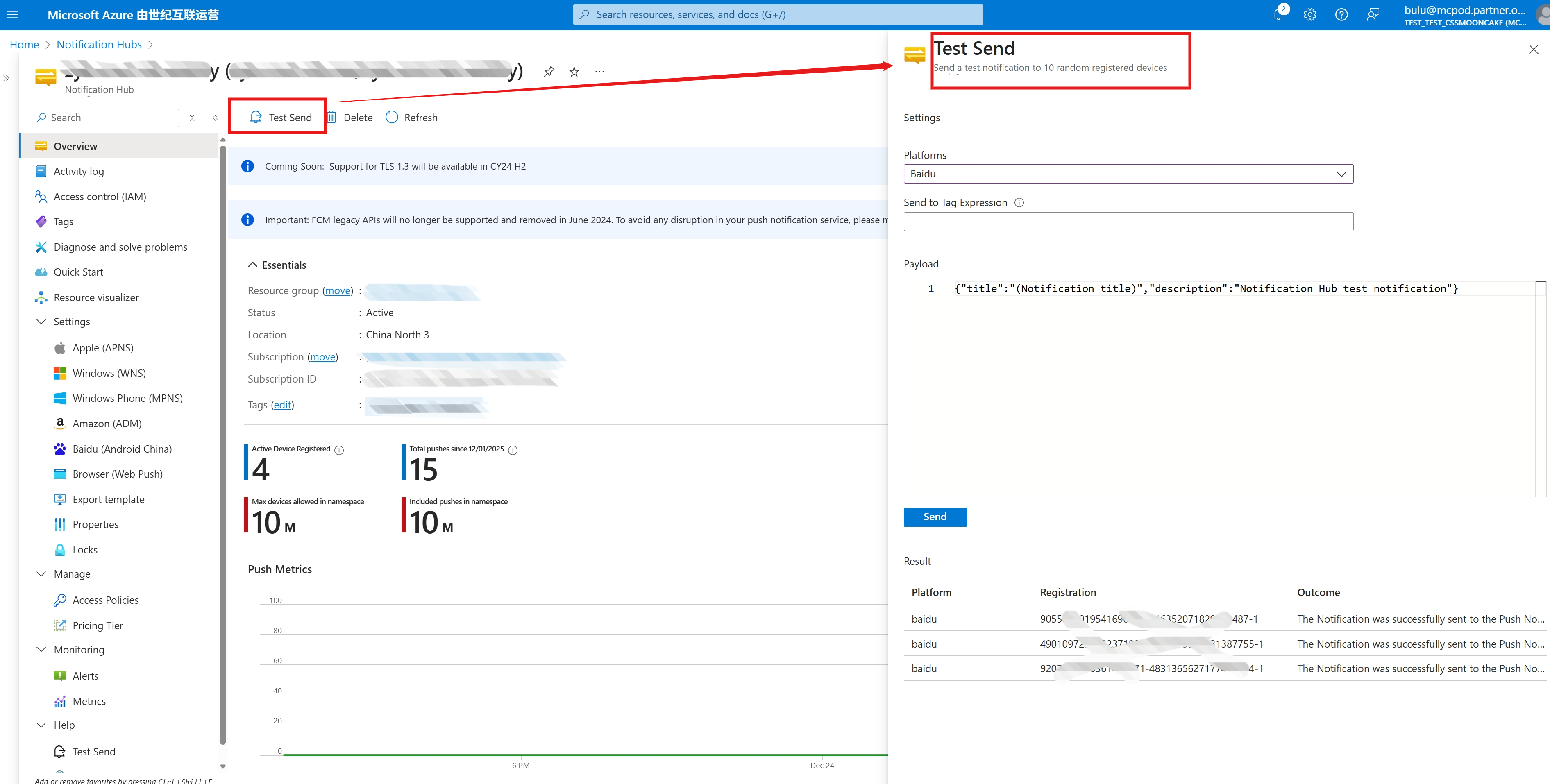
本文就将通过为设备配置Tag之后,在当前Test页面指定Tag值来实现这一目的。
问题解答
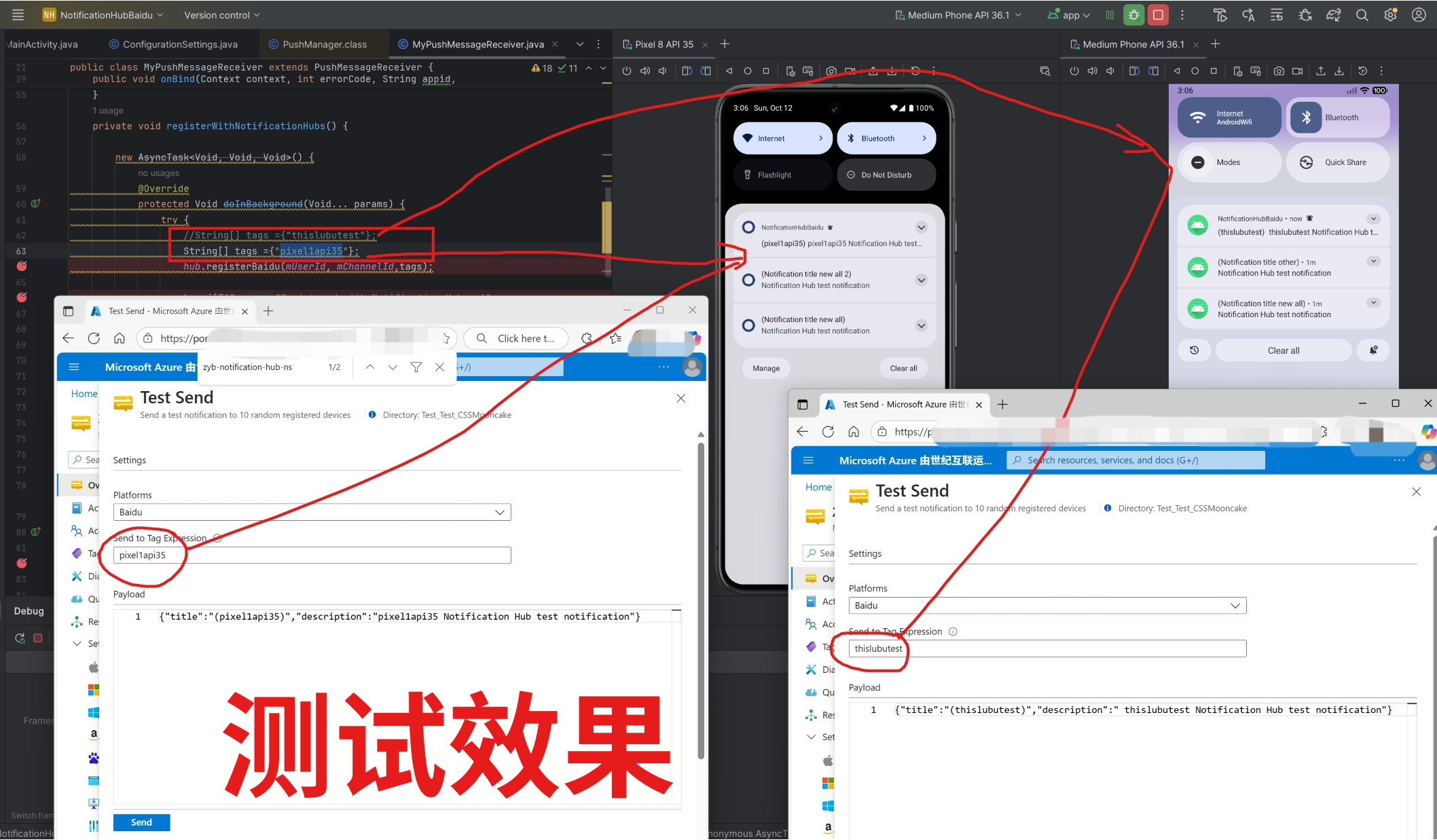
第一步:在向Notification Hub注册设备的时候,就需要为这个设备添加Tag,代码如下:
private void registerWithNotificationHubs() {
new AsyncTask<Void, Void, Void>() {
@Override
protected Void doInBackground(Void… params) {
try {
//String[] tags ={"thislubutest"};
String[] tags ={"pixel1api35"};
hub.registerBaidu(mUserId, mChannelId,tags);
Log.i(TAG, "Registered with Notification Hub – '"
+ ConfigurationSettings.NotificationHubName + "'"
+ " with UserId – '"
+ mUserId + "' and Channel Id – '"
+ mChannelId + "'");
} catch (Exception e) {
Log.e(TAG, e.getMessage());
}
return null;
}
}.execute(null, null, null);
}
第二步:在Test Send中,把注册设备时使用的tags值写入 “ Send to Tag Expression ”
参考资料
通过百度开始使用通知中心 : https://docs.azure.cn/zh-cn/notification-hubs/notification-hubs-baidu-china-android-notifications-get-started
当在复杂的环境中面临问题,格物之道需:浊而静之徐清,安以动之徐生。 云中,恰是如此!