Remote-SSH 远程服务器使用 Codex
- 一. 服务器vpn设置
-
- 1. 本地-远端对应端口建立
- 2. 验证转发
- 3. 远程代理配置
- 4. 测试
- 二. codex安装与认证
-
- 1. 安装 Node.js 环境
- 2. 安装 Codex CLI
- 3. 登录验证(三选一)
一. 服务器vpn设置
校内服务器位Linux操作系统,一般无法连接外网,也有很多没有可视化界面。 于是将本地映射到服务器,在远程服务器上做一个端口转发。
1. 本地-远端对应端口建立
ssh -R 17897:127.0.0.1:7897 -o ServerAliveInterval=60 [username]@[远端服务器地址]
以上命令代表。将本地的地址127.0.0.1,端口7897在远端服务器地址上开一个端口17897进行映射,ServerAliveInterval=60表示保持连接活跃。 这里我一开始只配置的config文件,但是失败。 配置本地config(Poweshell)
~/.ssh/config
添加
RemoteForward 17897 127.0.0.1:7897
ServerAliveInterval 60
ServerAliveCountMax 3
ExitOnForwardFailure yes
2. 验证转发
ssh my-remote-server
ss -lnt | grep 17897
出现下图内容表示转发成功 
3. 远程代理配置
nano ~/.bashrc
添加下面内容
vpn() {
unset HTTP_PROXY HTTPS_PROXY http_proxy https_proxy ALL_PROXY all_proxy
export HTTP_PROXY="http://127.0.0.1:17897"
export HTTPS_PROXY="http://127.0.0.1:17897"
export http_proxy="http://127.0.0.1:17897"
export https_proxy="http://127.0.0.1:17897"
export ALL_PROXY="http://127.0.0.1:17897"
export all_proxy="http://127.0.0.1:17897"
export NO_PROXY="localhost,127.0.0.1,::1"
export no_proxy="localhost,127.0.0.1,::1"
echo "Proxy enabled: http://127.0.0.1:17897"
}
unvpn() {
unset HTTP_PROXY HTTPS_PROXY http_proxy https_proxy ALL_PROXY all_proxy
unset NO_PROXY no_proxy
echo "Proxy disabled"
}
生效
source ~/.bashrc
vpn

4. 测试
curl –max-time 10 -I http://example.com
curl –max-time 10 -I https://example.com
二. codex安装与认证
1. 安装 Node.js 环境
curl -o- https://raw.githubusercontent.com/nvm-sh/nvm/v0.39.0/install.sh | bash
source ~/.bashrc
nvm install –lts
2. 安装 Codex CLI
npm install -g @openai/codex
codex –version
3. 登录验证(三选一)
1)codex
2)codex login
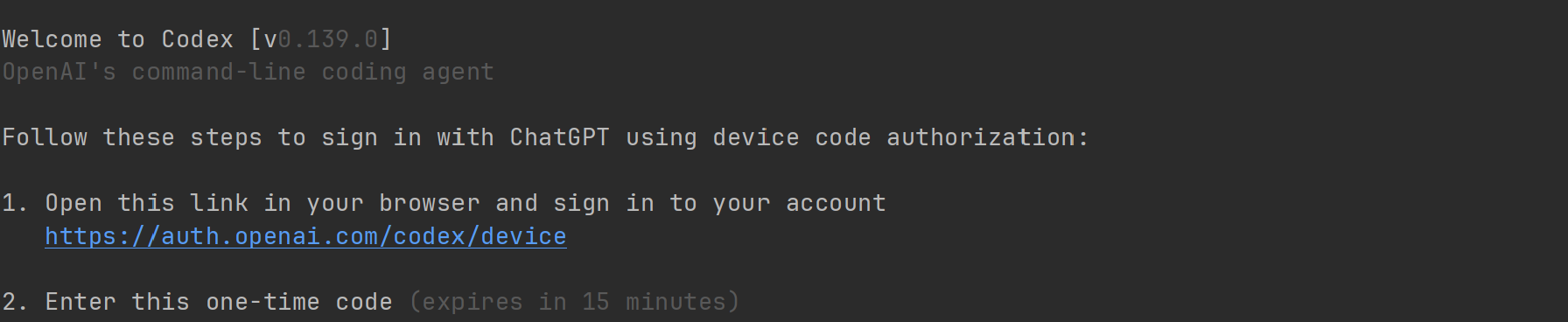
3)codex login —device–auth(我用的这一种,需要现在GPT中打开开关)


 参考:
参考:
https://jurio.blog.csdn.net/article/details/160188673?fromshare=blogdetail&sharetype=blogdetail&sharerId=160188673&sharerefer=PC&sharesource=Bella_Seven&sharefrom=from_link https://zhuanlan.zhihu.com/p/2027512416271968050